
Why Your Referrals Aren't Showing Up
44sDirectly addresses a common user complaint with a clear step-by-step solution, making it highly relatable and actionable.
▶ Play Clip"Title promises a guide on finding referrals, and the video delivers exactly that — a straightforward walkthrough, though content is thin."
This video is a brief tutorial for Zapay users who referred others but haven't seen their rewards yet. The presenter explains where to find referral information and confirms that payments are made on the 4th of the following month.
Payments for referrals are processed on the 4th of the following month, addressing why some users see no earnings yet.
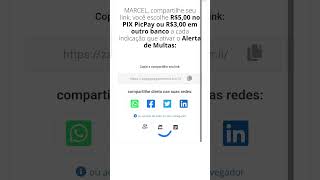
To view referrals, log into your account, click 'I want to register,' scroll down, and click the 'Referral' tab.
The referral list shows names of referred users; the presenter shows examples like Pedro, Paulo, Nat, etc.
Click the gift icon to register your withdrawal info, whether via PIX or another bank card.
The rules section confirms the payment date is the 4th of the following month, and you'll see successful referrals and expected amounts then.
Referral payment delay misconception
Clarifies that payouts occur on the 4th of the following month, addressing a common user confusion.
00:03Accessing referral page
Provides a direct navigation path to view referred users, saving time for users unfamiliar with the interface.
00:15Withdrawal and rule settings
Demonstrates where to set withdrawal info and find the payment rule, ensuring users can manage earnings effectively.
00:47[00:03] people are saying they're referring people and not getting paid. According to their rules, they only pay on the 4th of the following month, meaning they're paying on February 4th. Many people are saying, "
[00:15] Oh, I referred people and didn't get anything, nothing's showing up." Okay, you referred, click here: "I want to register." A page will open; you need to be logged in with your account. Once you've done that, scroll
[00:29] scroll, scroll, scroll, and click here. Let me grab a little pencil to show you here: " Referral." Click here; it will show you the referrals. In my case, here are Pedro, Paulo, Suato, Nat, Natan, Alan,
[00:47] here are Pedro, Paulo, Suato, Nat, Natan, Alan, and Juju. Okay, let's go back. Let's go back here to this little gift this little gift here. You'll register your withdrawal information.
[01:00] If you're registering via PX or another bank card, you put your information here. Go back again. Here, and the last one, I don't remember what it is. Here are the rules, folks, and here I don't
[01:15] remember where I saw it, there's so much to read. And here it says, "Look, there's a place that says the payment is on the 4th of the following month." Okay, so here you'll be able to see your information. Where it says, the
[01:28] referrals, how many people you referred, that it was a successful referral, and then now on the 4th you'll be receiving the amount there for you to want. Okay folks, a hug, we're in this together, and bye!
⚡ Saved you 0h 01m reading this? Transcribe any YouTube video for free — no signup needed.