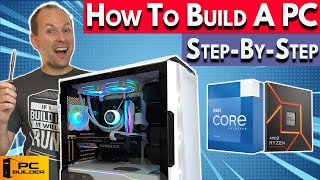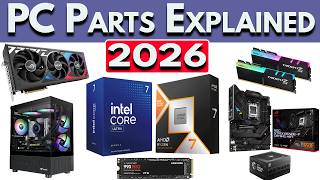

Gaming PC Build 2026: Where to Start?
45sThe opening hook directly addresses a common pain point for viewers looking to build a gaming PC, making it highly relatable and clickable.
▶ Play Clip"The title accurately promises a comprehensive 2026 PC build guide, and the video delivers exactly that with detailed component breakdowns and specific build lists."
This video provides a comprehensive guide to building a gaming PC in 2026, covering critical components like CPU, GPU, motherboard, RAM, storage, cooling, case, and power supply. It includes specific build recommendations at various price points from $800 to $2,000, with tips on component selection and current market trends.
The eight critical components for a 2026 PC build are: CPU, GPU, motherboard, RAM, CPU cooler, storage (SSD), power supply, and PC case with fans.
The GPU determines resolution (1080p, 1440p, 4K) and frames per second (FPS). 60 FPS is common for single-player titles, higher for competitive games.
In 2026, recommended VRAM: 16GB for 4K or 1440p with ray tracing, 12GB for 1440p, 10GB for 1080p. Less may require lowering settings.
Available GPUs include Nvidia RTX 50 series, AMD RX 9000 series, and Intel B series. High-end: RTX 5090 (32GB VRAM), RTX 5080, 5070 Ti, RX 970 XT (16GB).
Modern CPUs have 4-24 cores. Gaming typically needs 4-8 cores. AMD Ryzen 5 9600X has 6 cores/12 threads; Intel uses big.LITTLE design with performance and efficiency cores.
Motherboards are chipset-specific: AMD Ryzen 9000/7000 use 800/600 series; Intel Core Ultra 200 use Z890/B860. B-series boards are recommended for value.
Global RAM shortage due to AI data center expansion has increased prices. 16GB is sufficient for gaming; 32GB for professional work. DDR5 is standard for new builds.
M.2 NVMe SSDs are standard. PCIe Gen 3 or 4 drives are sufficient; Gen 5 offers no real benefit for consumers. A single high-capacity drive is often cheaper than multiple smaller ones.
Cases need mesh panels for airflow. Recommended: at least 2-3 intake fans and 1 exhaust fan. Positive pressure helps control dust.
PSU should be rated at least C-tier on the SPL PSU Tier List for gaming builds. Higher-tier (B or A) recommended for expensive components.
Building a gaming PC in 2026 requires careful component selection, with the GPU being the most critical for gaming performance. Despite higher RAM and SSD prices, budget-friendly builds are possible, and combo deals from retailers like Newegg can offer significant savings.
What are the eight critical components of a PC build in 2026?
CPU, GPU, motherboard, RAM, CPU cooler, storage (SSD), power supply, and PC case with fans.
00:42
What is the recommended VRAM for 1440p gaming with high ray tracing?
At least 16GB for no compromises, 12GB for standard 1440p gaming.
01:56
Which GPU has 32GB of VRAM?
Nvidia RTX 5090.
02:56
What does '3D' in AMD Ryzen 7 9850X3D refer to?
Extra onboard memory (cache) stacked vertically on the CPU.
06:26
Can you use an AMD CPU with an Intel chipset motherboard?
No, motherboards are chipset-specific and not interchangeable.
08:17
What is the current fastest gaming CPU mentioned?
Ryzen 7 9850X3D.
06:26
What is the recommended PSU tier for a gaming build with a dedicated GPU?
At least C-tier on the SPL PSU Tier List.
20:02
What is the advantage of using a single high-capacity SSD over multiple smaller ones?
It runs just as fast and is often cheaper.
15:46
What is the recommended number of intake and exhaust fans?
At least 2-3 intake fans and at least one exhaust fan.
18:15
What is the approximate cost to upgrade from a 16GB to a 32GB RAM kit?
Around $100 to $150.
14:20
VRAM Warning
Clear, actionable advice on VRAM requirements to avoid stuttering and texture issues, especially with ray tracing.
01:56RAM Shortage Reality Check
Honest acknowledgment of global RAM shortage due to AI data centers, impacting prices and build decisions.
11:54PSU Tier List Analogy
Compares PSU tier selection to car insurance, making a complex topic relatable and memorable.
20:02[00:00] Are you looking to build or buy a gaming PC in 2026, but you're not sure where to start? We've got you covered. Welcome back to PC Builder, I'm Jason. We're going to cover the critical components that make up a PC build in 2026 and how they work together.
[00:14] We'll take a look at the latest platforms from ANZ, Intel, and NVIDIA. And I'll give you several different gaming PC build lists. Starting at an $800 game PC build, two mid-range 1440p gaming PC builds for between $1,000 and $1,400,
[00:28] and a high-end gaming PC build for right around $2,000. If you get value at this video, please give it a like for a subscribe for more cool PC content. Let's jump into it. So there's 8 critical components to a PC build in 2026.
[00:42] The computer processor or CPU for short, the graphics card or GPU for short, the motherboard that connects everything together, the RAM, the CPU cooler, the storage like an SSD drive, the power supply, and the PC case with fans for airflow.
[00:56] If you're building a gaming PC in 2026, the graphics card, or GPU for short, is the most important component to get right. The GPU is going to determine what resolution that you're able to play at, 1080p, 1440p, or 4K, and how many frames per second or FPS that you're going to get at that resolution.
[01:13] 60 FPS is a common FPS target for PC gamers at higher ultra settings in single player titles like Kingdom Come Deliverance 2 or Elden Ring, and much higher FPS in multiplayer competitive titles like Battlefield 6, Ark Raiders, and CS2.
[01:29] Graphics cards are ranked both by how fast they are, how much FPS you're going to get, but also by the amount of video RAM or VRAM that they have. Now running out of VRAM, that can cause stuttering or textures not to load, either making the game look muddy or crashing outright.
[01:42] This can force you to turn down the graphics settings on a game from ultra or high settings all the way down to medium or even low in order to get a playable experience, especially at higher resolutions like 1440p or 4K.
[01:56] Turning on ray tracing also uses more VRAM. In 2026 I recommended at least 16GB for no compromises 4K gaming or 1440p with high ray tracing, 12GB of VRAM for 1440p gaming, 10GB for 1080p, and anything less than that
[02:12] may need to turn down graphics settings even at 1080p on some games. Now the graphics card itself plugs directly into the motherboard and use the video outputs on the back of the graphics card not the motherboard. DC gamers will want to use the DisplayPort cable rather than HDMI cable for
[02:27] best results. We go through more of that in our Best Gaming Modern 2026 video which is linked down in the video description. Now in 2026 graphics cards are made by Nvidia, AMD, and Intel. The most
[02:39] commonly available graphics cards available brand new at retail right now include the RTX 50 series graphics cards and AMD's RX 9000 series graphics cards along with the Intel B series graphics cards. At the ultra high end of graphics cards we have the Nvidia RTX 5090 with 32 gigabytes of VRAM. In
[02:56] the high end we've got the RTX 5080 and 5070 Ti along with AMD's RX 970 XT all of which have 16 gigabytes of VRAM. In the upper mid-range we have the RX9070 16GB and the RTX5070 12GB.
[03:10] Moving down to more affordable 1440p graphics cards we've got the RTX5060 Ti 16GB and RX9060 FT16GB graphics cards. Now note that both of these GPUs also come in 8GB VRAM configurations.
[03:23] We've also got the Intel Arc V580 12GB. In the more budget range we've got the RTX5060 and RTX5050. Both with 8GB of VRAM, and we also have the Intel Arc B570 with 10GB of VRAM.
[03:35] There are also some older generation graphics cards that are still available like Intel's Arc A750 and A580. Of course, while AMD, NVIDIA, and Intel make the GPU chips on each of these graphics cards, the rest of the card itself is manufactured by what are called Add-In Board Partners,
[03:51] or AIDs for short. ASUS, MSI, Gigabyte, ASRock, PowerColor, and Sapphire are just some of the names that you might see on a graphics card box and it will typically have a couple different models for
[04:03] each graphics card and the differences are usually in terms of cooling, the size of the card itself, RGB lighting and other aesthetics, and whether or not the card is factory overclocked for a little bit more performance. Note that NVIDIA does make a small amount of Founders Edition's cards itself
[04:18] and Intel similarly makes a small amount of reference cards but the vast majority are made by their board partners. The good news is that all the GPUs I just named have good upscalers. NVIDIA's DLSS 4, AMD's SSR 4, and Intel's XSS 3 is rolling out to its graphics cards.
[04:35] Driver support in 2026 is fairly good for all three. And if you want to stream your gameplay to a service like Twitch or YouTube gaming, do video capture of your desktop or gameplay, or do video editing, then more good news. NVIDIA, AMD, and Intel GPUs are all very good at these
[04:51] workloads. Alright, let's talk about central processing units with CPUs for short. There's There's two major CPU makers that's AMD and Intel. Now they make a variety of CPUs but we're just going to focus on their consumer desktop CPUs today.
[05:03] But the CPU itself has more than one brand it can use at a time called a core. Now most modern processors have at least four cores, currently come in 6, 8, 10, 12, all the way up to 24 cores and possibly beyond in the near future.
[05:17] The more cores the more a CPU can do at once though some tasks like gaming only need between 4 and 8 cores depending on how powerful the CPU is. Many AMD and Intel CPUs have cores that can do
[05:29] up to two tracks at the same time, something we call multi-threading. So when I say the AMD Ryzen 5 9600X has six cores and 12 threads, that means they have six cores that can each do roughly two things at the same time. Intel CPUs currently are a big little design with big cores that they call
[05:46] performance cores and smaller cores which they call efficiency cores. So the Intel Core Ultra 5 has 6 performance cores and 8 efficiency cores for a total of 14 cores. The most currently relevant AMD CPUs are the Ryzen 9000 and 7000 series CPUs for most mid-range
[06:03] and high-end builds and the Ryzen 5000 series CPUs for budget gaming builds. The currently relevant Intel CPUs are the Core Ultra 200 series and their older 12th 13th and 14th gen CPUs Now currently the fastest gaming CPU is the Ryzen 7 9850X3D which has extra onboard memory called cache stacked vertically on the CPU hence the name 3D
[06:26] AMD Ryzen CPUs are unlocked, meaning you can overclock them if you choose to, and you can also overclock some memory with them. Intel CPUs labeled with a K in the name can be overclocked, but only on compatible Z-Series motherboards.
[06:39] More on that later. But none of the other Intel CPUs can be overclocked. Newer generation CPUs without an F in the name come with integrated graphics, like the Ryzen 7600X or Intel Core Ultra 5245K.
[06:53] However, the integrated graphics are still only really strong enough for desktop-related tasks. They're definitely not good enough for gaming. CPUs with an F in the name, like the Ryzen 7500X or Core Ultra 5245KF,
[07:06] do not have integrated graphics. You can check out our monthly best CPU video where we go through the best CPU for gaming and creators for our current recommendations, but right now we are heavily leaning towards AMD CPUs until Intel launches its next generation.
[07:20] So what is the right CPU and GPU combo for you? Well we've got a whole video dedicated to this topic based on every budget and I'll link it down in the video description in our how to build a PC 2026 video playlist.
[07:32] When building a gaming PC you'll want to get the biggest fastest GPU you can afford typically this is around half of your overall budget, then just get a CPU that's not going to bottleneck our GPU. For systems focused on professional creator or production work
[07:46] that can take advantage of a lot of CPU power, we'd probably want to scale our CPU up a little bit more, but it will vary depending on the programs that you're using, so check the recommended specs for your applications.
[07:58] All right, let's talk about the motherboard, because this is one area I see people overspend all the time. Now, the motherboard is the thing that all the components plug into and allows it to work together. While motherboards are made by manufacturers like ASUS, ASRock, Gigabyte, and NSI, they are made using what is called a chipset that is specific to either AMD or Intel.
[08:17] So you can't use an AMD CPU with an Intel chipset motherboard and vice versa. And each CPU will only work with a specific chipset. For Ryzen 9000 and 7000 series CPUs, you want an AMD 800 or 600 series motherboard like the B850, B650, or X870 series.
[08:34] Now for Ryzen 5000 series CPUs, you generally want an AMD 500 series motherboard like a B550 6-cent motherboard. Intel motherboards are a little bit more complicated. Intel CPUs with a Canon in can be overclocked using a Z series motherboard. The Z series motherboards are
[08:50] Z890 for the Core Ultra 200 series and Z790 and Z690 for Intel 12, 13, and 14 gen CPUs. But you can also use any Intel CPU at stock settings on a compatible B series motherboard.
[09:03] B860 motherboards work for Core Ultra 200 and B660 and B760 work for 12th, 13th, and 14th gen Intel CPUs. In my opinion, B series motherboards are the better and more affordable choice for both Intel and AMD CPUs.
[09:17] Now, motherboards come in four main sizes, full-size or HX motherboards, a house-sized version called a Micro HX or M-HX, and an even smaller version with a single PCIe slot called an iTX motherboard. There's also a slightly wider than normal board called an extended ATX or eATX.
[09:35] On the back of the motherboard there will be USB ports of varying speeds, audio output for the onboard sound, wired and wireless networking, and display outputs if you're not using a dedicated GPU. Now motherboards also have either two or four RAM slots,
[09:49] SATA connections for SATA storage drives, and at least one slot for M.2 storage drives, as well as connections for the system fans, RGB, and front PC case, USB, and audio ports. Now the motherboard also has onboard operating system called BIOS.
[10:04] That allows you to change the way that the motherboard, the memory, or other components run. One of the most important motherboard features is the power delivery on the motherboard called the VRMs. It's a little half square around the CPU which often has a heatsink to avoid overheating under heavy use.
[10:20] You need to pay close attention to these if you're using an 8-core or greater CPU. There are also PCI Express slots, called PCIe slots. The top one is for the graphics card and is a x16 slot that refers to the number of PCIe lanes and also refers to the length of the connection.
[10:37] They also vary in size depending on how much bandwidth they have including x8, x4, and x1 slots. Note that smaller adding cards can be used in the larger slots. PCIe lanes can go different speeds and the current fastest ones are PCIe Gen 4 and Gen 5.
[10:52] Currently, even the fastest RTX 5090 graphics cards run just fine on a PCIe Gen 4 motherboard GPU slot. Motherboards also come with built-in audio. If you plug in an analog audio device with a connector into the motherboard or front panel of the PC case,
[11:07] you're using the motherboard audio processing. But if you use a connection like HDMI or USB, then you're going to be using the digital signal to transfer the audio processing to a secondary device like a stereo receiver.
[11:19] Now, the quality of the onboard audio can usually be tracked by looking at the audio codec. Audio codecs in the 800 series, so AL897 for instance, those are entry-level. Those are fine to get going. If you want better audio, then look for audio codecs like ALC1200 or higher.
[11:35] If you are using a higher-end audio codec, make sure to plug in your analog headphones into the front PC case plug to take advantage of their special features to improve headphone performance. Alright, let's talk about RAM, also called memory, because right now we are in a global RAM shortage and it's caused by insane AI data center expansion.
[11:54] While RAM is still available, it does cost quite a bit more than it did last year. Now, RAM is what the system uses to temporarily store information it's using right now. For RAM, there are a couple of important things to note, like how much you need, how fast the RAM is, and whether or not you need to get DR4 or DR5 RAM, as we're still in a transition between the two.
[12:13] Now note that we have a whole video on the best RAM for gaming, which goes over all the available CPUs and recommends specific RAM for each of them, as well as explain how RAM works. So check that out in the How to Build a PC playlist down in the video description.
[12:27] Now RAM comes in sticks that are called DIMMs and they generally bought in kits of either two or four sticks You generally want to use RAM sticks in pairs to avoid a single stick or three sticks And we never recommend mixing and matching different RAM kits.
[12:41] Current RAM comes in either DDR4 or DDR5. Remember the end just denotes the generation. Older Ryzen 5000 series CPUs only use DDR4 RAM, Ryzen 9000 and 7000 series CPUs only use DDR5 RAM.
[12:54] Intel Core Ultra 200 CPUs only use DDR5 RAM, while Intel 12th, 13th, and 14th generation CPUs can use either one, but not both at the same time. And that choice is locked in when you buy the motherboard, and the board specs will say whether it's a DDR4 or a DDR5 motherboard.
[13:10] Now, most common memory speeds for DDR4 are between 3200 and 3600, and for DDR5 kits, from 5600 to 6000, all the way up past 8000, though faster RAM does not always give better performance, and most CPUs have a sweet spot for RAM speed.
[13:26] In order to achieve these speeds, most RAM comes with auto-overclocking profiles like SMP or Expo, which you will need to enable in the BIOS in order to get the full rated speed. RAM also has a cast latency, abbreviated CL or C with a number.
[13:40] Common cast latencies for DDR4 or CL14, 16, and 18. For DDR5, they range from CL28 to CL40 on mainstream kits. There's also a lot to talk about for the best RAM speeds for each of the CPUs, so check
[13:53] out that best RAM for gaming video linked in the video description. How much RAM do you need in 2026? Well, due to increased RAM prices right now, many gamers are going back to 16GB of RAM which is enough for gaming and even many tasks like amateur video level editing.
[14:08] Professional workstation users are probably going to want to get at least 32GB of RAM depending on the applications that you use. While RAM prices have increased 32GB kits, they're still better priced per gigabyte than 16GB kits.
[14:20] So going up from a 16GB kit to 32GB kit, it's around $100 to $150 rather than double the price of the 16GB kit. Alright, let's move over to storage. We are also in an SSD shortage due to huge AI data center expansion.
[14:36] As a result, SSD prices have increased quite a bit, though not yet to the level that we're seeing with RAM. Now the most popular storage drives in 2026 are M.2 MGM SSD drives. They plug directly into an M.2 slot on your motherboard.
[14:49] Now most motherboards have between 2 and 5 M.2 SSD slots depending on the motherboard. MGM SSDs come in a variety of speeds called PCIe generations which we abbreviate as GEN.
[15:01] Now for the vast majority of consumers PCIe, Gen 3, and Gen 4 drives are actually faster than you need. The newest Gen 5 drives don't offer consumers any real benefit. They're often quite a bit more expensive than PCIe Gen 3 or Gen 4 drives and only the latest CPUs and motherboards will run them at
[15:17] their full rated speed. Now my advice, skip PCIe Gen 5 drives. Get a nice PCIe Gen 3 or Gen 4 one instead. Do note that PCIe is backwards compatible so you can't always plug in a PCIe Gen 3 drive
[15:31] into a motherboard with a PCIe Gen 4 or even Gen 5 slot, it's just going to run at the slower rated speed that's still really fast. Now alternatively if you plug in a Gen 5 and you need SSD drives for a motherboard slot that only supports like PCIe Gen 3 for instance,
[15:46] it will run but only at the slower Gen 3 speed. Also note that for most users a single high capacity drive it runs just as fast as multiple single drives and it's often cheaper. So rather Rather than getting two 1TB drives, get a single 2TB drive to save money.
[16:02] While you still can't buy SATA hard drives or SATA SSDs that run off of a SATA cable, there's no cost savings right now for SATA SSDs and hard drives are just too slow for most consumer users. But if you have an older drive that you want to bring along to your new build, newer motherboards
[16:17] still have SATA ports to connect them. CPU coolers make sure that your CPU doesn't overheat and swallow your performance. Because that's bad! generally the more cores the CPU has the more power it requires. I'm looking at you Intel i9-1400K
[16:31] and the more cooling it will require. Now you can do that with an air cooler, an all-in-one liquid cooler also called an AIO, or with a custom built liquid loop cooler. Now if this is your first PC build or your first PC build in a while I recommend skipping a custom loop cooler. Go straight for
[16:48] either an air cooler or an all-in-one liquid cooler. Note that some rides in Intel CPUs come an included box cooler those are usually fine for more budget builds. For most Intel CPUs other than the lower end Core Ultra 5 225 and the i5 Pro 400 I do recommend upgrading at least to a budget tower
[17:05] air cooler. And most AMD CPUs no longer come with an included stock cooler so you will need to pick one up. We have more cooling guides in our how to build a PC playlist and we recommend specific coolers for each CPU in our build guide list so check those out linked down in the video description.
[17:20] Alright, let's talk PC cases and fans and some customization here. Your PC case has three jobs. Keep your PC parts safe, get your PC parts airflow to keep them from thermally throttling, and of course, look amazing.
[17:33] For airflow, it's important to bring in cool air from the outside and vent out the hot air from the inside to avoid thermally throttling. Now for this, mesh front or side panels are best. where we can buy additional fans and often need to. PC cases usually come with at least a couple of
[17:48] included fans in the 120 millimeter and 140 millimeter size though there are some cases with much larger 160 millimeter and even 200 millimeter fans. Notice that the larger the fan
[18:00] the slower it needs to spin to bring in the same amount of airflow and the quieter can be though some fans are noisier than others even when spinning at the same speed. How many fans do need I recommend at least two to three intake fans as well as at least one exhaust. In high-end
[18:15] builds with more heat I would recommend increasing this airflow. Now slightly biasing our fans to intake also allows us to create positive pressure in the PC case and allows us to control the amount of dust getting into the case. Now of course we want to make sure that you buy the right size PC
[18:30] case for your motherboard. Like motherboards cases come in different sizes. ATX cases will fit ATX size and smaller motherboards, but micro ATX cases will not fit an ATX whole size motherboards.
[18:42] And many small form factor cases will only fit ITX motherboards If you not sure check the PC case specs before you buy to make sure it going to fit your motherboard And of course left clock aesthetics and front panel connections Now most cases come with a glass side panel to show off your build and the front panel
[18:59] of your case will include USB ports and an audio jack. If it's got a front panel USB type-c connector you want to ensure that your motherboard comes with a white header for it. Now some cases come with RGB lighting effects or strips but most RGB lighting today is on the fan, the coolers,
[19:14] RAM and motherboards themselves. Now the power supply unit or PSU for short supplies power to your PC build. However choosing the right PSU it's complicated but don't worry we've got a whole video that explains how to size evaluate and buy the best PSU including on how to build a PC series.
[19:31] PSUs come in two main sizes, HX which is the size that's most common and SFX which is for small form factor cases. Now make sure to choose a PSU that fits your case. PSUs come in different wattages. They also have different efficiency ratings called 80 plus ratings in either white,
[19:46] bronze, gold, or platinum. But these 80 plus ratings don't necessarily indicate the unit's quality. Instead we look at a rating system put together by knowledgeable community members called the SPL PSU Tier List. For a game build with a dedicated GPU, we recommend using a PSU
[20:02] that's rated at least C tier or better on that list. As the performance and cost of your CPU and GPU go up, we suggest moving up the tier list to B tiers and then A tier. You can think of this a little bit like buying car insurance. The more expensive your car is, the more insurance coverage
[20:17] you're going to want even though you're paying more money for that insurance. Again, check out our full PSU buying guide linked down in the video description before making a purchase. Alright, so how much do you need to spend on your PC build in 2026? Now I'm doing this towards the
[20:31] beginning of the year and with the increases in RAM and SSD prices starting in late 2025, those are more expensive now and in the foreseeable future. But one resource to consider is your local PC parts retailers who are comboing parts together for really good savings. Newegg in particular in
[20:48] the U.S. is offering incredible RAM and motherboard combos, often with CPUs or other components, offering significant savings on the RAM or SSDs. Micro Center in the U.S. also offers these,
[21:00] but they're in store only so check it out if you have a store near you. And if you're not in the US, check out your local PC parts retailer to see what kind of deals that they're offering. Despite higher RAM and SSD prices, you can build a gaming PC right now for less than $800 US
[21:15] with all new parts, people playing many games at 1080p high settings or 1440p medium settings. And that's without using any combo deals. Now this build uses a more budget CPU in the Ryzen 5500
[21:27] which comes with a perfectly good included CPU cooler. We pair it with an Intel Arc B570 10GB GPU along with a very solid B550 Micro HX motherboard, 16GB of DDR4 RAM, a 1TB budget MGM SSD,
[21:42] a cheaper but very good PC case with three included ARGB fans, and a CQ rated PSU. If we use one of the Newegg combo deals with a motherboard, 1TB SSD, and a different 16GB kit of
[21:55] RAM with RGB it brings down the cost of under $680 and all the links to these directly in the video description. Now we can upgrade the GPU on our $800 build to an even faster ArcB580 12GB for
[22:08] about another $50 or go even faster with an RX 96G XC 16GB GPU for about $200 more so just about $1,000 total build cost. And we can also look at dropping in a faster Ryzen 5600 CPU as well for a build of
[22:24] around $1,050. Now for just about $1,400 US we can put together a very high FPS 1440p gaming PC build or even a 4K gaming PC build using any of the AM5 Ryzen CPUs. I've gone here with the Ryzen 7500F
[22:40] for $159 with an included stock cooler, a value-oriented v650 micro-ATX motherboard, 16GB DDR5 kit, RX9070 16GB GPU for about $630, a 1TB budget SSD, an Atrium style Micro HX PC case,
[22:59] and a C-Tier 600W PSU. Now using a really good Newegg combo available right now for $440, the build cost comes down about $100. And now we have a slightly faster Ryzen 7600X CPU,
[23:12] we pick up a 240mm all-in-one liquid cooler and we add RGB to the RAM. And of course this would be great with an RX9070XT, RTX 5070, 5070 Ti or even a 5080 as well. For very high FPS gaming at 4K
[23:28] or insane 1440p frame rates we can do a build around $2,000. We're going to go with a very fast Ryzen 7800X3D CPU, a dual tower air cooler, a premium V850 motherboard, 32GB DDR5 RAM with RGB,
[23:45] an RX9070 XT16GB graphics card, 1TB NVMe SSD, a very nice H-chain style ATX sized PC case by Li and Li, like this one here, and an AT rated 850W power supply. Now using one of the better
[24:00] new egg combos right now we can actually do this build for under $2,000 while upgrading our CPU to the fastest Ryzen 9850X3D, upgrading the motherboard to an x870 which comes with the RAM kit. Of course
[24:14] pricing in 2026 it's somewhat volatile. I do expect prices to creep up over time given the current shortages but these builds should give you an idea of what you can do in 2026 and I'm going to link
[24:26] all of them down in the video description along with links to the combo deals at newa. I'm also going to link our how to build a pc 2026 playlist that has videos on each component as well as how to actually build your pc and set it up after you build. I'm also going to link our pc build list
[24:42] playlist that has different cpu based build guides and our monthly best builds at different price points. Of course if you got value in this video please give it a like to make a huge difference to the channel and subscribe for more cool PC content like our best Gaming
[24:56] Runner 2026 video which you can check out right here to pick up your next gaming runner and get a great deal check it out and we'll catch you on the next one
⚡ Saved you 0h 25m reading this? Transcribe any YouTube video for free — no signup needed.