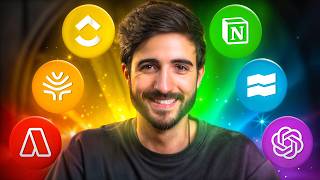

I Make Money Every Day With These 13 Apps
40sThe creator immediately promises a list of money-making tools, which is highly clickable and appeals to viewers seeking financial growth.
▶ Play Clip"Delivers on the promise of listing apps that help earn money, but some are productivity tools with indirect financial benefit."
The video presents 13 applications and tools that the creator uses to increase productivity, manage tasks, and generate income. It covers task management systems, voice-to-text tools, investment platforms, and AI assistants, all aimed at helping viewers optimize their time and finances.
The creator uses Akiflow (paid) or Todoist + Google Calendar (free) for task management. The method involves three steps: capture all tasks into an inbox, categorize them, and schedule them on a calendar.
Willow is a voice-to-text app that transcribes speech with perfect punctuation. It saves time by allowing the user to speak instead of typing, and includes an agent mode for formal writing.
Trade Republic offers ETF investments, interest on uninvested cash (2% up to €50,000), private market funds, bonds (e.g., Apple bonds at 5.29% until 2045), and a card with 1% saveback on purchases with a €50 monthly investment.
Atlas Financeiro is a structured financial education platform with monthly recorded training sessions from professionals, an exam to assess knowledge level, and a learning map.
Audible allows listening to audiobooks, often narrated by the authors. The creator has used it since 2018 and recommends it for learning during commutes or low-focus tasks.
The creator offers a free 7-day email course that sends daily 5-minute lessons to improve personal finances.
Notion is used for personal notes, book summaries, and ideas. ClickUp is used for business processes, team tasks, and client management.
YouTube generates income via AdSense (€4,445 in last 90 days) and through sponsored partnerships and promoting own projects like Atlas Financeiro.
ChatGPT is used for paraphrasing, summarizing, and expanding ideas. Acquisition.com AI (acquired via lifetime deal) is used for sales and business strategies.
Otter.ai transcribes meetings and lectures, provides summaries, and allows searching past conversations. It can also generate bullet-point summaries for presentations.
The video emphasizes that leveraging the right apps can significantly boost productivity and income. The creator encourages viewers to try the free tools and resources mentioned to improve their financial and time management.
What are the three steps of the task management method described?
Capture tasks into an inbox, categorize them, and schedule them on a calendar.
01:46
What is the maximum amount eligible for 2% interest on uninvested cash in Trade Republic?
€50,000.
07:03
What is the saveback percentage on the Trade Republic card with a €50 monthly investment?
1% of purchases, up to €1,500 spending per month.
08:24
Which app does the creator use for voice-to-text transcription?
Willow.
04:35
What is the name of the financial education platform created by the speaker?
Atlas Financeiro.
09:04
How much did the creator earn from YouTube AdSense in the last 90 days?
€4,445.
14:23
Which two apps does the creator use as a 'second brain'?
Notion for personal use and ClickUp for business.
12:11
What is the interest rate on Apple bonds mentioned until 2045?
5.29% per year in dollars.
07:56
Zen to Done Method
Introduces a practical three-step task management system that can be implemented with free tools.
01:46Earning Interest on Uninvested Cash
Highlights a simple way to generate passive income by leaving cash in a brokerage account.
06:49YouTube Revenue Breakdown
Provides concrete numbers on YouTube earnings, showing AdSense and sponsorship as income streams.
14:09Lifetime Deal Strategy
Explains the concept of lifetime deals for software, which can save money long-term.
16:34[00:02] earn more money every day. Some make my money grow, others focus, time, and basically a path to follow. Together, they were one my financial life. So these are some of the tools I use in
[00:16] hope at least one of them makes sense to you. If you don't know me, my name make money online. I made my first €100,000 at the age of 23. I was considered a Forbes 30 at 26 and now, at 27, I have a financial training company that
[00:29] has earned a top 5% ranking among SMEs in Portugal based on its scoring system. financial advisor, and everything you'll find here is solely my opinion. And by the way, thank you very much to Trade Republic for supporting this video, but
[00:42] let's start directly with the applications that give me more time back, and with that time I become more productive, I can get more done, and By the way, all the links and names of all those things will be in the description
[00:54] . So, apps number 1, 2, and 3, the task combo. I'll start with three apps because I'm going to talk about one that's paid, and if you want a literally everyone can use and that works for everyone. This is what I
[01:06] show you. I'll leave you here too. So there will be these three, one that I use and the other which is a combination of others that you can substitute. So the one I here, and it can be replaced by Todo Eist plus Google Calendar, OK?
[01:19] work with me already know that what's not on the calendar doesn't exist, so I've tasks to do; otherwise, things don't work very well for me. It is what it hired a non-executive director for my company, Diogo, and
[01:32] task and calendar management method that I've been using ever since; basically, he based on an idea called Zen to Dance, if I'm not mistaken, and it works like this. Equiflow functions as my central execution hub. This is
[01:46] then decide everything I need to do. Because that's how it is: if you don't control will control you, which is what happens to most people. most important steps to get started. First, the eviction. So, throughout the day, we
[01:58] have to do, or we receive tasks to do from other people. And if you don't write these things down somewhere, it's some of them, or if you're like me, all of them. So, whenever you remember something you
[02:11] have to do, or someone gives you something to do, or something similar, you'll to get it out of your head. At least that way you can rest easy knowing it written down. So this is the first step I use here in Aiflow. In other words,
[02:24] mostly use it on my computer, I have it on my phone and a widget that I always have something on, I click on the plus sign and type, "Hey, I need to record a video." Okay, I'll put it here and store it. [music] OK. In this case, bed rest is just a quick fix. So
[02:38] click on the plus sign or on the computer, the same thing. The computer is here, that's why do this thing here that I'm saying, all of this, in this part. OK? Now let's suppose that, hey, you don't carry your cell phone with you every day because of your job, but
[02:50] You can also write it down on paper, what's important is that you get your head out of it, OK? It's Next, as a second step, we will categorize them. This is where we'll take all the tasks that are in your inbox, therefore in your inbox,
[03:03] best as possible. In other words, the more we deal with it now, the less we have to deal with when the time comes to take this action. OK? So this is that little bit of work, that 20/80 [music] thing, you now have 20% of the work to get 80% of the results. That's true
[03:17] my case, I say, for example, if it's professional or personal, and if I'm a professional, which business unit am I talking about? I can see from the side? I have personal information, I don't; when it's personal, I don't share it. And then
[03:31] here, professionally, I have the Gabriel Ferreira brand, T3M, Atlas company and not linked to any specific business area. Then, step number three, it's time for me to schedule these tasks
[03:44] organize my week. Normally, I do this on Sunday nights, so I've more or in their places, you can see it here, so I have it more or less organized. Of course, things ca n't be perfect afterwards, right? I try to
[03:56] plan this as best as possible, but I never manage to achieve 100%. Here at least I had a direction, a clear plan to try and follow as see here that from Monday to Friday I have almost everything organized, including
[04:10] personal things. So, I've already organized almost all of this beforehand, OK? these work blocks. If you use the Todo app, which is similar to Google for the first two steps and then Google Calendar for the third step
[04:22] , both of which are once again 100% free. This is a if you're interested in knowing how I manage all my tasks, comments, because I can make a video just about that.
[04:35] tools for anyone who writes at work, and it's called Willow applications also exist for computers. Since I work mostly on the but I also use it on my mobile phone, obviously, hence its inclusion in this video. I
[04:49] 'm a big fan of audio, which means I 'm a terrible fan of writing. I don't like typing messages, I really don't . So, you know that person you always bother for everything and nothing? That's me. And I haven't seen more of it because people don't
[05:01] right? Because then we have to be there listening, and to understand this, I had to , other people aren't obligated to listen to audio messages just because writing. Full stop. Then I found this app which is the best
[05:15] writes everything I say with perfect punctuation, in flawless Portuguese, and even application I'm using. In other words , if I'm typing on I'm writing in Gmail, it uses a different type of writing,
[05:28] mention that you have an agent mode where you can ask it to write writes everything automatically. But I don't actually use this feature very often, although I I'm working on a job application, so he'll write everything in a more formal way.
[05:42] Hi, I'm working on a job application and I'm going to write everything more formally. Hi, I'm working on a job application and I'm going to write everything more formally. Okay, speak instead of writing, and he writes everything down perfectly for me. I save a lot of
[05:55] sometimes when I want to, for example, I'm talking to the LGBT chat and I don't want to be clicking the voice button and enter something, I just click there, talk a little bit, enter, talk a little bit, enter. Wow, it's spectacular, I love it. So,
[06:08] third application, Trade Republic. He has been using Trade Republic since 2023. It's an investment platform, and it's been a platform that has partners, but whether or not they support the channel, I use them anyway and intend to
[06:22] money here, you can see that. No, I have absolutely no problem with this sort make money here and generate returns. Of course, everything has associated risks, bit of each approach. The first and most traditional option is to invest in ETFs,
[06:37] select the companies or funds in which we want to invest, and the amount of money we want. Okay, this is the most common way of speaking when we talk about simpler, you also have this return option which is generated through interest. For
[06:49] example, I earned almost €9 this month, almost €9 last month, from this a profit. This percentage may vary, but he's currently earning 2% per what you have to do is deposit money here and if you don't
[07:03] invest in anything, it will automatically put you here . He can earn this percentage up to a maximum of €50,000. Therefore, if you have 60,000 or 70,000, you get 1,000 euros in the application. It won't be that many
[07:16] Basically, another way to make your money work for you is through private markets. Let me show you. Here in these private markets. in private funds, therefore, in
[07:28] listed on the stock exchange. You also have this fixed income [music] which is earning Let's give an example here. Here I can see that if I keep my money here until December 2026, I will earn 3.77% in dollars. If I
[07:41] lend money to Apple, I can earn until May 2045. Of course, you wait until May 2045, but if you sell before then, well, the bonds will at a loss, they incur a loss. But if you happened to wait until 2045, you would gain
[07:56] 5.29%. Pay attention, to the year, right? You've earned 5.29% over all these years, that's how much you'll earn in dollars per year. Of course, again there are risks, this might not work out, part because it's true. Now, in bonds, the risks tend to be, in these
[08:11] tend to be a little more controlled, obviously. Then you also have mention is that you also still have their card here. This card essentially allows you to earn a 1% saveback if you make a monthly investment of at least
[08:24] €50. In other words, when you make purchases with this card, 1% of those purchases goes back into your investments, up to a maximum of €1500 in spending per month. OK? So, yeah , there are several ways to monetize
[08:37] this app. Again, there's a risk, right? But you can create ETF portfolio here, you can have some money here to serve as an bond portion here, so you have a number of options. I love it, as I've already
[08:51] intend to stop. If this interests you and you're description or scan the QR code here. OK? This will be of knowledge. The more we learn, the more we can improve what
[09:04] we do, or in this case, the more we can ask for money for for our services. As I've already talked about these apps in other videos, I'll . First, we have the financial atlas here . Atlas Financeiro is a
[09:18] my team and I built, where you have access to a monthly recorded training session on a professionals in that field. For example, if I want to learn how to invest
[09:30] AI companies, I have a person here who owns an artificial intelligence company , a partner in that field. I have the CEO of Home Buyers here to teach you how to real estate investment company. Here we have financial analyst Henrique Tomé
[09:45] how to invest using these indicators. I have here, for example, cashback professional. So, there's a whole training course here about cashback, and these training sessions here. The formations are not all the same, the scenarios are not all the same, but,
[10:00] for example, this one was made with the help of an interactive television. And complete lineup; it's recorded in a studio, so it has this quality, everything is well planned. And basically, when you come here, you can take a short
[10:13] exam to find out your level of, uh, in this case, knowledge, which is where you you'll receive a grade, OK? And after you take this exam, here's a map level one, you follow the order of level one here, for example, to have a
[10:27] mention the various tools we have that can save you some time. So, if you're interested in structured training and not just videos here, there, and everywhere, training with many hours here, there,
[10:40] hours, etc. Here is the financial atlas. Other ways I learn more about money include reading, but a book isn't an app, and not everyone likes to read. So I use this app, and I probably talk about it
[10:52] too often here, which is Audiible. Audible is an application where, instead often these are the authors of the books themselves. I've been using Alible for that since 2018. I've listened to so, so, so, so, so, so , so, so, so many
[11:06] books. I can't recommend AD enough, OK? I have a link in the so that's what I used to get started. You can you try it, at most you don't like it, and well, while driving or while
[11:20] doing some task that doesn't require you to be very focused, you can listen to a book and learn, and, well, take notes later when to learn, and for those who don't like to read it 's spectacular because they can read without reading.
[11:33] encourage you to learn more about finance: the whole channel and all the videos revolve around this, including this one in some way. My team and I free, 7-day course where every day we 'll send you a small email with a short
[11:46] minutes to help you improve your finances with our guidance, OK? So, you don't pay anything, there are no hidden clauses, it's 100% free, you have nothing to lose by trying it, at most you might not like it and that will be in the description,
[11:58] to what is a cornerstone of everything I do: a second brain. Just as AKow is used to store all the darkness you have and then schedule its execution, I have a whole stream of ideas and processes living in my head, and
[12:11] obviously, I won't remember everything forever. So I use Notion and ClickUp to help me in my day-to- day work. I use Notion for more personal use and ClickUp for my business. Basically, Notion allows me to do
[12:23] imagine. There is a learning curve, it 's true, but then you also have many templates. Right now, I use Notion, for example, to store all my notes and knowledge about books.
[12:35] who the author is, whether I've read them or not , their classification, whether they're then imagine that I want to see a summary of this here. Okay, so I come here, I have a whole summary that I do by hand, then I have a prompt in the
[12:49] nice, to add these emojis, these titles, subtitles and everything else. And are my favorite ideas. Then he'll be here with a review what I've learned, I can come here quickly and he knows. I also use this
[13:03] to take personal notes from day to day, things I sometimes learn . For example, I don't know, look, I got an idea here about a framework framework here and all the things I've learned, etc. And hey, everything, whether it's
[13:16] concerts I've been to, all that stuff , it's all in the Notion section. OK? processes, ClickU, which is more focused on the business side. Here we have all the
[13:29] team sets, we have all the processes here, this is where we store, for example, things that are for sending to clients, scripts, processes, tasks. For example, I'm recording this video right now, and
[13:41] has to do what, it's all organized. So this is what we use, and in this case, for the work portion. None is my second business brain. Before we move on to a set of applications that
[13:56] that I use literally every day, let's talk about the platform that changed my life, which is YouTube. YouTube is also a platform that makes me more obvious reasons. But how does this work? First, we earn money from AdSense,
[14:09] second ads that appear before the videos; we earn a portion of that revenue. Ultimately, the advertising cost isn't much, but when you add it all up, it still adds up to a considerable amount. For example, in 2025 we will earn €19,000 gross. We still
[14:23] need to calculate some percentages here, but that's the sense that gave us this last year, for example, my channel earned €4,445 in the last 90 days, therefore in the last 3 months. Although, once again, this is never exactly what's shown
[14:37] this point, considering we've just gone through Christmas, which isn't a time when we usually publish a real way we make money on YouTube. The way advertising platforms that we sell to partners selected by us, according to
[14:50] our criteria, and then we also use them to share our own projects , for example, Atlas Financeiro, which is something I've been our financial education platform. Now we're going to get to a group of
[15:03] applications that I use constantly: AI. We use a lot of artificial intelligence in our work, mainly for parabolism, summarizing ideas, we are heavy users of Chatto here. Well, it didn't have to be chatb,
[15:16] but that's the one we use. Don't ask me why, because I use this feature a lot in projects here. It allows you to keep everything within the same folders, and the AI context is also easier
[15:28] to communicate that way. It would be helpful to put it in PDFs and on websites for him to look up information before replying to you. It's very good for expanding on ideas, but GPT chat doesn't offers, sales, and
[15:41] business strategies, I use another platform that isn't exactly an application, it's more of a website, a web app, which is acquisition.com. There. This one is n't buy it right now since it 's not even open to the public, and
[15:54] when I saw it open it was really, really expensive, it was crazy, crazy, crazy. But at the time we bought a business bundle from an American CEO that came with this AI. And this AI, for everything this part of the company is supposed to be, is the
[16:08] example, the last time I saw this for sale, you had to pay €3,000 upfront and then €300 per month from then on. And they were discounted prices. Now imagine very expensive, several thousand euros, of something for our company, and it
[16:21] a lifetime version of this AI. This principle, you won't want to buy this for anything. But anyway, app when it was on a lifetime deal, meaning when the
[16:34] app creators are still willing to send or test the app; for a higher price, you pay once and have access to the app. I think at subscription-based, because the app, I also think, has grown [music-wise] and they're
[16:46] always getting new updates. And ultimately, I'm going to replace Wow with a feature similar to Wow where you can speak and it will type. So, he's listening to everything I'm saying. If we have more than one speaker here, I'll
[17:01] that information. In face-to-face meetings when we're with the team or something like that, I example, if I'm going to give a lecture and I happen not to be able to record it on I can review it later. Or maybe I'm getting an idea
[17:15] 'm practicing a presentation, and I want him to have everything memorized. I 'm here, then I'll pause when it's good. So, you can see, click here on rewrite and use a promise, for example, to
[17:29] summarize everything for me. Or I could make a specific black color for him to apply to these things later. I can create meeting summaries. So, let's assume I just want to, I don't know, make a brief summary. Okay,
[17:41] come here, he goes to work, then he sends a notification for the computer. He'll give me a short summary here, I can copy it and it's done. In practice, the last time I used it was when I was
[17:54] end. I asked him to give me a point-by-point summary so that whenever I basically in bullet points of what I'm going to talk about. Okay, man, one day presentation again, it's done. Regarding AI, I have other AI systems, some
[18:09] are some examples of how I can increase my output, get more work, and also increase the value of what I do with AI, as well as the time I spend. Now, the truth is that apps already have the advantage of being on
[18:22] ready to use, but often there are things we can do to have or never do, and that not everyone knows are possible. For save money right now. Today, if you'd like, click on this video here, where I'll take you through
[18:37] on this video here, where I'll take you through all these savings.

⚡ Saved you 0h 18m reading this? Transcribe any YouTube video for free — no signup needed.