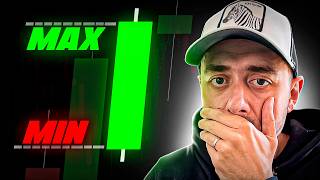

How to Trade the ORB Breakout Strategy
42sClear, actionable trading strategy explanation that is easy to follow and promises high engagement from traders seeking profitable methods.
▶ Play Clip"Delivers on the promised strategy and bot, but includes some filler and a long subscription ask before the main content."
The video explains the Opening Range Breakout (ORB) trading strategy, a scalping approach based on the first candle of a trading session. The presenter details how to identify breakout entries and manage risk, then demonstrates an automated robot (Expert Advisor) for MetaTrader that implements the strategy with customizable parameters.
ORB (Opening Range Breakout) strategies are scalping strategies for short timeframes (5–15 minutes) based on the opening of trading sessions (European, American, Asian).
Use a trading sessions indicator; the New York session is selected. In Spain, the American session starts at 3:30 PM.
Mark the high and low of the first 15-minute candle of the session. This forms the opening range.
Enter a trade when the second candle (or a subsequent candle) closes outside the opening range: above high for long, below low for short.
Place the stop loss on the opposite side of the breakout level (i.e., above the range for shorts, below for longs).
Set a take profit at a 1:1 risk-reward ratio (same distance as stop loss).
Shows a trade where price reverses and hits the stop loss, illustrating that not all trades are winners.
Price fluctuates within the range for several candles before a breakout occurs; entry is on the close outside the range.
The strategy has been automated into an Expert Advisor (robot) for MetaTrader 4 and 5, available for free download.
Set 'Start ORB' and 'End ORB' according to broker time. For American session in Spain (broker EST+7), start at 1630, end at 1645 for 15-min timeframe.
Mode 0: both long and short; Mode 1: long only; Mode 2: short only. Set maximum trades per day (recommended 1).
Specify lot size manually. Optionally enable 'close at end of day' with a specific time to force close positions.
The ORB strategy is a simple, rule-based method for trading session openings, and the provided robot automates execution. The presenter encourages testing on a demo account and offers the robot for free via a link in the description.
What timeframes are typically used for ORB scalping strategies?
5 to 15 minutes, not much higher than 15 or 30 minutes.
01:08
How is the opening range defined in the ORB strategy?
The high and low of the first candle after the session opens.
01:51
When is a trade entry triggered in the ORB strategy?
When a subsequent candle closes outside the opening range (above high for long, below low for short).
02:32
What is the recommended risk-reward ratio for ORB trades?
1:1 (stop loss and take profit distances are equal).
03:29
What are the three modes available in the ORB robot?
Mode 0: both long and short, Mode 1: long only, Mode 2: short only.
08:46
How many trades per day does the robot recommend opening?
One trade per day.
09:14
How should the 'Start ORB' and 'End ORB' times be set for the American session on a 15-minute chart?
Start at broker opening time (e.g., 1630) and end 15 minutes later (1645).
06:53
ORB Strategy Definition
Clearly defines the ORB as a scalping method based on session openings, setting the foundation for the video.
00:02Breakout Entry Rule
Precise entry condition: close of second candle outside opening range, reducing subjectivity.
02:32Automation with Robot
Highlights the practical value of automating a rule-based strategy for consistency.
05:19Mode Selection Flexibility
Allows traders to filter trades by direction, adapting to market bias.
08:46Call for Improvements on False Breakouts
Engages the audience to contribute ideas for filtering false signals, showing community-driven development.
11:44[00:02] range, and breakout trading strategies are strategies that open trades for a short, predetermined period of time. In other words, you could say they are scalping strategies and these trades are opened very close to the opening of sessions, whether European,
[00:14] American, Asian, whatever you want. In this video I'm going to explain in detail what these types of strategies are all about, which are very fashionable recently and which some are achieving incredible results with. And I
[00:26] 've also automated this strategy in a robot that you'll get if you watch until the end of this video, in which you can parameterize absolutely type of strategy, and obviously I'm going to show you in this video how to
[00:40] invite you to subscribe to my channel right here below by clicking the subscribe button the content I'm uploading, both about trading and trading with robots, which in this case is my specialty. So subscribe and let's get started
[00:54] with the video. Let's look in detail at what these types of strategies are about. Right now the euro/dollar on a 15- minute timeframe. They are generally timeframes; you can trade them even at 5 minutes, but more or less not much
[01:08] higher than 15 or 30 minutes, because we take great advantage of the first is the opening of each session. I'm going to work now with this example from the an indicator here called trading sessions and I only have
[01:22] New York selected. Therefore, I am going to choose one of them, which would be, for example, this example here. Here we have the dark green area. I'm going to expand it a bit, making it bigger, which is the whole American session. Here in Spain the
[01:36] American session starts at 3:30. As you can see below, 3:30 is the first candle. Since it's 15 minutes, this candle only represents the opening. Therefore, what we are going to do in this candle is to place the maximum
[01:51] and minimum of this first candle. I'm going to mark the maximum here and I'm going to mark the minimum right here below.
[02:03] There it is. A little more or less the same. Yes, it's true that we can already see the price going down, but this is about the following, okay? It's as simple as doing it like this. When the candle, the next candle, whichever it may be, generally the price
[02:18] is expected to fluctuate a little in the middle and then break out, either upwards or downwards, we are going to enter at that breakout, at that level break. That's why it's called the ORB of breakouts. The B in breakout
[02:32] means a break of highs or lows. Therefore, in this case, the next candle, notice that the next candle is already closing. It is important that the candle closes in 15 minutes on the same timeframe, either below or above. In
[02:44] this case it closes a little lower, that is, our operation would open when the second candle closes. If the second candle closes within this range, we would wait for the next candle until the first candle closes above or
[03:00] below, or unless the price stays within the range until the end of the day, valid only during the session, only on that day. Therefore, the trade on that day. Therefore, the trade here would be short. Okay, we would place
[03:14] the stop loss right above, right at the breakout level above on the opposite side. And here we would go looking for a profit rate of one to two. Okay, there we have it . Risk, reward, forgive, one or two, no, one by one,
[03:29] forgive, one by one. The take profit target would fall right in this area, making it a winning trade, okay? Not all of them will be winners. Let's see. Another example so we can see how
[03:42] this strategy evolves. Let's look at the previous day. Here, for example, let's see if we also get one of happen. There we have the first 15-
[03:57] minute candle. We marked it. We have it clearly marked there. Maximum minimum. Brilliant. And now the second candle minimum. Brilliant. And now the second candle already marks the breakout. Therefore,
[04:10] second one already marks us. Therefore, we would go here , we would put the stop-loss here and go one by one. In this case, the price
[04:22] goes backwards and we would hit the stop loss sooner. Okay, let's look for an example where the price fluctuates a bit within the range before a breakout. Look, this one here is quite clear. Let's paint the first
[04:35] candle here. The maximum, remember, is neither opening nor closing, always maximum, minimum. And now we'll go with the robot I have prepared. At least this way. have prepared. At least this way. Notice, notice that right here the second
[04:49] candle closes inside. The third one goes down, the first one also goes down, the first one also goes up, but they are spikes. This should not be When the close is made outside, that is , this strong candle has also been
[05:02] very strong, our trade would enter here. Our trade would actually come in here. And that's where we would go. The stoplos would be quite large. A stop-loss here. They would go one by one
[05:19] and close right on this peak up here . But as you can see, the price is right, we missed out on a big price, we entered very late, but bullish and therefore we want to jump on that bandwagon. While
[05:31] about these types of strategies, what I 've done, as a professional in strategy because I found it quite interesting, and I 've packaged it into a robot that we can use in both Metatery D5
[05:46] and Metatery 4 in a completely unlimited way. Next, I'm going to parameters it has added so that you can modify them to your liking, for the asset you want, but I always
[05:58] first on demo accounts. If you know how to do backtesting in Met 3D5, even better if you don't have videos on my channel, but first try it in demo mode, see if you like what you're seeing, and then use it in real life.
[06:12] I have Metatrader 5 open and I already have everything added here and so on. I have the robot in expert advisors and here I have the hobby code orb strategy. Okay, I have the eurodollar here on screen. Remember that the first thing you have to
[06:26] right on the little button up here. Brilliant. And I will now set it to a 15-minute interval. This is important. Okay, now I'm dragging the expert advisor, which I'll tell you how to download as well.
[06:40] And I'm going to input parameters, which is the most interesting part. Okay, have to leave as they are, but I'm going to explain the ones you have to configure to your liking. Well, they are mostly the first ones here, these ones
[06:53] mostly the first ones here, these ones here. Start, ORB, end ORB. Here you need to enter your broker's time. Here in Spain, as I told you, if I want to trade American sessions, they open at 3:30 PM. But the
[07:06] broker's time zone is usually EST + 7, that is, one hour later than in Spain. Therefore, I have to put 1630. Notice, without a have to put 1630. Notice, without a colon, without a comma or anything. 1630.
[07:21] This is the opening. Here you have to design the candle to which the expert must refer. If we're working with a 15-minute timeframe, then the end of the breakout candle has to be 1645. If I had set it to
[07:36] M30, the start would still be 1630, but the end would have to be 1700 because it represents the first half-hour candle, okay? So this represents us, it's to represent the first candle.
[07:51] when it starts, when it ends. And this is really to avoid adding more really to avoid adding more programming code and breaking down when the second candle ends. Notice that it's 1645
[08:05] because what we're telling you at this hour, at this minute, is not to open at this minute, is not to open any trades before 16:45. I've separated it in case you feel like saying, look, I don't want it to enter the
[08:19] examples here. I want at least the second trade to be within range, do here is put, well, I want to enter from 5:00 PM onwards.
[08:32] want to enter from 5:00 PM onwards. Okay, well, that would be fine. 170. With this you are already telling him that at least two candles are expected before entering and 1715, 1730, whatever you want, okay? It's personalized. Mode and you have to
[08:46] memorize this. There is mode zero, mode one, mode two. Zero mode will be involved in both purchases and sales. If I select mode one here, it will only go into purchases. In other words, if the price crosses the range upwards. And mode two
[09:01] will only enter into sales, that is , if the price crosses the lower range, the low of the marked candle, okay? Whether you have it at zero, it will search for both purchases and sales. I have it set up to only open one
[09:14] trade per day. Just one trade per day, because it doesn't make sense to open a open a sell position, which sometimes works , but we're already skipping what this type of strategy is all about in its original form, so
[09:27] soon, just one trade per day. If there's an upward breakout first, we'll go in false breakouts, but well, I'll talk about that later. Okay, so parameter here, maximum number of trades per day. I have it set to one.
[09:42] Okay? What else needs to be configured here? Absolutely nothing more about the strategy . Okay, just so you know, the lots you want calculate this yourself. In fact, I recently uploaded a video to my YouTube channel
[09:56] explaining how to quickly calculate the lot size for your trade , so check it out because you'll see it there. If you want to open 0.1 lots, 0.01, whatever you want, you put it here and the robot will open the operation with
[10:08] these lots. Brilliant. And that's about it. Everything else you have to leave the same. It's true that you can adjust it if you want the trade to close at the end of the day; you set it to true and enter the latest closing time you want
[10:20] . That is, a maximum number of hours until completion. Look, if it arrives at 23:55 broker time, you close the trade for me. It's pretty good to put that. I can recommend it to you. Therefore, it's simply a matter of double-clicking and setting it to true
[10:32] there. And otherwise, leave it exactly as it is. OK? Click accept right now. Make sure that up on the right you . If it comes out gray, something is wrong. And in the experts tab,
[10:50] look, you should see this message. The first algorithmic train and the second says starting device. It means everything is perfect. If To download this robot, for both
[11:04] you have the link in the description of this video in the first comment. I'm simply going to ask you for some of your information so I can send you a file to your email. Pay attention to this, because the file will contain an indicator for
[11:16] both Metatrader 4 and Metatrader 5 that you will need to import into your Metatrader, okay? There is a file. Text that says lm in which I will explain all the instructions you have to follow to import first the indicator and then the
[11:31] strategies or are going to use them from now on, I want you to leave me a comment about what you would add to this robot or this strategy that I just designed to eliminate false breakouts, because we already know that in openings
[11:44] sometimes it makes a false breakout upwards, returns within the range to go downwards. This happens and you will see it. So, leave any suggestions in the comments, and if I see that this video gets a lot of views, lots of
[11:57] many of your friends, then I'll consider making a second part with this improved robot and I'll give it to you completely free on this channel. So now you know, watch out. And if you want to learn how to create robots without
[12:09] knowing how to program, as I have done in this case, I've left you five lessons below in so you can understand a little about what I do us do. I'm sure you'll find it interesting. So anyway, see you in the next
[12:22] because there's high-value knowledge here . Ciao. [music]




⚡ Saved you 0h 12m reading this? Transcribe any YouTube video for free — no signup needed.