
This Water Meter Clamps Onto Pipes—No Cutting!
45sThe 'clamp-on' water meter is a surprising and seemingly magical gadget that instantly measures water usage, sparking curiosity and awe.
▶ Play Clip"Delivers on the promise of 20 useful devices, but the sponsor segment and some filler reduce the score."
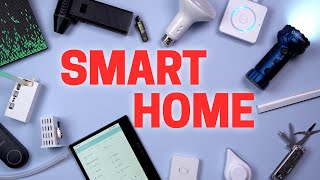
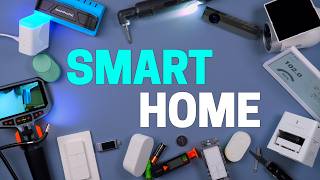
The video presents a curated list of 20 smart home devices and gadgets that the creator recommends, timed around Black Friday and the holiday season. It covers a range of products from water usage monitors and smart light switches to projectors and multi-tools, emphasizing their integration with Home Assistant and practical automations.
Clamps onto the outside of a water pipe, measures water usage, integrates with Home Assistant for leak notifications and dashboard display.
Uses WLED, can display messages, GIFs, and dynamic text, integrates with Home Assistant.
Accurate, uses AAA batteries, can automate items based on vibration, e.g., turning off ceiling lights when sitting on a recliner.
10,000 lumens, spotlight mode, red light mode, table lamp mode, high quality but pricey.
Only $14, turns on by disconnecting from magnetic base that doubles as USB charger, small and portable.
Reliable, works with 3/4-way switches, smart bulb mode, cheaper than Lutron.
More accurate than phone apps, provides data for automations like raising shades when windy.
Inexpensive (~$30), powerful, recommended by Project Farm, useful for cleaning robot vacuum sensors.
Good quality, can plug in Echo Dot or Home Assistant voice preview edition, note about audio jack extension.
Run own LLM offline on laptop using free open-source Ollama, privacy benefits, avoids big tech data collection.
Vision Master Max and Pro 2, Pro 2 has high ISO lumens, enhanced black level, optical zoom, Black Friday discount $700 off.
Cheap (~$10), detects when dishwasher is running, shows green button on dashboard, spouse approval factor.
Automates plant watering, can maintain fish tank water level, integrates with Home Assistant.
Secure strips, diffuse light, act as heat sink, recommended not to skip.
DIY, no soldering, dedicated warm/cool white diodes, RGB colors, reliable after 3 years.
Extremely accurate, fast, can detect direction, easy zone configuration, favorite mmWave sensor.
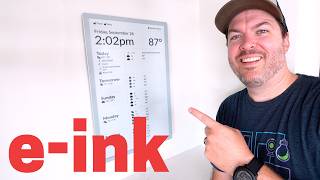
Color e-ink tablet, runs full Android, good for reading and smart home control, reduces doom scrolling.
Warm to cool white, 3500K favorite, consistent lighting across rooms, discounted during Prime Day.
Detects water via contacts or screws, alerts via smart home and onboard siren, important for preventing damage.
Upgrading Zigbee/Z-Wave stick solved connection issues, reliable, better than waiting for Thread/Matter.
Only $120, no subscription, records to SD card or NVR, HDR video quality, setup to NVR slightly difficult.
One-hand opening, pocket clip, includes package opener, screwdriver, scissors, pricey but high quality.
The video provides a comprehensive list of smart home devices and gadgets, emphasizing practicality, integration with Home Assistant, and value for money, especially during Black Friday sales.
Droplet
tool
Apollo M1 LED Matrix
tool
Third Reality Vibration Sensor
tool
Marauder Mini 2 Flashlight
tool
Zooz 800 Series Light Switch
tool
Tempest Weather Station
tool
Rechargeable Dust Blower
tool
Edifier Bookshelf Speakers
tool
Ollama
tool
Valyrian Vision Master Max
tool
Valyrian Pro 2
tool
Smart Outlet (Third Reality)
tool
Apollo Smart Water Pump
tool
BTF Lighting Light Strips
tool
Apollo RO1
tool
Boox Tab Ultra Go 7 Gen 2
tool
Philips Ceiling Lights
tool
Third Reality Water Leak Sensor
tool
Zooz ZSTick 10 Pro
tool
Reolink Wi-Fi Doorbell
tool
Leatherman Free T4
tool
Roxin Multi-tool
tool
Project Farm
person
What is the Droplet device and how does it work?
It measures water usage by clamping onto the outside of a water pipe, integrating with Home Assistant for leak notifications.
00:26
What software does the Apollo M1 LED Matrix use?
It uses WLED, the same open-source software used by many light strips.
01:21
What is the lumen output of the Marauder Mini 2 flashlight?
10,000 lumens.
02:50
What is the price of the budget flashlight mentioned?
$14.
03:33
What is the Zooz 800 series light switch capable of?
It works in three or four-way light configurations without needing an extra switch and can be set to smart bulb mode.
04:17
How does the Tempest weather station improve accuracy compared to phone apps?
It provides real-time local data, with temperature readings 5-10°F more accurate than basic weather apps.
04:54
What is the recommended way to clean robot vacuum sensors?
Use a rechargeable dust blower, which is powerful and inexpensive.
05:33
What is Ollama and how is it used?
Ollama is a free open-source program to run your own LLM offline on your computer, providing privacy benefits.
07:07
What is the price of the Reolink Wi-Fi doorbell?
$120.
15:14
What are the benefits of using channel covers for light strips?
They secure the strip, diffuse light to hide LEDs, and act as a heat sink to prolong lifespan.
10:12
What is the favorite color temperature for the Philips ceiling lights?
3500 Kelvin.
13:10
What upgrade solved the creator's Zigbee/Z-Wave connection issues?
Upgrading to the Zooz ZSTick 10 Pro.
14:34
Droplet water monitor
Innovative clamp-on design that measures water usage without cutting pipes, integrating with Home Assistant.
00:26Local LLM with Ollama
Shows a practical way to run AI locally, avoiding big tech data collection.
06:53Channel covers importance
Highlights a common mistake in light strip installation and the benefits of using channel covers.
10:12Upgrading Zigbee stick
Demonstrates that upgrading a hub stick can resolve connectivity issues, a practical troubleshooting tip.
14:34Affordable doorbell
Shows a high-quality video doorbell at a low price with no subscription, challenging the norm.
15:14[00:01] the years and today I'm going to show you 20 devices that are definitely worth it. I try to time this video around Black Friday or the holidays coming up and that way you can get a gift for others or let's be real, treat yourself.
[00:13] >> This video is going to move quickly and everything is linked in the description. Starting off with one of the easiest smart home devices I've installed, which is shocking because normally this type of device is very difficult to install.
[00:26] It's called Droplet and it can measure water usage. And what's crazy is it just clamps on to the outside of the water pipe. Plug it in and that's it. What? And check out how accurate it is. It instantly can tell the water is on and
[00:41] how much is flowing out of the faucet. It feels like magic because it just clamped onto the outside of the pipe. Droplet also integrates really well into Home Assistant. That way I can be instantly notified if there's a leak and
[00:53] everyone's away from the house. And anytime there's water running, it shows on the dashboard. That way, if a kid left a faucet on, I'll be able to recognize it faster. I'm loving this device. Okay, this next one's a lot of
[01:06] fun, but it's also useful, too. Say Ally wants to talk to me, but I'm filming a silent. Well, I can have it automatically show up on the big LED board. Of course, this is the M1 LED matrix from Apollo. What's interesting
[01:21] is that it uses WLED. you know, the same open- source software that a lot of light strips use, and it's just configured for a square lightboard. So, of course, there are a ton of cool effects, and I can even show GIFs. And
[01:33] before you comment and say, "I pronounce that wrong, how do you say giraffe?" It's J, not G. Of course, it integrates well into my smart home. And any preset made in WLED is available in Home Assistant. There's even a way to display
[01:46] dynamic text from my smartome, but it's a little advanced to set that up. I just like using the presets with messages and animations that my smart home can automate. So many cool things you can do with this. Every once in a while, an
[01:59] automation runs that I completely forgot I set up. And it's like the best surprise ever. Like when I sit down on the recliner in my bedroom at night, the ceiling lights will automatically turn off and the lamp will turn on for a more
[02:11] relaxed atmosphere. All from the vibration sensor tucked in the chair. For some reason, I can never remember I have this automation. So, it's startling in a good way for how convenient it is. This third reality vibration sensor is
[02:24] one of my all-time favorites because it's so accurate, takes AAA batteries, and I use rechargeable ones, and can automate almost any item around the house. So, if you're wanting to add a creative automation around your house, a
[02:37] vibration sensor like this one is definitely worth picking up. Now, say it's late at night and my cameras detect something outside. We all know who's going to go check it out. my wife, of course. But don't worry, I'm not going
[02:50] to go send her out alone with her phone flashlight. That's where the Marauder Mini 2 comes in. It's 10,000 lumens, which will easily light up a big area, or put it in spotlight mode to have it shine super far. We're talking bat
[03:05] signal levels of strength here. It has a couple of extra features like red light mode to save your natural night vision and a table lamp mode, perfect for camping. Yeah, camping. I'm definitely not in the doghouse right now. This is a
[03:19] super highquality premium light. I bought a so-called 10,000 lumens flashlight on Amazon for way cheaper, but the brightness and quality are not even close. I know not everyone has the budget for an expensive flashlight, so
[03:33] here's another option. This other flashlight's only $14, and it turns on by disconnecting the magnetic flashlight from the base, which also doubles as a USB charger. Pretty sweet. I love how small it is, so it's not annoying to
[03:46] always carry with me, and it's kind of fun to fidget with. Both of these are great flashlights that you won't be disappointed with. If I had to pick the best smart light switch, it would have to be super reliable, very versatile, so
[04:00] working with three and four-way light switches and smart light bulbs, but most of all, not too expensive. Well, in my opinion, that's the Zoo's 800 series and installed three of them, and I've had zero issues, so definitely reliable.
[04:17] These work in three or four-way light configurations without needing an extra switch, and I love not having to mess with the other three-way light switch when installing it. It can also be set to smart bulb mode to always keep power
[04:29] to the smart bulbs in the ceiling. Of course, I still love Lutron, but they can't do smart bulb mode. And for about half the price, the Zoo's dimmer are tough to beat. You know what? The weather on my basic phone app can be way
[04:42] off compared to what's actually going on in my own backyard. That's why I've had a Tempest personal weather station back there for a few years now because it's so much more accurate. I'll get a notification from Tempest saying it's
[04:54] raining outside like it is right now. And the basic weather app from Apple doesn't even say that there's a chance of rain today. The temperature can also be about 5 to 10° off on the weather app compared to the real temperature back
[05:07] here. And the real icing on the cake is all the glorious data from Tempest that gets pulled into our smart home. And we can use this for running automations. Like if it's too windy outside, the shades will automatically go up. And we
[05:21] have what feels like temperature on the dashboard. So we know if it's really nice out, we can go and hang out in the backyard. When your robot vacuum app is telling you to clean the sensors, what do you do? Blow air from your mouth? Use
[05:33] a feather duster? Or grab the nice dish towel? Well, no, no, and no. How about this instead? Use a rechargeable dust blower. This one is pretty inexpensive at just over 30 bucks, but it's extremely powerful. I saw this on
[05:47] Project Farm months ago. Awesome channel, by the way. And this was one of the top recommended ones to get. I like that it's been usually in stock at Amazon, and I can't believe how strong it is for the price. If you don't have a
[05:59] good dust blower, definitely check this one out. With the slight disappointment of the new Echo DMAX, it got me thinking, what if I just got good quality speakers instead and plugged whatever I wanted into it. So, I did.
[06:13] These are Edifier bookshelf speakers, and I took the bookshelf part seriously and installed them on the bookshelf in our bedroom. They sound great. [music] And I like that I can plug an old Echo Dot or this Home Assistant
[06:27] voice preview edition to listen to music. music assistant and these speakers. It's chef's kiss. And I have some really good automations to show you hit that subscribe button to not miss it. Now, just be aware that if you do
[06:40] use the voice preview edition, the audio jack cable that comes with the speakers won't fit all the way in. So, just get a small extension and you'll be fine. Speaking of the voice preview edition, I love how this goes against the grain and
[06:53] does the opposite of what the big tech companies are trying to push. Like instead of using Amazon's or Google's AI and just giving them all my data to train their large language models, I have my own running on my computer. I'm
[07:07] using a free open- source program called Olama to run my own LLM offline on my laptop. So, the big tech companies don't have my data, and it works really well preview edition. >> Mount Everest is the highest mountain
[07:20] above sea level. Its official height is 8,800. I know you kind of have to be a nerd to set all this stuff up right now, but I don't think it'll be long before anyone can have their own LLM in their house with all the privacy benefits.
[07:34] It's exciting. All right, next I want to show you what I love watching movies on. It's our projector. And shout out to Valyrian for sponsoring this portion of the video. I already showed you guys this Vision Master Max, which is a
[07:46] beast. And now it's discounted for Black Friday. You can get a screen and audio system, too, for the price of just the projector. But if the Vision Master Max is out of your budget, then you definitely need to consider the Pro 2.
[07:59] It's the more affordable version, but still super high-end with things like high ISO lumens and an excellent image. The Pro 2 is really highly rated and has the same enhanced black level as the Max version, and I couldn't believe my eyes
[08:13] when I first watched a darker movie on it. The contrast and little details you can see in the shadows are amazing. It also has real optical zoom, so you can move it back and forth and still get a very crisp picture. And right now, you
[08:26] can catch the Pro 2 at the lowest price of the year for $700 off, or grab one of their product bundles for a great deal. So, check out the link in the Friday sale. One thing I love about the smart home is you don't have to spend a
[08:40] lot of money to have useful automations. Like we're using this smart outlet right here. And this only costs about 10 bucks and we're using it to know when our dishwasher is clean, which is pretty simple. When the dishwasher turns on and
[08:54] draws power, a big green button is displayed on the dashboard. Then we press the button to have it go away once it's unloaded. Massive spouse approval factor. And if you don't have a dashboard, you could just use a nearby
[09:06] RGB light as another option. There are tons of smart outlets available, but the Ziggb ones from Third Reality are my favorite because they're super inexpensive and double as Ziggb repeaters, and I just bought a bunch
[09:19] more because I like them so much. Okay, this next one isn't your typical smartome device, but that's exactly why I like the company Apollo. They make this plant sensor I talked about in last year's video. It's been helping me keep
[09:31] my plant alive, but now they have something to take it even further. I can now automate my plant being watered. This is a smart water pump that can water my plants for me or it can keep a fish tank at the right water level and
[09:46] all sorts of use cases. Plugging two sensors into the pump will enable it to be automated. And the sensors go on the outside of the container and will stop the pump if one container is too full or if the other doesn't have enough water
[09:58] for the pump. Of course, it integrates nicely into Home Assistant. So, there's all sorts of automations you could run with this. When I first started putting up light strips, I made a huge mistake. I did not use channel covers. And this
[10:12] might seem like an accessory that you don't need, but I would not skip on channel covers. Here's why. First, they help secure your light strip so they don't fall down, which is one of the most annoying things that happens if you
[10:24] don't install them right. Next, they help diffuse the light so you can't see the dodes as much, especially when the light hits the floor or counter. Finally, the channel covers act as a heat sink. Basically, they can absorb
[10:36] which helps the light strips last longer. I really like these channel covers I got on Amazon a few years ago. They were easy to install and have a high quality feel, but no matter which ones you choose, don't skip this step.
[10:49] to put in the channel covers, well, some of my favorites are these from BTF Lighting. I installed them over 3 years ago, and they given me zero issues. Now, these light strips are DIY, but don't worry, it's super easy. You just buy the
[11:03] light strips, controller, and power supply separately, connect the wires from the light strip to the controller, plug it in, and bam, you've assembled your own light strips. And it's really easy because there's no soldering
[11:15] your own controller, you can go with Ziggby or Wi-Fi. On the light strips, there are dedicated dodes for warm and cool whites, so it's a pure white that's not too blue or yellow, and the RGB colors are saturated and look great.
[11:30] Three years later and these get a thumbs up for me. All right, check out how accurate and crazy this sensor is. It's outside the door and around the corner, but as I walk towards the door, it's going to pick me up probably before I
[11:43] going to pick me up probably before I even get to the door. Let's see what I even get close to the door. It picked me up that far away. That's insane. This is the Apollo RO1. And I know I recently talked about it in the
[11:57] tour, but I'm obsessed with this. It's so fast, so accurate, extremely versatile, like it can know which direction I'm walking, and Apollo recently updated it to make it easier to configure zones. So, yeah, this is
[12:12] probably my all-time favorite millimeter wave sensor. All right, if you basically want to eliminate doom scrolling, then you've got to check this out. I researched for hours and hours for the best color e-aper or e- in small tablet
[12:26] and I ended up buying this. It's the books tablet go 7 Gen 2. The mediocre reviews scared me but let me tell you this is an amazing device. It runs full Android so I can read my Kindle books with the Kindle app. Plus any other apps
[12:42] too. But what if I need to quickly change a smart home device? Easy. Just open up my smartome app. And since it's color e- paper, it's way easier to see than just black and white. It's extremely light and it makes it so much
[12:56] this instead of my phone right before bed. And that alone makes this worth it for me. All right, this next item isn't smart by itself, but can be with smart light switches. I recently tested out a bunch of dumb ceiling lights, and I
[13:10] ended up going with these from Phillips. I like that I can switch from warm to cool white. My favorite is 3500 Kelvin. not too warm or too cool. It's just right. And I'm obsessed with how every
[13:24] room in our house is finally the exact same. And it looks so much better. And they were heavily discounted when I bought them during Prime Day. So, if you're thinking about replacing a lot of bulbs like I did, buying them right now
[13:36] during sales like Black Friday can make a big difference. Next up, this might be one of the best ways to spend 18 bucks. It's a water leak sensor from Third Reality, and it can detect water by these little metal contacts or the
[13:50] screws on the bottom. And when it detects water, obviously, it alerts me from my smartome. But there's also an onboard siren that's pretty loud and it will let me know if there's water detected, so you
[14:04] can't miss it. Now, it is a little big, but normally you're hiding these under cabinets or behind a tub or something, so the size doesn't really bother me. My people before us didn't hook up the dishwasher right, so it slowly leaked
[14:19] water all over the place and caused some serious damage. So now I make sure to put water leak sensors everywhere. Learn from my mistake. These aren't flashy, About 6 months ago, I was having connection issues with a contact sensor.
[14:34] Then I made one change and boom, all my problems disappeared. So what did I change? something that I should have done a long time ago. I upgraded my Ziggby and Z-Wave combo stick for my smartome hub. And I know what some of
[14:47] you are probably thinking. Didn't Ziggby 4.0 just get announced? And isn't Thread and Matter on the rise? Well, it's pretty simple. This works extremely well
[14:59] right now, and it could be years before those new devices are as cheap or reliable as the current Ziggby and Z-Wave devices. So, I would definitely check out the ZStick 10 Pro to build a rock solid smartome. And I might have
[15:14] saved one of the best for last. This Real Link Wi-Fi doorbell puts the others to shame for the price. Somehow, it's only $120, which is a steal. And no, they won't trick you into an annoying subscription since you can record to an
[15:28] SD card on the doorbell or a Real Link NVR. And setting it up to the real link NVR was a little bit difficult. But hey, for no monthly fees, I'm not going to complain. And if you're wondering how the video quality looks at such a low
[15:41] price, it's not bad at all. It has HDR, so the footage isn't blown out in the scorching Arizona sun. So, if you're wanting an affordable video doorbell, this is a solid pick. So, that's 20. But, I have a bonus item. Last year, I
[15:56] showed the Gerber Dime, which I still love for how small it is, but I wanted something that I could open any of the tools with just one hand and has a good pocket clip. I researched for hours and tried tons of different options. My
[16:09] favorite ended up being the Leatherman Free T4. Package opener, check. Screwdriver for fixing things around the house, absolutely. Great scissors, oh yeah, plus a really good pocket clip. It's a tad pricey, but if you want a
[16:23] less expensive option that's also great, this is one from Roxin. And the scissors on these are amazing. I know Leatherman's get a bad rap, but it's extremely high quality. So, if you're able to treat yourself,
[16:37] all linked down below in the description. Thanks for watching. >> Hey, read the GIF. >> You mean GIF? >> You mean GIF? >> No, GIF as in giant. GIF like gift.
[16:53] gibberish >> giddy up. >> gimmick. >> GIGABYTE. AH, DANG IT. >> I can give you examples all day. Gimal, gill, gizzard, girl.


⚡ Saved you 0h 17m reading this? Transcribe any YouTube video for free — no signup needed.