
Top 5 Free Stock Video Sites
45sLists are highly clickable and the promise of free resources appeals to a broad content creator audience.
▶ Play Clip"Delivers exactly what the title promises—a solid rundown of five free stock footage sites, though it could be trimmed by a few minutes."
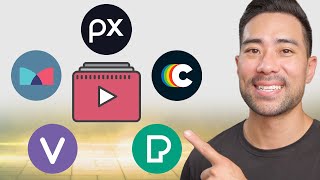
This video reviews five free stock footage websites—Mixkit, Coverr, Pexels, Pixabay, and Videvo—highlighting their features, licensing terms, and usability for content creators. The presenter compares quality, resolution options, and ease of download to help viewers choose the best source for their projects.
The video introduces five top free stock footage websites for use in YouTube videos and social media content.
Mixkit is owned by Envato Elements, offers free videos, and has a license that permits use in commercial projects but prohibits redistribution of downloaded videos.
Coverr offers high-quality videos, including 4K downloads, and does not require attribution or permission for use. It also provides a 15% discount on Shutterstock footage.
Pexels has a clean, ad-free interface with filters for orientation (horizontal, vertical, square) and easy download options.
Pixabay, now owned by Canva, offers a wide range of videos and integrates with Canva accounts. It provides filters for orientation, format, and publishing date, but video quality may be lower than other sites.
Videvo features stock footage and motion graphics, with filters for resolution (including 4K) and duration. It requires attribution for free clips, unlike some other sites.
The video concludes that while all five sites offer free stock footage, Mixkit and Coverr are preferred for their quality and licensing terms, with Pixabay and Pexels as reliable backups. Videvo is useful for motion graphics but requires attribution.
Which website is owned by Envato Elements?
Mixkit
00:15
What is a key restriction in Mixkit's license?
You cannot redistribute the videos you downloaded.
01:24
Which site offers a 15% discount on Shutterstock footage?
Coverr
01:49
Does Coverr require attribution for its videos?
No, you do not need to provide credit to the videographer or coverr.co.
02:54
Which site was bought out by Canva?
Pixabay (and Pexels)
04:19
What unique feature does Videvo offer compared to the other sites?
Videvo features stock footage and motion graphics.
06:59
Which site requires attribution for its free clips?
Videvo
08:11
Mixkit's License
Clarifies that free doesn't mean unrestricted—redistribution is prohibited, a key legal point for creators.
00:15Coverr's Quality
Highlights that Coverr offers 4K downloads without attribution, making it a top choice for professional use.
01:49Canva Acquisition
Explains the integration between Pixabay/Pexels and Canva, simplifying workflow for designers.
04:19Attribution Requirements
Warns that Videvo requires attribution, a common pitfall for creators using free footage.
08:11[00:00] In this video, you're going to learn some top resources whether you post videos on YouTube, on social media, Let's start with the first one. This one's called Mixkit.
[00:15] Now, Mixkit's a great website owned by Envato Elements. such as something related to the sky. is usually an advertisement of other paid stock videos,
[00:30] Scroll down and let's say you want this image right here. And now on the next page you can download the video
[00:43] For the most part, 1080p is enough, or for commercial purposes, this may not be enough. you can see some other categories such as some new videos,
[00:58] You've got some nature videos. Vertical ones too. So let's say you only want videos based on a vertical format because, let's face it, these days people do watch on mobile
[01:12] So you can filter it in this way. with most of these free stock video sites, For instance, with Mixkit's licence, you can read it,
[01:24] music videos, educational, even commercial projects. is redistribute the videos that you downloaded
[01:36] In addition, you don't necessarily need to credit however, it is always appreciated. is called Coverr.
[01:49] Now, I love the range of videos that you find here. too many ads around. 15% off Shutterstock footage,
[02:02] And it's geared towards filmmakers, are pretty high quality. and see what we can find there.
[02:15] But going down below, So scrolling down, Click that once. You can preview it in a larger form.
[02:30] To download a video, and then choose between full HD or original, So that's the great thing about Coverr.
[02:42] You can download a full 4K version, which is higher quality. you do need a signup to Coverr, And then you can simply click the download button
[02:54] as all these other stock video websites. and you do not need to ask for permission from or provide credit to the videographer or coverr.co.
[03:09] it's always good to do your due diligence, for your next project, The next website where you can download free stock videos
[03:22] What I really love about Pexels is its clean interface. so anything that's city videos, So let's say this right here, open it up,
[03:37] It's clutter free. There's no ads as you can see. Let's say horizontal, vertical or square. So let's say you are going to create a vertical video.
[03:53] and then click on Vertical. Other than that, I don't have much more to say about Pexels. I like how it looks in terms of its layout.
[04:07] and then if you like something, Can't get any easier than that. Now, you might have heard of Pixabay before.
[04:19] kind of photo and video website. Now, both Pixabay and Pexels was bought out by Canva, But these types of videos that you see right here,
[04:34] if you simply go to your Canva account Most of these will be listed there. and then search individually right here.
[04:49] and you can filter it by pictures or videos. so we are only searching for videos. So scrolling down,
[05:04] Clicking on any of the videos, you're given more details in terms of this particular video. We've got the resolution 1920 by 1080, and the duration,
[05:18] So this one right here only comes in 1080p. which I searched for before, comes in 4k.
[05:30] And then once you're ready, simply click on download. is it's search functionality. editor's choice, trending, and latest.
[05:44] you can go into it and then see related videos. by the different types of orientation, the format. Just videos and no other kind of categories
[06:01] it's simply just the different sections of Pixabay. such as if you want slow motion, time lapse. and also publishing date.
[06:16] is the quality of the videos. I find the quality isn't as great as the other ones It looks like it wasn't quite taken by,
[06:30] I mean, it's not too bad but I personally like Coverr and also Mixkit. So it is personal preference,
[06:46] between different stock video websites. use some from Pixabay, Mixkit, and Coverr, whichever. is called Videvo.
[06:59] so feel free to correct me if I'm wrong. Videvo features stock footage and also motion graphics. you can download it.
[07:12] And that's the kind of difference between Videvo Another stand out of Videvo So if we click on Filter,
[07:26] So we can click on 4K instead. And we are going to change the duration to something like, Scroll down and you can see some other categories.
[07:43] by popular, random, or newest. Let's go and search for drone shots. Right now, here are the results.
[07:56] When doing a search, you can see some footage that are free on the left corner. on one of their paid plans
[08:11] however, you do need to attribute. I've already mentioned don't require that attribution. is you've got attribution licence.
[08:25] but you must credit or attribute the author of the clip. So that's an important thing to note when using Videvo. to download free stock videos for your next project.
[08:40] Mixkit and Coverr to see if I can find Otherwise, I go ahead and search on Pixabay or Pexels. by all means give this video a thumbs up.
[08:53] you'll be using to download your stock videos. and I'll leave up a couple of relevant videos for you to watch next.
⚡ Saved you 0h 09m reading this? Transcribe any YouTube video for free — no signup needed.