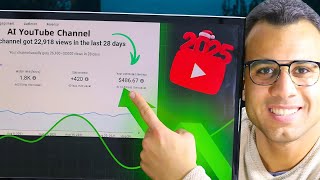

اربح 10 أضعاف بمحتوى AI في 2025
45sيعد بعوائد مالية ضخمة بمجهود بسيط، مما يثير فضول المشاهدين الباحثين عن دخل إضافي.
▶ Play ClipThis video demonstrates how to use the AI platform 'Motion' to create animated videos for YouTube, TikTok, and Facebook without editing software. The creator claims these AI-generated channels can earn significantly more than traditional Arabic content, citing examples like a lemonade channel earning $904-$14,000 monthly.
[00:00] اهلا بك في عام 2025 حيث صنعت المحتوى وازدحي الاصطناعي في الوقت الفيديو ده عرضتك ازاي تقدر تصنع محتوى على اليوتيوب او التيك توك او الفيسبوك ارباحه 10 اضعاف من ارباح المواقع او اليوتيوب العربي
[00:14] زي ما انت شايف كده قدامك في مصر حصلت على 5798 مشاهدة قلت انه اربح 5.2 من 10 اضعاف وعندي كمان في الولايات المتحدة للمجالي 2018 مشاهدة
[00:27] كسبت 42.8$ الجزئ ده عارفك ازاي تقدر تصنع محتوى على اليوتيوب او اي موقع او اي منصة انت محتاج تبقى عليها فيديوهاتك ومن الشلال موقع واحد بس بدون استغرام برامج منتج تامة
[00:41] زي ما انت شاهد كده قدامك في الفيديو كده انت دلوقتي في قناة اسمها كايت لامبو طبعا دي تقريبا حاجة اسمها الليمون والحمد زي ما انت شايف كده ارباح الشهرية بتوصل من 904$ ل 14000$
[00:54] دي موقع تاني اسمه wisdom زي ما انت شايف كده الفيديوهات بتاعته تعتمد على الزكاة الاصطناعي طبعا ارباحه بتوصل شهرية من 1000$ لحد 18000$
[01:06] وارباحه السنوية من 14000$ ل 225000$ طبعا الارقام دي مش خيالية الارقام دي حقيقة والقنوات دي بالفعل تعتمد بالكامل على الزكاة الاصطناعية وما تصدقش اي حد يقولك انك لو انشأت القناة على اليوتيوب
[01:21] بتعدى عن الذكاء الاصطناعي ممكن القناة بتاعتك ما تتقدمش فيه اجرح لكن تقدر تنشئ دلوقتي من القناة معلكش اي حاجة فقط يلا دينا نتدق الفيديو لكن ما تنساش الاول تدعم اللايك وصبت كراب القناة ويلا بينا كده نتدق الفيديو
[01:35] موسيقى زي ما انشأت كده قدامك بتفتح جوجل وبعد كده تكتب موقع اسمه موشن زي ما انت شايف كده تتسجل عليها عن طريق جوجل أو طريق ديف كولد ممكن تسجل عن طريق جوجل عادي جدا
[01:48] أنا سأقوم بموضوع لك على حساب جوجل بعد كده بتسجل على أي حساب أنت فاتح عليك جوجل بعد كده أنت بتروح عندك على حاجة اسمها Genwake زي ما أنت شاهد كده المنصة بتقدر تصنع لك ريال أو فيديوهات طويلة زي ما أنت شاهد قدامك كده
[02:01] general creation
[02:13] تمنصها وفعليها ضفة كده وبعد كده بقولك هنا generate from the robot دلوقتي انت عايز تعمل تعليق او تكتب الفكرة اللي انت عاوزها في المهاجر دلوقتي انت ممكن تقومر الذكاء الصناعي ان هو يعمل لك قصة مستوحية مثلا من كارتون او قصة هادفة ويجولت 4K
[02:30] فانت كل اللي عليك تنسخ الكلم اللي انا سيجولك الوسطى وتعالى وتقوم انت بضيفه قدامك كده على شارج بي تي طبعا ما تريد تروح شارج بي تي هو اللي هيعمل لك السيناريو من غير ما انت تتذكر فقط كل ده يتم عن طريق الذكاء الاصطناعي دايما انت شايفه قدامك كده
[02:45] طبعا انت هتاخد كل الكلام ده اللي هو اللي كذبه تمام وبعد كده بتقوله هنا نفق وترجع تاني على المنصة تقوله هنا لفق بس كده انت مش محساك اي حاجة تانية
[03:00] بينا اللي احنا عايزين نعمله هم مطفو على اليوتيوب بس انا هوريك كده تركات كويسة لازم انت تاخد بالك منها عشان يطلع الفيديو بالجودة اللي انت عاودها زي ما انت شايف كده بعد ما كان انتهاء اعمال السيناريو ده ظهر اكثر من سيناريو زي ما انت شايف كده
[03:15] ده سيناريو 1 و 2 و 3 لحد ما يجي وصلك للسيناريو رقم 12 طبعا انت عايز تحرك الفيديوهات دي انت بس تقفز عندك على كلمة Animate وبعد كده تلاقي الفيديوهات دي اتحركت ونشوف كده مع بعض فيما بعد
[03:28] انت ممكن تعمل حاجة زي كده هتعمل واحدة واحدة يعني تشوف هنا صورات عندك انميات هتروح الثانية صورات عندك انميات وشو تغطي الثالثة انميات لحد ما يتم الانتهاء على رقم 12 هنا او نقطة رقم 12
[03:40] بعد كده تغطي عندك على كلمة نكت وبعد كده هنا ممكن تخلي الفيديو يتكتب عليه الكلام او المصدر ما عايز تخليه يتكتب ما فيش مشاكل مش عاوز خلاص على سبيل المثال يمكن اختار النص الأزمي
[03:52] تحاول تختار في الـSense Effects يمكن تخليه بردو Clean Brain زي ما تشاهدين هو الأمتقالات عندي هنا سرعة مصغرة لأ خليه السرعة المصغرة دي يعني Image عادية جداً
[04:04] ماشي لونها اسود خليها عادية جداً Voice Over
[04:21] ايه ايه منوزك اللي هو ممكن يحطلك موسيقى كارتونية بس تبلش منها علشان ساعات الموسيقى بتبدأ تغطي على الكلام وبعد كده تضغط عندك هنا على الانتهاء وبعد كده تنفذر لحد ما يتم عمل الفيديو
[04:35] لاحظ معي ملخص الفيديو و الهاشتاجات و الفيديو الذي تقوم به في الوقت الذي تقوم به يمكنك تأخذ كل هذا الكلام بجودة احترافية جدا
[04:47] يمكنك تقوم به هنا قبيل او هنا قبيل و بعد ذلك تنفع في وصف الفيديو على اليوتيوب او التيك توب طبعا كل هذا الكلام يمكنك تقوم به من بساطة جدا و بالتالي يأخذ الفيديو معاك ترند عالي جدا
[05:00] مثل الفيديوهات التي انا اشتركت قبل اذا عرفت ساش فيديوهات الادعمة الفراشية هذه منpletEE تحتمد على الذكاء للصماعي
[05:14] هناك مختلف ذكاء لknada ويمكن من إنشاء الإدعم كما ترى كما ترى سامسونج محتوى tribology
[05:28] وكما نرى الهاتف سوف اريك ايضا ما يحدث سوف اريك كيف تقوم بعمل الكفة كمه؟ تمام و الشخصية ستتكلم عادي جدا
[05:41] و ستجد الكلام مكتوب في راست الفيديو تقريبا الفيديو حوالي 2 و الفيديو سيتحرك معك بالشكل ذاك طبعا انت مجرد ما تعمل download و بعد ذلك تضغط على كلمة download
[05:54] سوف ينزل الفيديو على الكمبيوتر عندك وكمان بتقدر تاخد صورة مصغرة بتاعة الفيديو وكمان بتقدر تاخد الصورة اللي بيكون في الترجمة وبيكون في الصور اللي احنا عملناها قبل كده
[06:08] General Jury General Reels
[06:26] على سبيل المثال ممكن نكتب الكلام ده كده تمام وبعد كده بناخد برضو الكلام ده كله
[06:38] حلو نقوله هنا copy نضيفها هنا ونستطيع تصميم ريلز بالشكل الأول هذا يعمل محتوى في ريلز يمكن أن تصميمه على تيك توك أو اليوتيوب أو أي نصفة لريلز
[06:52] الآن يعمل توليد الصورة ويزمجها مع بعض كما ترون هو قام بعمل ريلز وكتبني السيناريو بالمحتوى تغطي على خلية نكس
[07:04] تريد أن تجعل الكلام مكتوب على الفيديو عادي جدا بعدها تختار الشخصية اللي انت عاوزها ممكن تعمل اي موسيقى زي ما هي ثلاثة وافا بعدها تعمل انتهاء وبهنا بيعمل جمهورية الفيديو بتاعك انتهاء اللي هو زين بتروح تاخد اللي هو الملخص ده بتحطه في وصف الفيديو
[07:22] سواء على تيكسوك او اليوتيوب او الفيسبوك وكمان هتشجعك عشان تقدر تصدر محركات البحث على الفيديو بتاعك ساعة. فايه بقى تستنى لحد من تاني الانتهاء للفيديو طبعا بيزدق يا
[07:34] دمعك لحد ما يجي وصميها صميها وبعد كده بنعمل للام بي فور. وفعلا شكرا بعد ما انتهيت من ابريل زي ما انت شايف كده بشخصية الكلام مكسوب عالي جدا انت بس كل عالية بتعمل للفيديو وبعد
[07:46] التالي تعمل طبعا يجي يقول لي في في الفيديو ده حاولك ممكن بخمسين جنيه او بسعو سعين انت ممكن تنزل الفيديو بدون اي وبالتالي انت
[07:59] وانت تقدر تفضل على اصبحتك جدا فيما زاد على اليوتيوب ويكون ليك بيزنس حاول تخلي 2025 ده يكون في مصدر داخلي من السوشال ميديا او الذكاء للصناعي بشكل عام سيارة شرح انتهى اتمنى انكم شرحها عجبك
[08:13] انتش ده عم نضغط سبك رابط القناة واشوفكم في حلقة جديدة وادونتم بخير مع السلامة
⚡ Saved you 0h 08m reading this? Transcribe any YouTube video for free — no signup needed.