
Under $5 Antenna for Game Stick?
32sShows an extremely cheap accessory fix for a common gaming problem, sparking curiosity and saving money.
▶ Play Clip"Title accurately describes buying accessories under R$50, though the video is more of a haul than a detailed review."
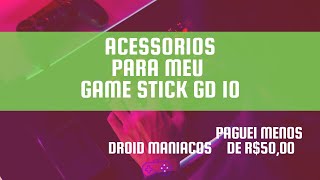
In this video, the creator shows accessories bought for under R$50 to complement a Game Stick G10, including a USB Wi-Fi antenna, rechargeable batteries, and a microphone. The items were purchased from Chupim (likely a local marketplace).
Bought a USB Wi-Fi antenna for R$14.99 on Chupim to enable Wi-Fi on the Game Stick G10 without blocking the controller port.
Purchased four rechargeable batteries for R$16 on Chupim for use with controllers.
Bought a microphone for R$? (under R$50 total) to improve audio quality in videos, replacing the current headset microphone.
The Wi-Fi antenna may not work with the Game Stick G10 due to driver issues, requiring an additional adapter.
The creator demonstrates budget-friendly accessories for the Game Stick G10, though compatibility issues may arise with the Wi-Fi antenna. Future videos may cover testing and updates.
How much did the USB Wi-Fi antenna cost?
R$14.99
00:19
Where were the accessories purchased?
Chupim
00:19
What is the potential issue with the Wi-Fi antenna?
It may not work with the Game Stick G10 due to driver incompatibility.
03:56
How many rechargeable batteries were bought and for how much?
Four batteries for R$16.
02:14
Budget Wi-Fi Solution
Shows a cheap way to add Wi-Fi to a Game Stick G10.
00:19Rechargeable Batteries for Controllers
Cost-effective power solution for gaming controllers.
02:14Compatibility Warning
Highlights potential driver issues with USB accessories on the G10.
03:56[00:02] Droid! In this video, I bought some items to complement my G10. I spent less than R$50 through Chupim, and I invite you to watch this video with me. Subscribe, like, and comment on this channel!
[00:19] So, guys, starting the video... I paid only R$14.99 for this little antenna here at Chupim. It's an add-on for my chip because, to update cases, games, and some other
[00:34] cases, games, and some other things, I need Wi-Fi. And to have Wi-Fi, I need to plug it in here, but if I plug it in here, I won't be able to use the controller, right? So, guess what I bought? I'm going to plug it in here... wow,
[00:48] guess what I bought? I'm going to plug it in here... wow, very little for it, exactly like it's
[01:14] on my PC, even my Xbox,
[01:34] open it up and test it. In the next video, if you want to see me updating video, if you want to see me updating and testing them, just say so. So let's see if everything goes smoothly here. Let's connect it.
[01:47] bought. I'll show you now, and I'm going to plug in my you now, and I'm going to plug in my USB antenna here. Okay, let's go, let's just
[01:59] pause here because it's embarrassing, alright? situations that I'll show you later. So,
[02:14] items to improve my Game Stick G10 have this USB option, remember my A7 does G10 have this USB option, remember my A7 does n't have this connection. Well, I also bought n't have this connection. Well, I also bought
[02:29] four rechargeable batteries here, paying only 16 reais, I bought them at Chopp for my controllers, so it's a complement to my Game Stick, right? And for my videos, I bought a microphone. I use it today with these
[02:44] a microphone. I use it today with these headphones.
[02:56] can put closer to me, I'm
[03:10] so a microphone [Applause]. In half an hour I got the little microphone, I even feel like Silvio Santos,
[03:25] videos. Currently the sound comes through this other USB headset I have, and when there's no audio, in some videos I do n't know the audio, the last video I made, take a look, it's on the card above, I recorded the audio very loud
[03:40] above, I recorded the audio very loud and I used an image editing program to do that. Oh my god, look what came, it came with a driver CD that I didn't... I saw here on my antenna that it probably won't work on the
[03:56] probably won't work on the game. Remember that it's the communication between the physical part and the system that doesn't have a
[04:08] G10, and I'll have to buy another adapter to see if it works. But anyway, that's it, those liked it. If you want me to make other videos showing what I buy online (I buy a lot because I record it to show you), no
[04:22] problem at all. Subscribe to the channel, comment, and if you're enjoying the videos, comment, and if you're enjoying the videos, tell me what you think.
⚡ Saved you 0h 04m reading this? Transcribe any YouTube video for free — no signup needed.