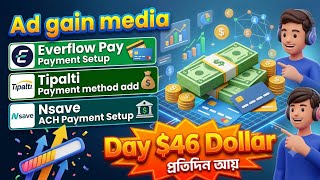

How I Got 22 Conversions on AdGain Media
60sHigh engagement from live proof of earnings and a specific number of conversions, triggering curiosity and FOMO.
▶ Play Clip"The title promises a payment setup guide and delivers exactly that, though it includes a lengthy proxy promotion at the end."
This video is a step-by-step tutorial in Bengali on how to set up a payment method (specifically Tipalti) in the AdGain Media CPA network, using an Nsave account. The presenter demonstrates the entire process, from accessing billing settings to completing tax information, and also mentions a proxy service discount.
The presenter shows live conversions on the AdGain Media CPA network, with 22 conversions today, and references a previous video on instant auto-approval.
To set up payment, go to Company Settings, then click on the Billing option. If not visible on the dashboard, use this path.
In the billing interface, click on the Edit option to start configuring the payment method. The presenter warns against using Payoneer if not available.
After clicking Edit, an interface appears. The presenter selects the country and enters a valid phone number to receive a verification code.
After sending the code, the presenter waits for it to arrive on the device, then enters it and clicks Verify.
The presenter enters first name, last name, and email, matching the details on their Nsave account. They emphasize no spaces before or after.
Select 'Individual' as the account type and choose the country (United States) for the bank account.
The presenter enters routing number, bank name, account number, and selects 'Checking' account type. They warn against using business accounts if they don't have checking.
Copy the bank address, city, postal code, and state from Nsave. Only fields with a red star are mandatory; others are optional.
After reviewing, tick the box and click Submit. The first step is complete.
Click on the selected tax form. The presenter explains that CP marketing is legal and plays a role in remittances.
Enter the name as per Nsave, select Bangladesh as the country, and provide the address. The presenter notes that some fields are optional.
After completing all steps, click Finish. The payment method will show 'Not Payable' initially, which can take 1 to 7 days to become payable.
AdGain Media releases payments on Tuesday or Wednesday, sometimes Monday if payment is pending on Monday. Only $50 threshold is required.
The presenter promotes Not Memon proxy service, offering a 40% discount on static ISP IP proxies with coupon code 'MOTHER SP 40', and 35% on residential proxies.
The video provides a complete walkthrough for setting up a Tipalti payment method in AdGain Media using an Nsave account, emphasizing accuracy and patience. It also highlights the network's payment schedule and offers a discount on proxy services.
What is the first step to set up a payment method in AdGain Media?
Go to Company Settings and click on Billing.
01:54
What account type should be selected for a personal Nsave account?
Individual
05:36
What is the minimum threshold for payment release in AdGain Media?
$50
11:07
How long does it take for the payment method to become payable?
1 to 7 days
10:52
What coupon code gives a 40% discount on static ISP IP proxies?
MOTHER SP 40
12:15
Billing Settings Path
Provides a clear path for users who don't see the billing option on their dashboard.
01:54Account Type Selection
Emphasizes choosing 'Individual' for personal accounts to avoid issues.
05:36Payment Pending Period
Clarifies that 'Not Payable' status is normal and takes 1-7 days.
10:52Payment Release Schedule
Reveals that AdGain Media releases payments on Tuesday/Wednesday, sometimes Monday.
11:07[00:02] নেটওয়ার্কে ইভার ফ্লো ত্রিপালটি পেমেন্ট মেথড সেটাআপ সো ভিউয়ারস বর্তমান সময় কিন্তু অড গেন মিডিয়া সিপি নেটওয়ার্কে অনেক ভালো কাজ হচ্ছে লাইভে আপনাদেরকে যদি দেখাই এখানে আপনারা লাইভে দেখতে পারতেছেন টুডেতে আমরা ডগেন মিডিয়া সিপি নেটওয়ার্কে
[00:16] কি পরিমাণে কাজ করছি মানে ইয়েস্টারডে দুইটা কনভার্সেশন টুডেতে আপনারা দেখতে পারতেছেন 22টা কনভার্সেশন পাইছি তো আমরা পূর্বের একটা ভিডিওতে আপনাদেরকে দেখাইছিলাম যে ডগেন মিডিয়া সিপি নেটওয়ার্ক কিভাবে ইনস্ট্যান্ট অটো এপ্রুভাল করবেন
[00:29] এইযেদিন আগে আমি কিন্তু এই ভিডিওটা পাবলিশ করছিলাম। আপনারা যারা এখনো ভিডিওটা দেখেন নেটওয়ার্কে কাজ করতে যাচ্ছেন তারা চাইলে আমাদের এই ভিডিওটা ফুললি দেখে নিয়ে আপনারা ডগেন মিডিয়ার মত সিপি নেটওয়ার্ক ইনস্ট্যান্ট অটো এপ্রোভাল করতে পারেন। আর
[00:43] ইনকাম রিলেটেড আপডেট ভিডিও সবার আগে পাবার জন্য আমাদের সুমন আহমেদ এই YouTube থাকতে পারেন এবং বেল আইকনটি বাজিয়ে দিতে পারেন যাতে আপডেট ভিডিও আপলোড করবার সঙ্গে সঙ্গে আপনারা নোটিফিকেশন পেয়ে যান। Now let's go back to
[00:59] add the triple-ever floor payment sections to our Dogen Media CP network. আর আরেকটা ইম্পর্টেন্ট বিষয় হচ্ছে ভাই আপনারা যারা সিপি নিয়ে কাজ করে থাকেন চাইলে ছোটখাট আপডেটের জন্য আমাদের এই ভিডিওর ডিসক্রিপশন চেক করে এই টেলিগ্রাম চ্যানেলে জয়েন করতে পারেন। And you will find the
[01:11] in the description of this video. We share many small updates on this Telegram channel. Because brother CP is constantly updated. It's join our Telegram channel if you want. We have numerous student successes here,
[01:28] our own earning proof, we do everything here. Our students see what kind of work they are doing themselves by doing CPI. Brother, I do n't think it's that big either, brother. My students see those setups and do them. So,
[01:40] our Telegram public channel by checking the video description. So now come on brother, we will go straight to our Dogen Media multi-payment method setup system. So, brother, you will understand Edgegen Media carefully after Edgegen Media comes.
[01:54] See My States Configuration here, many may not have it here. What will those who don't have it do? See, from here, after clicking on Company Settings, just click on the Billing option.
[02:10] not have it on their dashboard. And those whose brothers will be here on the dashboard, dashboard, pebbles. I'll show you how to make it all. So I
[02:22] went straight from company settings to billing. So after coming to billing, you will see an interface like this. So after coming to you, click on the option called Edit from here. after coming to you, click on the option called Edit from here.
[02:36] many people here have come up with a simple system. you allow the admin to receive payments through Gmail on Payoneer, they will Your pay owner may not be available. So be careful. Here
[02:51] So be careful. Here Then you won't have any hassle or problem issues with even one payment. So clicked save. After clicking on Save, an interface like this will
[03:04] appear in front of you. Let's start from here directly. We just clicked on this option. So, after clicking on this option, an you provide a BD verified or a valid
[03:19] simply giving a valid number here. তো জর ওান সরি এখানে ভাই কান্ট্রিটা চেঞ্জ করে দিব আপনারা যে কান্ট্রি সেই কান্ট্রিটা
[03:31] সিলেক্ট করে দিবেন আমি কান্ট্রিটা চেঞ্জ করে দিলামও সে
[03:47] মাধ্যমে কোড নিবেন নিতে পারেন তারপরে আমি সেন্ড কোডে ক্লিক করে দিলাম সো সো সেন্ড কোডে ক্লিক করে দেওয়ার পরে ভাই এখন ওয়েট করতে হবে আমাদের দেখেন ডিভাইসে কোড চলে আসবে দেন আমাদেরকে সেই কোডটা দিতে হবে
[04:00] আসতে চায় না এই পারপাসে আপনারা নাম্বারগুলো কিন্তু চাইলে চেঞ্জ করে নিতে থেকে ভাইয়া চলে আসছে আমি এখন কোডটা বসায় দিচ্ছি জাস্ট সিলেক্ট করে দিলাম
[04:13] সুন্দরভাবে দিয়ে দিলাম জাস্ট ভেরিফাই ক্লিক করে দিলাম তো আশা রাখি এই স্টেপটুকু বুঝছেন এরপরে এখন আসেন ভাই এখানে ফার্স্ট নেম লাস্ট নেম ইমেইল এই বিষয়গুলোতে কোথায় কি দিতে হবে এখন আপনাদেরকে এই বিষয়গুলো ক্লিয়ার করি। তো আমি এনসেভ
[04:26] যেহেতু এখানে এড করব আপনারা সেম সিস্টেমে এলিভেট পে এর পাশাপাশি আপনারা আদারস দেখা যায় ওয়াইস তারপরে প্রিয় পে পে ওনার সবকিছু এখানে এভেলেবল এড করতে পারবেন।
[04:38] ACS Everplore SAM System. So I'm leaving right now, brother. I took the Ncepta from here and looked at it in my ID. So, after coming to this ID, we simply back up our account from here.
[04:55] we need your first name and last name. I have to give the same name as the one given on my NSE. So I went straight to Telegram now. I think we took the
[05:09] After copying it, I went to my account. I gave it here. From here, I put the brother's last name in the last name space here. Then go ahead and email us. We will now simply email you. You will need to provide the email address you are using in your account.
[05:22] email you. You will need to provide the email address you are using in your account. wasted your space in the past. But I do n't want to receive emails for this purpose. There should be no spaces before or after. If everything is OK below, you can see Solo Performer here,
[05:36] select Individual here. After selecting, the brother came down a little. Click here to go to the United States. Here I selected the United States. After doing this, you will see an interface like this. What are you saying here after coming
[05:50] ? Routing number. We went to our account. I Here I have given it in place of the routing number. Then you see it asking for the bank name. I'm back again. This is the bank name. You
[06:04] This is the bank name. You pasted it in this space. After giving, brother, type in the account. Let's check our account here. Look at this checking. So after we came here, we
[06:18] simply selected checking. অনেকেই ভাই বিজনেস ওয়াইজ এড করেন বিজনেস দেখা যায় এনসেভ এড করেন বিজনেস পেওনার এড করেন এই পারপাসে কিন্তু চেকিং থাকে না বিজনেসগুলোতে সেভিংস থাকে সো আমার যেহেতু এটা পার্সোনাল আমি চেকিং ওখানে যেহেতু
[06:32] চেকিং আমি চেকিং দিলাম একাউন্ট ওনার নেম আবারো এখানে চলে আসেন ভাই এই যে এটা হচ্ছে একাউন্ট ওনার নেম এনসেবের যেটা নেম ওইটা এড করতে হবে এগুলোতে ভুল করলে ভাই এটা আপনাদের দায়ভার একাউন্ট নাম্বার চলেন আমরা এখানে আবারো চলে আসি
[06:47] জাস্ট আমি কপি নিয়ে নিলাম একাউন্ট নাম্বারের জায়গায় পেস্ট করে দিলাম। Then, after clicking on the payment method here, I selected AC. Now come to the address. We simply arrived at the address. You can see the bank address below,
[07:02] brother, copy it completely. I came here after copying it. So I pasted it in place of the bank address. After you paste it, you do n't need it on the side. The ones with the red mark star next to them must be given to you. The
[07:14] optional. It's happening even if you give it, it's not happening even if you give it. Then came the city. I'm copying it from here. The city, brother, may be different from your address. Because different from your address. Because
[07:27] brother in law instead of the city. The postal code is in the address here. I just copied it. I put it in place of the postal code. Then if you have New York, if you have Texas, if you have Dallas, then Dallas.
[07:40] I have New York. I will search by typing this here now. Look, New York is coming. I just sat down. If everything is fine, click Next. Read everything again with a little judgment. Please tick here below.
[07:54] After ticking the box, I clicked submit. So after clicking submit, you see our first step is complete. Now you need to submit the tax information. For this purpose, click on the selected tax form. After clicking on it,
[08:06] an interface like this will appear. Those who say no, brother, CP marketing is illegal. You see, we also ? So, this is what plays a big role in remittances.
[08:19] So you will see an interface like this. After arriving, give it to me directly from here, dubbed at BENE. Brother, these are updated for many purposes. You keep an eye on this. Whenever an update is available, find it and find it. I just
[08:37] appear in front of you. Now what name should we give to this information of yours? what name should we give to this information of yours? went to NSE and gave my name, I just gave it, here
[08:51] you will select Bangladesh as the country. The rest will all remain the same. Click here below, brother, you can give any of these. I'll give you this first. This is possible even if you do n't give it as an option. No need to tick here. The second option
[09:04] No need to tick here. The second option that you see is Check It Now, which is not legally n't need to give them anything else. Come down. Here too, brother, we will give you country below. Bangladesh address, which address should
[09:17] I give here? Come to the end. এই যে দেখেন ভাই এন্ড সেভে আপনারা যে এড্রেস এড করছেন ভাই এন্ড সেভে আপনারা যে এড্রেস এড করছেন উপরের যেটা রিপ্লেসমেন্ট এড্রেস ওইটাতে ভাই সরি রিসিভ যে এড্রেসটা আছে এই এড্রেসটা কপি
[09:31] জায়গায় ভাই বসায় দিবেন। This is optional and not needed for saving. Zip code. The zip code is here. I just copied it and put it in the zip location. Then I gave it to you in the city's place.
[09:44] Everything is fine after giving it to you. In many cases, if there is After taking the car, I clicked Save and Continue. So an interface like this. There is no need to touch the rooms above.
[09:58] Come straight down. Tick this option. Here too, you simply select Bangladesh again. Please tick the box below. Click here and tick here again. If everything is fine, there will
[10:10] be no here. Save and continue. Then an interface like this will appear in front of you. After you come, read all of these and then save and continue from here. An interface like this will appear. Tick this option. Sign to
[10:25] Here, if you want, you brother. After leaving it, I clicked Adopt and Sign Here. তারপরে
[10:37] সবকিছু ঠিকঠাক দেন ফিনিশে ক্লিক করে দিলাম সিম্পল একটা কাজ জাস্ট একটু ওয়েট করি এই যে আমাদের অল ওকে ভাই এখন এখানে একটু মনোযোগ সহকারে দেখেন অনেকের তো মাথা গরম হয়ে যাবে ভাই এখনো পেবল হয় নাই পেবল হয় নাই তো এই বিষয়টা আপনারা ক্লিয়ার হয়ে যান
[10:52] আশা রাখি এতটুকু আপনারা বুঝছেন ব্যাক টু পেমেন্ট কনফিগারেশন আমরা এখন ব্যাক দিয়ে দিলাম এই যে এখানে দেখেন ভাই নট পেবল দেখাচ্ছে এটা সাতদিন সরি একদিন থেকে শুরু করে সর্বোচ্চ সাতদিন পর্যন্ত সময় নেই ভাই এই নট পেবলটাকে পেবল করতে এটা নিয়ে
[11:07] আপনাদের আর কোন প্যারা নাই। এরকম সেটআপ করছেন মানে আপনাদের এগুলো প্রতি মানডেতে করে দিবে অনলি 50 ডলার তিসল ফিলাপ করলেই এবং এড গেইনের মজার বিষয় হচ্ছে ভাই তারা যায় মঙ্গলবার বুধবারের মধ্যে ডলার টাকাটা রিলিজ করে দেয়। In many cases, Tuesday
[11:21] means Monday, with payment pending on Monday, and payment is made on Monday. Do you understand, brother? তো আশা রাখি পেমেন্ট সেটাআপটা আপনারা ক্লিয়ার এবং বেস্ট বেস্ট অফার আছে ভাই বর্তমানে এডগেন মিডিয়ার মত সিপি নেটওয়ার্কে অসংখ্য অফার আছে যারা ভালো
[11:33] লাগবে চাইলে নিজ দায়িত্বে আমাদের YouTube চ্যানেলের এই ভিডিওটা মেনটেনেন্স করে করতে পারেন এবং আমাদের মত এরকম কাজ শুরু করে দিতে পারেন এটা একান্তই আপনাদের মনের মর্জি এখন আমার ড্যাশবোর্ড থেকে দেখেন যেই নোটিসটা ছিল নোটিসটা কিন্তু চলে গেছে এবং
[11:47] অনেক ভালো কাজ হচ্ছে এডগেন মিডিয়া সিভি নেটওয়ার্কে বর্তমানে যারা কাজ বোঝেন আর বর্তমান সময়ে ভাই আপনাদের সেলফ সাইনফো সার্ভ সহ আদার অনলাইনের যাবতীয় কাজের জন্য যাদের ভালো মানের আইপি প্রক্সি প্রয়োজন পড়ে তারা চাইলে নট মেভেনটাকে চুজ করতে
[11:59] Our referral link to Not Memon will be provided in the video description. you will not only get a 40% discount on purchasing Statics ISP IP Proxy, but also a 40% brother. You can purchase a minimum of three pieces and a maximum of unlimited items from here.
[12:15] Coupon codes will be provided in the video description. Mother SP 40. Just apply and get a 40% discount. এরপরে চলে আসলাম ভাই প্রাইজিং মানে রেসিডেনশিয়াল প্রক্সিতে আমরা যদি চলে আসি স্লাইড করে আপনি যে জিবিটা পারচেস করবেন এই জিবিটা পারচেসিং এ
[12:27] শুধুমাত্র মা 35 দেওয়ার সঙ্গে সঙ্গে আপনারা যে প্যাকেজটা পারচেস করবেন ভাই 35% ডিসক্রিপশনে দেওয়া থাকবে আমাদের এফার থেকে একাউন্ট ক্রিয়েট করে যাদের ভালো লাগবে তারা চাইলে নট পেমেন্টের আইপি প্রক্সিগুলো পারচেস করে নিয়ে সেলফ অনলাইনে যাবতীয়
[12:41] কাজগুলো করতে পারেন এ ছিল আজকের ভিডিওর নেক্সট নতুন আপডেট ভিডিওতে দেখা হবে সকলকে নেক্সট নতুন আপডেট ভিডিওতে দেখা হবে সকলকে ধন্যবাদ আসসালামু আলাইকুম


⚡ Saved you 0h 12m reading this? Transcribe any YouTube video for free — no signup needed.