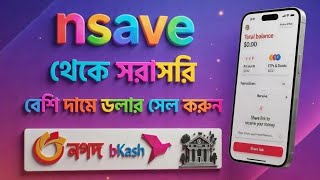

Sell Nsave Dollars at HIGH Price in Bangladesh!
46sPromises a high-value financial hack with a 5% bonus, appealing to viewers seeking extra income.
▶ Play Clip"Delivers a practical walkthrough, but the title promises a review and multiple methods, while the video focuses on one live sale."
This video demonstrates how to sell USD from an Nsave account to bKash or a bank in Bangladesh, highlighting the process and the 2.5% government remittance bonus. The creator performs a live transaction, showing step-by-step instructions for sending money from Nsave to a local payment method.
The video explains how to sell MSP dollars at a high price through Nagad, bKash, and banks in Bangladesh, with a 5% extra limit bonus mentioned, though later clarified as 2.5% remittance bonus.
The creator shows a live sale of $53.76 from Nsave, noting that a brother couldn't sell his dollars, so he's demonstrating the process.
To sell, click on the send option, accept terms and conditions, then click 'Go'. Select an occupation (e.g., Account and Editor) and income type (Received Income), then choose Salary.
The creator clarifies that the extra government remittance is about 2.5%, not 5% as initially mentioned.
Choose 'Nsave to Nsave' or select Bangladesh as the country to send to a bank or bKash. The creator selects Bangladesh and enters the amount ($53.60) which converts to 6418 taka.
Provide a name for the recipient (e.g., 'missed' for bKash) and select the bank or bKash as the payment method. For banks, choose the bank, branch, account number, and account type.
For bKash, enter the bKash number without the leading zero, confirm the details, and proceed. The creator notes that the name should match the NID card.
After confirming, enter the transfer reason (e.g., Service Payment), slide to confirm, and enter the NCP PIN. The transaction may take 5-7 minutes to process.
The payment arrives in bKash, including the remittance bonus (6500.79 taka). The creator notes that cash option is currently unavailable but may be added later. Overall, it's a good service.
The video provides a practical guide for selling Nsave dollars to bKash or banks in Bangladesh, emphasizing the 2.5% remittance bonus and the ease of the process, despite occasional delays.
What is the government remittance bonus percentage mentioned in the video?
2.5%
01:53
What are the steps to initiate a send from Nsave?
Click send, accept terms, click Go, select occupation, income type, and salary.
01:01
How long does the transaction take to complete?
5-7 minutes
07:31
What should you enter for bKash number?
The bKash number without the leading zero.
06:07
What is the recommended bank type for receiving payments?
Islamic bank
04:28
Remittance Bonus Clarification
Corrects the initial claim of 5% to the actual 2.5% government remittance bonus, providing accurate information.
01:53Recommendation for Islamic Banks
Personal recommendation to use Islamic banks for receiving payments, which may be useful for viewers.
04:28Successful Payment with Bonus
Demonstrates the successful receipt of payment including the remittance bonus, validating the process.
08:17[00:02] Peace be upon you. You can sell MSP dollars at a high price through Nagad BKash and any bank in Bangladesh, along with a 5% extra limit bonus. So please continue the full video. Those of you who are end lovers, including those who do various CPA
[00:15] clients through NCP, and those who receive payments from Upper Fiver through NCK, if you able to sell dollars to Nagad Bikash and banks at high prices. Today's video will show you the complete process in detail.
[00:31] saw this here seven minutes ago, but this dollar is coming to Nsave. A brother sent it to me, so he couldn't sell it, which is why I'm making a live selling video with my Nsave and after the sale, I'll give him the payment.
[00:46] Now come, I can see your Nsave available balance at the moment. It's 53 dollars 76 cents. It's available. Here, I'll sell this dollar live now. So, to sell it, you can I'll sell this dollar live now. So, to sell it, you can
[01:01] just clicked on this option. After clicking on the send option, you just have to accept the terms and conditions that are presented here and
[01:14] now the first thing we need to do is click on the Go option. So after clicking on this option, we have to give any occupation we see here. So you can give anything from here. Account and Editor I just gave it to you.
[01:27] So we clicked on this option below. After clicking on it, you can select any one here too. But these are not issues. So I just looked at Received Income and just selected it. After selecting it, I
[01:40] clicked on the arrow below. After clicking, I will see Salary, just select this. After selecting it, we think the work is almost complete. Give me extra, sorry brother, I was saying 5% means I will
[01:53] get extra remittance. But not 5%. So you see, we will receive an extra government remittance of about 2.5 percent. So I just went downstairs. I just clicked on the Accept and Continue option. After clicking on it,
[02:06] you will see an interface like this. If you think that this brother who sent me to Ensave could n't sell it. In this case, see this: Ensave to End Save. I just clicked here. Here, if you send me my Ensave ID and
[02:19] click on Just Content, I will give you how many dollars, but it will go to me or to the person I send it to. If you think that you can send someone from Ensafe to Ensave, but you are having problems or paying them to the bank, or you need instant money, in this case,
[02:32] you can send money to many Ensave users, but you can't get instant money. So what we will do now is So after clicking here, you'll see here, but
[02:47] if Available Bangladesh is not listed here, you can search here. So, after selecting Bangladesh, an interface like this. So I will sell here 53 points, simply 60
[03:03] cents, see 53, I will sell 60 cents. So this is 53.60 cents worth of money, so if you this is 53.60 cents worth of money, so if you look at the value, you will get 6418 rupees. From here, we see the odd here receive details, just click on it. After clicking on it,
[03:17] you can see the complete processes here. You have to wait a little. It will processes here. You have to wait a little. It will currently down a lot. There are a lot of servers down in all sectors.
[03:31] Okay, here we will see it simply. Let's give it a name. Let's give it a name. see it simply. Let's give it a name. Let's give it a name.
[03:43] Look, it's getting available. So now I'm giving the name here of how I'll take the payment. So I'm just giving the name that Vikas has in the name of "missed" here. I gave it simply. I just
[03:58] clicked on the arrow to see the bank account from here. they've taken out the cash now because of their update. We will take it to development. And if you think you can take the payment at any bank in Bangladesh, you
[04:11] can do that too. If you look at the bottom, you will find all the available banks here. you want to receive payment through? However, the brother I met always converts dollar currencies first. Islamic Bank. I would personally recommend that anyone
[04:28] take it to an Islamic bank. However, you can also take it at Adarsh banks. If you think you can take it to an Islamic bank, you can do that too, just will see that these are the things you will be asked to select from here.
[04:41] From here, you will select this one here. Then the branch number. You just have to select the branch number from here. select my branch number here.
[04:57] account number you see above and below to the bank. And just click here to choose the account type, saving or checking. From here, the account you are referring to is not a savings account. I just gave you a checking account.
[05:11] After just entering the account number, you have to select the following option. From here you see that you just have to select it. After selecting it, you will be asked to enter your account number from here and then click on Create Contact. You will
[05:24] seven days. Put it in your account but the payment will be gone. Now if you think that we will take bKash, in this case, now look again, we have to show it a little faster, brother, this is the dollar, give me this option below, I clicked on it, so
[05:38] after clicking on it, now we will sell through bKash, just come here, I gave it a sell through bKash, just come here, I gave it a miss, I gave it name of bKash and of course you should try to give the same name of bKash under the NID card that you have saved,
[05:53] brother, do not give the address, give it below, I clicked on the bank account here, I selected bKash. So after selecting Bikash, everything is pretty much fine. Now I clicked on this option. Then I'll do it a little. I quickly
[06:07] selected it. Then you see that everything is fine here. We will now write the Bikash number here without the zeros. I'm just writing it here. You see, I am a zero without zero, zero one. I wrote down my bKash number. If
[06:21] everything goes well, here's how to create. I clicked on this option. an interface like this. So we clicked on the Confirm option. After clicking on it, you have to wait a bit.
[06:37] interface like this. See here What is the transfer for? Here, brother, I have written down why you should transfer. So I'll just write yes here. And so after clicking on the option below, I just typed in Service Payment from here and
[06:50] selected it. After giving this, I clicked Continue here from below. So after clicking Continue, you will see the slide moving. I just pulled it over to this side. After bringing it, I gave him the PIN I use for our NCP. You
[07:02] After bringing it, I gave him the PIN I use for our NCP. You complete. Just have to wait a little. This is what has taken us to Progression. So, in many cases, it seems like there is no time. In many cases,
[07:16] it happens immediately. So you just have to wait a little. So we will see it in a while, but since it is in progress, it will just show complete in a while, so I will wait a little bit, so finally, but look at this dollar, it takes
[07:31] me about five to seven minutes. The payment is going through my bKash. Here it is still showing in progress. But if I show you the message of bKash from above, the payment is going through, then I will simply go to my bKash and
[07:44] come out in a while. It is not a problem. Or if I exit the apps and enter again,
[08:05] it's still in progress. But that's no problem. But they gave us money for our development. If we now simply move on to development. I'm
[08:17] 's instant. Sometimes it takes a while. So from here, let's see if we click on Inbox. Look, they gave us 6500 79 taka including remittance. I hope you are clear on this matter. So you see, we have sold
[08:31] dollars directly from NSE. Thus, your bank account can be used in any bank in Bangladesh and in the case of cash, there is currently no cash option. But the development is slow, but they sometimes add the cash option. Sell it and
[08:43] you will get a bonus of 2.5 percent extra remittance. All in all, it is the best service. a progress. It will be paid in a while. This was today's leave a good comment. Thank you all. Assalamu Alaikum.



⚡ Saved you 0h 08m reading this? Transcribe any YouTube video for free — no signup needed.