
5 AI Agents Working in Parallel
44sVisually impressive demo of multiple AI agents autonomously filling contact forms, showing real economic value.
▶ Play Clip"The title promises a comprehensive AI agents course and delivers exactly that with detailed techniques and demos."
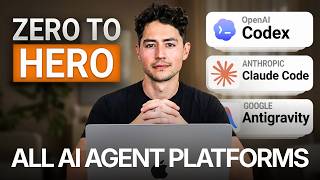
This course teaches how to build and orchestrate AI agents without programming experience. The instructor covers core concepts like the agent loop, multi-agent orchestration, and advanced prompting techniques across platforms like Codeex, Claude Code, and Anti-gravity.
Instructor teaches over 2,000 people and runs a $4M/year business using AI agents. No programming experience required.
Shows five AI agents each with their own Chrome browser performing tasks like filling contact forms in parallel.
Agents operate in a loop of Observe, Think, Act. They observe context, reason about next steps, then act using tools.
A series of constraints and specifications that tell the agent when to stop looping and complete the task.
The LLM is the reasoning engine, but tools, memory, and the loop architecture are equally important.
Walks through signing up for Codeex, Claude Code, and Anti-gravity. Each platform has similar UX but different strengths.
Claude is best for interpretable reasoning, Gemini for front-end design, GPT for backend programming. Differences are minor.
Using agents.md or claude.md files to store rules that agents update over time, reducing errors across sessions.
Skills are repeatable workflows that standardize agent behavior, stored as files with YAML front matter.
Using one model as a manager to delegate tasks to other models (e.g., Claude orchestrates Gemini for frontend, Codeex for backend).
Agents learn from YouTube videos by using Gemini's video understanding to extract steps, then execute them.
Spawning multiple agents with slight prompt variations to explore a wider solution space and aggregate results.
Multiple agents with different personalities debate a problem, leading to higher quality answers through disagreement.
Using a fresh agent to review another agent's output without bias, catching errors the original agent missed.
Forcing agents to define goals, constraints, format, and failure conditions before starting a task to improve output quality.
Agents ask clarifying questions before starting, reducing implicit assumptions and improving one-shot success.
Orchestrating multiple Chrome instances in parallel to perform browser tasks like form filling at scale.
Context windows fill up and quality degrades. Techniques like compaction and selective loading help manage tokens.
Store only essential context in the prompt (above water) and use tools to fetch additional data on demand (below water).
Use cheaper models for simple tasks and reserve expensive models for complex reasoning, following a 60/30/10 rule.
AI agents are powerful tools that can be mastered without coding. By understanding the core loop, using advanced prompting techniques, and managing context, anyone can build economically valuable agent systems.
What are the three steps of the core agent loop?
Observe, Think, Act.
04:29
What is the 'definition of done' in agent prompts?
A series of constraints and technical specifications that tell the agent when to stop looping and complete the task.
07:11
What is the purpose of agents.md or claude.md files?
They are prepended to every conversation to provide persistent instructions and rules that can be updated over time.
25:45
What is stochastic multi-agent consensus?
Spawning multiple agents with slight prompt variations to explore a wider solution space and aggregate results.
56:08
What is the iceberg technique in context management?
Storing only essential context in the prompt (above water) and using tools to fetch additional data on demand (below water).
114:52
What is the 60/30/10 rule for model selection?
Use 60% cheap models for simple tasks, 30% mid-tier, and 10% expensive models for complex reasoning to optimize cost and quality.
122:41
What is reverse prompting?
The agent asks clarifying questions before starting a task to surface non-obvious preferences and constraints.
87:38
What is a prompt contract?
A structured agreement that forces the agent to define goals, constraints, format, and failure conditions before starting a task.
81:25
What is compaction in context windows?
A mechanism that compresses context by summarizing and removing less important information when token limits are approached.
101:03
What is the main advantage of multi-agent MCP orchestration?
It allows parallelizing work across different models, each optimized for specific tasks, improving quality and speed.
39:14
Core Agent Loop
Foundational concept that underpins all agent behavior; understanding it is essential for effective prompting.
04:29Definition of Done
Critical for preventing agents from looping indefinitely and ensuring task completion.
07:11Self-Modifying Instructions
Enables agents to learn from mistakes across sessions, dramatically reducing errors over time.
25:45Stochastic Multi-Agent Consensus
Exploits model randomness to explore solution space more thoroughly, yielding better ideas.
56:08Sub-Agent Verification Loops
Fresh agents catch errors that biased original agents miss, improving output quality.
73:26Iceberg Technique
Practical method to manage context windows and reduce token usage without losing critical information.
114:52[00:00] Hey, this is the definitive course on AI
[00:02] agents. I currently teach over 2,000
[00:04] people how to use AI agents in both
[00:05] their personal and business lives and
[00:07] run a business that does over $4 million
[00:09] a year using AI agents. So, you don't
[00:11] need any programming or pre-existing
[00:13] computer experience in order to make
[00:15] this course work for you. I myself don't
[00:17] have a formal computer science degree.
[00:18] I've learned everything that I know
[00:19] watching free resources like you're
[00:21] doing now. This is also a general AI
[00:23] agents course, so you don't need to know
[00:25] any specific platform. This isn't just
[00:27] on codecs or claw code or anti-gravity,
[00:29] but rather on all of them. So, wherever
[00:31] you guys are starting, you'll end up at
[00:33] the same place. No fluff. Here's what
[00:34] you're going to learn in this course.
[00:35] First, I'll show you guys a demo where
[00:37] I'm controlling five AI agents, each
[00:39] with their own Chrome browsers as they
[00:41] interact with the web and perform
[00:42] economically valuable activities for me.
[00:44] I wanted to frontload this course with a
[00:46] demo so you guys could see what we're
[00:47] working up to. And just a few months
[00:49] ago, what I'm doing here would have been
[00:50] considered absurd. Then, I'm going to
[00:51] cover the core AI agent workflow loop,
[00:53] which works independent of which
[00:54] platform you're using. After that, I'm
[00:56] actually going to talk about and then
[00:57] sign up to the three major AI agent
[00:59] platforms right now. So, I'll sign up to
[01:00] codeex to anti-gravity and then cloud
[01:02] code. And then after I'll cover what
[01:04] each platform is at the moment the best
[01:06] or the worst at. Then we're going to
[01:07] dive into foundational AI agent
[01:09] prompting techniques. So, selfmodifying
[01:11] agent instructions where the agent will
[01:13] rewrite its own rules to minimize the
[01:15] number of errors made. Multi-agent MCP
[01:17] orchestration which is where we'll
[01:18] register codecs, Gemini, and Claude as
[01:20] MCP servers so you can manage multiple
[01:23] agents within a single conversation
[01:24] thread. video to action pipelines where
[01:26] we'll teach agents to learn from YouTube
[01:28] videos instead of plain text alone.
[01:30] Stochastic multi- aent consensus where
[01:32] we'll spawn multiple agents with the
[01:33] same prompt and then use their
[01:34] statistical spread in order to ideulate
[01:37] and improve things better. Agent chat
[01:38] rooms where you'll build centralized
[01:40] places for agents to debate ideas,
[01:42] pushing them to much higher quality
[01:44] answers than before. Subagent
[01:46] verification loops where your agents
[01:47] will actually review each other's work
[01:49] in real time to catch things that one of
[01:50] them might have missed. We'll talk
[01:52] prompt contracts. I'll show you guys
[01:54] reverse prompting and a bunch of other
[01:56] techniques as well. And finally, we'll
[01:58] chat about context management and
[01:59] improving the agent output quality
[02:01] before closing out by discussing how to
[02:03] optimize um AI agent and then token
[02:05] pricing. So far, I haven't seen anybody
[02:07] on YouTube discuss most of what I cover
[02:08] in this course. So, for all intents and
[02:10] purposes, you guys consider this the
[02:11] sauce. Please bookmark this video,
[02:13] subscribe to the channel, and let's get
[02:15] into it. First, I want to show you how
[02:16] powerful these agents can be when you
[02:18] learn how to distribute work across
[02:20] multiple Chrome instances and give each
[02:22] sub agent their own workspace. What I
[02:24] have here is a simple list of leads
[02:28] from, let's just say, a conference. Now,
[02:30] we have fields like their websites,
[02:32] their LinkedIn description, their first
[02:34] name, their last name, but one thing is
[02:36] missing, their email address. Now, just
[02:39] a year ago or so, that would have
[02:41] invalidated my ability to reach out to
[02:43] these leads. But now, because I possess
[02:46] their websites, I can actually spawn a
[02:48] bunch of Cloud Code agents, have them go
[02:50] to the websites, and then have them
[02:51] interactively and dynamically fill out
[02:53] their contact forms. So, what just
[02:56] happened as I was talking was Claude
[02:58] went ahead and then opened up a bunch of
[02:59] different Chrome browsers for me. I'm
[03:01] going to rearrange these to make it
[03:03] really easy to see. And so, this might
[03:04] be a little bit tough to see, but what
[03:06] these agents are all doing is they're
[03:07] independently navigating over to the
[03:10] contact fields of each of these
[03:11] websites. They're then dynamically
[03:14] filling out fields like the first name,
[03:16] the last name, the email address, and so
[03:18] on and so forth. And then they're
[03:20] putting in a little bit of outreach
[03:22] that's templated, but then changes
[03:23] depending on who they're reaching out
[03:25] to. These agents, through a combination
[03:26] of both research and then communication
[03:28] between each other in a shared chat
[03:30] room, are capable of doing things that
[03:32] any one agent might have taken many,
[03:34] many hours to do before. This is what
[03:35] I'm going to work up to with you guys
[03:37] over the course of the rest of the next
[03:39] couple of hours. The main strength of AI
[03:42] agents is really their ability to
[03:43] parallelize, which is to run multiple
[03:46] instances of each of them simultaneously
[03:48] while they accomplish a task. Now, right
[03:51] now, I would say most AI agents aren't
[03:53] as intelligent or as capable as a human
[03:55] being for any given need. But what they
[03:58] are much better at us then is being
[04:00] fast. And so despite the fact that their
[04:03] accuracy might be a little bit lower
[04:05] than a human, their ability to oneshot
[04:07] stuff is worse than ours at the moment,
[04:10] they can run multiple instances of
[04:11] themselves simultaneously and try
[04:14] multiple approaches over and over and
[04:15] over and over again in order to
[04:17] ultimately achieve much better results
[04:19] than we can. The key is you need to know
[04:21] a little bit about how they work under
[04:23] the hood. Then you need to be able to
[04:24] combine them using elaborate prompt
[04:26] architecture like I'm going to show you
[04:28] in this course. So, why don't we start
[04:29] with one of the simplest, most
[04:31] foundational concepts before I actually
[04:33] guide you guys through signing up and
[04:34] setting up these different agents. And I
[04:36] call this the core agent loop. To make a
[04:39] long story short, I think most of you
[04:41] probably have intuition about how agents
[04:44] do things. But really, what they're
[04:46] doing at the end of the day is they're
[04:48] going through a loop over and over and
[04:50] over again. And this loop is composed of
[04:53] three major functions. The first is the
[04:56] observation step. And so here the agent
[04:59] is basically reading through all of its
[05:01] context. We're going to chat a little
[05:03] bit more about how to optimize and
[05:05] manage that later. That includes things
[05:07] like its files, its previous tool calls.
[05:10] It includes all of the system prompts,
[05:12] the clawed Gemini, and agents.mmds that
[05:15] you provide. If it does research in a
[05:17] previous step, it'll include the
[05:19] research from the internet. uh if you're
[05:21] feeding in multimodal data like vision
[05:23] data, camera data, uh you know, audio
[05:25] files and so on and so forth, it'll
[05:27] include all of that. And so this agent,
[05:29] okay, is just in an environment and it's
[05:31] just always observing what's going
[05:33] around it at least to start in the
[05:35] observation step. From there, it'll
[05:38] reason. And so this is the think step
[05:40] here. It'll consider based off of all of
[05:43] this context and based off of, you know,
[05:44] the user's highle goal, what do I do
[05:47] next? How should I plan my approach? And
[05:49] nowadays, most agent coding platforms
[05:52] make use of like a dedicated reasoning
[05:55] step that you can actually click into
[05:56] and see, which I'll show you guys a
[05:58] little bit more of. And this provides a
[06:00] tremendous amount of interpretability,
[06:01] accountability, and then steerability,
[06:03] which is really important that I think
[06:04] most people sleep on. After it's thought
[06:07] about things and basically wrote its own
[06:09] mini plan, it's time to actually act,
[06:11] right? And so, here's where it'll call
[06:13] tools. It'll edit the files that it
[06:15] decided to uh do so earlier in the plan.
[06:18] or maybe it'll run a command using
[06:20] command line interfaces, CLIs. After the
[06:24] action step is done, what it does is it
[06:26] gets the result of the tool call and
[06:28] then it feeds all of that stuff back
[06:30] into the observe step. So now we're
[06:33] basically running through that loop
[06:34] again, just with a little bit more
[06:36] context. And so what occurs essentially
[06:39] is we just tend to grow bigger and
[06:41] bigger and bigger and bigger. If our
[06:43] initial context was a certain size, our
[06:46] you know second loop it's a little bit
[06:48] bigger, our third loop it's a little bit
[06:50] bigger and fourth loop and so on and so
[06:52] forth. And what this is doing is this is
[06:54] basically stacking more and more tokens
[06:56] into the context that the model can then
[06:58] use to plan its next step. What occurs
[07:01] after you go through this loop you know
[07:03] usually three or four times is
[07:05] eventually the model reaches a point
[07:07] called the definition of done.
[07:11] And what the definition of done is,
[07:13] which I think a lot of people leave out
[07:15] of their agent prompts, which is
[07:16] probably why they're always underwhelmed
[07:17] by what happens, is it's the series of
[07:19] constraints and technical specifications
[07:22] required for the model to conclude that
[07:26] it no longer needs to do this loop. Once
[07:29] it reaches this definition of done,
[07:31] okay, over and over and over and over
[07:32] again, it notices and then it changes
[07:36] routes. So, now it goes to the task
[07:38] complete route where it generates a
[07:40] quick little final response for the
[07:42] user. Usually involves a nicely
[07:43] formatted answer, as I'm sure you guys
[07:45] know. Hey, Nick just finished your new
[07:48] thumbnail app build. And before
[07:50] outputting it in a window either in
[07:53] anti-gravity or codeex or maybe cloud
[07:55] code in a packaged way that you guys are
[07:58] familiar with. And so obviously if you
[08:01] have any intuition about how AI works at
[08:04] this point, if you've ever communicated
[08:05] with chat GPT or you know Claude or some
[08:09] other sort of desktop AI that's nestled
[08:11] into another application that you guys
[08:12] use, you'll probably know some of this
[08:14] stuff um just as like the foundation.
[08:16] But I wanted to make it really explicit
[08:18] at the beginning of this course because
[08:20] we're going to return to each of these
[08:22] steps over and over and over again. And
[08:23] it turns out that you can heavily
[08:25] optimize all three of these. You can
[08:27] optimize the hell out of the observe
[08:29] step. You can optimize the hell out of
[08:31] the think step. And understandably, you
[08:33] can optimize the hell out of the act
[08:34] step as well. That's what we're going to
[08:36] learn. Another point I'm going to make
[08:37] in this course is that AI agents aren't
[08:40] just the large language models
[08:41] themselves. You know, I think neural
[08:43] networks and transformers are obviously
[08:46] super inherently interesting because
[08:48] they're these massive statistical things
[08:50] and these beings that can that can do
[08:52] things. They can reason. They're very
[08:54] far removed from traditional computer
[08:56] programs. just 5 or 10 years ago. So, a
[08:58] lot of interest goes to the LLM, but I
[09:00] want you guys to know that the LLM
[09:02] really is just a very small part of what
[09:04] most people consider AI agents these
[09:06] days. The LLM is of course your
[09:08] reasoning engine, right? Of course, it
[09:10] understands language and of course it
[09:12] makes decisions, but it's kind of like a
[09:14] human being from like 20,000 years ago
[09:17] with like a spear in its hand, right?
[09:19] without all of the infrastructure around
[09:21] human beings, without like your your
[09:23] house and your fireplace and your hearth
[09:25] and a place to sleep at the end of the
[09:27] night and a a society where people farm
[09:29] and produce resources and you have cars
[09:32] that you can get and you traverse a lot
[09:33] of distance without all the tools and
[09:34] the architecture around the
[09:36] intelligence. The intelligence is
[09:37] actually quite limited in what it can do
[09:40] and that's where the rest of these
[09:41] sections come into play. So tools much
[09:44] like human beings have the ability to
[09:46] read files, run code, search the web,
[09:49] call APIs and edit files. Okay, so too
[09:52] does this AI agent. Much like human
[09:54] beings have the ability to set a highle
[09:57] goal and keep going until that task or
[09:59] goal is reached, you know, so too can
[10:02] agents. And much like human beings have
[10:04] some sort of persistent memory where we
[10:06] can keep track of things that we've done
[10:08] and then realize that some of those
[10:10] things didn't work. So we got to take a
[10:11] slightly different tack the next time.
[10:13] So too, agents have things like
[10:15] agents.mmd claw.md gemini.mmd access
[10:18] to their conversation history, access to
[10:20] automemory files and skills. And so it's
[10:23] not actually just the LLM, for instance,
[10:26] that makes an agent work. It's really
[10:28] all of these things multiplied by the
[10:30] fact that, you know, the LLM provides us
[10:32] like the ability to be a little bit
[10:33] flexible. And that's a really big
[10:35] different from just, you know, a chatbot
[10:37] and then an AI agent. A chatbot might
[10:39] just be the LLM, okay? But an agent
[10:42] takes that that LLM and then it adds on
[10:44] tools, a reasoning loop, memory, and so
[10:47] on and so on and so forth. So, as a
[10:48] brief example, I'll use an agentic
[10:50] coding platform called Codeex. And down
[10:53] here, I have a simple prompt where
[10:55] basically I just want this to do a bunch
[10:56] of research for me on creatine
[10:58] supplementation in men. And what I'm
[11:00] doing is I'm giving it a brief
[11:01] definition of done where I'm saying once
[11:04] you've compiled 10 plus empirical
[11:06] sources, return a structured report. And
[11:08] I'm doing this because I want to
[11:09] demonstrate this loop to you. And so
[11:10] there are a bunch of other things that
[11:12] are popping up here. We have the actual
[11:14] chat window up at the top and we have
[11:15] its response. But you'll notice that in
[11:17] between we have this sort of like grayed
[11:18] out section here. Okay. And this grayed
[11:20] out section is the thinking that the
[11:22] model is doing before it gets back to
[11:24] us. And so basically, you know, if this
[11:27] was chatpt back from 2022 or so, all we
[11:31] would have gotten is this. But because
[11:33] I'm telling it to take actions in the
[11:35] real world, it's capable of one,
[11:37] observing, and so it observes all of
[11:40] this text and all of its reply as
[11:42] context. Two, thinking. So it's capable
[11:46] of doing a bunch of thinking on what to
[11:48] do next. And then three, acting. And so
[11:51] then it's capable of saying, hm, the
[11:52] user probably wants me to do some
[11:54] research. I have access to a few tools
[11:56] available. One of the tools lets me
[11:57] search the web. Let me pump in a search
[11:59] term. It then compiled all of this
[12:01] information and then it just repeated
[12:03] the same thing. It then with all this
[12:05] context said, "Okay, I'm observing. Not
[12:07] only do I have these messages, but I
[12:08] also now have a bunch of research. Let
[12:10] me think about what to do next. Have I
[12:12] achieved the goal of the user compiling
[12:14] 10 plus empirical sources?" And you
[12:16] know, after it's made its sort of
[12:17] observation and thought and reasoned
[12:19] about it, then it's deciding to act. And
[12:20] what it's ended up doing after 58
[12:22] seconds is giving me this structured
[12:23] evidence report. So, this is an example
[12:26] of something that might have looped two
[12:27] times, three times, but the more
[12:29] intelligent and capable these models are
[12:30] getting um the longer that they're
[12:32] running autonomously without us.
[12:34] Hopefully, this isn't rocket science to
[12:36] anybody here, but in a nutshell, this is
[12:37] more or less what's always occurring
[12:39] non-stop every time you talk to a model.
[12:41] With all that being said, let's really
[12:43] quickly cover how to set these different
[12:45] models up. I'm going to be using Codeex,
[12:47] Claude Code, and Anti-gravity. You don't
[12:50] need to know anything about any of these
[12:52] platforms in order to run these
[12:53] examples. And if you're already very
[12:55] familiar with, let's say, I don't know,
[12:57] Claude Code and you've chosen to use
[12:58] that as your main agentic coding
[13:00] platform moving forward, you can skip
[13:01] over to the next section of the video.
[13:03] But I want to make sure that we all have
[13:04] an equal playing ground here. We all
[13:06] understand how each of these platforms
[13:08] work under the hood. So there are three
[13:09] major platforms. The first is Codeex,
[13:11] which is owned, managed, and run by
[13:13] OpenAI. The second is Claude Code, which
[13:16] is owned, managed, and run by Anthropic.
[13:18] And the third is Google's anti-gravity,
[13:20] which as I'm sure you can imagine is
[13:22] owned, managed, and run by Google. In
[13:24] order to start with Codex, what you
[13:26] first have to do is sign up to an OpenAI
[13:29] account. The way you do so is just look
[13:31] up OpenAI on Google, get to a page that
[13:33] looks anything like this, and then just
[13:35] go to the top right hand corner where it
[13:36] says try chat GPT. After that, you'll be
[13:38] taken to a page that looks something
[13:40] like this. You can continue with Google,
[13:42] your phone, or whatever you want. And if
[13:44] you choose to chat with the model and
[13:46] then come back at any point in time,
[13:47] just head to the top right hand corner
[13:49] for that modal again. So I'm going to
[13:51] pretend that I haven't made an account
[13:52] before and I'll continue with Google.
[13:53] After some brief onboarding
[13:55] instructions, you'll have access to a
[13:57] page like this. But this is just chat
[13:59] GPT, which is more akin to a chatbot
[14:01] than anything else. We want to take this
[14:03] to the AI agent world. And so in order
[14:05] to do that, we need to use their
[14:07] dedicated AI agentic coding platform,
[14:09] Codeex. So googling OpenAI's codeex or
[14:12] something like that will take you to a
[14:13] page that looks like this. And then you
[14:15] can just click download for Mac OS. By
[14:18] the way, I'm on a Mac, so that button is
[14:20] automatically going to pop up for me.
[14:21] But the Codeex app is now also available
[14:23] on Windows starting March 2024 and
[14:26] beyond. The way you install things on a
[14:27] Mac is you just take this window, drag
[14:29] Codex over to applications, and then
[14:31] you're done. Once you're inside, if you
[14:32] wanted to build a website or something,
[14:34] just head over to this middle, create a
[14:36] new folder, call it whatever you want.
[14:38] So I'll just go to downloads and then go
[14:39] new folder example.
[14:42] Open it within it. And now you're inside
[14:44] of this folder here. You can ask the
[14:45] model to do whatever you want. And so
[14:47] what I'm going to say is make a brief
[14:48] portfolio site about Nick Sariah. Keep
[14:51] it super simple and minimal. It'll now
[14:53] do some thinking. In our case, I
[14:56] actually have a design taste front-end
[14:57] skill which improves its ability to
[14:59] create like sleek, highquality looking
[15:01] designs. And now it's looking through my
[15:04] own workspace to put together this cool,
[15:06] sexy site for me. I'm also going to ask
[15:08] it to open it. Uh, and the way that all
[15:11] AI agent platforms work now is you have
[15:13] the ability to put a cued message in,
[15:16] which you can also choose to send
[15:18] immediately via steer. In my case, I'll
[15:20] just wait until it's done. It'll consume
[15:22] this open it message and then it'll just
[15:24] open it for me in a new tab. Once it's
[15:26] done, the open it message will be fed in
[15:28] and it's just going to open this for me
[15:29] in a new tab. Now, I'm kind of zoomed in
[15:31] here. So, if I zoom in a little bit
[15:33] more, you'll see that this is just a a
[15:35] simple one-page site that says Nyx Drive
[15:37] builds clear modern digital work. Here's
[15:39] some information about me. And here's a
[15:41] contact page. Not rocket science, but
[15:43] this is how easy it is to like build web
[15:44] stuff. Claude is pretty similar. Just
[15:46] Google Claude signup or something like
[15:48] that. And you'll be taken to a page that
[15:50] looks like this. Here you just enter
[15:52] your email address or in my case,
[15:53] continue with Google. In Claude's case,
[15:55] in order to use Claude code, you do have
[15:57] to pay for it. And so there's a pro plan
[15:59] here that's $17 per month with an annual
[16:02] subscription or 20 bucks if build
[16:04] monthly. I'm not working for Claude or
[16:07] anything like that. I don't have any
[16:09] sort of affiliation with Anthropic in
[16:11] that way. But I will say that I receive
[16:14] probably a 100 to 200x return on my
[16:16] investment with an Aentic coding
[16:18] platform, whether it's Claw or whether
[16:20] it's Gemini or whether it's Codeex. So,
[16:22] my recommendation for you, if this seems
[16:24] a little bit steep, is bite the bullet,
[16:27] pay it, and learn whatever you can to
[16:29] make a return on investment with that
[16:30] money in the first month because this
[16:32] stuff is really quite powerful. Assuming
[16:34] you're done, just type cloud code
[16:36] desktop download or something like that.
[16:38] And you'll be taken to a page that looks
[16:40] like this, which allow you to download
[16:41] it for Mac OS, Windows, or even Windows
[16:43] ARM 64. So, I'm going to give my Mac OS
[16:46] thing a quick click. Then, I'll go to
[16:48] the top right hand corner. I'll just
[16:49] open Cloud up just like I did with
[16:51] Codeex. That'll take me to a page like
[16:52] this. And then I just drag this over to
[16:54] the right. And then once you're done,
[16:55] you'll be taken to a chat page that
[16:57] looks something like this. What we
[16:58] really want is we want this code button.
[17:00] So I'm going to give that a click. Then
[17:02] here, all we need to do is just choose a
[17:04] folder to work in. And then we can put
[17:06] in a quick request. So I'm just going to
[17:07] choose a general folder next. Then I'm
[17:10] going to say bypass permissions, which
[17:12] might seem a little bit scary to you,
[17:13] but it just makes the model act
[17:15] independently. Then finally, I'm going
[17:17] to say, hey, make a brief portfolio site
[17:20] about Nyx Drive. super simple and
[17:22] minimal. And so, just like Codeex
[17:24] designed it a moment ago with its
[17:26] various UX uh features, we have the same
[17:28] thing here with Claude Code. It's going
[17:30] to ask to access some files in my
[17:32] folder. And in addition to having the
[17:34] message box, we also have this sort of
[17:36] grayed out shining decal here, which is
[17:39] sort of its like thinking if you think
[17:41] about it, as well as its tool calls. And
[17:43] what it's going to do now is actually
[17:45] build me a brief little site. And then,
[17:47] just like I did before, I'll just say
[17:49] open it.
[17:50] That's going to ceue it and now I can
[17:52] have a conversation with Claude and now
[17:54] we have the actual portfolio which as
[17:56] you guys could see here is done in
[17:57] significantly more minimal fashion.
[17:59] Okay, so this is Nick builder automation
[18:01] expert software engineer. Now unlike
[18:03] with chat GPT and then claude for
[18:06] anti-gravity odds are you probably
[18:08] already have like a Google or a Gmail
[18:10] account set up. So all you have to do is
[18:12] just look up Google anti-gravity
[18:13] download then click download for Mac OS.
[18:16] In my case I have Apple Silicon on Mac.
[18:18] If you guys don't know what you have,
[18:20] just type about this Mac and then if it
[18:22] says Intel up here in chip, you're in
[18:24] Intel. If it's a M something, then
[18:26] you're Apple Silicon. And you can do
[18:27] something similar for Windows and Linux
[18:29] as well. And once I give that a click,
[18:31] we'll be taken to a very similar looking
[18:33] page here. And then I can just drag
[18:34] anti-gravity over to applications. The
[18:36] very first time you open up
[18:37] anti-gravity, it'll look something like
[18:38] this. In your case, maybe it'll be dark
[18:40] mode or maybe it'll be entirely light. I
[18:42] just have some styling settings, which
[18:44] is why mine might look a little
[18:45] different from yours. You may also have
[18:47] to log in unless Google logged you in
[18:49] automatically. In my case, it logged me
[18:51] in automatically because I've used it
[18:52] before. Assuming that you've done that
[18:54] though, on the right hand side, you'll
[18:55] see an agent modal. And this agent modal
[18:57] is very similar to what we saw with
[18:59] codeex and then claude code. All we have
[19:01] to do is just ask it to make a brief
[19:02] portfolio site about Nixive. And you'll
[19:04] see here that the UX is just a little
[19:06] bit different, right? We have a little
[19:07] generating tab down here. Obviously, we
[19:10] have uh multiple settings with fast and
[19:12] Gemini 3.1 Pro. We have this little
[19:14] thinking tab. Uh, it tells you how long
[19:16] it's been doing it. If it has to do any
[19:18] web searches, it does so over here.
[19:20] Hopefully, you guys are seeing these are
[19:22] all just flavors that are slightly
[19:24] different, but ultimately are the same
[19:26] thing. I'm just going to write open it.
[19:27] That'll be added as a pending message,
[19:29] and then it'll open this up in a browser
[19:31] tab. As you see here, Gemini produced
[19:33] what I would probably consider to be the
[19:35] sexiest of all websites, which makes
[19:36] sense. Uh, one thing I'll talk about in
[19:38] a moment is how much better it is at
[19:40] front-end design and so on and so forth.
[19:42] And yeah, we have a very simple and and
[19:43] straightforward site here. So, um, this
[19:45] links to all of my resources, leftclick,
[19:48] YouTube, and so on and so forth. I
[19:49] probably like this one the best. From
[19:51] here on out, most of the conversations
[19:53] and the user experiences are going to be
[19:55] really similar between Aenta coding
[19:57] platforms. So, while I am going to use
[19:59] multiple just to show you guys how some
[20:01] of their quirks interact, uh, for the
[20:03] most part, I want you guys to know that
[20:04] the UX's are very very similar these
[20:07] days. Like the thinking tabs are going
[20:09] to be the same. Some people will
[20:10] probably say that there are slight
[20:11] differences between them and so on and
[20:13] so forth. For instance, I'm a big fan of
[20:15] the little Space Invader icon that Cloud
[20:17] Code has. But for all intents and
[20:19] purposes, I'm just going to assume that
[20:20] you're picking up the UX here as you use
[20:22] these models and focus less on like the
[20:24] tiny little stuff and more on how to
[20:26] orchestrate and then prompt these for
[20:28] higher quality responses. If you guys
[20:30] want to see like step-by-step
[20:32] walkthroughs of these platforms, I'm
[20:33] going to put some little links up above
[20:35] my left shoulder here, and you can click
[20:37] on them anytime to go learn that sort of
[20:39] stuff. Next up, I want to talk about
[20:40] what makes these AI coding platforms
[20:42] different from one another. Not on a
[20:44] user experience um angle, but from an
[20:48] intelligence angle, from a what they
[20:50] could do angle as well. So, as you saw
[20:52] there, there were three different
[20:53] models. There was Claude, which was
[20:55] wrapped around Claude code, Gemini,
[20:58] which was wrapped around anti-gravity,
[21:00] and then GPT, in my case, 5.4, which is
[21:03] wrapped around codeex. And I think that
[21:06] each of these models are really similar
[21:07] at this point in intelligence- wise, but
[21:10] there are some pros and cons to each.
[21:12] They basically like improve how they
[21:14] perform by a few percentage points. So
[21:17] Claude might be, you know, 2% better at
[21:19] these. You know, Gemini might be 5%
[21:21] better at these. GPT might be 1% better
[21:24] than these. I'm just pulling on numbers
[21:25] out of my butt, but I'm making them
[21:27] really small because I do want to really
[21:28] drive home the point that these models
[21:29] are so gosh darn intelligent these days
[21:32] that these minor differences only make
[21:34] sense at the bleeding edge and at the
[21:36] frontier. For most purposes, either of
[21:38] these are going to be sufficient. So,
[21:40] Claude has the most interpretable
[21:42] reasoning. You remember how I could
[21:44] click open that little reasoning tab a
[21:46] moment ago? Well, at least as of the
[21:48] time of this recording, Claude is
[21:49] incredible at making that reasoning tab
[21:51] really, really interpretable. you know
[21:53] exactly what cloud is doing at basically
[21:55] every step of the process when you um
[21:57] use cloud code to visualize that
[21:58] reasoning and that makes it really good
[22:01] for orchestration and then agentic
[22:03] workflows because you can see the
[22:05] decisions that the model is making in
[22:07] real time and in doing so you can also
[22:09] steer the model stop the model pause it
[22:11] or give it new resources halfway through
[22:13] I can't say the same about both Gemini
[22:15] and GPT I think they're a lot less
[22:17] interpretable and it's a lot less
[22:18] accountable you know Claude is sort of a
[22:20] partner that you build things with along
[22:22] the Whereas Gemini and GBT are almost
[22:24] just like I don't know, they're
[22:25] missiles. You set your target, you click
[22:27] the button, and then they go. Now, there
[22:29] are some cons. Claude is a little bit
[22:31] slower unless you use fast mode, which
[22:34] is what I tend to use, although keep in
[22:35] mind that'll burn a ton of credits. And
[22:37] then I find that it's weaker at frontend
[22:39] or design than a model like Gemini.
[22:41] Gemini is really good at design and
[22:43] frontends. As you guys just saw a moment
[22:45] ago, Claude picked a really
[22:46] minimalistic, sleek theme. Gemini did
[22:49] some upscale stuff that still looked
[22:51] sleek, clean, but had like that
[22:53] isomorphic glass. And then GBT, maybe
[22:56] because of my design taste scale or
[22:57] something else, was kind of like more
[22:59] complex and had uh a little bit clunkier
[23:01] of a design. Well, in general, I find
[23:03] that this pattern remains the same.
[23:05] Anytime I want to design a really clean
[23:07] front end, I'm going to use Gemini for
[23:08] that. It's also got superior multimodal
[23:11] abilities. That just means there's
[23:12] actual like endpoints using the Gemini
[23:14] API um where it can understand video.
[23:17] Right now, Claude and GPT both really
[23:19] struggle with this. Although you can
[23:20] build custom pipelines to do that, which
[23:21] I'll show you guys about. It also has
[23:23] the ability to use a fast output, which
[23:25] means it writes really, really quickly
[23:26] if need be. Um, but they don't have
[23:28] access to a dedicated fast mode where
[23:30] you could pay more money to use them
[23:31] really quick. I think it's the least
[23:33] interpretable of the models. And
[23:35] personally, I find the quality is quite
[23:36] inconsistent. There's some days when
[23:38] I'll prompt it and it'll do quite
[23:39] incredible, then other days where I will
[23:40] prompt it and it will just absolutely
[23:42] crap the bed. you know, at least
[23:44] Claude's quite consistent in that way,
[23:45] despite the fact that maybe it's a
[23:47] little bit worse at a few things.
[23:49] Finally, there's GPT. There's the codec
[23:51] series of models, the 5.4 series of
[23:53] models. Now, these are the best at
[23:55] back-end programming. I think they're
[23:56] also the best at like um absolute
[23:58] mathematics, which probably feeds into
[24:00] that. They're really great at
[24:02] test-driven development. And you know
[24:03] how I mentioned earlier Gemini and GBT
[24:05] are more like rockets that you point at
[24:06] a at a at a place and then they go. Um
[24:08] well these testdriven development
[24:11] approaches essentially mean you just
[24:12] outline that definition of done and then
[24:14] it fires and just goes autonomously
[24:16] until it reaches that. There's also
[24:18] quite a big ecosystem of different apps
[24:20] and you know there's a lot of um
[24:21] documentation online about how to use
[24:23] various GPT workflows and stuff like
[24:25] that because this was the first major
[24:27] player to the AI agent market. I'd give
[24:30] it sort of like a uh you know two out of
[24:32] three on the rest of these. I think
[24:33] Claude is much better at its
[24:35] interpretability. It's much better at
[24:37] orchestration and stuff like that, but
[24:39] GPT being a model that just came out
[24:40] quite recently, a 5.4 anyway, is
[24:43] obviously sort of like topping the
[24:44] charts right now on a lot of stuff. Just
[24:45] some caveats there. A lot of people
[24:47] treat this as like [snorts] anathema for
[24:50] you to claim that, you know, Claude is
[24:52] better than GPT at this thing and Gemini
[24:54] is better than than Claude at that
[24:56] thing. The reality is, as I mentioned
[24:58] and alluded to at the beginning, there
[25:00] are very minor differences between these
[25:01] models at this point. All of them are
[25:03] basically trained on the entirety of the
[25:04] internet as is. And so because of this,
[25:07] um, the slight differences in
[25:09] capabilities in the model tend to have
[25:10] more to do with like when they were
[25:12] trained and how recent it is versus, you
[25:14] know, some inherent like cool new design
[25:16] technique. Really, they're just training
[25:18] these galaxys sized brains on the entire
[25:20] internet at this point. So because we're
[25:22] talking about the LLM intelligences, you
[25:24] know, if like GPT was trained after
[25:26] Claude, GPT is probably going to be a
[25:27] little bit better in certain
[25:28] circumstances. If Gemini is trained
[25:30] after GPT, it'll be better. But all that
[25:32] stuff resets with the next generation.
[25:34] So though I am going to be showing you
[25:35] guys some cool multimmcp orchestration
[25:38] uh techniques later on, I want you to
[25:39] know that you don't have to treat all
[25:40] this super seriously. You can also just
[25:42] pick one model and then use that. Okay,
[25:44] next up I want to chat agents.mmd and
[25:46] then how to build a selfmodifying and
[25:49] self-correcting system prompt that
[25:51] significantly minimizes the number of
[25:52] errors that you get as you build things
[25:54] with these AI agents. So for the
[25:56] purposes of this demonstration, I'm
[25:58] going to be using anti-gravity and
[25:59] through it the Gemini series of models.
[26:01] When you open up anti-gravity, you have
[26:03] a little window that looks like this.
[26:05] Generally, I divide this into three
[26:06] panes. You have your explorer on the
[26:08] lefth hand side, your file editor in the
[26:10] middle, and then you have your agent on
[26:11] the right. And what I'm going to do for
[26:13] the purpose of this demo is I'll just
[26:14] click open folder. And then I'm going to
[26:16] go to anti-gravity example and just open
[26:18] this up. Okay. And what I want to do
[26:20] here is I just want to show you how all
[26:21] of this stuff works to start. As you
[26:23] guys can see on the lefth hand side, we
[26:25] have a file called gemini.md. Now, what
[26:27] occurs is when you talk to this model
[26:29] over here. Hey, what's up? Basically,
[26:32] what's occurring is this file is being
[26:36] prepended to the very top of a
[26:38] conversation chain. And so, if I open up
[26:40] this file right now, you see how it's
[26:42] empty. There's nothing in it. Well, when
[26:43] I started this conversation and said,
[26:45] "Hey, what's up?" Okay, it knows that my
[26:47] name is Nick, but it does it knows this
[26:49] because of uh the fact that I'm signed
[26:50] in as Nick. Now, I want you to see what
[26:53] happens if I paste in my name is Antonio
[26:55] Banderas. Refer to me as such. always
[26:57] always also always sign off super kawaii
[27:00] desu. So I'm going to go here to the top
[27:01] right hand corner and I'll say hey
[27:03] what's up and after initializing a new
[27:06] model
[27:09] notice how it's now going to return
[27:11] something quite different to what we had
[27:13] a moment ago. The reason why is of
[27:15] course this gemini.md is just a
[27:18] templated structured prompt that is
[27:21] basically always inserted into the
[27:22] beginning. Okay, the same thing applies
[27:24] with codecs. The same thing applies with
[27:26] claw code, but the names of the files
[27:28] are a little bit different. So if I was
[27:30] in, let's say, codeex for instance, I
[27:32] wouldn't call this a gemini.md. I'd call
[27:34] this an agents.mmd. If I was in claude
[27:36] code, I wouldn't call this an
[27:37] agents.mmd. I'd call this a claude.mmd.
[27:40] Whatever file you use here doesn't
[27:42] really change the idea. The idea is that
[27:44] at the very top of any prompt, you just
[27:46] have this file prepended to it. The
[27:49] reason why this is so powerful is
[27:50] because you now have the ability to
[27:53] statically template out the same prompt
[27:55] over and over and over again on every
[27:57] independent session. This may seem like,
[27:59] well, why don't you just copy and paste
[28:01] the same thing in instead of having to
[28:02] use this elaborate file system
[28:04] structure. And the reason why is because
[28:06] what you can do is at the very beginning
[28:08] of this file, you can actually contain
[28:10] within it like a list of lessons or
[28:12] learnings from previous instances. Then
[28:15] you can build in like a meta prompt
[28:17] structure where before a model signs
[28:19] off, before it finishes whatever it's
[28:20] doing, it always updates that file with
[28:23] more and more and more knowledge. In
[28:25] that way, okay, you can build a
[28:26] highquality list of like memories,
[28:29] preferences, and rules, not to mention
[28:31] things to avoid that significantly
[28:33] improves your agent's ability to operate
[28:35] over a long time scale. And just to show
[28:37] you guys what I mean, let me show you a
[28:39] diagram. In this hypothetical instance,
[28:41] we're going to be using Gemini.m MD. And
[28:43] basically what'll occur every time is a
[28:45] new session is going to start over here.
[28:47] The agent will first read gemini.md.
[28:50] You'll then give it a task like hey
[28:52] build me a website that does whatever.
[28:55] Now it'll return the website for me and
[28:57] then I'll say I don't like this no dark
[29:00] mode. After I give it its feedback of no
[29:03] dark mode rather than just correcting
[29:05] the build, it'll actually write that to
[29:07] my Gemini.m MD for next time, which
[29:10] allow the agent to continue working with
[29:11] the rule applied. When the session ends
[29:13] and a new session starts, now the agent
[29:15] will read the Gemini MD, but the
[29:17] gemini.md will have an additional rule
[29:19] placed. Okay, if this is my file over
[29:21] here, it'll say no dark mode. And that
[29:24] means the next time I ask it to build me
[29:25] a website or any sort of web property,
[29:27] it'll see no dark mode and then it won't
[29:28] make that mistake again. This lets your
[29:30] knowledge accumulate over sessions. The
[29:33] first time that you use, you know,
[29:34] Gemini or Claude Code or or Codeex or
[29:37] whatever, you know, you're only going to
[29:39] have, let's say, one rule or one
[29:41] preference stored. And so the number of
[29:43] errors that the model makes, errors
[29:44] relative to like your preferences will
[29:46] be pretty high. The second time that you
[29:48] use it, though, the number of errors or
[29:51] issues that it makes that don't line up
[29:52] with your preferences will go down. The
[29:54] third time, they'll go down further. The
[29:57] fourth time, it'll go down further. Then
[29:59] the fifth time it'll go really really
[30:01] low to the point where maybe it makes
[30:02] zero errors at all. You can see that um
[30:05] sort of diagrammatically over here with
[30:07] when you start your thing has zero
[30:08] rules. Okay. As it grows longer and
[30:10] longer and longer, you're writing more
[30:12] and more and more and more rules. Um the
[30:15] agents get better and better and better
[30:16] at uh understanding and then um
[30:18] anticipating as well your preferences.
[30:20] So what does this actually look like in
[30:22] practice? Well, it's not all that
[30:23] difficult and you can just append or
[30:25] prepen this to any Gemini Claude or
[30:28] agents MD however you like. It also
[30:30] doesn't need to be this long. Although I
[30:32] did want to go into a fair amount of
[30:33] detail here with you. So you can
[30:34] absolutely just turn this into like a I
[30:36] don't know a three or fourline snippet.
[30:38] Essentially before we start any task
[30:40] read this entire file. This file
[30:42] contains a growing rule set that
[30:43] improves over time. At session start I
[30:46] want you to read the entire learned rule
[30:47] section before doing anything. How it
[30:49] works. When the user corrects you or you
[30:51] make a mistake, immediately append a new
[30:53] rule to the learned rules section at the
[30:55] bottom of this file. Rules are numbered
[30:57] sequentially and written as clear
[30:59] imperative instructions. The format is
[31:02] category never or always do X because Y.
[31:05] And then here's some more formatting
[31:06] instructions. When do you add a rule?
[31:08] Add a rule when the user explicitly
[31:10] corrects your output. When the user
[31:11] rejects a file approach or pattern, when
[31:13] you hit a bug caused by wrong
[31:15] assumption, or when the user states a
[31:16] preference. Okay? Okay. And then it'll
[31:18] give some examples here of different
[31:19] rules in code. Then we have the learned
[31:21] rules down here. So what I'll do just to
[31:23] show you guys what this looks like is
[31:25] I'll say build me a simple portfolio
[31:28] site for Nick Sarif. And I'm going to
[31:30] have it go accomplish a task for me. And
[31:32] then I'm inherently and intentionally
[31:34] going to give it some instructions. You
[31:37] see the very first thing it did was
[31:38] analyze the gemini.md. And so now it
[31:41] actually has this entire file as context
[31:44] inside of its thread. You can't see that
[31:46] context here because obviously they
[31:47] don't want to just muck up your your
[31:49] conversation thread, but it is literally
[31:51] like if you just pasted this entire
[31:53] thing directly in. Okay, so it's going
[31:55] to be reading that constantly as it's
[31:56] building out the rest of our website.
[31:58] And you can see that it's like it's
[31:59] built some cool terminal display here.
[32:02] It's using a library called Vit, which
[32:04] is probably like the best front-end
[32:05] library. Let's see what it does. Okay,
[32:07] this website is looking really really
[32:09] sexy, super clean, and it clearly went
[32:11] above and beyond uh with my spec.
[32:13] However, I don't like how it's dark
[32:14] mode. So, what I'm going to do is go
[32:16] back here and then give it some
[32:17] instructions. Quit doing things in dark
[32:20] mode. And the idea here is when I give
[32:23] it an instruction like quit doing things
[32:25] in dark mode, what it's going to do is
[32:26] it's going to take my message and then
[32:29] say, hey, let's update our gemini.md to
[32:32] never create applications in dark mode.
[32:34] It's a user preference. If I scroll down
[32:37] here now, you can actually see that this
[32:39] style has been added. And so if the next
[32:42] time I run a model and instantiate
[32:45] anti-gravity, I say, "Hey, I'd like you
[32:46] to build me a website," it'll actually
[32:48] have this up at the very very top of its
[32:50] prompt, meaning that I'm never ever
[32:52] going to have a dark mode website again.
[32:54] In this way, this will continuously get
[32:56] closer and closer to my preferences
[32:58] until the number of rules become so
[33:00] exhaustive that, you know, it actually
[33:01] bes counterproductive. In practice, I
[33:04] haven't actually hit this limit yet. I
[33:05] think this just gets better and better
[33:06] and better over time. But I could
[33:08] hypothetically see if you were to get to
[33:09] a point where there's a thousand
[33:10] independent rules, some of them would
[33:12] probably start stepping on its its toes.
[33:14] Um, this sort of self-modifying claude
[33:17] agents or Gemini.mmd is a very very high
[33:19] ROI design pattern. So whatever you're
[33:21] building with an AI agent, whether
[33:22] you're using them for business, personal
[33:24] or programming tasks, I would always
[33:25] recommend to have something like this in
[33:27] your directory. And as you can see, it's
[33:28] now modified the site. We don't actually
[33:30] have that anymore. A lot cleaner. And it
[33:32] also fixed up the images and made it
[33:33] look really sexy. The way this works is
[33:35] at the very top level we have a global
[33:37] claude agents or gemini.md. And these
[33:41] are userwide rules that apply to all of
[33:44] the projects that you start. And so the
[33:46] very top you'll have this sort of
[33:47] injected and you can set this using a
[33:50] variety of different formatting
[33:51] conventions and stuff. You could look it
[33:52] up for the specific uh agent platform
[33:55] that you're using. you know, if you're
[33:56] doing claude or something like that,
[33:58] it's going to be stored in a a
[33:59] tilda.claude
[34:02] slash and then there are variety of
[34:03] other conventions regardless of whatever
[34:05] platform you're using that you guys
[34:06] could also after it's injected the
[34:09] global agents.mmd, it'll then inject the
[34:12] local cloudmd. And so what you could do
[34:15] is you could have a global cloudmd,
[34:17] okay, that has wide ranging user
[34:20] preferences updated and then a local
[34:22] project.mmd that has specific project
[34:25] preferences updated. And then underneath
[34:26] you also have uh skills and then your
[34:29] finally inline prompt and I'll touch on
[34:31] the skill section in a moment. But in
[34:33] that way, you can collapse a ton of
[34:35] context and a ton of sort of
[34:37] functionality into very few tokens,
[34:39] which is important because your build
[34:41] both per token and then the quality of
[34:42] the models tend to degrade the longer
[34:44] the token and context windows get. Next
[34:46] up, I want to talk a little bit about
[34:47] agent skills. And this isn't going to be
[34:49] an exhaustive resource. If you guys want
[34:51] a super in-depth way to look at skills,
[34:53] definitely just check out my full end
[34:55] toend Claude Code skills course. But
[34:58] agent skills, for those of you guys that
[34:59] don't know, is just a simple repeatable
[35:02] way that you can standardize workflows.
[35:05] Now, this is important because large
[35:07] language models are very flexible. So,
[35:10] if you give them a non super tightly
[35:12] scoped task, they'll tend to produce a
[35:14] variety of different results for you.
[35:15] Well, skills are just a way of basically
[35:17] turning that whole, you know, vagueness,
[35:20] that whole statistical variance into
[35:22] like a really straight line
[35:24] deterministic path where it just does
[35:26] the same thing over and over and over
[35:27] and over and over again. And so skills
[35:29] are offered now on all major platforms.
[35:31] We've all adopted them. So you have
[35:33] codec skills, you have Gemini skills,
[35:36] uh, and then you also have Claude code
[35:37] skills and they have very particular
[35:40] specs and they look really, really
[35:41] similar to one another. So, it's worth
[35:43] me at least going over to high level
[35:44] what they look like. To make a long
[35:46] story short, these are just files
[35:47] that'll exist somewhere within our
[35:49] workspace. These files will have sort of
[35:51] this little title section up here, which
[35:53] you know is a title because there'll be
[35:54] three hyphens at the top and three
[35:56] hyphens at the bottom. Inside of the
[35:58] file, you can give it a name like PDF
[35:59] processing, a description like extract
[36:02] text and tables from PDFs. Uh, and then
[36:04] you can even do licenses and metadata
[36:06] and so on and so forth. I don't actually
[36:07] do any of this stuff. my skills are
[36:09] almost always just name, description,
[36:10] and then maybe some optional uh uh tools
[36:13] that I could use as well. Okay, so I
[36:15] just want to give you guys a couple of
[36:16] brief examples. I'm just going to go
[36:18] over to anthropic um skills because they
[36:20] have a bunch of simple ones here that we
[36:22] can use just to gain some context. I'm
[36:24] going to go over to the skills folder
[36:25] here and then click on I don't know,
[36:27] let's do algorithmic art. We'll go
[36:29] skill.md because that's the file. And as
[36:32] you guys could see here, um, we have, if
[36:34] I click on the raw, you guys will see we
[36:36] have the exact same format that I showed
[36:37] you guys earlier. So this is a skill
[36:39] that creates algorithmic art using a
[36:41] particular library. And what's cool is
[36:43] it basically guides the model through
[36:46] the same thing every time to get very,
[36:47] very similar algorithmic art generated.
[36:50] And you can see this is a pretty long
[36:51] skill. There's a lot going on, right? So
[36:53] what I'm going to do is I'm just going
[36:54] to copy this whole thing and show you
[36:55] guys how this works. In this way, we can
[36:57] copy and paste different um standard
[36:59] operating procedures to different models
[37:01] and then get highquality results. So,
[37:03] I'm going to go over here and then, you
[37:05] know, just because this is a oneshot
[37:06] prompt, I'm just going to feed all this
[37:08] in. And I'm going to have this model
[37:10] actually create things according to the
[37:12] skill spec. So, it's doing some
[37:14] thinking. And now it's asking me what do
[37:15] we want to do with it? And I'm going to
[37:16] say yes, save as skill, then run. And
[37:20] then I'm going to actually have this
[37:21] like produce some sort of cool
[37:23] algorithmic art. Now there's no template
[37:25] file or anything like that. So it's
[37:27] actually going to go through the whole
[37:28] process. It's going to create both the
[37:29] skill directory which we can find right
[37:31] over here now called algorithmic art.
[37:33] And then it's also going to create like
[37:34] templates and a bunch of other stuff as
[37:36] well. Okay. And our algorithmic art flow
[37:38] is just finished up. So I'm actually
[37:40] just going to open this so I can take a
[37:41] look at it myself. And we have it. There
[37:44] it is. This is now creating algorithmic
[37:46] art. As you guys could see, we have
[37:47] particles and so on and so forth. I'm
[37:49] just going to significantly decrease the
[37:51] number of particles. Maybe change the
[37:53] noise scale and the turbulence. Actually
[37:55] move this around. And as you guys can
[37:56] see, we we we are actually producing a
[37:58] tremendous number of particles here.
[37:59] This is this is actually like rendering
[38:00] them directly in my browser, which is
[38:02] nuts. Um, so this is indeed algorithmic
[38:05] art. It's it's really cool. Super sexy.
[38:07] I'm a big fan. I don't know. I mean, it
[38:08] looks kind of like hair, but what are
[38:10] you going to do? I'm just going to
[38:11] regenerate a bunch. Maybe change the
[38:13] accent colors. Okay. Maybe we'll have
[38:15] this as my accent now. Blue. And then
[38:17] the background will be kind of this. And
[38:19] I don't know, my cool accent will be
[38:20] kind of like this. There you go. That
[38:22] looks pretty nice. We can now kind of
[38:25] just create new ones as we want. And
[38:28] then we can also just completely
[38:29] randomize them over and over and over
[38:30] and over and over again. And you can see
[38:32] it's actually still doing some design in
[38:34] the background as we go. So I'm just
[38:35] going to change the number of particles
[38:37] to really low. And then I'll just
[38:38] redesign this over and over and over and
[38:40] over again.
[38:42] And I should note that like this is not
[38:43] like a, you know, it's not a piece of
[38:45] software I downloaded. We actually just
[38:46] built this. It's just we built this in a
[38:48] much more standardized and you know
[38:50] consistent way which is really cool. So
[38:52] obviously that's that's what I want. I
[38:54] want the ability to share like
[38:55] repeatable workflows where my agent can
[38:58] build things that other people have
[38:59] validated without me necessarily having
[39:01] just to like copy and paste a piece of
[39:03] software into my computer. Now remember
[39:04] earlier how I said some models are
[39:06] better at things than others and these
[39:08] few percentage point differences can
[39:10] make a lot of impact at the bleeding
[39:12] edge or the frontier. Assuming you guys
[39:14] are at the bleeding edge and the
[39:16] frontier and those percentage point
[39:17] differences stack up, then multi- aent
[39:20] MCP orchestration is the pattern for
[39:23] you. Basically here what happens is you
[39:26] let one model type be the manager or the
[39:29] orchestrator and that orchestrator will
[39:31] take a task and then dole it out, okay,
[39:34] and delegate subchunks of that task to
[39:37] different models. And so what's
[39:38] occurring here is in this hypothetical
[39:40] example, we're using claude code to be
[39:42] our manager. We then give it some task
[39:44] like hey make me [snorts] a SAS app that
[39:49] does X Y and Z. And then what it's doing
[39:52] is it's taking my command and then
[39:54] splitting it into a variety of different
[39:55] functions. There's a front-end task
[39:57] which is delegating to Gemini to build
[40:00] the UI. There's a backend task which is
[40:02] delegating to codeex to build the API.
[40:05] There'll be some testing that we need to
[40:06] occur that we need to do which it'll
[40:08] delegate to codeex to do the testing.
[40:11] Then finally at the end we have claude
[40:12] which we'll collect and then validate
[40:14] the results and then if there are any
[40:16] discrepancies or issues there you know
[40:18] we can loop that back around
[40:19] hypothetically to different models as we
[40:22] will. And so this is a little bit more
[40:24] of an advanced design pattern and I
[40:26] don't necessarily recommend you guys
[40:28] sign up to a bajillion patterns and
[40:29] waste your tokens that way unless you
[40:31] have to. But I wanted to cover it
[40:33] because this is sort of like the next
[40:34] generation of model intelligence. It's
[40:36] where instead of just sticking with one,
[40:38] you're constantly querying different
[40:40] models for things that they're a little
[40:41] bit better at. All of this depends on
[40:43] this idea of a router. And so this
[40:46] router is more or less like a decision
[40:48] hub or like a nexus. When you give it a
[40:51] task where you give it some sort of
[40:53] input, what it'll do is it'll just
[40:54] divide it into different subtasks that
[40:57] different models are better than other
[40:59] models at. So for instance, if we have
[41:01] like a highle task that has to do with
[41:03] replicating a specific SAS app, you
[41:06] know, and the the model has decided that
[41:09] there's some footage on the internet out
[41:11] there that talks about how to build it,
[41:12] it'll actually go delegate the video
[41:14] watching step over to Gemini because
[41:16] Gemini is better at multimodality and
[41:18] their endpoints have built-in video
[41:19] understanding. You know, if it
[41:21] identifies that we need something with a
[41:23] lot of complex reasoning, it'll route
[41:24] that over to Claude. you know, if it
[41:26] identifies that we need some form of
[41:27] sandboxed cloud code execution, it'll do
[41:30] that in codeex because they include that
[41:31] built in. And maybe, you know, I just
[41:33] wanted to show you guys what an example
[41:34] would look like if you had something
[41:35] that was outside of the three. If you
[41:37] need real-time web data, it might do
[41:38] that with Perplexity or or Perplexity's
[41:41] computer or something. And what happens
[41:42] is, you know, we build it all by
[41:45] parallelizing this big sweep and then at
[41:47] the very end, we combine it again with
[41:49] this router, which is probably, you
[41:51] know, at least in my case, almost always
[41:52] going to be Claude Opus 4.6 6 4.7 by the
[41:56] time you guys are reading it. And then
[41:58] that's what ultimately unifies it before
[42:00] maybe doing some additional Q&A bug
[42:02] fixes and agent review which I'll talk
[42:03] about later. Now, all of this sounds
[42:05] pretty abstract and you're like, "Okay,
[42:06] why don't I just have all of this done
[42:08] in one thread?" So, let me show you a
[42:10] practical way to actually do it. By the
[42:11] way, all the files for this course you
[42:12] can find in the top link in the
[42:14] description below. What I'm going to do
[42:15] is go back to Claude Code and open up a
[42:18] new session. And then I'm going to
[42:20] select this folder that I've actually
[42:21] already created for this purpose called
[42:23] multiplatform orchestration. Now, as
[42:26] mentioned, you guys will get everything
[42:27] in the description if you want it. And
[42:29] I'll also run you through how to create
[42:30] it. [gasps] But for now, what I want to
[42:32] do, I just hide this, is say something
[42:35] along the lines of, "Hey, build me a
[42:39] full stack app that lets users enter
[42:45] a desired image to generate and then it
[42:48] generates said image." We'll make this
[42:51] really simple because I don't actually
[42:52] want this to take forever. I'm on kind
[42:54] of a time crunch today and I just want
[42:56] you guys to see how this deals with that
[42:59] problem. Keep in mind in this case
[43:02] Claude which is the model that we're
[43:04] currently talking to cuz it's Claude
[43:06] code is going to be our top level
[43:09] orchestrator. Okay. Now this is going to
[43:12] plan things out for us which is why it's
[43:14] entering this plan mode. Next what we're
[43:17] going to do is we're going to delegate
[43:19] all difficult tasks um like backend
[43:23] tasks to codecs as well as testing
[43:25] tasks. Then down at the very bottom
[43:28] here, you know, uh, for anything related
[43:30] to front end, we're going to delegate
[43:32] that to Gemini. And so we're going to
[43:35] build basically an ecosystem here where
[43:36] Claude is shuttling information back and
[43:38] forth between uh, you know, codecs and
[43:41] Gemini for various things. And as you
[43:43] can see here, it's already starting to
[43:44] ask me, hey, which image generation API
[43:46] would you like to use? I'm actually just
[43:47] going to say um, Nano Banana Pro 2. It's
[43:52] a Google product. Okay, I'm going to
[43:54] submit that. And now what it's going to
[43:56] do is it's going to decide, hey, how am
[43:59] I going to delegate this work? At the
[44:01] end of it, Claude will give me a plan.
[44:02] And you can see here that it's decided
[44:04] on backend, front end, and so on and so
[44:06] forth. And what it'll do now is it'll
[44:08] actually dispatch work to Gemini codeex
[44:10] and then itself to fix various
[44:12] integration issues. So I'm just going to
[44:14] say plan approved. And now it's going to
[44:15] start doing the coding. The way that
[44:17] Claude Code does this is it uses the
[44:19] execute task path for Codeex. And so
[44:23] what's occurring right now is it's just
[44:25] sent this big request into Codex's best
[44:27] model. Okay. And now just clicking the
[44:29] button in the top right hand corner, we
[44:30] now have a preview. And um in this case,
[44:32] Claude is now reviewing the generated
[44:34] application and doing some self-
[44:36] testing. And so we've built this image
[44:38] generator app. We've uh asked for a cute
[44:41] cat wearing sunglasses on a beach. This
[44:43] is now passing through to an API that uh
[44:46] Claude Code set up with Gemini for the
[44:49] front end and then Codeex for the back
[44:50] end's help. It's actually doing the the
[44:52] generation right now and we've generated
[44:54] the cute picture of the cat on the beach
[44:56] looks great to me. The reason why you
[44:58] might want to do this is because well
[44:59] it's kind of twofold. One, you get to
[45:01] parallelize your work as mentioned and
[45:02] so you get to build the front end u
[45:04] using a model for which the front-end
[45:06] builder is the best. You get to build
[45:07] the back end simultaneously using model
[45:09] by which the backend builder is the
[45:11] best. And then you get to use an
[45:12] orchestrator which basically ees out a
[45:14] few percentage points increased like
[45:16] reasoning and decision-m and stuff like
[45:18] that because it's able to evaluate the
[45:21] code from both of these things
[45:22] independently without being polluted by
[45:23] the context window. And we're going to
[45:25] talk more about that specific review
[45:26] pattern later. But um this allows you to
[45:28] e-code, you know, more quality. The
[45:30] downside of this um prompt approach is
[45:32] it usually costs more because now you're
[45:34] splitting your tokens across multiple
[45:35] models instead of just one provider. And
[45:37] usually providers will subsidize your
[45:38] token usage. Like Claude will subsidize
[45:40] most of its usage on the max plan for
[45:42] instance. Um the $200 a month that you
[45:45] spend on it is actually equivalent to
[45:46] like $5,000 a month in usage. Whereas
[45:48] when you build via API, it's usually a
[45:50] little bit more standardized and then as
[45:51] a result of that you end up building way
[45:53] more. You don't you don't get that cool
[45:54] subsidization. However, this is
[45:56] something that people are increasingly
[45:57] using for more complicated
[45:58] infrastructural projects, especially
[46:00] when, as mentioned, a minor percentage
[46:02] point or two difference in terms of
[46:04] quality is very important to you. And so
[46:06] this is me just doing this in Cloud, but
[46:07] you can obviously use, I don't know,
[46:08] Codeex as the orchestrator if you wanted
[46:10] to build this in Codeex. You could use
[46:12] Gemini as the orchestrator if you wanted
[46:13] to do this in uh, you know, entirely
[46:15] Gemini. Right now, this is the stack
[46:16] that seems to make the most sense, what
[46:18] people are talking about the most. If
[46:19] you guys are interested, the way that
[46:21] all of this stuff works under the hood
[46:22] is we basically set up a bunch of
[46:24] different servers that calls and Gemini
[46:28] inside of Claude. And so that's why we
[46:30] see this using the Claude formatting
[46:31] above. It's because the claude is the
[46:33] the orchestrator that's sort of setting
[46:34] it up initially. And there's also a
[46:36] claude.mmd which describes how it's the
[46:38] manager. You know, you plan, reason,
[46:40] delegate, validate, and fix integration
[46:42] issues. When you break tasks down, break
[46:44] them into front end, backend, and test
[46:45] subtasks and then delegate things as
[46:47] required. I'm going to include this
[46:49] prompt as well as everything else you
[46:50] need in order to do the same thing down
[46:52] below in the description. But in order
[46:53] for this to work, you will of course
[46:54] need API keys for various platforms. And
[46:57] in order to get those, you do have to
[46:58] sign up to typically something a little
[46:59] bit different from what we signed up to
[47:00] before. And in order to sign up to
[47:02] those, you do typically need um to go
[47:03] directly to the platform, create an
[47:05] account, and then set up an API key. So
[47:07] you can see over here, that's what I've
[47:08] done for Claude. And you can also do the
[47:11] same thing for OpenAI and then Gemini.
[47:12] Once you have those keys, you would just
[47:14] give it to whatever model you want to
[47:15] use to be the orchestrator. And then it
[47:16] would set this whole thing up for you
[47:17] and then be able to reason and then
[47:19] communicate with different models on
[47:20] your behalf. The next advanced prompting
[47:22] technique is the video toaction
[47:24] pipeline. To make a long story short, up
[47:27] until quite recently, AI agents were
[47:29] forced to learn entirely through text
[47:31] descriptions of stuff. And the reason
[47:33] why is because multimodality like vision
[47:35] usually uh at least in the context of
[47:37] video was sort of out of bounds. There
[47:40] was just no way that we could feasibly
[47:42] take videos which were millions upon
[47:44] millions of tokens when stitched
[47:45] together um you know into some text
[47:48] format that an agent would understand.
[47:49] Well, now agents can learn from the same
[47:51] medium humans learn from. And we do so
[47:54] by combining a little bit about what I
[47:55] showed you guys earlier, okay?
[47:56] Multi-agent MCP orchestration with this
[47:59] idea of passing requests through the
[48:02] Gemini API because Gemini has built-in
[48:05] support for video now. Basically, uh you
[48:08] know how videos are a certain number of
[48:09] frames per second. Like this video for
[48:11] instance is 30 frames a second. You
[48:13] could tell if you find a way to to slow
[48:15] it down to like 0.03.
[48:17] I'll go literally one frame every 003
[48:20] seconds or something like that. Well,
[48:21] what this model does is it divides
[48:23] videos into one frame per second
[48:25] instead. It then analyzes the images in
[48:29] succession and then uses a form of
[48:31] descriptive prompting to break that down
[48:33] into very very clear steps. So basically
[48:35] what occurs is you'll feed in something
[48:36] like a YouTube tutorial URL. Claude will
[48:39] receive the URL but cannot watch the
[48:40] video natively. So instead it'll call
[48:42] the Gemini API. Gemini will watch the
[48:45] full video. Gemini will then extract the
[48:47] step-by-step instructions, format it as
[48:49] like a numbered list that's hyper
[48:51] precise and hypersp specific. The
[48:53] structured steps will return to Claude
[48:55] via very similar flow to what I showed
[48:57] you guys with the design. And then
[48:59] Claude will execute each using
[49:00] hyperspecific tools. Maybe if you're
[49:02] teaching somebody how to build something
[49:04] on Blender or Figma or something like
[49:05] that, you just give it access to the
[49:06] toolkit and it does it. Then the final
[49:08] result is the agent will have replicated
[49:10] the tutorial end to end and in that way
[49:12] they can learn from the exact same
[49:13] medium that that we learn. So I'll show
[49:16] you number one where I got inspiration
[49:17] from this and then number two how to do
[49:19] this for an actual task which in my case
[49:21] is going to be building a simple flow
[49:22] out in a noode tool called NAN. So first
[49:25] the inspiration was Spencer Sterling's
[49:27] post on X. He said he built an agentic
[49:30] system that taught itself the Blender
[49:31] donut tutorial by watching it on
[49:33] YouTube. It watched the tutorials,
[49:35] extracted the steps, filled in the gaps
[49:37] in its own tooling and completed the
[49:38] entire thing autonomously. And it's
[49:40] quite impressive to be honest. Um,
[49:42] anybody that's done any sort of 3D
[49:43] design, myself included, will know that
[49:45] like the uh way you learn how to build
[49:47] things in Blender is you watch this one
[49:49] specific tutorial that shows you how to
[49:50] build a donut. And through this process
[49:52] of building the donut, you learn about
[49:54] like textures. You learn about various
[49:56] shapes. You learn about how to modify
[49:58] them and sculpt and paint and do all
[50:00] this stuff. So, I made my own donut
[50:02] personally a few years ago. I showed it
[50:04] to all my friends. Then, I promptly
[50:05] never touch Blender again. Well, the
[50:07] issue with knowledge like this is it's
[50:09] obviously extraordinarily visual, right?
[50:11] In order to really learn something, you
[50:12] have to watch a video. You can't really
[50:14] break all that down into like
[50:15] hyperspecific text instructions unless,
[50:17] you know, somebody were to just like
[50:19] literally go step by step. Step one,
[50:22] click this button, step two, rotate 283°
[50:25] to the left, step three, do this. So,
[50:27] there's a fair amount of nuance and
[50:28] flexibility there. That's where video
[50:30] learning comes in handy. Human beings
[50:31] learn through video, obviously, but
[50:33] models have a tough time doing it. And
[50:35] so what we do is we convert all of this
[50:37] into a sequence of steps. We leave some
[50:39] steps a little bit more vague, a little
[50:40] bit more general, let the model have its
[50:42] own um kind of interpretability, and
[50:44] then give it some way to like screenshot
[50:45] its results to match it up to um you
[50:48] know like the frames in the video. And
[50:49] so this fell here built this cool like
[50:52] workflow building studio. It's sort of
[50:54] like his own main um operating system. I
[50:56] suppose that's what this is. It's not
[50:57] like an app that he downloaded. It's
[50:58] something that he built. And then he fed
[51:01] in this along with the workflow I'm
[51:02] about to show you to have it actually
[51:03] like build the freaking thing. And it's
[51:05] communicating with this app Blender
[51:07] using what's called MCP, model context
[51:09] protocol, which is the same thing that
[51:10] we used to communicate with um the
[51:12] various models like Gemini and then
[51:14] Codex earlier. And you can get all that
[51:15] stuff in the description down below as
[51:17] well. So I have this stored as a clawed
[51:19] skill in video to action um over here.
[51:23] So, if I open this up and read the
[51:24] skill, you can see here that it actually
[51:26] says, "Extract actionable steps from
[51:28] YouTube videos using Gemini video
[51:29] understanding. Use when the user
[51:31] provides a YouTube link it wants to
[51:32] learn procedures, extract steps,
[51:33] understand visual tutorials, or turn
[51:35] video content into executable
[51:36] instructions." And so, what's occurring
[51:38] is it'll basically take a video, it'll
[51:40] download it for me, so then I'll just be
[51:42] able to feed in a YouTube URL, and then
[51:44] it'll convert that into like a highly
[51:45] optimized series of steps that um you
[51:47] know, you would only really know or be
[51:49] able to use through uh the context of
[51:51] like an actual video. And so to
[51:52] demonstrate what I've done here is
[51:54] instead of using Gemini within
[51:56] anti-gravity, which is sort of the usual
[51:58] design pattern, I thought I'd show you
[51:59] guys my actual stack like what I
[52:00] personally use. I think it's much easier
[52:02] if you just use the models inside of the
[52:04] tools inside of the companies that made
[52:06] them. But in my case, I'm a very big fan
[52:08] of this anti-gravity uh uh kind of
[52:10] container. Then inside of it, I use
[52:12] clawed code. And so in that way, I'm
[52:13] actually using a Google wrapper around a
[52:15] claude code or anthropic extension
[52:17] that's communicating with a claude or an
[52:19] anthropic model. If you guys want to
[52:21] replicate the setup, it's as simple as
[52:22] just opening up anti-gravity, heading to
[52:24] the lefth hand side where it says
[52:26] extensions, downloading the clawed code
[52:28] for VS Code plugin. I know it says VS
[52:30] Code, don't be confused. It's very
[52:32] similar to anti-gravity. Installing it,
[52:34] and then uh you also have to log in
[52:36] here. After you're done, you will have
[52:38] the exact same functionality that you
[52:39] have in the claw desktop app that I just
[52:41] showed you guys earlier when we built
[52:42] out that little full stack app. It's
[52:44] just you'll have it within anti-gravity,
[52:45] which also allows you to do things like,
[52:47] you know, organize your files and stuff
[52:48] on the lefth hand side. So, that's my
[52:50] personal stack. You don't have to use
[52:51] it. Some people judge me for it.
[52:53] Whatever. I like it. It works for me.
[52:55] Okay. So, um what I'm going to do is I'm
[52:57] going to find a YouTube video that I
[52:58] like and then I'm just going to feed it
[52:59] in these instructions. So, I'll say I
[53:01] want you to use the video to action
[53:03] pipeline on and then I'm going to go
[53:05] grab an image. And what I've done is
[53:07] I've found a flow that I built forever
[53:08] ago. It's a short video about 21 minutes
[53:10] that shows you how to scrape leads
[53:11] without paying for a few APIs. I'm going
[53:13] to bring that back into my anti-gravity
[53:15] instance. Then, I'm going to do this.
[53:18] And what this is going to do is it'll
[53:19] start by invoking the skill. And this is
[53:21] the UX for skill uh invocation. I think
[53:24] that's what it's called in English. Holy
[53:25] crap, that better be what it's called in
[53:27] English. And then um it's now going to
[53:29] send that over to Gemini, then receive
[53:31] back a list of highly specific
[53:33] instructions that, you know, understand
[53:35] UX, uh I don't know, highlight the
[53:37] colors of buttons and stuff like that
[53:38] and so on and so forth before actually
[53:40] running it locally on my computer. At
[53:42] the end of it, you'll get a super
[53:44] in-depth analysis that looks like this.
[53:46] So you can actually see down over here
[53:47] it says here's the hyperdetailed
[53:49] breakdown with literally every single
[53:52] step. I mean like hey navigate over to
[53:54] this thing at 17 seconds. Here's how to
[53:56] do this thing on that and and so on and
[53:58] so on. So like it'll it'll literally go
[54:01] visually as well and actually tell us
[54:02] what the end flow is going to look like,
[54:03] but then we'll also have just a
[54:05] tremendous amount of context about
[54:06] everything. Um so what we're going to do
[54:08] now is we're going to feed that in and
[54:09] actually have this control my browser.
[54:11] So I'm going to open up a new cloud code
[54:12] instance by clicking that little button
[54:14] above. We'll go bypass permissions. Then
[54:16] I'll say use Gmaps scraper deep analysis
[54:20] MD to build out the same N8N flow for
[54:24] me. It's now going to open up a Chrome
[54:26] DevTools MCP server. It's then going to
[54:29] link that up to the N8N account. And now
[54:31] it's actually thinking through
[54:32] everything that it's going to do using
[54:33] this file as a reference. And now it'll
[54:35] go through and actually control my
[54:36] browser to do the build. For simplicity,
[54:38] I'm just going to move this over to the
[54:40] right. Okay. And as we see, it just laid
[54:42] out the entire thing from left to right.
[54:45] So it went through, it then identified
[54:48] what all of the steps were. It then
[54:49] created it inside of its own little
[54:52] conversation thread and then it um
[54:54] essentially generated what's called
[54:55] workflow JSON and then pasted it in. Now
[54:57] this can obviously interact with my my
[54:59] browser as well. That's what it just
[55:00] did. So it just went to the top and then
[55:01] basically imported this. What it's going
[55:03] to do now is just make some finer final
[55:05] minor changes. I'm going to configure
[55:07] the Google Sheets node and then we'll be
[55:08] on our way. So, what I'll do is I'll
[55:10] just take a screenshot of this and then
[55:11] paste it in. Then I'll say you're
[55:13] connected. Now, it's just going through
[55:14] and then it's selecting various
[55:16] elements. So, in this case, it's
[55:17] selecting that little search button.
[55:18] It's uh mapping the the fields and stuff
[55:21] like that. And then it'll just continue
[55:22] testing this non-stop until I have a
[55:24] working flow. You can see, you know,
[55:25] just kind of I mean, I should be moving
[55:27] this around cuz it's going to get
[55:28] confused, but you can see that it's um
[55:30] actually gone through and then pumped in
[55:33] like a specific search term. It's it's
[55:34] gone through and basically done
[55:35] everything for me. Really, the only
[55:36] thing left is to do some sort of
[55:38] testing. You can see that uh if we
[55:39] actually click execute workflow, I'm
[55:41] just going to stop it here so I don't
[55:42] consume anything else. It's actually
[55:43] gone through and literally like scraped
[55:45] Google Maps for us, which is sweet. Uh
[55:47] and it's just done so entirely by
[55:48] watching the video. So it's entirely
[55:49] like native video understanding and then
[55:52] it's extraordinarily detailed because
[55:54] we're we're dumping it all into a file
[55:55] and then it can just constantly
[55:56] reference that file. Um it's then doing
[55:59] kind of a combination of like I don't
[56:00] know like ASKI or or text based markup
[56:03] to uh you know understand both the
[56:05] structure at like a micro level and then
[56:06] also like a macro level. Next, I want to
[56:08] chat this idea of stochcastic
[56:10] multi-agent consensus. In case you guys
[56:13] didn't know, if you were to take one
[56:15] model, let's say Gemini 3.1 Pro High,
[56:18] and if you were to ask it like an idea
[56:20] question, hey, give me 10 ideas to do X,
[56:24] Y, and Z. Every time you ask Gemini 3.1
[56:28] Pro the same thing, it'll return a
[56:30] slightly different answer. Now this
[56:33] property some call it randomness but I
[56:35] think the correct technical term is
[56:36] stochasticity which is just where due to
[56:39] minor statistical variations in the
[56:42] input or in the way that the models work
[56:44] the output is going to be slightly
[56:46] different every time. The reason why
[56:48] this is so valuable is because you can
[56:50] exploit this tendency to get much much
[56:52] better answers. For instance, let's say
[56:55] I run three times 1 2 and three. The
[57:00] reality is if I run a query that at the
[57:03] very beginning says give me three ideas
[57:05] for X. Okay,
[57:08] on the very first time, okay, we might
[57:11] get idea A, idea B, and idea C. If we
[57:16] were to hypothetically run this again,
[57:18] we'd probably get idea A, idea B. But
[57:22] just due to statistical variation, there
[57:24] is a chance that on the second run, it
[57:26] won't deliver us idea C at all. it'll
[57:28] actually deliver us idea D. And on the
[57:31] third run, maybe we do B, maybe we do C,
[57:34] and then maybe we also do E. What
[57:36] stochastic multi-agent consensus is, you
[57:39] basically automate the process of
[57:41] spawning multiple agents, giving them
[57:43] slightly varied input prompts to take
[57:45] advantage of stochasticity, and then
[57:46] instead of just getting, let's say,
[57:48] three ideas A, B, and C, you get to
[57:51] exploit stats to get all of the
[57:53] possibilities, including ones that might
[57:56] be a little rarer. the model is less
[57:57] likely to actually answer with. And so
[58:00] in this way you get A, you get B, you
[58:02] can get C, but you can also get D and
[58:04] then you can get E. And so you know if
[58:06] you compare it to just one naive search,
[58:07] what we've done is we basically almost
[58:09] doubled the scope of the ideation. Now
[58:12] mathematically this is termed traversing
[58:14] the search space. I want you to pretend
[58:16] hypothetically that this like little pie
[58:19] chart here represents all possible
[58:21] answers to a question. Maybe the
[58:24] question is, I don't know, what's the
[58:26] simplest way to get to 1 million
[58:28] subscribers? Right? This is something
[58:29] that I asked uh my my model a little
[58:31] while ago because I'm interested in
[58:32] getting to 1 million subscribers. Now,
[58:34] obviously, I'm not just doing what the
[58:35] thing tells me, right? A lot of its
[58:36] ideas are stupid. But if you think about
[58:38] it, if I can parallelize a thousand
[58:40] agents all coming up with their own
[58:41] ideas, even if on net the average reply
[58:44] or idea is a little bit worse than
[58:45] something I'd be able to do, I still get
[58:47] to run it a thousand times, right? It's
[58:49] like running like uh I don't know like a
[58:50] 90q, you know, it's like it's like
[58:52] Einstein versus 10,000 95 IQ
[58:57] researchers. It's like well the 10,95 IQ
[58:59] researchers despite lacking the
[59:00] brilliance of Einstein, they'll probably
[59:02] statistically figure it out eventually,
[59:03] right? So um if this whole pie chart to
[59:06] get back to things is all possible
[59:08] responses, if you just run one search,
[59:10] basically what you're doing is you're
[59:12] only actually getting like a small chunk
[59:15] of all of the possibilities. And so
[59:17] instead what we're doing is we're
[59:18] actually running multiple searches. You
[59:19] know, one search is going to get this,
[59:21] another search is going to get that,
[59:22] another search is going to get that,
[59:23] another search is going to get that. And
[59:25] and and so on and so forth. And then in
[59:28] this way, what we do next is we take the
[59:30] answers and then the replies of the
[59:32] model. That should be red and this one
[59:33] should be blue. And then in doing so, we
[59:36] get to traverse significantly more of
[59:37] that search space without actually
[59:39] necessarily consuming any more of our
[59:41] time. So this can be kind of difficult
[59:43] to understand. And I think I've run out
[59:44] of colors here. uh unless you've done
[59:46] something like this before. But I'll
[59:48] make it really simple by actually giving
[59:49] you guys a brief demonstration on I
[59:51] don't know some use case or problem that
[59:54] uh I think we'd probably all be able to
[59:55] relate to. Another final benefit is you
[59:57] get to do all this in parallel. So like
[59:59] you know if you think about it if you
[1:00:01] were to do one search and then do
[1:00:03] another search afterwards and then do
[1:00:04] another search. So for instance let's
[1:00:06] say you have a query give me three ideas
[1:00:07] for X and then it gives you three ideas
[1:00:10] and you're like hey I want another three
[1:00:11] ideas and it gives you another three
[1:00:12] ideas and you're like I want another
[1:00:13] three ideas. Well, at the end of it, you
[1:00:14] may have, I don't know, nine ideas or
[1:00:16] something, but it will have taken a
[1:00:17] certain amount of time. If the first
[1:00:18] search is 5 minutes, the second search
[1:00:20] is 5 minutes, and the third search is 5
[1:00:21] minutes. Well, you just consumed 15
[1:00:23] minutes, right? So, instead, what this
[1:00:25] does is this just copies the idea. Okay?
[1:00:28] But then it parallelizes it. So, hey,
[1:00:30] give me three ideas for X. And then what
[1:00:32] we do is we do 1 2 and three. And in
[1:00:35] total, this takes 5 minutes. And then we
[1:00:37] just combine those three answers back
[1:00:38] over here. The formal way to do
[1:00:40] stochastic multi-agent consensus, at
[1:00:41] least the way that I'm doing it here, is
[1:00:43] we'll provide a single question or
[1:00:44] prompt. Then we'll do slight framing
[1:00:46] variations of every prompt that we're
[1:00:47] feeding into the model. And then we'll
[1:00:49] feed in I don't know, I'll probably feed
[1:00:50] in like three or four, five or maybe 10
[1:00:52] simultaneously. Depends on how deep you
[1:00:54] want it to go. And then um what'll
[1:00:56] happen is these will be instantiated as
[1:00:57] what are called sub aents, okay? Which
[1:00:59] are similar to the main agent, but they
[1:01:01] operate in their own defined context
[1:01:02] window. And then all of these will just
[1:01:04] report back their answers to the parent
[1:01:06] agent. So this parent over here is
[1:01:08] basically going to work with a whole
[1:01:10] fleet of sub aents and then once they're
[1:01:13] all done their work, it'll synthesize
[1:01:14] the answers. And then because what we're
[1:01:16] looking for is we're looking for like
[1:01:17] statistical variation, it'll calculate
[1:01:19] um what's called the mode, which is the
[1:01:20] frequency of each answer, and then the
[1:01:22] median, which is like the average of
[1:01:23] each answer before ultimately combining
[1:01:25] all this to give you much better
[1:01:27] results. One final idea there is this
[1:01:28] idea of consensus. A lot of models are
[1:01:30] going to say the same things. Obviously,
[1:01:32] some models are going to say things that
[1:01:34] are quite different. And then finally,
[1:01:36] there will be outliers, which are wild
[1:01:37] cards. These wild cards here are
[1:01:39] potentially brilliant, but they might
[1:01:40] only appear like 5 or 10% of the time,
[1:01:42] which is why we spawn so many of these
[1:01:44] agents that we can actually like farm
[1:01:45] these wild cards. We can we can milk
[1:01:47] them like cows. And then in that way,
[1:01:49] you can have the best ideas coming from
[1:01:51] these these fleets of agents. Um, and
[1:01:53] then also save a lot of time in things
[1:01:54] like product ideation. I don't know,
[1:01:56] man. Keyword search, titles for for for
[1:01:58] content. At least that's what I'm using
[1:02:00] it for. Or a variety of other things.
[1:02:02] Hell, research inventions. I'm sure
[1:02:04] Anthropic and and Google and OpenAI
[1:02:06] probably have fleets of models that are
[1:02:07] doing basically this exact same thing
[1:02:09] behind the scenes constantly. Let me
[1:02:10] actually show you guys what this looks
[1:02:12] like in practice. I'm just going to zoom
[1:02:13] way out of this and close a bunch of
[1:02:15] these so you don't have to look at them
[1:02:16] anymore. I'm going to spawn a new Claude
[1:02:18] code tab over here on the right. And
[1:02:20] what I'm going to do is I'm going to use
[1:02:21] the skill that I've set up called
[1:02:22] stochastic multi-agent consensus. So
[1:02:24] opening this up so you guys could read
[1:02:26] it. What we're doing is responding n
[1:02:28] agents where n is just the number that
[1:02:30] you specify with slight framing
[1:02:33] variations to independently analyze a
[1:02:35] problem then aggregate results by
[1:02:37] consensus. We use this for decision-m
[1:02:40] ranking things strategic analysis or any
[1:02:43] problems where you want to filter
[1:02:44] hallucinations and surface high variance
[1:02:46] ideas. So hypothetically let's just say
[1:02:50] hey I've struggled a lot with finding
[1:02:52] any traction on Tik Tok whatsoever. I've
[1:02:54] built up a bunch of accounts and I can't
[1:02:56] seem to get more than like a thousand
[1:02:58] views per Tik Tok account. I'd like you
[1:03:00] to use stochastic multi-agent consensus
[1:03:02] to help me come up with possible
[1:03:04] candidate ideas to solve this. I'm going
[1:03:06] to feed this idea in. Okay. And this is
[1:03:08] a real idea. Actually, we are struggling
[1:03:10] to get uh traction on Tik Tok for
[1:03:13] whatever reason. We got 450K followers
[1:03:15] on Instagram. No problem. But, you know,
[1:03:17] the second we move things over to Tik
[1:03:19] Tok, we're just not really getting too
[1:03:20] many views. So what it's going to start
[1:03:22] with is it will spawn 10 agents all
[1:03:24] independently analyzing my Tik Tok
[1:03:26] problem and every one of them will get
[1:03:28] slightly different analytical framing to
[1:03:30] maximize the diversity of ideas. Just
[1:03:33] going to zoom in here so you guys could
[1:03:34] see this. But we now have a conservative
[1:03:37] analysis. So Nick Sarif has 287K YouTube
[1:03:40] subscribers. You know um his YouTube
[1:03:43] audience is primarily professionals.
[1:03:45] Here's a bunch of information about him.
[1:03:46] He has a small team. here's how he's
[1:03:48] doing things and and so on and so forth.
[1:03:50] This agent over here says, "Hey, I want
[1:03:52] you to assume limited time and budget."
[1:03:54] This agent over here, I want you to only
[1:03:56] focus on what is measurable and
[1:03:58] provable. This agent over here, you
[1:04:00] know, I want you to think about it from
[1:04:01] the end user and viewer perspective. And
[1:04:04] so what we're doing is we're basically
[1:04:05] taking advantage of the
[1:04:06] parallelizability of models, not
[1:04:08] necessarily the base intelligence. So
[1:04:10] the intelligence is obviously important,
[1:04:11] but like we care more about like
[1:04:12] scanning and searching through a space
[1:04:14] of all possible solutions really
[1:04:15] quickly. And then at the end, we're
[1:04:17] going to converge all this back with our
[1:04:18] parent agent. Now, once all these agents
[1:04:20] have turned green here, if I open up
[1:04:22] this thinking tab, you could see that
[1:04:24] it's now combining all of the
[1:04:26] information from each individual one.
[1:04:28] So, there's a bunch of uh suggestions
[1:04:30] saying, "Hey, you should try fresh
[1:04:31] account. You should try device reset.
[1:04:32] You should try clean fingerprinting.
[1:04:34] Hey, you should try Tik Tok native hook
[1:04:36] reformatting. Hey, you should do duets
[1:04:38] with existing creators to take advantage
[1:04:39] of the fact that you're probably bigger.
[1:04:41] Hey, you should do a series format, high
[1:04:42] posting frequency, and so on and so
[1:04:44] forth." And then you have some
[1:04:45] disagreements here as well. And this
[1:04:47] disagreements might be paid Tik Tok
[1:04:49] spark ads. Only one out of 10 agents
[1:04:50] suggested something. You know, in this
[1:04:52] one, um, they recommend using shorts.
[1:04:54] But then in this one, they recommend
[1:04:55] using a micro topic focus to build
[1:04:57] authority and audience clarity. You
[1:04:59] know, I'm not going to sit here and
[1:05:00] pretend like all these ideas are the
[1:05:01] bee's knees. Not all of them are
[1:05:03] capturing lightning in a bottle, but you
[1:05:05] run this thing long enough and you'll
[1:05:07] see eventually you will get some pretty
[1:05:08] good ideas. And the ideas will be
[1:05:10] consensus ideas like the idea of a fresh
[1:05:12] account, but it'll also be kind of like
[1:05:14] outlier ideas with painoint framing,
[1:05:16] paid Tik Tok spark ads, niching down
[1:05:18] your account identity, crossosting your
[1:05:19] Instagram reels to YouTube shorts first.
[1:05:21] I mean, there there there are a lot of
[1:05:22] possible ideas right [gasps] now. It's
[1:05:25] opened up this consensus report, which I
[1:05:27] can visualize for you guys by clicking
[1:05:29] this button. And you can see here it's
[1:05:30] now saying, "Hey, here is the context.
[1:05:32] Tik Tok growth stalled at 1K views per
[1:05:34] account across multiple accounts despite
[1:05:36] this massive YouTube subs and 450,000
[1:05:39] followers with almost 5 million reals
[1:05:40] views a month. And then here um this
[1:05:43] orchestrator now summarizes it and says
[1:05:45] hey every agent independently identified
[1:05:47] Tik Tok native hook reformatting is
[1:05:49] really critical. You know Instagram is a
[1:05:51] little bit different from Tik Tok hooks.
[1:05:53] Content optimized for Instagram will
[1:05:55] systematically fail Tik Tok's cold start
[1:05:57] test. So you actually have to
[1:05:58] restructure it if you really want to
[1:05:59] crush. Same thing here. fresh account,
[1:06:01] clean device, fingerprint. I mean, there
[1:06:03] is just so much context here, it's not
[1:06:05] even funny. And so, the reality is I
[1:06:07] would have come up with these ideas at
[1:06:09] some point, but I basically got to put,
[1:06:11] you know, a genie in a bottle and then
[1:06:14] have 500 genies simultaneously solve my
[1:06:17] wishes at 100x speed and then aggregate
[1:06:20] all results for um you know, I don't
[1:06:23] know, probably like three or$4 dollars
[1:06:24] realistically in terms of tokens. You
[1:06:27] also had a couple agents that said, "Is
[1:06:29] Tik Tok even worth it?" And uh I think
[1:06:31] that's a really good question to ask
[1:06:32] because up until now, I really didn't
[1:06:34] think it was worth it. And so, in
[1:06:35] general, anytime that I recommend you
[1:06:37] have a strategic decision that you need,
[1:06:40] you can make a quick one-time tradeoff
[1:06:42] of money for analysis by spawning a
[1:06:45] bunch of agents, all with slight prompt
[1:06:47] variations, and then collecting the
[1:06:49] rankings reasoning to build this
[1:06:51] consensus map document. And from here
[1:06:54] you can figure out your consensus items,
[1:06:56] your divergent items, and then your
[1:06:58] outliers. And you know, if they're
[1:06:59] consensus items, well, odds are probably
[1:07:02] because a lot of models have thought
[1:07:03] it's a good idea. You should probably do
[1:07:04] it. If there's some divergent items,
[1:07:06] well, you should probably like reason
[1:07:07] about these quite a bit before deciding
[1:07:09] on whether it makes sense. And if it's
[1:07:11] like an outlier item, if there's only
[1:07:13] one out of 10 agents doing it, well, it
[1:07:14] can either be a brilliant idea, in which
[1:07:16] case maybe you should give it a try, or
[1:07:18] it might just be a hallucination or some
[1:07:20] BS, in which case you don't. And so what
[1:07:22] this allows you to do is execute with
[1:07:23] high confidence. Thank you very much AI
[1:07:25] for drawing that cute little that is a
[1:07:28] huge fist. That thing would be
[1:07:29] terrifying in real life. Um you know
[1:07:31] this lets you scan a large portion of
[1:07:33] the search space in a very short period
[1:07:34] of time. And uh yeah the actual way that
[1:07:37] you build it is very straightforward and
[1:07:38] I'll run you guys through what all that
[1:07:39] stuff looks like um down below in the
[1:07:41] project description. So just like
[1:07:42] stochastic multi- aent consensus allowed
[1:07:45] us to scan large amounts of search space
[1:07:47] in a short period of time. What we did
[1:07:49] is we independently delegated work over
[1:07:51] to agents and had them uh do things for
[1:07:53] us. So too can we take advantage of this
[1:07:56] same idea but in my opinion get even
[1:07:58] higher quality results through this idea
[1:08:00] of agent chat rooms. What agent chat
[1:08:03] rooms are are where instead of you know
[1:08:06] parallelizing all the work and having
[1:08:08] all these agents try and independently
[1:08:10] solve problems what you do is you give
[1:08:12] all of them slightly different
[1:08:13] personalities and then you have them all
[1:08:15] debate with each other about these
[1:08:17] problems. And in doing so, they tend to
[1:08:19] deliver much higher quality responses
[1:08:21] because they're just like they're
[1:08:22] they're a little bit spikier. You know
[1:08:24] what I mean? They're not just like a
[1:08:25] generalized idea, which I'll visualize
[1:08:27] with like this interface, but you know,
[1:08:28] because they're they're butdding heads
[1:08:30] with another um eventually the ideas get
[1:08:33] really nuanced and really high quality.
[1:08:35] And so, um whether or not you visualize
[1:08:37] things in that way, that's personally
[1:08:39] how I think about things. You really get
[1:08:40] to carve out all the tiny little nooks
[1:08:42] and crannies of an idea when you debate.
[1:08:44] And so, here's a brief little
[1:08:46] visualization. We start with a problem
[1:08:47] or a prompt. We feed it in to let's say
[1:08:50] three agents here. Agent A, agent B, and
[1:08:52] agent C. All three are given the same
[1:08:55] document called chat.json. And then what
[1:08:58] occurs is they basically cycle through a
[1:09:00] debate sequence where agent A says
[1:09:02] something, agent B says something, and
[1:09:03] agent C says something. And, you know,
[1:09:05] if you do this naively, the results will
[1:09:07] probably be pretty low. But if you, I
[1:09:09] don't know, force a little bit of a
[1:09:10] spark where every agent has a slightly
[1:09:12] different opinion and they're not afraid
[1:09:13] to like state their opinion, um, they'll
[1:09:16] challenge each other's assumptions, they
[1:09:17] will significantly improve the
[1:09:19] probability that you catch errors. And
[1:09:21] then this chat.json ends up being quite
[1:09:22] a valuable resource because it also
[1:09:24] shows like problem solving and stuff
[1:09:25] like that. You can then give that to an
[1:09:27] orchestrator and ultimately receive
[1:09:29] higher quality output at the end. And so
[1:09:30] it's sort of similar to what we had
[1:09:32] earlier, right? It's just instead of
[1:09:33] this operating um in parallel lanes,
[1:09:36] what these agents are doing is they're
[1:09:38] actually talking back and forth with
[1:09:39] each other. And so they're actually
[1:09:40] capable of having these conversations.
[1:09:42] [sighs and gasps] And I mean like I I
[1:09:44] just want you to pretend we actually
[1:09:45] spawn 10 agents. Agent one would be able
[1:09:47] to communicate with agent two, but also
[1:09:49] agent three and also agent four and also
[1:09:51] agent five and also agent six. So like
[1:09:53] the total number of paths and um
[1:09:56] potential like communication I don't
[1:09:58] really know what you want to call them
[1:10:00] like like vectors um goes up like crazy
[1:10:03] and these agents ultimately assuming
[1:10:05] that the idea is an absolute BS do end
[1:10:08] up at the end of it like quite quite
[1:10:10] differentiated u in their ideas and
[1:10:12] their opinions. So to show you guys what
[1:10:14] this looks like I have another skill
[1:10:16] which is just a repeatable workflow to
[1:10:17] be clear where I have this model chat.
[1:10:20] The description here is to spawn five
[1:10:22] claw instances on a shared conversation
[1:10:24] room where they debate, disagree, and
[1:10:26] converge on solutions. They use
[1:10:27] roundroin turns with parallel execution
[1:10:30] within each round for simplicity. Then
[1:10:32] they trigger on the model chat,
[1:10:33] multimodel debate, or something else. So
[1:10:35] I have a bunch of contexts down over
[1:10:36] here and you guys can grab this file for
[1:10:38] yourselves. What I'll do is I'll
[1:10:39] actually just pipe this into model chat.
[1:10:41] Okay, great. Use model chat for a
[1:10:44] similar to really work through this
[1:10:47] idea. And now it'll spark this model
[1:10:50] chat skill which will then have them all
[1:10:52] dump shared context into a little
[1:10:55] chat.json which I'll show you guys when
[1:10:56] it's done. Okay, so the debate has now
[1:10:58] concluded after these five agents had
[1:11:00] this conversation. Okay, we can actually
[1:11:02] see the the the chat conversation as
[1:11:05] well by going down here to this model
[1:11:06] chat. Let's go latest and we'll go
[1:11:08] conversation. Um basically what's
[1:11:10] occurred is we've given it a topic to
[1:11:13] talk about and then we've assigned a
[1:11:15] systems thinker, a pragmatist, an edge
[1:11:16] case finder, a user advocate and then a
[1:11:18] contrarian to the task. So first of all
[1:11:20] the systems thinker begins, the
[1:11:22] pragmatist replies, the edge case finder
[1:11:24] goes, the user advocate goes and so on
[1:11:26] and so forth. And you can see each of
[1:11:27] them are um pretty pretty interestingly
[1:11:29] suggesting uh various approaches. So the
[1:11:32] user advocate says, "Let me push back on
[1:11:33] something that challenges the consensus
[1:11:35] has glossed over, which is the clean
[1:11:36] device plus fresh account fixes
[1:11:38] fingerprinting is the problem. There's a
[1:11:40] simpler explanation nobody has stress
[1:11:41] tested. Nick's content format is
[1:11:43] fundamentally mismatched to Tik Tok's
[1:11:44] cold start algo." And so these are sort
[1:11:46] of arriving at similar conclusions
[1:11:48] despite the fact that uh you know we
[1:11:50] instantiated this separately. And then
[1:11:52] if we check out the synthesis, we can
[1:11:53] see that all of them have agreed that we
[1:11:55] need to run some diagnostics that hook
[1:11:57] reformatting is necessary but
[1:11:58] sufficient. the high volume posting
[1:12:00] blitz two to five a day is wrong. And
[1:12:01] then fixing the IG YouTube pipeline
[1:12:03] immediately is important regardless of
[1:12:05] the Tik Tok decision. This is something
[1:12:07] that I guess I got contact from one of
[1:12:08] my other files because um basically
[1:12:10] despite the fact that I have 450K
[1:12:12] Instagram followers, a very few of them
[1:12:13] are converting to YouTube subscribers
[1:12:15] and a lot of people a lot of models as
[1:12:17] well are suggesting that the reason for
[1:12:18] that is cuz Instagram is really blocking
[1:12:20] outbound links which I think is actually
[1:12:22] fair. But then uh there are a lot of you
[1:12:24] know disagreements as well. So a lot of
[1:12:26] people say, "Nope, Stitch Duet's stupid.
[1:12:28] Tik Tok versus IG pipeline is an
[1:12:29] eitheror. Device fingerprinting might
[1:12:31] not be the issue. Maybe it's content
[1:12:32] mismatch." Right? And uh there are a lot
[1:12:35] of insights that because we were able to
[1:12:37] sharpen our opinions via debate, these
[1:12:41] agents got that the previous model runs
[1:12:44] through stochastic multi-agent consensus
[1:12:46] did not. So maybe we're looking for
[1:12:48] saves, not completions. Maybe there's
[1:12:50] just no category online yet. Although
[1:12:52] this is not true, if they had the
[1:12:54] ability to research, they probably would
[1:12:55] have figured this out. Maybe it has to
[1:12:57] do with emotional moments. And then here
[1:13:00] it even gave a recommended execution
[1:13:02] plan. So, as mentioned, you know, I
[1:13:04] wouldn't rely on agents for strategic
[1:13:06] advice at the moment, but I would
[1:13:08] certainly not be opposed to trading a
[1:13:11] little bit of my money for a bunch of my
[1:13:13] time back and at least ideulating
[1:13:14] through the lowerhanging fruit. If you
[1:13:17] run enough of these cycles, you will
[1:13:18] find pretty intriguing and interesting
[1:13:20] outlier ideas. That's just how
[1:13:22] statistics works. So you guys can get
[1:13:24] all this down below in that document.
[1:13:26] The next idea I want to talk about is
[1:13:28] this idea of sub agent verification
[1:13:30] loops. To make a long story short, where
[1:13:33] previously we took advantage of
[1:13:34] parallelization, we're going to take a
[1:13:36] step back now to sort of serial um
[1:13:39] processing. But when an agent works
[1:13:42] really hard to accomplish a task for
[1:13:45] you, it usually gets pretty biased in
[1:13:48] that it believes that its path was the
[1:13:51] best. And the reason why is because, you
[1:13:53] know, it just spent god knows how much
[1:13:55] time, energy, and compute cycles
[1:13:57] building your app or putting together
[1:13:59] your workflow or doing your taxes or
[1:14:02] whatever the hell. And because of that,
[1:14:04] you know, series of like design
[1:14:06] decisions and then issues and bug fixes,
[1:14:09] it's just very consolidated in its
[1:14:10] opinion that the way that it did what it
[1:14:12] did was the best. So if you were to ask
[1:14:14] that same agent, hey, can you make this
[1:14:16] better? A lot of the time it'll look at
[1:14:18] it and be like, well, no, I did a pretty
[1:14:20] good job. I don't think there's any way
[1:14:21] to do it better. However, instead of
[1:14:23] just giving that agent back the entire
[1:14:25] context and saying, can you do it
[1:14:27] better? A much smarter thing to do is to
[1:14:29] take all of the um outputs, not the
[1:14:31] reasoning, then give the output, aka
[1:14:33] your code or your workflow or the
[1:14:35] results of your your accounting to
[1:14:37] another agent and then say, "Hey, is
[1:14:39] this right?" Because now that second
[1:14:41] agent can evaluate purely based off
[1:14:43] output. It doesn't actually have to deal
[1:14:45] with evaluating things based off the
[1:14:46] reasoning or the intent. And so your um
[1:14:49] work can end up being a lot higher
[1:14:50] quality as a result. So here's a quick
[1:14:52] example using like a coding thing where
[1:14:55] uh we wanted to build a rate limiter.
[1:14:56] What'll happen is our first agent will
[1:14:59] implement and write the first draft of
[1:15:01] the code. This code output will pass to
[1:15:03] a reviewer agent. Now the reviewer agent
[1:15:06] is spawned with fresh context, meaning
[1:15:08] there's no tokens that are polluting its
[1:15:10] window and a zero bias. And what it does
[1:15:12] is just like objectively speaking, you
[1:15:15] ask it, is this thing correct? Are there
[1:15:17] any issues here at first glance? Any
[1:15:19] ways you could simplify this? Now,
[1:15:21] because it's treating this just like
[1:15:22] it's treating a random snippet of code
[1:15:24] it finds on the internet, you know, it
[1:15:26] it has no opinions. It has no inherent
[1:15:28] like desire to claim, well, this is the
[1:15:30] best way because I spent all this time,
[1:15:32] energy, and research figuring it out.
[1:15:34] And it'll be able to to look at things
[1:15:35] with, you know, those fresh eyes. From
[1:15:38] there, if it finds issues, the idea
[1:15:39] behind sub agent verification loops is
[1:15:41] it'll list those issues and then pass
[1:15:43] the suggestions to a third agent called
[1:15:45] a resolver, which has zero context about
[1:15:48] any of this stuff as well. And so in
[1:15:50] this way, an implement reviewer resolver
[1:15:52] loop can get significantly higher
[1:15:55] quality results than just one agent
[1:15:57] doing everything simultaneously. If
[1:15:59] there are no issues, everything's
[1:16:00] approved, we're good to go. Um,
[1:16:02] otherwise it resolves, we do some
[1:16:04] testing, and then we get the final
[1:16:05] verified code output. Are you guys
[1:16:07] noticing a trend here? Basically, all of
[1:16:10] these like advanced agent foundation uh
[1:16:12] advanced agent prompting techniques
[1:16:15] ultimately circle back to having
[1:16:16] multiple agents working in parallel. And
[1:16:18] it's really interesting because like the
[1:16:20] way that agents work themselves is they
[1:16:22] already do work in parallel. You know, a
[1:16:24] few years ago, um, agents were basically
[1:16:26] just one statistical model and you would
[1:16:27] ask the statistical model to help you
[1:16:29] complete the the the sentence or
[1:16:31] whatever and then would give you the
[1:16:32] most likely next token and then would
[1:16:34] rerun over and over and over again until
[1:16:35] it did that. Well, a few years back, um,
[1:16:38] people started introducing this idea
[1:16:41] called a mixture of experts, which is
[1:16:43] instead of just having one model, what
[1:16:45] you do is you actually send the same
[1:16:47] thing to like three or four models, you
[1:16:49] average out the statistical
[1:16:50] probabilities of every word and then you
[1:16:53] just pick what they all converged on.
[1:16:54] Very similar what I did there with
[1:16:56] stochastic multi-age consensus. And so
[1:16:58] this mixture of experts is sort of like
[1:17:00] the base foundation that resulted in a
[1:17:02] really big improvement in large language
[1:17:04] model accuracy among other things like
[1:17:06] post-training and RLHF and and and stuff
[1:17:08] like that. But what's really cool is all
[1:17:10] of these frameworks basically do the
[1:17:12] same idea. You know we we treat these
[1:17:14] mixture of experts now as themselves
[1:17:16] models and then we prompt them with each
[1:17:19] other. We do them in parallel and then
[1:17:21] integrate their answers like stocastic
[1:17:23] multi-age consensus. We have them debate
[1:17:25] against each other like with model
[1:17:27] chats. And now what we're doing is we're
[1:17:29] basically having them correct each
[1:17:30] other's work like with sub agent
[1:17:31] verification loops. So all of these are
[1:17:33] just try uh trading off the same core
[1:17:36] foundational like features of models
[1:17:38] which is that at the end of the day
[1:17:39] they're statistical machines. And so the
[1:17:41] more of these statistics that you can I
[1:17:43] don't know average out the closer you
[1:17:44] get to the reality. Another way of
[1:17:46] thinking about this is if the implement
[1:17:48] agent has already spent 200,000 tokens
[1:17:50] accumulating all that context, it'll
[1:17:52] literally remember every wrong turn and
[1:17:54] every dead end. It'll have a sunk cost
[1:17:56] bias. It'll say, "Well, I wrote this, so
[1:17:58] it must be right." And in a way, it'll
[1:17:59] be blind to its own mistakes. When you
[1:18:01] pass it off to this super nerdy looking
[1:18:03] reviewer agent, it has a fresh empty
[1:18:05] context. It'll only see the output, not
[1:18:07] the journey that we took to get there.
[1:18:09] No emotional attachment, although I
[1:18:10] think this is unnecessary at
[1:18:12] theorphization. And it'll catch what the
[1:18:14] reviewer missed. So, uh, let me show you
[1:18:16] guys how this actually looks like in
[1:18:17] practice. Here I have this app that I
[1:18:19] developed a while back for a video on
[1:18:22] vibe coding, and you guys can check that
[1:18:23] out in the description if you're
[1:18:24] interested. It's where I basically put
[1:18:25] together a full endto-end system that
[1:18:28] allowed you to um, design and then
[1:18:29] syndicate a bunch of content. So, you
[1:18:32] know, this is just some app, right? This
[1:18:33] app, I don't even know if it's fully
[1:18:35] functional. Okay, no, it isn't because I
[1:18:36] had to turn it off. But hypothetically,
[1:18:38] there's a big code base here, right? And
[1:18:40] so what I want to do is I want to use
[1:18:41] this app to show you guys how an un um
[1:18:44] biased code reviewer would take a look
[1:18:46] at the code that a previous agent had
[1:18:48] written, in this case Gemini, and um and
[1:18:50] improve it. So what I'm going to do is
[1:18:52] I'm going to go find this repo. Okay.
[1:18:53] And I found it over here. It's in the
[1:18:54] Splinter repository. That makes sense.
[1:18:57] I'm just going to open up a new Cloud
[1:18:58] Code instance. And then down over here,
[1:19:00] I'm going to say I'd like you to use,
[1:19:04] and I just need to make sure I know what
[1:19:05] the skill is called.
[1:19:08] agent review on the Splinter repo. It's
[1:19:12] let's just say folder. It's in the
[1:19:14] parent folder so that it knows where
[1:19:16] this is. That way I can still execute it
[1:19:17] within this um business uh workspace
[1:19:20] which I found a much better way of
[1:19:21] organizing things. And while it's doing
[1:19:23] that, I'm going to open up the skill.md.
[1:19:25] So what the skill.mmd does is it spawns
[1:19:28] sub agents to review, simplify, and
[1:19:30] verify output. It uses after completing
[1:19:32] many non-trivial implementation tasks
[1:19:34] and it triggers on the words review this
[1:19:36] agent review self-review or you know
[1:19:38] slag agent-review and you can see it's
[1:19:40] already doing this. It's um spun up a
[1:19:42] sub agent called review splinter
[1:19:44] codebase. And what this does is it
[1:19:46] reviews it for four things. Correctness,
[1:19:49] edge cases, simplification and then
[1:19:51] security. Now like do I know how to do
[1:19:54] all this programming under the hood? No,
[1:19:55] I don't. But these agents certainly do.
[1:19:57] And so we can take advantage of that by
[1:19:58] having an agent with zero context. this
[1:20:00] one here, review that entire workspace
[1:20:03] um sort of independently and
[1:20:04] objectively. And now it's doing a bunch
[1:20:06] of reading and it's going to integrate
[1:20:08] that with the suggestions of this model
[1:20:10] to give us a much higher quality output.
[1:20:12] All right, the Splinter code review just
[1:20:13] finished up and we found 22 issues
[1:20:15] across the codebase. There's some
[1:20:17] critical ones here, some high issues
[1:20:19] here, some medium issues here, and then
[1:20:21] some low issues over there. Now, it's
[1:20:23] asking me if it wants me to start fixing
[1:20:26] any of these, and I'll say absolutely.
[1:20:28] And the whole idea behind this now is
[1:20:30] we're we're capable of looking at this
[1:20:32] completely objectively, you know, like I
[1:20:34] asked the initial model Gemini when I
[1:20:36] made the uh the app in the course like
[1:20:38] multiple times, hey, are there any
[1:20:39] issues here? Hey, are there any ways to
[1:20:40] make this better? Hey, what do you
[1:20:41] suspect is a problem? And just couldn't
[1:20:43] find it because it was so polluted by
[1:20:44] its own biases. Now another model can
[1:20:48] and it's very similar to like peer
[1:20:49] review in like academic um circles. It's
[1:20:52] not that like you know you're dumb for
[1:20:54] coming up with this codebase like how
[1:20:56] dare you. It's just that as you work on
[1:20:58] things more and more and more, you tend
[1:21:00] to see things a little more narrow and
[1:21:02] more narrow because you've explored a
[1:21:03] bunch of other possible paths. And the
[1:21:05] reality is the fact that you explored
[1:21:07] those paths and those don't work don't
[1:21:09] necessarily mean that if somebody else
[1:21:11] explored one of those paths, it wouldn't
[1:21:12] work either. And so this is just a way
[1:21:13] of remaining as objective as humanly
[1:21:15] possible, which is obviously a very
[1:21:16] valuable thing to do when you're doing
[1:21:18] things like creating applications, code,
[1:21:20] um, you know, sales, marketing, and all
[1:21:22] the various things that AI agents allow
[1:21:23] us to do. Next up, I want to talk a
[1:21:25] little bit about prompt contracts. For
[1:21:27] those of you guys that don't know,
[1:21:28] earlier on we chatted a little bit about
[1:21:30] a definition of done, right? Well, vague
[1:21:33] tasks, aka tasks that don't have clearly
[1:21:35] defined definitions of done, are
[1:21:37] basically the number one problem
[1:21:40] nowadays with what I would consider to
[1:21:42] be people's like disillusion with AI
[1:21:44] agents. Like when a total novice starts
[1:21:46] using AI and then they dive into some
[1:21:48] agent coding platform and then they just
[1:21:50] say, "Hey, build me a Netflix 2.0. make
[1:21:53] me a million dollars, make no mistakes.
[1:21:55] Um, because of their extraordinarily
[1:21:57] poorly defined definition of done,
[1:22:00] because they're poorly defined goals,
[1:22:01] because they don't give it any
[1:22:02] constraints, because they don't give it
[1:22:04] any failure conditions, uh, that model
[1:22:06] is just not going to do any any get
[1:22:08] anywhere near as high quality and end
[1:22:10] result as if they did just follow a
[1:22:11] simple little uh, step-by-step process.
[1:22:14] And so the step-by-step process
[1:22:16] obviously you could learn, but you could
[1:22:18] also just like hardcode it as a skill
[1:22:20] somewhere in your workspace or as uh you
[1:22:22] know something in your cloud NMD and
[1:22:23] then just force your model to always
[1:22:25] have this information before you
[1:22:26] proceed. And so for instance, if you
[1:22:28] give it a vague task like build a rate
[1:22:30] limiter, okay, it'll do pretty poorly.
[1:22:32] But the whole idea behind a prompt
[1:22:34] contract is you basically make the user
[1:22:35] who puts in a request like this sign a
[1:22:37] mini contract and just say, "Okay, cool.
[1:22:39] The contract is, you know, here's what
[1:22:41] your goal is. Here what your constraints
[1:22:43] are. here's what your format is and
[1:22:45] here's what your failure is. Are you
[1:22:46] good to go? If the answer to that
[1:22:48] question is yes, now the model has
[1:22:49] actually gone through the step of
[1:22:50] defining your goal, your constraints,
[1:22:53] your format and your failure. And so all
[1:22:55] of your definitions are done, all of the
[1:22:57] various uh kind of technical spec
[1:23:00] requirements here are much more laid out
[1:23:02] and then the model sort of has a lot
[1:23:03] easier of a way of going about things.
[1:23:05] And so this is very similar if you guys
[1:23:07] are aware um to like this idea of
[1:23:10] scopes.
[1:23:11] Now I, you know, I run like a freelance
[1:23:13] education platform, like an AI
[1:23:15] automation agency education platform.
[1:23:17] And so scopes are a really big part of
[1:23:18] like a successful project. Um, and so I
[1:23:21] teach people how to define like really
[1:23:22] precise and concrete scopes. Uh, whether
[1:23:24] you're doing, you know, a small project
[1:23:25] for a client or working with some large
[1:23:27] enterprise business or something like
[1:23:28] that. And like a real real common issue
[1:23:31] is scopes just tend either to be way too
[1:23:34] vague and so people don't actually
[1:23:36] clearly define them or they end up way
[1:23:39] too restrictive in so far that people
[1:23:42] you know in a in an attempt to
[1:23:44] counterbalance the vagueness. They end
[1:23:46] up going like way too specific and then
[1:23:47] the scope ends up being like so
[1:23:49] restrictive that it's like you know
[1:23:50] you're a slave to it and you can't
[1:23:51] change anything. And so prompt contracts
[1:23:53] sort of help you navigate the the thin
[1:23:55] line between too vague and too
[1:23:57] restrictive. And it's very similar in
[1:23:58] nature to like giving a contractor a
[1:24:00] task and then the contractor clarifying
[1:24:02] with you before they actually do the
[1:24:04] task which I think you know is clearly a
[1:24:08] consequence of agents pushing all of us
[1:24:10] more towards like management style
[1:24:12] positions where we just manage the
[1:24:13] inputs and the outputs of these things.
[1:24:15] So a big fan of defining these clearly.
[1:24:17] So what does this actually mean in
[1:24:19] practice? Well, there's obviously a
[1:24:20] million and one different ways you can
[1:24:22] define prompt contracts. The way that
[1:24:24] I've decided to do so in this
[1:24:25] demonstration is through a skill called
[1:24:27] prompt- contract. And so basically
[1:24:29] before implementing any non-trivial
[1:24:31] task, the skill forces you to generate a
[1:24:34] structured prompt contract with goals,
[1:24:35] constraints, the format of output, and
[1:24:37] then failure. So the idea here is you're
[1:24:40] treating it just like a spec or a scope
[1:24:42] of work. Any task that produces code or
[1:24:44] some configuration settings or something
[1:24:46] like that needs to go through this
[1:24:47] process. And then this model will sort
[1:24:49] of selfanalyze the request before
[1:24:52] drafting a four section contract and
[1:24:54] then presenting it for approval. This is
[1:24:56] almost uh similar in nature to like the
[1:24:58] plan mode that a lot of these um agent
[1:25:00] platforms now have. Like in cloud code
[1:25:02] for instance, it can enter plan mode and
[1:25:04] give you a brief little plan and have
[1:25:05] you approve the plan before it proceeds.
[1:25:06] It's just this formalizes it as a
[1:25:08] contract. And no, you're not signing
[1:25:10] your life away with cloud code when you
[1:25:11] do this. Um, but you know, it's a simple
[1:25:13] and easy way to make sure that you get
[1:25:15] more repeatable and consistent and
[1:25:16] accurate outputs every time. So, why
[1:25:18] don't I actually do this? Use prompt
[1:25:21] contracts to define this task. And then
[1:25:24] I'm just going to pretend that I'm
[1:25:25] giving it a really simple query. I'm
[1:25:26] just going to say, I want you to build
[1:25:28] me a beautiful site for leftclick.ai.
[1:25:33] That's my um agency. So, what it's going
[1:25:34] to do is it'll begin by invoking the
[1:25:36] skill prompt contract. And I mean,
[1:25:38] beautiful site is such a subjective
[1:25:40] term, right? right? I mean, like, what
[1:25:41] the heck does that even mean? And so,
[1:25:42] the model is going to be essentially
[1:25:44] forced to ask me for more context on
[1:25:46] what constitutes a beautiful site to me.
[1:25:49] And in this way, we'll get a much higher
[1:25:50] quality site or app or whatever the hell
[1:25:52] at the end of it. Likewise, you could do
[1:25:53] this with any business task as well. It
[1:25:55] doesn't just have to be like a design
[1:25:56] task. Um, you could set up a prompt
[1:25:58] contract for, hey, email these 45
[1:26:00] people. And it could ask you like, oh,
[1:26:02] like what spec, you know, specifications
[1:26:04] do you do you want to confirm that
[1:26:05] they're emailed? And what do you want
[1:26:07] the emails to say? And what's the goal
[1:26:09] of a successful thing? and like, do you
[1:26:10] have any failure parameters? If we only
[1:26:12] email 44, is that okay with you? Right?
[1:26:14] It basically forces it to be a lot more
[1:26:16] clear and then concise. So, what's
[1:26:18] happening now is it's gone through, it's
[1:26:20] actually accessed leftclick.ai, that's
[1:26:22] my current website, and then it's um
[1:26:23] getting a bunch of screenshots and stuff
[1:26:25] like that. And the reason why is because
[1:26:26] it's attempting to build up context for
[1:26:28] the prompt contract. So, its first step
[1:26:30] was to analyze the request, right? What
[1:26:32] it's going to do is it'll identify what
[1:26:34] done looks like. It'll identify some
[1:26:36] implicit assumptions. So, what am I
[1:26:38] about to force the model to assume
[1:26:39] without being told? Well, obviously an
[1:26:40] assumption is I already have a website,
[1:26:42] right? And so, it's going to go through,
[1:26:44] take pictures of my website, and see,
[1:26:45] well, if Nick wants something different
[1:26:46] from this, why? And then, it's going to
[1:26:49] sort of make its own judgment to that
[1:26:50] end. And now, it's actually giving me
[1:26:51] the contract. So, the goal is a single
[1:26:54] page marketing site for leftclick. Here
[1:26:56] are some constraints. You know, we want
[1:26:58] smooth scroll animations under 500 lines
[1:27:00] of HTML. The format is this. There
[1:27:03] should be these sections. subtle
[1:27:05] animations fade in on scroll hover
[1:27:06] states. A failure is if it looks like a
[1:27:08] generic Bootstrap template. A failure is
[1:27:11] if it's broken on mobile. A failure is
[1:27:12] if the animations are janky. The failure
[1:27:14] is if the file exceeds 500 lines. So, I
[1:27:16] actually really like this prompt
[1:27:17] contract. It's really simple and
[1:27:19] straightforward. So, I'm actually going
[1:27:20] to say go ahead and build it. But what's
[1:27:21] cool is, you know, we're now actually
[1:27:23] having a conversation about this. We're
[1:27:24] actually agreeing on, you know, what the
[1:27:26] end result is going to be. And this is
[1:27:29] actually really similar in nature to the
[1:27:31] other thing that I want to talk to you
[1:27:32] guys about which is um kind of related
[1:27:34] and orthogonal to prompt contracts
[1:27:37] although it is a little bit different.
[1:27:38] And this is called reverse prompting.
[1:27:40] Now reverse prompting is in a similar
[1:27:42] vein a mechanism used to clarify the
[1:27:45] quality of a prompt and improve the
[1:27:47] probability that it ends up okay. And
[1:27:49] basically the way that this works is
[1:27:50] instead of just like forcing the model
[1:27:52] to give you this contract and having you
[1:27:54] sign off on it, it it takes it one step
[1:27:56] further. it actually forces the model to
[1:27:57] ask you some clarifying questions ahead
[1:27:59] of time. So rather than just give you a
[1:28:01] spec sheet and say, "Okay, we're good to
[1:28:02] go." What reverse prompting does is it
[1:28:05] um has the model ask you a bunch of
[1:28:06] questions that you maybe didn't even
[1:28:08] think that you had to answer, the model
[1:28:09] then takes all bad context and then
[1:28:11] feeds that into a prompt contract later
[1:28:13] on. Okay, so step one is when the user
[1:28:14] gives a task to an AI agent. So I don't
[1:28:16] know, this is like a website, right?
[1:28:18] Step two is the agent asks five
[1:28:20] clarifying questions back to the user
[1:28:21] before starting. Step three is when we
[1:28:24] answer and then the agent builds the
[1:28:25] correct thing on the first try. So
[1:28:26] significantly improves one-shot
[1:28:28] potential. And then if we didn't have
[1:28:29] reverse prompting, there'd be a lot of
[1:28:31] like wrong implicit assumptions here
[1:28:33] which would result in, you know, the
[1:28:35] probability of a oneshot, which is just
[1:28:36] when the agent does it in literally one
[1:28:38] request uh going down quite a bit. And
[1:28:41] so similarly, I also have a reverse
[1:28:43] prompt skill over here. And so if I go
[1:28:46] to this reverse prompt skill, you can
[1:28:47] see the way that this is set up is
[1:28:49] before implementing any non-trivial
[1:28:50] build, ask the user five dynamically
[1:28:52] generated clarifying questions to
[1:28:54] surface non-obvious preferences,
[1:28:55] assumptions, and constraints. So when to
[1:28:57] trigger before starting the
[1:28:58] implementation, step one, analyze the
[1:29:01] request, figure out some stated
[1:29:02] requirements, implicit assumptions,
[1:29:05] some decision points, failure modes, and
[1:29:06] taste dependent choices. Right? And so
[1:29:09] likewise, if I instead wanted to build,
[1:29:11] let's say something for
[1:29:15] build a beautiful site for 1 second
[1:29:17] copy, which is my old content writing
[1:29:18] company, which we just had to shut down
[1:29:19] a few days ago. U as you guys can
[1:29:22] imagine, content isn't super in these
[1:29:23] days.
[1:29:25] Oh, and then um use the reverse prompt
[1:29:28] skill and chain it together with prompt
[1:29:32] contracts after. What you could see is
[1:29:35] we're now engaged significantly more
[1:29:37] than we were before. Before I just say,
[1:29:39] "Build me a beautiful site." Probability
[1:29:41] that it gets what I want right on the
[1:29:42] first try. Pretty damn low. What it's
[1:29:44] doing now is it's asking a bunch of
[1:29:46] clarifying questions to confirm whether
[1:29:48] or not, you know, this site is as I want
[1:29:51] it to be. And then after I feed it back
[1:29:53] that information, it'll then take that
[1:29:55] and use that to construct essentially
[1:29:57] that that prompt contract that we had
[1:29:58] before. So here's what the conversation
[1:30:00] looks like. What's the primary goal of
[1:30:02] the site? Brand credibility,
[1:30:03] salesfunnel, lead genen. You know what I
[1:30:05] want is just brand credibility. Should
[1:30:07] it be a single static page site or
[1:30:08] should I build it in some other
[1:30:10] framework? No, I wanted a simple site.
[1:30:12] What's the vibe? You know, it's AI
[1:30:13] content writing. You know, should I do a
[1:30:15] clean modern SAS aesthetic? Think linear
[1:30:17] versel? Do I want something different?
[1:30:19] Yeah, I want like linear but white. You
[1:30:22] know, should I generate the copy from
[1:30:24] context or use some placeholder content?
[1:30:26] No, you're cool. You can generate it
[1:30:27] from here. Now once we've clarified
[1:30:30] everything, what this model is going to
[1:30:31] do is use all this information to
[1:30:33] outline the prompt contract using the
[1:30:34] prompt contract skill. And now you can
[1:30:36] see it's invoking this skill as well.
[1:30:38] And here we have a contract. It'll be a
[1:30:40] single page static site for 1 second.
[1:30:42] Copy linear weight aesthetic 5 seconds
[1:30:44] deploy ready. Here's some constraints.
[1:30:46] Here's the format. Maybe I don't like
[1:30:47] the format. Maybe I don't want it inside
[1:30:49] of active, you know, I want it somewhere
[1:30:50] else. Uh but anyway, in in this case,
[1:30:52] maybe I want to look good and build it.
[1:30:56] Now, just to show you guys an example of
[1:30:57] how much higher quality we can get when
[1:30:58] we actually do this, this is the um
[1:31:00] website that uh it just built for us.
[1:31:02] I'm just going to refresh this puppy and
[1:31:04] take it to a new window because it gets
[1:31:05] cut off that window. This is here. We
[1:31:07] have those cool sexy animations. As we
[1:31:10] scroll down, we also have some
[1:31:11] information. Um it's it's light theme,
[1:31:13] right? We have these really minimalistic
[1:31:15] requirements here. Information about
[1:31:17] myself, some services page, words from
[1:31:19] happy clients, and then ultimately like
[1:31:21] a CTA. And so, you know, the reason why
[1:31:23] I was able to get much closer to what I
[1:31:24] wanted, which was a minimalistic white
[1:31:26] high-end aesthetic is just because,
[1:31:27] like, you know, I I had it outlined in a
[1:31:29] contract. As I'm sure you guys can
[1:31:31] imagine, you can employ the same
[1:31:32] approach for whatever the heck you want,
[1:31:33] whether you're building a site or you
[1:31:35] are, you know, selling to people or you
[1:31:36] are doing some sort of bookkeeping or
[1:31:38] accounting. It's all just about uh
[1:31:40] building out a very strong definition of
[1:31:41] done. And the model can assist you with
[1:31:43] this. You don't actually have to sit
[1:31:44] down and laboriously write it all out
[1:31:45] yourself. And that takes us to the
[1:31:47] initial demo that we started with which
[1:31:50] was the multi- aent Chrome MCP manager.
[1:31:54] Now basically at the very beginning of
[1:31:56] this course you didn't understand how
[1:31:59] you know one agent could spawn a bunch
[1:32:01] of other agents. You didn't understand a
[1:32:02] lot of like the parallelization plays.
[1:32:04] You also didn't understand that uh you
[1:32:06] know you could have agents actually chat
[1:32:08] with each other and communicate. You
[1:32:10] didn't understand the idea behind using
[1:32:12] one agent to verify the work of another.
[1:32:14] you didn't understand the idea behind
[1:32:16] delegating to multiple different types
[1:32:17] of models. What's really cool is the
[1:32:20] multi- aent Chrome setup that I showed
[1:32:22] you guys where we had, you know, five or
[1:32:24] 10 agents all operating independently in
[1:32:25] their own browsers, in their own
[1:32:26] workspaces. All of that just feeds off
[1:32:29] of this this idea or this concept um of,
[1:32:32] you know, agents increasing their level
[1:32:34] of communication with other agents. And
[1:32:36] so essentially if you think about this
[1:32:38] logically, you know, if I were to do
[1:32:40] this uh with like a single agent, so
[1:32:42] let's just say one agent, you know, it's
[1:32:44] not actually rocket science to have one
[1:32:46] agent use a browser these days. There
[1:32:48] are built-in skills called MCPs, model
[1:32:50] context protocols basically that you can
[1:32:52] just pipe in and immediately connect to
[1:32:54] and it can do everything for you. Okay,
[1:32:55] it can it can launch Chrome and then it
[1:32:57] can control things on the page and
[1:32:58] whatnot. It can do that. [gasps] So, you
[1:33:00] know, the issue is it just takes a lot
[1:33:02] of time. We'll receive the target URL.
[1:33:04] We'll launch Chrome via the DevTools
[1:33:06] MCP. We'll navigate to the website.
[1:33:08] We'll take a screenshot and you know in
[1:33:10] my case this over here was like um
[1:33:12] specific for me which was just page or
[1:33:16] rather form fills. After that we'll
[1:33:20] identify the form extract the form
[1:33:21] fields generate a personalized message
[1:33:22] fill the fields and then click submit.
[1:33:24] Um but you know this is still something
[1:33:26] that's occurring linearly and because of
[1:33:28] linear constraints you know unless you
[1:33:30] are using uh I don't know like a Gemini
[1:33:32] flash model or you're using fast mode
[1:33:34] and burning through your clawed token uh
[1:33:36] usage limits this is going to take a
[1:33:37] fair amount of time. This process over
[1:33:39] here literally to just like launch the
[1:33:41] browser could take 5 seconds. This
[1:33:43] process to navigate to the website could
[1:33:44] take 5 seconds. Taking a page screen
[1:33:46] check could take 15 seconds. Identifying
[1:33:48] the contact form could take a minute.
[1:33:50] You know, if you stack it all up,
[1:33:51] basically what's occurring is this whole
[1:33:52] process here might take literally 2 to 3
[1:33:55] minutes per form if you're operating
[1:33:58] naively using a slower model. And if
[1:34:00] you're operating non- naively, if you're
[1:34:02] using a smarter model, then obviously
[1:34:04] you have to weigh that against cost and
[1:34:05] and and token usage and stuff like that.
[1:34:07] So, I don't know, let's hypothetically
[1:34:09] say in my case, I wanted to reach out to
[1:34:11] uh you know, 1,000 people. Well, if it
[1:34:14] takes me 2 to 3 minutes to form, that's
[1:34:16] 1,000 * 2. That's 2,000 minutes, which
[1:34:20] divided by 60 is like 30 hours or
[1:34:22] something like that, right? That's a
[1:34:23] very long time. It's going to take me a
[1:34:25] whole day. So, instead of just doing one
[1:34:27] agent, what I'm going to do is I'm
[1:34:28] basically going to give every agent its
[1:34:30] own both Chrome instance and then even
[1:34:32] its own workspace and then open up its
[1:34:35] autonomy so that it can make um some
[1:34:36] advanced decisions to basically help it
[1:34:38] build its own tooling if it needs uh in
[1:34:40] order to like navigate website pages or
[1:34:41] whatever. Now, what this is going to
[1:34:42] look like it's pretty similar to um our
[1:34:44] previous uh you know stochastic multi-
[1:34:47] aent consensus prompt where basically we
[1:34:49] have a user up top. Okay. And this is
[1:34:51] us. And what we're going to do is we're
[1:34:54] going to give all the context about our
[1:34:57] task whatever it is that we want you
[1:34:58] know fill out a form or I don't do some
[1:35:00] lead genen to an orchestrator agent
[1:35:03] which um in this case I'll do claude and
[1:35:05] we'll just do opus which uh in my case
[1:35:08] is going to be 4.6. Maybe in your case
[1:35:10] it's a better model. And then what
[1:35:12] that'll do is it'll spawn and set up,
[1:35:15] you know, however many agents we want in
[1:35:17] separate windows. That'll then all in
[1:35:19] parallel navigate to the site, find the
[1:35:21] form, fill the fields, and then do the
[1:35:22] submission. And so basically, instead of
[1:35:24] it taking 2 minutes per form, what we
[1:35:26] can do is we can actually submit, you
[1:35:27] know, however many forms. So I don't
[1:35:28] know, let's say we have like 10 agents,
[1:35:30] we'd submit 10 forms in the same amount
[1:35:32] of time it took to submit one. So maybe
[1:35:34] for us it'll be 120 seconds. And then
[1:35:36] what we do is we just we just increase
[1:35:37] this as necessary. I mean I could
[1:35:39] theoretically have 500 operating if I
[1:35:40] had the computing power. So you know if
[1:35:42] um previously it was one form in uh what
[1:35:46] did I say 2 minutes and that means the
[1:35:49] form per minute rate is like 0.5 forms a
[1:35:52] minute right but now if we spin up 10
[1:35:55] and we do 10 in 2 minutes we're up to
[1:35:57] five a minute. If we spin up I don't
[1:36:00] know 100 and we're up to 50 a minute.
[1:36:03] And you know, if my goal was 2,000 a day
[1:36:05] and we're at 50 a minute, then obviously
[1:36:06] 2,000 divided by 50 means we can get
[1:36:08] this whole thing done in 40 minutes. And
[1:36:10] you know, depending on the the the list
[1:36:12] and whatever the heck you got, obviously
[1:36:13] the constraints change, but um this is
[1:36:15] how you can have multiple Chrome
[1:36:17] instances operating simultaneously it
[1:36:19] navigating the website and stuff like
[1:36:21] that. What I have here is a skill called
[1:36:23] multi-- aent-chrome. And again, this is
[1:36:26] something you can implement using
[1:36:27] whatever um context framework you want,
[1:36:29] whether it's a skill, whether it's like
[1:36:31] a claude, Gemini, or agentmd, whatever
[1:36:33] the heck you want. What this basically
[1:36:34] forces it to do is to orchestrate
[1:36:36] parallel browser automation using
[1:36:37] multiple Chrome DevTools MCP instances.
[1:36:40] And this is used when a task requires
[1:36:42] doing the same browser action across
[1:36:43] many targets simultaneously. So some
[1:36:45] good examples are submitting forms,
[1:36:47] filling apps, scraping pages that need
[1:36:48] JavaScript rendering and and whatever.
[1:36:50] And so what's occurring down here is
[1:36:52] basically we have a tople business
[1:36:55] workspace which is sort of the folder
[1:36:56] that I'm in right now. And this actually
[1:36:58] interacts with a bunch of Chrome agents
[1:37:00] which all have their own little MCP
[1:37:03] servers their own little um claw.mds and
[1:37:06] so on and so forth. And then they all
[1:37:08] communicate with a centralized chat and
[1:37:11] if they run into problems on websites if
[1:37:13] they have any reports they want to give
[1:37:14] basically what happens is this
[1:37:15] orchestrator just checks the chat every
[1:37:17] 30 seconds or so. Okay. So the very
[1:37:20] first step is it determines how many
[1:37:21] agents are needed. Then it launches all
[1:37:22] the Chrome instances. It resets the chat
[1:37:24] file because uh you know previous runs
[1:37:26] may have that. And then you can see how
[1:37:28] every individual sub agent actually
[1:37:29] monitors its own um task list by
[1:37:32] basically just pumping things into a
[1:37:34] chat. This is one of the simplest and
[1:37:36] easiest ways of getting this specific
[1:37:38] design pattern done. As mentioned, you
[1:37:39] guys can get this down below if you
[1:37:40] want, but I'm just going to give you
[1:37:42] guys a simple example, which in my case
[1:37:43] is going to be just finding Vancouver
[1:37:45] rentals because I'm, you know,
[1:37:46] considering getting a rental um down
[1:37:48] there. And so, you know, rather than
[1:37:50] have it give you crappy results, this
[1:37:52] thing can actually navigate like
[1:37:53] Craigslist, Facebook Marketplace,
[1:37:54] Kijiji, whatever the heck you want. Uh,
[1:37:56] and the the specific script is right
[1:37:57] over here. So, hypothetically, what I'll
[1:37:59] do is I'll just open up a new window.
[1:38:01] And then I'll go over here and then I'll
[1:38:02] write uh I want to find a rental in
[1:38:07] Vancouver. Needs to be 15 minute walk
[1:38:09] from the Granville Sky Train station
[1:38:13] downtown. use multi- aent Chrome to
[1:38:17] navigate through sites and give me high
[1:38:22] quality sleek places under 2.5 let's say
[1:38:27] 2K to 2.5K
[1:38:30] other restrictions like one bed one bath
[1:38:34] reasonably near the water needs AC built
[1:38:38] in okay so I'm giving it a highle um you
[1:38:42] know piece of instruction and sorry what
[1:38:44] meant to do is actually do prompt
[1:38:45] contract after this. And now I want it
[1:38:47] to give me like a very clear contract.
[1:38:49] So it's going to give me a list of 5 to
[1:38:51] 10 rental apartments. Why don't we say
[1:38:53] 20 rental apartments? And then I'll say
[1:38:56] 1.2 km is fine. We'll say near water,
[1:38:59] south of Drake or west of Bard. Okay,
[1:39:02] I'm just going to make some changes
[1:39:03] here. And then I'll say that sounds
[1:39:05] pretty good. Go for it. And now it's
[1:39:07] going to actually launch the multi- aent
[1:39:09] chrome scraping. So it's then going to
[1:39:11] invoke the skill. I'm just going to keep
[1:39:12] my hands off. What it'll do next is
[1:39:15] actually spawn um [clears throat] four
[1:39:16] parallel Chrome agents, one per rental
[1:39:18] site. So, it'll determine that there are
[1:39:20] four rental sites that it's going to be
[1:39:22] running through. And it'll just have one
[1:39:24] Chrome instance sort of do everything
[1:39:25] there uh per site. So, now we have the
[1:39:28] four instances. I'm just going to open
[1:39:29] this up here. Open this up here. I'll
[1:39:33] move this one down over here. I'll also
[1:39:35] move this one down over here. Obviously,
[1:39:37] you could use an approach like this for
[1:39:39] pretty nefarious purposes. Um, so you do
[1:39:41] have to be cognizant of that that a lot
[1:39:43] of people and websites are probably um,
[1:39:46] you know, they're looking to verify
[1:39:47] whether or not you are a person. And so
[1:39:49] there are multiple things you can do to
[1:39:50] get around that if you so wanted to,
[1:39:52] like using custom um, browser
[1:39:54] fingerprinting and whatnot. And I think
[1:39:56] that's a story for another course
[1:39:58] because I don't really want this course
[1:39:59] to be accused of just showing you guys
⚡ Saved you 2h 13m reading this? Transcribe any YouTube video for free — no signup needed.