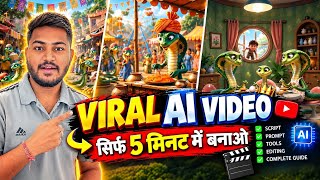

AI Video Goes Viral in 5 Minutes
44sImmediately shows a viral AI video and promises a quick creation method, tapping into the viewer's desire for easy success.
▶ Play Clip"The title promises a quick and easy method, which is delivered, but the video is padded with repetitive instructions and lacks depth, making it average."
This video demonstrates how to create trending AI-generated videos in just 5-6 minutes, using tools like ChatGPT and Flow AI. The creator walks through the entire process, from generating prompts to downloading the final video, and highlights the potential for high views and subscriber growth.
The video starts by showing an example of an AI-generated video, emphasizing that such content is highly trending on Instagram and YouTube, with millions of views.
The creator mentions a channel that has posted 48 videos and gained over 6,500 subscribers, illustrating the potential success of this content type.
Creating these videos is easy and takes only 5-6 minutes, and they attract good views due to the trending nature of the content.
The process involves downloading and installing an application from the Play Store or App Store, then logging in to access the interface.
The creator uses ChatGPT to generate story prompts and body prompts, which are essential for creating the video content. He advises copying the prompts exactly as provided.
ChatGPT generates body prompts for different time segments (0-3 seconds, 3-7 seconds, etc.), which are used to create the video scenes.
Flow AI is used to create the actual video. The user selects the Gemini model, creates a new project, and sets the image aspect ratio to 9:15 for vertical videos.
The body prompts from ChatGPT are copied and pasted into Flow AI to generate images. The first prompt (1-3 seconds) is used first, and the image is generated.
After generating the image, the user clicks the download option to save it. This process is repeated for all prompts.
The creator returns to ChatGPT to copy the dialogue prompts for each time segment, which are used to add voiceovers or text to the video.
All videos are created using the prompts and downloaded. The creator mentions downloading the videos for each segment.
An application called 'insure' is downloaded to edit the videos. The user selects the downloaded videos, removes unwanted parts, and exports the final video.
The final video is exported and can be uploaded to Instagram or YouTube as desired.
The video provides a straightforward, step-by-step method for creating trending AI videos using ChatGPT and Flow AI, emphasizing the ease and potential for high engagement. It's a practical guide for anyone looking to leverage AI for content creation.
Channel Success Metrics
Provides concrete evidence of the potential success of AI-generated videos, with 48 videos and 6,500 subscribers.
00:44Using ChatGPT for Prompts
Demonstrates a practical application of ChatGPT for content creation, showing how to generate structured prompts.
01:48Flow AI for Video Creation
Introduces Flow AI as a tool for generating images and videos, expanding the creator's toolkit.
03:23Editing with Insure
Shows the final step of editing and exporting, completing the end-to-end workflow.
05:36[00:00] सबसे पहले गई थी आप यहाँ पर इस टाइप की AI वीडियो देखिये डादा देखो क्या मिला अबे साले ठेंक इसे नहीं तो तू भी खाना ठंडा होने के बाद खाएगा पुराने जमाने में इसी ने कुछ इंसानों को मीठा गुड बना दी
[00:14] तो वह इस तरह एक एई वीडियो मात्र 5 मिनट अगर आप प्रेट कर सकते हो और अभी के टाइम में यह जो एई वीडियो बहुत ही ज़राई ट्रेंडिंग सब रही हैं इस्ट्राग्राम पर देखोगो तो आपको हर जगह यहाँ पर मिलियन्स आप देखेंगे यूट्यू
[00:44] यहां पर 48 वीडियो लोग डाली अभी तक और 6,500 से जबाई इनके सब्सक्राइब हो चुके हैं ठीक है तो इस तरीके वीडियो आप कैसे बना सकते हो तो मात्र 5-6 मिनिट आप यहां पर बना सकते होगे आसानी से कोई भी इसमें पॉब्लम नहीं आती है
[00:56] और सबसे बड़ी बात क्या है यह तो वीडियो जो है बनाना तो आसान है बट ट्रेनिंग करने के कारण इसको व्यूज भी बहुत अच्छे अच्छे आता है ठीक है
[01:21] application process play store app store application trade bpt download install download download
[01:34] यहां पर सबसे पहले यहां पर लॉगिन हो गया था कि इस तरीके से आपके सामने एंटरफेस आ जाएगा अब यहां पर आपको यह विदियोस बनाने के लिए बॉटी वगैरा सारी कहानी वगैरा बनानी पड़ेगी तो वो चीज मैं आपको लिख रहा हूँ तो वो उसी
[01:48] तरीके से आपको same as it is करना है उसमें जैसे character आप share में कर सकते हो ठीक है सबसे पहले यहाँ पर करना चाहिए यहाँ पर आपको test certificate लीजिशन को open करना यहाँ पर आपको लिखना है अभी के टाइम में कि अब इसे टाइम पर तुझे उंठी दुनियाे हुआ थे पंद्रा फ्रेक्टिंग
[02:05] जो फासी वीडियोस रहे यहां पर मेरा पंद्रा सेटिंग निकार इंस्टाग्राम पर ज्यादा 30-30 तक वाइरल होगी तो वो भी आप बना सकतो, अब मैंने यहाँ पर क्रिस अब उसका एक पैनिंग आपके अभिलेज़ आपसे रख सकतो, साफ की जगह,
[02:17] जो साप की जिगह है कुछ भी लिख सकतो देवला कुछ साथ जो भी आपको इसाब से जानवर लिखना साथ तो ठीक है यहाँ मैंने लिख दिया वाली बेयो मम्मी आशिक हमी कंपनी रियक्ते के बाद स्कैल कर सकती है बड़े लिए उनके में इतना से। इसलिए हमारे डाल सकते है वह SELF MOVING SELF MOVING हमारे आशिक में इतना सेव हो दी दे देवा है।
[02:34] इससे क्रीक हो दें। तो उसके लिए हमारे को इसको body prompter चाहिए तो यहाँ आपको लिखना है सभी videos के सभी के body prompter दे दो तो जैसे ही आप इतना सा लिखोगे तो यहाँ देखिये आपके सामने इस तरीके से यह body prompter दे देगा
[02:49] 0 से 3 seconds 3 से 7 seconds अलग अलग दे देगा ठीक है body body
[03:23] बनाओगे वो भी मैं बताऊंगा आप वीडियो को बन लेना ठीक है यहाँ फ्लो एई को ओपन कर लेना है जैसे ही फ्लो एई को ओपन करोगे यहाँ आप जो जीमल है उसको सेलेक्ट कर देना नीचे यहाँ ऑप्शन आएगा यह यू प्रोजेक्ट पर क्लिक करना जगह न्यू को जब प्रक्रिएक्ट करोगे खास बात है कि अगर आप इसमें फोटोस बनाते हो जो बॉडी
[03:39] फॉर्म पर बॉडी वाली फोटोस बनाऊंगे उसमें आपका प्रेडिट नहीं लगने वाला ठीक है तो यहां देखिए प्रशिकल नीचे इमेज परिपर्करना 9 by 15 का राइसो सेलेक्ट कर देना है यहाँ पर आपको फोटो क्रेट करने के लिए सबसे पहले यहाँ पर बॉडी कोम्टर ने जाना
[03:53] फर्स्ट नमबर वाला, जो यहाँ पर 1-3 second का था उसको copy करना वहा से, copy करने के बाद में वापस आपको यहाँ आना है और जो आपने वहाँ पर copy किया है वह यहाँ पर paste कर लेना है, जैसे paste करोगे यहां लीकिन फोटो हमारा मनना इसलाइज हो चका है
[04:06] 3 7 3 dot click download option click download download video create setting
[04:53] और वहाँ से आपको वापस chat गीपीटे में जाना है वहाँ पर तो आपने dialogue के prompt का प्रॉम्प्ट को पीखिये थे जैसे यहाँ पर 1-3 second का डाइलोग है उतर वाहाँ पर कॉपी करना है डाइलोग को और निचे के तरब यहाँ सब्सक्राइब
[05:11] सबस्क्राइब सब्सक्राइब
[05:24] nsense सारी वीडियोज को आपको create करनी है और वहाँ पर वीडियो को डाउनलोड आपको 3.1 तक करके डाउनलोड इसको कर लेना है ठीक है इस तरीके आप वीडियो बना देना अब यहां पर connect हैं आपको यहां पर एक application download कर लेना insure
[05:36] जो आपने वीडियो अपने महाँ से डाउनलोड करें। विदियो यहां पर स्लेक्श करेंगे और यहां पर लोगों को आप डाइरेक्टी हटा सकते हैं, यहां इसके लिए आपका वीडियो बन जाएगा।
[05:53] इसको एक्सपोर्ट करके आप अपने इंस्ट्रा यूट्यूब जिसको भी डालना डाल भटो
⚡ Saved you 0h 05m reading this? Transcribe any YouTube video for free — no signup needed.