
AI Summary
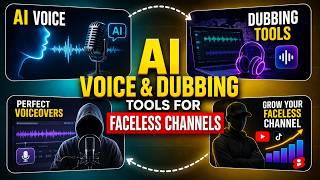
This video explores the AI voice and dubbing tools that faceless YouTube channels use to create realistic voiceovers without a microphone. It compares popular tools like Eleven Labs, Murf, Play.ht, Descript, and HeyGen, and provides a simple workflow for creating and dubbing content. The video emphasizes the importance of voice quality and testing voices against full scripts.
Chapters
Faceless channels work because viewers care about the story or information, not the person presenting it. But a robotic voice ruins the experience and viewers close the page.
Eleven Labs generates voices with real emotional range, including pauses, breathing, and tonal changes based on punctuation. You can choose from a library or clone a voice.
Murf is best for business content and explainers, with a large set of professional voices and a built-in editor to adjust pitch, speed, and pauses on the timeline.
Play.ht is designed for long-form narration like audiobooks and documentaries, with voices trained to maintain pacing and build tension in dramatic moments.
Descript's Overdub lets you type new sentences into your script and instantly generates audio, useful for fixing errors without re-recording.
HeyGen translates spoken text to another language and adjusts lip movements to match, allowing one video to reach audiences in multiple languages without reshoots.
The workflow: write a script, read it aloud once, paste into a voice tool, generate voiceover, layer over stock footage, and optionally dub for global reach.
The biggest mistake is choosing a voice based on a 5-second demo; it may sound great but become annoying over a 10-minute video. Always test against a full script.
Voice cloning and dubbing tech is advancing fast, making language barriers less of an obstacle. Channels that treat dubbing as core see faster subscriber growth internationally.
AI voice and dubbing tools have made it possible for faceless channels to produce professional, natural-sounding content without a microphone, and to expand globally through automated translation. The key is choosing the right tool for your content type and testing voices against full scripts to avoid listener fatigue.
Mentioned in this Video
Tutorial Checklist
💡 Key Takeaways
Viewers care about the story, not the person
Explains the core premise of faceless channels and why they can succeed without a visible host.
00:14Eleven Labs generates emotional range
Highlights a key feature that makes AI voices sound natural and engaging.
00:39Repeatable workflow for faceless content
Provides a practical, step-by-step process for creating voiceovers and dubbing videos.
02:21Test voices against full scripts
A crucial tip to avoid listener fatigue and ensure the voice works for long videos.
02:47Dubbing drives global growth
Shows that treating dubbing as a core part of the workflow leads to faster subscriber growth internationally.
03:12Full Transcript
[00:00] You never have to show your face or record a single word to run a full channel today. Thousands of faceless creators publish daily, using nothing but a script and a synthetic voice. Today I am showing you the exact tools people use to generate realistic voiceovers and dub videos
[00:16] into other languages without touching a microphone. Why faceless channels rely on synthetic voice? Faceless channels work because the viewer cares about the story or the information, not the person delivering it.
[00:28] But a flat robotic voice ruins that experience fast. Viewers click away within seconds if the narration sounds unnatural. This is why voice quality has become the single biggest factor separating successful faceless channels from ones that never grow.
[00:41] Eleven Labs is the tool most faceless creators mention first. It generates voices with real emotional range, including pauses, breathing patterns, and tone shifts based on punctuation in your script. You can pick from a large voice library or clone a voice using a short audio
[00:56] sample. The output is close enough to human that most viewers cannot tell it was generated. Murph leans more toward business and explainer-style content. It offers a large set of professional-sounding voices across many accents and languages. What makes Murph useful for faceless
[01:11] channels is the built-in editor, where you can adjust pitch speed and pauses directly on a timeline next to your script text. This gives you fine control without needing outside editing software. Play.ht focuses heavily on natural-sounding narration for long-form content
[01:26] like audiobooks and documentary-style videos. It supports ultra-realistic voices trained specifically for storytelling pacing. Many history and true-crime faceless channels use Play.ht
[01:38] because the voice holds tension and slows down naturally during dramatic moments in a script Descript also handles voice generation through a feature called Overdub Since Descript already works with transcripts you can literally type new sentences into your script
[01:53] and it generates matching audio in your chosen voice instantly. This is especially useful for fixing mistakes or updating a video without re-recording anything. HeyGen dubbing opens up an entirely different growth path because it lets one video reach viewers in multiple languages.
[02:08] Hey Jen takes an existing video and translates the spoken audio into another language, while also adjusting lip movement to match the new words. This means a single piece of content filmed once in English can be released in Spanish,
[02:21] French, or Hindi without reshooting anything. Building a repeatable workflow A simple faceless workflow looks like this. Write your script first and read it out loud once to catch awkward phrasing. Paste the script into your chosen voice tool and generate the narration.
[02:35] layer that audio under stock footage or simple visuals. If you want to expand reach, run the finished video through a dubbing tool to release it in two or three additional languages. The biggest mistake beginners make is picking a voice based on how it sounds,
[02:49] reading one sentence in a demo. A voice can sound great for five seconds and become grating over a 10-minute video. Always test a voice on a full paragraph of your actual script before committing to it for an entire channel. Where this is heading voice cloning and dubbing are advancing fast
[03:05] enough that language is no longer a real barrier for creators. A channel built once in your native language can now realistically reach a global audience. Creators who treat dubbing as part of their upload routine instead of an afterthought are the ones seeing the fastest subscriber growth
[03:19] outside their home country. So that is how faceless creators generate voices and dub videos without ever recording their own audio. Pick one tool from this list and test it on your next script. If this helped you follow for more creator tools every week, see you in the next one.