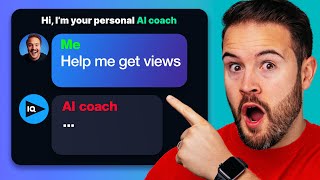

AI Coach That Knows Your Channel
31sPersonalized AI advice based on your actual YouTube analytics is highly valuable and relatable for creators.
▶ Play Clip"Delivers on the promise of showing AI tools to get more views, though some fluff and live stream interruptions dilute the value."
This video presents three AI tools that help YouTubers get more views by automating tasks like channel analysis, title generation, and video repurposing. The host demonstrates each tool in action, emphasizing how they save time and provide data-driven suggestions tailored to the viewer's own channel.
Introduces VidIQ's AI Coach, which connects to your YouTube channel and provides personalized advice based on your channel's data. It has advanced mode that uses your channel stats to answer questions like 'how do I get more views?'
The AI Coach analyzes channel performance and gives specific suggestions, such as targeting audience demographics (18-34 male) and creating content on tech reviews, camera tutorials, etc.
The AI Coach can generate five video ideas based on your niche and channel data. Example: for a video production channel, it suggested 'top 5 affordable lighting kits for content creators' and 'how to set up a three-point lighting system'.
The AI Coach recommends making a part two video on your best-performing content. The host shares a personal example where a follow-up video got 1 million views in a day and a half because YouTube served it to the same audience.
Shows a beta tool that generates a full video package (title, description, tags, thumbnail, script, and voiceover) based on a topic. Example: 'Mastering the Art of Making Starbucks Quality Coffee at Home'.
Demonstrates using ChatGPT to generate 10 YouTube titles and refine them for a specific niche (men's style). Also shows how to get video ideas, e.g., '10 easy and delicious healthy recipes for busy individuals'.
Opus Clip automatically extracts highlights from long videos and creates vertical shorts with captions, titles, and descriptions. It works best for talking-head videos longer than 15 minutes.
Shows how to edit clips: adjust layout (fill/fit/split), change caption styles, add intro titles, and fix spelling errors. The host notes it took only 6 minutes to refine a clip for a podcast channel, which then got 2,000 views.
Google Bard searches the internet for up-to-date information, making it useful for researching topics for videos. Example: asking for biggest NBA news in May 2023.
Discusses Google's upcoming AI feature that will automatically translate a video's audio and sync lip movements. Predicts that multi-language channels will become unnecessary as YouTube will handle dubbing.
The video provides actionable strategies to leverage AI for YouTube growth, from personalized analytics with VidIQ to creative brainstorming with ChatGPT and efficient repurposing with Opus Clip. The key takeaway is that AI tools can significantly speed up workflow and provide data-backed recommendations, but human refinement remains essential.
What is the main advantage of VidIQ's AI Coach over generic AI tools for YouTube?
It connects to your YouTube channel and uses your actual data (views, CTR, audience) to give personalized advice.
00:48
What does the 'double down' strategy recommend?
Make a part two video on your best-performing content to capture the same audience and get more views.
10:06
List three things the VidIQ AI content generator can produce for a video topic.
Title, description, tags, thumbnail background, and video script.
17:14
How can ChatGPT help improve YouTube titles?
You can give it your initial title and ask for 10 alternatives, then refine them with prompts like 'make them shorter' or 'add fear'.
22:04
What type of video content works best for Opus Clip?
Conversation-driven, single-speaker, or talking-head videos longer than 15 minutes.
27:34
How does Google Bard differ from ChatGPT for content research?
Bard can search the internet in real-time, so it can provide up-to-date information beyond ChatGPT's knowledge cutoff (2021).
36:43
What future AI feature does the host predict will eliminate the need for separate language channels?
Google's AI dubbing that translates audio and syncs lip movements, making videos accessible in multiple languages automatically.
45:13
AI Coach Provides Channel-Specific Advice
Demonstrates a shift from generic tips to personalized analytics, saving creators hours of manual data analysis.
03:47Double Down Strategy Drives Viral Growth
The host's personal example (3M views on first video, 1M on follow-up in 1.5 days) shows the power of re-serving content to the same audience.
10:06AI Content Generator Creates Full Videos
Highlights how far AI has come—generating thumbnails, scripts, and voiceovers from a single topic input.
16:59Opus Clip Automates Short Creation
Repurposing long-form content into shorts is now almost fully automated, saving editors hours per clip.
26:37AI Dubbing Will Eliminate Language Barriers
Predicts a future where creators don't need multiple channels for different languages, thanks to real-time translation and lip-syncing.
45:13[00:04] can use today to get more views on your YouTube channel I'm really excited about this uh there's some really cool programs I want to show you but first of all you got to see this one which is by vid IQ and this is a really cool
[00:19] um AI coach now this thing is a bit different than some of the other AI tools that I've used and if we just kind of scroll up here you can see that it says welcome to your personal AI coach and the reason this one is so different
[00:33] than other AI tools specifically for YouTubers is there's this advanced mode and this is super interesting so basically how this works is this is going to connect to your YouTube channel and it's going to have all the data from
[00:48] answer specific questions so you can see right here it says personalized to you let me zoom in on this a little bit if I can oh there we go so you can see here that you can receive tailored advice and ideas based on your YouTube channel and
[01:04] YouTube channel so rather than just asking a random AI for some YouTube advice what's cool about this one is it knows your YouTube channel it knows your videos it knows your stats and over here Channel insights you can ask about video
[01:20] metrics such as likes Subs watch time views and this is all under the AI coach this is a new thing uh that vid IQ is rolling out I really love it I think it's super cool and there's some really cool use cases that you can use for this
[01:36] and down here just understand that this is in Alpha version so it's kind of telling us like hey um it may not always be 100 correct and so just you know use it your own risk is what it's saying but what I like to do
[01:51] actually is you're going to notice if you go to vidiq.com and actually this stream is brought to you by vid IQ and so if you do want a 30-day trial on vid iq's boost plan for just one dollar you can actually get that by going to vet
[02:07] iq.com forward slash think also check out the links in the description we're I'm going to be talking about today all three of them and I'm going to walk you through exactly how to use them to get more views and so
[02:21] um these are not just uh just tools to help speed up your workflow and speed up help speed up your workflow and speed up time like a lot of AI tools can do this is actually going to help you get more views and so first off I do want to look
[02:34] over here at uh the first one which is some prompts and this is really cool so when you're using AI you want to utilize certain prompts and so if we pull out the most popular what you're going to see here is that there are these little
[02:49] diamonds and the Diamonds mean that it's on the advanced mode so you do have basic mode and this is where you can ask you know the AI coach without it being tied to your YouTube channel just kind of it might give you a generic answer
[03:03] but if you go over to Advanced that's where it's going to use your Channel's so here we can ask how do I get more views and this is actually going to take here we're signed in so I'm going to ask it how do I get more views and so this
[03:20] really really cool and I'm excited to this is just going to get better and better so if thought about the question better so if thought about the question it looked for channel data now it's
[03:32] spitting out an actual uh answer for us so let's check this out it says hey I analyze your channel think media and it and over the last 30 days it looked at our performance and so here's some insights and suggestions to
[03:47] help you get more views this is kind of crazy the fact that it's actually going and looking at our data to pull out personalized answers is really I can think of a lot of use cases uh for this specifically uh right now I don't think
[04:03] once it can pull click-through rates you can ask it to look at Impressions versus click-through rates and that's going to give you a great idea on how you can actually redo certain thumbnails to improve your click-through rate and
[04:18] and typically you have to go into the YouTube studio and pull all these numbers but to have ai just pull those numbers for you and say you should redo these thumbnails that's going to be crazy cool and save me a ton of time and
[04:31] take a look at what it's saying here so based on this it's kind kind of spitting out a few different things here so number one wait it's still typing
[04:43] number one is target audience so it's starting to look at who is actually starting to look at who is actually watching our Channel now you don't need channel you can go into the YouTube Studio analytics you can look at
[04:57] audience and from there you can actually see you know demographics where people are watching from uh what gender are they all these different things you can check out inside the YouTube Studio but AI is just doing it for you which is
[05:11] pretty crazy so it says that your Channel's primary audience is age 18 to Channel's primary audience is age 18 to 34 with the majority being male and so they are interested in tech reviews camera tutorials and content creation
[05:24] this is pretty cool the fact that it's just giving me certain keywords and certain topics that maybe that we have been making videos on maybe we should make more videos on and so it says to cater to this audience
[05:37] focus on creating content that addresses their needs and preferences for example you could create videos on the latest tech gadgets who saw the Sony zv zv1
[05:49] Mark II came out interesting we might need to review that one in-depth camera tutorials or tips for improving video quality so this is cool right and it goes into a lot more detail it even gives us some video ideas to grow our
[06:03] should make top 10 video editing apps for Content creators that's pretty cool um It also says how to optimize your YouTube channel for maximum growth we we
[06:15] do a lot of kind of on this channel we do tech reviews uh best cameras to buy for YouTube best microphones we also do YouTube so I love that it is we do kind of different categories here um The Ultimate Guide to YouTube SEO
[06:29] boost your views and subscribers so you can already see how if you use this on your own channel and you link it to vet IQ and you ask it some questions it's gonna do this in like in a minute you're gonna have a lot of really cool
[06:43] information that is very specialized for you and that's that's the hard thing today at the end of this I want you guys to drop questions in the comments below um one of the hard parts of answering
[06:58] people's questions is you don't know all of the information and so that's why I think this is so cool is that it can actually look at everything so we're then I also have two more tools that I want to show you guys as well but you
[07:12] can see you can ask questions if we just go back up here what do you think of my channel I can audit your channel you can ask it to improve a title so you just improve this title you type in your title it's going to spit out different
[07:25] titles based on the one you gave it uh you can ask it to write descriptions how can I improve my channel very similar to this one which of my videos are performing better in terms of watch time and audience retention so there's some
[07:38] show you some of my favorites uh that I like to use with the AI coach and you can actually find that under video strategy if you bring this down again you can ask it to audit your channel you can also ask it to give me five video
[07:52] ideas about and then you can kind of fill in the blank right here and this one's actually really cool so I'm going to go ahead and do this five give me to go ahead and do this five give me five video ideas about let's say
[08:05] um lighting because we do uh video production here so give me five video production here so give me five video ideas about about lighting for video and I'm just gonna hit send now this specific one is gonna work for
[08:18] at some of our YouTube channel data which is interesting and so here's what it says based on your Channel's focus on tech reviews camera tutorials content creation tips I love that it knows that and now it's giving us better video
[08:32] ideas based on the content where you produce So based on that here's five produce So based on that here's five video ideas okay top five affordable content creators y'all I'm tripping right now this is so
[08:46] cool this saves me so much time because I don't know if you've ever felt like in a creative rut before but if you've ever been in a creative right and you're like I don't know what videos to make and then sometimes you use Ai and it
[08:58] just gives you not the right answers but this is really cool because it knows your channel and it can give you very specific answers to your question and number two let's check this one out number two says
[09:14] how to set up a three-point lighting system for for professional looking videos we actually made this years ago that was actually my first video that I made on think media was a three-point lighting setup
[09:26] um I think this is a great idea because it's so old I think we should remake it light versus artificial light which is better for your videos DIY lighting hacks for creators on a budget now just imagine you have
[09:40] imagine you have a Channel about coffee about Fitness a Channel about coffee about Fitness about the law you can use this and very quickly come up with video ideas so that's one of my favorite ways to use
[09:52] this um one of my other favorite ways is this one right here which is what video should I double down on because um it's gonna look at some of your best
[10:06] performing content on the back end of YouTube and it's going to give you a story here this is a power hack is that a word a
[10:18] hack um if you create a YouTube video and it gets some traction you need to make a part two you need to make a follow-up you have to make another video that serves that same topic and angle
[10:34] and I have a great example of this so I have a basketball channel that um that I've been posting on and it's kind of an experimental Channel and uh and so I've been posting on this basketball Channel I had a video just go crazy it got like
[10:49] three million views in maybe a week or a week and a half or something crazy like that and I was like what is my next video gonna be I was these all these other ideas I'm like I just know none of these video ideas are
[11:03] going to perform as well as this one this one just went viral and then it clicked with me I was like I need because I started thinking what is a video these people are gonna watch that are going to be interested in
[11:15] in this one that they just watched YouTube's probably going to serve them my next video because they enjoyed that last video they're gonna serve a large audience my neck this next video so I was like I should just make a part two
[11:27] so what I did is I made a follow-up video on my best performing video and that next video the follow-up video ended up getting a million views in a
[11:39] day and a half which is mind-blowing and it's because which is mind-blowing and it's because YouTube served up my next video to this huge audience of people that already enjoyed my last video and it was like it
[11:51] was almost the same exact packaging it was a different video but first one the reason they clicked on that second one were the very very same reason it was the same topic it was a different thumbnail different title
[12:05] different video but same topic so there is um this is a life hack and the fact that you can just ask that IQ to do this for
[12:17] you to give you some ideas is amazing so on think media because that's what's connected right now what video should I double down on and you're going to see right here it's going to start spitting out after it
[12:29] thinks about it and it looks into uh the analytics it's going to spit out a part two video a video I should double down on and so you should definitely be doing this if you haven't yet uh let's see what it says So based on the data from
[12:43] what it says So based on the data from the last 30 days the video 10 insane AI tools every Creator should be using has performed exceptionally well 127 000 views and an average view percentage of 35 this video also gained 2 000
[13:00] subscribers so it says considering a success it would
[14:07] still live the live stream is still going okay there's some people still in here this is good um I just got froze and kicked off of this but we're back okay I got some people in the comments we're good let
[14:20] look what happened Frozen yes it's frozen I'm sorry I I don't even know what happened there I think my internet wanted to restart itself okay we're back so let's go um and amazing the sweet Swedish car guy
[14:35] thank you thank you okay um I've not been terminated but I've been brought back to life Gucci okay let's get this so let me re share um not knowing exactly where I left off I want to just recap this tool and then
[14:53] show you guys the next two tools um that that we're going to talk about um that that we're going to talk about here so let's go over here to uh vid IQ this is the first tool that we're gonna be talking about and I got and I'm
[15:05] I want to show you so basically part twos you should make a part two on ten insane AI tools and that's kind of what I'm doing here right so I'm I'm doing another live stream on this and let me
[15:17] know if you're kind of interested in AI tools to help you with your content creation stuff I'm interested let me know in the comments because there are some really cool AI tools and I know some people think it's a fad they think
[15:30] it's dumb or whatever I'm telling you AI tools have saved me experiment with them and I'm making videos to share with you guys my workflow and help me get more views and so awesome Tech expert says yes want to
[15:47] awesome and the fact that AI gave me this idea to do AI that's kind of like weird to me AI is telling me to make more videos about AI that's confusing okay we'll move on
[16:01] um so this is super cool this is a really cool tool that I love using again this is the vid IQ AI coach now before we move on to the second one there's right you can look at your channel analysis I won't go into all this but
[16:15] out and again I want to bring this back up if you guys this is the first toolbit IQ um.com forward slash think get your out um the Boost plan which is what we use
[16:30] and it's just a dollar for that first 30 days for a dollar check out the booze plan and um check the link in the description as well but this is this is a really cool tool and if you've been using vidiq you already
[16:43] show you a crazy tool they're working on which is called the AI content generator for YouTube now this is in beta phase but this literally will spit out almost a full video for you when it comes to like let me just show you so let's say
[16:59] video about um how to make coffee um how to make coffee like Starbucks for example right at home or how to make yeah let's just do that I'm gonna hit go
[17:14] this tool is actually insane again it's in beta version so it's not going to be but you can see where AI is taking all this in literally a matter of seconds we okay this is this always this stuff always blows my mind we have a title
[17:29] mastering the art of making Starbucks quality coffee at home that's that's pretty fire title honestly that's that's pretty good okay then it gives you a in this video we teach you everything you need to know about Starbucks quality
[17:41] um and you can just copy it right there and paste it right then it gives you your keywords you you don't even like need to do tags anymore you just type in what your video is about and it spits
[17:56] out tags for you you can see how this is going to save you so much time this is little funky um the thumbnail backgrounds they're not always perfect especially if there's people in them but like this is honestly
[18:11] this is honestly a pretty good thumbnail like I'm I'm like that is that's kind of sick honestly it's like a coffee cup with a Starbucks logo like like what this is insane to me the fact that it's now giving you thumbnails and then on
[18:26] the left hand side right here you can put your text make or Starbucks coffee at home dude AI is changing the game this is like this is crazy and it doesn't just give you one either it gives you
[18:39] multiple it gives you this one which is a little bit off you can see it's not always perfect again this stuff this one looks really good over here let me click cool so I can put my face on this hand side
[18:51] on this side on the right hand side you have a little cup here and you can just be like at home Starbucks at home like this is giving me some really cool thumbnail ideas it gets better though over here on the right hand side we have
[19:04] video script so not only is it going to give you a title a description tags even a thumbnail it's going to give you this script for the video um now because this is in beta phase phase is my guess they're not very long
[19:19] so you can see like that's how long it is and then it gives you a voice over like honestly I'm starting to wonder like a lot of they're like am I gonna have a job like what what is the point of YouTubers
[19:36] if you can literally just type in something and a video gets made here's my here's my stance on this real quick I really believe that Sean said this best AI is not going to replace you someone using AI is going to
[19:50] replace you um I love the way that he put it like that because it's getting easier and easier to make videos which means there are going to be more videos getting uploaded to YouTube
[20:02] because it's going to be faster it already is faster than ever to upload a but that doesn't necessarily mean this is going to be the perfect script and that that someone should use this voiceover
[20:14] which I don't know if you can even hear this but like if you can utilize these tools utilize these thumbnail ideas and then craft your own thumbnail refine the script make the title a little bit
[20:27] better you're going to be better off and creating a lot faster than someone who's just closing the door to all of this so I I really think this is really cool but you you need to utilize it and not fully
[20:42] rely on all of this so let's go back um and you can see the script honestly it's it's it's like it's not even bad it's like this is this is pretty cool so I'm gonna zoom in on this a little bit do you long for a perfectly brewed cup
[20:55] of Starbucks coffee but you don't want to leave the comfort of your own home well you're in luck because we've got the tips and tricks to teach you how to master the art and make it Starbucks quality coffee right in your very own
[21:09] kitchen okay um and then literally explains how to make coffee grind your coffee beans use filtered water this is crazy this is really cool so the fact that you now have a personal content creation
[21:23] assistant at your fingertips to give you ideas to get the ball started for you there's no more excuses for you to not be posting on YouTube okay now we got a couple more tools here um but again I want to remind you guys
[21:38] that check um put drop your questions in in the comments because I want to answer a few questions here uh as we go through number two and number three and number two you probably heard of chat GPT
[21:51] I want to go through this really fast and my favorite ways to utilize chat gbt so um one of my favorite ways is to let me pull this up one of my favorite ways is to come up with video
[22:04] titles so I think media when we're coming with titles we actually get a few of us on the creative team together and we'll brainstorm like 10 different titles and sometimes we get stuck I'll go to chat gbt I'll throw it in here and
[22:16] you exactly how I'm doing this so I went into our video ranking Academy students which is a course that we sell on how to grow on YouTube and and there's people in the Facebook group posting their videos and taking action
[22:31] and and posting I took some of their titles and I want to see if chat gbt can help me make their titles even better so let's start with the first one which is the five men's here I'll just post it right here
[22:46] need to give it a good prompt so we're going to go ahead and let me get rid of this we're going to say give me 10 more YouTube titles
[23:01] I'm gonna paste this person's so I think every content creator you should never upload your first title idea you should always at least have a couple even if it's two and you can decide which one's better you can increase your
[23:17] this is a tool to get more views on YouTube because on YouTube you got to get the click and titles are a huge piece of this so let's see what chat gbt is going to suggest for this so I like to just run this
[23:31] and sometimes you can even refine them more so sometimes I'll be like make them shorter make it more fear-based make it more add more this in so let's take a look at some of these mastering men's style the top five
[23:48] rules every guy needs to follow honestly that's pretty good I like it um The Ultimate Guide I love the ultimate guide those do uh can do really The Ultimate Guide to men's style five rules you can't ignore
[24:03] now let's go down here and because it remembers the conversation I'm going to remembers the conversation I'm going to say can you make those titles shorter I'm gonna hit enter and it's now going to take these titles and make them
[24:16] shorter for me mastering men's style five essential rules men style 101 five essential rules men style 101 Timeless fashion rules these are amazing choose your favorite and if tens too much start with five just choose the
[24:29] best one possible now my second way that I love to use is for actual video ideas and so I'm gonna go ahead and put this in here and all you need to do is say give me 10 YouTube video ideas about and then type
[24:45] in uh so let's do let's say we have a fitness channel um and say we're going to talk about healthy recipes give me 10 and this is at this point this is where you're still deciding what video to make and so you
[24:59] need to take your Niche and take an idea so give me 10 YouTube videos about eating healthy and I'm just gonna hit enter and see see what it gives me and then I can ask it more questions and dial in even more
[25:14] it's going to give me some video ideas about eating healthy
[25:27] there we go okay um 10 easy and delicious healthy recipes for busy individuals that is super interesting so as you're doing research you might figure out like hey going more niche in the beginning is is
[25:42] a great strategy it's actually making instead of making 10 easy and delicious healthy recipes just in general there's probably so much competition on YouTube about that but if you can do it specifically for busy individuals then
[25:56] you're you're on to something a bit more specific and you can start to gain an Ultimate Guide to meal prepping for a healthy week so it's giving you different ideas meal prepping recipes super foods that would these are all
[26:10] great keywords and these are all great video ideas and you can see maybe my internet's slow or Chad gbt is going slow usually we'll spit it out in just seconds this is such a great idea though if you just are in a creative rut
[26:24] and you need some ideas I love to use chat gbt for video ideas and for video titles okay now this next one is really really now this next one is really really interesting this is uh called Opus clip
[26:37] Ai and this is a very cool um program the AI that I've been looking into and actually using for our podcast channel so here you can see it says one long video 10 viral Clips create 10
[26:51] times faster here's how it works and you can actually get started for free we're gonna have a link in the description um and you can pay for more uh to if you want to but like just just try it so this is going to work perfectly for the
[27:04] person who has a sit down talking head video it you're just sitting down talking to the camera you're talking about real estate you're talking about making money you're talking about education whatever it is
[27:18] if you are sitting down talking to the camera you can utilize this and this is um one of my favorite tools it's so crazy so all you need to do is go over here to drop a YouTube link once you drop the YouTube link you can
[27:34] see video podcasts are going to work let me zoom in on this so you guys can see um here it tells you exactly our algorithm works the best for videos that are conversation driven single speaker
[27:46] video and long and longer than 15 minutes though it still will work on um if it's less than 15 minutes but it will obviously do better the more content you it's going to chop up vertical videos for you that you can post as YouTube
[28:00] shorts and you don't have to do anything extra you just throw in the link and going to show you guys what it actually looks like so here you can use video podcast educational videos commentaries product
[28:13] reviews motivational speeches but not Vlogs or music videos because that's not do is drop in that YouTube link you're gonna hit get clips for free you gotta send your email it's gonna then maybe take I think it's like 10 15 minutes for
[28:26] me to do like a 20 minute clip or video podcast and then it emailed me it was like your Clips are ready I'm gonna show you guys what this looks like and right before I get to that um again if you guys got comments we're
[28:39] kind of saving the the comments that you guys are questions you're asking about AI content creation YouTube video Whatever It Is ask those questions in the comments and then I want to go through after I show you guys how cool
[28:53] questions and first let me actually pull this up the audio so you guys can actually hear uh and see exactly what this looks like
[29:05] and it's super super cool so I'm gonna pull this up right now and get this out here is what it gives you so when you open up this link you're gonna see that it just gives you a ton of different options so here we have
[29:19] video number one it pulled out a video on discover the surprising secrets to tick tock success also shout out to aren't subscribed go check out our think media podcast Sean has amazing
[29:34] interviews and even solo teachings over there about the Creator economy and actually making money and making a living with YouTube and social media and so we had on this guest Millie who was talking about Tick Tock she was talking
[29:48] about Instagram and as we go through you can see it pulls out titles for us to use it pulls out descriptions for us to use for our YouTube shorts for tick tock for Instagram and the clips are actually
[30:01] Instagram and the clips are actually literally they're cut to when her face is on screen it it knows how to like detect her face text on screen so I might play on this one so you guys can hear what this
[30:16] sounds like and so the title is unlocking the secrets behind Successful video content creation you can see it's 47 seconds long and here's like a little preview and you can download this for free you can literally get started for
[30:28] free some hit play I really think it comes down to knowing your audience and listening to your audience so being intentional with my keyword research I'm able to put a lot of here's where we get into an issue it
[30:42] cuts to Sean so this is going to get better over time once it can detect exactly who in the shot is speaking and cut to that person it'll be better but there's a workaround for this so all you need to do is go into this edit clip you
[30:56] little bit and this is where you can make a ton of changes for the titles the captions if there's a spelling error and what I just mentioned that one issue if
[31:08] you scroll or if you go over to preferences right here you're going to see layout settings over in this corner it's set to fill we're just going to fill the entire frame you can also go to
[31:22] fit but I personally don't like this I prefer the more full filling um preference here but if you go to split it's going to show both speakers so if there's two of you and it's going to the
[31:36] wrong person use the split preview and this is going to fix that so I got to do is hit split and it's not going to split the entire time because we had different angles so when it just cuts to one person it's not going to do a split
[31:49] to show you what this looks like so if we go back out we go back out let's go back one page here I did it I believe on this one right here so I'm gonna hit play and you can see this
[32:02] split effect happens so when she's talking it's just on her when it goes to both of them it goes to the split effect and it automatically moves the text away from his face and up into the center it's mind-blowing and it literally takes
[32:16] you no time at all to do this all you have to do is insert a link enter you just wait then you start downloading Clips it's also how to make this better um here's this one now yeah I noticed in
[32:30] October of last year 2022 that my channel is on a downward Trend so August September October everything was going down and I realized I had to Pivot or the same so the first thing that I implemented was okay
[32:46] implemented was okay this is crazy this is this is like I'm a video editor so I know how long it takes to just make a simple clip like this the fact that AI is doing it for you now is is awesome okay
[32:59] and really it's encouraging for like solo YouTubers out there solo business owners entrepreneurs people trying to actually make a living on social media like the fact that you can just get started with this stuff is
[33:12] amazing okay so this is really really cool what I did with this specific clip was I love the clip it was a little long at a minute 37 I downloaded it and I timed myself it took me six minutes inside of
[33:26] myself it took me six minutes inside of Final Cut Pro to trim down the clip to under a minute and I uploaded it to the podcast and when I upload to the podcast podcast and when I upload to the podcast it got 2 000 views so this is an actual
[33:38] that doesn't take you much time even if you're spending five minutes kind of changing it because it's not perfect rather than hours trying to pull these clips out this is pretty sweet and so again you can go back in here I'll just
[33:52] show you there's a lot you can still change when it comes to the captions um you can do an intro title so when someone Scrolls on the video you could have some sort of intro here where you could say like you won't believe this
[34:07] Instagram hack or my YouTube channel was dying dot dot dot you know you could have some sort of intro title which is pretty cool I'm gonna turn that off you can also go down and change the captions if there is a spelling error
[34:20] you can click on there and adjust that you can also change the color make it you can also change the color make it um yellow white green uh you can change the text and actually do all that okay then you can go to preferences and you
[34:34] can do no captions maybe you want to add in your own captions on a different AI software you can do that or you can add in this Alex hermosi style and you can do that here you can add in different colors you're like yeah I want blue
[34:49] maybe I Red's pretty cool so I'll stick with red so there's you can Auto emojis so as it plays out it will use certain emojis based on the words if you say up it might do like an up Arrow or like downward Trend it will use a down graph
[35:05] they're super cool and then you can uppercase all text or lowercase and you can see the flexibility here this is one of my favorite tools that I love using and so those right there are three tools every
[35:20] content creator should be using not just to speed up the workflow but to actually get more views on YouTube okay I want to go in and just answer a few questions here for the next 10 15 minutes so drop those questions below
[35:35] um what do you this is pretty crazy like the the fact that how fast AI is moving and I love that it's actually helping um content creators like speed up our
[35:47] workflow it's amazing and so I love it first off I want to shout out the Super Chat thank you so much I appreciate it question is what best AI tools do you recommend so when it comes to AI tools those three
[36:02] are some really cool tools that I love using another new one that I'm looking into let me share my screen for you is um let's go over here and let's do this one all right so I'm going to share a screen another one that I've
[36:17] to share a screen another one that I've been looking into is Google bard and Google bard is super interesting because if we just go to Google bard here you if we just go to Google bard here you can see this is a new AI tool that that
[36:30] you can use and hit try Bard and you have to agree to the I have it set up on my other account here's what's crazy about Google bard and how I use it as a content creator it will do research for you so on chat gbt
[36:43] the knowledge as of right now is limited to 2021. so if you ask it about an event that happened this year it's not going to know what you're talking about on to know what you're talking about on Google bard it literally looks
[36:58] answers and will give you real-time feedback so for example I have a basketball Channel and let's say I want to make a YouTube video about some of the latest basketball news that has happened like just recently I could ask
[37:14] um what are some of the biggest NBA news that's happened in May of 2023. I'm gonna hit search and
[37:31] it will actually look up the internet for you and spit out the best results of like look at this this is crazy so you can see no matter what Niche you have how much easier it is to do research for your scripts to do research for like
[37:46] news topics video ideas and so here's some of the biggest NBA news swept the Lakers in the Western Conference Finals did that actually happen yet I think there are three now that might be false
[38:01] um but they probably are going to sweep them maybe it can tell the future I don't know okay the Miami Heat lead 3-0 that's true okay LeBron James said he will consider his future with the Lakers after the playoffs that's news to
[38:14] me I did not know that um and yeah and it just goes on to give you interesting I'm a Blazer fan so Damian Lillard signed a contract Accenture with the Portland Trailblazers let's go okay
[38:27] but this is a crazy tool that you could use different than Chad gbt because it will search the internet for you and this has been a game changer for my um and how fast I've been able to come up with scripts by just researching
[38:42] instead of Googling stuff and trying to find all that I'm like let AI do all that for me and this has saved me tons of time so that is another AI tool I definitely recommend um let's see let's go to what Mike am I
[38:58] using Sam thanks for uh watching I'm using the deity Vo 7u this is a cool microphone I think it sounds great um really easy to use because you just connect USB into your laptop and so I'll
[39:13] leave a link in the description once we close this live stream I'll leave a link to this DD microphone down there as well okay any AI that creates videos itself so very similar you guys saw the vid IQ
[39:26] like creating the content generator that's like the closest thing right now that is like pretty insane right now your question though is are there any
[39:38] that will create videos itself and yes there are do I recommend them not right now I don't recommend the way that they're working right now I don't recommend and there's kind of two
[39:51] different ways that it's doing it so first off it will take text and it's image it's doing text to video it doesn't look that great yet and it will probably get there the other one is it will take storyblocks footage which is
[40:05] like free stock footage if you pay it's not free stock footage but it's royalty free when you have the subscription it will take storyblocks footage and based on your script it will lay in the right b-roll and it's like a voiceover and
[40:19] that will just create a video I forgot the name of it but even with those I still think you can utilize them but just be careful with like just using AI to create the video it's in self uh entirely by itself I do think there's
[40:34] still a human element that needs to go through and revise these scripts and revise these edits because at the end of the day humans are watching YouTube and so there needs to be some sort of a
[40:47] human element that can watch these videos and look at these scripts and look at this AI generated stuff and say that's really cool that's really good or false or that's not good and so I would be
[41:02] um cautious still of using any tool that is just I I don't that's not the best definitely um but it's pretty crazy that um but it's pretty crazy that it's possible so uh cool so can I give
[41:16] improve it there's certain words or phrases I want to use for sure yes 100 phrases I want to use for sure yes 100 and actually you can do this using using vid IQ you could either go into the AI coach you could also I believe if
[41:32] we go into AI title recommendations right here you could just go in here and your titles on so that's going to give you more so fresh titles so what I would recommend for your specific question is go to the AI coach and then you're going
[41:47] to want to go to the search bar and you could say uh improve this title and I'll take another title from one of our VRA video ranking Academy students copy this so improve this title
[42:04] time blocking for beginners digital planning Basics let's see what better so here's three alternative video titles Master time blocking a beginner's guide to digital planning
[42:20] blocking 101 which kind of feels like for beginners planning unlock the power of time blocking digital planning for beginners so these are some different variations that honestly are still really good
[42:36] um and then at the end of it I would just look at these three I'd look at just look at these three I'd look at yours and use that human element to decide which one you think is the best and is most accurate to your video and
[42:48] is going to get the click and um but I love that it just it it really is a cool tool and so that is one you can definitely uh utilize definitely uh utilize does Opus clip work on iPhone
[43:03] yes you can paste the link directly if you don't have a computer you can use your iPhone you can take the link put it in there and then you can download the clips and um access that through your phone as well if that's what you're
[43:15] wondering that's definitely possible all right I'm gonna go through a few um again I do want to just shout out vid IQ definitely recommend using vid IQ uh I think media we all use that IQ it's such
[43:30] a powerful tool what I love is that they continue to make it better and better so like this AI coach they've been evolving it and it's getting so much better in the fact that it knows you know your data your analytics
[43:44] um that's why I love vid IQs it's constantly evolving and giving you new tools to speed up your workflow and help you get more views and so go to vidiq.com forward slash think and yeah try that boost plan for a dollar and
[43:59] you'll unlock a ton of features and I really recommend like in those 30 days give it a real try come up with some video ideas and and just get started so um shout out to vid IQ we're gonna hit a few more questions which is let's go
[44:15] few more questions which is let's go down here thought about making an entire video about this let me see if I can find it so the question is if I start my channel how
[44:30] long until I make it into another language what are your thoughts I honestly think you almost should not do that um at all because I think AI is going to do that for you
[44:44] um and let me pull this up because uh let's see where is this I just found this and I I thought it was absolutely mind-blowing um and I might not be able to I might not be able to find it but
[44:59] here's here's basically what it is Google announced at their event this feature where basically when you talk when you upload a video when you upload a video it somehow takes your voice
[45:13] it then translates it to a different language and then it takes your mouth and it like somehow tracks your mouth and changes the lips to match more with a different language
[45:27] and so in the future you're not going to need to start a second Channel with a with in Spanish you can just upload your videos and I think because Google owns YouTube I think eventually there's which right now
[45:39] you can do dubs on YouTube so you can go to the settings and change it to you change the captions but now you can just change the actual voice to be and dubbed um and I think that's still rolling out so you're not going to see that on every
[45:51] video but eventually there's going to be a change the change the voice to whatever you and then everything's going to be in Spanish and you can listen to it if
[46:07] you're not and I think there's probably even a point where the title and even maybe thumbnail and the entire video is just going people in Spanish-speaking countries or others you
[46:20] know other languages they're not even going to know initially it was recorded and made in English they're just going to click on it on the on the Spanish title and they're going to start watching it in Spanish and
[46:34] to start watching it in Spanish and that's a whole weird world that is going to happen and so it's going to evolve to that it's that's going to come take but like we're already starting to see that
[46:48] and so should you make another Channel I don't think so I really think you should focus in on your one channel and go all in on one channel and don't split up those two channels um is what my recommendation would be
[47:02] all right let's see let's see generated video so the fully generated videos are not
[47:14] um possible but if you want to uh let's go if you want to use this go to vidiq.com and check out this new tab AI generator to utilize some of these interesting tools uh that can give you scripts now
[47:30] for some reason if that's not popping up for you you can just go to AI coach and you could say give me a YouTube script or to say about making
[47:44] making videos on my smartphone or about how to make videos and if you do that it's actually going to build a script for you so you can still use vid IQ even the AI coach to
[47:57] with titles um and so it's going to go ahead and just type out a full-on script based on that and so that's how you can utilize that as well we got a question saying I have 300
[48:12] subscribers and three of my videos are performing and three of my videos are performing so well I also have an affiliate links on those three videos but still no income any tips on why I'm not earning
[48:25] so 300 subscribers I wonder how many views you're getting um I will say if you want your affiliate links to perform better it is nice to do call to actions in your video so you some people just put them
[48:38] people are going to go down and find them and that's not always the case unless it's like a specific product review so I'm I remind people hey use the vid IQ link down in the description so if you can actually tell people and
[48:54] maybe have text on screen and remind people that these links are down the description that's going to help and number two is making sure the video just copy and paste all your affiliate links in just a random video that has
[49:07] going to get clicks again I don't know all the details but if you can do a specific review or you're specifically talking about this product about this tool and that affiliate link is in the description you're going to have way uh
[49:21] more clicks because people on it are actually interested not sure which one that is so I'm going to move on um to the next question
[49:35] let's see okay this is interesting so Marco's basketball for my basketball Channel or if I use my own voice um that's the thing with AI voices is some
[49:49] not getting monetized because they're using these AI voice overs on their YouTube channel and YouTube and their policy they don't as of now I don't specifically about AI voices but there is about like unique and original
[50:05] content You could argue that AI voiceover is unique and original but you got to know that YouTube really wants unique original content and that that serves the audience and so if it is just kind of like scammy
[50:21] if it is just kind of like scammy AI type of content some people have not been able to get their channels monetized and so that's why I decided not to go that route and I've been doing the voiceovers myself and so
[50:33] um that could change over time and even as AI gets better it's harder to detect even if it's AI um and so that could change but as of now my recommendation to people is to use a real human voice not an AI voice
[50:47] if you're doing some sort of faceless Channel um just to be safe because I'd rather be safe than sorry okay so I'm gonna I'm gonna do a couple
[51:00] okay so I'm gonna I'm gonna do a couple more questions here and then we'll we'll uh let's see best thumbnail generator this is something I've been trying to experiment with uh with um
[51:14] what's called mid-journey and mid-journey has like a free trial and then you can pay for it and it's not perfect but it has given me some really interesting thumbnail ideas and so
[51:28] um that is definitely something you could look into his mid-journey there's other ones out there but I've just found mid-journey to be pretty cool and give um and so I've been experimenting with it I I like it a lot but it's still like
[51:44] sometimes you know a person will have like six fingers or four three fingers um so it might require some photoshop but as far as thumbnail generators mid-journey could be a starting guide to get you thinking but as of now there's
[52:00] nothing that I've found quite yet that is just like a thumbnail generator however there's things like canva and even I use pixelmator Pro which is on Mac and Photoshop does this where it's like kind of AI will do certain tools
[52:14] inside those programs like it can you could like remove the background like I don't want Jeff Probst you know in the background we can remove him and so there's tools like that that use AI but generating thumbnails nothing that's
[52:28] like one and done type of a thing a good shorts question is do people see descriptions in shorts and so I think some people do but a lot of people don't because if you think about if you've
[52:41] ever been on YouTube shorts or reels or tick tocks how often are you looking in the descriptions for me it's not often because I'm I'm for me it's not often because I'm I'm just scrolling so
[52:54] it's not people are not gonna be looking in the descriptions nearly as much as long form content and so do you need to spend a ton of time on descriptions no yeah you're saying I don't see any descriptions that I added when I oh but
[53:08] there you still can use descript uh descriptions you just need to I mean I see description or but maybe there's a new way to do it now so you can add um and that's how you would see them there
[53:22] and is is mid Journey hosted in Discord it is um in Discord I don't think there it is um in Discord I don't think there is an app that you can get to utilize my journey it's inside of Discord is how it's kind of housed so
[53:36] really appreciate you guys watching this live stream those are the three AI tools that we're using right now we're gonna be making more content about AI tools and how to get more views on YouTube and how to make your YouTube videos look
[53:49] better and so make sure you subscribe to the YouTube channel thanks for hanging we will see you guys in the next video peace out everybody


⚡ Saved you 0h 53m reading this? Transcribe any YouTube video for free — no signup needed.