
YouTube's AI Crackdown: Truth or Myth?
40sClarifies a controversial topic with insider insight, appealing to creators worried about monetization.
▶ Play Clip"Title accurately promises a breakdown of YouTube's AI policy and monetization tips; delivers with proof and actionable steps."
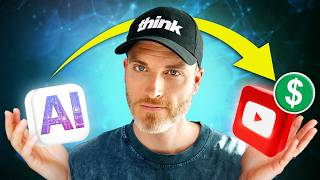
This video breaks down YouTube's new AI policy, explaining that the platform is not banning AI content but cracking down on repetitive, low-quality 'AI slop.' The creator shares tools like Invideo AI to produce high-quality AI videos and provides a four-step checklist to ensure AI content gets views and monetization.
YouTube is not banning AI videos; it's targeting repetitive content that reuses others' work. Unique AI content can still be monetized.
The creator posted two 100% AI-generated shorts that earned over 80 cents and 40 cents respectively, proving AI content can be monetized.
AI slop is lazy, generic, and soulless. Winning creators focus on strong scripts, smart angles, and intentional content—'AI craft.'
Invideo AI's new 'AI Twins' feature allows creating avatar clones. Users can generate scripts, translate videos, and edit with natural language prompts.
A faceless channel 'Heroes of the Bible' using Invideo AI avatars got 11,000 views and 71 subscribers overnight on one short.
1) Identify a strong idea, 2) Nail the hook in first seconds, 3) Write and shape the script yourself, 4) Optimize video packaging (title, tags, SEO).
YouTube rewards unique, valuable AI content, not lazy slop. By using tools like Invideo AI and following a strategic process, creators can build successful channels and earn money with AI-generated videos.
What is YouTube's actual policy on AI videos?
YouTube is not banning AI videos; it's cracking down on repetitive content that reuses others' work. Unique AI content can be monetized.
01:08
What is the difference between AI slop and AI craft?
AI slop is lazy, generic, and soulless. AI craft involves strong scripts, smart angles, and intentional content.
02:43
How many credits does the Invideo AI generative plan provide per month?
100 credits per month.
05:38
What are the four steps to ensure AI videos perform?
1) Identify a strong idea, 2) Nail the hook in the first few seconds, 3) Write and shape the script yourself, 4) Optimize video packaging (title, tags, SEO).
10:36
What commission can creators earn from TikTok Shop UGC videos?
Between 10% and 20% commissions on products linked in videos.
09:12
YouTube's Policy Clarification
Directly addresses widespread misconception that AI videos are banned, providing clarity from a top creator.
01:08AI Slop vs AI Craft
Defines the key distinction between low-quality and high-quality AI content, a core principle for success.
02:43Faceless Channel Success Story
Demonstrates real results (11k views, 71 subs) using AI avatars, proving the method works.
06:54Four-Step Process for AI Videos
Actionable checklist that separates successful AI content from generic slop.
10:36[00:02] money. And in this video, I'm going to be breaking it all down. But here's the catch. YouTube is cracking down on AI videos. And unless you know the new rules, your channel could be at risk.
[00:14] But if you get this right, you can tap into a $6 billion AI content industry what's coming up. the truth about YouTube's new AI policy and the difference between AI slop and AI videos that YouTube actually loves to pay you
[00:29] for. The easiest tool I found to make full videos in minutes with zero editing, and the four ingredient checklist that ensures your AI videos get views and subscribers, even if you're starting from scratch. First of
[00:42] all, let's clear this up. Is YouTube really banning or demonetizing AI videos? Creators everywhere are talking about this. There's all kinds of news headlines and articles talking about the YouTube AI crisis. In fact, I recently
[00:55] talked to Matt Wolf on our podcast, and he actually has the number one AI channel on YouTube with over 800,000 subscribers. And here's how he explained it. Not too long ago, YouTube put out like a a new update basically saying
[01:08] that we're not going to allow monetization on repetitive content. And everybody seemed to take that as you can't put AI videos on YouTube anymore. You can't get them monetized. That's not actually what they said. What they said
[01:23] was repetitive content. Like they're going to start cracking down on taking other people's content and clipping it and using it as your own. Like something that's already been published, reusing it, and then publishing it again. I
[01:35] mean, you could still make brain rot AI slop and get it monetized as long as it's unique original content. So, be careful about just reading headlines because not only top creators, YouTube insiders, but also my own experiments
[01:49] have confirmed that you can for sure monetize AI content. In fact, I recently posted two YouTube shorts that were 100% AI generated. I'm going to be showing them earned me over 80 cents and the other one earned me over 40 cents. Now,
[02:04] I know that's not a lot of money, but the point is that's real YouTube monetization deposited into my account. So, despite all of the misinformation and noise online, you can absolutely make money on YouTube with AI content.
[02:17] And I'm going to be showing you some creators in this video that are earning full-time incomes doing it. But first, let's break down the difference between AI videos that fail and AI videos that win. Let's be real. If you're watching
[02:30] this, you're probably already a little bit annoyed with AI videos. Some of them are so bad and so cringe. generic scripts, generic avatars, fake information. It seems like some of the worst content on YouTube right now. One
[02:43] worst content on YouTube right now. One of the terms for this is AI slop. My term for it is just AI crap. But let me tell you a story. There's a content creator and an entrepreneur named Verun, and he's been experimenting with cloning
[02:56] himself using AI avatars. And on a recent podcast, he explained that he's been publishing over 1,000 AI generated news shorts per month. And these aren't sloppy copy and paste videos. They're timely breaking news style updates
[03:11] delivered through an avatar that looks and sounds just like him. And the results, millions of views and a growing audience. And that's the difference. YouTube isn't cracking down on AI itself. It's cracking down on lazy,
[03:24] generic, soulless videos. But the creators who are winning are not creators who are winning are not creating AI crap. They're creating AI craft. That means they're actually writing strong scripts. choosing smart
[03:36] angles and actually putting intention behind the content. So, you might be wondering, how do you actually start creating AI content that YouTube loves and that actually makes money? We're going to talk about that next. So,
[03:48] the one I've been using, and the sponsor of today's video is called Invido AI, and their newest update is a gamecher. It's called AI Twins, also called AI Avatar Clones, which gives you the power to create videos without even turning
[04:04] yourself, I'm going to put a link in the YouTube description, and you can actually create your AI avatar for free. Here's how easy it is to use step by step. The first thing you're going to do is sign in and look for the prompt box,
[04:17] and then in the bottom left, click AI twins. This gives you the option to record to Avatar, clone just your voice, or use a YouTube video to Avatar. So, I recorded a quick video and now I'm uploading it to Invido AI. And I'm going
[04:32] to check these four boxes. I am cloning myself or I have the rights to clone this person. My face is clearly visible the entire time. I recorded this in a quiet, well-lit space using good equipment. And this recording includes
[04:44] the disclaimer. I'm going to click looks good. And now, Nvidia AI is going to get And once your avatar is ready, you simply select your AI video twin and click continue. And now you're able to just enter a prompt and invide AI will
[04:58] draft the script and have your AI twin deliver it. So I'm going to show you the before you generate, you have a few options. You can select the audience, aspiring YouTubers, online creators. It's going to discern this or video
[05:11] marketing pros. I'll say online creators. The duration of the video. It's a very short script that I'm asking it to read. So, let's leave it at 10 seconds. And you could go vertical if you want. It'll format the whole thing
[05:23] for YouTube shorts or Instagram reels. I'm going to say YouTube. We have our AI twins selected. And then you have a couple levels of quality. The Invid video AI plan I'm on is the generative plan. So, I have a 100 credits a month,
[05:38] which gives you an idea of how many credits you may want to use for an individual video. And so at the ultra level, that's going to be every pixel generated, ultra realistic gestures and product interaction. And that's 40
[05:52] credits a minute. So now I'm going to click generate. And it's going to start working on the video. All right, the video's done. Let's check it out. Hey, YouTube channel to give you the best tips and tools to grow your influence
[06:05] with online videos. Okay, so now that I have my AI twin set up, I can now use simple natural language prompts to do edits to the video like translate it into another language. So I said translate to Spanish. Here's the result.
[06:28] ultimately export multiple different versions in different languages. But with the edit command box. Like if you wanted to speed up the narration by, let's just say 1.1x,
[06:40] change the background music, easy. Let's try a trap hiphop beat. Hey, welcome to Think Media, the number one YouTube channel that will give you the best tips online videos. But what if you don't want to be on camera and you don't even
[06:54] want to generate an AI twin of yourself, but use AI avatars and AI actors that Invido provides? I tested this out on a brand new faceless channel called Heroes of the Bible. Just one of the shorts that I uploaded called Hidden Giants of
[07:08] the Bible did 11,000 views and added 71 new subscribers overnight, and it's see that YouTube short right here. Check this out. you know he wasn't the only giant in the Bible? The first is Ishbi Bonob, a
[07:23] Philistine warrior so massive his weapons gleamed like they belong to a king. When you go to AI twins, you can actually go to UGC virtual actors. There she is, Ava. And so using just inv video AI, you can see I have one here with
[07:36] 1,000 views, 11,000 views. My most recent one got 1,200 views. I wasn't on anything. And yet the channel is growing. That's proof that with nothing the four tips I'm going to share with you in a second, that you can grow a
[07:51] real YouTube channel without even turning your camera on. And this is what actually been using this for a couple years now. But these AI avatars are new. So I've got the AI avatar, you've got the voice over, you've got the music,
[08:05] the captions, and all of the video clips, the AI generated video you're seeing, it's all done in the one software. And so the amount of video this one tool is pretty crazy. And as I mentioned, in just a second, I'm going
[08:18] to share with you four tips for how to successfully generate AI videos. But I for this software that I think is pretty cool and a big opportunity right now. So Invido gives you access to these
[08:30] different levels of AI avatars. You have UGC, which stands for usergenerated content, virtual actors. There's premium generative AI avatars for professional content on here. There's some lower lift ones, express, they just go faster,
[08:45] quick and easy generative AI avatars. Different looking people dressed differently. But you also have UGC human actors. Check these out. And so when you start thinking about the types of videos you could create, the possibilities are
[08:59] pretty wild. One of the biggest things that's blowing up right now is Tik Tok Shop where creators are earning real commissions from UGC videos. And so if you're using this workflow, you'd pick an AI actor from their library, drop in
[09:12] a product link, and then Invido instantly generates a UGC style ad. And the opportunity is massive. creators are earning between 10 and 20% commissions on the products that they're linking in their videos. I read one story about a
[09:26] micro influencer that generated $1,600 and they only had 11,000 followers. And Tik Tok shop itself just hit $100 million in US sales in one day last make a note about that if you're looking for different side hustles or ways to
[09:41] make money online. But this is where brands and creators are rushing right now. And now anybody can do it with AI actors. So whether you're building a faceless YouTube channel like me, running UGC ads for products on Tik Tok
[09:53] shop, or you're a business owner that sees the power of creating these various videos in different languages using the AI twin feature. This tool is super powerful. You should try it out for yourself. And Invido lets you try it out
[10:07] yourself. And Invido lets you try it out for free and even create your AI avatar. But if you plan to post often, the generative plan is designed for regular creators. It starts around $100 a month and gives you the credits you need to
[10:20] make a lot of videos without the production hassle. But remember, tools are only half the story. The difference between AI slop, aka AI crap, and AI craft is your script and your prompts. So, in this next section, I want to give
[10:36] you my exact four-step process for making sure your videos actually perform. Number one, identify a strong idea. Don't just spit out generic prompts. Start with an idea that people actually want. You know, the example of
[10:50] three giants in the Bible, other than Goliath, comes out of a little bit of my personal faith and the fact that I'm a Bible geek, but it's also intriguing, search friendly, and has cultural curiosity built into the idea. The
[11:03] second tip is nail the hook in the first few seconds. The opening line of any video is so important, and if you don't grab attention immediately, the rest of the video doesn't matter. And so even if AI can generate the hook, I recommend
[11:15] that you craft it so that it's curiositydriven. Tip number three, write and shape the script yourself. I started brainstorming the idea in chat GBT, topic I wanted to create the video about, and I crafted the script word for
[11:31] went really, really fast, but it was probably five to 10 quick prompts in chat GBT to finalize a script that I put into in video AI. And so, this AI tool
[11:44] is powerful, but this is where you as the human element brings in the intentionality to make it content that people resonate with. Tip number four is optimize the video packaging once the video is done. This is going to be your
[11:56] title, your tags, and SEO. After I finished my script that I put into Invid video AI and have them generate the video, I then brainstormed to try to come up with the most powerful title I could come up with. And for this video,
[12:09] it was hidden giants of the Bible, very short curiosity open loop. I then in a matter of seconds just asked Chad GBT to come up with an SEObased description for
[12:21] my YouTube video based off the script. So this took like 10 seconds and 99% of creators are not doing this. This is the opposite of just rushed AI crap. This is AI craft where you're putting your intentionality in there, crafting the
[12:35] post, optimizing it properly, and also when you're uploading the video, I marked altered or synthetic content cuz it's got an AI actor in it. And remember, YouTube isn't against AI content if it's actually valuable and
[12:49] also if you're transparent with YouTube. So, I just want to be honest so it knows how to categorize that content so that my content can make money. But here's the thing. Writing good YouTube scripts, even if you have the help of AI, is not
[13:02] Craig on the Think Media team breaks down the entire process step by step. So, click or tap the screen to watch that video next.
⚡ Saved you 0h 13m reading this? Transcribe any YouTube video for free — no signup needed.