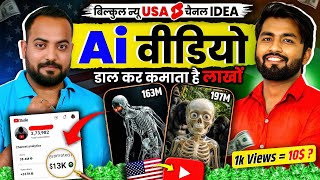

Why US Shorts Pay 10-20x More Than Indian Content
58sThe direct comparison of earnings from similar view counts between Indian and US content is a shocking money reveal that hooks viewers instantly.
▶ Play Clip"The title promises viral US Shorts channels, and the video delivers a detailed, actionable guide with revenue proof, though it's padded with podcast banter and self-promotion."
This video is a podcast-style tutorial where Deepak Bhai demonstrates how to create English-language YouTube Shorts content targeting a US audience, using AI tools to generate scripts, visuals, voiceovers, and captions. The focus is on 'skeleton' content, a trending niche, and the potential for higher earnings compared to Indian content.
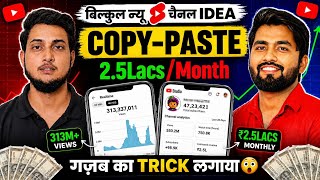
US content earns significantly more per view than Indian content. Example: 64 lakh views on Indian content earned $38, while 68 lakh views on US content earned $829.
Deepak shows a channel started on March 12th, earning $28 in 15 days with 1.8 million views. Daily revenue ranged from $20 to $65.
A short with 6,14,000 views earned $79. Estimated revenue for 1 million views is $100 to $250.
The 'Dr. Data' channel has 522,000 subscribers and videos with 19 million, 17 million, and 10 million views. A 13 million view short could earn around $1300.
If your current channel has less than 1000-2000 subscribers, you can upload English content on it. If it's larger (10,000+), create a new channel to avoid mixing audiences.
Create at least 7 videos in advance. Upload one video daily around 2:30 AM. Expect 30-400 views initially, then growth.
No need for a US phone number or email. Use your Indian mobile number to create a Gmail and YouTube channel. The content is English, not 'US content'.
Higher earnings are due to higher ad rates in English-speaking countries (USA, Australia, Canada) where the cost of living and ad prices are higher.
All content is created using AI: scripting (Gemini), visuals (Flow AI), voiceover (11 Labs), captions (Instagram Edits), and editing (Filmora). No face or manual voice needed.
The script is based on 'crossing a limit' - e.g., what happens if you drive for 1 hour, 24 hours, etc. This creates engagement.
1. Script (Gemini), 2. Visuals (Flow AI), 3. Voiceover (11 Labs), 4. Captions (Instagram Edits), 5. Video editing (Filmora).
Use Gemini Pro for free with a Jio 5G recharge of ₹349, which gives 18 months of Gemini Pro. Alternatively, use a 30-day free trial with auto-pay for ₹2.
Copy a provided prompt into Gemini, paste it, and submit. Gemini will train itself and generate a script with scene-by-scene breakdowns, visuals, and voiceover text.
Use Flow AI to create images and videos. Create a main character (skeleton) first. Use Nano Banana for images and Veo 3.1 for videos. Each video costs 20 credits; 1000 credits are free with premium.
11 Labs gives 10,000 free credits. Use Alex's voice (from Dr. Data). Settings: speed 1.08, stability 76%, similarity 78%, style exaggeration 30%, language override off, speaker boost on.
Add a hook in the first 3 seconds with the most intense clips and a camera shutter sound. Add text overlays for time frames (Day One, Week One, etc.) with a bell sound.
Use the same background music as Dr. Data, provided in the prompt. Download and add it to the timeline, lowering volume to not overpower the voiceover.
Set the category to 'People & Blog'. Upload at least one video daily. Use the AI-generated title from the script. No tags or description needed. Turn on the AI label.
The video provides a complete, step-by-step guide to creating AI-generated English skeleton shorts for a US audience, emphasizing higher earnings and the importance of consistent daily uploads. It demystifies the process, showing that no face or voice is needed, and all tools are free or have free tiers.
What is the estimated revenue per million views for US English content?
$100 to $250
03:39
What are the five key elements of a skeleton video?
Script, visuals, voiceover, captions, and video editing.
16:10
Which AI tools are used for scripting, visuals, voiceover, and captions?
Gemini for scripting, Flow AI for visuals, 11 Labs for voiceover, and Instagram Edits for captions.
17:21
What is the recommended upload frequency for a new channel?
At least one video per day.
45:58
What is the 'hook' in a video?
The first 2-3 seconds that give an overview of the video, using intense clips and a camera shutter sound.
38:53
What are the recommended voice settings in 11 Labs?
Speed 1.08, stability 76%, similarity 78%, style exaggeration 30%, language override off, speaker boost on.
32:06
How many free credits does 11 Labs give to new accounts?
10,000 credits.
30:47
What is the cost per video generation in Flow AI?
20 credits.
28:10
What is the recommended channel category for skeleton content?
People & Blog.
45:20
What is the scripting formula for skeleton videos?
Crossing a limit - e.g., what happens if you drive for 1 hour, 24 hours, etc.
15:30
US Content Earnings Advantage
Demonstrates a 20x revenue difference between Indian and US content, motivating creators to switch.
00:01Revenue per Million Views
Provides a concrete benchmark for potential earnings, helping creators set expectations.
03:39AI-Driven Content Creation
Shows that no face or voice is needed, making it accessible to anyone.
12:18Scripting Formula: Crossing Limits
Reveals a simple, repeatable formula for creating engaging scripts.
15:30Hook Creation
Explains how to capture viewer attention in the first 3 seconds, a critical factor for Shorts success.
38:41[00:01] podcast is for you. Yes friends, there will be many of you is and what is the benefit of working on USA content, so let me first tell you some benefits, friends, if you create Indian content in which you
[00:15] watches your video, then your revenue there is less. Friends, if you which US audience will watch your video. Obviously the language of your video will be English etc. Now you might be wondering brother, how will we create such content
[00:29] ? We don't even know how to speak English. Brother, you don't have to do anything here. All the work will be done by AI here. You will be able to make videos using AI only. You will get the audio from AI only. Meaning, you will create and upload content using complete AI and there
[00:42] you can earn a good amount of dollars with very few views. If you don't believe it Here friends, you can see that one of my shorts has got 64 lakh views. The can see how much I have earned from 64 lakh views ? You will see in just $38 Indian Rupees,
[00:58] approximately ₹33,300 is made here on $64 lakh views and here friends you can see this is a content which is completely in English and US content and here you can see that $68 lakh views are visible to you here, you can see its earning here, it is
[01:10] showing $829, $829 means if you see in Indian Rupees, this amount becomes approximately more than $80. You see brother, there is so much difference here. Same views are around but there is a huge difference in earnings here. So all those
[01:22] from YouTube, if you have not started a YouTube channel yet, then I would start working on US content because the and today we are going to do a podcast with him, his name is Deepak
[01:37] which has more than 1 million views, if you have not you can see it, then first of all we will show you the content, which content you are going to learn and how much earning you will get on how many views on this content,
[01:50] Deepak Bhai will show you the entire earning from YouTube Studio. So First of all Rocky Bhai, thank you very much that you have invited me to your channel for the second time. So first of all, let me show your audience the revenue proof of USA content.
[02:03] opened one of my channels in front of you. However, I am hiding the name of the channel etc. because I do not want the Indian audience to come to my channel. When Indian audience goes to US channels after searching, the channel's algorithm fails.
[02:16] So, I will open the data here and show it to you properly. I had also given all the information about my channel in my last video without hiding anything. So look, this is the channel. You will see that I started working on this
[02:28] only on March 12th. Ok? And today is 27th of March. That means it has happened around 15 days ago. Within 15 days I have earned revenue of $28 on this channel. Took $1.8 million views. And if I talk about the revenue of all these shorts video views,
[02:42] you will see that here it was $26 $20 $31 a day and it even went up to $65 per day. Ok? And this is just me showing one of my channels here. You can see in real time that around 4743 views are coming within 60 minutes. And 48 hours is
[02:58] getting over $350,000 views. If I go to the content section and go to shorts, you will see that all these USA English shorts are uploaded here. Ok? Any I will show you how to open the shorts here. Like this one
[03:10] is short. This show has received 6,14,000 views. If I open this one and go to analytics, you will see that it has generated revenue of $79 on top of $20,000. So if you do the math, let's say there are $6,20,000 views. If I make it 1
[03:24] million views, that is, 10 lakh views, then this revenue of yours will increase to around $130. This is your estimation. That means if you get 1 million views on USA English content, then
[03:39] in return for 1 million views you get revenue ranging from $ to around $250. This is my own experience. Ok? showing you is a bit old content. A lot of people are working on this.
[03:55] This is not what is there, it is saturated. But the video I am going to show you today is new content. You must have seen this channel about Dr. Data. On this you will see that there are 522000 subscribers. It inserts skeleton content.
[04:09] 19 million views, 17 million views, 17 million views. In this way, over 10 million views. I just told you that if you get 1 million views, you generate revenue of $100 to $250. Suppose we
[04:24] also assume revenue of $ here. If we assume a revenue of $, then this video has 13 million views, so if you multiply 13 by 100, then this guy has earned a revenue of only $300 through just one short
[04:38] video. And this skeleton content is going on a lot. You might also have observed that a lot of skeleton videos are coming in your short speed. it Hindi speaking or English speaking. But in this video I am going to show you
[04:51] how we will make English skeleton videos. And it is not that I uploaded the video and did video which is playing in front of you, this is my own video which I have made and uploaded. Right now, almost what you can see above this video is this video. Views have topped $66,000.
[05:06] this video. Views have topped $66,000. through these skeleton shots. Ok? If I play the video once and show it to you so that you can match the quality of what kind of video we are going to learn in this video. Let
[05:20] play this video in front of you once.
[05:56] [Music] For the local viewers, you've just seen the entire video, so those who have experience, who know how much skull content is trending in USA content, this is an exact copy of those videos that are trending in USA.
[06:12] They are uploading similar videos and earning thousands of dollars every month. So I will also show you its project file so that you can understand So see, I have opened my file and the project file is in
[06:27] here there are small video clips which are generated by AI. In this we are not going to use any software etc. Below you can see the voice over of these 11 labs. Look, these small
[06:41] voice over files from all 11 labs. And you can see below that these are all sound effects. This is my channel logo above. Ok ? And this is my watermark above. So you can see these things here. And I assure you that the
[06:55] videos we are going to make are totally free. It doesn't cost even a single penny. Yes, it will definitely take hard work but only those who work hard actually get success. Over to you ok brother. So oh brother, it was fun. I mean, you have seen the intro, brother,
[07:08] you will get to learn everything in today's podcast. Brother will teach you the entire editing and you must have also seen the content brother, how strong the content was. What a of content then
[07:20] But what is it like to create this content? He will learn very carefully how this content will be created. Many of our audience often ask us means we want to work on US content. But can we upload this US content
[07:36] ? Meaning, we already upload Hindi videos. Can we put US content on it or should we create a completely new channel for it? See, it depends, this question comes in everyone's mind that brother, should I start working on my channel, will the
[07:49] English content get views, so see, the main thing is that if the subscribers on the channel on which you are working right now are less, less means how less, around 1000, 1500, 2000
[08:02] subscribers, then if you upload your English videos on that Hindi channel as well, then your English videos on that Hindi channel as well, then getting reach from USA, if your channel is big, it has more than 10,000
[08:14] subscribers, 20,000, around 1 lakh, then you do not need to waste time. Only Hindi views will appear on it. English views will not come. You will then have to create a new channel in this case. You will have to start from zero.
[08:26] So tell me one thing that if someone creates a new channel, let's say a new YouTuber creates a new channel and starts uploading the same content that you are going to teach today, then
[08:39] meaning of his channel will grow. Look, first of all, if you start creating content today, then you do not have to upload it today. You have to make at least seven videos in advance. Ok? For example, if you
[08:53] start making videos today, then your first target should be to make seven videos and keep them with you. What do you have to do once you have made seven videos ? I have to upload a video every day around 2:30 in the night. If you upload for 7-8 days,
[09:06] you will see that the first video that you uploaded has started getting 30-400 views. pick up speed. Well, does something like this also happen that if the US channel people say that to make a US channel we will have to go to the US or
[09:21] confusion in their mind. Can you tell me a little about absolutely correct. People have doubts that brother, it will have to be verified with a USA number. The
[09:33] email will have to be created from USA. USA numbers then people go to the website and buy OTP. There's nothing to do like that, guys. All these are have a mobile number, it is an Indian mobile number, then create a Gmail ID by taking OTP on it.
[09:48] Create your own YouTube channel on it and start uploading videos in English language. You are not making USA content. Don't keep this in mind. You are creating English content. If you are living in India and speaking English, then
[10:00] you are living in India and speaking English, then send your video to any audience in the world where people speak English. Just because the language of your video is English, do n't keep in mind that I will have to go to USA to create an email. OTP will have to be taken from USA number.
[10:14] You don't have to do anything. Well, regarding VPA etc., many people your video go to USA? What is the role of the VPA? Please tell me this. There is no role, these are all misunderstandings. You should straight away forget these things. Just start working
[10:29] on your channel by taking your OTP from your mobile number. If you do n't get views after four videos then please let me know. Well Deepak Bhai, I saw here when you were showing your earnings, US channel means US content,
[10:41] brother, Indian, like I work on Indian content, so my earnings are very less, if you check in comparison to US. And there is so people do not believe whether so much earning really happens? I mean,
[10:54] ? You explain a little to the audience about whether there is really earning or all these people show it as fake. See, last time also I had told you about some of my two channels. Ok? I had told you about two channels and the earnings on them were
[11:07] told to you by recording the screen on my mobile and I have just revealed one of my channels in front of you. I have told you all the information about revenue share. The only difference is that if the English videos are getting views, it means that these videos are being watched by those people
[11:23] in the English speaking world. Where are the English speakers? It is in the USA. It is in Australia, it is in Canada. Now compare one thing. The price of everything is higher in USA compared to India. Inflation is high. So it is obvious that ads will run cheaper here.
[11:38] Ads will be expensive there. The people there have more money because the people there have more money, so the ads that will be run there will be more expensive. If it costs more, then obviously you will get more money. How many
[11:51] more will you get? At least between 10 and 20 times. Here it is ₹1 and there it is ₹ see brother, this much earning is really there brother. You can work on US content. Now you know what? People think that friend, I live in the village. I do
[12:05] n't know how to speak English. How can I create this content? You tell me, the content that you are going to teach today, do we have to show our face in this content or will how will the video be made or will all the work be done by AI, that is what
[12:18] I am purely trying to tell you that all the work here will be done through AI only, see you must have seen a lot of USA content videos where they take videos from Chinese applications, their language is Chinese, they dub them and
[12:31] then upload them in English. This is the copy paste method. What's in it? There may also be a problem with your channel. Your channel may also be demonetized. But what I am going to tell you is all authentic and original content.
[12:43] All scripting from A to Z will be done through AI. Voice over will also be through AI. All you have to do is edit and give your contribution and your channel will never be demonetized because of this content. This is my assurance.
[12:56] And AI will do all the work. There is no need to even show your face. Now brother, let me tell you that you have learnt this much that brother, whatever you are going to learn today, you will learn to make videos completely with AI and whatever content you upload, brother, then your channel will
[13:08] So brother, we will not delay any further. Now I will ask Deepak Bhai, how do you create content? What is the plan? Please tell us and teach us the entire process. But yes friends, let me tell you one thing. Now you will learn to create content. But
[13:21] what should be the category of the channel? How to upload a video? You should know every single thing. So first let us learn editing. After that, brother, I will tell you what channel What should be the timing for uploading the video? What title should I use to upload a video? And how to
[13:34] learn everything. Let's look at the editing first. So now here we will learn step by step how you can make this type of video. But first of all Dr. Data, that is, who is the best and biggest channel in this new. Let us play some of its videos here.
[13:48] You will see I am on his channel. I have put the popular filter here. And you can play any video here and see it. I'm going to play this video from Let's. watch it a little, understand what the script of this video is like, how it has been edited etc.
[14:01] and what are the special features of the graphics in it. How Many Hours Before You Your Body Feeling
[14:23] Paper Last 10 17 December
[14:36] Hour Micro Sleeps Now if you know little English or you do n't know it at all, it doesn't matter, I will explain it to you. In this video you saw that something is being pushed to a limit and this entire script is based on it.
[14:50] Ok? What does limit mean? Like this guy is driving, so the script of the video is something like how long can you drive without falling asleep and remain conscious. Ok? this one's. So what happens to you in the first hour if you drive continuously for 1 hour
[15:04] So what happens to you in the first hour if you drive continuously for 1 hour ? What happens if you drive continuously for 24 hours? A What happens if you drive continuously for 24 hours? A
[15:16] ? Now with every changing time frame, things become more dangerous with each time duration. time frame, things become more dangerous with each time duration. extreme situation, it has used multiple types of graphics etc.
[15:30] and on top of that, it has also used an extreme engagement voice over. understand what scripting is like. Scripting is always about crossing a limit. That means what will happen if you push something beyond its limits
[15:45] ? This is the kind of scripting that happens here. Now let me give you an example. Like I have this bottle. Ok? Suppose I drink a bottle of water, what will happen to me? What will happen to my stomach if I drink three bottles of this water continuously
[15:57] ? If I drink seven bottles of such water continuously, what will happen to my body ? I drink 20 bottles of such water continuously. If you want to drink it from your heart, what will happen to my body? All this voice over etc. is done on top of this. On
[16:10] scripting, etc. So I think you must have got an us break down this video here. You check that the first thing in this video is that the most engaging thing is its script. The second is
[16:26] its visuals which you can see this skeleton. You will see that its expressions keep changing continuously. Ok? Like now his eyes have turned blue due to driving for two days. Ok ? So these kind of visuals keep
[16:40] changing here. The third thing is voice over, which is a voice playing in the background, you call it voice over. This is done with AI though. It has been done from 11 labs. You call this voice over. Ok? The fourth thing in this is captions. The
[16:54] text that keeps appearing below and the subtitles that keep running are called captions. Like this one is its caption. And its fifth thing is video editing. This means that if you learn these five things then you will learn to make this type of video.
[17:07] happened? Your scripting is done, visuals are done, voice over is done, captions are done and your video editing is done here. So for the script here we're going to use Gemini. And this guy who makes videos, Dr.
[17:21] Data, he also uses Gemini. For visuals, we are going to use Flow AI here. Ok? It's free. Not a single penny will be spent. We are going to use 11 labs for voice over. For captions, we are going to use
[17:35] Instagram's free application Edits and for video editing, you can use any video editing app. I personally use Film. People also use cap cuts etc. So there is no problem. I use Film here.
[17:48] told you are free of cost here. You are not going to spend a single penny here. let's go to the first thing. First thing first, let's go over scripting here, how you have to write a video script. Ok? So
[18:01] Look, I'm using a PC here. If you want to use mobile then you can use mobile. You can do it but the display is a little small. So it will take a little more time here but I have to save time here. So I'm using a PC here.
[18:14] after logging in to Gemini, you will see here that this colorful circle is appearing on the profile pic of my Gmail. This means that I have taken the premium version of J here. Now taking the premium version of jammini does
[18:27] not mean that I have paid money here. you have a Jio SIM and you have a 5G recharge of ₹349. If you have a
[18:39] recharge of ₹349, then when you open the MyJio application, it will automatically tell you that you are eligible for 18 months of zmini pro for free. So I have multiple SIMs. I have activated the 18 months package on these different Gmails from those multiple SIMs. I had
[18:55] activated all four of them on my email address. So, if you have two or three SIMs in your house, then activate this kind of package which is available for free for 18 months on different Gmail accounts. can also use the free Gemini. But in the free one you will get a little less limit. I have
[19:10] Ok? What can you do if you don't have a Jio SIM? It has a 30 day free trial. You can take that trial. After taking that trial, you have to set it on auto pay for ₹2. After paying ₹2, if you delete auto pay,
[19:24] You can activate it like this with multiple Gmail. I opened my Gemini. We're going to be working on the script here. Now what you will have to do for scripting is that you will need this script. This
[19:36] Now where will you get this form ? So I will give you its link in the description. I will tell you further how to download it. So as soon as you copy this prot, after copying, you have to come to Gemini and
[19:49] paste it here and select the model here and submit it. Now after some time Gemini will trend itself for this entire video section, it will trend itself for these types of videos of Dr. Data.
[20:03] Look what is written, system fully trend. now your Gemini is here ready for scripting. All you have to do is drop your video idea. Like my idea was that if you drink multiple bottles of water at
[20:16] once, keep drinking, keep drinking, keep drinking, then I want to make a video on what will happen to your body after one bottle, after 20 bottles, after 30 bottles. Now you can come up with ideas as per your mind.
[20:30] you can also ask Jamina. I told him, I script ideas. Now look, it has given you multiple video ideas.
[20:42] You read these. You can work on whatever you like. Like what if all your blood becomes golden in color, what will happen to you? Like after reading these video ideas a new idea has come to my mind. I write the idea
[20:55] here and get the script ready from Gemini. So look, my video idea is What If Your Body Could Never Gain Fat? No matter how much you eat. Could Never Gain Fat? No matter how much you eat.
[21:08] fat. What will you do if you know this? This video is going to be made on this. Ok? So I wrote this idea down and sent it to Gemini. Now let's see what happens next. Now look, the form that we gave to Gemini,
[21:20] everything was already written in it. So as soon as we gave the video idea to Gemini here, Gemini prepared everything and gave it to us. Ok? First of all, look what it did was first of all it shared the video with something in it.
[21:32] Zero to 3 seconds, three to 8 seconds , 8 to 14 seconds, 14 to 20 seconds and 20 to 24 seconds. And so on it went on for 1 minute. Ok
[21:44] for 1 minute. Ok ? And along with this, it has created a visual for every scene. Along with this, it has also made a print of the image here. And here he has also made the video format. So he has done all the
[21:58] work here. Ok? But look at the scripting, now you too have an idea in your mind. So to translate this idea into a script, your brain should work and not the entire AI's. So you should
[22:12] write the script by slightly modifying it as per your requirement. Let me demonstrate to you, brother, What will happen on the 20th day? What will happen in 1 month ? And ? And what will happen in a year if we keep doing this?
[22:29] made a small script of the idea I had and given it to Gemini. Whatever I have written to him, please Ok? What I have written is that I will write the script for you. You can means Text to Speech. Provide image proms i.e. sound effects and visual
[22:44] a little bit about my mistakes. Ok? So my script is like this. What will happen? If you come to know that your body can never become fat. No matter What will happen on the first day? You eat fast food to your heart's content and you find yourself feeling
[22:56] fresh, lean, and active just like that. A week is seven whole days since you've been eating bad food. But you are more happy that you did not become fat. Now one month is one month. Now nutrients do not reach the body, the body gets damaged from within. What will happen in one year
[23:10] And you are not able to stop it even if you want to. Your internal organs like the liver have become very fatty. Year Five Fifth year. Now is your The End. Your how did he get a heart attack? And here your video will end. So
[23:22] I have given him a rough script. What have I written after that? This is the script. In this you can do betterment according to the taste of USA audience. You can do betterment according to the taste of USA audience. You
[23:36] even take things to a bit of an extreme level. You can add some facts to. You can also add some facts to it. You have free hand to make it a masterpiece. You have complete free hand to make it a masterpiece. I have written this to Gemini here.
[23:50] And this propont, guys, I will put this propt also in this document, this document is here, I will put it here. Ok? So that can see that I have pasted this print here. And
[24:04] I will provide you the link of this document later. So now I will send this entire prot here to Gemini. Now a meaningful script will appear in front of you. Now you just have to copy and paste it here. Menam, whatever work you had to do is done. So see, Gemini has
[24:16] provided himself with everything here. So this is where your scene by scene production starts. So this is the script of your visual up to 6 seconds and this is your voice over. sound effects. Ok? They will be installed automatically. This is the print of Nano Banana
[24:31] i.e. the print of the image. And this is your video copy. Ok? What happens after that from 6 to 14 seconds? this one's. Look at this one. And what happens for 21 seconds after that? This one is given completely in it. Look,
[24:47] in the end, he has given you the complete voice over of 11 labs here. You can also generate voice over directly by picking it up. Now how much of your work is finished here, guys? Whatever work I had related to the script has been done here. Ok? Now we will
[24:59] here. Ok? Now we will see, I have opened my Filmora project file in front of you. I have created multiple visuals here, small, big, small,
[25:12] big, how have I created all these visuals and through which AI have I Ok? That means we are going to move on to the second part of the visuals of the skeleton. Now you have to keep this script Gemini
[25:26] open in a tab and in another tab you have to come here above Flow AI. You simply have to go to Google and search Flow AI. Ok? You will come to this flow. And here you simply have to log in to the account in which your
[25:38] click on New Project here. Ok? Now look, this is my old I have made and generated many videos etc. on this. Ok? A lot of ? We will create images in this and we will convert the images into videos
[25:53] start by creating our main character which is your skeleton. Look, this is the image of your skeleton. Ok? So you will have to create this image first because we are going to use this character again and again here.
[26:06] ? How do you make a skeleton body? You will simply copy it from here. You will come inside Flow AI and what do you have to do here ? Instead of video, you have to select image
[26:20] and here you will select four images. 9:16 You have to do it and here you have to put your entire prop. This is Hindi. So you remove this Hindi from here. Ok? how this program works brother. Ok ? And if you click on Create here,
[26:35] your main character will be created here. So see, the image of our main character is ready. Open it and see. This one is your image. zoom in completely to show you so that you can see your main character.
[26:49] So, look, this is your main character. Let me zoom in and show this. Look, you can check it. Awesome design generated here. Ok? So now you have become the main character here. Now let's start here with our images
[27:01] and videos. So see, right now this is going to be the first scene. Ok? And the voice over of this scene is in front of you. And the first thing that will be created is your image, what will the scene be like? So here is his image copy and here is your video copy. So
[27:16] first of all you have to print your image here. We have to copy it and we will come here above the flow AI. Ok? Now you have to create an image here. So you will paste this print here. After pasting, you have to select Nano Banana To.
[27:30] Click on the plus icon. And you have to choose this skeleton which you just made. That means whatever images you create, this character which is visible in front of you, this character. Only after using this character
[27:43] your image will be created here. It will be made with this character only. So let me click this here. And the images of your first scene here will start getting created. make a video here. Now look here I am using Flow AI to create both the image and the video.
[27:57] When you take the premium, whether you take the Jio S one or you take the 30 day demo, you will get 1000 credits here. Ok ? You will need 20 credits to make each video and this guy will make the images for you for free.
[28:10] So when you have 1000 credits then you will almost be able to make at least three to four videos through these 1000 credits. Once three or four videos are made, they will be refreshed again next month. You will get 1000 more
[28:24] credits. So you will need this type of Google account. I am assuming at least 10 accounts. If you have 10 accounts lying around, you will be able to make a video regularly every day. You will continue to receive these credits next month.
[28:37] first image here is ready. What would you do with this image? You will go to the side of the image. You will click on animate. After that you will go back inside the print and you will copy this print of your video. After copying,
[28:51] you will paste it here and go here and select a video and here you will choose the model VO 3.1st. Ok? You can see that here you have to pay only 20 credits for one video. We will
[29:06] your video will be ready to be made. Till then what we do is we create an image of the next scene. So I made a print copy of the image of the next scene. Flo came inside A. I selected my model.
[29:20] Add to prompted here. I select this image. 9:16 I need a single image. I have uploaded a copy of this image. Now your image will start getting created here. Ok? So in this way, you should keep
[29:34] creating your images and videos in advance so that your video can be made as quickly as possible. Now I will copy your video of scene two here. image is almost ready and I will
[29:51] So this will become another video of yours. Ok? So what did you do here now? This is your first scene, this video has been made of this first scene. This is an image from the second scene. You can find a video of this image being made here. Ok? So in this way you
[30:06] keep creating images, videos, images, videos, images. As time goes by, your video will be ready. Let me show you the process by fast forwarding a bit. So I have to fast forwarding a bit. So I have to
[30:19] and download it by upscale it to 1080 pixels. Ok? and the rest of the images are getting ready. I'll take you through voice overs here, what audio you should use, and what settings you should work with. So
[30:33] see, for voice over you have to use 11 labs. 11 labs. This is the website. After coming here, you have to go to text to speech. Now this doubt will arise in your mind that Sir, 11 labs are paid. I don't have that much money to
[30:47] invest. So, when you create a new 11 Labs account, you will get 10,000 credits for free. And within 2000 credits your video will be ready. So with a free account you will create five videos. Suppose
[30:59] you have five Gmails then you will create 25 videos. Suppose you have 10 Gmails, then you can make 50 such videos for free. So you don't need to worry about those things. Create Gmails, get free credits and have fun. So now
[31:13] how do you generate voice over here? Which audio should you choose? So see, I have given the link of the audio which the doctor uses in the data here inside the prompt. This one is the print and this one is the link to the audio. Ok? He uses Alex's voice.
[31:27] 11 Come over to Labs. Simply paste this link and hit enter here. So look, this is Alex's voice. I will add this voice by clicking on Add Voice here. Ok? Ok ? This audio has been selected here. It has
[31:40] also been saved. You will go back to Text to Speech and by clicking on Voice here, you will use the LX voice. Ok? And which model will you select here? You will select the model 11 Multilingual V2,
[31:53] you will select this. After that you have to do some settings. What to keep in the settings ? Look, this is your setting. You have to keep the speed above 1.08. This is your speed. You keep it above 1.08. Ok ? After that, stability has to be maintained at
[32:06] ? After that, stability has to be maintained at 76%. This is your stability. Yours has reached 76%. This is your stability. Yours has reached above 76%. Similarity has to be kept at 78%. This is your similarity at 78%. Then you have to set the style exaggeration to 30%.
[32:20] This style has to be set to 30%. After that, you have to turn off language override and turn on speaker boost. Language Override is off and Speaker Boost is on. You can customize this MP3 quality 128 192.92 kbps as per your requirement.
[32:36] I keep it at 128 kfps. So your settings are done here. Now you have to put voice over here. So look, the first scene, the voice over of the first scene, here is your VO. Ok? You will simply copy this. Here, I have copied it. I will
[32:50] copy it and come to 11 Labs. I'll put this in here and I'll generate the speech here. Day One of the Ultimate Biological Cheat to Make You Physically Gain Fat. So you're inhaling 10,000 calories of pure garbage, you lucimal. So look, you
[33:05] voice of Dr. Data. So I have downloaded it here and Ok? So this is the sound of your 11 labs that has been downloaded. using Filmora here. If you want, you can use some other software like Capct etc.
[33:21] Ok? So I picked up this voice and included it in the film. Now what you have to do is that whatever gaps you see here, you have to remove those gaps inside the voice. These gaps that you are seeing, you have to remove them slowly. Your video should be very
[33:33] fast facing. Day One of the Ultimate Biological Cheat Code You Physically Cannot Gain Fat You Are Inhaling 10000 Calories of Garbage You Lukminal. So, what I want to say is that
[33:47] you do not feel any tiredness on the first day. There is no obesity. Now you know that you are not going to get fat. So you just eat garbage. That means whatever garbage, waste you find, pizza, burger, sandwich, whatever you have, you just keep stuffing it.
[33:59] So the visuals that you have to add here are the visuals of eating to your heart's content. So similar videos have been generated here. You will see that it is eating in this scene also. He is eating it even in this scene. That means
[34:13] you have to use the eating Charap scenes here and download them here and I have made two videos here. I will add both these videos here on my timeline. A one of the ultimate biological cheat to gain fat.
[34:29] So you are inhaling 10000, then you must have noticed that you are not hearing any sound here. Ok? So you can slow down these sound effects a little bit. But you have to use these clips. Now look, it is not necessary that every clip of yours will
[34:43] be perfect here. Use the clip that seems perfect to you. Otherwise Ok? So I'm going to use this video up to here. I will not use it anymore. And I'm going to speed this clip up 2X here.
[34:58] biological cheats. Ok? Now I have to show the food scenes here. generated here. Now he is eating a burger, so I will make more videos here of him eating pizza or chicken wings. If you want, you
[35:12] can also write to different Prop Gemini that I want to feed something else to this skeleton. giving you the proponent. Now I already have this proponent. Now because I already have Pron lying with me. I need to change the empty food gen.
[35:27] Ok? So let me speed up the process a little bit here. You will understand things as the video continues to play ahead of you. If it continues to be made further.
[37:44] Let's go [Music]
[37:59] One [Music]
[38:16] generated a lot of clips here. Whatever I felt was required for my video, I got all those prompts written separately from Gemini and got all those images made from him, then I converted those images into a video.
[38:28] I had asked for a lot of extra props here because that was my requirement as per the script. So this way you have to think out of the box and you have to generate your videos. Now our video is 80% ready. Now
[38:41] you have to do some good editing here. Now I will tell you one by one what editing skills you should have. Now I will tell you one by one what editing skills you should have. add a hook inside your video. Now what is a hook? How do you add that?
[38:53] open any video of Doctor Data, then within the first 2-3 seconds you get an overview of the entire video that what is going to happen with this skeleton How many hours can you drive before your body gives up? You saw that three
[39:09] body gives up? You saw that three clips came separately in it, making a clashing sound. Ok? That means it was the shutter sound of the camera. Three clips had come. So these three clips introduce and tell us what is going to happen next in the video. So
[39:21] this is called a hook. So, along with your opening line, you will be told what is going to happen to the body of that skeleton in the video. That camera shutter sound so that it can
[39:36] become a strong hook. I will show you how to make it. Look, first of all, this is your viewers will know what is going to happen in this video. So let me generate this first. So let me generate this first.
[39:49] matter how much you eat. Ok? And I download it from here. ? You have to put this opening line just before your video. Ok ? Now see what you have to do within these 3 seconds is that you have to
[40:03] add the most intense footage of the video. For example, Ok? Like, let me put this scene first. I copy it and put it at the front. And let's move ahead.
[40:18] I can also take out another half scene here. I'll take out a whole clip. I will fasten it and use it. Ok? Now look at this for three seconds. Your Body Never Gains Matter How Much. Ok? You have
[40:34] put three scenes here within three seconds. Ok? That brother, it will be like this in the beginning and towards the end it will become like this. That means the condition will go from good to bad. I put this in within 3 seconds of the start. Ok ? Now you need to
[40:48] add a shutter sound at the beginning of each clip. For that you have to go to audio. different things there. We will go to sound effects and here we will write shutter. So I'll put this here at the beginning of every clip. Ok? Initially you have
[41:02] generated a hook here. People will watch the entire video for this. Ok? This hook has been look, they are telling here what will happen on the first day? What will happen in a week ? And what will happen in 5 years? So here you will have to add text.
[41:16] First day, 7 days, 1 year, 5 years. Like this. Let me ? B Day One of the right now it is saying Day One so I will write it here right now it is saying Day One so I will write it here Day One
[41:30] select the sound of bell here, again we will go to audio, go to sound effect and go to audio, go to sound effect and write bell, okay we will put this sound at the beginning of every text,
[41:51] added all the texts here. Along with every text, I have almost my editing is complete here. Now we will add we will use exactly the same background music that Doctor Data uses. So the
[42:05] link of Background Mus is also given inside this form. Look here is the link to the background Mus. Simply you have to open this link. Paste it into a new Chrome tab and click here to download it.
[42:17] It has been downloaded. Now I will directly put this in my timeline of Filmora background music here below. Ok? I will slightly lower the volume so that the background music does not overlap the real voice. Your body could never gain no matter how much
[42:32] you eat day one. Now I think your video is almost ready. Now guys if you think that I have taught it too hastily. If you have not understood many things then you can do one simple thing.
[42:46] In the description of this video, the 23,000 subscribers. So I have uploaded this 1 hour 17 minute video on that channel. Ok? It is the same as the skeleton video and within 1 hour 17 minutes,
[43:00] every single thing has been explained in detail step by step, that is, whatever has been taught in this video has also been explained a little more in detail. So you can also watch this video. Along with this I have made videos on different niches on Charap and USA content.
[43:13] Like this video. Ok? And this is one video. So you can also watch these videos. I have made a video here for Indian content. You can see this also. I have taught every single thing in detail.
[43:25] If you like it then please go to my channel and subscribe to it. Now where can I get this document? So the link to this document is inside my Telegram. This is my Telegram and the link to this document is given in the March 21 post on Telegram. You
[43:38] can download it by clicking here. You will also get the link of Telegram found in the description. Ok? So join by clicking on that link and document. Now let me show you how my video has finally turned out.
[43:53] After adding captions. Now you will ask me for captions, sir, which application should I use? So for captions, there's Instagram's Edits app. So you can add captions for free from Instagram's Edits application. You add caption to it and after that your video will come out
[44:06] something like this. What if your body could never gain fat? No Matter How Much You Eat Day One of the Ultimate Biological Cheat Code. You physically cannot gain fat. So you're inhaling 10,000 calories [music] of pure garbage. You look
[44:19] phenomenal week one. You have gained annoyance but your body is screaming for help. [Music] Absolutely Vitamin B1
[44:55] mirror right before you Your completely clogged heart violently gives out The paramedics are aesthetic corpse So friends, I hope very carefully, then you must have understood brother,
[45:08] how to make a video like this Now you have learnt how to make a video, now let us ask some important questions which are very important to know. Deepak Bhai, first of all we want to know that whatever content of this kind we will upload on our channel, which we will create as USA channel, then
[45:20] although the category does not make much difference, but the skeleton videos that are being uploaded on YouTube these days, everyone is keeping the category for it as People & Blog, so if you keep People & Blog then
[45:32] your content will remain relevant and along with such content, your content will also keep getting suggested, this will be beneficial. Okay, and whatever content we will create, which we will create for the USA channel, then within a day, if there
[45:45] is a completely new YouTuber who wants to work on this kind of content, then how many shots should he upload? See, per day you will have to upload at least one video, but the See, per day you will have to upload at least one video, but the
[45:58] content is trending right now. Ok? Before this market becomes saturated. That means a lot of creators should come. Too much content comes on YouTube. Before this, what you have to do is to take advantage of this content and you have to upload at least one video daily.
[46:11] take advantage of this content and you have to upload at least one video daily. Okay, so whenever we upload this video, is there any See, there is no such scene of title etc. Let me explain to you. Like
[46:25] this channel is visible in front of you with the name It's Mr. No. Ok? Ah, this also puts skeleton content. Now see, whatever is going to happen in this video, he has just put a title of it in his title. If you open its video, I will open it and
[46:38] clicked here on the description and you will see that its description is completely empty. Just what is written inside the title? Waking Up on a Black Beard Ship. What would happen to you ? This is about the entire journey. Only this
[46:53] I had already told you that this title will be generated through AI. So you just have to pick up that title from here and put it here. That's it. Neither do you have to put a tag nor do you have to put a description. Don't do anything. Ok? And
[47:07] you have to turn on the AI label here. Ok? So, you have taught us in a very good way. We watched it would have understood all these things, brother, what kind of video should be made and yes friends, let me tell you that Deepak Bhai has been
[47:22] earning a lot of money. Ok? So, he knows editing very well. They have a very good idea about how many types of US content there are. What also keeps doing research on new US content. If you guys are also
[47:36] If you want US content ideas then you can go to Deepak Bhai's channel and see it. in the description. You can click and open it and go and see it. Whatever content you think is like that, brother, this is such content. You have to watch and learn. You
[47:49] So brother, I teach you everything on my channel. So Deepak Bhai, thank you very much for Such a great content idea to tell our audience. Thank you very much for this. Thank you Roki brother. I hope that if I get more such content,
[48:02] I will connect with you again. That's all for today.
⚡ Saved you 0h 48m reading this? Transcribe any YouTube video for free — no signup needed.