
I Make $36K/Month with AI Shorts
45sThe money claim immediately hooks viewers with a shocking income figure.
▶ Play Clip"Delivers on the promise with real earnings proof and actionable steps, though some sections are padded with repetition."
The video presents a comprehensive guide to generating over $35,000 monthly through AI-assisted YouTube Shorts, covering niche selection, channel setup, content creation, and performance analysis. The creator demonstrates real earnings and provides step-by-step methods for replicating viral content.
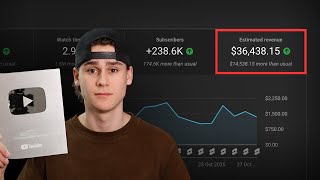
Creator shows dashboard with $36,000 in last 28 days, consistently over $1,000/day, peaking at $2,000/day.
Choosing a niche is the most critical step for new channels. Two recommended niches: Roblox Rants (storytelling with gameplay) and Ranking (compiling viral clips).
New channels risk zero views. Warm-up involves scrolling YouTube 30-60 minutes daily for two days, liking, commenting, and subscribing to random channels to appear legitimate.
Ensure 'feature eligibility' is enabled in settings. This requires no active community guidelines strikes. Intermediate features are needed for monetization.
Branding should take 5-10 minutes. Use ChatGPT for name and profile picture ideas, Canva for banner. Don't overthink; just be relevant to niche.
Find an inspiration channel, copy a successful video link, use youtubeanscript.com to get transcript, then prompt ChatGPT to write a similar script on your topic. Use 11labs.io for voiceover and Cap Cut for editing.
Use ChatGPT for topic ideas, then viblo.ai to automate video creation. Add clips from TikTok, format title with colors, and generate. Sweet spot is 4-6 clips per video.
Two key metrics: Average View Duration (AVD) and Swipe Rate. AVD should be close to or exceed 100% of video length. Swipe rate should be 20% or less. These indicate content quality and viewer engagement.
Success in YouTube Shorts hinges on choosing a proven niche, warming up the channel, creating content efficiently with AI tools, and rigorously analyzing performance metrics like AVD and swipe rate to iterate and improve.
What are the two recommended niches for YouTube Shorts?
Roblox Rants (storytelling with gameplay) and Ranking (compiling viral clips).
00:51
What is the purpose of the channel warm-up process?
To show YouTube that the channel is run by a real person, not a bot, to avoid shadowbanning and zero views.
03:27
What is the ideal swipe rate for a YouTube Short to go viral?
20% or less.
23:08
What does AVD stand for and what is the ideal value?
Average View Duration. Ideally close to or more than 100% of the video length.
21:19
What is the recommended number of clips for a ranking video?
Four to six clips, with five being the sweet spot.
19:59
What tools are used for script generation and voiceover?
ChatGPT for script generation and 11labs.io for voiceover.
12:43
Why is it important to check 'feature eligibility'?
It must be enabled for monetization, and it indicates the channel is free of violations.
05:40
Real Earnings Proof
Provides concrete evidence of the claimed income, building trust and credibility.
00:01Ranking Niche Success
Shows a channel with 2.7 billion views from just 130 videos, demonstrating the niche's viral potential.
01:29Warm-Up to Avoid Shadowban
Explains a practical, non-obvious step to prevent new channels from getting stuck at zero views.
03:13Two Metrics for Virality
Distills success into two measurable metrics (AVD and swipe rate), making optimization actionable.
20:38High Swipe Rate Means Bad Content
Directly challenges creators to improve content quality rather than blaming the algorithm.
23:34[00:01] exactly how I make over $35,000 every single month posting AI YouTube shorts. everything you need to know. You know, everything from choosing a niche to making sure your shorts go viral and get
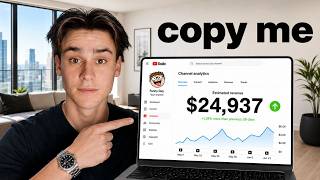
[00:14] straight into the video. And just to prove to you that I actually know what I'm talking about, this is the dashboard from one of my own YouTube channels. So, $36,000 in the last 28 days. And you can see as
[00:27] I kind of scroll through here, it's pretty consistently doing over $1,000 a day. And then some days it peaks up higher and it does like $2,000 a day. now let's just get straight into the video. We're going to start off with
[00:39] step one of building a faceless YouTube channel, which is choosing a niche. So, this is the most important thing when it comes to setting up the channel. And especially if you're someone new or just getting into YouTube shorts, this is
[00:51] with that said, I'm going to show you two different niches. And then as we go to show you how to make these as well. The first niche I'm going to show you is called Roblox Rants. You can see this channel right here has, you know, about
[01:05] 400 million views posting these and they just started posting them about 3 months ago. Now, if you curious, you know, what the content is, it looks like this. It's very, very simple. Basically just kind of like telling a story with some Roblox
[01:17] gameplay in the background and then they put some memes and pictures on top. It's about actually how to make YouTube shorts later in the video. Uh but for niches that are really, really powerful right now. The next niche I'm going to
[01:29] show you is this one right here. So these guys are one of the biggest channels I've actually ever seen for this number of videos. They've posted 130 videos and they have over a million subscribers and they've done 2.7 billion
[01:42] views, which is absolutely insane off just a 100 videos. This is what the ranking niche looks like. It's very straightforward. You basically just rank a series of viral clips from other social platforms like Tik Tok and
[01:54] Instagram. Uh, and this is, in my opinion, probably one of the most viral niches on all of YouTube shorts, if if not the most viral. Like, I've never seen people blow up channels faster and get more reach and generate more revenue
[02:07] other thing I want to say as well is that this is not only like an extremely personally done and personally I've ran multiple ranking channels and made tens niche. So, I know for a fact that it works and I know that if you do it with
[02:23] you can't achieve insane amounts of views. I mean, look at this guy. He's literally getting like 70 million views, 30 million views, 28 million views, 50 million views. Like, it's actually insane how much reach you can get
[02:35] posting the ranking niche. That is all I'm going to say about niches for now way more stuff and I'm going to be showing you the rest of the process for your niche uh throughout the rest of this video. But if you do want some more
[02:48] choices for niches, uh I will put a link in the description to a video I posted last week talking about the best niches. So if you want some more options, these the two best niches right now. Uh but if
[03:00] a link to another video I posted talking about just niches. Let's move on to step two, which is setting up your channel and warming it up. And this is very, get straight into it. First off, we're going to start with warm-up. So, as a
[03:13] lot of you guys know, if you just post YouTube videos and YouTube shorts on a getting stuck at zero views. That happens to a lot of people. A lot of they start posting YouTube shorts, and they just get stuck at zero views. So, a
[03:27] warm-up process allows you to yeah warm up the channel and get it ready to post actually get pushed out and not shadowbanned by YouTube. Now, the first thing I always say is before you go and do a whole warm-up process, check to see
[03:41] if you have an aged YouTube channel. A lot of people don't realize this, but you might have a YouTube channel that you just have had for years that's just because you actually need a YouTube channel to subscribe to people and
[03:53] comment on videos and stuff like that. So, you may not realize it, but somewhere you you a lot of people do. They probably have old YouTube channels that are just multiple years old. And what I will tell you is that if you have
[04:05] an aged channel you can use, that is better than just starting a fresh channel. If you can use an age channel or if you have one, I recommend you just don't really need to do a warm-up process at all. You can usually just
[04:19] we'll talk about in a sec, and you can kind of just get started. But if you do not have an aged channel, then a warm-up process is necessary to get a new probably then like, "Okay, well, how do I warm up a channel?" So, I'm going to
[04:33] thing you're going to do is, you know, create the new channel. And then you're just going to scroll. You're literally just going to go on YouTube and scroll and just use YouTube like a regular person and just scroll through content.
[04:47] And do this for anywhere from, you know, 30 to 60 minutes on the first day. And the reason we do this is just to show YouTube like, hey, this is a real person that is actually, you know, using YouTube and they're not a robot. So
[04:59] just, you know, scroll. The other thing you can do as well is just like some videos and leave some comments on some videos and then also subscribe to a a who. Like go subscribe to like Mr. Beast, whatever. Just like any random
[05:12] person. Like it again, it really doesn't matter at all. Just subscribe to random some videos. And just by doing that, you show YouTube that you're a legitimate two, after creating the channel, you're just going to kind of do the same thing
[05:25] another 30 to 60 minutes. Now, once you've done that, there's one more thing into your YouTube dashboard, click on settings right here, and just go to channel and then click on feature eligibility. And you just want to check
[05:40] enabled. The only thing you have to do to have these enabled is just don't have up, it's going to basically say channel is free of any active community this because again, maybe you're using an aged channel or, you know, just for
[05:56] some reason there is a violation on your channel, you are going to want to start So, it's just worth doing a quick check enabled. Again, this kind of just mostly applies if you have an old channel
[06:09] you're using from years ago that maybe had some videos posted on it. uh and your you know channel is free of any violations. Now the second thing here is intermediate features. So I do just want to say that this is not insanely
[06:22] away. However, you do need to do this at some point if you want to get monetized on the channel. They require you to have intermediate features enabled in order to be able to monetize the channel. So with that said, you can either verify
[06:34] the channel has a bit of momentum. Uh that is because you know you have to verify a phone number and you can only use your phone number on two channels per year. So it's just worth mentioning
[06:47] that that you know you don't have to do this right away but it does kind of help the channel just look a little bit more legit in my opinion. That's kind of just speculation but you know I've heard that this can help the channel look a little
[06:59] posts. So up to you if you want to do this one or not. All right. Now moving because when you set up a new channel or you're using an age channel, whatever, niche that you're posting and the kind of content you're going to be posting
[07:12] subscriber conversion rates so that when people view your channel, they actually channel branding should take you like 5 to 10 minutes. There is no reason for this to take longer. I have seen people procrastinate starting their channel and
[07:26] spend weeks on branding. That is the stupidest thing ever. Just take action. get this done as fast as you can so you can actually start on the important end of the day, the channel branding just needs to be pretty okay and you're
[07:39] half like that good. Starting off with the name, just choose something relevant like, you know, as you can see here, they post about cats. Their name is Daily Dose of Internet Cats. You can literally just go to Chad GPT, ask it
[07:52] for names about your niche, and have it generate some names and just use one that's available. This really doesn't matter. Don't overthink it. Now, next thing is the profile picture. Now, the profile picture, this matters slightly
[08:04] more. Uh, but again, it doesn't really matter much at all. Just have it be niche is. Again, you can just go to ChatGBT and ask ChatGBT to generate a profile picture for you uh based on your channel name. Like once you choose the
[08:17] channel name, just ask ChatGBT to also make you a profile picture and just use that. It really doesn't matter too much. Just have it be something relevant to whatever it is that you post. Now, the next thing is the channel banner. You
[08:29] banner. I know plenty of channels, including one of my own channels uh not have a channel banner on it. So, you don't absolutely need this. But, if you do set up a channel banner, which it doesn't hurt to do, just use a tool like
[08:43] Canva. That's probably the best free way to do this. Just go use Canva and very, very quickly just like put some stuff on there or some text that has to do with they did was they literally just put like, you know, explained what they do
[08:57] in four words. They were like best of internet cats and then they just put their profile picture on the banner and some other pixelated pictures of cats. Again, like maybe your niche is, you know, something to do with fitness. Just
[09:10] put like, you know, some dumbbells on here and, you know, just say like best know what I mean? Like just this should only take you like 5 minutes to do it. that you can start on the important part, which is, you know, actually
[09:24] there's one more important thing that you need to do when setting up your And the reason I talk about this separately is because this kind of does little bit of time to make sure the description is formatted nicely. So,
[09:37] example channel I gave you is using. And they have a pretty solid description. it. Basically, the first line of your description should just be something you can see here they go, "Welcome to your daily dose of internet cats."
[09:50] their channel's about. As you can see here, they actually include their email address in the description. You don't have to do that, but it could help, you more legit in the eyes of YouTube because you're making it easy for people
[10:02] questions or concerns. So, if you'd like to do that and you're comfortable, you're welcome to to do that. They just have a quick copyright disclaimer. something up like this, or you could kind of use this one and change it a
[10:14] this, it doesn't really matter too much, channel look more legit and show that you're trying to operate in, you know, a it's just kind of helpful to have something like this in your description.
[10:28] like, "Look, if you have any concerns about my content at all, just feel free out of the way, I'm going to walk you through how to actually make viral optimized content, like content that is structured to go viral and everything
[10:41] create viral videos with AI. I'm going to show you multiple different niches ways as well. So, if you don't like one of them, you can use the other options to be starting off. I'm going to show you how to make the, you know, Roblox
[10:54] rants storytelling niche. So, this is the niche. I showed this earlier in the through the process for how to kind of, you know, make these and what you need viral. All right, so the first thing you need to do always when you're making
[11:07] YouTube shorts is you need to find an inspiration channel. And this is going to be where you get not just content ideas from, but where you make sure that you're doing the right things. And what I mean by that is like this channel
[11:19] here, they're crushing it. They have 700,000 subscribers with 100 videos and they average about 5 million views a video. They're clearly doing something stupid to look at this and be like, "No, I don't think this works." Because it
[11:32] clearly works for them, right? So, why would you go try to reinvent the wheel and you know, try to figure out your own a format that just works. If you just replicate what they're doing, there's
[11:45] this content. There's clearly an audience that is hungry to watch videos you replicate it that you can't get similar results. So, with that said, every niche always, pretty much, you need to find an inspiration channel and
[11:59] niche. Now, what we want to do is we want to find one of their videos that we matter which one. You just find one that did well, that performed well. So, you views and I really like this video. Personally, I really like, you know, the
[12:14] written and just, you know, everything about it. So, then what I'm going to do is I'm going to copy the link of that video and then I'm going to head over to youtubeanscript.com. And you just paste in the link of the
[12:27] transcript. And what that's going to do is it's going to actually fully So you can actually just hit copy. And now that's going to copy that transcript going to do is you're going to open up Chat GBT and put in this prompt. So you
[12:43] Feel free to screenshot it, whatever. Like write this down. This is the exact same writing style, length, and tone, but about topic. And that's where you basically tell them to research video topics and then write the script.
[12:57] short. It's fast-paced and straight to the point and in the same writing style as the example script below. So, I'm going to paste in that transcript that viral. Now, you're going to swap out the topic field right here with your own
[13:11] video topic because we want the scripting style and the, you know, the story style that this successful Roblox Rants channel is using, but we don't want to just have it be the same video reposted in a different way. We want to
[13:23] actually like, you know, write our own video here and just make our own unique thing but in the same style. And for this example, I'm just going to use my parents grounded me, right? Just something like that. And then you're
[13:35] going to hit send. And this is going to go and write you a script in the same style, but about your topic, which is, you know, my parents grounded me. From there, 90% of the work is done for you. Now, all you need is to turn this script
[13:48] going to copy that and you're just going to head over to 11labs.io. So, this is a great free texttospech tool, or at least it's free for a while. Uh, and then you basically just enter
[14:00] bunch of different voices you can choose from. And you can change, you know, the speed and all that kind of stuff to make this voice over sound, you know, just you now have a viral script and the voiceover, which are the two hardest
[14:13] parts of making the video. And all you need to do now is just put it in Cap Cut and then, you know, add some captions, which takes like two seconds to do. So, you can do all the editing for this just in a free tool like Cap Cut. Uh, and
[14:26] throw some gameplay. And then you can put some pictures on there, too, if you really straightforward. This is one of the easiest ways you can replicate viral content like this in just a few minutes using AI. Moving on to method number
[14:40] to pretty much fully automate the editing process as well. I'm going to ranking niche and how to create these videos insanely fast. You can literally like pump these things out in like 10 minutes. This is the easiest method to
[14:54] create viral content using AI. So, just to show it one more time, this is the ranking niche. It's very simple content. You just have a video topic and then you another social media platform about that topic and then you just edit it all
[15:09] is go over to chatbt and enter this prompt. And you can copy it, screenshot you send this prompt, I'm just going to send that right now. You can see what it's basically going to do is it's going to spit out a bunch of ranking topics
[15:22] for you. It's going to give you a bunch of viral topics that you can use for most important part. Like ranking funniest instant regret moments. This is such a good topic and that is why he's able to go viral. So you can use Chad
[15:35] GBT to do a lot of the heavy lifting and come up with really creative topics for you can obviously suggest your own topics and and keep chatting with ChadByt to give you more and more topic ideas, but this gives you a really good
[15:47] topics. The next thing you're going to want to do is go to viblo.ai. And this is an AI tool that's going to allow us to automate, you know, most of the work and the heavy lifting behind actually creating these videos. Cool
[16:00] free trial. so you can get signed up and start using it and post your first for the tools. So, I'll leave the link to this in the description so you can go Now, once you're set up with an account on Viblo, you're going to basically look
[16:14] different niches that you can choose to do in here, but you know, the one we're you're going to go to the video ranking section and just click start ranking. And that is going to pull up a page that looks like this. So, up top here is the
[16:27] enter the topic of your video. Now, remember, we had a bunch of those suggestions from Chad GBT, but you can also come up with your own. So, for this example, I'm just going to go with ranking cutest cats, uh, you know, let's
[16:40] that. Ranking cutest cats in history. Now, one of the most important parts of So, you can see this looks super ugly. We just have like ranking cutest cats in history across the top of the screen. What you want to do is you want to bring
[16:54] this down a line. So, kind of chop it up. And then you also want to add color. So you want to, you know, leave most of the text white, but choose like a couple like cutest cats because those are kind of the key words for the video. So then
[17:08] I'm going to just set it to blue, but you could kind of set it to red, purple, orange, whatever you want. But you want to set a color here. So then what you've done is you've set this title up in a way where it's a lot easier for the
[17:21] to see that a lot of ranking videos do this too, right? They go ranking funniest instant regret moments. They actually do two different colors and reasoning behind this is just because
[17:34] the viewer can read it way faster like this and they can understand, you know, what the video is way faster. So that's good. We have our video topic and we next thing we need to do is we need to actually add some clips that we're going
[17:48] best way to do that is Tik Tok because they have such a good search engine. So, you can see here I just looked up cutest cats because I like just look up things, be creative, and just look stuff up specific to your video topic. So, in
[18:01] this case, I'm just looking up cutest cats and Tik Tok fed me a bunch of videos. This is a video that got 21 million plays and 390,000 likes on Tik like a couple months ago. So, this is a
[18:14] going to do is you're literally just going to copy the link of that video I want to add this to my ranking video." Then you're going to go, you know, back into Viblo and you're just going to add that to one of the video sections. So
[18:28] that here and just click enter. And what that's going to do is it's going to actually just download the video and format it directly into the project for like to do is usually adjust the video height. You want to make sure that you
[18:41] know you have uh enough empty space at the top of the screen for your title. So slightly under my title. Uh and then it leaves some nice empty space at the top and bottom. Again, this just is visually the formatting that a lot of channels
[18:54] use. You can see, you know, this channel right here, they use that format. It So, from there, you can also trim your video to just use a specific part of the video that you want to use. And then from there, you also just need to set a
[19:07] title for this video. So, video title, what do you want this clip to be called? what do you want this clip to be called? I'm going to say like uh cat versus water, something like that. Right? There we go. And then now we've got that topic
[19:19] on here. And we can actually, you know, give it uh turn up the stroke so that actually, that's probably too much. We'll go like that. There we go. So, now can even actually customize this more by giving it text animations. You can add
[19:33] like a, you know, fade in or uh, you know, bounce left so that when you start playing the clip, it like bounces left or something and it has an animation. So, you can really customize this, do all that. You can also change the
[19:46] be kind of like gold cuz that's usually the color people use for number one. So we'll do like gold for number one. And you can really customize this to make it have a really good-look ranking video. You're just going to go find a bunch
[19:59] more clips and just keep adding more clips. Usually what I find is four to six clips is the sweet spot. Never do less than four and never go more than six. I usually find that's kind of the sweet spot for videos that perform the
[20:11] best. So usually just go with five. And you know, if you have if you find some want to kind of make it better, then just go with six. But yeah, usually just perform the best when it comes to ranking videos. And then from there,
[20:24] clips added and everything, you can hit generate. And this is going to spit out onto YouTube. Okay. So, now that you know how to make viral videos using AI, the next and most important thing I can probably show you here is analyzing
[20:38] actually make your videos go viral. Because if you have no strategy behind understand how your videos are performing that you're posting, you will never go viral. So, this is something I do all the time and I'm going to be
[20:52] basically walking you through my process for making sure my videos go viral fast. example of this on one of my own videos that I posted that got 30 million views and made me about $3,000 in the last month. So yeah, I'm going to walk you
[21:05] through exactly what I look for on all the videos I post to make sure that those videos are performing properly and then what I will change about my content basically only two metrics that matter when it comes to going viral fast on a
[21:19] videos are performing the way they should. The first one is your AVD or average view duration. And this is how long did the average person stay on your video and watch for. As you can see here, this video got 21 second AVD and
[21:33] the video was only 17 seconds long. So that's why this video got pushed to 30 million people was because, you know, this video had a 17-second duration and the average person, the average view would watch for 21 seconds, which means
[21:48] they would watch the whole video and then watch part of it again. Right? So shorts. If you're posting videos every day and every video has a very bad average view duration, the average person's only watching half your video,
[22:01] no wonder you're not going viral. You're not shadowbanned, right? Your videos are that are watching them are just not engaging well with the content. And if you want to make sure that you go viral fast, every time you post a video,
[22:15] average view duration is. If your average view duration is really bad and you're posting ranking videos, well, that means you need better clips because interested in the clips you're using. So, you need to improve your clip
[22:28] clips that you use or the topics that you use on your videos, right? So, that's how you improve the average view duration is just objectively make your you're almost never going to go viral. So, you need to make sure that this stat
[22:42] is doing very, very well. Now, the next thing that I will look at on all of my performing the way they should is the swipe rate. So, this is the percentage of people that watch your video or swipe away in the first 4 seconds. So, a
[22:55] on their shorts feed and then they land on your video and they swipe past it in the first 4 seconds. These are very bad. You do not want a lot of swipes. You can. You can see this video right here
[23:08] has a 19% swipe away. In my experience, what it takes to go viral is making sure that your swipe rates are usually around 20% or less. So, as you can see, this is an example of that. This is a 19% swipe rate. You want to have that swipe rate
[23:21] be 20% or less. If your swipe rates aren't consistently 20% or less, maybe you're consistently getting like a 40% swipe rate or even a 50% swipe rate and people are leaving a bunch in the first couple seconds of your videos, that is
[23:34] an indicator that your videos are bad. I know you don't want to hear that, but it's true. If you're not getting views and you're not going viral right away, that this is the reason probably your your swipe rate is probably really high.
[23:46] you know, again, let's use ranking videos as an example. That thing I video topics are really well formatted. Making sure you're using good topics sure that the first clip you open your ranking video with is insanely engaging.
[24:02] You know, a clip that got millions of views on another social platform. That's that's how you do the best you can to make sure this swipe rate is good. It's every video. We all get bad videos, right? But you want to make sure that on
[24:16] average that when you post videos, they're getting good, healthy swipe rates of 20% or less and really high AVD. Ideally, the AVD should be as close to 100% of the video, if not more than 100% of the video. Okay? And that is
[24:30] need you to do now is just go implement what I showed you. The difference their first 5K per month with YouTube shorts and the person who doesn't is the person who goes take and and takes action. If you take what I showed you
[24:44] just go about your day, obviously you're not going to get results. But if you go and take what I showed you and you just get started and you take action and reason that in the next few weeks, few months, you can't get to a place where
[24:57] consistent profit for you. So, just get after it and go make some videos and after it and go make some videos and I'll see you in the next
⚡ Saved you 0h 25m reading this? Transcribe any YouTube video for free — no signup needed.