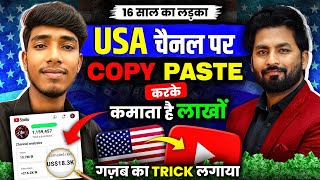

55K Views Earn $1600: USA Content Pays More
55sExtreme contrast in earnings per view (55K views vs 51K views) sparks interest in high-paying niches.
▶ Play Clip"Title promises viral USA Shorts channel and delivers detailed step-by-step methods, though results depend on execution."
This video tutorial teaches two types of USA-targeted YouTube Shorts content that can generate significantly higher earnings than Indian content. The instructor demonstrates step-by-step editing processes using InShot, including adding skeleton overlays and gaming clips with celebrity photos, and provides tips for uploading and timing videos for maximum virality.
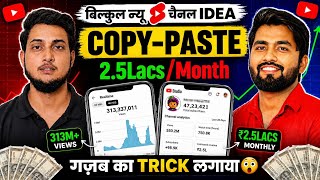
A short with 3.7M views on Indian content earned only $26, while a USA short with 3M views earned $496. Similarly, a long video with 51K views earned $32, but a USA long video with 55K views earned $1.6 (approx ₹1.5 lakh). USA content earns 10-20 times more.
The creator's USA content gets over 2.5 crore views in 48 hours and more than 10 lakh views in 60 minutes.
The content is a complete copy-paste process: no need to show face or add voice. Just edit and upload. Direct upload leads to reused content flag; editing is required.
Videos are taken from TikTok, edited in InShot by adding a skeleton body overlay (PIP) and background music. The skeleton image is provided via Telegram link in description.
A channel with only 15 videos got 2.85 lakh subscribers in one month. Content involves screen recording a game (Money Russ or Money Roller), then editing in InShot with background music and celebrity photos (e.g., Cristiano Ronaldo) appearing with text like '+799'.
Use Power VPN to access TikTok, search for keywords like 'Man and Lion', copy the video link, paste in a TikTok video downloader website, and download.
Open InShot, add downloaded video, set canvas to shorts ratio (9:16), crop, add PIP with skeleton image, adjust position, add background music, mute original audio, and sync video length to music.
Screen record gameplay, open InShot, set canvas to shorts ratio, trim video, add background music, add PIP with celebrity photos at specific beats, add text (e.g., '+799', '-199'), and add channel name.
Upload video as unlisted first, then make public. Use trending hashtags, write a good title and description. Best upload time for USA audience: 4 PM to 8 PM.
By following these two content strategies—TikTok videos with skeleton overlays or gaming clips with celebrity edits—you can create viral USA-targeted Shorts that earn significantly more than Indian content, all without showing your face or recording your voice.
How much did a USA short with 3 million views earn compared to an Indian short with 3.7 million views?
USA short earned $496, Indian short earned $26.
00:40
What is the recommended upload time for USA-targeted YouTube Shorts?
Between 4 PM to 8 PM.
21:10
What two apps are used for the gaming content?
Money Russ and Money Roller.
15:07
What editing app is used for both content types?
InShot.
09:46
What is the first step to access TikTok for downloading videos?
Connect TikTok via Power VPN.
08:49
How do you avoid reused content flag when using TikTok videos?
Edit the video by cropping, adding PIP overlays, and background music.
04:47
What is the purpose of adding a skeleton image in the first content type?
To create a unique overlay that differentiates the content from the original TikTok video.
06:38
What should you do after uploading a video to YouTube to maximize its reach?
Upload as unlisted first, then make it public. Use trending hashtags and a good thumbnail.
20:57
What is the key factor for a video to go viral according to the creator?
Using trending hashtags and making the video interesting so people watch longer.
21:40
Massive Earning Disparity
Quantifies the 10-20x revenue difference between Indian and USA audience content.
00:40No Face or Voice Required
Reveals a low-barrier entry method for content creation, appealing to beginners.
04:19Skeleton Overlay Technique
Demonstrates a specific editing trick to avoid reused content detection.
06:24Rapid Channel Growth
Shows a channel gaining 2.85 lakh subscribers with only 15 videos in one month.
07:05Viral Factors
Identifies trending hashtags and viewer retention as key to virality.
21:40[00:01] working on USA content and if your posts are not going viral and are not getting views, then Today friends, I am going to teach you two such types of USA content. I will teach two types. Both the contents are better than each other and at present these contents are
[00:14] getting lots of views. And there will be many of you who will ? And what is the difference in this ? Why should we work on Indian content? So why am I saying this brother? Let me first
[00:27] upload long videos, what is the difference in earnings ? Or if you go short Friends, you can see the side mobile screen here. talk about short videos. If you guys look at my shot here, you
[00:40] can see that my shorts have received 3.7 million views. And how much have I earned through this ? So friends, you will see that here the earning has been $26, only $26. $26 means approximately $2500 in Indian Rupees. Ok? Now friends, if
[00:53] you look at the US content, you can see that this short US content has got $3 million views and how much has been earned on this $3 million views, $496, approximately $500 has been earned, brother, if you convert it into Indian Rupees, it would be approximately
[01:05] $5-46000 for you, so friends, let us compare friends, you can see the side mobile here, if you see the video which has 51K views, only $51000 views, if you see the earning of this video, then you
[01:18] can see that only $32 has been earned, $32, approximately ₹3000 has been friends, if you see this content, it is USA based content. Ok? You can see. Now it has only 55 views here. There are $5,000 views
[01:32] and if you see its earning brother, $1.6 of $1.6 becomes approximately ₹1.5 lakh in Indian currency. You understand the meaning, there is a huge difference in earnings here. Whether you upload shorts or long uploads. Now what happens in this? You will remain
[01:45] within India. But when you make videos, the audience watching these videos is from USA. If the audience watches your videos, then the earnings from your videos will be 10-20 times more than the Indian content.
[01:57] So friends, if you also want to You have already created the channel. You might not be able to understand what content to create brother? So brother, today in this podcast I am going to teach you two contents. Please
[02:13] Will teach everything along with editing. We are going to learn the entire process of how to upload. Ok? So friends, request. Friends, whoever is new to the channel, notification reaches you first and you can watch this video. So friends,
[02:27] start the video. I am your Daroge and you are watching our channel Spreading Knowledge. So first of all brother, let us welcome this brother on our channel. Brother, first of all brother? You tell me this first. So first of all, thank you from the bottom of my heart for giving
[02:41] me the opportunity to come on the channel. So my name is Prince Kumar and I And friends, let me tell you that if you are our old viewers, then this brother, while living in India, used to create such content on which he used to get
[02:55] 5-50 million views within a month. 5-p00 million Let me show you some screenshots here as well. You can see. So brother, he has a lot of experience in creating content. Please
[03:08] I want to ask you one thing. First of all, tell me that any viewer, that is, if a new viewer, a beginner, watches this podcast till the end and creates and uploads the content that you tell, will
[03:23] Brother will do it 100%. Nowadays, whatever new channel is being created, its first video itself goes viral, brother. So friend, if you watch this podcast very carefully then you can also make your videos viral.
[03:36] Brother, what are the views currently on the US content you work on ? Brother, you can see here that more than 2.5 crore views are coming in 48 hours and if we talk about 60 minutes, then more than 10 lakh views are coming.
[03:49] Brother, it's amazing, brother has shown the views in the current time. At present it is learn everything now. My brother, tell me one thing, apart from YouTube, do absolutely, I upload on Facebook and I have just got content
[04:07] monetization there yesterday. Okay, to create the content that you are going to teach us today, do we have to make the video ourselves, that is, we will have to show our face, give voice or what else will we have to do, first give us a little idea about this content,
[04:19] no, this is going to be a complete copy paste, neither do you have to add voice nor do you have to neither do you have to add voice nor do you have to show your face, this means you have to edit and upload it brother, I am giving 100% guarantee that your channel will be monetized, so do we have to
[04:33] take the videos from some other platform, do we have to take the videos from a different platform and then edit and upload it from there. Some editing needs to be done in it. Some changes have to be made. Yes, yes,
[04:47] absolutely, if you upload directly then ruse content will appear on your channel. Yes. So many people make this mistake brother. You people also make this mistake that you upload them directly. Then you say brother, ruse content has arrived. So ruse content will not
[05:00] brother is also earning from whatever channel he is working on. You Brother is earning a good amount from the same channel here. You can see. So you will how to work? Please look at it carefully first. Well, many of you must be
[05:15] first let me show you the content. Friends, you Here you will see that this brother has many channels, out of which this is one channel, if you see the views on it, it is 45 million views, 43 million views, 22 million
[05:29] views. I am getting so many views brother. You can see. And not only this, you can see here that you will see views 28 million views. You can see 18 million views here. Similar type of brother uploads this video. And here too brother, it gets lots of views. Now let me
[05:41] play a video and show you one of their shots. Like I play this one.
[05:58] Now look what's going on here, brother. If you look down, You can see the entire skeleton body below. And let me can see that they keep applying body. And the videos above are
[06:11] very interesting videos. But these videos do if you take a video from YouTube and use it again, you will get the blame. So this mistake should not be made. So where will you get this video ? Where to get it from? Let us
[06:24] what is the name of this platform? From where brother takes videos and he is getting good views can see that it has already got 2.2 million views here. So brother, this is the first content taken from some other platform. Just do a little editing and
[06:38] add the skeleton body below. You can replace the skeleton with some other body etc. as per Brother like this had done the editing very well. And this brother will also teach you how to do this editing. Now friends, here we show you the second
[06:50] only 15 videos have been uploaded and you can see that there are more than 2,85,000 show you its description then friends you can see when the channel was created. You can see it on June 4, 2026. 4 June 2026, you understand, when I am recording this podcast,
[07:05] And friends, you can see it here within 1 month. Within just 15 subscribers here and if you see the views, brother, it entire US audience is watching this video. Let me play a video and show you. Are you
[07:21] is watching this video. Let me play a video and show you. Are you
[07:45] in this content, some person is playing the game, along with playing the game, brother, the photos etc. are changing on the music and because of the editing that has been done, brother, you will earn a lot here, that too brother, people from USA are watching the content and
[07:58] because brother, the audio used in it is also from USA. photos of all such big celebrities are used here. Ok? Correct? Now how will this content be created ? Which game is it? How to create and
[08:12] edit it? We will ask all these things from this brother and will also learn them. Now brother, first of all I want to ask you this question that whatever videos you were making in the skeleton one,
[08:25] Look, I take the video from TikTok. You just take it from TikTok, there is some other etc. No no, I do not take videos from K Koso app at all because at present most of the audience takes videos from there
[08:37] and uploads them on their YouTube channel. But what I do differently is that I take videos from TikTok, edit them and upload them. Now ? Or at what time should this video be uploaded? What is its timing
[08:49] before that, friends, let us learn you will connect TikTok to Power VPN. After that you have to type of reels etc. will start appearing in front of you. Ok? So now look, you will find the search tab at the top.
[09:05] So you have to click on the top. As soon as you click, now see, whatever keywords I have searched here, live proof is in front of you. Ok? Now look, let me search Man and Lion. So you will see many videos here. You
[09:18] can see that unlimited videos will be available. Whichever video you like, you like the video. So what am I going to do with this video ? I will download it. ? Click on share and you will get the copy link here. So you have to click on this.
[09:32] look, you have to open Google. Write TikTok video download here and the please click on this. Paste your link here and click on download. Now look, here you will find the download video below. What do you have to do? You have to click on this. As
[09:46] this video will be downloaded in your phone. Now you have to do the very well. What do you have to do? Open the Insort application and click on New. And the video that you have just downloaded has to be
[10:01] added here. What do you do first after adding it? option first. So you click on this. And this is the ratio, friends, you click on it. , it will become shorts ratio. What to do now? First, zoom in a little by clicking on the layer. Let
[10:15] What to do now? First, zoom in a little by clicking on the layer. Let get the crop option. So what do you do? You have to click on this. So I click on this. And I crop a little from the bottom and a little from the top.
[10:29] crop a little from the bottom and a little from the top. now see what to do? You have to turn this way. Here you will get the pip click. And here you have to add this sigma image. Ok? Like you would add.
[10:43] Now look here, what do you have to do with this layer with Pip ? This has to be bring the entire video here. Ok ? After bringing it, click on this layer. option here. Ok? So you have to click on this. As you click,
[10:57] crop it and click on the tick option here. What do you have to do here after that ? As soon as you click on it, it will become full screen in this way. So what do you do? Then click on this layer and move it downwards with your finger.
[11:09] Now look, your video will become something like this. Now look, you have to click on Pip again and here you will get all the PAG etc. which is being used in this video link is in the description. Ok? So you bring this part in the beginning.
[11:22] in the full video. Now what do you have to do again ? You have to click on this. As soon as you click on it, it will be in the entire video. What do you do now and place it here properly. Ok? And here you will get the tick
[11:34] option. You click on this. Look what you have to do now? Have to come in the beginning. Here What you have to do is click on it. After that you have to click on music. As add background music. Ok?
[11:49] on Telegram. Now look, you have to edit it properly from here. Ok? First you watch the video once. This much has already happened. But first you do one more thing. You have to click on this layer. look here, the click has been done. Now here you will find the volume option which is its voice.
[12:04] After zeroing, click on the tick option. Now look, you will get the video has to be matched according to the audio. Ok? First of all you guys watch the video once. Ok? First of all you guys watch the video once.
[12:24] Look, listen here. Play a little louder here. Ok? So the sound played a little louder from here. What do you do now ? You have to click on the tick and keep it here. And this layer, this layer, this extra part, what to do with it?
[12:36] What do you have to do? You have to click on this. Ok ? As you click on this, what will this useless This has to be deleted. Okay, I have deleted this useless what do you have to do? You have to click on this layer. As soon as you click on the layer,
[12:48] then move to this side and you will come to the last. After that you will get the fridge What do you do after clicking? This photo has to be kept as far as your song is concerned. Ok? After keeping it, now look and
[13:00] understand it a little better. To do this, you have to click and hold on the second layer. After that, option. What you have to do is click on it. After clicking on this, you will again go to Effect and see here, you will get the glitch option in a second. You
[13:12] look here, select this effect. Ok? So let me select this one. Let's see, this is selected here. And friends, let me Now I am going to teach you editing of another channel. In which I have completed
[13:26] around 3 lakh subscribers by uploading only 15 videos. Ok? That So I am going to ? First I will learn its editing. After doing this, now see what to do
[13:39] Bring this part with you. Ok? After doing so much, what do you want to do now After clicking on pick, I again click on pay p here. on Telegram. I have to take this. Ok ? Now see what to do? You
[13:54] you will find the cut out option. You click on this. After that you will get the and remove the green screen and click on this layer a little and make it a little bigger and take it upwards,
[14:08] okay now see, from here I will show you the video, see, what a nice video I have made, now see, I will click on the tick here, now see text option here, you have to click on it and click on the text you will find here
[14:22] and whatever is the name of your channel, you write it here, YT and here I will make it a little smaller and mention it below and Now look, so much has happened. Your final video is ready. You should watch the video once.
[14:39] is ready. You should watch the video once. [MUSIC] Click on it and download this video. So friends, now
[14:52] we will learn editing of our Gaming USA channel. How I also monetized my channel. So friends, your video is ready. friends, to make USA gaming video like me, first of all you open Play Store
[15:07] and the name of the first game is Money Russ. You should download this application. I already have it downloaded. Let me tell you the name of another game. Money Roller. Ok ? This is the game. You can download this also. So as soon as you download it, you
[15:20] open it. So here the game is completely open. Now look what you have to do? You have to start recording your mobile screen. Ok? Mine is already you tap with this type then look here you have to play with this type. Ok
[15:33] ? In this type of play, you have to play as per your wish. In this way you have to win the entire game. Then you have to stop the screen recording. Ok? After doing this, your recording will be done. Now you have to do the editing brother. I am going to teach you editing
[15:46] I have opened the Insort application to do the editing. go to new. Ok? And Now look, first of all you have to click on the canvas and make it
[16:01] in short ratio. Now what should he do first? It has to be done in full screen. Now from where the video will start. Look, this video of mine has started from here. From here there is a split option. So what do you do
[16:15] delete this unnecessary part. Now see, your main see what to do? This is your video as far as it will go, this is the video till here. So what do you do? Then click on it here and you will get the split
[16:29] what do you have to do with this useless part ? Have to delete it. Here's a 15- second video of me just recording. Ok? Now look, here you will get the audio option. So you click on this. After clicking on this, go to music
[16:42] and from here you have to add background music and the background music that I have music on Telegram. After doing this, you have to do editing according to the background music. look, first let me click on the tick here. And the main thing is what do you want to do here
[16:58] ? You can click on this muted clip that you are getting. Ok? I click on it. Then I move on to the music. So first you guys watch the video once. music. So first you guys watch the video once.
[17:13] Ok? Look here [laughter] here it comes. So what to do? Have to keep it here. This middle stick has to be kept here. What to do after that? Now look, you will find it get the Pip option. Click on this. And you will also find this photo of Cristiano Ronaldo
[17:27] on Telegram. Ok? So let me add it here. Look, the add has been done. So let me add it here. Look, the add has been done. Now watch the video once it Here you have to click on the tick first. After that, look here, you will get the text.
[17:40] look here you write plus. Ok? Plus write it here, write it like this 7 99. And going into color here. Ok And I will put it on top here. Look, it has to be applied in this manner.
[17:53] Look, it has to be applied in this manner. Now watch the video once. what you have to do again? Have to go to p. What else to do? This one has run too far ahead, so I will make it a little smaller. I even do this much. After that, now watch and listen further. A
[18:08] After that, now watch and listen further. A So now look, we have to click on Pip here again. Now I'm going to set this photo of Ronaldo here. Ok ? Look here in this way. Now look,
[18:20] this photo video happened once. So what to do from here? Look, it has to be applied here. Have to go went to the text again and I will give it a minus here. I will give you 199 here. Ok? In this type and I will put this also here. Now watch another
[18:34] Now watch another video. plays here then what will I do here? I'm going to keep this part and
[18:48] click on Pip here. Ok? After clicking on the first pip, here I add the second photo here. Come on, this is the photo. So let me add it here properly. So let me add it here properly.
[19:01] Yes, you keep it here. Ok? Again you go to the text. After going to the text, write 688 in plus here and write something as per your wish. Ok? write something as per your wish. Ok? Look here, after writing, now look
[19:17] Cristiano Ronaldo. So here also I am going to use photo. Second look I go back to p from here. And I will use this photo. This is the photo. So I'll use this one from here. Ok? Something like this.
[19:31] to the text and write from here plus 999, I write this much. Ok? And from here I put it on top. Now brother, please see the final result Now brother, please see the final result of the video once.
[19:54] You have to write the name of your channel. Whatever is the name of your channel, please write it here. YT Tech Pro I write my channel name. And down here I set Now your video has been made properly. What do you have to do? Have to export it.
[20:07] You have to upload it to YouTube. Now I am going to tell you how you come to YouTube and here you will get the plus option. Click on it and come to the video section. And let me upload the previous video and
[20:19] show you. Look here, let me click on Next. I will click next again. look here, first of all you should put a good thumbnail. I'll use a nice thumbnail by clicking on the pencil here. I'll use a nice thumbnail by clicking on the pencil here.
[20:33] you have to write it in the title. Just give some trending hashtag. Ok? Here I give you hashtag. Ok? Here I give you AES Aesthetic Trending Hashtag. After that, you have to mark No in Select Authenticity here. After that
[20:45] you have to paste this description in the ad description. Ok? And after pasting, you should check carefully whether you want to use it in your video. Ok? You can see. What to do here after that ? The video has to be uploaded in unlisted. Ok? You will find the
[20:57] soon as the video is uploaded completely, you have to go to edit and make it public. See how good your results are. that friend, is there
[21:10] ? At what time do you upload it? See, most of my videos target the USA audience. So for that I upload in the evening. Like at 4:00 PM mostly I upload videos. But if you want to
[21:24] upload the video, you can upload it from 4:00 pm to 8:00 pm. If you create content like this then you should upload it at this time. Plus brother, tell me one thing, what is the reason for your video going viral? Meaning, do you use some special hashtags etc. or
[21:40] ? See, the main point here is two. Because your hashrate becomes one. Ok? If you use trending hashtags, it Ok? If you use trending hashtags, it
[21:54] attractive your video is, the more the more interesting you make the video, the longer people watch your video
[22:06] viral, okay, so you have also learnt the method of uploading, brother had tell you that this brother also has his own tech channel on which brother
[22:20] he himself keeps teaching a lot of content. There may be USA content or Indian content. as to how that content should be created. How can you make this? Whether you show your face or not. Sara's brother keeps teaching her on his channel.
[22:33] interested in this kind of content. I have given the link of Bhai's tech channel You can learn it by clicking on it right now and going to brother's channel. You can clearly see that this created well. So okay Prince Bhai,
[22:50] thank you very much for coming to our channel and teaching such good content to our audience. okay brother. Thank you for your
⚡ Saved you 0h 22m reading this? Transcribe any YouTube video for free — no signup needed.