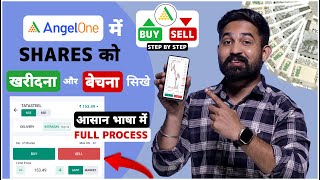

How to Buy & Sell Shares in Angel One
45sThis is a high-demand tutorial topic with clear step-by-step instructions, perfect for beginners seeking quick, actionable financial guidance.
▶ Play Clip"The title accurately promises a guide on buying and selling shares in Angel One, and the video delivers exactly that, though it includes some repetitive explanations."
This video provides a step-by-step tutorial on how to buy and sell shares of any company using the Angel One trading application. The presenter walks through the entire process, from searching for a stock to placing buy and sell orders, while explaining key concepts like Nifty 50, delivery vs. intraday, and market vs. limit orders.
The home page shows three options: Stocks, F&O, and Mutual Funds. To buy shares, you need to select the 'Stocks' option. The Nifty 50 index includes India's top 50 companies, and Bank Nifty includes top banks.
To find a company, use the search function. The presenter searches for 'Rama Steel' as an example. The app shows results from both NSE (National Stock Exchange) and BSE (Bombay Stock Exchange).
The stock interface displays the company name, current market price, daily change, open, high, low, and previous close. The 'Quantity Buy Price Sell Price' section shows the number of shares being bought and sold.
The app provides candlestick charts for technical analysis. You can change the time frame (e.g., 5 minutes) and date range. Professional traders often use 5-minute candles.
The 'Stock Details' option shows company profit, technical and fundamental strength, shareholding pattern, and promoter holding.
Delivery means holding shares for the long term (beyond the trading day). Intraday means buying and selling shares within the same trading day (before 3:30 PM).
Enter the number of shares (e.g., 20). Choose between 'Market' (buy at current price) or 'Limit' (set a specific price). Click 'Place Buy Order'. If the stock is under surveillance, you must confirm by clicking 'Yes'.
Go to 'Portfolio' and select the stock you want to sell. Click 'Sell', choose 'Delivery' or 'Intraday', enter the quantity, and select 'Market' or 'Limit'. Click 'Place Sell Order'.
After selling, the portfolio shows the shares as zero and displays the profit or loss made from the sale.
The video successfully demonstrates the complete process of buying and selling shares in the Angel One app, making it easy for beginners to understand and execute trades. The key takeaway is to understand the difference between delivery and intraday trading, and to use market or limit orders based on your trading strategy.
What is the difference between delivery and intraday trading?
Delivery means holding shares for the long term, while intraday means buying and selling shares within the same trading day before 3:30 PM.
04:14
What does Nifty 50 include?
Nifty 50 includes India's top 50 companies.
00:43
What is the difference between a market order and a limit order?
A market order buys or sells at the current market price, while a limit order sets a specific price at which you want to buy or sell.
05:28
What does NSE and BSE stand for?
NSE stands for National Stock Exchange and BSE stands for Bombay Stock Exchange.
01:40
What is the 'Stock Details' option in Angel One used for?
It shows company profit, technical and fundamental strength, shareholding pattern, and promoter holding.
03:34
Delivery vs. Intraday
This is a fundamental concept for any stock market beginner, clearly explained with practical implications.
04:14Market vs. Limit Orders
Understanding this distinction is crucial for executing trades at desired prices, a key skill for traders.
05:28Stock Fundamentals
The video highlights how to access fundamental data, which is essential for making informed investment decisions.
03:34[00:04] I will teach you how to buy and sell shares of any company in the Angel One application, that is, how to buy and sell shares of any company in the Angel One application, that is, buy and sell shares of any company in the Angel One application. I will explain this process to you step by step very well. So
[00:17] without wasting time, let's move towards our mobile screen. So screen and I have opened my Angel One application. So,
[00:29] you will see the home page of the Angel One application like this. Above you will see three options - Stocks, F &O and Mutual Funds. So you have to come to the Stocks option. Below you will see Nifty 50 and Bank Nifty. So let me tell you what Nifty 50 is. Nifty
[00:43] 50 includes India's top 50 companies and Bank Nifty includes India's top banks. So if you want to buy shares of any company from the Nifty 50 list, then you can buy from here or if you
[01:00] and click here. You have to search the name of the company whose shares you want to buy. So here I will search the name of the company whose shares I want to buy and I will not at all recommend you to buy these shares.
[01:13] This is an educational purpose video, so do will search for Rama Steel. I want to buy the shares of this company. So you
[01:26] search for the shares of the company whose shares you want to buy. If I searched here, want to buy. If I searched here, NSC and BSC. I wrote Rama Steel here, so it came down as Rama Steel
[01:40] NSC Rama Steel BSC. So what does NSC and BSC mean? Friends, NSC means National Stock Exchange and BSC means Bombay Stock Exchange. So you can buy shares in any of them here. So I will
[01:54] click on the NSC at the top. As soon as I click there, a button has opened in front of me like this. It will open in front of you like this too. The interface will open up. The company name you searched for will be visible on the left side.
[02:06] I searched for Rama Steel, so it says Rama Steel Tubes Limited on the right side. Its current market price is also displayed here. You can also see how much it has gone down or up today.
[02:24] So what is this? Friends, "Open" means what was how high did it reach?
[02:40] That will also be visible here. Okay, and "Previous Close," that is, what was its price when the market last closed? Okay, so below you can see " Quantity Buy Price Sell Price." So what is this? I
[02:54] So what is this? I would like to tell you that it means how many people are buying and selling this stock and in what quantity, you will see this here. Below you can see the charts. So if If you want to do chart analysis of this,
[03:07] you can do that too. You can see here. Okay, this is the candle chart above. You can also change the timing of this candle chart. Okay, so what does this ' minute' mean? Friends, 5 minutes means that after 5 minutes this candle is
[03:21] formed again. So all the professional traders keep it for 5 minutes only. So we will keep it for 5 minutes only. You can also change the date range from here. Okay, so we come back from here. Friends, next to the charts, you will
[03:34] see the stock details option. As soon as you click here, you will know how much profit the company has made. Okay, how strong it is technically and fundamentally. What is the shareholding pattern? How much does the promoter have? Okay,
[03:47] you get to know all this from here. So friends, two options are given here: buy and sell. Okay, so you
[03:59] click on the buy option. If you want to do this, then an interface will open in front of you in this manner. The name of the company is written above and NSC BSC is written below. If I keep clicking on NSC, then below that you will see delivery and intraday. So I would like to tell you
[04:14] what is the difference between delivery and intraday. Delivery means that if we want to hold the shares of a company for the long term, that is, suppose I buy the shares of this company today and
[04:32] we will call it delivery and intraday means that when the market opens at 915, if we buy any share or buy any share anytime during the day, then buy any share anytime during the day, then we have to sell it before 330, that is, if
[04:46] you want to create a position for just one day or want to hold it, then we will call it intraday, that is, if you buy shares anytime during the day after 915, then before 330 you Whatever is there, we will have to sell it, so
[05:01] we will call that trading intraday, okay, so I want to buy shares in delivery, so I have clicked on delivery and below it is written number of shares, that is, how many shares you want to buy, okay, so here I will
[05:15] buy 20 shares and show it to you, okay, so I have put the quantity here 20, after that it is written market price here, okay, so what does it mean, brother, here you can see two options, limit and market, so I have clicked on market,
[05:28] so I have clicked on market, it means that we will buy it at the current market price, and limit means that right now it is running at 16.05, so brother, I will click on limit and I will feel that brother, when it
[05:42] comes to 15, then I will buy it, okay, so after putting 15 here, I will click on place buy order, then my order will go into pending here and when its price will be ₹1, then I will get these shares, okay, so friends,
[05:57] if this share It will not go till 15 until then our order will not be executed, so what will I do, I want to take it in the market, so I clicked on market, ok, after that you can see place by order below, ok, so
[06:11] here you will see it like this, script under surveillance, ok, so here you have to click yes and your order will be completed here, you can see this, the name of the company is written Rama Steel, below it it is written that
[06:26] we have bought 20 shares here and on the right side you can see whether we are in profit or loss, so friends, when you come to the portfolio, you will see that brother, what is your overall gain, how much did you invest,
[06:40] to see that in the portfolio, friends, this was about how we buy shares of a company, now we will learn how to sell shares of any company or the shares that you have bought, so friends, here you have to come to the portfolio, after that below
[06:54] you It is visible that how many shares of how many companies you have, that is, in holdings you will see the company whose shares you have bought, you have to click on it. OK, so here the interface will open in front of you in this way, then you will
[07:08] see two options below - buy and sell, so now we have to sell, so we will click on the sell option. OK, so friends, here you can see that the interface has opened again in this way, OK, so we had bought in delivery, so we will keep the tick on delivery here
[07:21] and below it is written the number of shares, here on the right side it is showing the maximum quantity, that is, how many shares are there, 20 is shown here, we had bought 20, so how many do I want to sell, so I
[07:33] want to sell some of this, you can enter that quantity here, after that, here below you will again see two options - limit and market, so friends, market means that you will sell this share at the current price and exit, whether there is a
[07:47] profit or loss. OK, so Limit means that brother, right now it is trading at ₹1, you can see it is trading at 16.07 and you want to sell this share after taking profit, okay so what you have to do is you have to enter the value here
[08:02] that brother, right now it is trading at 16, when it becomes 20 then my order should be executed, so you have to enter 20 here or if you want to take more profit then you have to enter 22 here, after that click on place sell order here, okay
[08:15] as soon as you click on place said order here, your order will go into pending here, after that when it becomes 20 or 22, the value you have your order will be executed here with profit, okay so friends, I will
[08:30] click on place set sell order because I have to show you how to sell the share So I will put it on market here and click on place sell order, after that again script under surveillance has come here,
[08:43] so I will click yes here, so you can see that our order here has been successful, we will come to portfolio here, it is showing here that our share has become zero here, we have also sold the share that
[08:56] we had bought here and above you can see how much profit we made by selling this share, that is also showing above here, okay, so in this way you okay, so in this way you
[09:10] friends, I hope that you people must have understood how to buy and sell the shares of any company in Angel One application, understood how to buy and sell the shares of any company in Angel One application, expect from you that you will like the video, comment below the video and
[09:22] also subscribe to your brother's channel, so we will meet in the next video, till then take care bye Jai Hind Jai Bharat m




⚡ Saved you 0h 09m reading this? Transcribe any YouTube video for free — no signup needed.