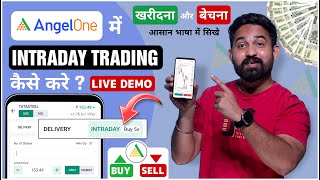

Angel One Intraday Trading: Step-by-Step Guide
45sClear, beginner-friendly tutorial that promises a step-by-step process, appealing to the huge audience of new traders.
▶ Play Clip"Delivers exactly what the title promises: a clear, step-by-step intraday trading tutorial on Angel One, though with some repetitive explanations."
This video is a step-by-step tutorial in Hindi on how to perform intraday trading using the Angel One mobile application. The presenter demonstrates the entire process, from searching for a stock to placing buy and sell orders, and explains key concepts like NSE vs. BSE, delivery vs. intraday, and limit vs. market orders.
The video aims to teach viewers how to buy and sell shares intraday using the Angel One app, with a step-by-step walkthrough.
The presenter chooses YESBANK as an example, emphasizing it is for educational purposes only and not a recommendation. He advises viewers to buy shares they have analyzed or that have been recommended to them.
NSE stands for National Stock Exchange and BSE stands for Bombay Stock Exchange. The presenter selects the NSE option for the stock.
The stock detail page shows the company name, current market price, and daily change. It also displays open, high, low, close, and buy/sell quantities.
The presenter mentions that professional traders typically use a 5-minute chart timeframe. The date range can also be adjusted for analysis.
Users can check the fundamental strength of a stock from the stock detail page before deciding to trade.
After analysis, clicking 'Buy' opens an interface with options for NSE/BSE, and order types: Delivery, Intraday, and Pay Later.
Delivery is for long-term holding in a portfolio. Intraday means buying and selling within market hours (9:15 AM to 3:30 PM). If not sold by end of day, the broker automatically sells the shares.
Intraday trading offers 5x leverage. For example, with a share price of 24.20 rupees, you can buy 5 shares for the price of one.
Enter the quantity of shares. Limit order allows setting a specific price (e.g., 23 rupees) at which to buy; the order executes only when the price reaches that level. Market order buys at the current market price.
After placing a market order, the app shows the purchase price and current price. A positive value (plus) indicates profit, while a negative value (minus) indicates a loss.
To sell, go to the sell intraday interface. Set a trigger price (e.g., 25 or 26) and a limit price for the stop loss. Alternatively, use 'Exit at Market' to sell immediately at the current price.
After selling, the app displays the realized profit or loss. In the example, a profit of plus 0.10 rupees was made.
The video provides a clear, practical walkthrough of intraday trading on the Angel One app, covering everything from stock selection to order placement and risk management. It emphasizes the importance of using stop losses and understanding leverage to trade responsibly.
What does NSE stand for?
National Stock Exchange
01:14
What does BSE stand for?
Bombay Stock Exchange
01:14
What is the difference between delivery and intraday trading?
Delivery is for long-term holding in a portfolio, while intraday means buying and selling within market hours (9:15 AM to 3:30 PM).
03:04
What happens if you forget to sell an intraday position before market close?
The broker automatically sells the shares.
03:36
What is the leverage offered for intraday trading in this example?
5x leverage
03:49
What is a limit order?
An order to buy or sell at a specific price or better; it executes only when the price reaches that level.
04:40
What is a market order?
An order to buy or sell immediately at the current market price.
05:10
What does a positive value in the P&L indicate?
Profit
05:28
What does a negative value in the P&L indicate?
Loss
05:41
What is the purpose of a stop loss?
To limit potential losses by automatically selling the stock if it falls to a certain price.
05:41
Intraday Leverage Explained
Clearly explains the 5x leverage concept, a key feature of intraday trading that allows buying more shares with less capital.
03:49Limit vs. Market Orders
Provides a practical distinction between limit and market orders, essential for executing trades at desired prices.
04:40Stop Loss and Exit Strategies
Demonstrates how to set a stop loss and use 'Exit at Market', crucial for risk management in intraday trading.
05:41[00:00] नमस्कार दोस्तों दोस्तों आज के वीडियो में मैं आपको शिखाऊंगा कि AngelOne application में किस तरीके से इंट्राइडेडिंग करते हैं कैसे आप किसी भी कंपनी के शेयर को इंट्राइडेडिंग में खरीद और बेज सकते हैं मैं आपको
[00:15] step by step पूरा process अमजाओंगा, तो चले बिना time गवाए, चलते है हमारे mobile screen के ओर, तो friends मैं आगा हूँ मेरे mobile की screen पे और मैंने open कर लिया है अपना angel one application, तो angel one application का home page आपको कुछ इस तरीके से दिखेगा, तो आप जिस company के share को intraday में खरीदना चाहते है, उसे आपको यहाँ पे ऊ
[00:45] इंट्राडे में खरीदना चाहता हूँ और मैं आपको बिलकुल भी रिकमेंड नहीं करूँगा कि आप भी यही शेयर खरीदिए मैं बस एजुकेशनल परपस के लिए वीडियो बना रहा हूँ तो आप अपना मन पसंद शेयर या फिर आप वो share खरीदिये जिसका analysis आपने खोच किया है या फिर किसीने आपको recommend किया है
[01:00] तो दोस्तों यहाँ पर मैं जो है YUSBANK के share को जो है intraday में खरीदना चाहता हूँ तो मैंने जैसे ही यहाँ पर YUSBANK लिखा तो यहाँ पर दो option आये YUSBANK NSE और YUSBANK BSE तो दोस्तों सबसे पहले मैं आपको समझा दू के NSE क्या है और VSE क्या है
[01:14] तो NSE का मतलब है National Stock Exchange और VSE का मतलब है Bombay Stock Exchange तो आप किसी में भी share खड़िश करते हैं तो मैं उपर वाला NSE वाला जो है वहाँ पे मैं click करूँगा तो आप जैसे ही वहाँ पर क्लिक करेंगे, तो यहाँ पर आपके सामने जो है,
[01:28] स्टॉक की पूरी डिटेल आ जाएगी, यहाँ पर left side जो है, company का name आ जाएगा, yes, bank limited, और right side, इस company का actual market value अभी कितना है, market price कितना है, वो लिखाएगा,
[01:40] और आज कितने point minus गया, plus गया, वो सब यहाँ पे दिखाएगा नीचे आप देख सकते हैं open, यानि कि market जब आज open हुआ था सुबह में 9.15 को तब इस share का price कितना था, आज कितना high गया है, कितना low गया है
[01:53] close quantity buy quantity sell
[02:26] सकते हैं लेकिन मैं आपको बता दूँ professional जो trader होते हैं वो 5 minute का ही रखते हैं तो हम यहाँ पर 5 minute का रखेंगे तो उसके बाद यहाँ पर आप date range भी जो है change कर सकते हैं और उसके बाद हम यहाँ पर back आते तो ये आप stock detail में जाके जो है इसका fundamental check कर सकते है
[02:40] ये fundamentally कितना strong stock है वो भी आप change कर सकते है यहाँ पे सब लिखा है ओके तो उसके बाद ये सब आप analysis कर लेते है उसके बाद आपको लगता है कि इस share को हमें intraday trading में खरीदना चाहिए
[02:52] तो नीचे आपको दो option दिख रहे है buy and sell के तो आप जैसे ही buy पर click करेंगे तो यहाँ पर आपके सामने कुछ इस तरह के से interface दिखेगा पिरसे यहाँ पर लिखा आया है NFC, BSE तो आप किसी पर भी click कर सकते है उस ते बाद नीचे लिखा है
[03:04] delivery, intraday और pay later तो दोस्तो delivery का मतलब है कि अगर आप किसी सेहर को long term के लिए hold करना चाते हैं अपने portfolio में तो आपको delivery करना है और अगर आप जो है सुबह में 9 बचके 15 से लेके 3 बचके 30 मिनिट के बीच में जो है किसी सेहर को hold करना चाते हो यानि कि intraday में अगर आप किसी सेहर को खरीचते है
[03:36] share को जो है बेचना भूल जाते है तो आपका जो broker है आपकी जो application है ये automatically जो है उस share को जो है बेच देगी और आपके पास उसका कोई सिप्यार कर ले लेगी ओके तो इस trading को बोलते है intraday trading और intraday
[03:49] trading में यहाँ पे आप ले देख सकते है by five x. तो इसका मतलब क्या है? तो दोस्तों यहाँ पे मैं आपको बता दूँ यहाँ पे आपको जो है five x leverage share 24 share 100 intraday 20 24 price share intraday
[04:08] तो यहाँ पे नीचे आप देख सकते है 4.84 रुपी यानि कि यहाँ पर मैं 5 सेर लिखूंगा तो यहाँ पर actual price 24.20 जो आप देख सकते हैं समझ रहे हैं यानि कि जिस सेर का price जितना है एक सेर का price उत्ने में आपको 5 सेर यहाँ पर मिल जाते हैं
[04:25] तो यहाँ से मैं 10 सेर खरीच करें तो आपको दिखा दूँगा तो यहाँ पर आपको quantity डालना है आप कितने share खरीजना चाहते है उपर हमने select कर लिया intraday उसके बाद नीचे आप देख सकते है limit और market तो इसका मतलब क्या है तो दोस्तो limit लगाने का
[04:40] मतलब है कि यहाँ पर मैंने उपर डाल दिया 10 share और यहाँ पर limit का मतलब है कि अभी इसका जो price है वो 24.22 रुपए है लेकिन आपको लगता है कि ये 23 रुपे जाएगा तब मुझे इसको
[04:52] खरीजना है तो यहाँ पर आपको जो है limit पे save करके जो है यहाँ पे 23 रुपे लगा देना है उसके बाद जो है order place कर देना है तो जब ये 23 रुपे का होगा तब आपका order execute होगा और अगर आप ये कहा करें कि market यानि कि अभी जो price है उसी में मुझे खरीदना है तो यहाँ पर market select करके आपको जो यहाँ पर place by order कर दिना है तो यहाँ पर मैं market select करके जो है place by order पर आप जैसे ही click करेंगे और यहाँ पर confirm करे
[05:28] खरीदे कितने प्राइस पर खरीदे और अभी इसका actual price क्या चल रहा है और यहाँ पर आप ऊपर देख सकते है plus 0.1020 दिखा रहा है इसका मतलब है हम जो है अभी plus में है यानि कि profit में है अगर हम minus में होंगे
[05:41] तो रेड में दिखाएगा यानि कि हम loss में है ओके तो अब बात करते है हमें यहाँ पे stoff loss चीफ तरीके से लगाना है और चीफ तरीके से इस stair को jo hai spell करना है तो जैसे का मैंने आपको बताए है काड़े तीन से पहले आपको jo hai इस stair को jo hai
[05:54] sell intraday broker application share sell charge click stop loss interface
[06:28] आपको trigger price में कुछ भी डाल देना है यानि कि अभी इसका price 24.23 रुपए है तो 25 या 26 रुपे कुछ भी डाल देना है आपको लगता है कि यह जो है plus में जाएगा और यहाँ पर limit price का मतलब है कि अगर यह minus गया तो आप कितना loss जेल सकते हैं 24.24 पे आपने इसको खरीदा है तो स
[06:58] अगर यह तेलिट को जाएगा तो लास के साथ जो है exit हो जाएगा ओके तो इस तरीके से आप जो है इसको सेल कर सकते हैं यहाँ पर डायरेक्ट यहाँ पर exit at a market यह करके भी आप जो है intraday के सेल को सेल कर सकते है यहाँ पर आप देख सकते है
[07:11] प्लस 0.20 अभी profit चल रहा है तो exit act आ market करके जो यहाँ पर confirm आप करेंगे तो यह जो spare है वो यहाँ पर completely जो है यहाँ पर sell हो जाएगा यह आप देख सकते हैं ओके तो यहाँ पर आप देख सकते हैं
[07:24] अन रेलीज गेम जो है यहाँ पे आपको दिखाएगा रेलीज गेम यानि कि अभी हमने जो है इसको जो है शेल कर दिया तो हमारा प्रॉफिट इतना है प्लस 0.10 रूपेज प्रॉफिट है तो ये सिर्फ एक ट्यूटोरियल वीडियो था होप के
[07:36] आपको समझ आ गया होगा कि Angel One में किस तरीके से Intraday में share को sell and buy करना है तो दोस्तों उम्मिद करता हूँ आप लोगों को आज का वीडियो पसंद आया होगा और आप लोगों को ये समझ आ गया होगा कि Angel One में किस तरीके से
[07:49] इंटरनेट रेडिंग किया जाता है तो उम्मीत करता हूँ कि आपको वीडियो भी पसंद आया होगा तो दूसरे वीडियो को लाइक कीजिएगा वीडियो के निकले कॉमेंट कीजिएगा और भाई के चेहर्व को सबस्क्राइब करना बिलकुल भी मत पूलेगा मिलता है next video बाइट अपने के लिए take care
[08:01] बाइट जय हिंद जय भारत

⚡ Saved you 0h 08m reading this? Transcribe any YouTube video for free — no signup needed.