
Why Your Videos Stop Getting Views
45sRelatable pain point for creators whose videos plateau at a few hundred views, hooking them immediately.
▶ Play Clip"The title promises a boost but delivers a basic feature walkthrough with minimal depth."
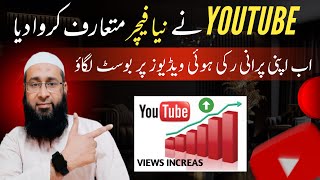
This video explains how to boost views on underperforming YouTube videos using a new feature that allows adding multiple thumbnails. The creator demonstrates how testing different thumbnails can improve click-through rate (CTR) and re-engage subscribers through repeated notifications.
Videos often stop gaining views after reaching 400-800 views despite effort, and creators want to re-boost them.
YouTube introduced an option to re-boost old videos and bring views back.
A video with 177,000 views has high CTR and average view duration, with analytics showing upward trends.
High CTR leads to more impressions and views, improving overall video performance.
Subscribers receive multiple notifications for the same video, increasing the chance they will watch it.
Go to YouTube Studio, select 'Content' from the left menu, open the desired video, and scroll down to find the thumbnail options.
YouTube allows adding up to three thumbnails per video; the platform tests them and automatically selects the one with the best performance.
The best-performing thumbnail is auto-selected, boosting views and triggering notifications to subscribers when changed.
By leveraging YouTube's multi-thumbnail testing feature, creators can revive stagnant videos and increase views through improved CTR and repeated notifications.
What is the main reason videos stop gaining views after 400-800 views?
Low CTR and average view duration.
How many thumbnails can you add to a YouTube video?
Up to three.
03:48
What happens when you add multiple thumbnails?
YouTube tests them and auto-selects the one with the best performance.
05:06
How does changing the thumbnail trigger notifications?
When the thumbnail changes, subscribers receive repeated notifications about the video.
05:20
CTR Drives Impressions
Explains the core mechanism of YouTube's algorithm: high CTR leads to more impressions and views.
00:55Repeated Notifications
Reveals a strategy to re-engage subscribers by sending multiple notifications for the same video.
02:04Multi-Thumbnail Testing
Introduces a practical feature that lets creators test thumbnails and let YouTube pick the winner.
03:48[00:00] इस मिलियू वशर्म अलेकिन दोस्तों दोस्तों अक्शर ऐसा होता है कि हम कहीं बिडीओ बनाते हैं बहुत हैंसे बिडी करते हैं इसके जब आप दिला दिखते हैं जिसके उसके पर
[00:12] अपने रिजल्ट ऐसा नहीं आता जिससे हम सोचते हैं अब सब्सक्राइब करने के बाद वीडियो रुक जाती है अब हम चाहते हैं कि ऐसी जो रुकी वीडियो है जो रुक गई नहीं जिससे हमने काफी मेहद्दी की है उसके तरीके से दुबारा फिर बूस
[00:27] जाए और उसके ऊपर व्यूज आने शुरू हो जाए तो दोस्तों YouTube ने अपनी नई अपगेट के लिए एक ऐसा ऑप्शन दिए है जिसको इस्तेमाल करके हम अपनी हुचीवी वीडियोस ऊपर दुबारा से बूस लगा सकते हैं और दुबारा से इसके ऊपर views ला सकते हैं
[00:40] अब देखिए आपको अपनी एक video दिखाता हूँ आपको नजर आ रहा है देखिए इसके ऊपर 1,77,000 views है और इसका CTR भी अच्छा है और average view duration भी अच्छा है इसके analytics को भी देख लेते हैं
[00:52] इसमें आप देखें गिराफ इंचे से मुतलकल ऊपर जा रहा है ठीक है जब देखें सबसे इसकी जो बैसिक बजाय है वो यह है कि इसके जो CTR यह शुरू से हाई है ठीक है जब CTR हाई होता है तो खुद बाफुद जहना इसके impressions भी आ गया जाना शुरू हो जाते है
[01:05] impressions की जरिया वो high हो जाते हैं और इसको पर views भी आना शुरू जाते हैं और इसका A B D भी अच्छा हो जाता है ठीक है तो हमने अपनी वीडियो को इसी तरीके से दूसर लगाना है इसके CTR को अच्छा करना है अब मैं आपको एक और वीडियो दिखाता हूँ देखिए इसके ऊपर वीडियो भी बिलकुल कम है
[01:19] 821 KTR impression electric rate down performance down
[01:51] काफी भी वेलिखतर कुछ आज, बिल्कुल वो चेंज हो चुका है। हम आपनैं सत्र पहले तो इसकी चन्नद्र का सिस्टम को समझना है। आपने असर सदीखा होगा की यह होता है बाती से के ... आपने किसी चन्नद्र को सब्सक्राइब किया वाइल। तो वो अगर video को अपवर्ड करता है तो ताकि नोटियोगेशन आपको एक बार नहीं आता, बार बार आता है, सुबां भी आता है, सामने भी आता है, अगले दिंग भी आता है
[02:09] तो इसी क्या वजह है? हाना कि एक ही वीडियो है, एक ही मर्थबा अपलोड हुई है, लेकिन इसका notification आपके बाद बार बार आ है तो हमने अपने notification को आगे किस तरीके से बार बार बेजना है? इसका तरीका भी मैं आपको इसी वीडियो के अंदर बताऊंगा ठीक है
[02:21] इसका फाइड आई है कि जब किसी के बाद बार-बार notification जाता है एक ही वीडियो का तो वह पहली मर्कभा अगर बेजी है तो दूसरी मर्कभा notification आने पर वह वीडियो को देख लेता है ठीक है जब वीडियो को वह देखता है notification के ऊपर
[02:33] तो फुद आफ आपके जूस भी जाफा होता है इसके इंप्रेशन भी आगे जाते हैं सीटियर भी आए होता है और एबिडीवी इसका अच्छा आता है notification
[03:09] सबस्क्राइब पर जैप्डाज बाद जिसका उसे अपने गोधों पर ओन पर रखने के बाद कोंटेंट को पीछे सब्सक्राइब होगी उसको कामिन चलिए यहां पर देखिए चैनल कबायिक रवायत व समandel करना झाला है
[03:39] हमने इस पर क्लिक करना है तरीके ओर पर ओ यहां पर देखिए ऑप्शन रहे चेंज अंगो वो पोर्ट जनरेड इसके बाद एन कंपियर हमने इस पर क्लिक करना है अब देखिए यूट्यूब ने यहां पर ऑप्शन दिया गया है कि हम मजीद जो
[03:51] ठीक है दूसरा थपन से आप टड़ हटा और हमें आपने दूसरा थपन यापड खराटें और इस पीछा आज आगुरीत से यह
[04:12] add finish add
[04:24] यहां पर इसकी क्लिक करूं कि यहां पर जिससे करें। यूट्यूब ठीकों सचाने के ओं यहां पर डालो
[04:40] और जिस thumbnail के ऊपर ज्यादा यूज आएंगे तो वो इसको जैना वो auto select कर देगा कि भाई ये thumbnail अच्छा है और फिर इसके बाद इसके ऊपर यूज आते रहेंगे और आपकी वीडियोस ऊपर खुद बाफ़ बूस लग जाएंगे
[04:52] करसे शुगार जरूर में सब इन हीच वाले साले खीले से समकारी के साथ कुने का सदस्य कत्रिक बन कर सकते हैं युआर याद निलकरि कर सकते हैं हर के लिए आज युद को निकला दो नष्य दम्ददारा दूसरें
[05:06] जाएंगे अब यह YouTube बारी बारी लोगों तक यह जो ना वह समय देखेगा कि यह और यह समय पर ज्यादा भी उस आएंगे तो यूट्यूब उस समय को अपनी वीडियो को पर पंगनेट बॉट शेलेक्ट कर देगा तो इसकी विजय से आपकी वीडियो पर जो ना
[05:18] लग जाएगा और आपकी वीडियो को पर व्यूज भी आएगे और YouTube से प्रेस्टिंग के लिए जो संगेट को चेंज करेगा तो चेंज जाने की वजह से लोगों के पास इसका जो नोटिफिकेशन भी जाएगा तो इसको पर व्यूज भी
[05:30] जो आपको बसंद आएगी अगर वीडियो अच्छी रहे तो सब्सक्राइब करें और कमेंट सच्चन करें तो मिलते हैं अगले वीडियो मुश्वस्तक के लिए असलाम वालेकुम बरह्मतुल्लाह विवरश्यातु




⚡ Saved you 0h 05m reading this? Transcribe any YouTube video for free — no signup needed.