[00:02]
But it's not the only one on YouTube. This creator is doing it. This one's doing it without showing his face. And here it is in a completely different niche. They are transforming the thumbnails you see into the videos you
[00:15]
watch, hooking you in before you've even clicked. We're calling this the hover hook. And if you are struggling to get people to watch, this might be one way to get your thumbnail and your video hook working together.
[00:30]
on their videos to get hundreds of thousands of views. And then I'll show you how to do it on your videos. But do make sure to keep watching because while >> [music] >> And we'll tell you why. But first, why
[00:44]
does this hover hook exist at all? Think about how you browse YouTube these days. your attention, and you pause for a moment. Now on the mobile app, you'll automatically start playing the video. And on desktop, if you hover your mouse
[01:00]
over the thumbnail, it'll automatically start playing the video. So now, not only do the thumbnail and the title matter in the decision-making process of a viewer, but also the first few seconds of a video as well. And this is how
[01:12]
creators are leveraging Henry Gray Earls has nailed this technique down to perfection. As the thumbnail just seems to naturally flow like a river into the video itself. As you may have noticed here, the text that is in the thumbnail
[01:25]
because it's in the video as well. Presumably, you can see what's going on here, right? The first frame of the video is essentially a carbon copy of the thumbnail. And so when the two merge together, it's like the thumbnail is
[01:38]
animating itself into life. And this isn't a one-off visual trick. He repeats it in pretty much every single thumbnail and video hook. To the point now where the channel. And all of these videos have reached hundreds of thousands of
[01:51]
we're seeing a beginning of a blog, but it feels like it's a little bit blurred. The thumbnail is in motion, and the scene starts moving straight away. The text stays in place, and we're already following her into the video. And for
[02:05]
to be famous. You don't actually need to be in the thumbnail at all. Look what altogether. The products are already laid out on the table, then the hands enter the frame, and the demonstration begins. And here, the movement gives you
[02:19]
something to watch immediately, even with the sound off. All of these examples are from videos in different niches using the same technique. The thumbnail becomes the opening. Now, the humongous view counts in these videos
[02:31]
don't prove in themselves that this is a fail-safe strategy. But it did make us wonder, could using this technique actually make any difference to our we're certainly going to try that. But before we do, we need to show you how we
[02:45]
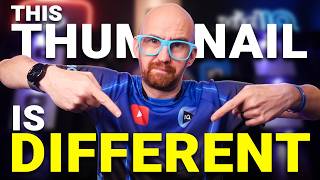
made this thumbnail for this video. So, here's the original shot from the raw footage. And before filming, we knew that the thumbnail would be me and some text near the bottom of the frame. So, we left room here for the words and
[02:58]
position. And then, basically, we built a thumbnail from that very first frame inside the video editor. Now, obviously, prepared as something made in, let's say, Photoshop. But a technically
[03:11]
perfect thumbnail isn't what we're looking for here. The goal of this is to have a thumbnail that works both as a still image for people to click on, and itself. Now, once you have that first frame shot perfectly designed, you
[03:26]
should be able to take a screenshot of it within your video editor, so it now becomes your thumbnail. Just remember, as with all thumbnails, you're probably working on this on a big monitor full screen with your video editor. And when
[03:39]
it's shrunk down to thumbnail size, the graphics and the text still need to be legible. And this, hopefully, is what you're going to end up with. This thumbnail just came alive before your very eyes. Seamless, right? But
[03:52]
what do you want that image to do once it starts moving in the video? Let's say you're a mukbang channel. Well, tons of food filling the frame and someone eating it basically makes for a thumbnail and a hook in itself. And then
[04:04]
this very effective makeup transformation thumbnail for busy moms needs no text, just a video that starts by showing the different angles of the face. Or if you're about to start talking as in our thumbnail, make sure
[04:16]
it's impactful. Your hover hook needs to lead [music] straight into the video without any preamble. Otherwise, you're just creating a lovely transition into 20 seconds of "Hey guys, welcome back to my channel. Make sure to like and
[04:28]
subscribe." So make sure to plan your next 15 seconds of your video as importantly as that first frame. Maybe even more so. It is a video hook after all. It's really important. All right, so that's when you pre-plan all of this.
[04:42]
You're baking that first frame thumbnail into the editing process. that you've already published to YouTube? We essentially made opening frame thumbnails for five older VidIQ videos and tested them against the
[04:56]
going to be perfect because the first frame of a video is not going to include have in a thumbnail. But it's the best thing we can try in this test. I guess what we're testing here is something that is more prepared, more intentional
[05:10]
versus something that feels just a little more authentic. So in this first test, the new opening frame version won. It earned 53.7% of the watch time in the test compared with 46.3% for the original thumbnail that we
[05:23]
already had there. And this test was leaning the same way. 51.4% against although this test was still running when we came to record the results. So would seem like replacing all of our thumbnails with this hover hook
[05:38]
technique would be a very convenient conclusion, wouldn't it? But then we tested the next three thumbnails and the original won every single time. And by we take from these tests? Well, basically, a good opening frame in your
[05:54]
video is not always a good thumbnail if it's not planned in advance. That's a videos backwards. You've already into what frame you've got to work with when it comes to making a thumbnail.
[06:06]
But, when you plan these two concepts together, the thumbnail can make a promise that the opening of the video immediately starts delivering on. And that can make a very powerful first impression. So, if you do want to try
[06:18]
upload on YouTube, ask yourself this first. Would I consider the first frame of that video a thumbnail anyway? If yes, then by all means test that new hover hook thumbnail with your existing one in an AB test. But, just remember,
[06:33]
thumbnail is not going to add it to the video. Once it starts playing, all of that stuff is going to immediately disappear. But, for your next video upload, if you want to test the hover hook technique, then make sure you plan
[06:46]
thumbnail image that somebody would want to click on, and then an opening to your video that will make them keep watching. However, none of this helps if nobody can find your video. So, watch this video next to find out what your
[06:59]
audience is already searching for. I'll see you in there.