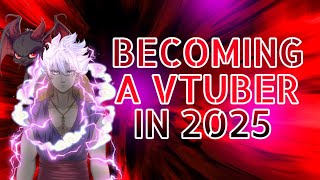

You Can Be a Talking Mailbox VTuber
45sThe absurdity of a talking mailbox as a VTuber identity is surprising and shareable.
▶ Play Clip"Title accurately reflects the beginner-friendly, step-by-step guide provided in the video."
This video is a comprehensive guide for aspiring VTubers in 2025, covering everything from choosing a persona and model to software, tracking, streaming setup, and audience growth. The creator shares personal tips and mistakes to help beginners start their VTuber journey.
Decide on your persona based on your personality and vibe. Options include futuristic cyborg, talking mailbox, or cute anime idol. Sources for models include VGen, Etsy, and free options in apps.
Free beginner options: VTube Studio, Anime Video Tube Mini. Advanced: VRoid Studio (3D), Live2D Cubism (2D). Pro: Unreal Engine, Unity with VR tracking. Choose based on skill level and budget.
Create your own model using VRoid Studio (3D) or Live2D Cubism (2D), or commission an artist. Ensure all desired expressions and animations are included. Commissioning a high-quality model can cost over $1,000.
Facial tracking: VTube Studio or iFacialMocap. Full body: VSeeFace, VR Chat with trackers. Hand tracking: Leap Motion or AI webcam. Use phone as camera to save PC resources.
Use OBS or Streamlabs for streaming. Integrate with editing software like Premiere Pro or DaVinci Resolve. Import green screen background into VTube Studio via streaming assets folder.
Post consistently on multiple platforms (YouTube, Twitch, TikTok, Twitter). Network with other VTubers on Reddit and Twitter. Engage with your audience by replying to comments.
Becoming a VTuber in 2025 requires careful planning of your identity, model, software, and tech setup, but with consistency and community engagement, you can build a successful online persona.
What are the free beginner-friendly VTuber software options mentioned?
VTube Studio and Anime Video Tube Mini.
01:44
What software is recommended for creating 3D VTuber models?
VRoid Studio.
01:52
What is a key consideration when commissioning a VTuber model?
Ensure all desired expressions and animations are included, as high-quality models can cost over $1,000.
03:11
What tracking software is recommended for facial tracking?
VTube Studio or iFacialMocap.
04:35
How can you save PC resources when using VTube Studio?
Use your phone as the camera instead of a webcam.
04:56
What is the recommended broadcasting software for streaming?
OBS or Streamlabs.
06:04
Where do you import backgrounds and Live2D models in VTube Studio?
In the streaming assets folder under VTube Studio data.
08:10
What are the key tips for growing as a VTuber?
Post consistently on multiple platforms, network with other VTubers, and engage with your audience.
09:21
Choose Your VTuber Identity
Emphasizes that your persona should reflect your personality, not just a random design.
00:13Software Options Breakdown
Provides a clear tiered list of software from free to pro, helping beginners choose.
01:33Commissioning Mistakes
Shares personal mistake of not requesting enough expressions, saving viewers from costly errors.
03:11Phone as Camera Tip
Practical advice to reduce PC load by using phone for tracking, improving game performance.
04:56Consistency Over Quality
Stresses that even a great model is useless without audience, highlighting the importance of marketing.
09:21[00:00] so you want to become a vtuber in 2025
[00:02] or you're finally in the right place
[00:03] whether you want to stream make videos
[00:05] or just have a personal online Persona
[00:08] today I'm going to be breaking down
[00:09] everything you need to know so let's get
[00:11] started all right step one for basically
[00:13] becoming a vtuber is choosing your
[00:15] vtuber identity first things first what
[00:17] you want to do with your vtuber person
[00:19] on is you can be anything you can be a
[00:21] futuristic cyborg you could be literally
[00:24] a talking mailbox and I'm not kidding
[00:27] I've seen it it is a real thing you
[00:28] could just be a cute anime Idol you
[00:30] could be anything you want before
[00:32] jumping into figuring out what model you
[00:34] want to be you got to ask yourself
[00:36] what's my vibe what's my personality and
[00:39] that'll shape your entire brand I know
[00:41] many people are very unsure of how they
[00:44] go about choosing their vtuber identity
[00:45] and there are several different places
[00:47] where you can get these identities from
[00:49] whether you go to VJ is an amazing
[00:51] website where people will commission
[00:54] them to do these types of arts for you
[00:56] and be able to get these different V2
[00:58] models or whe whether you want to be 2D
[01:00] 3D a PNG so many different options you
[01:04] can go to Etsy to find several uh and
[01:06] there are even free ones in several of
[01:08] the apps already ready for you to use
[01:10] that you can go about as well so really
[01:12] you just got to figure it out and fill
[01:14] it out and and what your overall Vibe
[01:16] you're going for is as for me as you can
[01:18] see I am a cross between Beast Gohan and
[01:21] gear five Luffy that's really my Persona
[01:23] I went with here that's the brand I was
[01:25] building at the time so you really just
[01:27] have to figure out what you are who you
[01:28] want to be and what fits you personally
[01:31] all right step two the main thing you're
[01:33] going to want to do is choose your
[01:34] correct software and tools so pretty
[01:37] much in 2025 there are a ton of
[01:39] different options for vtu software
[01:40] here's a quick breakdown of it so you
[01:42] have your free beginner friendly options
[01:44] with your vtube studio available on
[01:46] Steam you have animes video tube mini
[01:49] all right then you have your Advanced
[01:51] customizable options which are vroid
[01:52] studio for 3D models live 2D cubism for
[01:56] 2D models then you have your high-end or
[01:58] Pro level which are under engine and
[02:00] then Unity with VR tracking those ones
[02:03] are a little bit more advanced a lot of
[02:04] those actually really help you like
[02:07] bring your whole entire vtube model
[02:08] Alive by moving your hands and they can
[02:11] actually see what you're doing versus
[02:13] pretty much with me I use vtube Studio
[02:16] because it just it captures me it
[02:17] captures my eye blinking me talking I
[02:20] have different options to toggle as you
[02:22] can see here I can toggle off the clouds
[02:23] toggle off that I have a whole entire
[02:26] happy face where I close my eyes here I
[02:28] even have like a I'm a grumpy man face
[02:30] here so different options available for
[02:32] you depending on which one you end up
[02:35] going with there there are so many
[02:37] different options when it comes to
[02:39] actually figuring out which one's going
[02:41] to fit your brand the best and which
[02:43] one's going to fit the model you choose
[02:45] so you really have to pretty much what
[02:47] what work best for your skill level if
[02:49] it's on your budget and there are plenty
[02:51] of free resources to help you start
[02:53] without spending a single dime so just
[02:55] keep that in mind all right step three
[02:56] your model creation so pretty much this
[02:58] is where the magic happened you can
[03:00] create your own model using vroid Studio
[03:02] for 3D or live 2D cubism for 2D it
[03:06] sounds like too much work you can always
[03:08] commission an artist to bring your dream
[03:09] of character to life just make sure they
[03:11] include all the Expressions animations
[03:13] you need so for me I did make the
[03:16] mistake when I firstly got this model
[03:18] that I didn't tell them what all
[03:19] emotions I wanted I wish I had a scared
[03:21] face I wish I had a sad face but t as of
[03:24] currently all I have is the happy face
[03:27] and the grumpy face okay so so
[03:30] definitely some other options would be
[03:32] best when it comes to actually getting
[03:34] out your model creation but figuring out
[03:37] what all you want in this model is key I
[03:40] wish I'd gotten a separate outfit as
[03:41] well so I wouldn't be stuck inside the
[03:43] ghee at all time for the most part there
[03:46] there're just different options and you
[03:47] need to make sure you get it right the
[03:48] first time if you go about commissioning
[03:50] it because you got to remember when you
[03:52] actually fully commission a true vtube
[03:54] Model A a really good one one who know
[03:56] people know what they're looking at know
[03:58] what they're looking for you're going to
[04:00] be spending upwards of a grand on these
[04:03] models and you have to keep that in mind
[04:05] if you go the full customizable route so
[04:07] you have to be careful because it's a
[04:09] lot of money at the end of the day so
[04:11] just figure out what you want sit down
[04:13] sit down with your artists whether it's
[04:14] on the Discord chat or Discord voice and
[04:18] bring your creation to life bring what
[04:20] you have inside your head exactly how
[04:22] you want it to be and they'll make it
[04:24] happen most artists are more than happy
[04:25] to work with you on anything you've got
[04:27] going step four is going to be your tech
[04:29] support and your tracking so for the
[04:31] most part you to bring your model life
[04:33] you need a tracking software some of the
[04:35] best in 2025 of course for facial
[04:38] tracking is vtube Studio or I facial
[04:41] mocap the full body tracking is VC face
[04:44] Roco and VR chat with trackers hand
[04:47] tracking is Leap Motion or AI powered
[04:49] webcam tracking now pretty much you can
[04:51] even use your phone as that but it is
[04:54] through vtube studio for the camera um
[04:56] if you have a low-end PC I highly advise
[04:59] using your phone is the camera um you
[05:01] don't need a high-end webcam currently
[05:03] at the moment with my PC I'm using an
[05:06] aie webcam that's like a $25 webcam off
[05:09] of Amazon to bring all of what I'm doing
[05:12] live but for the best smooth tracking
[05:15] you can get especially when you're
[05:16] playing a game or something using
[05:19] something such as uh your phone to be
[05:22] the tracker instead of your computer it
[05:24] will help keep your computer at not
[05:27] running as high with vtube Studio be
[05:29] able to run Run games smoother and
[05:30] you're still able to get your vtuber
[05:32] alive in the games that you're playing
[05:34] so just some options on that and I mean
[05:37] for the most part you could literally
[05:39] use the webcam from a laptop to do the
[05:41] vtube stuff but you have to be careful
[05:43] with what games you pick because like I
[05:45] said vtube does take up a lot of
[05:47] processing power so you have to be very
[05:50] careful with the games I'm not getting
[05:51] low FPS so really keep those types of
[05:54] types of things in mind when you are
[05:56] figuring out the best tech setup and
[05:58] tracking that you want to go with so
[06:00] step five setting up your streaming and
[06:02] recording software so me personally I
[06:04] love OBS you have the options of
[06:06] streamlabs or YouTube dashboard if
[06:08] you're streaming you'll need to be
[06:10] broadcasting software like OBS or
[06:12] streamlabs to set up your overlays
[06:13] alerts chat features to create an
[06:16] engaging experience recording make sure
[06:18] your vtuber software integrates well
[06:20] with your editing software like Prem
[06:23] Premier Pro or dentry resolve just make
[06:24] sure everything runs well you have the
[06:26] option to obviously if you're not going
[06:28] to be streaming but so recording you
[06:31] have the option to of being able to
[06:34] bring everything to life in the sense of
[06:37] you can make this screen into if I'm not
[06:39] mistaken it is 3280 by 3240 by 1080 and
[06:44] you'll get basically two screens one can
[06:46] be a green screen with your vtube on one
[06:48] side and one can be a the gaming screen
[06:51] on one side and you'll just have to
[06:53] Overlay those two in order to bring your
[06:55] vtube where you want him on the screen
[06:58] during the video if you're solely just
[06:59] recording now there is one thing you do
[07:01] need to realize is when you are using
[07:04] things like OBS and such you will need
[07:07] to have a green screen imported into
[07:10] your files of your vtube model and I
[07:14] I'll show you how to do that as well but
[07:15] you'll need to get that imported that
[07:17] way when you do bring your vtuber model
[07:19] to life you can easily use a filter
[07:22] called chroma key on V2 on on OBS that
[07:27] does actually select the color green
[07:29] long as your vtu model doesn't have
[07:31] green on it you will be able to get rid
[07:32] of the background you have going and
[07:34] easily be able to bring your model to
[07:37] life without as you can see you don't
[07:38] see the green screen that is around me
[07:40] currently if I go into vtube studio so
[07:44] just something big there the way to
[07:46] import things into your vtu studio is to
[07:49] go to your local cisk go to your program
[07:52] files
[07:54] x86 once you are there you'll go to
[07:56] steam from there you will then go to
[07:59] steam apps you will go to Common once
[08:02] you're in common you'll go down to vtube
[08:04] Studio okay once you're in vtube studio
[08:07] you will go to V tube Studio data and
[08:11] from there you will put you will go to
[08:13] your streaming assets once you're on
[08:15] streaming assets you can then this is
[08:17] where you'll import your backgrounds as
[08:19] well as your other live 2D models So
[08:21] backgrounds you'll obviously see the
[08:23] backgrounds I have I have green screen
[08:24] and a few other random backgrounds back
[08:26] there but I also have live 2D models
[08:28] where you can col any V2 models you may
[08:32] have or want to use that's where you'll
[08:34] import that file and that's how it'll be
[08:36] integrated into vtu Studios I highly
[08:39] advise starting out this is what you use
[08:41] as vtube Studio as your main thing until
[08:44] you get better or have more time to look
[08:47] into other options that are much more
[08:49] expensive or better for tracking but
[08:52] these are the overall to me vtube studio
[08:55] has everything you need to be a good
[08:57] vtuber in 2025 all right step six is
[09:01] going to be building your brand and
[09:03] growing your audience so overall it's a
[09:05] social media platform your YouTube
[09:07] analytics everything you need you can
[09:09] have the best V vtube model in the world
[09:12] you spent three grand on a vtube model
[09:14] and it does everything you could need it
[09:16] to do but no one knows about you so it
[09:19] won't even matter so here's some tips on
[09:21] how to grow it's pretty much post on
[09:23] multiple platforms posts on YouTube
[09:25] posts on Twitch posts on Tik Tok and
[09:27] Twitter all these things are really
[09:30] solid ones you even have Instagram
[09:32] Facebook as well and any other social
[09:34] medias I'm not currently listing I
[09:36] highly advise using the thing is to be
[09:39] consistent being consistent means
[09:40] regular uploads and streams build an
[09:43] audience so pretty much make yourself a
[09:45] schedule for your uploads make yourself
[09:47] a schedule for your streams these are
[09:49] the ways that you will grow on separate
[09:51] platforms for me P personally I post
[09:53] every day on Tik Tok and Twitter and on
[09:57] Instagram and Facebook around noon every
[10:00] single day and then on YouTube I post
[10:02] every Monday Wednesday and Friday shorts
[10:06] every single night I post long forms on
[10:08] those particular days and then on Twitch
[10:10] I do not have a consistent schedule
[10:12] which is why my twitch doesn't do as
[10:14] well as my other platforms so just
[10:16] something to be advised there is be
[10:17] consistent your audience wants
[10:19] consistency they want to know when
[10:20] you're going to be live and not have to
[10:22] guess that all right the other thing is
[10:23] network with other vtubers there are
[10:25] several different options out there you
[10:27] could network via Reddit you could
[10:29] network via Twitter I highly advise
[10:32] those two when it comes to networking
[10:34] Twitter is really great because you post
[10:35] a little photo that basically shows
[10:38] exactly what you're wanting to collab
[10:40] and stuff I'll post an example up for
[10:42] you to see and it pretty much says who
[10:44] you are that you want to collab what
[10:46] games you'll collab what games you want
[10:48] to play in the future there's groups
[10:49] inside of Twitter for you to post in
[10:51] there are many ways to grow last thing
[10:53] here is to make sure you engage your
[10:54] audience comment reply be active in your
[10:57] community but I do comment on almost
[10:59] every single video I post on YouTube if
[11:01] somebody comments I'll comment back as
[11:03] well as I make sure I reply if I'm on
[11:05] Twitch and somebody says something I
[11:06] make sure I quickly reply don't be a
[11:08] stump on the log make sure you reply
[11:10] make sure you're active in your
[11:11] community if you post something on
[11:13] Twitter and somebody comment something
[11:15] comment back reply back it builds that
[11:18] you're a real person type of vibe
[11:19] instead of just a digital face on the
[11:21] screen looking to get big looking to get
[11:24] famous so overall those are my best tips
[11:26] I can give you for how to become a
[11:28] vtuber in 2025 I think you're going to
[11:30] do fantastic you follow these guidelines
[11:32] you follow this and you just create your
[11:34] persona create who you want to be it's
[11:36] going to be great so as always this
[11:38] helps make sure you do drop a like
[11:39] subscribe let me know in the comments
[11:40] what your vtuber name is going to be I
[11:42] can't wait to see all you YouTubers in
[11:44] the world you have a good one hug
[11:45] someone you love peace
[11:50] [Music]
⚡ Saved you 0h 11m reading this? Transcribe any YouTube video for free — no signup needed.