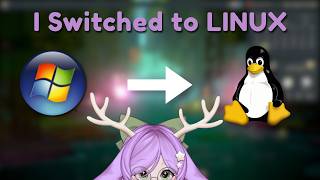

AI Summary
This video documents a VTuber's week-long experiment of switching their entire content creation setup from Windows to Nobara Linux. It covers the successes (OBS, Discord, gaming via Proton) and the significant hurdles (graphics software, specific plugins), providing a realistic look at the viability of a professional workflow on Linux.
Chapters
A false Windows 'not responding' error, despite the system working fine, sparked the decision to switch to Linux.
OBS and Discord worked flawlessly right after installation, making the streaming process feel almost identical to Windows.
The key mindset shift: instead of seeking perfect native replacements, you often just need a workaround, which can range from simple to a 3-hour GitHub rabbit hole.
OpenVT, a Linux-native VTuber software, was in early development, feeling laggy and difficult to configure. The creator ultimately fell back on using their existing setup through Proton.
Affinity Photo 2, lacking a native Linux version, turned into a 3-4 hour troubleshooting session in Bottles before the creator abandoned it for GIMP.
Instead of forcing a new interface, the creator installed PhotoGIMP to make GIMP's UI familiar with Photoshop/Affinity layouts.
Kdenlive, an old favorite, became the go-to editor after deciding not to troubleshoot CapCut, proving familiarity can ease the transition.
Steam and Proton delivered a seamless gaming experience for most titles, with the main caveat being Vulkan shader processing which can be lengthy on HDDs.
For modded Minecraft, the creator found Prism Launcher as a reliable alternative after Modrinth Launcher kept crashing.
The creator misses the TDR Nova audio plugin and the convenience of GUI installers, but finds these are minor compared to the overall benefits of control and performance.
Mentioned in this Video
Tutorial Checklist
💡 Key Takeaways
Embrace the Workaround
Captures the core philosophy of Linux adoption: solutions often come from pragmatic workarounds, not perfect native replacements.
07:44Accept When to Move On
Demonstrates the importance of recognizing when troubleshooting isn't worth the time and switching to a functional alternative.
10:08Understanding Shader Processing
Explains a critical, non-obvious Linux gaming quirk that can be mistaken for a system failure.
16:46Research Before You Switch
Provides actionable advice: check if your specific software and games have native or workaround solutions before migrating.
25:51Performance Gain Without Windows Backgrounds
Highlights a tangible benefit of Linux: more resources for your tasks without Windows' background processes.
24:28Full Transcript
[00:03] did something that probably wasn't the smartest decision I've ever made. I switched my entire PC from Windows to Linux. And not just for gaming. I use this computer for basically everything I do as a content creator, from streaming
[00:17] do as a content creator, from streaming to Vtubing, editing, graphics, Discord, recording. So, naturally, the question is, can you [music] actually be a VTuber on Linux? And after spending the last week figuring this out, the answer is
[00:32] yes. There's a pretty big asterisk attached to [music] that answer. Because while most of my setup works surprisingly well, I've also spent several hours fighting software that apparently believes Linux shouldn't
[00:44] exist. So today, I'm [music] going to take you through my experience switching to Nabara Linux as a VTuber. what worked, what didn't, the workarounds I had to find, and whether I actually think the switch was worth it.
[01:07] Honestly, there were a few reasons. [music] It actually started one night when I was sitting at my PC doing completely normal stuff. Nothing intense, no heavy workload, no games pushing the system, nothing. And
[01:20] suddenly out of nowhere a dialogue box pops up [music] that says Microsoft Windows operating system has stopped responding. And the weird part was everything was fine. There was no lag, no freezing, no warning signs, no fan
[01:36] ramping up like my PC was about to take off into orbit. Just Windows deciding on its own that it was no longer responding. And I remember just sitting there thinking, "Okay, but you're literally responding right now." That
[01:50] moment kind of stuck with me because it wasn't even a dramatic crash. It was just this quiet, confident misinformation from my own operating system. And I think that was the point where I started seriously questioning
[02:03] things. I had been thinking about moving to Linux for a while. And eventually I got to the point where I thought, you know what, I'm just going to do it. which is probably not the most reassuring way to begin an operating
[02:16] system migration, but I wanted to try something different. [music] I wanted more control over my system, and I wanted to see how viable Linux actually was for the things I do every day. And because I'm a VTuber, I couldn't just
[02:29] ask, "Will my games run?" I had a much longer checklist. Would OBS work? Would my VTuber setup work? Would my microphone and audio setup work? Could I edit videos? Could I make graphics? Could I still use the software I'd
[02:44] already built my workflow around? And probably the most important question, could I actually do all of this without wanting to throw my computer out a window? So, [music] I decided to find out.
[03:03] something that was friendly toward gaming and content creation without having to manually configure every single thing from scratch. And I knew going in that Linux was going to involve some troubleshooting. I just don't think
[03:18] I fully appreciated how much troubleshooting because getting Linux itself installed honestly pretty easy. Getting everything else I wanted to use afterwards, that's where the adventure started.
[03:40] working, my games are working, and now comes the moment of truth. Can I actually V? Because this was probably the part I was most nervous about. It's one thing to get a game running on Linux. It's
[03:53] another thing entirely to get all the software I used to stream, record, manage audio, and actually put my avatar on screen working together. [music] And thankfully, this part wasn't nearly as terrifying as I expected. OBS was one of
[04:09] the first things I got set up. And honestly, it just worked. I could see my scenes, [music] capture my games, configure my sources, and get my stream layout looking pretty much the way I was used to. [music] Discord worked, my
[04:23] used to. [music] Discord worked, my microphone worked, my browser worked, and once I had everything configured, the actual process of streaming didn't feel all that different from Windows, which was honestly a little surprising
[04:36] [music] that I would constantly be fighting Linux just to do basic streaming stuff. But that wasn't really the case. And that's something I think is important to point out. Linux wasn't fighting me
[04:50] every step of the way. A lot of the basic stuff I needed as a creator was actually pretty straightforward. The problem started when I got into the more problem started when I got into the more specific parts of my VTuber workflow.
[05:08] more complicated. There isn't exactly a giant button that says [music] install everything a YouTuber needs, which honestly would be pretty convenient. Instead, I had to figure out which programs had native Linux versions,
[05:21] which ones had alternatives, which ones could run through compatibility layers, and which ones were going to make me question my life choices. And this is where I learned one of the most important things about using Linux as a
[05:33] VTuber. You need [music] to be comfortable with the phrase, there's probably a workound. Because nine times out of 10, there actually is. The problem is that there's a workaround can mean anything from download [music] this
[05:46] Linux native alternative and you're done to okay open the terminal and suddenly I'm 3 hours deep into a GitHub repository wondering how I got here.
[06:04] figure out was my actual VTuber software. Because if I was going to commit to being a VTuber on Linux, I didn't want my entire setup to [music] depend on pretending that Linux was Windows.
[06:16] That's when I found OpenVT. OpenVT is an open- source 2D Vtuber program made with Linux availability in mind. So, on paper, it sounded almost perfect for what I was trying to do. A Linux native VTuber program. Hell yeah. Sign me up.
[06:33] And this is where I learned an important lesson about Linux software. It exists and it works exactly how I want are two very different things. Now, I want to make it clear that I don't think OpenVT is necessarily bad. From what I could
[06:48] tell, it still felt like it was very much in a testing or early developing stage, and that showed my experience [music] with it. The program felt laggy. The menus were a little strange. And getting my model to actually appear
[07:02] inside the go do test window. It felt like it took an act of Congress. I spent way more time than I expected just trying to get the basic pieces working together. And eventually I had to look at my existing setup and go, you know
[07:17] at my existing setup and go, you know what, YouTube Studio through Proton out already works. So, I went [music] back to my workound, and honestly, I'm okay with that because this is actually a pretty useful lesson
[07:30] for me. Sometimes using Linux doesn't mean finding a perfect Linux native replacement for everything. Sometimes the best solution is simply the workound already works, so I'm going to use the workound. And that's something I think
[07:44] is worth remembering if you're thinking about switching to Linux. You don't necessarily have to replace every piece of software you use. Sometimes you just have to figure out what works for you. And once I had my VTuber setup settled,
[07:59] I could finally move on to the next problem, my actual content creation software. And that's where things got significantly more cursed.
[08:15] problem I had after switching to Linux, my graphics software. As a VTuber and content creator, I use graphic software for basically everything. Thumbnails, stream graphics, channel art, editing photos, making assets for my VTuber
[08:30] stuff. And before switching to Linux, I was using Affinity Photo 2 for a lot of that. So, naturally, I wanted to keep using it. And this is where I learned that just because a Windows application could theoretically run on Linux doesn't
[08:46] mean it's going to be happy about it. Affinity Photo 2 doesn't have a native Linux version. So, I started looking at ways to run it through bottles, which lets you create Windows environments for running Windows applications on Linux.
[08:59] And at first, I thought, okay, this shouldn't be too bad. Those are my famous last words. I got Affinity installed. I kind of got it running and then it started telling me about Windows components that weren't
[09:15] there. So, I started troubleshooting and then troubleshooting some more. Eventually, I ended up digging through Windows metadata files [music] because Affinity was looking for Windows components that weren't being recognized
[09:28] inside the bottles environment. At one point, I was literally looking through folders like when metadata, trying to figure out which Windows metadata files Affinity needed. I found
[09:40] some of the files it was looking for. I made sure they were actually in the environment. I checked the relevant Windows directories. I tried different fixes. I went back and checked things again. And after all that, Affinity
[09:54] still gave me errors and kept crashing. At this point, what started as I'll just install my normal graphics program turned into a 3 to 4 hour Linux side quest where I was essentially trying to convince a Windows application that
[10:08] Windows components existed inside a fake Windows environment. And eventually, I had to accept something. I needed a backup because regardless of how much I wanted Affinity to work, I still needed to make thumbnails. [music]
[10:22] I still needed to edit photos. I still needed to make graphics. And I couldn't tell you guys, sorry, thumbnail is late. Affinity is having an existential Affinity is having an existential crisis. So, I installed And now, I
[10:37] want to make something very clear. I don't dislike is an incredibly capable program and for something that's completely free and runs natively on Linux, it's honestly impressive. The problem for me was the
[10:52] interface. I'm much more comfortable with the way Photoshop and Affinity with the way Photoshop and Affinity Photo 2 organized their tools and menus. So, opening the default interface felt like having someone rearrange my
[11:06] entire [music] kitchen and then tell me everything is still here. Yes, I just don't know where the hell you put it. So, I started looking for ways to make feel more familiar. And [music] that's when I found Photo Photo
[11:21] is essentially a customization for designed to make the interface feel much more familiar to people coming from Photoshop, and that was exactly what I needed. So instead of trying to force myself to learn an interface I wasn't
[11:36] comfortable with, I installed Photo and customized my setup to feel much more closer to the workflow I was already used to. And suddenly became a lot more comfortable to use. Is my first choice for photo editing?
[11:51] my first choice for photo editing? No. If Affinity Photo 2 had a native Linux version that worked properly, I'd probably still be using it. But works right out of the box. It's powerful enough to handle the creative
[12:03] work I need to do. And with Photo I can make it feel much more like the kind of interface I'm already comfortable with. And honestly, that's learned from this whole experience. [music]
[12:16] You don't always need a perfect 1:1 replacement. Sometimes you just need something that can do the job. And sometimes you can customize that tool until it fits the way you work. So, while I never really gave up on the idea
[12:28] of getting Affinity Photo 2 working, I now had a way to actually make my damn thumbnails. And honestly, that was probably more important.
[12:45] somewhat under control, I had another pretty important question. What the hell am I going to edit my videos with? Before switching to Linux, I had eventually moved over to Cap Cut for most of my video editing. It was
[12:58] familiar. It worked for what I needed, and by that point, I had gotten pretty comfortable with it. Unfortunately, Cap Cut doesn't have a native Linux version. And while there are ways to get some Windows applications running on Linux, I
[13:13] wasn't particularly interested in turning my video editor into another 3-hour side quest. I just wanted to edit my videos. So, I went back to something I already knew, Caden Live. And this actually wasn't a huge adjustment for me
[13:28] because I had used Caden Live on Windows for a long time before I switched over to Cap Cut. So, instead of learning an entirely new video editor, I was basically going back to [music] an old friend. And honestly, it felt
[13:42] surprisingly normal. The interface was familiar. The timeline [music] worked the way I expected. I could cut footage, add transitions, work with audio, add and do all of the basic editing I needed without having to fight the operating
[13:56] system to make it happen. Was it exactly the same as using Cap Cut? No. There are definitely things I miss from Cap Cut. And there are parts of my editing workflow that I'm still getting used to doing in Caden Live again, but
[14:11] that's a pretty different problem from the software doesn't work on Linux. Caden Live works and that's what matters. [music] So, for now, Caden Live has basically become my main video editor on Linux. And honestly, it's kind
[14:26] of nice coming back to software I already knew. And it's not just video editing. A lot of other programs I use for day-to-day creator workflow are either Linux native browser based or basically have usable
[14:39] browser based or basically have usable alternatives. OBS works, Discord works, alternatives. OBS works, Discord works, web browsers obviously GIMP/PhoGIMP works. And once I had all those pieces together, I started realizing something.
[14:54] The basic content creation workflow wasn't actually that difficult to move to Linux. The difficult part was the handful of programs that were specifically tied to Windows. [music] And that distinction is really important
[15:08] because if you're considering switching to Linux, you don't necessarily need to ask, can I do content creation on Linux? You need to ask, can I do my specific You need to ask, can I do my specific content creation workflow on Linux?
[15:21] Those are two very different questions. For me, the answer ended up being yeah. I just had to make a few changes along the way. And honestly, some of those changes weren't even bad. I got to try software I hadn't touched in years. I
[15:36] found alternatives I wouldn't have otherwise considered. And I ended up learning a lot more about how my own workflow actually works. And at this point, I was starting to feel like, okay, maybe I can actually do this,
[15:49] which was great because I had one major question left. How is gaming actually question left. How is gaming actually going to work?
[16:04] part of this experiment. I'm a streamer. I play games constantly. couldn't play the games I wanted to play, that kind of would defeat the purpose. And honestly, [music] gaming on Linux has been pretty damn good. A lot
[16:20] Proton. And once they're actually running, I don't necessarily feel like I'm doing anything differently from when I was on anything differently from when I was on Windows. But there was one thing I
[16:34] learned about pretty quickly. Vulcan shader processing. And if you're new to things that can make you think your computer has completely stopped working.
[16:46] Vulcan shaders before you can actually launch a game. And if your games are installed on a mechanical hard drive, oh boy, you might as well go make yourself a sandwich because you can sit there staring at
[17:01] Steam for 45 minutes to an hour waiting for those shaders to finish processing. to me, I was basically sitting there like, "Okay, is steam doing something or
[17:13] is it just pretending to do something?" Because the progress bar moves about as quickly as a snail carrying a refrigerator. Eventually, I figured out that Steam wasn't necessarily broken. It was doing shader processing and my poor
[17:27] was doing shader processing and my poor mechanical HDD was not having a good time. And this is actually one of the reasons I'm really glad I'm getting an NVME drive because putting games and workloads like this on an SSD is going
[17:44] to be a lot nicer than asking a mechanical hard drive to process a mountain of shader data. But what about the actual [music] games? Once the game actually starts, things are pretty normal. Steam and Proton have made it
[17:57] surprisingly easy for me to play a lot of the games I already enjoyed on Windows without having to constantly think about the fact that I'm running Linux. And that's probably one of the biggest comp compliments I can give it.
[18:11] If I'm playing a game and I completely forget that I'm on Linux, that's a good thing. I've been able to play the games I actually want to stream, including Minecraft and other games that are part of my normal content rotation. And
[18:25] me because I'm not interested in switching operating systems just to spend all of my time troubleshooting games. I want to be able to click play, wait for the game to load, and then start screaming at whatever horrifying
[18:39] thing is currently trying to kill me, which thankfully Linux has allowed me to do. But modded Minecraft is a little different. Minecraft itself is actually a really good example of this. You can absolutely play Minecraft on Linux, but
[18:54] if you're someone who plays modded Minecraft, I would strongly recommend doing a little research before you switch because I learned this one the annoying way. I tried installing Mod Rint Launcher because that's what I was
[19:07] familiar with. And while I could get it to launch, it kept crashing. [music] And at that point, I had already spent enough time troubleshooting Linux software that I looked at it and went, "Nope, I'm not doing another 3 to four
[19:21] hour side quest. So, I did a quick Google search to see what other Linux users were using for modded Minecraft." And one of the answers I kept seeing was Prism Launcher. So, I gave it a shot. And honestly, so far, it's been pretty
[19:35] solid. Prism Launcher has a mod database built right into it, so you can search for the mods you're looking for without having to manually hunt everything down and install it yourself. I'm still experimenting with Prism Launcher. So, I
[19:50] definitely haven't figured every out everything it can do yet, but from what I've used so far, it's a really good option if you're on Linux and you want to play modded Minecraft. So, if modded Minecraft is a big part of your gaming
[20:03] library, don't just check, does Minecraft work on Linux? [music] Check, does my modded Minecraft setup work on Linux? Because those can be two very different answers. So, is gaming on Linux perfect? No. There are definitely
[20:19] games that require extra configuration, games with compatibility issues, and situations where you need to check whether a particular game works properly through Proton. But compared to what I expected when I first made the switch,
[20:34] it's been a lot better than I thought it would be. And honestly, the biggest thing I've learned is that Linux gaming isn't necessarily about making every single game work. It's about figuring out whether the games you play work.
[20:48] Because if your entire library consists of games that run perfectly through Proton, you're probably going to have a very different experience from someone whose favorite game has an antiche that doesn't cooperate with Linux. And that's
[21:02] something you should absolutely check before making the jump. you're probably wondering, okay, what do you actually miss from Windows? And
[21:17] you actually miss from Windows? And honestly, not that much. There are a few things though. One of the biggest things for me is probably TDR Nova. TDR Nova is an audio plugin that I used for my microphone in OBS, and I've been
[21:33] using it basically since I started streaming. So, having that particular plugin available was a pretty important part of my audio setup on [music] Windows. Unfortunately, I haven't found a direct Linux version that fits into my
[21:46] OBS workflow the same way, but I did find a workound. Instead of having OBS process my microphone filters, I use Easy Effects to process my microphone at the operating system level before the audio even reaches OBS. And honestly,
[22:03] [music] it works pretty well. But I still miss TDR Nova. It's one of those things where I've used it for so long that I know exactly how I want it to sound and having to recreate that setup somewhere else just isn't quite the
[22:18] same. So, if TDR Nova ever gets a Linux compatible version that works the way I want, I will be [music] there immediately. The other thing I occasionally miss is just not having to open up console. Don't get me wrong, I
[22:32] actually gotten a lot more comfortable using it since switching to Linux, but sometimes I just want to install something. I don't want to open the console, find the command, paste the
[22:45] command, run the command, read the output, wonder if I just accidentally broke something. If a program has an executable or an app image, great. Click download, [music] run. If it requires me to open a
[22:59] terminal and start typing commands, I'll do it. I'm just going to complain about it first. And honestly, that's about it. There aren't a ton of things from missing. [music] There are definitely things that are
[23:12] different. There are things that require more work, and there are things where I have to adapt my workflow. And I haven't spent the [music] last week sitting here thinking, "God, I really wish I had Windows back." If anything, it's been
[23:26] the opposite. I've gotten comfortable with my new workflow surprisingly quickly. And that's probably the biggest thing I didn't expect when I started thing I didn't expect when I started this whole experiment.
[23:44] would I switch to Linux again? Honestly, yes, absolutely. And I know I've spent a lot of this video talking about troubleshooting, workarounds, and the occasional 3-hour side quest. But despite all of that, I actually really
[23:59] like using Linux. [music] One of my favorite things about it is how much control I have over my operating system. I can change things about my desktop and system without having to essentially modify the entire operating system
[24:13] installation just to make it behave the way I want. And [music] I've also noticed something I honestly wasn't expecting. My computer just feels like it runs better for the things I actually do. When I'm streaming, editing videos,
[24:28] editing photos, or playing games, I've noticed better performance compared to what I was used to on Windows. Part of that, at least from my perspective, is that I don't have Windows running a bunch of background processes that I
[24:41] don't necessarily need while I'm trying to stream or play a game. One of the big ones for me is being able to use my VTuber model while playing games like Hell Divers. That's a pretty huge deal for me. Being able to stream a game
[24:55] without feeling like my system is fighting itself is exactly the kind of thing I wanted from the Switch. Now, does that mean I think everyone should does that mean I think everyone should switch to Linux? Absolutely not.
[25:10] And I really want to emphasize that. If you're a VTuber considering making the switch, I would only recommend it if you're comfortable with the troubleshooting, using the command line, and finding workarounds when something
[25:22] doesn't work the way you expect. Because while a lot of things work perfectly fine out of the box, not everything does. And if you're the kind of person who wants to install a program, click the button, and have it work exactly the
[25:36] way it did on Windows, Linux might frustrate [music] you. Before you switch, I would recommend making a list of the software you actually use every day and checking. Does it have a native Linux version? If it doesn't, can I run
[25:51] compatibility layer or another workaround? And if that doesn't work, is there a Linux native alternative that can do the same thing? That research is probably the most important thing you can do before you wipe your Windows
[26:06] because my experience with Linux has shown me that. Can I use the software on Linux? Isn't always a yes or no question. Sometimes the answer is yes. But you're going to have to figure some stuff out.
[26:20] And honestly, I'm okay with that. So, why am I staying? After only about a week of using Nara, I'm already pretty confident that I'm staying with it. I really like the interface. I like how much control I have over my system. I
[26:35] like that Nabara is designed with gaming and content creation in mind, and I really appreciate that a lot of the things I needed were already available or configured without having to spend an entire day setting up the operating
[26:49] system. I've had some frustrating moments. I've had some very stupid terminal window wondering what the hell I was doing. But I've also learned a ridiculous amount about my own computer and how my workflow actually works. And
[27:04] I think that's probably the biggest reason I'm staying. Linux hasn't made my workflow impossible. It's just made me rethink how I do some of it. And after everything I've gone through, I actually prefer it. So, can you be a VTuber on
[27:18] Linux? Yeah. [music] Can you stream? Yep. Can you edit videos? Absolutely. Can you play games for the most part? Yeah. Will everything work exactly the Yeah. Will everything work exactly the way it did on Windows? Probably not. But
[27:33] if you're willing to troubleshoot, experiment, and occasionally go on a 3-hour side quest because your software has decided to become your mortal enemy, I'd say give it a shot. I'm Aloe, a VTuber, and apparently I'm a Linux user
[27:47] VTuber, and apparently I'm a Linux user now. Thanks for watching.