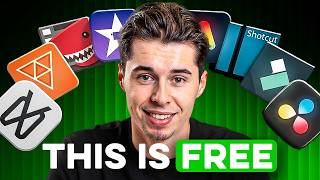

Best FREE Video Editors 2026: Top 5 Revealed!
45sLists and rankings always perform well, and this hook promises a solution to a common problem.
▶ Play Clip"Delivers on the promise of ranking free editors, but the final plug for the host's own video feels like a soft sell."
This video reviews and ranks the top five free video editing software options for YouTube creators in 2026, based on hands-on testing. It highlights the strengths and weaknesses of each tool, from beginner-friendly options to professional-grade software, and concludes with a recommendation for serious creators.
The video claims that free video editors are now better than professional ones, but choosing the right one is hard. The host tested all free editors in 2026 and selected five that allow creating professional content for free.
CapCut is ranked #5. It's great for quick edits, auto-subtitles (90-95% accuracy, 20+ languages), and easy short-form conversion. However, the free version limits exports to 4K only for basic edits; using key features requires a $9.99/month subscription.
Clipchamp is #4. It's pre-installed on Windows 11, has a drag-and-drop interface, and offers audio cleanup and text-to-speech. It syncs via Microsoft account, but exports cap at 1080p, requires an internet connection, and only works properly on Windows.
Kdenlive is #3. It's completely free with no resolution restrictions (4K exports). It has a professional interface, auto-transcription, and translation for captions. The trade-off is a learning curve and potential stability issues depending on hardware.
Shotcut is #2. It's been around since 2004, completely free, and offers 4K exports, color grading, and AI tools with no restrictions. The interface is flexible but overwhelming; a quick fix is to switch to the 'Editing' layout preset. It's powerful but has a steeper learning curve.
DaVinci Resolve is #1. It's used in Hollywood (e.g., Dune, Avatar) for color grading. The free version offers 4K exports, no watermarks, no project length limits, and a full toolkit. It has a steep learning curve (a few weeks), but the skills transfer to paid work. The main limitation is that automatic transcription requires the paid version.
The host emphasizes that powerful software doesn't fix weak content. The algorithm cares about the video's idea, not the editing polish. He mentions his own success (200M+ views) is due to a specific approach to video structure, not just editing.
For serious YouTube creators, DaVinci Resolve is the best free editor due to its professional capabilities and lack of restrictions. However, the video reminds viewers that the editing tool is less important than the content itself.
What is the accuracy of CapCut's auto-subtitle feature for clear English audio?
90-95%
00:42
What is the main limitation of Clipchamp's free version?
Exports are capped at 1080p, and it requires an internet connection to work.
02:39
Which free editor is ranked #1 in the video and why?
DaVinci Resolve, because it offers professional-grade features (used in Hollywood) with no watermarks, no project length limits, and 4K exports for free.
05:34
What is the cost of CapCut's pro version per month?
$9.99 per month
01:21
What is the recommended layout preset in Shotcut to make the interface easier?
Go to View, then Layout, and select 'Editing'.
05:07
What is the main limitation of DaVinci Resolve's free version regarding captions?
Automatic transcription requires the paid version.
06:28
Which editor is pre-installed on Windows 11?
Clipchamp
01:49
DaVinci Resolve is the top free editor
It offers professional-grade features for free, making it the best choice for serious creators.
05:34Content matters more than editing tools
The host emphasizes that the algorithm prioritizes the video's idea over editing polish, a key principle for creators.
07:22CapCut's free version has hidden paywalls
Highlights a common issue with 'free' tools: core features are locked behind subscriptions.
00:28Kdenlive offers full 4K for free
Shows that open-source alternatives can compete with commercial software in terms of features.
03:04[00:01] free video editors available today are better than what professionals were hard part is knowing which option to pick. Some hide the best features behind paywalls. Some tools add watermarks or restrict the resolution, which makes
[00:15] everyone else's. I tested every free video editor available in 2026, and I ended up with five that let you create professional content for free. I'm the end you'll know which one fits the way you work. Coming in at number five
[00:28] is CapCut. CapCut started as a mobile app for TikTok creators and became You can take raw footage and get everything done quicker than most generate subtitles with one click, throw on some trending effects, and you're
[00:42] genuinely great. It listens to your audio, types out what you're saying, and you easily fix any mistake you might spot. The accuracy is around 90 to 95% for clear English audio, which means you'll only need to fix a few words here
[00:55] manually. It also supports over 20 languages, which is pretty great. If you're posting videos consistently, that alone saves hours. CapCut also makes it really easy to turn regular videos into shorts. It automatically reframes your
[01:08] centered, making it easy to turn one video into multiple formats. So, why is it only at number five? CapCut's free version lets you export in up to 4K, but as soon as you use most of the features that actually matter, exporting is
[01:21] means the free version is fine for very basic edits, but you'll hit that limit enhancements, or quality of life features to unlock those pro tools in CapCut, you have to pay $9.99 a month, which makes the free version
[01:35] simple edits. If you're building a YouTube channel or doing longer-form wall quickly. And that's where the next editor comes in. At number four is sitting on your computer without you
[01:49] Clipchamp directly into Windows 11, which means you can open it and start editing without downloading anything. Microsoft has been pushing it as the default replacement for the old Windows Movie Maker. The interface is about as
[02:01] see your timeline, and if you can drag and drop, you already know how to use it. That ease of use extends to the audio, too. Your recording sounds noisy or unprofessional, Clipchamp can fix it without you touching any settings. The
[02:13] built-in text-to-speech if you want narration without recording your own voice. Plus, since it connects to your Microsoft account, everything syncs in computer and finish on another without moving a single file. This cloud
[02:26] files don't take up local storage, which on a laptop with limited space. However, this also means you're dependent on Microsoft servers. If they have downtime or if your account has any issues, you
[02:39] temporarily. The limitations, however, are pretty clear. On the free version, exports cap at 1080p, so you're dealing with a quality ceiling, and Clipchamp only works properly on Windows. If you're on Mac, you can use it through a
[02:51] smooth. The other catch is that you need an internet connection the whole time can't even open your project. If you're on Windows and just want something simple without learning anything complicated, Clipchamp is ready to use.
[03:04] the next option completely removes any resolution restrictions. Number three is to get interesting. Kdenlive is completely free and exports in full 4K with no restrictions, placing it ahead of other options like CapCut and
[03:18] The interface looks more like a professional editing software, which can you spend some time getting familiar with where things are, it starts to feel you'd expect, and you can do everything from basic cuts to more advanced stuff
[03:33] Where Kdenlive really shines is captions. It can automatically transcribe your audio, translate it into other languages, and let you style these making content for viewers who speak different languages, this feature alone
[03:47] would normally cost you money elsewhere. This is the first editor on the list creator. It doesn't try to simplify things at the expense [music] of control, and it doesn't lock core features behind a subscription. Instead,
[03:59] exchange for freedom, which is rare in a free software. The trade-off is that it to CapCut or Clipchamp. It's not complicated once you learn it, but there is a real learning curve. And depending on your hardware, you can run into
[04:12] updates have improved things significantly, it's not always as stable for free and you're willing to spend a little time learning the software, free editors. But if you want even more control, the next one goes even further.
[04:27] At number two is Shotcut, which has been around since 2004. It's completely free no restrictions. You get 4K exports, full color grading tools, and they powered by AI. None of that is locked
[04:41] download it, you have access to everything the software can do. The challenge with Shotcut is the interface. It's flexible, which is great if you flexibility can feel overwhelming at first. Things aren't always where you'd
[04:53] expect them to be, and basic tasks like adding text require a few more clicks shows a lot of empty panels and buttons that aren't immediately useful, which than it actually is. There's a quick fix, though. Go to View, then Layout,
[05:07] and select Editing. This switches to a preset workspace that's much easier to but it makes a big difference. Once Shotcut is set up properly, it stops like a professional tool. Every feature is available from day one, and the
[05:21] limit what you can export. If you're fine figuring things out on your own and want full capability at no cost, Shotcut is the right choice. It's not the nothing is locked away from you. For people who want full control and don't
[05:34] mind a steeper learning curve, Shotcut is hard to beat. But there's one editor that takes things even further, and the number one spot goes to DaVinci Resolve. uses. Actual movies you've seen in theaters like Dune and Avatar were color
[05:47] graded in DaVinci Resolve. And somehow, the free version gives you almost everything the professionals use. The free tier exports 4K without watermarks restriction on how long your projects can be. Every other editor on this list
[06:00] features behind a subscription, but Resolve just hands you the full toolkit. sections, each designed for a specific part of the editing process. There's one section for fast editing when you need to get a video out quickly, one for more
[06:14] that handles everything from basic cleanup to full professional production, and one for color grading that gives everything a cinematic look. That color separates itself. This follows the same method professionals use to give movies
[06:28] use it, your videos will immediately have that professional finish. The main limitation is captions. Automatic transcription requires the paid version. captions in something like Clipchamp, export them as a file, and import that
[06:42] but it ends up paying off. The learning curve is real. Expect a couple of weeks before everything clicks, but the best part is that you're learning something professionals use, and you're building skills that transfer directly to paid
[06:56] direction. The DaVinci Resolve community is also massive, which means when you tutorial or forum post that addresses your exact problem. Blackmagic Design, official training that's genuinely
[07:10] certification program, and completing it gives you credentials that actually mean something in the industry. serious about YouTube and want something that grows choice. The time investment is higher
[07:22] never hit a ceiling that forces you to switch. Powerful software like this does much time polishing color on content nobody clicks because the underlying idea wasn't strong. The algorithm ignores how good your timeline looks if
[07:36] gotten over 200 million views on my videos by focusing on a very specific approach that decides whether a video gets pushed or buried before the edit fancy effects and almost nobody thinks about it the right way. So, if you want
[07:50] to make sure your edited videos actually reach people instead of dying on upload, click the video on screen. I'll show you the framework I use to consistently give watching and I'll see you in the next one.




⚡ Saved you 0h 08m reading this? Transcribe any YouTube video for free — no signup needed.