
Top 3 Password Managers in 3 Minutes!
45sQuick overview of top password managers with modern encryption and passkey feature sparks curiosity.
▶ Play Clip"The title promises a quick review, and the video delivers, but it's essentially a sponsored ad with limited depth, making it average."
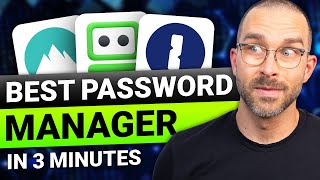
This video provides a quick, three-minute overview of three leading password managers: NordPass, RoboForm, and 1Password. It highlights each tool's key features, pricing recommendations, and ideal user profiles, aiming to help viewers choose the best option for their needs.
The video opens by promising a review of the top three market leaders in just three minutes, with a focus on modern encryption and user access.
NordPass offers a password generator, passkey support (which may replace passwords in the future), a data breach scanner, and secure sharing. The two-year plan is recommended for the lowest overall cost.
RoboForm uses modern encryption, includes autofill and a password generator, and can check for leaked passwords. It also functions as a two-step authentication app and supports passkeys. The premium plan is recommended for its low cost and features like password sync and secure shared folders.
1Password provides Watchtower for checking weak passwords, password sharing, 1GB of storage, and autofill. It allows users to separate logins into different vaults, keeping sensitive data hidden while traveling. It is more customizable and secure, with no breaches and multiple independent audits, but is pricier than the other two.
NordPass is best for a sleek UI and straightforward use, while 1Password is for those wanting the most features. The video directs viewers to a full review for more details.
The video concludes by summarizing that NordPass is the most user-friendly, RoboForm is the most affordable, and 1Password offers the most features, helping viewers pick based on their priorities.
What feature does NordPass offer that might replace passwords in the future?
Passkey support.
00:31
Which password manager can be used as a two-step authentication app?
RoboForm.
01:24
What is the name of 1Password's feature that checks for weak passwords?
Watchtower.
01:53
Which plan does the video recommend for NordPass to get the lowest overall cost?
The two-year plan.
00:57
How much storage does 1Password provide?
One gigabyte.
01:53
NordPass's Passkey Feature
Highlights a forward-looking feature that could change password management.
00:17RoboForm's Dual Functionality
Shows a unique selling point by combining password management with 2FA.
01:241Password's Security Track Record
Emphasizes the importance of audits and breach history in choosing a manager.
01:53Clear Recommendations
Provides actionable guidance based on user priorities.
02:49[00:00] here are the top three market leaders reviewed in just 3 minutes. This provider uses modern encryption, meaning only you can access your passwords.
[00:17] NordPass offers all crucial features for a password manager, a generator to create robust passwords, and even the passkey feature.
[00:31] which might replace current passwords altogether in the future. and a data breach scanner. with others safely if needed.
[00:45] with its sleek UI and many useful features just clicks away. I recommend the two-year plan as it has the lowest overall cost.
[00:57] If you want to protect your passwords, you can get NordPass cheap by scanning the QR code on the screen or clicking the link in the description. RoboForm is another solid password manager with decades of experience,
[01:10] RoboForm also uses modern encryption and besides standard features such as autofill or a password generator, to see if any of your passwords have been leaked.
[01:24] On top of that, RoboForm can be used as a two-step authentication app. they still keep up to date with modern functions like passkeys, with the best password managers.
[01:38] I'd recommend getting their premium plan. It's dirt cheap, but still offers password sync and a secure shared folder. The last password manager on today's list is 1Password.
[01:53] 1Password provides Watchtower, which checks if your passwords are weak, password sharing, one gigabyte of storage, and autofilling. to separate my logins into different vaults.
[02:05] and it will keep my sensitive data such as business and private passwords hidden while traveling. more customizable and secure.
[02:18] The provider hasn't been breached, was independently audited multiple times, Lastly, 1Password is pricier than NordPass or RoboForm,
[02:32] and it is still very affordable for a top password manager. If you're interested, click the link in the description to get the best deal. NordPass has the sleekest UI and is the most straightforward to use.
[02:49] and 1 Password is for those who want the most features. If you want to see a full review, you can click the video on screen. See you in the next video.
⚡ Saved you 0h 03m reading this? Transcribe any YouTube video for free — no signup needed.