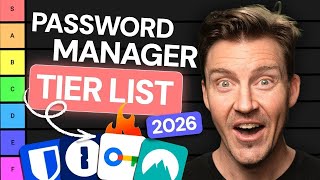

The Ultimate Password Manager Tier List
45sImmediately hooks viewers with a bold claim and sets up a controversial ranking that people love to debate.
▶ Play Clip"Delivers a solid tier list with clear reasoning, though some ratings are subjective and the video is padded with sponsor mentions."
This video provides a comprehensive tier list ranking of popular password managers in 2026, evaluating features, security, pricing, and usability. The creator assigns each tool a grade from S to F, offering practical recommendations for different user needs.
The video aims to simplify the overwhelming choice of password managers by grading them into a simple system.
NordPass is highlighted as a popular choice with modern encryption (XChaCha20), password health tools, and a disposable email feature. It is affordable and user-friendly, earning an S tier.
1Password is praised for its passkey support, customizability, travel mode, and family plan. It uses AES-256 encryption and offers strong security, also landing in S tier.
Google's built-in manager is free and simple but lacks zero-knowledge architecture, meaning Google can access vault data. This security risk places it in F tier.
RoboForm is affordable, with a simple UI and essential features like password generator and autofill. It uses zero-knowledge architecture and AES-256, earning A tier.
Bitwarden is open source with standard security, but the app is less refined and autofill can be clunky. A past security warning places it in B tier.
Proton Pass is privacy-first, from the nonprofit Proton Foundation, but is pricier and has fewer independent audits. It offers essential tools and a modern UI, currently B tier with potential for S.
LastPass has all necessary features but suffered a major breach in 2022. Despite rebuilding trust, its premium price and history place it in C tier.
Keeper offers unique per-password keys, a self-destruct feature, and many extras. It is feature-rich but not fancy, earning a solid B tier.
SecurePass lacks a dedicated desktop app and is less capable than cheaper alternatives. It is only recommended for Bitdefender ecosystem users, placing it in C tier.
The video concludes that NordPass and 1Password are the top choices for most users, while Google Password Manager is a security risk. It encourages viewers to consider their specific needs and security priorities when choosing a password manager.
Which password manager uses XChaCha20 encryption?
NordPass
00:26
What is a key security drawback of Google Password Manager?
It lacks zero-knowledge architecture, allowing Google to recover passwords.
03:15
Which password manager is the first open-source provider mentioned?
Bitwarden
04:44
What unique feature does Keeper offer?
Every password has its own unique key and a self-destruct feature.
07:41
Which provider had a major security breach in 2022?
LastPass
06:43
What is the main drawback of Bitdefender SecurePass?
It lacks a dedicated desktop app.
08:23
NordPass S-tier rating
Highlights a top recommendation with modern encryption and affordability.
00:13Google Password Manager F-tier due to zero-knowledge
Warns about a common built-in tool's security flaw.
03:15LastPass breach impact
Shows how a security incident can damage trust and ratings.
06:43Keeper's unique key feature
Demonstrates an innovative security approach.
07:41[00:00] Confusing features, pricing tiers, unrealistic privacy promises, Picking the best password manager can be seriously overwhelming. So let's simplify it today with the best password manager tier list.
[00:13] and sorted them into a simple grading system. One of the most popular password managers right now is NordPass.
[00:26] which is a modern alternative to AES-256. so only you can ever see what's inside your vault. for an extra login confirmation after the master password.
[00:43] and a password health tool that flags which passwords are old, weak, or reused. so that's for a more secure alternative to passwords.
[00:56] to monitor personal data leaks. that gives you a disposable email address linked to your real one. NordPass works on all major platforms, and there's a browser extension
[01:13] Both the app and the extension are made to be easy to navigate, and you can store not only passwords, but also credit card info, personal data, I can also appreciate how affordable this provider is.
[01:28] there's a coupon in the description Just keep in mind the renewal price is steeper, So yeah, this is probably already clear, but NordPass is a great fit
[01:42] for both beginners and advanced users, so it goes into the S tier. Another highly popular provider on my list is 1Password. To me, it stands out as a leader in terms of passkey support.
[01:54] and just became the first passkey manager that can be set as the default on Windows. but it does offer more, especially with the family plan.
[02:06] There's a coupon in the description that can cut the price down. The app covers essentials like a password generator, But where 1Password stands out is the customizability.
[02:21] You can manage the vaults, tag items, create custom fields, And there's travel mode, which can lock chosen vaults when you cross borders.
[02:33] Now, security-wise, there's the standard AES-256 bit encryption The 2FA options are more limited than NordPass, You have to add this unique string of symbols
[02:47] which strengthens account security tenfold. for families or tech-savvy users who need to manage lots of accounts.
[02:59] Either way, 1Password joins NordPass in the S tier. After all, it's free, simple, and comes prebuilt into Chrome. It covers essentials like password checkup, autofill, and passkey support,
[03:15] Google doesn't use zero-knowledge architecture. This enables password recovery, whether that's for a law enforcement request
[03:30] However, a bigger issue is that the entire password vault If someone gets into that, they get everything. and transparency around security, that's not a risk I'm willing to take.
[03:46] yeah, it's functional. So let's put this in the F tier. Yeah. This is a really affordable password manager,
[04:00] as with a discount code, it comes out to under a dollar per month. The UI is simple and minimal, and I'd even call it a bit outdated, You also won't find that many unique features here,
[04:16] But RoboForm contains all the essentials from a strong password generator and autofill to passkey support and password audit tools. zero-knowledge architecture,
[04:32] and AES-256 bit encryption with added 2FA options. So I can confidently put RoboForm into the A-tier. without all the bells and whistles.
[04:44] It's the first open source provider on this list, It also employs all the standard security measures. to data breach reports.
[05:00] But the app can be a bit difficult to use and looks less refined. I had to open Bitwarden's extension and choose credentials While with other password managers, it's usually enough to just click an icon.
[05:15] and came with a security warning. that opened a way for malicious actors to steal people's credentials.
[05:27] but the autofill is still not entirely free of the risk, hence the warning. and it's still a solid password manager, so I'm placing it in the B tier.
[05:41] Proton Pass is also an option. It belongs to the nonprofit privacy-first Proton Foundation, Proton Pass is pricier than Bitwarden, but still on the affordable end,
[05:56] as any reliable password manager software pick. which translates to fewer independent audits That said, Proton Pass already provides all the essential tools and more,
[06:13] password generator, Dark Web Monitoring, password health checker, autofill. It's a very nice bonus that the app looks modern and straightforward. with no security incidents, I'll likely bump it up to the S-tier,
[06:31] Even though being a mature provider isn't always a saving grace, LastPass has all the necessary security features that you'd expect,
[06:43] when attackers gained access to a third-party cloud storage service And just like that, people started mass leaving this provider.
[06:56] to a lot of sensitive information, Since then, LastPass has worked hard to rebuild trust The app itself is solid, simple, with all the essentials
[07:12] But LastPass is one of the pricier options. Paying premium prices for a provider that had such a significant stumble especially when there are equally capable alternatives without that baggage.
[07:27] Next up, I have Keeper. are pretty much the same as every other best password manager app, Keeper stands out with every password having its own unique key,
[07:41] It's also a very feature-rich provider. You get all the essentials, but Keeper goes even further with extras and even a self-destruct feature
[07:55] The app itself is nothing fancy, That said, Keeper still deserves a solid place among the best Password Manager 2026 picks,
[08:07] I also did a Bitdefender SecurePass password manager review. but the password manager is pretty solid, too. It's just that there's no dedicated desktop app.
[08:23] SecurePass covers autofill, passkey, a password generator, password quality checker, and password leak alerts. considering you can get more capable password managers for a lower price.
[08:40] unless you've already invested in the Bitdefender ecosystem. so it goes in the C tier. do you agree or do you have other opinions?
[08:56] check out the discount if you're planning to get one of these. And stay safe out there. Bye.
⚡ Saved you 0h 09m reading this? Transcribe any YouTube video for free — no signup needed.