
LVUI Development Halted for Midnight
45sAnnouncement of a major add-on's halt sparks concern and curiosity among WoW players.
▶ Play Clip"Title accurately reflects the video's content about WoW addons and UI replacement for the upcoming Midnight expansion."
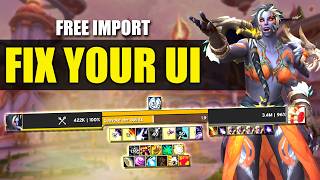
The video discusses the halt of LVUI production for World of Warcraft's Midnight expansion due to Blizzard's add-on restrictions. The creator shares their alternative UI setup using various add-ons to replace LVUI, providing import strings and recommendations.
Lucky One announced LVUI development is halted for Midnight due to Blizzard tightening add-on restrictions, especially combat-related info.
The creator removed LVUI a month ago and tested alternative add-ons to build a new UI.
Started with Blizzard's edit mode to create a layout, noting limitations like lack of mouse-over bars and hiding micro menu.
Add-on to skin base UI frames with dark mode, customizable unit frames, buffs, cast bars, fonts, and profile import/export. Developer confirmed plans for Midnight.
Replaces LVUI's item level display on character and inspect panels.
Consolidates add-on buttons into a pop-out menu to keep minimap tidy.
Leatrix Plus offers automation, social tweaks, chat improvements, and system settings like weather density. Leatrix Maps enhances the map with unlock and unexplored area viewing.
Highly recommended bag add-on with one-click junk sell, works with bank and warband bank. Requires Syndicator.
Current nameplate add-on, with popular profile Jundy's for raid/M+ available.
Quality-of-life add-on by Peterox, includes loot window skin, expansion summary, and various UI improvements. Developer also made Narcissus.
The new UI took getting used to; tweaks were needed after first Mythic+ key. Import strings available in description and Discord.
The creator successfully replaced LVUI with a combination of add-ons like Better Blizz Frames, Baganator, and Plumber, offering a viable alternative for players affected by LVUI's halt.
Why was LVUI production halted for Midnight?
Due to Blizzard tightening add-on restrictions, especially combat-related info.
0:19
What add-on replaces LVUI's unit frame customization?
Better Blizz Frames.
1:58
Which add-on consolidates minimap buttons?
MBB (Minimap Button Bar).
3:56
What add-on is required for Baganator to work?
Syndicator.
5:03
Who is the developer of Plumber and Narcissus?
Peterox.
6:14
What feature does Plumber's expansion summary provide?
It tracks current activities and weekly completions.
6:46
What is the recommended nameplate add-on in the video?
Plater.
5:29
LVUI Halted for Midnight
Key announcement affecting many WoW players who rely on LVUI.
0:19Better Blizz Frames as LVUI Alternative
Comprehensive add-on that skins base UI and is confirmed for Midnight.
1:58Baganator as Best Bag Add-on
Highly recommended with one-click junk sell and bank support.
4:52Plumber Quality-of-Life Add-on
Packs many improvements like loot skin and expansion summary into one add-on.
5:57[00:00] Hello guys and welcome to the Drowsy
[00:02] Dragon. So, it's time to give you a
[00:04] updated UI video. It's been a while
[00:06] since we've done one of these. So, you
[00:07] may have heard that yesterday Lucky One,
[00:10] the main guy behind LVY's development,
[00:12] recently announced that the popular UI
[00:14] replacement and customization add-on has
[00:16] had its production halted for Midnight.
[00:19] And by now, I'm sure you've heard that a
[00:20] lot of the add-on customization options,
[00:22] especially combat related, will not be
[00:25] available when Midnight comes around
[00:27] because of Blizzard's tightening up on
[00:29] what add-on developers can see in terms
[00:31] of information that add-ons might need
[00:32] to read. Now, this is quite a shame. I
[00:35] did think that with the changes to
[00:36] add-on restrictions, mainly being combat
[00:38] focused, that LVUI would be okay. But we
[00:41] are involving things like name plates
[00:43] and unit frames here for example which
[00:45] do play a bit of a role with incoming
[00:47] information during combat. It would be a
[00:49] sad situation to see LVUI go. Myself
[00:52] among many other players have used this
[00:54] add-on for over 10 years now and I've
[00:56] always been a huge fan of how minimal
[00:58] you can make your UI and the fact that
[01:00] you can share it and import profiles and
[01:02] all the other good stuff that LVUI
[01:03] brings. However, thankfully, about a
[01:06] month or so ago, with the possibility of
[01:08] this happening, I decided to remove LVUI
[01:11] from my add-ons list and see what other
[01:12] add-ons I could use and combine to
[01:14] create a UI that I was happy with. It
[01:17] did take quite a lot of work, but here's
[01:18] what I managed to come up with. So, I
[01:20] wanted to share my UI with you today, as
[01:22] well as any import strings that are
[01:24] available, so you can copy this straight
[01:25] into your game if you wish to do so.
[01:27] because I can imagine a lot of people
[01:28] are in a similar situation to me and
[01:30] moving away from LVUI isn't the easiest
[01:32] thing to do when you've been used to it
[01:33] for so long. Okay, so the first place to
[01:36] start was setting up the base Blizzard
[01:38] UI using edit mode. So this is the
[01:40] layout that I was happy with. Now edit
[01:42] mode still needs some work, doesn't it?
[01:44] Like for example, being able to have
[01:46] certain action bars as mouse over only
[01:48] or being able to hide the micro menu or
[01:51] the bag bar, for example, and some mini
[01:53] map control. But there are add-ons that
[01:55] we can combine here that can do those
[01:57] things. So the first add-on that I got
[01:58] was better Blizz Frames. Now you can see
[02:01] how this looks with better bliss frames
[02:03] loaded. So this is currently a nice
[02:04] solution to the fact that the base
[02:06] Blizzard UI doesn't have some of the
[02:07] things that we wish it did have. You can
[02:09] simply skin it. So you can see here
[02:11] we've got the dark mode for the edges of
[02:13] most frames, including the action bars.
[02:15] There really are a ton of options with
[02:17] this add-on. Now you may be thinking,
[02:19] well, what about in midnight? Will this
[02:21] add-on continue to work? So, you can see
[02:23] this post here from the developer
[02:25] BodyFine explaining what the plans are
[02:27] for Midnight. Now, here's a look at all
[02:29] the settings that you can tweak using
[02:31] this add-on. It really is super
[02:33] extensive what you can do with this. So,
[02:35] you've got all the general settings
[02:37] regarding how the unit frames look and
[02:38] what information they can display.
[02:40] You've then got control for buffs, even
[02:42] being able to blacklist certain debuffs
[02:44] or buffs that ain't relevant to you. For
[02:46] example, if you've got a buff from a
[02:48] shirt, you can just turn that off if you
[02:49] don't need to see it all the time. It
[02:51] does also work with the new cooldown
[02:53] manager. Now, I haven't personally
[02:55] tested this as it is a new feature to
[02:57] the add-on, but it's nice to see the
[02:58] options are there and been worked on.
[03:00] Fonts are also customizable, including
[03:03] the actual font itself, the size, and
[03:05] the outline. You've got fully
[03:06] customizable cast bars and the ability
[03:08] to import and export profiles. This
[03:11] add-on is really comprehensive and a
[03:13] good option if you want to reskin your
[03:14] base UI frames. There's even the option
[03:17] to copy the frame setup from some
[03:18] popular WoW creators if you wish to do
[03:20] so with these buttons here at the
[03:22] bottom. Personally, I chose the starter
[03:24] one to get the base settings locked in
[03:26] and then tweaked it as I saw fit. If you
[03:29] want to copy my settings, I'll get a
[03:30] link to the import code in the
[03:32] description of this video or jump into
[03:34] the Discord and it'll be there, too. So,
[03:36] one thing that LUI also made really
[03:38] clear was the item level of your gear
[03:40] and of people that you inspected. And
[03:42] when you get rid of LUI, you lose that
[03:44] as well. So to combat the loss of this
[03:46] information being shown, the add-on
[03:48] simple item level works really well.
[03:51] It's quite a neat add-on that shows the
[03:52] eye level nicely for both the character
[03:54] panel and the inspect panel. One very
[03:56] good add-on I recommend is MBB or mini
[03:59] map button bar. It gets all those add-on
[04:01] buttons that are going around your mini
[04:03] map into one nice pop out menu. So it
[04:05] keeps the mini map tidy and saves you
[04:07] having to turn off each of these add-ons
[04:09] mini map buttons individually. So MBB
[04:12] very good add-on. Next, we've got
[04:14] Leatricx Plus. Now, this add-on also
[04:16] does a ton of different things. You've
[04:17] got some automation options. You've got
[04:19] various social settings, tweaks that
[04:21] make editing other things such as the
[04:23] chat window more intuitive. You've even
[04:25] got some system settings such as being
[04:27] able to control the weather density or
[04:29] muting mount sounds. There's tons to
[04:31] customize here, and the menu is very
[04:33] easy to navigate with tool tips
[04:35] explaining what each add-on does when
[04:36] you mouse over them. And you can also
[04:38] combine this with Leatric maps as well.
[04:40] Now, this makes some improvements to the
[04:42] base map and adds customization to it.
[04:44] It's quite handy here being able to
[04:46] unlock the map so you can move it around
[04:48] and also to look into unexplored areas
[04:50] of the map if you wish to do so. So,
[04:52] bags. Now, the LVUI bags were decent,
[04:55] but I actually never used those. An
[04:57] incredible replacement bag add-on if
[04:59] you're looking for one that I highly
[05:00] recommend is Baggerator. Now, you do
[05:03] need to download the add-on Syndicator
[05:05] in order for this bag add-on to work.
[05:07] This is super customizable. It's very
[05:09] nice looking. It's got lots of handy
[05:11] functions. One thing, for example, is
[05:13] you can sell all of your junk items in
[05:15] one click. It does, of course, work for
[05:17] the bank and the warb band bank as well.
[05:20] This is genuinely the best bag add-on
[05:22] I've ever used in all of my years of
[05:24] World of Warcraft. So, Baganator, I
[05:26] highly recommend. As for a name play
[05:29] add-on, I am using Plater for the time
[05:31] being. I did have my own profile that I
[05:33] just customized to the way that I liked
[05:35] it. If you want quite a popular raid and
[05:37] mythic plus setup for Plater, you can
[05:39] install Jundy's which you can find on
[05:41] WGO. I will link to that in the
[05:43] description below as well. Now, I'm
[05:45] using Plater for the time being. It's a
[05:46] very good add-on for name plates.
[05:48] Perhaps the best one currently being
[05:49] used. I'll likely swap over to the
[05:51] default Blizzard name plates when they
[05:53] get added in, but we'll see how that
[05:54] goes. Now, one add-on that's absolutely
[05:57] worth a mention here is Plumber. It's an
[05:59] incredibly good quality of life add-on.
[06:01] It does quite a lot of different things.
[06:03] Now, I first became aware of Plumber
[06:05] back in Dragonfly, and it made the use
[06:07] of the dream seeds and the Emerald Dream
[06:08] super easy and nice to look at, and
[06:11] since then, it's been updated by its
[06:12] developer, Peterox, quite extensively.
[06:14] Now, big shout out to Peterox here, as
[06:16] he's also the developer of Narcissus,
[06:19] that popular sort of transmog add-on
[06:21] that you can use to model your
[06:23] characters in various ways and show off
[06:24] your transmog sets. Absolutely fantastic
[06:27] add-on. So nice to look at and use and
[06:30] incredible functions, too. So, plumber
[06:32] sometimes automates processes. It can
[06:34] also reskin various things and just
[06:36] change the UI for some elements as well.
[06:38] For example, you can have this nice
[06:40] little loot window skin that pops up
[06:42] which you can control as you see fit.
[06:44] This brilliant expansion summary window
[06:46] so you can track what activities you are
[06:48] currently doing and which ones you've
[06:50] done for the week, for example. This is
[06:51] definitely a highlight of the add-on, by
[06:53] the way. And you've got so much quality
[06:55] of life improvement packed into one
[06:57] add-on with all of these other settings.
[06:59] plumber for me is definitely a must and
[07:02] again highly highly recommend this
[07:04] add-on. So that's the UI that I landed
[07:06] myself with currently. Now I'm not going
[07:08] to lie, it did take quite some getting
[07:10] used to. Even when I was visually happy
[07:12] with it when I jumped into a Mythic Plus
[07:14] key for the first time, it was a bit of
[07:16] a nightmare. Um, so there was definitely
[07:18] some tweaks to be made after getting
[07:20] used to playing with the uh UI as it
[07:22] was. So, for the add-ons that allow it,
[07:23] I'll leave my import string in the
[07:25] description below, but do as well jump
[07:27] into our Discord using the link in the
[07:29] description because you can find them in
[07:31] our Discord there as well and also ask
[07:32] any questions if you want to do so. We
[07:34] do also have a guild on the EU servers
[07:37] now that you can join if you're looking
[07:39] for a guild. We are a crossfaction guild
[07:41] on Ravenrest EU, but you can join from
[07:44] any server from any faction. So, feel
[07:46] free. The best way to join us is to come
[07:48] into our Discord and ask about the guild
[07:50] in the general chat there. Hopefully,
[07:53] we'll see you there. Thanks for
[07:54] watching, guys. I've been the Drowsy
[07:56] Dragon and I'll catch you next time.
[07:58] Cheers.
[07:59] [Music]
⚡ Saved you 0h 08m reading this? Transcribe any YouTube video for free — no signup needed.