
ElvUI: The Ultimate WoW UI Suite
56sThis segment introduces a complete, modular UI addon that immediately grabs attention for players seeking a clean and customizable interface.
▶ Play Clip"The title accurately reflects the content, as the video lists five add-ons and provides free import strings for ElvUI."
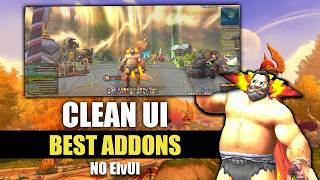
The video showcases five essential World of Warcraft add-ons that the creator uses to achieve a clean and customizable UI. The primary add-on is ElvUI, a complete UI suite that allows extensive customization of the interface. The creator also provides free import strings for their specific layout.
ElvUI is a complete UI suite that allows customization of action bars, unit frames, nameplates, cooldown manager, and more. It is modular, so you can disable unwanted features. It skins over the edit mode and cooldown manager layout, making setup quick (under 10 minutes).
ElvUI features an unlock mode for pixel-perfect positioning of UI elements, supports different profiles (e.g., for healers), and includes a mini map button bar, dungeon teleports, and great vault progress tracking.
BlizzMove allows you to freely move and resize UI elements, which is especially handy for streamers.
DialogUI improves the quest dialogue interface, making it look nicer and allowing spacebar to advance conversations and accept/turn in quests.
Bagnator (with Syndicator) is the bag add-on used by the creator, considered one of the best.
Plater is a powerful add-on that automates tasks like selecting powers in delves, joining events, and provides UI improvements like a loot window and instance difficulty selector.
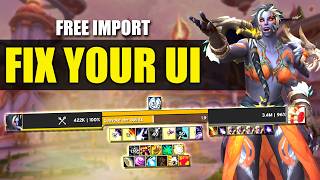
The creator offers free import strings for their ElvUI layout and edit mode in their Discord server (link in description).
What is the name of the complete UI suite add-on that recently came out of beta?
ElvUI
0:13
What makes ElvUI easy to customize?
It is completely modular, so you can easily turn off bits you don't want.
0:33
How quickly can you install ElvUI and be ready to play?
Under 10 minutes.
1:00
Which add-on allows you to freely move and resize UI elements?
BlizzMove
4:04
What is the name of the add-on that improves quest dialogue UI?
DialogUI
4:15
Which two add-ons are needed for the bag management solution mentioned?
Bagnator and Syndicator.
4:34
Which add-on is described as a 'powerhouse' that automates many tasks?
Plater
4:50
Where can you find the import strings for the creator's ElvUI layout?
The creator's Discord server, in the UI and add-ons channel pinned messages.
3:04
What is the honorable mention add-on also made by the creator of Plater?
Narcissus
6:04
ElvUI as a Complete UI Suite
ElvUI is the core add-on that allows extensive customization of the entire UI, making it the most impactful add-on mentioned.
0:13Unlock Mode for Pixel-Perfect Customization
The unlock mode feature allows users to freely move and tweak UI elements with pixel precision, then lock them in place.
1:36BlizzMove for UI Element Movement
BlizzMove is a simple add-on that lets you move and resize any UI window, useful for streamers or anyone wanting to rearrange their interface.
4:04DialogUI for Immersive Questing
DialogUI enhances the quest dialogue interface, making it more visually appealing and allowing spacebar to advance conversations.
4:15Plater as a Powerhouse Add-On
Plater automates many tasks like selecting powers in delves and joining events, and it continuously updates to improve UI elements.
4:50[00:00] These are the top five add-ons I use in
[00:02] my UI currently and how to get them for
[00:05] yourself including the import strings.
[00:07] I've had a few questions about my UI so
[00:09] it's time I shared all the information.
[00:11] So, the most impactful add-on that I use
[00:13] currently is called ElvUI
[00:16] which has only recently come out of beta
[00:18] and it receives updates constantly. So,
[00:21] this is pretty much a complete UI suite
[00:23] which allows you to customize basically
[00:25] every aspect of your main UI and
[00:27] interface in a similar fashion to ElvUI
[00:30] but honestly this is better. It's a
[00:33] completely modular add-on so it's super
[00:35] easy to turn off bits that you don't
[00:37] want using the options down the side
[00:38] here with modules for action bars, unit
[00:41] frames, nameplates, cooldown manager as
[00:43] well as a ton of other quality of life
[00:45] options as well. The way it works is
[00:47] once you install it, it basically skins
[00:50] over your edit mode and cooldown manager
[00:52] layout. So, it doesn't drastically
[00:54] change anything making it really quick
[00:56] and easy to set up. You really can
[00:58] install this and be good to jump back
[01:00] into the game in under 10 minutes or you
[01:02] can spend time tweaking every small
[01:04] detail to your liking.
[01:06] Now, ElvUI has been working insanely
[01:07] hard to get this add-on to where it is
[01:09] today and there are still some more
[01:10] features to come. If you go into the
[01:12] Discord, you'll see in the update
[01:14] channel just how hard this guy has
[01:16] worked. So, major thanks to ElvUI for
[01:18] putting this together. It really does
[01:20] have the best customization UI of
[01:22] basically any add-on that I've used
[01:24] before. It's so clean, so user-friendly
[01:26] and intuitive and it just makes it so
[01:29] easy for someone who's not very good at
[01:30] doing all these customizations to really
[01:32] get stuck in and get their UI exactly
[01:34] how they want it. You've got the
[01:36] wonderful unlock mode so you can just
[01:38] toggle this on, tweak things around to
[01:40] your liking, put them where you want
[01:41] them to be. Everything can be pixel
[01:43] perfect as well and then you can lock
[01:44] them back in place. You can of course
[01:46] have different profiles so if you want
[01:48] like a healer setup with your party
[01:50] frame somewhere different, you can do
[01:51] that. You can basically do anything you
[01:53] want to do within unlock mode. And new
[01:55] features keep getting added basically
[01:57] all the time that were not expected. So,
[01:59] you've got these little handy bits near
[02:01] the mini map. You've got this mini map
[02:02] button bar which completely replaces the
[02:05] need to use that separate add-on mini
[02:06] map button button which I was using
[02:08] previously. You've also got the dungeon
[02:11] teleports in the little menu there as
[02:12] well. You can just click on those and
[02:14] click them straight from that that list.
[02:16] And you've also got the great vault
[02:17] section so you can just easily see
[02:19] what's in your great vault that week and
[02:20] check your progress.
[02:22] Within these settings, you can control
[02:23] all the core add-on functionality as
[02:26] well as all the quality of life
[02:27] improvements as well like buff reminders
[02:29] and some UI reskins for other bits of
[02:32] the UI to tie all the bits into the same
[02:34] visual style. You can see here for
[02:36] example, I didn't want the quest tracker
[02:38] part or the chat so I just simply toggle
[02:40] them off, do a quick reload, easily
[02:43] done. I genuinely can't recommend this
[02:45] add-on enough. If you want to get my
[02:47] layout for this, bear in mind that I do
[02:49] use an ultra-wide monitor so this is how
[02:51] it looks for me in game but as the
[02:54] elements are mostly central, this should
[02:56] import pretty well onto any size setup.
[02:59] Just bear in mind that it might need a
[03:00] little bit of tweaking on your end after
[03:02] the import. For the import strings, do
[03:04] come on into my Discord. The link to
[03:06] that is in the description down below
[03:08] and look for the UI and add-ons channel.
[03:10] You'll find there in the pinned messages
[03:12] my edit mode layout as well as my ElvUI
[03:15] import codes. All completely free of
[03:17] course. There's no pressure to sign up
[03:19] to my only fans. There are still parts
[03:22] to the ElvUI add-on that haven't been
[03:24] released yet so the raid frames are
[03:25] probably going to be the biggest one
[03:27] that's still yet to come. I can't wait
[03:28] to see those when they're finished as
[03:30] well as the damage meters for UI as
[03:32] well. So, currently for those I'm using
[03:34] details as most of you probably will be.
[03:36] And if you need one last thing to
[03:38] convince you to give this a go, there's
[03:40] even a party mode for when you just want
[03:42] to get your groove on disco style. You
[03:44] can set this to toggle on and off with a
[03:46] keybind or you can have it to auto play
[03:48] at certain durations for certain
[03:49] triggers. So, yeah, ElvUI, incredible
[03:52] add-on, cannot recommend it enough.
[03:54] Another mention is you may see me moving
[03:57] elements of the UI around freely.
[03:59] Especially handy when streaming if I
[04:00] want to show off stream something that's
[04:02] gone off to the side. So, this add-on is
[04:04] simply called BlizzMove which you can
[04:06] even use to change the size of the
[04:07] windows if needed.
[04:09] One add-on that I do get a lot of
[04:11] questions about is the quest UI when
[04:13] talking to an NPC. This brilliant add-on
[04:15] is called DialogUI. Not only does it
[04:17] make the UI look really nice but you can
[04:19] customize it as well to your liking. You
[04:22] can also just press spacebar to advance
[04:24] the conversation with the NPC and accept
[04:26] or turn in quests. It makes reading
[04:28] books and plaques and quest items feel
[04:30] more immersive basically.
[04:32] For bags, I simply use Bagnator at the
[04:34] moment. If you do want to use Bagnator,
[04:36] you do also have to download the add-on
[04:38] Syndicator as well. I've tried many bag
[04:41] add-ons and with all the features that
[04:42] this one has, it definitely is up there
[04:45] as the best bag add-on that I've ever
[04:46] used.
[04:48] And as always in any UI video, we have
[04:50] to mention Plater as it's an absolute
[04:52] powerhouse of an add-on that works so
[04:54] good that you don't even realize it's
[04:56] Plater that's improving your quality of
[04:58] life in the game or polishing certain UI
[05:00] elements. Now, Plater started off
[05:02] relatively simple back in Dragonflight
[05:04] but now it does so many brilliant
[05:06] things. I won't list all of them but
[05:08] here are some of the key highlights for
[05:09] me. You've got the instance difficulty
[05:12] selector that pops up when you're near a
[05:14] raid or dungeon entrance allowing super
[05:16] easy toggling between difficulties.
[05:18] You've got the sexy little loot window
[05:20] that you see quite a lot when doing any
[05:21] kind of content so it's nice to have
[05:23] that looking pretty slick. And really,
[05:25] all of the auto features it just does
[05:27] for you like selecting powers in delves
[05:29] when there's only one choice saving you
[05:31] some clicks or joining events that
[05:34] require you to talk to an NPC to start
[05:36] them. It just does it for you. There's
[05:38] also things like the prayer map update
[05:39] giving you more information on the map
[05:41] selection screen so you know really
[05:42] quickly whether or not a prayer target
[05:45] is going to give you an achievement or
[05:46] not which is just nice to have. Saves
[05:48] you going through all the achievement
[05:50] menus.
[05:51] Anytime you update your add-ons and
[05:53] something cool changes in the UI, it's a
[05:55] safe bet to make that Plater has
[05:57] provided the update. It's a top tier
[05:59] add-on and you won't regret the install.
[06:02] And also honorable mention, it's not
[06:04] part of my UI really but I do use it a
[06:05] lot, is Narcissus which is also made by
[06:09] Pterodactyls or Peter O'Docks, the guy
[06:11] that makes Plater. So, there we go guys.
[06:14] Those are the add-ons that make up the
[06:15] core of my UI, the things that you'll
[06:17] see if you ever watch me on stream. By
[06:18] the way, do come on over, do check us a
[06:20] follow on Twitch. Link's in the
[06:22] description. But what add-ons have I
[06:24] missed off the list that you use every
[06:26] day that make your quality of life
[06:27] better in game or that provide some
[06:29] really unique feature? Let us know in
[06:31] the comments and let us know what you
[06:32] think. As I said, pop over to Discord to
[06:34] get the import strings for ElvUI and for
[06:37] my edit mode layout and let us know how
[06:39] you get on. Any questions, pop them in
[06:41] the Discord channel or let us know in
[06:42] the comments here on YouTube. Thank you
[06:44] so much for watching guys. I've been the
[06:46] Drowsy Dragon and if you want more
[06:48] content like this from me all about
[06:49] World of Warcraft, please consider
[06:51] leaving a like on the video if you did
[06:52] enjoy it and subscribing to the channel
[06:54] for that upcoming content. Can I say a
[06:56] big thank you to our channel supporters
[06:58] as well here on YouTube and also over on
[07:00] Patreon. Thank you so much for
[07:02] supporting the channel. As always guys,
[07:04] I hope you have a wonderful day. Thank
[07:05] you so much for watching and I'll catch
[07:07] you in the next one. Cheers.
[07:15] >> [music]
[07:23] [music]
⚡ Saved you 0h 07m reading this? Transcribe any YouTube video for free — no signup needed.