
Only Add-On That Calculates True Crafting Profit
54sEducational segment revealing the only add-on that incorporates profession stats into profit calculations, a must-know for serious gold makers.
▶ Play Clip"Delivers exactly what the title promises: a comprehensive list of essential gold-making add-ons."
This video provides a comprehensive list of essential add-ons for gold making in World of Warcraft: Midnight. The creator covers tools for crafting, auctioning, farming, and tracking knowledge points, emphasizing time-saving and profit-maximizing features.
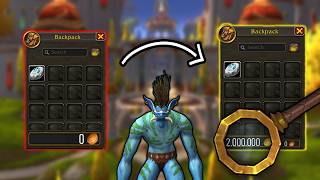
Extends the Blizzard UI to allow buying unlimited quantities from vendors, useful for bypassing the default 200 stack limit.
Provides an enhanced auction UI with shopping lists, easy selling, and cancel scan functionality to check for undercuts.
Calculates crafting profit considering profession stats, sets up craft queues, and performs recipe scans to find profitable crafts.
Free spreadsheet linked in description for calculating profits and requirements for crafts.
Skips loot window for instant looting, improving efficiency while farming.
Displays total gold, movement speed, session gold, bag value, and allows item tracking in a customizable UI.
Tracks gold make per hour while farming, with customizable pop-ups and thresholds.
Alerts when a rare mob is nearby, shows on screen and map, and lists rare drops.
Tracks missed profession knowledge points, marks weekly resets, and shows locations for treasures/quests.
Simplifies patron order UI, shows required materials and rewards, and auto-swaps profession tools based on crafting type.
Allows infinite crafting by rearranging bag stacks, useful for large crafting sessions without reapplying reagents.
Most powerful gold making add-on for posting, canceling, and crafting automation; recommended for serious gold makers.
Displays a transparent map in the center of the screen showing tracked nodes, combinable with Routes add-on for pathing.
Draw and import/export gathering routes for efficient farming, used with Farm HUD.
Built-in WoW setting to assign a keybind for gathering nodes, speeding up farming.
The video provides a thorough list of add-ons and settings that can significantly enhance gold making efficiency in WoW Midnight, from crafting and auctioning to farming and tracking.
Buy Them All
tool
Auctionator
tool
Crafts Sim
tool
Faster Loot
tool
Goblin Toolbox
tool
Loot Appraiser Reloaded
tool
Silver Dragon
tool
Moose Knowledge Point Tracker
tool
Patron Orders Helper
tool
Mass Salvage Assist
tool
Trade Skill Master (TSM)
tool
Farm HUD
tool
Routes
tool
Routes Import Export
tool
Gold Making Spreadsheet
link
Which add-on calculates crafting profit based on profession stats?
Crafts Sim
01:40
What add-on allows you to buy unlimited quantities from vendors?
Buy Them All
00:15
What add-on provides a cancel scan feature to check for undercuts?
Auctionator
00:45
How does Mass Salvage Assist help with crafting?
It rearranges bag stacks to allow infinite crafting without reapplying reagents.
08:39
What is the recommended add-on for serious gold makers according to the video?
Trade Skill Master (TSM)
09:36
Which add-on tracks missed profession knowledge points?
Moose Knowledge Point Tracker
06:26
What built-in WoW feature can speed up gathering?
The interact key setting
13:07
Which add-on shows a transparent map in the center of the screen for farming?
Farm HUD
11:31
Crafts Sim is Unique
It's the only add-on that factors in individual profession stats for profit calculation, a crucial feature for crafting efficiency.
01:40TSM is Essential
Despite its steep learning curve, TSM is considered the most powerful gold-making tool, automating posting, canceling, and crafting.
09:36Interact Key for Speed
Using a keybind to gather nodes eliminates manual clicking, significantly increasing farming speed.
13:07[00:02] Warcraft. Good or bad, that is up to you. But in today's video, I'm going to show you my top add-ons for gold making in World of Warcraft. I have put timestamps in the video timeline, so feel free to skip any of the add-ons if
[00:15] add-on that I want to mention is called Buy Them All. This is an add-on that basically extends the Blizzard UI, making you able to buy as many as you want of an vendor item. So instead of only being able to put like 200 of a
[00:30] item here, you can now put as much as you want. You can even press max if you or whatever. This gives you a lot of extra opportunity. If you don't like using something like the TSM UI when buying, this is a great alternative. The
[00:45] called Auctionator. Auctionator gives you a little bit of an extended UI to different stuff. For example, you can easily make shopping list if you want to buy something. It's also integrated with a lot of different add-ons, so it is
[00:59] very useful on that part as well. You can easily sell items. It divides stuff up here into categories, and when you leftclick an item, it shows you the list with auctions, and it's automatically putting in the price and everything to
[01:12] have to worry about that. Just always make sure that you double check so you your items for cheap. You can also use Auctionator if you want to do cancel scans. basically using this button here to check if you have been undercut on
[01:26] your auctions and if you have you can simply press the cancel undercut button and you will cancel the auction. This is a great alternative to use here if you do not want to use TSM for cancelling your auctions. The next add-on which is
[01:40] going to be pretty much mandatory if you do any type of crafting in the new professions. It's called Crafts Sim. This is an absolutely huge add-on. It's the only add-on that takes your profession stats into account when
[01:53] calculating profits. As far as I know at least, this add-on has a lot of going to cover everything that you can do with this add-on in this video, but it is definitely one of the hugest add-on that exists, especially for
[02:07] crafting. So, we do have the average profit here where you can see the average profit per craft considering your crafting stats as well. That is yeah, as I said, it's the only add-on that I know of that takes your crafting
[02:20] stats into account. You can also set up craft cues and cue up what item that you want to craft. You can also do a recipe scan to scan for what recipes you have that is profitable and so so much more. You can also easily see what
[02:34] specialization affects a craft. So, for example, the core alloy here in specialization info here, I can see that these different specialization in my specialization tree here is impacting my craft for core alloy. And I can see if I
[02:50] maxed out on all of the different stats that I could possibly have. So, this is out on this add-on if you're doing any kind of crafting now in Midnight, cuz important and great to have. Another thing that I want to highlight that is
[03:04] you with crafting, and that is my gold making spreadsheet. It's available for free for anybody in my community description below. This is great because here you can easily calculate your
[03:17] profits and you can also see what is required to do certain crafts and much more. So, check that out. It's linked in the description. Okay, so the next one I quickly want to cover is called faster loot. You can use any kind of faster
[03:30] loot add-on. I just use this one. It's a basic one. Basically, when you loot something, it skips the loot window for you. So, it makes looting way faster. efficiency while doing any kind of looting or farming and stuff. So, this
[03:44] really nice that you don't have to see the loot window when you loot. scrolls through the items and you get them to the bag and that takes time. But this one is just instant. You don't even see the window most of the times. So, I
[03:58] well. The next one I want to highlight is called Goblin Toolbox. As you can see here in the top left of my screen, I have a lot of different information and also I'm tracking stuff and having a bar with some of my important stuff here.
[04:11] This add-on is really nice. It has some nice quality of life stuff. For example, you can see your total gold. You can see your movement speed, what realm you're on, your character name, how much gold you have made in the current session
[04:23] want to have. You can see your bag value. you can see how much space you have in your bags and whatnot and so much more like and you can also very example, if you don't want to have the item tracker, you can just remove that.
[04:37] You can also add whatever item you want to track from your bag and you can see stuff. So, it's really really nice. I really like it. You can remove the utility bar with all of the different utilities. You can also add utilities
[04:51] and you can have so much stuff there. You can add and remove so much. It's very customizable, so you can make it minimal or you can show a lot of stuff. I highly recommend you to get this one called Goblin Toolbox. The next add-on
[05:04] is called Loot Appraiser Reloaded, and this is an add-on to track how much gold So, a lot of people like this one when they're out there farming, cuz you can making, and also you get some nice
[05:18] You can customize this one a lot as well, depending on what kind of pop-ups you will have, what thresholds, what quality items you want to choose and stuff. This one is very popular when farming cuz it's really nice to see like
[05:31] per hour and stuff when you farm. So, this one I really, really recommend if you do like to do gold farming. The next add-on is called Silver Dragon, and this one notifies you if you see a rare nearby. So you get a little bit of an
[05:46] alert and also it pops up the rare on the screen so you can easily target him and it's probably going to be really nice when you're out leveling and stuff in midnight to have those kind of popups when there is a rare that has spawned
[05:59] nearby cuz they are usually worth killing, right? It also gives you access to see like rares on the world map here and see good drops that the rares can drop. So, that is actually really good and that's the reason that I use this
[06:12] this feature I really do like. So, this is the kind of pop-up you get when you find a rare. It pops up over here and you can easily target it and just right really, really nice quality of life add-on when you're out there leveling. I
[06:26] because I recording this before Midnight has released. But if we're looking at the next add-on that I really do love, this was a week or before. It's now an add-on. It's called Moose Knowledge Point Tracker. With this add-on, you can
[06:41] easily see what kind of profession knowledge points that you've missing in your profession that you can possibly get right now. So, for example, weekly stuff they reset weekly, you will easily see if you have done it this week or not
[06:55] in this add-on. If there are any treasures or any quest like this one, you can easily leftclick it and it will mark on your map where to go. So, this is a really strong add-on when you're dealing with knowledge points and stuff,
[07:07] especially in a new expansion. It can be hard to know if you've missed something. not missed anything and that you're staying up to date. Don't miss out on profession, even if you're doing gathering. Onto the next one that also
[07:21] has to do with crafting. This is for your patron orders in your professions, which is one main source for your knowledge points, but you can also get some other juicy stuff in here. But this simplifies the UI and you can actually
[07:33] see immediately here without going into a craft. You can see what in terms of materials and reagents you need to do the craft. You can also see what you will get if you do the craft. So it's really really strong. You can also see
[07:47] here if there are craft that you can do without even spending any materials because some patron orders you don't have to provide any materials and you really really good. It also has another use case and that is that you get this
[08:00] little arrow popup here. So if you put your profession tool in here, let's say you have multiple of them, you put the multicraft one in multicraft and resourcess here, it will automatically swap into the correct profession tool to
[08:13] use for different crafts. As you might know, everything that uses multicraft, you want to have a multicraft tool. So if the craft is using multicraft, it swaps to multicraft. And if it's not using multicraft, it swaps back to
[08:25] strong cuz it kind of allows you to never ever fail with using the wrong profession tool. Just make sure that you sometimes check this here because if there is an update to WoW or maybe even to the add-on, sometimes this get reset.
[08:39] So, just keep an eye out on that. The next add-on is also insanely useful if you do any kind of crafting. It's called mass salvage assist. This one basically makes you able to infinitely craft without having to reapply reagents to
[08:54] you were to do gleaming shatter without the add-on, you can only stack a full stack of thousand in here. And if you press shatter all, it will only use that stack of thousand and then it will stop. But what mass salvage assist does is
[09:08] that it is rearranging your stacks in your bag. So it will continue crafting until you manually stop it. So this is really, really nice if you want to do larger crafting sessions of stuff that you have to reapply the reagents here.
[09:22] for more than 30 minutes because that is like the time that it takes for the completely AFK. So, it's not hindering you to go AFK or anything. It's just like only continuing to craft. So, that one is really huge. I know a lot of
[09:36] within. Just make sure you get this add-on cuz it's so so strong and it will definitely be useful sometime within your crafting journey in Midnight. Okay, the next add-on is the add-on that most gold makers love and fear. A lot of
[09:52] people still fear Trade Skill Master. Might be because the UI is a little bit clunky. It looks scary, but it is actually the strongest gold making add-on that exists. So, if you still sleep on TSM, now might be the time that
[10:08] you should try it out and try to get it together cuz it's going to be really house, when you're going to try to sell your items. It speeds up everything so much. It has so much usabilities that if you get into it, you will completely
[10:24] love this add-on and will not be able to live without it. I have a very basic written guide about TSM on my website available completely for free. All you need is a free membership on my Patreon and you can access it. I strongly
[10:39] recommend you to go ahead and read at least that one if you want to try out I think you're missing out on so much potential in your gold making and wasting so much time by not using this add-on. So, please at least give it a
[10:53] shot even if it's looking scary. With this add-on, you can easily post your auctions by running posting scans. You can run cancel scans to cancel your auctions. You can have a nice overview here of your auction. See how many
[11:06] auctions you posted, how much the value is, how much you have sold. You can use it to move stuff from warband bank to your regular bank. You can use it for mailing. You can use it for crafting. Like, you can use it for so much. Guys,
[11:18] do not sleep on TSM. It is the greatest of the great add-on. Even though some stuff you can question, but it's so good. If you're a serious gold maker, you got to have it. The next add-on that I want to talk about is called Farm HUD.
[11:31] FarmHUD basically gives you a map in the middle of your screen. It is fully transparent, so you can see through it, but it still displays whatever you are tracking. So, as you can see here, okay, now we're getting attacked from someone.
[11:44] lumber node. And then we can see it here on the map in the middle. And even if this looks a little bit annoying and hard to get used to in the start, this is actually going to be so convenient and it's going to be so good for you
[11:58] because constantly having to look at top right to see your map. What is going on? Is it the same dude? I have no idea what went on there. Uh, okay. He's after me. But instead of having to look top right for the map all the time, and that is
[12:13] really annoying after a long time of farming, just having it in the middle, you can see here, we have a line coming in. This is because I pair it with the add-on routes that makes you able to draw a route in game. So you can
[12:26] actually easily follow a route with those add-ons combined as well. So it's super convenient when farming. Like I highly recommend you to check out Farm HUD and also then check out routes. And if you want to be able to import or
[12:40] export routes, you got to get the routes import export add-on as well. So that is a little bit of a trio add-on pack that I think that you should get. Routes routes import export and also farm HUD. Even if it looks annoying or scary in
[12:54] the beginning here, it will be really really good for you in the long run of pretty quick and you will realize how much easier it is to farm for longer sessions. I will also leave a quick little side note here in the end. And I
[13:07] as you can see, when when I get close to a node, you can see here the little hand popping up. I don't have to manually click this node to gather it. I can press a keybind instead. If you want this functionality, simply go into the
[13:21] settings, search for interact, and you can enable the interact key. And you can also keybind it here. So, I have keybind it to F. So, when I'm close enough and it's highlighted, I just have to press F, and I can gather the node. This is
[13:34] speed up your gathering because you don't have to like hover and try to find the node. You can just look at it and you will gather it with a keybind. Highly recommend that. That is not an add-on, but that is just so good for you
[13:47] when you're out farming. So, don't sleep on that setting as well. Other than that, guys, please join up the community Discord in the description below. Sign up to my Patreon if you want to support my dream of someday becoming a full-time
[14:00] content creator. Much love. I'll see you in the next video. to buy.
⚡ Saved you 0h 14m reading this? Transcribe any YouTube video for free — no signup needed.