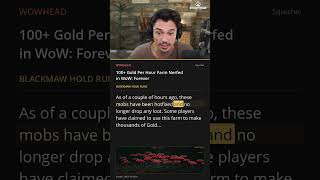
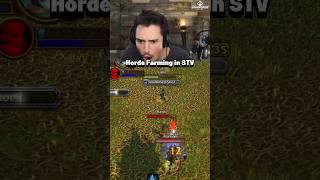
No Addon Is Necessary in WoW Forever
45sThe creator challenges the assumption that addons are essential, offering a contrarian take that sparks debate.
▶ Play Clip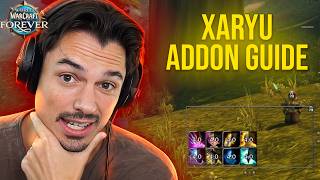
"The title promises a full breakdown of every add-on and why, and the video delivers exactly that—a thorough, honest walkthrough with no bait-and-switch."
This video is a comprehensive walkthrough of a World of Warcraft streamer's add-on setup, covering every add-on they use and the reasoning behind each choice. The creator emphasizes that no add-on is strictly necessary but explains how each one enhances the baseline game experience, from UI improvements to combat tracking. The video also provides a one-click profile setup for viewers who want to replicate the exact configuration.
The video addresses the most common question about add-ons and emphasizes that no add-on is strictly necessary; they enhance the baseline experience.
Baggonator improves bag management, allowing you to move bags and access your bank from anywhere.
BetterBlizzFrames is the most robust add-on, offering improved unit frames, class-colored health bars, and a cleaner UI. It includes a 'Zaryu profile' for one-click setup.
BetterBlizzPlates provides classic-looking nameplates with optional threat colors, useful for tanking.
Details! is preferred over the built-in damage meter because it includes a threat meter and is more customizable.
ForeverAuras is an improved cooldown manager that allows tracking multiple rows of buffs and procs, which the default system cannot do.
FrameUnlocker allows streamers to move the chat frame freely without entering edit mode.
Leatrix Maps allows moving the map and shows boat destinations; Leatrix Plus offers quality-of-life features like faster auto-loot and muting sounds.
Spell Activation Overlay shows procs like Fingers of Frost and Heating Up, and is essential for many classes.
What's Training? shows what spells you can learn without alt-tabbing, and also works for professions.
Honorary mentions include A.Tune for attunements, Questie for questing (with an option for immersive play), RestedXP for speed leveling, and Dungeon Journal for dungeon quests.
No add-on is necessary
Challenges the common belief that add-ons are essential, framing them as enhancements to the baseline experience.
00:32One-click profile setup
Shows how to replicate a streamer's exact settings with a single click, saving time and effort.
02:51In-game cooldown manager limitations
Highlights specific shortcomings of the default UI, justifying the need for add-ons like ForeverAuras.
12:06Aura organization strategy
Provides a clear method for organizing buffs and defensives, improving combat awareness.
13:32Immersive questing without add-ons
Suggests turning off quest helpers for a more authentic experience, a counterintuitive but refreshing approach.
23:31[00:02] All right, guys. Without further ado, the number one most asked question since I've been starting to play WoW forever is, "Hey, what are your add-ons?" And yes, I can just link you to my Discord where every single add-on I use is in
[00:16] there. But this video is to show you exactly what add-ons I use and how I have set all of them up. Every single setting, what it does, and why I've chosen it. Now, before we even hop in, I want to start with this. There is no
[00:32] add-on. I'm gonna buff this guy. There we go. Enjoy the seven intellect, Garyen. There is no add-on that you actually really need in WoW forever. These are all improved versions of the baseline experience. Improved unit
[00:46] frames, improved name plates, improved damage meter, improved cooldown manager, damage meter, improved cooldown manager, improved right, you don't need any add-ons really. These are all like like Blizzard's put all this stuff in
[00:59] baseline and it works, but it doesn't work very well. So, these add-ons enhance that baseline experience. So, let's start from the top. We'll work our through all my settings. So, if you want your screen to look exactly like mine,
[01:16] you know how. The first one is I actually have turned off is advanced interface options. You don't need it for anything. I sometimes like to search the C bars. search like advanced interface options, but you can do it all with
[01:28] console commands. I have it turned off, so I'm going to skip it. But, uh, the first real add-on is Baggonator. Why do I use Baggonator? Well, it's improved bags. I can move the bags with Bagonator. The default bags you can't
[01:42] move. Blizzard, come on. Um, and you can check out your bank. So, wherever you are in the world, you can see what's in your bank, which I think is awesome utility. It remembers what you have, how many stacks, blah blah blah. So you can
[01:55] in the world. I think that's an awesome function, so I use this add-on. I also like to move my bags, so that's why I use Baggonator. That one's very simple. The next add-on I use is Better Blizz Frames. This one is the most complicated
[02:11] add-on I use. It's the most robust add-on I use. Um, average CPU is 05% though, locked in and dialed. But this one we're going to spend a little bit of one we're going to spend a little bit of time on. This one is um improved unit
[02:24] frames, but additionally it's also just an improved user interface and improved experience for playing the game. If I could play with one add-on, it actually might be this. Better Blizz Frames will bring up the settings slashBF.
[02:37] Better Blizz Frames will bring it up. When you're in the settings, if you don't care about all of the reasoning behind why I've done all of this, you can just skip this part of the video and click Zaryu profile right in the There
[02:51] is no way a wolf is coming up to attack me midvideo. Got him. You can just click Zaryu profile right under the streamer section every single one of my settings and you don't have to think about any of it.
[03:05] Boom. Congratulations. But if you're like me and you like to finetune things, settings and why I use them because this add-on is awesome. This is probably my favorite add-on. Um, unit frames, class color, health, right on the top.
[03:19] Normally, you're green. I like to be class colored. I like to guy's a rogue cuz it's yellow. This guy's a mage cuz it's blue. This guy's a warrior cuz it's brown. Combat indicator. I can see when someone's in
[03:33] combat with this. That's kind of cool. little little X marks the spot. Big debuffs. A lot of people ask about this one. If I sheep this bandit here, for example, you'll see that the polymorph takes up the entire character portrait.
[03:46] That is the big debuff setting. It's pretty rad. pretty rad. Um, hide rest glow. Hide ZZZ. You might notice when you when I'm in a city, it's a little more minimal. It's not or
[03:59] a little more minimal. It's not or glowing. It's just hidden. Um, next. Hide second name. I don't like seeing both names personally. So I have hide second name on or hide second name like checked I suppose. So I just see first
[04:13] names. So I don't I just see Hugh. Hello Hugh. Little less clutter. I can still whisper him if I want and see his second name but it's not all all the time. Let's keep moving. Um target of target. I actually have a classic target of
[04:27] target option on and a classic target of target for my focus on. Um, it's kind of hard. Actually, I can show you what this looks like. The target of target looks a little bit little bit more minimal, I guess I should say, than the than the
[04:41] guess I should say, than the than the baseline experience. Um, in fact, I think it might even be worth showing you guys cuz if you're just watching this, to stock. Let me turn the add-on off real quick and show you what stock looks
[04:54] like. This is what stock looks like, right? It's not It's not bad, but the add-on just make it removes like the the unnecessary. It removes the unessential, favorite add-ons. It's an add-on that doesn't add anything. It's an add-on
[05:09] that removes things. It's an anti- add-on. It's an add-on that makes the game less cluttered instead of more cluttered. Right. So, let's continue going through the settings. Classic target of target. Classic target for
[05:23] target and focus. And that's pretty much it. the advanced settings. Um, pretty much it. This is I don't really do do anything here. This is just preference.
[05:35] Um, you can change the health bar and mana bar textures. Some of you with a This is what Blizzard looks like by default. This is the modern texture. This is the classic texture. Modern. Classic. Modern. Classic. I just like
[05:50] the classic textures. I think they look a lot more visually appealing. And maybe I'm just a boomer, but they look nice. So, I use the classic textures. Change name background texture. This is modern. That's classic. Modern. Classic. Modern.
[06:04] Classic. Another one that once again I just think looks a lot better when it's just completely filled in. Boom. Let's keep moving. Caspars. A lot of you guys bars or how do I have the classic cast bars here and here? That's this setting
[06:20] here. Player castar. Classic. border classic um target casbar, right? All of this stuff, just the classic one. I just think it looks better. And uh the add-on developer even recolored it to be bronze, so it has the nice bronze
[06:35] aesthetic for WoW Forever. Import export. You guys already have my export by clicking the Zaryu setting that we talked about first. Next, uh classic style combat glow. This one's nice. It's hard to explain what it actually does,
[06:48] but if you use it, it looks a lot less makes your eyes bleed a lot less. Let me just say that. Darker bronze frames. Speaking about eyes bleeding less, this is what Blizzard went with with the bronze
[07:02] unit frames. But as you can see, it doesn't match any of their other bronze doesn't match any of their other bronze aesthetic like the mini map or the spell book or anything. It's a lot brighter. So, this one is a color correction to
[07:14] make it actually bronze. So it it matches the rest of everything like the spell book matches the spell book now. It matches the the the bags
[07:26] now. So it's a color correction. Blizzard, CAN YOU GET ON TOP OF IT, PLEASE? OKAY. SORRY. Deep breaths. Yes. Color correction. Um smaller level circle. Normally it's massive. It makes it just
[07:40] feel like natural. It's like just blizzard blizzard blizzard. this add-on. this is the godsend add-on. If you have people like to call a little OCD, all
[07:52] nice. Next, um action bar cooldown text color. You don't need it, but it's kind of nice. Under 6 seconds, it glows red.
[08:04] Hide action bar cast animation. Very nice that my action bars don't have like nice that my action bars don't have like that little I just like that off. Uh just a preference thing. Um, I don't know if I need to go over every single
[08:17] ones. Show Blizzard threat meter. That one's nice. It has the little threat percentage above here that you can also enable with a script. Movable FPS counter. For some reason, the FPS counter built in from Blizzard. You
[08:30] can't move it. Even with edit mode, this allows you to move it. Reduce edit mode glow. Oh, yeah. Another one. Edit mode. Normally, it adds this little edit mode transparency option. Do you Do you need the add-on for this? I think I think you
[08:42] do. Maybe I'm mistaken, but you I I kind of like this a lot lower because normally it's like h can't really tell what you're trying to move. Um, let's keep moving. Like I said, guys, this is the most robust add-on that I use. So,
[08:55] all the rest are pretty quick. Um, mini map tweaks. I like the mini map tweaks option on cuz it removes the arrow up top. It kind of just makes it look a little more minimal and corrects where it should actually be. And yeah, those
[09:10] options. So anyway, better Blizz frames, complete godsend add-on. If you're annoyed by 150 small things, this tweet, these all tweak it to actually look appropriate in my opinion. Next, Better Blizz Frames. Very similar with uh the
[09:27] other add-on, same author, of course. This is Better Blizz Plates. This one I actually don't have set up uh very complex at all. It's literally just a complex at all. It's literally just a classic looking plate. The reason I like
[09:41] this add-on is because you can add in threat colors to it if you want. Um, which I actually have color threat turned off unless I'm tanking. I don't like it on unless I'm tanking. But which would mean basically if you have good
[09:54] threat it'll be red on the tank perspective. Um, my only settings here perspective. Um, my only settings here is I use classic name plates. I use classic caspar. And that's pretty much it. I'll go
[10:08] through everything, but once again, if you're too lazy to set it up yourself, just click Zaryu profile. Every single setting I have will be with one click right there, Zaryu profile. But it's literally just the classic looking
[10:24] plates cuz I don't think the new ones look great. So, there we go. Um, and threat colors. Classic looking plate and threat colors when I play a tank. Next, frame unlocker. This one's actually What's next on the details? Okay,
[10:37] Once again, no. There's a built-in damage meter. Why do I use it? Two reasons. One, it has a threat meter. Tiny threat. Woohoo. Tiny threat's very nice cuz you can look at your threat without looking at your threat. You
[10:52] That's bad. The in-game one doesn't have a threat meter. Not good. You could download Tiny Threat or you could download Threat Classic 2 or whatever but I like this one. The second reason I like it is because it looks visually
[11:06] appealing. You can hide it. You can move it, right? The Blizzard one you can't move unless you go to edit mode. You can't hide as easy. It's just more settings? I use a couple settings from baseline
[11:20] details. Go to designer. The first thing I do is I like to put the row area opacity row area opacity to zero just so it's transparent on the background. Then I like to go to bars and uh check always show me, which usually
[11:36] doesn't matter because I'm first DPS anyway, but I I like to do this just to anyway, but I I like to do this just to be humble. And uh the last one is background color here. I like to put this down to zero on the opacity. Those
[11:50] are the only three things I change to make it look like this. Other than that, default stock details so I can see my threat. Next, forever auras. So, Forever Auras is a weak aura fork. The only reason I'm using Forever Auras over the
[12:06] in-game cooldown manager is because the in-game cooldown manager isn't great. The in-game cooldown manager works, but it's not great. Why? You can't add
[12:18] multiple rows of things despite some people telling you you can. You can't add multiple rows of things. You can't track buffs without like a like missing buffs, like a missing Arcane Intellect without like you can show Arcane Elect
[12:33] always up, but you can't show if it's missing. You can't make multiple rows. And there's some spell IDs that just aren't there. For example, Revelation weapon proc. Oh, let me track it when it procs. You can't. In-game CDM doesn't do
[12:48] it. Once again, Blizzard, it's awesome they added the in-game CDM, but Blizzard, we got to make it better, but until then, I'm using Forever Ouras as a until then, I'm using Forever Ouras as a improved cooldown manager. Now, this one
[13:03] I will continue to tweak over time. Um, like I said, you can get all my profiles set it up exactly as you see it right now. But if I make any improvements or changes down the road, I will update Discord so you can have my most
[13:17] Discord. Okay, that goes for all of these. Like I show you guys my setup here. I'm not going to go This is not a forever a video. I could talk for an hour on this exact one, but I do want to show you
[13:32] basically how you can mimic my setup and tweak my setup at a very fundamental level. So, what I how I like to set up my auras is I have a top row for all buffs that increase my damage. And then I have a bottom row for defensives and
[13:46] I have a bottom row for defensives and utility, right? So, my top row is going to show me missile barrage procs, eureka, revelation, if a priest power infusions me. The bottom row is mana shield, ice block, blessing of
[14:00] protection, freedom, free action potions, clear casting. Okay, not it's not the only way to do it. That's just how I like to do it. Now, if you don't know how to use Forever Auras, I'm going to show you a very basic way to do it.
[14:15] improved cooldown manager. Once again, this you can do some crazy stuff with this you can do some crazy stuff with this add-on. I'm not doing that. Um, this add-on. I'm not doing that. Um, this is literally just how to do a basic
[14:27] forever aura. Click new aura. Top left. Click icon. Hey, congratulations. Now you have an icon. Then you will go to trigger under type. Click aura modern.
[14:42] This one works in combat. I don't know how the heck they made this work in combat, but I think what they do is use some crazy tech where it actually uses from the cooldown manager. So, it's like
[14:54] reskinning it or something. It's It's pretty remarkable. Anyway, use mod aura pretty remarkable. Anyway, use mod aura modern, not legacy name. We can name it Fingers of Frost. Okay, it'll have all the spell IDs. Make sure you spell it
[15:08] the spell IDs. Make sure you spell it properly. Next, scroll down. I'm running away from that wolf so he doesn't attack me. I see you, Mie Wolf. Um, aura is found. If you wanted to make it so it's on aura missing, you would change it to
[15:21] aura missing like I did with my arcane intellect or mage armor. Congratulations, you're done. Um, however, I I like to do a couple small tweaks. Um, I like to go to text under display and click format options and
[15:35] increase precision below. I like six, which is like the old omni CC, um, time and format it's in seconds. Increase precision below six. That's what I want. And yeah, that's pretty much it. Whenever you get fingers of frost, come
[15:49] on, let's get lucky one time. Okay. Yeah, whenever you get fingers of work in combat. So, you can track any buff. I thought maybe we could for the video blizzard one time. Okay, whatever. Yeah. Yeah, it works. Okay. Um, but
[16:04] anyway, I use them all down here. That's all I use it for is an improved cooldown manager. I've tried there's a couple different options here for the improved cooldown manager actually. You have Ellis UI. A lot of people like that one.
[16:16] Um, Forever Auras works. There's uh using that one a little bit, but you can't customize it quite as much as this can't customize it quite as much as this with multiple rows and stuff. Um, and I
[16:28] these those are maybe the big three. Or you could just use the baseline cooldown manager if it doesn't bother you. Anyway, that's what I use for my improved cooldown manager. Next, frame unlocker. Frame unlocker is an add-on
[16:42] that most people won't need, but if you're a streamer, you're going to love this one. Normally, without frame unlocker, you can't move your chat. It's
[16:54] if you're streaming and you want to pull out your chat and go like this, you can't do it unless you go to edit mode, then pull it out, then save, and then show it, and then to move it back. Like, it's it's awful. Any streamer knows what
[17:09] I'm talking about. Terrible, right? Or you could stop moving, move your camera, tab back in, tab back out. It's like, that's terrible, too. So, anyway, frame unlocker lets you move your chat. Oh, absolute godsend, right? You can just
[17:23] move it whenever you want. And even if you're a non-streamer, this might be and like do GDKPS or actually those are banned, but you know, anything where you slash rolls and stuff and you don't want
[17:36] to go to edit mode every single time. Blizzard, come on. I feel like I should visit Blizzard's campus and spend a month there just fixing all the UI stuff cuz I just like Anyway, Latrix Maps. Moving on to the next one. Latrix maps
[17:52] um is actually pretty unnecessary really. I don't Oh, yeah. The the reason I use Latrix maps more than anything is because the map in game is like here. I like to just center it here and you can't move the in-game one. And I know I
[18:05] stuff, but there is some small other stuff that's nice maps. For example, the boat, if you mouse over it, it'll tell me where it goes. Um like in Stormwind,
[18:17] where the boats go and stuff like that. I think it's kind of nice. It also just this one. This one I you could totally just go without. Just think it's kind of nice. My LRIX map settings I think are pretty close to default. I just have
[18:30] unlock map frame there and like scale the map on and like stuff like that, but the in-game one is is actually pretty much just fine. Uh the next one is Lrix Plus. Once again, like I actually don't use too much of this add-on. Could
[18:42] like it for a few reasons. Um when I play with viewers and stuff, I like to "Hey guys, everyone whisper me INV. are going to form a raid or whatever, I just turn it on and I can make a group easily. Um, and I also like to have
[18:56] block duels and block party invites on most of the time, you guys. And, uh, that's pretty much it. The I'll go through all my settings here. It makes I minimalist with the hide chat buttons, social buttons, and unclamp chat frame.
[19:12] I have enhanced mini map on so that my icons are hidden unless I mouse over the icons are hidden unless I mouse over the map like that. Um, disable screen nice. Faster auto loot. Flight times. A lot of people ask about flight times. I
[19:26] like the flight times um setting turned on so that when I go AFK, I can see how destination so I can plan how long I can AFK for. Um, mute mount sounds. I
[19:38] actually have mech steps on my mechan muted cuz this thing, if you don't have it muted, it's like like stuff like that. Um, sounds if people are really annoying with like trains and like in the city
[19:56] like woo chugga chugga chugga chugga. Like you can turn that off too. Uh, and then mute custom sounds. You can mute any sound in the in-game uh files based on the spell ID. You can find them on Wowhead. I have the like whip sound from
[20:09] the succubus muted and the incubus cuz it's like I'm not trying to hear like one. Um, yep. That's pretty much it. Like I one. It's really just when I play with you guys, I like to be able to make a
[20:25] raid really, really fast. We're almost done. Questy, I'm going to skip Questy for right now. I actually have it turned off currently, but I'll uh talk about it briefly at the end. Spell activation overlay. So, you guys always are asking
[20:39] about how do you get fingers of frost procs showing? How do you get heating up procs? How do you get missile barrage procs? All of these different things. procs? All of these different things. How do you get them to show? And that is
[20:53] spell activation overlay. Okay. Um, this add-on's great. It's uh really easy with the GUI. Just open up the settings. You can change the opacity, the scale,
[21:05] um, all of the different all the different settings here. It's pretty uncheck all the things that you actually want shown and all the things that you don't want shown. And it works for every class. So, this one just owns. Blizzard
[21:19] put this in default in Cataclysm, I believe. Maybe even End of Wrath. I'm shocked it's not in the game baseline because it is baseline on retail. Well, essentially or Wrath forward essentially. I don't know why they
[21:33] didn't add this. This should be default hand like easily. I don't I actually am hand like easily. I don't I actually am shocked that it's not. Um, Syndicator is two add-ons. They do. It's the same thing. And my final one before we get to
[21:47] the bonus ones is What's Training? What's Training is the add-on where when tab and it says, "What can I train?" This one is completely unnecessary, but it allows you to not alt tab out every time you want to check what is my next
[22:01] available spell I can train. It'll say like, "Oh, level 46. I can train fire coming. Um, additionally, under your profession tabs, if you're say an enchanter and you click on what
[22:16] show you what you can train from your enchanter trainer and win. Same thing of stuff. So, it's actually pretty nice that you don't need to alt tab out every single time you want to check one of
[22:30] those things out. Cool. So, we made it through the entire list. Now, I wanted through the entire list. Now, I wanted to do a couple of honorary mentions for add-ons I'm not using right now, but I probably will in the future or
[22:43] probably will in the future or definitely will or um I have turned off interface options, but I'll probably have on. The first one is a tune. A tune is a great add-on to um help you get attuned for like ania molten core or I
[23:00] quest too. It's a great add-on, but I usually just don't have it on until I turn it on to follow the steps or whatever. So, like yeah, you can attune is the first one. Um the the next one I guess is Questy. I
[23:18] have multiple different modes that I like to go through when I'm doing like to go through when I'm doing quests, right? Um the first one is just nothing, right? So, when I did Riverglades, it was a brand new zone.
[23:31] And I actually just finished it up right before recording this video. And for Riverglades, I turned off quest objectives. I turned off everything. The only way I knew how to do the quest was by reading the quest text. And oh my
[23:45] gosh, absolute cinema. 10 out of 10. Would recommend. I did a Warlock 1 to 60 recently the same way. No in-game questy. Everything turned off. You just have to read and it's great. But sometimes I don't feel like reading
[23:59] them before and I kind of want to autopilot and read chat. So I'll use autopilot and read chat. So I'll use Quest uh Questy. Questy is like a step up, right? Questy is like, okay, it'll kind of kind of tell me where to go a
[24:12] little bit more. Um the in-game Questy works fine as well. If you click show quest objectives, that's in-game Questy. Um for example, here it'll show me, okay, I have to get Talent of Tus. So you can use the in-game Questy. It's not
[24:25] works pretty well. So, you can use in-game Questy or normal Questy. Honorary mention as well to rested XP. No, I'm not using it. But if I wanted the speed level, I would absolutely use it. So, since I know people will ask,
[24:41] exclamation point rested XP in the chatter. RXP links down below. Enjoy. Um, if I wanted a speed level, yes, I would use it. If I don't want to speed level, no, I'm not going to use it. On this character, I'm not using it. On my
[24:55] next character, I might not. But if I wanted to do a speedrun, I absolutely wanted to do a speedrun, I absolutely would. Okay, final honorary mention that I'm not using that I think looks pretty cool. Dungeon Journal. A lot of you guys
[25:08] have recommended this one to me. Dungeon Journal is an add-on that will tell you exactly which quest to pick up before a dungeon so that you know exactly what to get. but like all the quests you get before you start your dungeon. So you
[25:23] you know you have all the quests. I'm not using it on this playthrough. As I just said, I'm not using uh Questy for that new zone. I'm not using rested XP. I didn't even want to use dungeon journal. Why? Because I want to just go
[25:36] through the world and experience it. Man, I want to just pick up quest. If the end of the world. I can run the dungeon again. I want to just have an authenticish playthrough for my first time. Now, the reason it's on my
[25:49] honorable mentions list is I might use dungeon journal on another playthrough if I want to just make sure I get all the quests, just not on my first one. And that's uh same with like Atlas loot or dungeon journal where it'll show you
[26:01] all the drops that actually drop. I don't want to know what drops. It's my first time, but in future runs I probably will. Um, I think that is every single add-on I use and might use with every single
[26:15] setting right there, my friends. We can open it up to the chat real quick if open it up to the chat real quick if there's any questions you guys may have, but I don't I think I covered everything. Yeah, we covered everything.
[26:27] Guys, thumbs up if you like the video, thumbs down if you didn't. Let me know in the comments what you guys want to see next. And until next time, see next. And until next time, I enjoy Azeroth
The creator immediately addresses the most common question, creating a sense of relevance and promising a direct answer. This leverages the curiosity gap by implying the viewer will get the exact setup they've been wondering about.
The number one [PROBLEM] I get asked is [QUESTION]. In this video, I'll show you exactly [SOLUTION] and why.
AI-generated clip ideas for Shorts based on the transcript
The creator challenges the assumption that addons are essential, offering a contrarian take that sparks debate.
▶ Play ClipHigh-value recommendation with a strong claim, perfect for viewers seeking UI optimization advice.
▶ Play ClipUnique philosophy of 'anti-addon' intrigues viewers tired of UI bloat, offering a fresh perspective.
▶ Play ClipAppeals to aesthetic preferences and frustration with Blizzard's design, relatable and shareable.
▶ Play ClipAdvocates for a nostalgic, immersive playstyle that contrasts with modern convenience, sparking curiosity.
▶ Play ClipSnapshot 2026-11-17
Performance history is still being collected — a chart appears once TubeSum has 3 or more observations for this video (1 recorded so far).
Exact daily observations; gaps mean no observation was taken that day.
| Date | Views | Avg views / hour | Channel median |
|---|---|---|---|
| 2026-11-17 | 7,313 | 3,656.5 | — |
Audience reaction — separate from the performance metrics above.