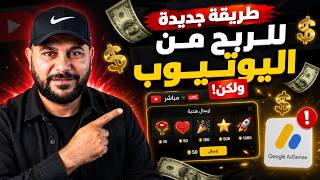

Dangerous YouTube Money Method
57sThe warning about AdSense suspension creates curiosity and urgency.
▶ Play Clip"Delivers on the warning and provides a practical guide, though some repetition and lengthy demonstration pad the runtime."
The video explains how to activate YouTube's new 'Gifts' feature for vertical live streams, which converts viewer gifts into rubies and then into AdSense earnings. The creator warns that activating this feature without a verified Google AdSense identity can lead to account suspension, and demonstrates the verification process step-by-step.
YouTube has introduced a 'Gifts' feature for vertical live streams where viewers can send gifts like roses or gems, which convert into rubies and then into dollars in your AdSense account.
Activating the gifts feature without a verified AdSense identity can lead to account suspension and loss of earnings. The creator warns to watch the video fully to avoid this.
Gifts are sent during vertical live streams, convert to rubies, then to dollars, and are deposited into your Google AdSense account.
In YouTube Studio, go to Monetization > Overview to see all revenue tools. Scroll down to find 'Additional ways to earn money' and select 'Gifts'.
The gifts feature can also be activated from the YouTube Studio app under Monetization > Additional ways to earn money.
Conditions: 18+ years old, monetization enabled (YouTube Partner Program), eligible country, and verified Google AdSense identity.
Your AdSense account must have identity and address verification. If not, activating gifts will trigger a suspension until verification is completed.
If you lack a valid ID (national ID, passport, driver's license) matching your AdSense info, do not proceed. The process requires uploading ID photos and matching details.
The creator demonstrates the verification process, showing that clicking 'Verify ID' leads to AdSense and suspends the account until verification is done.
Steps: go to 'Confirm Identity and Address', click 'Take Action', agree, choose ID type, upload front and back photos, wait for verification.
After uploading ID, the system confirms name and address. If they match, identity is verified. The hold on the account is temporary (2-6 hours).
After verification, the 'Activate' button appears. Click it, agree to terms, and the gifts feature is activated. Revenue will appear in the revenue section.
Activating YouTube's gifts feature requires a verified AdSense identity; otherwise, your account may be suspended. Follow the verification steps to safely enable this new revenue stream.
What is the new YouTube feature for vertical live streams?
Gifts, where viewers send gifts that convert to rubies and then to dollars in AdSense.
00:29
What are the four conditions to activate the gifts feature?
18+, monetization enabled, eligible country, and verified AdSense identity.
01:45
What happens if you activate gifts without a verified AdSense identity?
Your AdSense account gets suspended until you verify your identity.
02:27
What documents are accepted for identity verification?
Driver's license, passport, national ID card, or residence permit.
05:40
How long does the AdSense hold last after verification?
Usually 2-6 hours, sometimes up to 24 hours.
08:50
New Gifts Feature
Introduces a new revenue stream for creators, but with a hidden risk.
00:02Identity Verification Requirement
Critical condition that can lead to account suspension if ignored.
02:27Verification Process
Demonstrates the exact steps to verify identity, avoiding suspension.
03:10Name and Address Match
Emphasizes that details must match exactly for verification to succeed.
08:04[00:02] hope you're all doing well. There's a new way to earn money from YouTube, but be careful, this is the most dangerous method. Yes, it's a good method and all, but if you do it before you're ready, your
[00:15] Google AdSense account might be suspended and you won't receive your earnings. So be careful and watch this video to the end. Of course, we all know that earning money from YouTube comes from several sources: ads,
[00:29] Super Chat, amazing stickers, the Thank You feature, memberships, and shopping. They've added something new called gifts. When you're doing a vertical live stream, people can send you gifts like a
[00:41] vertical live stream, people can send you gifts like a rose or a gem, and these gifts turn into something called rubies. These rubies turn into dollars and go into your Google AdSense account, and you, sir, receive these earnings. So what's the problem, Mr. Ayman? It sounds good, why are you scaring us?
[00:56] I'm not scaring you. We'll activate this feature and see what we might encounter practically. Okay, so how will we see this feature? If you go to YouTube Studio and click on Monetization, under Overview you will find all the tools you can use to generate revenue.
[01:12] Ads for the watch page, short video ads, super memberships, shopping, and more. Okay, if you scroll all the way down you'll find something called additional ways to earn money, which is gifts, or you might find it above here, Gift Messages. Activating the gifts option in
[01:29] live stream events is also possible from your mobile phone, and that's what we'll explain. If you go to the YouTube Studio app and go to Monetization and scroll down a little, you'll find additional ways to earn money, including gifts. What do
[01:45] you think about allowing the audience to send you gifts in the live stream? The first condition is that you must be over live stream? The first condition is that you must be over 18 years old. The channel owner must be over 18 years old to 18 years old. The channel owner must be over 18 years old to activate this feature. The second condition is that you
[02:00] have monetization enabled. This is normal; it's considered the first condition. The channel must be part of the YouTube Partner Program. The first condition. The channel must be part of the YouTube Partner Program. The third thing is that you must be in an eligible country. This is all the countries eligible for the new feature, the gifts feature. Of course, I'll
[02:15] leave you a link to the eligible countries and the eligibility requirements for this feature in the description. As for the fourth and final condition, which is what I warned you about at the beginning, your
[02:27] Google AdSense account must have your identity verified. So how am I supposed to know? If I log into my Google AdSense account and click on the four conditions above, I will go to something called identity and address confirmation. What does this account say to me ? It says "Address Verification," so if
[02:44] ? It says "Address Verification," so if this account hasn't verified your identity, they won't ask for it. So, this account hasn't verified your identity, they won't ask for it. So, if you try to activate this feature and if you try to activate this feature and this AdSense account is linked to the channel, it will ask you to verify your
[02:57] identity and will suspend your Google AdSense account until you do. Okay, let's do it practically, and may God protect us. First, we'll click "Start," as we expected. Here, it says you must verify your identity.
[03:10] we expected. Here, it says you must verify your identity. If you click "Verify Identity" and you do If you click "Verify Identity" and you do n't have a national ID card, passport, or driver's license with information that matches the information in your Google
[03:25] information that matches the information in your Google AdSense account, don't click and don't complete this step. You don't need to do it. AdSense account, don't click and don't complete this step. You don't need to do it. If you don't have proof of identity, If you don't have proof of identity, whether it's a driver's license, national ID card, or
[03:38] passport, don't do this. Or if the information you have doesn't match the information in your Google AdSense account, or your ID card is expired, or the document you have is expired, then we don't need all this trouble. So, I now know that the Google account My AdSense account doesn't have
[03:56] identity verification, but if it appears like identity verification, but if it appears like this and says "Identity Verification" and the account is fine, then activate this feature without any problem. Now, if you want to activate this feature and your AdSense account doesn't have identity
[04:10] verification, it will start asking you to verify your identity and will suspend your Google AdSense account until you do. Imagine that! If you can't verify your identity, your Google AdSense account is suspended, and you won't be able to
[04:24] identity, your Google AdSense account is suspended, and you won't be able to receive your earnings until you do. Identity verification is done through your national ID card. So, if you have a valid national ID card, passport, or driver's license (not expired),
[04:39] and the information on it must exactly match the information in your Google AdSense account, then you'll see how serious this is. Let's apply it together, and God will provide. That's how I see it,
[04:51] but you shouldn't apply it until you understand this identity verification process. Okay, I'll click on "Gifts" and then... So, I'll click on " need to be 18 years old and have a verified Google AdSense account. I have
[05:09] n't verified my ID yet, so it says " Verify ID." I'll click Verify ID." I'll click on "Verify ID," and it will take me to my on "Verify ID," and it will take me to my Google AdSense account. Be careful, it's there! It takes me to the account and then suspends it.
[05:24] Okay, let's click on the four lines again and go to " on the four lines again and go to " Confirm Identity and Address." It needs attention. I'll click "Take Action," then " Add some information about yourself to continue," and then
[05:40] I'll say "I agree." Here, it asks for either a driver's license, passport, national ID card, or either a driver's license, passport, national ID card, or residence permit. I have a residence permit. I have a national ID card. Then, I click "Next." Here, it either asks me to turn
[05:54] on my camera and take a picture of my ID, or to upload a file. It says " Front," so I'll click "Upload File." Then,
[06:07] I'll click... Regarding the photos and videos, because of course this account is not in my name at all, so here is the card. Okay, this account is not in my name at all, so here is the card. Okay, here it starts to do a verification process. If the address and name match the information in Google AdSense, it will be activated. If they do not
[06:23] in Google AdSense, it will be activated. If they do not match, unfortunately, the account will remain suspended until the match, unfortunately, the account will remain suspended until the identity is proven correctly. Well, I identity is proven correctly. Well, I have waited for more than 10 minutes and it still says a
[06:35] quick verification process is being carried out. Okay, I'll go in a different way, meaning I'll also explain to you the obstacles that you might encounter. I will go to the same email, the Google AdSense email, and I will find same email, the Google AdSense email, and I will find written here: You must verify your identity. I'll start by going to my
[06:49] written here: You must verify your identity. I'll start by going to my email and scrolling down. I'll find "Verify Ownership Now," so I'll click on it. It will then redirect me to my
[07:01] it. It will then redirect me to my Google AdSense payment account, but in a slightly different way. Here, it will take me directly to identity verification. I'll click "Agree," then " I'll click "Agree," then " National ID Card," and then click "Next."
[07:21] if you have your ID card ready, it's best to take a picture of it with the edges visible. Since I take a picture of it with the edges visible. Since I don't have my ID card, I'll click "Upload File," don't have my ID card, I'll click "Upload File," select "Photos," and choose the ID card. I think this
[07:34] will make it faster. The front is now complete. Now it asks me to now photograph the back. I'll click "Upload File," select "Photos and Videos," and File," select "Photos and Videos," and choose the back. Here,
[07:49] verification is complete. All settings are being adjusted perfectly. Here, it confirms the name and address. Everything is fine. confirms the name and address. Everything is fine. I click "Next." Of course, I want to emphasize that I click "Next." Of course, I want to emphasize that the name and address must match exactly.
[08:04] the name and address must match exactly. Your identity is great here, your identity has been verified. After that, I click on "Done," and that's it, perfect. I'll go back to Gmail, and I should find a message saying that identity verification is complete. Identity to Gmail, and I should find a message saying that identity verification is complete. Identity
[08:21] Identity verification is complete, and address verification is complete. However, this hold lasts for about an hour or two, and then it's removed. I'll get back to you again after the hold is completely removed so we can
[08:34] start looking at how to activate these gifts that have been driving us crazy. After about three hours, the Google AdSense hold was removed. There was a red checkmark here, and red checkmark here, and the account was suspended. This usually lasts from two
[08:50] to three hours, sometimes up to six hours. But in the end, since you went through identity and address verification and it's complete, don't worry, the end, since you went through identity and address verification and it's complete, don't worry,
[09:03] this hold is temporary. So, we're ready to activate the gifts feature. Let's go to YouTube Studio. Let's go to YouTube Studio, and then... We'll click on to YouTube Studio, and then... We'll click on the goal, then click on "Start." Here, it's
[09:17] designed to require identity verification. If we click on it, it should take me to the account, but it's already an AdSense account, meaning his identity has been verified and everything is fine. It's clear it's just a verified and everything is fine. It's clear it's just a matter of time; it could be six hours,
[09:32] twelve hours, or twenty-four hours. We'll try again. After eight hours of waiting, guys, can you imagine how much this video exhausted me? That's why I want you to like it. After eight hours of identity verification in Google AdSense, the word "Activate" appeared. When I went to the
[09:50] gifts, it used to show "Start." Anyway, I clicked "Activate," and it asked me to agree to the terms and conditions. I checked the box to say I read the agreement, but I hadn't read anything. read the agreement, but I hadn't read anything. Then I clicked "Accept," and that's it. The gifts are
[10:05] activated. So, if I log in to the account, I'll find the gifts here. I'll go to the I'll find the gifts here. I'll go to the revenue section, and the revenue should start appearing here when people support me through this feature. I'm going live in a vertical format and people
[10:24] are sending me gifts. If you haven't activated the membership feature yet, this is very important. Watch the video that will appear now; you can activate the membership feature through it. Peace.


⚡ Saved you 0h 10m reading this? Transcribe any YouTube video for free — no signup needed.