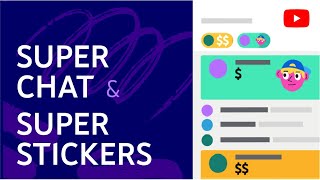

Как включить Суперчат и Суперстикеры
42sЗрители узнают, как активировать функцию, которая повышает доход и вовлеченность во время стримов.
▶ Play Clip"Delivers exactly what the title promises — a clear setup guide with actionable tips, though some sections are a bit repetitive."
This video provides a comprehensive guide on how to set up and use Super Chat and Super Stickers on YouTube, explaining the benefits for creators and offering practical tips to maximize engagement and revenue during live streams and premieres.
The video explains how to set up Super Chat and Super Stickers to increase potential income and improve audience interaction during live streams and premieres.
Viewers can purchase bright messages and animated images that attract attention and temporarily pin to the top of the chat. The longer the paid message, the longer it stays pinned.
Super Chat and Super Stickers are not available in all countries and only for creators who monetize content. They do not work in age-restricted content, videos for kids, or videos with third-party music.
To enable, open YouTube Studio, go to the 'Supers' tab, and click 'Start'. Once enabled, they automatically become available in chat.
Management is similar to moderating regular messages. You can add banned words to a blacklist, and blocked users cannot use Super Chat or Super Stickers.
On different devices, you can access Super Chat settings via the 'Chat Settings' icon and selecting 'Super Chat'.
Use the 'Viewer Actions' widget on the live control panel to see a feed of paid messages. Monetization data is available in the 'Monetization' section of YouTube Studio.
Explain to viewers why paid messages are important and what the funds will be used for. Share this before the stream or in the first minutes. Thank viewers who send Super Chats and Super Stickers by name.
Some creators dedicate part of the stream to thanking supporters. You can answer questions from Super Chat on air, making viewers feel involved. Start text replies with '@'.
Super Chat works for any stream format. You can answer questions on air or create a vlog for paid message authors. Promote your streams and send reminders.
Super Chat and Super Stickers are powerful tools for monetizing live streams and increasing audience engagement, but they require clear communication and creative interaction to be effective.
What are Super Chat and Super Stickers?
Paid messages and animated images that viewers can purchase during live streams or premieres to get attention and temporarily pin to the top of the chat.
00:30
What are the eligibility requirements for Super Chat and Super Stickers?
They are available only to creators who monetize content and are not available in all countries. They do not work in age-restricted content, videos for kids, or videos with third-party music.
00:58
How do you enable Super Chat and Super Stickers?
Open YouTube Studio, go to the 'Supers' tab, and click 'Start'.
01:23
How can you moderate Super Chat messages?
Add banned words to a blacklist; blocked users cannot use Super Chat or Super Stickers.
02:05
What widget shows a feed of paid messages during a stream?
The 'Viewer Actions' widget on the live control panel.
02:36
What is one tip to encourage Super Chat purchases?
Explain to viewers why paid messages are important and what the funds will be used for.
03:17
How should you start a text reply to a Super Chat question in chat?
Start the reply with the '@' symbol.
04:43
Paid messages pin to top of chat
Explains the core mechanic of Super Chat, which is essential for understanding its value.
00:30Eligibility restrictions
Important for creators to know if they can even use this feature.
00:58One-click setup
Shows how easy it is to enable the feature, lowering the barrier to entry.
01:23Explain the 'why' to viewers
A key principle for motivating viewers to pay, based on transparency.
03:17Thank supporters by name
Personal recognition is a powerful engagement tool that encourages more support.
04:01[00:00] я расскажу, как настроить Суперчат и суперстикеры, как благодаря им увеличить потенциальный доход.
[00:15] но и шанс больше общаться с аудиторией во время трансляций и премьер. приобретая заметные сообщения и анимированные изображения.
[00:30] Если во время трансляции или премьеры включен чат, зрители могут покупать яркие сообщения и анимированные изображения.
[00:42] Они привлекают внимание и временно закрепляются в верхней части чата. и тем дольше показывается в верхней части чата. Если кратко, то функции доступны
[00:58] не во всех странах и только авторам, которые монетизируют контент. В контенте с возрастными ограничениями и видео для детей функции не работают.
[01:11] Они также могут быть недоступны в роликах, где есть музыка третьих лиц. Там можно узнать в том числе и то,
[01:23] Теперь о том, как настроить Суперчат и суперстикеры. Начнем с самого простого. Включить их можно в один клик. Для этого откройте Творческую студию,
[01:36] откройте вкладку Supers, нажмите "Начать" После того как вы настроите эти функции, они автоматически станут доступны в чатах
[01:50] Как управлять этими функциями во время эфиров и премьер? очень похожа на модерацию обычных сообщений.
[02:05] добавьте запрещенные слова в черный список. Заблокированным пользователям Суперчат и суперстикеры недоступны. остаются у вас.
[02:21] на разных устройствах. нажмите на значок "Настройки чата" и выберите "Суперчат".
[02:36] следите за платными сообщениями в чате. откройте виджет "Действия зрителей" на панели управления трансляциями.
[02:48] Будет показан фид платных сообщений. Откройте ее и в меню слева выберите "Монетизация". Нужная информация будет представлена в разделе
[03:03] Раздел можно развернуть. как предлагать зрителям приобретать сообщения в Суперчате и суперстикеры.
[03:17] Во-первых, расскажите, зачем это нужно. почему вам важны платные сообщения, на что пойдут средства Эту информацию можно опубликовать в соцсетях ещё до эфира
[03:33] или произнести в первые минуты трансляции. Может быть, вам нужна техника, не хватает средств на съемку клипа
[03:46] Зрителям важно знать, какую цель они помогают достичь, Благодарите тех, кто пишет в Суперчате и отправляет суперстикеры. Можно просто произнести имена авторов сообщений.
[04:01] чтобы зрители знали, что вы обращаетесь к ним. Поклонникам очень нравится, когда любимый автор упоминает их. Так вы особенно порадуете тех, кому нравится ваше творчество.
[04:14] Некоторые авторы и исполнители оставляют часть эфира для благодарностей. кто пишет в Суперчате и отправляет суперстикеры. и благодаря этому поддерживают вас ещё активнее.
[04:30] Главное – будьте оригинальны и не переставайте экспериментировать! Можно отвечать на вопросы, заданные в Суперчате, в эфире. Их авторы будут чувствовать свою причастность к трансляции.
[04:43] можно отвечать на вопросы прямо в чате. Начинать текст ответа нужно с символа "@" Экспериментируйте с типами контента.
[04:55] Суперчат подходит для эфиров любого формата. Можно отвечать в эфире на вопросы, заданные в Суперчате, или снять для авторов платных сообщений видеоблог о создании роликов.
[05:09] и это далеко не всё. И последнее: не забывайте продвигать трансляции. После эфира там же можно поблагодарить зрителей за внимание.
[05:25] Также отправляйте аудитории напоминания и благодарите тех, кто вас поддержал. Другие рекомендации о Суперчате и суперстикерах вы найдете в статье Справочного центра. Ссылка на нее есть в описании.
[05:37] and thanks for watching!




⚡ Saved you 0h 05m reading this? Transcribe any YouTube video for free — no signup needed.