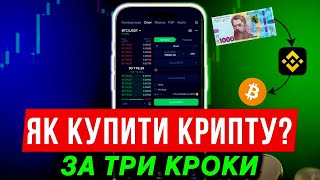

Buy Crypto in 3 Steps: Beginner's Guide
45sQuick, actionable steps for crypto beginners create high engagement and shareability.
▶ Play Clip"Delivers on the promise of a simple 3-step guide, though includes some promotional content for the creator's other channels."
This video provides a beginner-friendly, step-by-step guide to trading cryptocurrency on the Binance exchange using a mobile phone. It covers registration, depositing funds via P2P trading, and executing spot market orders.
The video aims to show beginners how to start trading on a crypto exchange from scratch, covering balance replenishment and spot market buying/selling.
Register on Binance, the largest and most stable exchange. Use the provided link for a 20% discount on trading fees and bonuses.
Verification is required for full account functionality and security. Step-by-step instructions are linked in the description.
Go to Assets > Replenishment > P2P. Add a payment method (bank card) in profile settings. Select buy section, choose currency (e.g., hryvnia), find a seller with high transactions and good rating, read terms, enter USDT amount, transfer money, and confirm payment.
After USDT is credited, transfer funds from replenishment to spot wallet via the transfer option.
In the spot market, you can buy and sell crypto immediately or hold it. Search for a coin (e.g., Bitcoin) paired with USDT. Use limit orders (set desired price) or market orders (buy at current price). Limit orders have lower fees.
Go to spot assets to see holdings. To sell, click the coin, select the trading pair to USDT, and place a limit or market sell order.
Crypto is volatile; buy in parts and focus on reliable coins. Over 90% of cryptocurrencies may not be profitable. Binance also offers tokenized gold and other assets.
The video successfully delivers a practical, step-by-step tutorial for crypto beginners, emphasizing safety through P2P trading and limit orders. It encourages further learning and subscribing for more content.
What is the recommended crypto exchange for beginners according to the video?
Binance.
00:23
What discount on trading fees is offered via the provided link?
20%.
00:51
What is the first step after registration to fully use Binance?
Complete identity verification (KYC).
01:18
What is P2P trading?
Peer-to-peer trading where the exchange acts as a guarantor between buyer and seller.
02:48
What stablecoin is recommended for trading on Binance?
USDT (Tether) or USDC.
03:43
What are the two main types of orders on the spot market?
Limit order (set desired price) and market order (buy at current price).
04:09
Why does the creator prefer limit orders?
Lower commission and knowing the exact exchange rate.
04:35
What percentage of cryptocurrencies are predicted to not bring profit?
Over 90%.
05:44
Binance as Top Exchange
Establishes credibility and trust for beginners by recommending the largest exchange.
00:23P2P Safety Explanation
Clarifies the role of the exchange as a guarantor, reducing fear of scams.
02:48Limit vs Market Orders
Provides a clear comparison of order types, essential for trading strategy.
04:09Risk Warning on Altcoins
Highlights the high failure rate of cryptocurrencies, promoting cautious investing.
05:44[00:08] show you in the simplest way possible how to start trading on a crypto exchange from scratch, namely, how to replenish the exchange balance and how to buy and sell crypto on the spot market. All you need is your phone at hand, some basic understanding, and a little time.
[00:23] Just repeat after me and after watching you will have basic and fundamental knowledge of working with a crypto exchange. Let's start with the technical part. Register on the Binance exchange. This is the biggest and best crypto run in the world. You can see for yourself from the rating
[00:38] that it works stably and is suitable for both beginners and experienced users. Friends, choosing an exchange is a very important moment, so the better the exchange, the calmer we will be for our funds that will be stored on it.
[00:51] I will leave the registration link in the description under this video. By the way, only using this link will you get a maximum 20% discount on trading commission. That means that in the long run you will save more than a hundred dollars and, plus, you will receive bonuses that
[01:04] can be used for trading and so on . Registration is as simple as possible. Specify your phone number or email, a strong password according to the prompts, i.e. One capital letter and in English. Next is the confirmation code. Then log in to
[01:18] verification. Without it, you can't fully enjoy running. This is basic protection for your account for recovery and so on. In the description, I will also add step-by-step instructions on how to register and
[01:30] get bonuses. And we move on. After verification and registration are completed, we now need to top up our balance. The easiest and most popular way is P2P trading. We go to the main page of the exchange. Next, assets,
[01:46] replenishment add P2P funds. Before that, you need to add a payment method. Let's go to the profile. Payment method. Add a new payment method. We choose our bank. Enter your first and last name. If you have passed verification, it will be
[02:01] automatically updated. Next, the card number and bank. We confirm via mail or phone. And that's it. That is, you will receive an SMS. Back to P2P. We select the buy section. Next, we select the currency, for example, hryvnia. We find our bank in
[02:17] this list and see a list of sellers. This is important. Choose a seller with a large number of transactions and a good rating. We will buy USDT. Here it is marked. This is the cryptodollar to which all crypto is traded. After we
[02:32] have chosen a seller, based on the number of transactions and successful deals, we must read his terms and conditions . If they fit, then click buy. We enter the USDT amount and immediately see how much we need to pay. If everything is suitable, click buy.
[02:48] Next, you need to transfer money from your card to the seller's details. Don't worry, it's safe. P2P is an exchange between users, but acts more as a guarantor of this transaction. After payment, click I have paid and wait for the
[03:03] credit. Once UST is on the balance sheet, you can start trading. The main logic here is very simple. We buy cheaper, sell more expensive. The difference is our profit. But first, let's transfer the funds to the spokout, if they are
[03:16] n't there yet. We click on transfer. We choose from replenishment to spot money. We select the from replenishment to spot money. We select the whole quantity and confirm. Next, we move on to the spot markets section. The spot market is the easiest option
[03:29] to get started. Here you buy cryptocurrency and it will be stored on your BGI Binance wallet and you can sell it immediately or in a year, that is, whenever you want. In the search, enter the name of the coin, for example, BitcoinIn or any other.
[03:43] All coins are traded in pairs to USDT because it is a stable currency, it is pegged to the dollar. There is another stable coin to which the cryptocurrency is traded. This is USDC. It is also safe to trade with. This is very convenient for understanding
[03:56] profit. For example, you bought a crypto for 50 USDT, after a certain time it grew and in your total value of the purchased coins became 70. This + 20 USDT is your
[04:09] profit. Now, how to buy? There are two main types of orders. The first is a limit order. You set the price you want to buy at. For example, the current rate is 66,700, and you want to buy for $66,000.
[04:22] You place an order and as soon as the price reaches the target, the purchase will be made automatically, even if you are not online. If you wish, you can cancel this limit order and place a new one. The second is a market order. Here you buy immediately at the
[04:35] current price. without waiting. I personally use limit orders more often . The commission is lower there and I understand the exchange rate I bought at. Therefore, I can place a limit order somewhere close to the current price so that it works faster. To
[04:49] buy, select the order type, enter a certain amount in USDT and click buy or on the scale, a percentage of your exchange balance. The order will appear in the list and when the price is reached, it will be executed. All your times in history, by
[05:04] clicking here, at what price you bought, sold and what the result was. Where is the crypto stored? Go to spot assets. All your purchased assets are visible here. If you want to sell, click on the coin, select the trading pair to its ZT and
[05:19] proceed to trade. Selling works the same way. Either place a limit order at your price, or sell on the market immediately. And withdrawing money from the exchange is just as easy as depositing it. Video instructions will be at the end. And
[05:32] remember, crypto is not just about bitcoin. There are thousands of coins on the market that you can read information about and trade. Perhaps some of them will give you a good profit, but learn to analyze them to understand what you
[05:44] are buying, because more than 90% of cryptocurrencies will not bring any profit in the future and you will lose money. It is better to buy in parts and reliable coins, rather than the entire amount at once, because, as you can see, Bitcoin was once $120,000, and now it is
[05:57] less than $70,000. So a partial purchase is more logical and safer. Well, in addition to crypto, you can trade stocks and metals on BG Binance . That means you can even buy tokenized gold on the spot, just as easily as Bitcoin. This is for those who are
[06:11] interested not only in crypto, but also in other assets, even traditional ones like gold. And this is pretty cool, because on the same exchange you can invest in both Bitcoin and traditional metals. By the way, there are more methods of earning money on the stock exchange,
[06:23] even without risk, on my YouTube, so subscribe. And in my Telegram, I write up-to-date information on exchanges and crypto, which we also make money on. So I'll be glad to see you there. Everything is free. And that's all I have. Good
[06:37] luck to everyone and see you in the next videos. Yeah.
⚡ Saved you 0h 06m reading this? Transcribe any YouTube video for free — no signup needed.