
YouTube Pays Without Monetization?
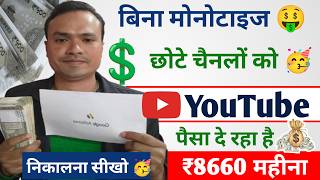
45sThis segment hooks viewers by promising a controversial claim that YouTube pays creators without needing 1,000 subscribers or 4,000 watch hours.
▶ Play Clip"Title promises earning with 50-60 subscribers, but video shows method works for any channel, not just low-sub ones."
This video explains how YouTube creators can earn money without meeting the standard monetization requirements of 1,000 subscribers and 4,000 watch hours. The host demonstrates a method using the 'tag product' feature in YT Studio to tag products from e-commerce platforms like Flipkart, earning commissions on sales. The video also covers necessary settings to enable this feature.
YouTube is giving money every month without monetization through the YT Studio app. The app must be installed and updated.
The host shows an 'Earn' section in YT Studio where dollars are being made, indicating earnings from features like Watch Page, Short Feed, Membership, and Super.
YouTube loses more than creators when they leave the platform, so it introduced features to help creators earn from day one without monetization.
To tag a product in a Short, click the three dots on the Short, then select 'Tag product'. Choose from available products or search for specific ones.
In YT Studio settings, enable 'Clips' and 'Hype' features. Also, in the channel's advanced settings, enable 'Tag product' and set feature eligibility to standard, intermediate, and advanced.
Go to studio.youtube.com in Chrome, click settings icon, then 'Channel' > 'Advanced settings' to enable 'Tag product' and 'Feature eligibility'.
Set license to 'Standard YouTube License', select appropriate category (e.g., Science & Technology), enable comments and 'Show how many viewers like this video'.
In YT Studio, click the pencil icon on a video, go to 'Tag product', search for a product (e.g., from Flipkart), and click the plus icon to add it. Save the changes.
When viewers click on the tagged product in the video, they are directed to the e-commerce site (e.g., Flipkart). The creator earns a commission (e.g., 3.5%) on sales.
Money from tagged product sales comes directly to YT Studio and is converted to dollars. No need for 1,000 subscribers or 4,000 watch hours.
YouTube's tag product feature allows creators to earn commissions on product sales without needing monetization. This is a simple way to generate income from day one, even with low subscriber counts.
What is the minimum requirement to earn money using the tag product feature?
No minimum subscribers or watch hours are required; you can earn from day one.
01:48
How do you enable the tag product feature in YT Studio?
Go to settings > Channel > Advanced settings and enable 'Tag product'.
05:06
What commission percentage does the host mention for Ganaro products?
3.5% commission.
10:03
What are the three feature eligibility levels that must be enabled?
Standard features, intermediate features, and advanced features.
06:23
How does a viewer purchase a tagged product?
They click on the tagged product in the video and are directed to the e-commerce site (e.g., Flipkart) to buy.
10:43
YouTube's Loss When Creators Leave
Explains YouTube's incentive to offer earning features without monetization.
01:07Enabling Hype and Clips
Key settings that unlock earning features in YT Studio.
03:46Commission Example
Provides a concrete example of earning potential (3.5% on Ganaro mic).
10:03No Monetization Required
Emphasizes that this method bypasses traditional monetization requirements.
11:45[00:01] because YouTube is now giving you money every month and that too without monetization. For this, it is very important to have YT Studio app installed in your phone and it should also be updated along with it. Then YouTube will give you money without monetization.
[00:15] How will he give it? What is the method? I am going to tell you everything in this video. With this you will be able to earn money from YouTube without monetization. First see the proof here. Here I have simply You are watching live here. Here comes an Earn section. Brother, I have
[00:28] clicked on this. As soon as I click on this, you can see here can see here that dollars are being made. I am making a lot of good dollars. But when are these created? When your channel gets monetized. And look here, so many feature
[00:40] earning is available. Watch Page Add Short Feed Add Membership Super Lots of Features We Get. on YouTube. But now YouTube has given you some features even without monetization. He will tell you in this video. Here you can see that I have got many features through
[00:54] which I earn a good amount of dollars every month. You have also seen it live here. Ok? But now YouTube has seen that new creators are Neither will he get 1000 subscribers nor will he have 4000 hours of watch time. Because if you
[01:07] guys leave YouTube, then brother, it is not that you are the only one suffering the loss. YouTube loses four times more than you. Why does it cause harm? Do you know? Because the first video you upload on YouTube starts making money on YouTube.
[01:19] YouTube gives you. When does YouTube give that money? When do I get it? When you get monetized. When your video goes viral and gets views, then you get money. creators are leaving us and going to other platforms. So YouTube will suffer
[01:35] loss due to this. It is a simple matter because ? There will be loss. Keeping this in mind, YouTube has added some features to your YT Studio. With this you can earn money from the first day without monetizing.
[01:48] Because we will explain it to you in detail in this video. I will tell you each and every thing in detail. So you must watch the entire video. Let's start the video friends. Before that, friends, let us talk about the free promotion which is going on daily on our channel.
[02:01] support them, subscribe and watch their videos. If you support them, they will want to get free promotion in this way. What do you want to do? If you are visiting the channel for the first time, please subscribe and press the bell icon.
[02:16] do this work, we will promote you for free in the next video. Now friends let's move towards the topic. detail. What do you have to do first Studio app.
[02:28] coming up. See, this app is earning more in short term only. So let us explain it to you in short. Here you see many of my shots are coming in front of you. So what do you do? You have to check it here by clicking on any one short.
[02:40] How will you do it first? Three dots are coming here. If you look at any short, you will see points are coming. You simply have to click on these. As soon as we click on it, we will reach inside the video. Some things will come. There are four options coming here. The
[02:53] play is coming. Promoted is coming. The share is coming. The edit is coming. As soon as you click, the features inside the video will open. Here, an option comes on the third number, first is visibility, second is no it's not made for
[03:06] kids and on the third is tag product, so simply click on tag product, as soon as we click on tag product, friends, many things will open in front of you, the ad products which are being tagged in your video will come here, you are
[03:18] seeing here, see here, many products are coming, see, how will it open, this will also be explained later in this video, see, so many of my products are coming here, so I can tag them, I can earn money easily.
[03:32] Ok? Now let us go back a little from here. Now let me tell you some important settings. to YT Studio again. It is coming up, look the logo symbol is coming. The one with the simply click on the logo. Like I click on the one with the logo. Here comes
[03:46] a setting icon. Settings written. First you simply have to click on this. So first you have to do some important settings for that. Then all these features will be on for you. Look here you will see clips coming. The hype is coming.
[03:58] here comes the hype one at number two. coming to your YT studio. If it is happening then turn it off and then on. If it is turning on then it is fine. Ok? What should you do if you are not getting the hype at all
[04:11] is playing on YouTube, so what do you want to do ? Have to like the video. Then you have to give hype. The hype option will be coming simultaneously. Coming to press on it. So there will be After liking, you will get hype. As soon as you hype, your channel will get linked with the hype of our channel
[04:25] your channel will get linked with the hype of our channel After that you have to go to a setting in Chrome browser also. What do you have to do for that? From here you have to walk back a little. If you have not hyped it then
[04:39] benefit from it. Ok? So you have to take care of this. Here you will see that a tech product is coming automatically. So you have to turn it on from here. Ok? It is very important for you to turn it on from here brother because if it is not turned on from here
[04:52] and it will not turn on even after going to YT Studio, then from here first you have to turn on this tag product, now what you have to do is you have to go back a little and after going back you have to reach directly to your Chrome browser or Google, okay we have come here, you see, you have to
[05:06] search here studio youtube.com, I have searched here study youube.com, as soon as I search, our YT Studio opens in front of you, coming here, what do you have to do now. Now the settings icon comes down. So simply
[05:20] click on the settings icon. As soon as I click on the settings icon , the internal settings of that channel will open in front of you , the joint settings will open in front of you. Here, first comes General, second comes Channel, Upload is the
[05:32] default add category. So, the second option comes with the channel. So, brother, simply click on the channel. As soon as I click on the channel, the internal videos will appear in front of you. Look here, you will understand what you have to do. I have clicked on the channel here
[05:45] and inside it has opened basic info, advanced settings and feature availability. Ok? It has all three features. You have to understand these carefully first. Ok ? Here you will see advanced settings coming. Coming exactly in the middle. On this, simply
[05:58] click on Advanced Settings. Like I click on Advanced Settings. automatically. Coming to Ok? What is the plan? Have to tick. If it is not happening then do it. If it is ticking then
[06:11] untick it and tick it again. Even if it is not coming, I will tell you later how it will open. I will tell you everything today. Ok? We have done the tag product automatically. One comes here at number three by doing feature eligibility.
[06:23] You have to click on this. As soon as we click on this brother, three settings will appear in front of you here. Standard features will come, intermediate features will come and advanced features will come. All three features should be enabled by you brother. Only then will your options open.
[06:36] Of hype and also of tech products. If it is happening to you then let me know. If it is not happening then please comment me. I will tell you how it will open. Ok? Look, all three are being enabled by me. So friends, please turn on these three. Now let's go back a little from here. Here
[06:50] comes an upload by default. Ok? So brother, you simply have to click on Upload Default. Like I click on upload defaults. Many things will open up before you. Basic Info, Advanced Settings, Monetization. So what do you do
[07:02] First go to Upload Defaults, then license. So what do you have to do in this? Standard YouTube license is all you need to do brother. Ok? And here comes the second category. So brother, you
[07:15] must select the category. A lot of people do n't put categories in this video Our science and technology is coming here. So you have to select the category according to your choice. If you are into gaming then do it accordingly. You make funny videos, do it
[07:28] according to that. You make it according to the devotional ones. you must select the category of the vlog here. Only then will the YouTube give you the product accordingly. Mine is tacky so most of the mics in mine are okay? Mike and so on come.
[07:44] covers etc. etc. come on my channel. Ok? You will see that tripods etc. will be available video language. So you have to do Hindi in it. Here comes the comment section, so you have to turn
[07:57] on the comment and show how many viewers like this video. You have to tick this. Ok? This is your comment on show how many viewers, you have to say yes. So what will happen is that everyone will be able to comment on your video. Will
[08:13] audience will join your channel. When your video goes viral, people will like and comment on it as much as possible, which increases the engagement reach of your video. So this should be on for you too. Ok? So you understand this. Now you have to understand how to tag the product when you get it.
[08:26] What will you do for that? Will go back to YT Studio again. teach you a very important thing which no one will tell you. Here I have clicked on a video, friends. As you can see.
[08:40] icon is coming here. Click on the pencil icon. As soon as I internal parts of the video will open in front of you. Understand what you have to do. Here you are getting visibility, audience, description. A lot of things are
[08:55] at number three is Tag Product. You click on this. Here I am seeing a lot of recently tagged. So he is showing them YouTube. Ok? You can also tag them here. If you want to tag a special product, you can do that too.
[09:09] option comes here. You simply click on this. Coming here is the third lot of things coming up. Wholesaler perple.com Tera, MNTRa, Flipkart, nka, Shopps, Flipkart so click on us on Flipkart. We want to earn through Flipkart.
[09:23] They will give us commission by selling their products. Clicked on it, done. here that you can use these products in your videos and earn money from them. Look here the clocks are coming. Mobile is doing wonders.
[09:36] Ok? A lot of things are coming. Sofa sets, beds, etc. Ok? A lot of things are coming here. Whatever you want, tag them on the plus icon and do it. But we have to search for a special product. For example, if we want to sell any Gan Ro mic, then
[09:49] Wireless M because I'm using it. It belongs to Ganaro only. Ok? If you want to purchase it then look here, it is coming. Look, many have even paid commissions. You will get 3.5% commission on this. There is 3.5% on this also. There is 3.5% on this also. Mostly here
[10:03] Ganaro people have given us 3.5% commission. If we see something worth ₹100, we can get it for ₹3.5. You will get something worth ₹30 for ₹10, ₹30, ₹35, ₹40. Ok? So you can earn money by selling here. How to apply? Understand this. There
[10:17] is a plus icon here. Like we have to apply this product. It is coming here. click on the plus icon. The plus one is coming. Click on this. As soon as you click, it becomes done below. Get it done. We have added this product to our video. It's done
[10:30] and will you come back? The save option is coming from here. So from here you simply have to save it. I saved it. Look at it. Now I will show you how this product is installed and how people will buy it, that is a very important
[10:43] thing. Ok? I clicked on it. Like my video now. YouTube Now let us play this video and show it to you live. Look, I played this video in front of you. You can see. This video of mine has already been played live on YouTube here.
[10:56] Here you will see the mic option coming. The mic is coming, the mic that we had installed is the same. Now our audience will click here and simply buy it here. How to buy? Understand this. Like Mike is coming. Ok? What will you do about this now
[11:08] ? The audience will click with us. Now I clicked. As soon as they click, they will directly reach Flipkart. Reached Flipkart. So whatever commission you get here. Ok? You see, I am getting commission. We are getting commission. If this is the
[11:20] commission then it will come into our account. People will buy from here, we will add it to their card, they will buy it, money will go to them but we will also get commission from here, do you understand, then you can earn money like this without monetization, many
[11:33] people today are earning money by tagging products, okay, tag products in this way, brother, YouTube has given a very good feature because many people who have been monetized are also taking advantage of it, those who are not monetized are also taking advantage,
[11:45] so you can also take advantage of it by adding it to your video, you have understood and you have also understood how people will buy. Now how will the money come into your account? It will come directly to your YT studio and will be converted into your dollars. So
[11:59] this is a very simple way for you to earn money on YouTube. In this you neither need 1000 rupees nor 4000 hours of watch time. You can easily earn money without monetization and you can earn a good amount of money from it. Ok? So I hope
[12:11] any doubt then comment me in the video. I will definitely reply to you as like the video. If you are visiting the channel for the first time, please subscribe and press the bell icon. Let's meet in the next video, till then Jai Hind Vande Mataram.
⚡ Saved you 0h 12m reading this? Transcribe any YouTube video for free — no signup needed.