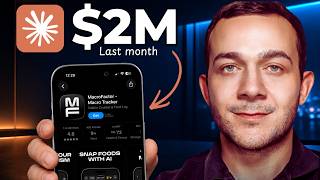

Make Money from a $2M App WITHOUT Coding
53sThe bold promise of profiting from a million-dollar app with zero coding instantly hooks aspiring entrepreneurs.
▶ Play Clip"The tutorial is solid, but the title oversells Claude's role — it's really a Pinterest affiliate funnel, not a Claude money-making trick."
This video demonstrates a complete affiliate marketing funnel for earning recurring monthly revenue by promoting existing subscription apps like Plan to Eat. It relies on finding trending recipe searches on Pinterest, creating UGC video pins with Kittl, capturing emails via a Claude-generated lead magnet, and automating follow-up emails with Kit. The method requires no app development or upfront cost, using free tools and a Pinterest business account.
Use sensortower.com to identify subscription apps in niches like recipe and meal planning that earn significant monthly revenue (e.g., over $2M).
Building an app requires a $99 Apple developer fee, weeks of approval, and ongoing bug/customer support. Instead, promote existing apps via affiliate programs.
Plan to Eat is a meal-planning app with an affiliate program that pays 20% lifetime recurring commissions on every subscription payment made through your link.
Use Pinterest Shopping Trends → All Categories → Food to see surging search terms like 'dinner recipes for two' and 'healthy cookies recipes'.
Use Kittl's template to create branded UGC videos for trending recipes. The template includes AI-generated product scenes and dialogue shots that can be customized.
Prompt Claude to create a lead magnet landing page using three variables: the trending recipe, your affiliate link, and the Kit form action URL.
MacroTrack pays 40% on first payment only, while Plan to Eat pays 20% on every payment. Recurring commissions create compounding income.
Kit is free to use. Create a form (e.g., 'Charlotte'), grab the HTML form action URL, and paste it into your Claude-generated landing page to collect leads.
In Kit, create a sequence that sends immediately (0 days after), rename it, then set up a visual automation with trigger 'joins a form' to fire the email.
Create a free Pinterest business account, upload your UGC video, add trending keywords and the Netlify-hosted lead magnet link, then publish. Repeat with new trending searches.
The video presents a complete, repeatable funnel: find a high-revenue app with an affiliate program, create a UGC video around a trending recipe, capture emails with a lead magnet, and automate follow-ups to earn lifetime recurring commissions. With free and freemium tools, anyone can start without technical or app-building skills.
What is the Apple developer fee to publish an app on the App Store?
$99
00:55
What commission rate does Plan to Eat offer to affiliates?
20% lifetime recurring commission on every subscription payment.
08:20
Which app pays 40% commission but only for the first payment?
MacroTrack
08:05
What tool is recommended to create UGC Pinterest video pins?
Kittl
03:33
What are the three variables needed in the Claude prompt for the lead magnet?
Trending recipe, affiliate link, and Kit form action URL.
07:37
Where do you find trending recipe searches on Pinterest?
Pinterest Shopping Trends, All Categories, Food items.
02:08
How do you get the form action URL from Kit?
Go to Grow → Landing Pages and Forms → New → Form → select Inline → Charlotte → Embed → HTML → copy the URL between the 'form action' quotes.
09:31
What Kittl plan is recommended to create up to 85 videos per month?
The Expert version.
18:25
What is the trigger for the visual automation in Kit?
'Joins a form' for the specific email capture form.
13:47
What free hosting service is used to deploy the lead magnet HTML?
Netlify Drop (netlify.com/drop).
15:37
How many monthly active users does Pinterest have?
Over 600 million.
17:26
What should you rename your Kit form to for better identification?
Something identifiable like 'cookie recipe leads'.
11:53
Avoid Building Your Own App
Shifts the cost/risk from building to promoting, making the strategy accessible to non-developers.
00:55Recurring Commissions Compound
Choosing a lifetime recurring commission over a one-time payment creates passive income that grows over time.
08:20Pinterest as a Free Traffic Source
Over 600M monthly users makes Pinterest a massive, free channel for affiliate marketers.
17:26Evergreen Trending Searches
There are always new trending recipes, so the funnel can be repeated indefinitely.
16:31Leverage AI for Lead Magnets
Claude automates the creation of landing pages and emails, saving hours of manual work.
07:25[00:02] in monthly revenue simply by letting people import food recipes. And in this video, I'm going to show you a realistic way to start earning monthly recurring subscription revenue with apps just like this without ever having to build an app
[00:16] of our own. Let's get into the video. So, the first step is to head over to sensortower.com. This incredible tool allows you to identify in-demand apps in the recipe and meal planning niche like the one that I showed you earlier, for
[00:29] example, earning over two million dollars in monthly revenue. And you can utilize their search bar to identify other apps in that niche like this one earning over two million dollars in monthly revenue. This is more of a
[00:42] calorie counting app where you can upload photos of your food to track your calories and macros. Now, this particular app is monetizing through these monthly and annual subscriptions. And right now, I'm going to show you how
[00:55] we can realistically start earning a huge chunk of that subscription revenue, but not by building your own app. That costs $99, for example, in Apple development fees when you want to publish it to the App Store, but it also
[01:08] takes weeks of approval, not to mention bugs, customer support, and the uncertainty as to whether you'll even be able to sell that app whatsoever. Instead, what I'm going to show you is how to identify apps just like this.
[01:22] where they're earning over two million dollars in monthly revenue. They can be like this one called Plan to Eat, earning over $10,000 in monthly revenue, program like Plan to Eat does. Here is my affiliate link for the Plan to Eat
[01:38] app, for example, that will allow us to earn lifetime recurring commissions on every single subscription payment that we can get via our affiliate link. Now, Plan to Eat is another meal planning app. It also allows people to import and
[01:54] save their food recipes. And by identifying highly trending searches on Pinterest that online shoppers are searching for, such as dinner recipes for two, which has absolutely exploded in popularity over the past month,
[02:08] you're able to access these trending searches by going over to Pinterest shopping trends, and then all categories. And if I filter down by the food items category, if I scroll down, I can see all of the trending searches
[02:23] those online shoppers are searching for. And there are literally hundreds of these recipe-related searches. Here are just a couple that I've identified. For example, a cookies recipe has seen a massive surge in search demand over the
[02:36] past month. And even more niche-down searches like healthy cookies recipes has seen a similar type of pattern. And by collecting the emails of those online shoppers by providing them with the exact recipe that they are searching for
[02:50] en masse, we're then able to trigger an automated email follow-up promoting that app, which we know, based on their Pinterest searches, they would be highly interested in. And to absolutely maximize the amount of those
[03:04] subscriptions that we can generate via our affiliate link, that is where highly enticing UGC Pinterest video pins just like this come into play. like this come into play. >> This looks so good.
[03:20] recipe now. >> And that is the video those online shoppers are going to be clicking onto to receive exactly what they are searching for. In this example, that free healthy cookie recipe. And by far
[03:33] the best way to create UGC videos just like that is by using Kittl. Now, I'll leave a link to this exact template in the video description, which we can very easily use to create any UGC video for any recipe that you choose. And by
[03:48] default, it's set up as a UGC video for cookies, which coincides with that highly trending search term healthy cookies recipes. But as I mentioned, different recipes that online shoppers are searching for on Pinterest like taco
[04:04] recipes for dinner. And whichever recipe, whichever trending search term shoppers on Pinterest, you can very easily, in literally only a few clicks, edit that template to generate that type of UGC video. Here is exactly how you
[04:21] can do that. The first thing I will start with is this product image over here. If I click onto it, you'll see a pre-filled prompt on the right-hand side. Now you'll see this says, "A chunky chocolate chip cookie next to its
[04:34] white unbranded paper." Now I'm actually going to leave this prompt intact since it does coincide with this search term right here for healthy cookies recipes, for example. But you can very easily delete this prompt, edit it, and replace
[04:48] it with the exact type of food or recipe that you want to replace it with. Once want to do is to replace this branding or this label right here. I'll simply click onto it at the bottom, make sure I've clicked onto where it says generate
[05:02] with AI, and using the same style as that already uploaded label, I'll keep it selected and I'll simply say create a food label for a healthy cookie. Click onto generate to get exactly that and to merge these two to see that product in a
[05:16] scene. In this part, I'll click onto regenerate. This looks absolutely perfect. And finally, to create our UGC video for our Pinterest pin, before simply clicking onto where it says regenerate right here, what I will do is
[05:30] regenerate right here, what I will do is first of all, click onto the pin itself at the bottom, again where it says generate with AI, click onto this prompt box and you'll then see this placeholder prompt describing your UGC video. Now
[05:43] you can edit absolutely any of this. Now I like the majority of it. So, for example, in shot two, it says, "Okay, this looks so good." Takes a bite mid-sentence. Perfect for a cookie. I'll scroll down. Shot three, the taste. So,
[05:58] she says, "Wait, hold on." With a sort of slow chew. I'm going to replace where she says, "Wait, hold on." With something like, "It tastes incredible, something like, "It tastes incredible, too." Now, finally, for shot four, where
[06:12] What I'm going to do, since we want to maximize the amount of online shoppers who click on two our video pins, so we collect their email, so we maximize the amount of those subscriptions that we can generate, what I'm going to say is
[06:26] to replace this from "This is actually amazing." With "Click this pin to get this free healthy cookie recipe now." And rather than saying "Half laugh genuinely impressed." I'll replace that with smiling with a look of excitement.
[06:42] And with one click, I'll go to generate to create our UGC video pin. So, we'll hit play to see how it's looking. >> Okay, this looks so good.
[06:57] recipe now. >> Perfect. I'll simply download the video it says quick export. And when those online shoppers naturally click onto that pin to retrieve their completely
[07:10] free healthy cookie recipe by entering in their email address right here. Our goal should be to convert as many of those leads that we collect into paying customers. And to very easily create a lead magnet just like this. I'm going to
[07:25] head straight over to Claude and type in a prompt, which I've left a copy of in the video description. All you need to replace are three simple variables. The first variable is the trending recipe that you've identified the online
[07:37] shoppers are searching for on Pinterest. In this example, I've typed in healthy chocolate chip cookies. The second variable is your affiliate link for the affiliate program for the app that you are promoting. Now, in this example,
[07:52] I've typed in the affiliate link for the Plan to Eat app. That can be for any of those apps affiliate programs that you are promoting. For example, at the beginning of the video, you might recall MacroTrack. They also have their own
[08:05] affiliate program. I believe they pay 40% of the subscription amount, but only for that first payment. With Plan to Eat, we do get 20%, but that's in recurring commissions, right? You get a 20% lifetime commission on every single
[08:20] subscription payment. So, we're sticking with this one for this example. I'll go back over to Claude. And crucially, the third variable, which is this URL, will ensure that your leads will receive an automated follow-up email as soon as
[08:35] they enter in their email address to our lead magnet to retrieve their completely free recipe. And of course, in that email will be our affiliate link for the Plan to Eat, in this example, app. And we know for every single person who
[08:49] subscribes to that app via our link, we will earn a lifetime recurring commission for as long as they stay subscribed. And to very easily get that URL and to set up that automated email, before I hit enter to create that lead
[09:04] magnet landing page, I'm going to head over to Kit, which is completely free to use for what we're doing. I'll leave a link to all tools mentioned in today's video in the video description. And once you're logged in to Kit, to very easily
[09:17] get that URL, I'll click on to grow, landing page and forms. I'll then click on to new and then form. And if I select inline and choose any one of these, I'll go with Charlotte. To get that URL, I'll simply go to embed. I'll then click on
[09:31] to where it says HTML. And where it says form action, between these double quotes form action, between these double quotes right here are simply copy this, go back over to Claude, replace the placeholder URL with what I've just
[09:44] enter. And not only will your lead magnet form now be ready, but the email capture form will now be fully functional. Meaning whenever any one of those online shoppers enters their email address into this text field to unlock
[09:59] their free recipe, we're now able to collect their email and trigger that automated email follow-up containing a link to that app which we know they would be interested in based on their Pinterest searches via our affiliate
[10:13] link. Now, before I show you exactly how to very easily set up that automated email responder, the first thing we'll do is download this lead magnet. I'll click onto this drop-down right here, download as HTML, and to craft out email
[10:27] which we can set up to run in the background automatically, I'll simply type this prompt in right here, which I'll also leave a link to in the video description in the same document for the prompt that we used to create this lead
[10:40] need to replace is number one, the affiliate product or affiliate link. That is my Plan to Eat affiliate link right here. And number two is the lead magnet, a brief description such as a healthy cookie recipe works absolutely
[10:55] perfectly. I'll then hit enter, and it's given us not one but two highly enticing emails, each of which are promoting our affiliate link after upselling it really well in the beginning of the email. And the way it's been able to do that is by
[11:11] us providing our affiliate link in Claude, it's been able to look at the best unique key selling points for this app in this example, which is Plan to Eat, which has both a desktop and a mobile app. So, what I'm going to do is
[11:26] simply go back over to one of the emails that it has given us. I'll I'll copy that it has given us. I'll I'll copy over this email, and to make sure this email is triggered automatically in the back end, completely hands-off,
[11:38] immediately after every single one of those online shoppers enter in their email into this email capture form right here, I'll simply go back over to Kit, and where we have this form, I'll rename Charlotte form to something more
[11:53] identifiable like cookie recipe leads. Now, quick explanation, we're obviously not using this form in the visual sense. completely different, and if you ask me, a lot better. But, what we are doing is
[12:07] utilizing that code that we were able to get from this form to power our email capture form, ensuring that we actually collect in Kit the email address of every online shopper who will enter their email into this form right here.
[12:23] renamed your form, I'm now going to click onto where it says save and publish. And if I then click onto where it says send in sequences to set up that background, I can then click onto new sequence, and click onto this email
[12:37] template. I can then paste that email in, and where it says published, I'll simply toggle this to the right, and to ensure those online shoppers receive their email immediately after entering it into this email capture form to
[12:51] receive their free recipe kit, what I will do is click onto this drop-down underneath where it says send this email, change it from after the one day email, change it from after the one day to send email zero days after. That will
[13:05] immediately. I'll also change the name of this email sequence to something more identifiable from the placeholder sequence two to something like cookie recipe email. And making sure that everything stacks up in your email that
[13:20] you're completely happy with it, your affiliate link is within the email, and you've also got an affiliate disclaimer at the bottom as well, what I will it says automate, then go to where it says visual automations, and then start
[13:33] from scratch. And we want to make sure that whenever anybody joins a form, this specific email capture form right here for example, they receive that automated email follow-up. So, I'll simply click on to where it says joins a form as our
[13:47] trigger. You can then select the form that you named cookie recipe leads, and we want to make sure that when those leads join that form, they receive that email that we called cookie recipe email. I'll simply click on to where it
[13:59] says add event, and to trigger that email upon the form sign up, I'll simply click on to this plus icon, email sequence, and I'll select the email sequence that we just created, which we named cookie recipe email, and
[14:12] finally, I'll simply click on to where it says add action, and that is now set and forget in the background. I'll simply toggle this to the right so that this automation is active. I'll click on to where it says activate. And to start
[14:24] driving that traffic from those online shoppers on Pinterest, if you create a free Pinterest business account by going to business.pinterest.com, you can then simply click on to where it says create content at the top here,
[14:38] pins, and then click on to where it says create a pin to first of all upload that UGC video that we created in Kittl, which will work to drive that traffic from those online shoppers who are specifically searching for a recipe for
[14:54] healthy cookies. I'll then give it a title and a description containing those exact trending search terms. For example, healthy cookies recipe we know is a search term that online shoppers have been searching for increasingly,
[15:08] especially over the past month, but you also want to include secondary search terms as well that are also trending but related to your pin. For example, over here it says healthy desserts easy as a hashtag. As you can see, healthy
[15:23] desserts easy has also been surging in popularity over the past month on Pinterest shopping trends. And last, but definitely not least, we need a link to our lead magnet that we can place on to our Pinterest pin to maximize the amount
[15:37] of leads that we capture and convert into paying customers. And to very easily get that link, you want to head over to netlify.com/drop, which is completely free. I'll leave a link to it along with all other tools in
[15:50] the video description. And we'll simply drag and drop the lead magnet HTML file that we downloaded from Claude, and then click on to where it says rename and deploy, which will now be hosted with its very own link. Now, what I recommend
[16:03] that you do is click on to where it says quick setup right here, and rename your link to something like this, like free healthy cookie recipe. Click on to where it says update project name. You can then copy over that new and improved
[16:16] link, paste it directly on to your Pinterest pin. And before you publish, just make sure you've got the AI disclaimers checked since we did create this UGC video with AI, and simply hit publish. And by identifying searches
[16:31] from online shoppers on Pinterest where there is a recent surge in demand, for example, healthy sweet treats massively trending upwards recently, chicken noodle casserole recipes. Here are a few others. Dessert recipes is really
[16:45] surging upwards from the past month. You've got brownies recipe homemade absolutely surging. Everything from pizza recipes homemade. The great thing about the strategy is there will always be recipes that people are searching for
[16:58] on Pinterest that are absolutely surging in demand at any given time. And if you're able to identify those trending recipes, you'll be able to leverage that surge in demand by maximizing the amount of emails that you can collect from
[17:12] those leads who click on to your UGC video pin to maximize the amount of those leads that we can convert into paying customers. And if you watch my videos, you know that I always say Pinterest is hands-down the best free
[17:26] traffic source for affiliate marketing. With over 600 million monthly active users, Pinterest is literally that free traffic source where you can turn leads into loyal customers. And the more loyal those customers are, the longer our
[17:41] affiliate commissions can compound. Since with this particular affiliate program, we get a 20% lifetime commission on every subscription payment. And everything mentioned in this video can be started completely for
[17:55] free, including access to all of the tools mentioned, which includes Kittl as well, which is an incredible tool that we use to create those highly enticing UGC Pinterest pin videos. I've got a link to this exact template in the video
[18:11] description. Now, what I will say, although you can get started with Kittl completely for free, I do recommend upgrading to at least the pro, if not the expert version, which is the plan that I'm on. And the reason for that is
[18:25] with the expert version, you can create up to 85 videos every single month. And make sure that you smash that like button, subscribe to the channel, and
[18:37] notified every single time that I release a new online money-making video.
⚡ Saved you 0h 18m reading this? Transcribe any YouTube video for free — no signup needed.