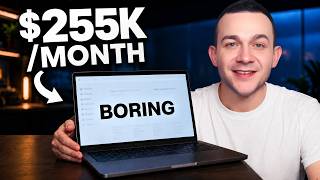

Boring Websites Making $50K–$250K/Month
40sThe contrast between simple, boring tools and massive passive income is instantly shocking and makes viewers want to learn the secret.
▶ Play Clip"Delivers a genuinely actionable tutorial that matches the $3M/year claim, though sponsor-heavy sections pad the runtime."
The video reveals how seemingly boring websites — like word unscramblers and decision wheels — generate massive passive income purely from Google AdSense. The presenter reverse-engineers their earnings using SimilarWeb and an AdSense revenue calculator, then walks through building a PFP (profile photo) generator site, creating viral Pinterest pins with Kittl and Kling, and linking it all to AdSense.
Using SimilarWeb, the Word Unscrambler site gets ~10.1M monthly visits with 5 pages per visit and ~70% US traffic. At a conservative RPM of $5, the AdSense Revenue Estimator projects ~$252,000 per month (or ~$3M per year).
Pinterest Trends shows the phrase 'unique PFP' growing month on month. PFP stands for profile photo, and searches are dominated by Gen Z (18–30) looking for TikTok profile photo aesthetics like anime, gothic, and fairy core.
The site lets users upload their own photo and instantly transform it into popular PFP aesthetics such as gothic, dark academia, fairy core, or anime, or generate non-personalized PFPs from templates.
Use Kittl's 'Generate with AI' to create a reference profile photo, then use the AI image board with 9:16 dimensions to morph that photo into different aesthetics, with prompts included in a shared template.
Select the generated image boards, open the AI video board, choose the Kling 3.0 model, set dimensions to 9:16, duration to 12 seconds, enable audio, and add a CTA prompt like 'get your free PFP' to generate a video pin.
Download the pin as MP4, upload it to Pinterest, and fill the title and description with trending PFP keywords (e.g., 'gothic to anime PFP generator') found in Pinterest Trends, linking back to your website.
Sign up at adsense.google.com, enter your site URL, complete payment info, preview ad formats, enable auto-optimize so Google tests and applies the best-performing ads, then verify your site by embedding the code through Hostinger Horizons.
Request review, create a consent message, and wait a few days for approval. Once approved, ads go live and you can track status under 'Sites' in the AdSense dashboard.
Upload as many Pinterest video pins as possible, each targeting a different trending PFP search term, to maximize traffic and passive ad income. Hostinger Horizons requires no coding, and Kittl templates can be sold or monetized.
By combining a trending niche, AI-generated Pinterest video pins, and Google AdSense monetization, it's possible to build a passive-income website with minimal upfront cost and no coding skills. The key is to research proven boring sites, replicate their model with a modern twist, and scale content across trending keywords.
What does RPM stand for in Google AdSense?
Revenue per 1,000 page views (or impressions).
01:51
At a conservative RPM of $5, how much monthly ad revenue does the Word Unscrambler site earn?
Around $252,000 per month.
02:19
What does PFP stand for and which demographic mainly searches for it?
Profile photo; mostly Gen Z (ages 18–30) searching for social media profile photos, especially for TikTok.
04:10
What dimensions should you use for a Pinterest pin in Kittl's AI image board?
9 by 16.
08:00
Which video generation model is selected in Kittl for creating Pinterest video pins?
Kling 3.0.
10:03
What settings are recommended when generating a Pinterest video pin in Kittl?
9:16 aspect ratio, 12 seconds duration, and audio enabled.
10:03
What should you include in the Pinterest pin title and description?
Trending PFP-related keywords from Pinterest Trends, like 'gothic to anime PFP generator'.
11:25
What are the three action items to complete when connecting a site to Google AdSense?
Enter payment information, preview ads/select ad types, and verify and connect your site.
13:13
What does the 'auto optimize' toggle in AdSense do?
It lets Google run experiments on ad formats and automatically apply the winner that generates the most engagement.
13:53
How many videos per month can you generate on Kittl's Expert plan compared to the Pro plan?
Around 85 videos per month on Expert versus 28 per month on Pro.
18:00
Reverse-engineering AdSense revenue
Shows a concrete method using SimilarWeb and a free calculator to estimate any AdSense site's earnings, turning mystery into a repeatable research technique.
02:19PFP is a Gen-Z goldmine
Identifies a high-intent, fast-growing search trend and connects it to Pinterest's 600M+ monthly active users, mostly tier-one traffic.
04:10AI-powered pin production pipeline
Demonstrates a complete workflow from AI image generation to AI video creation, enabling low-effort, high-volume content for social traffic.
07:31Auto-optimize boosts AdSense earnings
A tiny toggle lets Google A/B test ad formats and auto-apply winners, maximizing RPM with zero extra work.
13:40Study boring sites for inspiration
Emphasizes researching proven passive-income models before building, a smart reverse-engineering approach for new niche sites.
18:53[00:02] makes around $50,000 in monthly revenue where you click onto this wheel and spin it simply to get a yes or no decision? And this website that makes around a quarter of a million dollars in monthly revenue where you can
[00:15] simply type in a few letters and unscramble them to create a few words from those letters both have in common? Well, not only are they both somewhat boring, and not only do they generate that revenue completely passively, but
[00:28] they're doing so simply by placing these Google ads onto their websites. And in this video, I'm going to show you how to very quickly create a website that you can monetize with this strategy in a niche that is absolutely exploding in
[00:42] popularity right now. Let's get into the video. So, before we dive in, I want to we're able to calculate how much money any website that is running Google ads is making. We'll start with this Word Unscrambler website right here. So, I'll
[00:56] click onto my Chrome extension called SimilarWeb. It's a free Chrome extension, and it shows you just how many people visit this site every single month. So, for example, we have around 10.1 million monthly visits and around
[01:10] five pages per visit. And you get paid whenever anybody sees your ad. They don't need to click onto it. And the amount that you get paid depends on both the amount of those monthly visits that you get, the pages per visit, but it
[01:23] also depends on the traffic that you are getting. As we can see with this particular website, the majority of that website traffic is coming from tier one buyer traffic with almost 70% coming from the US alone. So, to be on the
[01:36] conservative side, we can infer they're getting paid around $5 for every 1,000 views the ads get. And by using this AdSense Revenue Estimator, what I'm then going to do is to first specify what's known as the RPM. That is how much you
[01:51] earn per 1,000 page views. To keep things again on the conservative side, we'll move it down to around $5 per 1,000 views. And we know the amount of monthly visits the website gets along with the pages per visit from our
[02:03] SimilarWeb Chrome extension, 10.1 million monthly visits and five pages per visits. What I can do is simply plug that in, so 10.1 million monthly visits and pages per visits is five, which gives us around $252,000
[02:19] estimated monthly ad revenue. And that's being on the conservative side. As you can see, guys, on the high end, they're earning over $500,000 per month. On the low end, if we say the RPM is only $3, around $150,000.
[02:33] That is an insane amount to be earning, especially in passive income every single month. And there are so many of these other boring websites just like showed you earlier that are earning an absolute ton as well in monthly revenue
[02:49] with Google AdSense. And what I'm now going to show you is how to very quickly create a website that you can monetize with this exact strategy. I'm going to show you how you can link Google AdSense to that website to run ads on it and how
[03:01] to absolutely maximize the amount of tier one buyer traffic that you get onto that website, maximizing your RPM, which is the amount that you get paid for every 1,000 views or impressions that your ad gets. The first thing I'll do is
[03:16] head straight over to Hosting a Horizons. And I'm going to type in a prompt to start building out a website that we can monetize with the goal of generating a stream of monthly passive income. I'll leave a link to Horizons in
[03:30] the video description along with a link to this exact prompt. I'll simply hit enter and Hosting a Horizons will very quickly start building out that website for us. So, before I tell you exactly what this website is, I first want to
[03:42] tell you how it capitalizes on a huge trend that is happening right now. And I'm going to explain that by first going over to Pinterest Trends and showing you what people are searching for increasingly month on month. As you can
[03:57] see, people are typing in the phrase unique PFP. And at this point, you might be thinking, well, what the heck is PFP, and how is that going to help my website generate monthly passive income in
[04:10] generate monthly passive income in revenue? Well, PFP is a majority Gen Z term that people are typing in. As you can see, majority between the ages of 18 and 30 are searching for the term PFP, which stands for profile photo. But not
[04:25] just any type of profile photo. People are specifically searching for profile photos for social media accounts like TikTok. As you can see, people are searching for TikTok profile photo aesthetic increasingly over time. This
[04:40] is a huge trend that is happening, and they're not just searching for any type of TikTok profile photos. They're searching for these different sort of obscure niches of profile photo styles. For example, anime profile photo. If I
[04:55] search term, they're looking for these different types of anime profile photos that they can upload as their TikTok avatar. Not just anime, all types of these different profile photo niches. Pink fairy profile photo. Black gothic
[05:12] profile photo. And if I scroll down again, over 90% of these search terms are coming specifically from that Gen Z demographic, which makes up the vast majority of Pinterest's over 600 million monthly active users, the majority of
[05:27] which constitute tier one buyer traffic. And we know why that's important. If I scroll down for this black gothic profile photo, we can see the exact type of pins that people are uploading, which is the exact type of profile photos they
[05:41] are looking for. And what our website allows us to do is provide a service where people can first upload their own photo and then transform it into any one of these highly popular PSP aesthetics. Let's start with gothic. I'll click on
[05:55] to transform now. Click on to male, edgy, and vibrant to generate that masterpiece, which is my own personalized gothic PFP. Let's try this again. This time let's go for dark academia, which is another highly
[06:09] popular PSP aesthetic to generate that PFP. And the final one we will go for is fairy core. Now, if they didn't want to upload their own profile photos to create those personalized PFPs, what they could also do is click on to where
[06:23] it says create to select from any one of these trending PSP aesthetics. Let's go with anime and we'll click on to female, edgy, vibrant, generate masterpiece to very quickly generate that non-personalized anime PFP. This website
[06:39] provides immense value which appeals to a whole generation of social media users. And right now, I'm going to show you how to create highly engaging Pinterest video pins just like this. >> From dark
[06:54] and gothic to anime hero, where I thrive on being chaotic. Click this pin to generate your >> And the tool that we're going to be using to create those highly engaging
[07:06] Pinterest video pins is an incredible AI-driven design platform, which is Kittl, which I'll leave a link to in the video description. When you click on to that link and you do create your free Kittl account, you simply want to click
[07:18] on to where it says new project on the left-hand side here and we'll start off with a standard project. Click on to where it says create and making sure generate with AI at the bottom here, I'll start off by typing in a single
[07:31] prompt which aligns with our target audience. I'll say, create a profile photo for a trendy-looking social media savvy Gen Z male. With one click, I'll go to generate and I'll end up with that exact type of image very Gen-Z do what
[07:46] you love and so very easily create that incredibly enticing Pinterest video pin. The first thing I'll do is making sure I've clicked on to this. I'll then click on to where it says AI image board and at the bottom here you want to make sure
[08:00] that where it says match you'll change the dimensions to the dimensions of a Pinterest pin which is 9 by 16. Now zooming out a little bit what you can see is this AI image board is connected directly with this initial reference
[08:14] image which is that profile photo, right? And we know one of the key selling points on our website is anybody can upload any regular profile photo just like this one and morph it instantly into a wide range of highly
[08:28] instantly into a wide range of highly popular PFP aesthetics, right? Let's say gothic. So what I want to do is to first of all in this AI image board morph this profile photo for this individual into a PFP with a gothic aesthetic. I'll simply
[08:43] type in a prompt at the bottom here and click on to where it says generate and before I do that guys don't worry rather than sharing these prompts with you I've actually shared a link to this exact kit or template so you can access everything
[08:56] that I'm creating here a copy of it and if you click on to any one of these boards these smart boards or image boards you'll get access to those exact prompts. I'll simply click on to where it says generate and that individual has
[09:08] it says generate and that individual has now morphed into gothic style PFP. And generated that first image is again click on to the initial artboard which is our reference point again click on to where it says AI image board change the
[09:23] dimensions to that of a Pinterest pin type in a second prompt click on to where it says generate to create a second personalized PFP in anime style but the difference with this prompt is I've asked it to include a strong call
[09:37] to action at the bottom of the image board as you can see, get your free PFP, image. And what I'm now going to do to very easily create a highly enticing
[09:49] Pinterest pin video is click onto the first image board, hold down shift on my keyboard, click onto the second, and then I'll scroll up, and I'll simply click onto where it says AI video board. And with the Kling 3.0 standard video
[10:03] generation model selected, and by changing that 16 by 9 dimension to 9 by 16 to account for the dimensions of a Pinterest pin, and changing the number of seconds for that video up to 12 seconds, and crucially enabling audio,
[10:20] and typing in a single prompt. Again, guys, you'll have access to all of these prompts in this template. I'll simply click onto where it says generate to create this absolute masterpiece of a video. Let's hit play again.
[10:32] >> from dark and gothic to anime hero, where I thrive on being chaotic. personalized PFP. >> And you can see just how enticing this
[10:45] is, guys. The amount of clicks we'll be able to get onto our pin is absolutely crucial. The more traffic that we get, for which we know there is a huge amount of high purchase intent traffic on Pinterest specifically for the exact
[10:59] website that we have created. Now, to start driving that traffic on Pinterest, the very first thing we'll do is to download our pin. I can simply click onto it, click onto this quick export symbol over here, and export it as an
[11:11] MP4. Now, when you upload your Pinterest video pin, you also need to make sure for the Pinterest video title and description that you do include some of those highly searched for trending keywords related to PFP. As you can see
[11:25] for this title, I've called it gothic to anime PFP generator. You you to make sure that you do go over to Pinterest trends and you look for some of those trending keywords. For example, we know people are increasingly searching for
[11:39] unique PFP. And if I use the Pinterest Trends search bar, if I simply type in PFP and do a space, I can type in Gothic to see exactly what people are searching for on Pinterest related to different type of Gothic PFPs. Look at this one,
[11:55] guys, black Gothic PFP. The graph for that is absolutely going crazy, right? You can see all of these are trending upwards. If I delete the word Gothic, if I type in anime, you can see all different types of variations of these
[12:08] trending keywords that people are searching for on Pinterest. So, just make sure that you do fill the title and the Pinterest pin description with some of those trending keywords to maximize your visibility. Now, very importantly,
[12:21] want to make sure that you insert the link to your website that we created in Horizons, which we know offers an immense amount of value to a huge [snorts] amount of buyer traffic on Pinterest.
[12:35] Now, before we do that, we need to make sure that we link Google AdSense to that website so we can place ads onto it so that we can monetize our site with ad revenue. So, the first thing you want to do is head over to adsense.google.com.
[12:48] Click onto where it says sign up to start the onboarding process. The first thing you'll do is to enter in the web address for your new website that we just created in Horizons and enter in a few more simple details such as your
[13:00] location. Review the terms and conditions. If you're happy, click onto You'll then be taken to the Google AdSense dashboard and there are three action items that you need to complete to connect your site to Google AdSense.
[13:13] The first of which is to enter in some information such as your payment information so that you can actually get paid. The next of which is to see how ads look on your site. So, if I click onto where it says explore, you'll then
[13:26] be able to see a preview of how your ads will look on your website. If I click on to the right-hand side, you can select the type of ads that you want to display. For example, if I click on to a banner ads right here, you can see that
[13:40] type of ad, and you're able to view these for both desktop and mobile. Now, what I recommend that you do is on the right-hand side, if you click on to where it says auto optimize, make sure that you've got this toggled on to let
[13:53] Google create experiments on different types of ad formats. What they will then types of ad formats. What they will then do is auto apply the experiment winner. generating the most engagement and place those winning ads on to your website.
[14:07] So, the last step is to verify and connect your site. I'll click on to where it says let's go, and you'll see a snippet of code that you need to copy and insert into the code of your website to verify your site ownership. In order
[14:21] to do that, I'll simply go back over to Horizons where our site is, and on the left-hand side in this chat box, I'll simply say "Embed this code between the head tags on each page of my site." I've pasted in that code, and I've simply
[14:35] said "Make sure the Google AdSense crawler can find this code to verify my then get a message clarifying that it has been done, but to verify that on our end, we'll simply go back over to the Google AdSense site. We'll tick I've
[14:51] placed the code. We'll then go back over to our site and publish those changes. I'll then go back over to AdSense and click on to where it says verify to see that our site has been verified. I'll then click on to next. I'll then click
[15:03] on to where it says request review. And the final step is to simply select one of the first two options to create a consent message for your site just to regulations. Now, once you've selected it, you simply want to click on to where
[15:16] it says submit. And you'll then be able to track the approval status for your site by clicking on to where it says sites on the left-hand side here. Obviously, we just submitted this for approval. Do allow a few days, guys. It
[15:28] currently says getting ready, but as soon as your site is approved, you'll get an email from Google so you can start running those ads on your site. need making before your site can be
[15:41] exactly what those are as well. So, I'm now going to do is head back over to our Pinterest pin. And while our site is being approved, in the meantime, I'll paste it into this text box right here to very quickly publish this pin to
[15:56] start driving some initial traffic over to our site. And this pin is of incredible quality, guys. As you saw, this Pinterest video pin embodies perfectly exactly the type of value that our site offers with this highly
[16:10] engaging, highly impressive video that we created in Kittle. And what I recommend that you do, guys, is that you don't stop with that first pin. You want to make sure that you upload as many of these pins that correspond with each and
[16:24] every one of those trending PFP search terms that you can to absolutely maximize the amount of traffic that you get to your site and the amount of that income that you can generate passively with Google Ads. And what I'm going to
[16:37] do, guys, is go back over to our website and just note there is no coding required whatsoever with Horizons. Everything you want to change, you simply type it into this chat box right here and Horizons will simply apply
[16:50] those changes. And by clicking on to my link in the video description for Horizons, you can get signed up for as little as $7 per month. Now, I do recommend getting started with the starter plan, which is the most popular.
[17:03] It's the plan that I'm on. It's the best bang for your buck by far in terms of every month, which helps with the amount of changes that you can make to your website and the amount of websites that you can create with the starter plan,
[17:16] which is up to 25 different websites. Just make sure that when you do check out that you enter in the coupon code real money strategies in all caps to get a discounted rate on any one of these plans. And I've also managed to get a
[17:30] coupon code from Kittl, which is RMSYT in all caps, which will give you a 25% discount on any one of their upgraded plans. Now, although you can get started with Kittl completely for free, I strongly recommend upgrading to either
[17:45] the pro or the expert plan, which is what I'm on. The expert plan is a little bit more than the pro plan, but you get around three times the amount of value, generation. What I mean by that, if I scroll down, if I look at Kling, which
[18:00] is one of the video generation models that we used in today's video, on the pro plan, you can generate 28 videos per month. With the expert plan, that's around 85 videos per month, almost three times the amount of value. And in
[18:14] addition to being able to create high-converting campaign material in pin video, you also get access to thousands of these different templates as well, guys, which you can sell and monetize in a variety of different ways.
[18:27] Their licensing fully allows for it. So, if you got value from this video, guys, what I would say as the last takeaway is this is one of the most passive ways that you can earn an online income by creating a site where you literally
[18:40] create it once, you monetize it with Google AdSense, and before you decide on the type of site that you do want to create, whether it be one similar to the site that we created in today's video or another boring website, I think our site
[18:53] introductory ones that we saw in this is to take a look at as many of these boring sites as you can and figure out with Google AdSense by plugging in those
[19:08] beginning of this video to draw inspiration and to spark some ideas as to the type of site that you can create to monetize with Google AdSense with the to monetize with Google AdSense with the help of both Hosting Horizons and Kitle.
[19:21] please make sure that you smash that like button, subscribe to the channel, share this video with anyone who you think may get value from it, and I'll see you guys very shortly in the next online money making video. Take care.
⚡ Saved you 0h 19m reading this? Transcribe any YouTube video for free — no signup needed.