
AI Summary
This video provides a comprehensive, step-by-step roadmap for becoming a cloud engineer, covering everything from foundational IT skills to advanced topics like Kubernetes, CI/CD, and security. The presenter, Nana, emphasizes the importance of building a solid foundation before diving into specific cloud platforms and highlights the value of hands-on projects and certifications.
Chapters
Traditional on-premises infrastructure is slow to provision, taking weeks to deploy new applications and failing to scale during traffic spikes, whereas cloud-native companies can provision resources in minutes and scale automatically.
Cloud computing jobs are among the highest paying in tech, with average salaries well above $100,000 in many markets, making cloud engineering an exciting and lucrative career path.
Before jumping into a cloud provider, you need a solid foundation in operating systems (especially Linux), networking fundamentals, basic programming/scripting (like Python), and database basics (SQL and NoSQL).
Understand cloud service models (IaaS, PaaS, SaaS), deployment models (public, private, hybrid, multicloud), the shared responsibility model, and basic cloud economics and cost optimization.
AWS is a good starting point due to its market share. Focus on essential services like EC2 for virtual machines, S3 for storage, and VPC for networking, rather than trying to learn every service.
Manual resource creation is not scalable. Use IaC tools like Terraform to define and provision infrastructure in code, enabling automation, consistency, and easier changes across environments.
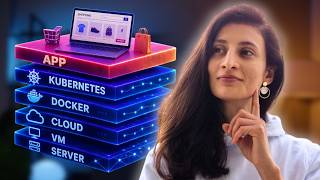
Docker packages applications with their dependencies, solving the 'works on my machine' problem. Kubernetes orchestrates containers at scale, automating deployment, scaling, and management. Start with managed services like EKS, AKS, or GKE.
CI/CD pipelines bridge the gap between code and infrastructure, automating builds, tests, and deployments. They are crucial for cloud engineers to manage infrastructure changes, ensure consistency, and reduce deployment errors.
To ensure applications run correctly, you need to understand the differences between monitoring, logging, and observability, and use tools like Prometheus, Grafana, and cloud-specific solutions to create dashboards and alerts.
Security should not be an afterthought. Understand the shared responsibility model, IAM, network security, and data protection. Use tools like AWS Config and Security Hub to automate compliance checks.
The most effective way to learn is by building real projects, starting with simple deployments and progressively adding complexity, such as containerizing an application and setting up a CI/CD pipeline.
Certifications like AWS Certified Solutions Architect can help you get past HR filters, but they should validate real skills, not just memorized answers. Focus on understanding concepts and implementing them in projects.
Becoming a cloud engineer is a rewarding journey that requires a solid foundation, continuous learning, and practical project experience. The roadmap is not linear, and you will learn multiple areas simultaneously, but building a strong base and expanding your knowledge through hands-on projects is the key to success.
Mentioned in this Video
Tutorial Checklist
Study Flashcards (10)
What are the foundational skills needed before learning a cloud provider?
easy
Click to reveal answer
What are the foundational skills needed before learning a cloud provider?
Linux, networking fundamentals, basic programming/scripting (like Python), and database basics (SQL and NoSQL).
01:45
What is the 'shared responsibility model' in cloud computing?
medium
Click to reveal answer
What is the 'shared responsibility model' in cloud computing?
It defines what security aspects the cloud provider handles versus what the customer is responsible for.
29:55
What is the difference between Terraform and Ansible?
medium
Click to reveal answer
What is the difference between Terraform and Ansible?
Terraform is for provisioning infrastructure (spinning up servers, configuring services), while Ansible is for managing configuration on existing servers (installing software, security patches).
09:03
What problem does Docker solve?
easy
Click to reveal answer
What problem does Docker solve?
It solves the 'works on my machine' problem by packaging the application code with its OS configuration and dependencies into an artifact that can be deployed on any server.
10:57
What is the role of Kubernetes?
easy
Click to reveal answer
What is the role of Kubernetes?
Kubernetes is an orchestration tool that automates the deployment, scaling, and management of containerized applications at scale.
12:00
What is the purpose of a CI/CD pipeline?
medium
Click to reveal answer
What is the purpose of a CI/CD pipeline?
It serves as a bridge between application code and the deployment environment, automating the build, test, and deployment process to reduce errors and speed up delivery.
15:31
What is the difference between monitoring, logging, and observability?
medium
Click to reveal answer
What is the difference between monitoring, logging, and observability?
Monitoring is like an alarm system, logging is like cameras recording activities, and observability is the entire system including cameras, alarms, and the software to analyze them.
23:51
What is the principle of least privilege?
medium
Click to reveal answer
What is the principle of least privilege?
It means granting users and systems only the minimal necessary permissions to perform their tasks.
30:12
What is the first project suggested in the progressive project approach?
easy
Click to reveal answer
What is the first project suggested in the progressive project approach?
Deploying a simple static website to an S3 bucket or Azure storage.
32:56
What is the recommended way to learn Kubernetes?
medium
Click to reveal answer
What is the recommended way to learn Kubernetes?
Start with managed Kubernetes services like EKS, AKS, or GKE, which handle provisioning and control plane management, rather than setting up a cluster from scratch.
13:00
💡 Key Takeaways
The Power of Cloud Computing
Clearly contrasts the pain of on-premises infrastructure with the agility of cloud, setting the stage for why cloud skills are valuable.
00:18Building a House Without a Foundation
Uses a powerful analogy to explain why IT fundamentals are crucial before jumping into a cloud provider.
01:59The Scalability Problem of Manual Creation
Highlights the inefficiency and error-proneness of manually creating cloud resources, justifying the need for Infrastructure as Code.
07:04The 'Works on My Machine' Problem
Identifies a common, relatable problem in software development and explains how Docker solves it.
10:57Deployment Time Reduced from 27 Days to 3.5 Hours
Provides a concrete, impressive example of the efficiency gains from implementing a proper CI/CD pipeline.
17:57The S3 Bucket Data Breach Scenario
Illustrates the real-world consequences of a single security misconfiguration, emphasizing the importance of integrated security.
28:13Full Transcript
[00:02] still manages all their infrastructure on premises. Whenever a new application needs to be deployed, it takes weeks to order hardware, set up networking, configure servers, and finally deploy the application. And when traffic spikes
[00:18] unexpectedly, the application crashes because you can't scale resources quickly enough. Now, contrast this with a cloudnative company where infrastructure is provisioned in minutes. It automatically scales based
[00:31] on demand and developers can focus on building features instead of waiting for infrastructure. That's the power of cloud computing. Plus, the demand for cloud skills continues to grow every year. According to recent data, cloud
[00:44] computing jobs are among the highest paying in tech with average salaries well above 100,000 in many markets. And that's why there are many professionals who are considering becoming cloud engineers because it's one of the most
[01:00] exciting careers in IT right now. And that's why in this video I want to give you a structured road map of what you need to learn exactly in which order in order to become a cloud engineer. Now I know many of you want to have a tangible
[01:16] document as a guide next to a video. So to make this even more valuable for you, we created a full cloud engineering road map PDF as well with a bunch of detailed examples to help you as a guide. You can grab it from below the video or just
[01:31] scan this QR code here. And as a thank you from you, I would appreciate your comment about one important thing you learned by the end of this video. First of all, let's start our road map with the foundation. Many aspiring cloud
[01:45] engineers ask me, "Nana, can I jump straight into learning AWS or Azure without any prior tech experience?" Well, technically yes, but you would be building a house without a proper foundation. Let me explain why this
[01:59] matters. Think about a situation where you're deploying a web application to the cloud and suddenly it's not accessible anymore. Without understanding networking concepts like IP addresses, DNS, load balancing and
[02:12] firewalls, it will be really difficult for you to troubleshoot the issue. So what are these foundational skills for cloud engineering? First of all, you need a solid understanding of operating systems, particularly Linux. Why?
[02:26] Because most cloud workloads run on Linux. So you should be comfortable with command line, understanding file permissions, basic operations on the operating system, basic shell scripting and so on. Next, networking fundamentals
[02:42] are very important. When a customer complains that they can't access your application, you need to understand how to check if it's a DNS issue, a routing problem, or perhaps a misconfigured security group. Basic programming or
[02:55] scripting knowledge is also essential. Now, you don't need to be a programmer or a software developer by any means, but you should understand basic coding concepts and be able to write simple scripts to automate tasks because cloud
[03:11] engineers usually automate a lot of the work. So, programming languages like Python is extremely valuable in the cloud space. It's a lightweight programming language and it's used very often for automation. And finally,
[03:26] understanding the basics of databases, both SQL and NoSQL as data storage will also be a very important component of any cloud application. Once we have these IT fundamentals in place, it's time to understand the cloud concepts.
[03:42] Imagine you are in a meeting where your team is deciding whether to migrate an application to the cloud. Someone asks, should we use AAS or pass or SAS for these service models and their trade-offs, you can't really contribute
[03:59] meaningfully to this decision. So, start by learning the core cloud concepts like cloud service models. What is infrastructure as a service or platform as a service or software as a service? Understand different deployment models,
[04:13] public cloud, private cloud, hybrid or even multicloud. Understand the core benefits of cloud computing. what is a shared responsibility model as well as basic cloud economics, cost of cloud and cost optimization which is a huge topic
[04:29] in the cloud space. Now once you've understood these concepts go ahead and choose a cloud provider that you want to learn. AWS, Azure and Google Cloud are the big three but AWS currently has the largest market share. So it's often a
[04:44] good starting point. So you can create a free account and start exploring the AWS UI console. Now once you log in to AWS you will see a tons of services and it may be very overwhelming and it's important to understand that you don't
[04:59] need to learn everything on cloud every single AWS service because most of them will probably not be relevant for you. So it's important to know what are the basic most essential cloud services or AWS services that you need to learn at
[05:13] the beginning. So basically musthaves versus some optional ones. Begin with understanding how to create virtual machines on cloud with compute service like EC2 which is probably like the core of any cloud platform. Provisioning and
[05:27] using virtual machines or virtual servers on the cloud. So learn how to operating systems, how to connect to them, how to SSH into them to access the
[05:39] terminal of that virtual machine and as well as understand different instance types and their pricing models. Once you're comfortable with EC2 service or virtual machine service on Azure, move to the storage services like AWS S3
[05:54] bucket or blob storage on Azure. Understand the concept of how object storage actually works. how to create buckets or containers, how to upload files and set permissions. S3 service is
[06:08] a pretty simple one. So once you've understood this, then you can explore networking in cloud which is also the most essential part of cloud engineering knowledge on AWS. Understand what are the VPCs or virtual private clouds where
[06:22] are the subnets, route tables, internet gateways, security groups and this is where your networking fundamentals knowledge from earlier will really help you. Let me give you a concrete example. I once worked with a team that was
[06:36] experiencing slow application performance happens very often. After investigation, we discovered that they had placed their database in a different region than their web servers that was causing high latency. So without
[06:50] understanding cloud networking concepts, this issue would have been much more difficult to diagnose and fix. As you become comfortable with manually creating resources in the cloud, you will quickly realize that this is not
[07:04] scalable. Imagine having to click through the AWS UI console to create hundreds of resources for a production environment. Lots of EC2 instances or the S3 buckets and the entire networking configuration. Not only is it time
[07:19] consuming, but you may also make tons of mistakes or forget some important steps as we humans usually do. And this is where infrastructure as code or IA actually comes in. Instead of manually creating resources, you basically define
[07:34] your infrastructure in code with tools like Terraform or Palumi for example. You let these tools provision the whole infrastructure for you automatically. Now there are different infrastructure as code tools including AWS's own cloud
[07:50] form which only works on their cloud platform. So it's better to start with learning Terraform or Palumi that works for any cloud platform or infrastructure. Terraform for example is one of the most popular ones and it
[08:04] works across all major cloud providers. So start with Terraform, understand the basic syntax, understand how to create resources on AWS, how to use variables, what are the modules and how to manage state. For example, instead of manually
[08:18] state. For example, instead of manually creating a VPC, subnets, then EC2 instances, and an RDS database through the AWS UI, you can define all of these in a Terraform configuration file and create the entire environment with a
[08:33] single Terraform apply command. And when you need to make changes to your existing infrastructure like maybe add more EC2 instances or change firewall configuration or some network configuration, you simply modify the
[08:48] code in Terraform and apply it again and again Terraform will connect to the AWS API and make those changes in your AWS infrastructure. Then we also have configuration management tools like Enible that are also important for
[09:03] managing the configuration of your virtual servers. So while Terraform is great for provisioning infrastructure like spinning up servers, configuring various cloud services, Enzible helps you install software packages and
[09:17] configure settings on the existing already provisioned servers like doing security patches or upgrading versions of installed packages on the operating system and so on. A practical infrastructure as code use case from
[09:32] many of my projects is where we needed to deploy the same application on multiple deployment environments like development, staging and production environments. So by using Terraform and Anible we could ensure that each
[09:46] environment was almost identical in configuration which means when you test your application on development and staging environments you're much more confident that it will work the same when you deploy it on production
[09:59] environment and of course both Terraform and Enzible are covered in detail in combination with AWS cloud platform and bunch of the services that we provision and configure there in our DevOps boot
[10:12] because they are essential tools of not only cloud engineers but DevOps engineers as well. As you progress in your cloud engineering journey, you'll encounter containerization, a technology that has basically revolutionized how
[10:27] applications are packaged and deployed. Think about this scenario. Your development team has built an application that works perfectly on their laptops, but when it's deployed to the cloud environment, it fails with
[10:41] some dependency issues or because it expects certain environment variables to be defined in its OS environment which are not set or it expects latest version of Python to be installed but it's finding an older version. Sound
[10:57] familiar? This is the it works on my machine problem that containers helped solve. So Docker basically helped package the entire OS configuration and dependencies that the application needs together with application code in an
[11:14] artifact which you can deploy on any server without preconfiguring the server with bunch of different tools and technologies and OS environment configuration. So no wonder Docker became a standard in modern application
[11:29] development because it solved such a major problem. So to familiarize yourself with containerization, start by learning Docker, understand what Docker containers are, how they differ from virtual machines, what are Docker
[11:44] images, and some of the basic Docker commands for building and running Docker images as containers. But running individual containers is not enough for production workloads where you may have thousands or tens of thousands of Docker
[12:00] containers of various microservices and databases and other services that your application needs. You need orchestration to manage those containers at scale and that's where Kubernetes comes in. Kubernetes is like your
[12:14] automated operations manager that automates the deployment of containerized applications scaling it up and down or restarting them when they crash with some issues. So begin with understanding Kubernetes concepts like
[12:29] understanding Kubernetes concepts like pods, deployments, services and ingress. These are like the core most fundamental Kubernetes components and then learn how to deploy applications to Kubernetes as well as how to scale them or roll back
[12:43] the deployments if they fail. Now Kubernetes is a pretty complex technology to install and operate by yourself. So most cloud providers like Azure, AWS, Google Cloud offer what's called managed Kubernetes services where
[13:00] they basically handle the provisioning of the Kubernetes cluster completely for you as well as managing the control plane of Kubernetes. So if you want to learn Kubernetes, I suggest to start with one of these managed Kubernetes
[13:13] with one of these managed Kubernetes services like EKS or AKS from Azure or GKE from Google Cloud rather than trying to set up your own Current cluster from scratch. Again, another specific example is in one of my earlier projects as a
[13:28] Kubernetes administrator, I worked with a company that was really struggling with scaling their applications during peak times. So they had this traffic spikes basically and they couldn't handle those traffic spikes with their
[13:42] application. So by containerizing their application and deploying it to Kubernetes, we could automatically scale up the workload during hight traffic periods and scaling down during quiet
[13:54] times. So all the effort was put in in the initial configuration, but once that was set up, scaling up and down could basically happen within autopilot. And that helped us save significant costs while ensuring that the application
[14:10] remained responsive. And both Docker and Kubernetes are such essential components Kubernetes are such essential components of modern cloud applications that they of modern cloud applications that they are extensively covered with dozens of
[14:25] hands-on projects, very complex projects both in our DevOps and Devs boot camps. both in our DevOps and Devs boot camps. We have total of 40 plus hours covering these two technologies alone. So now you've mastered containerization and
[14:40] Kubernetes. There is still a critical piece missing here. Now think about this scenario. Your team has 10 microservices running in Kubernetes. Each service is being actively deployed by different teams. The question is how do you get
[14:54] all these changes from code repositories to your Kubernetes cluster without slow manual deployment process or without causing application downtime or even
[15:06] worse without security risk of all 10 teams having direct access to the cluster to deploy their changes and risk that one team may mess up the entire
[15:18] cluster for everyone else with some misconfigurations. And this is exactly where CI/CD pipelines come in. They serve as a bridge between your application code and your Kubernetes infrastructure or deployment
[15:31] environment. Imagine your development team has just completed a new feature with a proper CI/CD pipeline. Here is what happens automatically. The code is built and tested. A new Docker image is created with the code changes. The image
[15:47] is tagged and pushed to a container registry. Kubernetes manifest files are updated with the new image version. The application is deployed to Kubernetes using the appropriate deployment strategy like rolling update or blue
[16:01] green or canary deployment. The deployment is validated with automated tests and finally the monitoring confirms that everything is working correctly with the new deployment. Now without this automation, you'd be
[16:14] manually building the images, updating the manifest files, applying the changes to your cluster, a process that's not only time consuming every time you need to deploy your application changes, but it's also extremely prone to human
[16:29] it's also extremely prone to human error. Which means CI/CD automation is an extremely important part of a software development and deployment workflow. So as a cloud engineer you need to start by understanding the
[16:43] need to start by understanding the concepts of CI/CD and the overall software delivery life cycle. Once you understand those concepts then you can get hands-on and learn one specific CI/CD tool like GitHub actions or
[16:59] Jenkins or GitLab CI. For comparison, Jenkins is a more legacy or traditional tool which many engineers dislike because it's not as modern and because it's not as modern and userfriendly, but it's somehow still the
[17:14] most widely CI/CD tool out there. So, there's still a lot of demand for Jenkins knowledge. GitHub actions or GitHub CI on the other hand are more modern alternatives which are also widely used in more modern projects. So
[17:28] you can pick either one and create a basic pipeline that automatically builds, tests and deploys an application when changes are pushed to the code repository. And in the context of this simple demo project, you will understand
[17:43] simple demo project, you will understand the concepts like pipeline stages, jobs, artifacts, pipeline sode, and so on. I worked with a team that reduced their worked with a team that reduced their deployment time from 27 days to 3 and
[17:57] 1/2 hours by implementing a proper CSA pipeline. That's how efficient this can make your work. More importantly, the reliability of their deployments actually improved significantly because we had far fewer production incidents
[18:12] that were related to deployments. Now, speaking of improving your development workflow, we also need to talk about code reviews, often a hidden bottleneck in the CI/CD process. And that's where Code Rabbit, our sponsor for this video,
[18:28] comes in. Code Rabbit is an AI powered code review tool that analyzes poll requests to identify potential issues and provides actionable suggestions based on that analysis. Recently they
[18:43] have introduced free AI code review directly in Visual Studio Code and its forks like cursor and windsurf. This means that you can catch and fix issues
[18:56] means that you can catch and fix issues immediately while coding reduce PR back and forth which speeds up your workflow and submit poll requests with more confidence. By the way, using code rebbit doesn't mean replacing human
[19:10] reviewers. It makes them just more efficient by handling the tedious parts and highlighting what truly needs human attention. For cloud engineers specifically, this means faster validation of your infrastructure code
[19:25] to identify an issues and ensuring best practices. If you want to try it out, you can simply install Code Rebbit in your IDE. I will leave the link in the description. Now, let's continue with the road map. So understanding CI/CD is
[19:38] important for cloud engineers because it bridges the gap between development and operations and helps your teams deliver the code changes, application changes much more frequently and faster and even with fewer bugs to the end environment.
[19:55] And because CI/CD concept and knowledge is so important, it's also the core of is so important, it's also the core of DevOps. And that's why we cover CI/CD in the deepest detail. It's probably has the most amount of projects dedicated in
[20:10] the most amount of projects dedicated in the both DevOps and Devs boot camps with the both DevOps and Devs boot camps with both Jenkins and GitLabci to also learn the comparison between these two types of CI/CD tools. And those projects start
[20:23] of CI/CD tools. And those projects start from basic to extremely advanced from basic to extremely advanced production grade very complex CI/CD workflows. Now you may be asking wait why do I need to learn CI/CD as a cloud
[20:37] engineer? Is this not handled by software developers or DevOps engineers? At first glance CI/CD might seem like something only DevOps engineers or software developers need to worry about. So nothing that cloud engineers would
[20:52] actually have to work with. But in reality in many companies, in many projects, CI/CD is actually the core part of working with cloud infrastructure. And here is why it matters to you as a cloud engineer.
[21:04] First of all, even if a DevOps engineer or a developer writes the pipeline code and configures the CI/CD pipeline, it's usually your infrastructure, Kubernetes
[21:16] clusters on cloud, EC2 instances, S3 buckets, bunch of cloud services and so on that they are deploying to. So you need to understand how those deployment
[21:28] workflows work so that you can set up proper permissions and AM roles or monitor and fix deployment problems from the CI/CD pipeline to the end
[21:40] environment. Handle rollbacks if something in deployment goes wrong. So a lot of this CD part of that release pipeline is actually something that you will be involved in with your expertise. Second, as a cloud engineer, you're not
[21:55] just managing infrastructure. You're often writing infrastructure as code with tools like Terraform or Palumi to provision infrastructure at the beginning, but later to keep it up to date and do configuration changes,
[22:09] upgrades and so on. And guess what? Those Terraform or Palumi or Inible code changes also get deployed and tested through CI/CD pipelines. So in modern
[22:21] through CI/CD pipelines. So in modern cloud world with the concept of githops the infrastructure code is treated the same as the application code. So with CI/CD you can automate infrastructure changes catch mistakes early as well as
[22:36] keep all your environments like development staging and prod environments consistent so they don't end up having completely different configurations which will make testing for production more difficult. So CI/CD
[22:50] is not just about application code. It's about how everything gets deployed. Applications, infrastructure updates, cluster updates, configuration changes on the servers and so on. So as a cloud engineer, you need to be comfortable
[23:05] engineer, you need to be comfortable with CI/CD just like DevOps engineers or software developers so that you can build, scale, secure your modern cloud systems. As you deploy more complex applications to the cloud, you need to
[23:20] ensure they're running correctly and troubleshoot issues when they arise. And this is where monitoring, logging, and observability come in. Imagine getting a call at 2:00 a.m. because the application has crashed, but you have no
[23:36] monitoring in place. you would have to manually check each component to find the issue under pressure because every minute counts when your users are affected and nobody can use your application. So in order to understand
[23:51] this concepts start by understanding the differences between monitoring, logging and observability. To understand this simply, think of a monitoring as an alarm system in a building. While logging would be like having cameras
[24:07] installed everywhere in that building in every corner to record all activities. every corner to record all activities. And observability is the entire system including cameras and alarm system, all the software behind where you can watch
[24:20] the camera footage or have backups and so on. Once you understand these concepts, then you can go and explore specific monitoring solutions like open-source Prometheus stack or cloudspecific ones like cloudatch from
[24:36] AWS. Then you can check specific logging solutions like elastic stack with solutions like elastic stack with elastic search, fluent, kibana or cloud elastic search, fluent, kibana or cloud trace from AWS. Learn how to set up
[24:49] monitoring dashboards that have all the key information that you need at one key information that you need at one glance, as well as configure alerts that proactively notify you whenever something out of ordinary happens in
[25:02] your systems and configure automated responses to common issues. Understand the concepts like metrics and logs, traces, and how they all work together to provide a complete picture of your application's health. For example, a
[25:16] proper observability setup might include having metrics that show system performance and request rates and error rates in your applications and so on. Alerts that notify you when something goes wrong. Dashboards that give you a
[25:30] goes wrong. Dashboards that give you a visual overview of your system health. Logs that are providing detailed information about specific events that are happening in your application. or having traces that show the path that
[25:43] every request goes through in your distributed microservices application. I once worked in a project where engineers were constantly firefighting production issues. It was a complete mess. By implementing proper monitoring and
[25:59] observability, they could detect problems proactively before users reported them and often fixed the issues before they caused any crashes or outages, which obviously made everyone's lives much easier. Now, we teach all of
[26:15] lives much easier. Now, we teach all of this in both DevOps and Dev Secops boot camps because monitoring is not only important for keeping your system stable, but also extremely important in security. So, we covered this in detail
[26:30] in both boot camps, including automated fixes when issues happen. So we use Prometheus stack for monitoring infrastructure Kubernetes cluster thirdparty services inside the cluster and even our own application using a
[26:45] Prometheus library. So learning how to do monitoring on all levels of the system not just the application and the infrastructure but really at each single infrastructure but really at each single layer. In DevSec Ops, we use AWS based
[27:01] observability services like Cloudatch and Cloud Trail and even learn how to and Cloud Trail and even learn how to autofix an issue when it's detected automatically in the cloud infrastructure and all of these in
[27:14] deepest detail for proper understanding. These are actually one of the most These are actually one of the most complex and advanced topics. So there is a huge value in learning all of these tools and how to configure them properly
[27:28] for your applications and it's especially important to learn them especially important to learn them easily to save yourself some pain and being overwhelmed by its complexity. Now have we forgotten security as it always
[27:42] happens and I understand why because all of the above are already complex enough to take most of our efforts and skills. So now we also need to think about this So now we also need to think about this huge topic of security. Well, security
[27:57] should not be an afterthought. It should be integrated into every step of your cloud engineering journey. As you build more complex systems in the cloud and as your attack surface increases, security becomes even more important. Consider
[28:13] becomes even more important. Consider this scenario. Let's say our company has just experienced a data breach because an S3 bucket was accidentally made public. We didn't have security checks in place. So among our hundreds of
[28:28] buckets and super complex infrastructure setup, one single misconfiguration slipped through production where we forgot to lock down one of the S3 bucket
[28:40] accesses. Now our company is facing potential regulatory fines. We've lost our customer trust and we're investing countless hours in remediation work. This is why cloud security matters and security is extremely hard because we
[28:57] need to lock down and secure every single point of access in our systems. while the hackers, the bad actors only need one entry point, one accidentally
[29:09] forgotten configuration, one security loophole. So the offense is much easier than the defense in the game of security. And that's why our devs secops security. And that's why our devs secops boot camp is four month long because it
[29:24] covers every layer and every single point of the software development and deployment life cycle including cloud security including access permissions at security including access permissions at every level to every part of the system.
[29:39] It's a lot but imagine how valuable that knowledge is for any team, any project, any company. So to start on this important learning journey, start by understanding the shared responsibility model on cloud. What security aspects
[29:55] the cloud provider handles versus what you are responsible for. Very important. Learn about identity and access management. How to create users, roles, permissions, policies that follow the principle of lease privilege. Understand
[30:12] network security in the cloud including security groups, network ACL, private subnets. Explore data protection, including encryption at rest and in transit. Learn about key management and secure storage options. Also learn about
[30:28] security compliance frameworks that are relevant to your specific industry. So for example, a wellsecured cloud environment might include AM policies that grant minimal necessary permissions to both human and system users, network
[30:45] security that restricts access to resources, encryption for sensitive application and system data, regular security audits and vulnerability scanning, automated compliance checks. I worked with a financial services company
[31:01] that needed to meet strict compliance requirements which are specific to different industries by implementing very important cloud security controls very important cloud security controls and using services like AWS config and
[31:15] security hub. They built a system where they could continuously verify compliance and if any of the configuration changes or deployments violated the compliance rules, they would quickly remediate any issues
[31:30] because of these regular verifications. And as I mentioned, security is the highlight and the main focus of dev secops. So cloud security is a huge part
[31:43] of our devs boot camp with access permissions not only for AWS AM but also permissions not only for AWS AM but also for Kubernetes cluster for CI/CD platform the infrastructure is code security compliance as code policy as
[31:59] code. So security but also automated security. So all of this that I just mentioned with even more examples and details is included into the cloud
[32:12] engineering road map that we created specifically for this video. We're going to leave it in the video description below. Now that we've covered the road map, let's talk about how to actually learn these skills effectively. The most
[32:25] important thing is to build real projects, not just follow some projects, not just follow some tutorials. Create a personal cloud lab where you can experiment with different services, architectures, and tools.
[32:39] Here's a progressive project approach that you may take starting from simple to incrementally increasing the complexity. First of all, start by deploying a simple static website to S3 bucket or Azure storage if you're on
[32:56] bucket or Azure storage if you're on Azure. Then in the next step move to Azure. Then in the next step move to hosting a dynamic web application on EC2 instance or again Azure VMs on Azure so that you can practice the basic and
[33:09] that you can practice the basic and fundamental concepts and services of cloud platforms. Once you have that in the next step you can refactor your the next step you can refactor your application to use manage services like
[33:21] RDS for the database. Then you can implement the infrastructure automation for all of these things that you've built manually in the cloud and you can use a tool like Terraform for that. So learn the basics of Terraform and learn
[33:35] practically how to create a basic cloud infrastructure to give you exactly what you need for the steps one to three. After that, as a next step, go ahead and containerize your application and deploy it to a managed Kubernetes cluster like
[33:50] it to a managed Kubernetes cluster like EKS or AKS. Then set up a CI/CD pipeline for automated deployments to that Kubernetes cluster using GitHub actions Kubernetes cluster using GitHub actions or GitLab CI to get your first hands-on
[34:04] practice of creating a release pipeline. Now this will already give you an extremely valuable foundational knowledge to understand the entire cycle. If you want to go a step further, add monitoring and observability to your
[34:18] application and your cluster and infrastructure. And last but not least, again don't forget about security. Go ahead and implement Kubernetes security ahead and implement Kubernetes security best practices or CI/CD pipeline best
[34:31] practices. This will give you realworld experience and allow you to stack the knowledge step by step. Learning one important concept and tool after another. Document your learning journey through a blog or GitHub repository.
[34:46] This will serve you both as a learning tool for yourself as well as a portfolio for potential employers. And remember, cloud technology evolves rapidly. So set cloud technology evolves rapidly. So set aside regular times to stay updated with
[35:01] new services and features and concepts that become important in the field. Now while hands-on experience is the most important and absolutely irreplaceable certifications can validate your knowledge and help you get past some HR
[35:18] filters. So it definitely has an advantage and value to get those certificates. And each cloud provider actually has their own certificates like AWS certified cloud practitioner or solutions architect certificates or for
[35:33] Azure you have Azure administrator associate you have Google cloud associate engineer and so on. Now very important don't just memorize answers for the exams in order to get those certificates really focus on
[35:48] understanding the concepts and implementing them in real projects. The certification should be just a validation of the skills that you actually possess, not just a piece of paper that you somehow managed to get by
[36:04] memorizing the answers to the exam. Because eventually you will need to use Because eventually you will need to use those skills at an actual work. So, as you see, becoming a cloud engineer requires a lot of learning and practice,
[36:17] but it's an incredibly rewarding career path with really good growth opportunities. And remember, this road map is not linear. You will likely be learning multiple areas at the same time and returning to topics as you discover
[36:32] new depth. So, the key is to build a solid foundation and then continuously expand your knowledge through practical projects. I would really love to hear about your cloud learning journey and maybe create more specific content to
[36:46] help you along the way. And with that, as always, thank you for watching and as always, thank you for watching and see you in the next video.