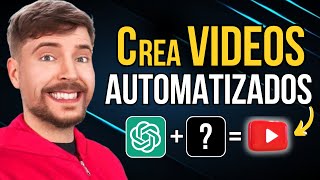

5M Views in 5 Minutes?
45sHigh-view count claims hook viewers with curiosity about the method.
▶ Play Clip"Delivers on the promise of automated video creation, but the 'free' claim is misleading as some tools require paid plans."
This video demonstrates how to create YouTube videos using artificial intelligence, from script generation to final editing, and introduces a custom GPT that automates the entire process. The presenter shows a step-by-step workflow using ChatGPT for scripts and images, ElevenLabs for voiceovers, and Edimo for editing, then tests a fully automated GPT that produces a complete video in minutes.
The video claims to show how to create viral YouTube videos in under 5 minutes using AI, with examples of videos that got over 5 million views.
Use ChatGPT to generate a script by providing a role, objective, and example. For instance, ask for 20 viral title ideas for a niche, then request a script with specific details like brand, price, engine size, and an interesting fact.
ChatGPT's image generator is highlighted as the best, surpassing Midjourney and Leonardo AI. Generate five horizontal images per paragraph to match the script, and combine with free stock videos from Pexels or Pixabay for better engagement.
ElevenLabs is recommended as the best text-to-speech tool for realistic voices and monetization, but the video also introduces Edimo, an AI video editor that can generate voiceovers directly from the script.
Edimo integrates with Pixabay for stock videos, allows adding images, transitions, and background music, and can generate voiceovers with a single click.
A custom GPT can create a complete video automatically. Users input a title, answer four questions (details, audience, style, duration), choose voiceover or avatar, and the GPT generates the video with voiceover, images, and music.
The generated video can be downloaded for free or edited further in a video editor to add zooms, transitions, and effects for better audience retention.
AI tools enable quick and automated video creation, with the fully automated GPT offering a fast, free solution. Editing the final video slightly can improve viewer retention and performance.
What is the recommended tool for generating realistic voiceovers?
ElevenLabs is recommended as the best text-to-speech tool.
03:39
What are the three parts of a good prompt for script generation?
Role, objective, and example.
01:45
Which image generator is claimed to be the best?
ChatGPT's image generator, surpassing Midjourney and Leonardo AI.
02:29
What are the four questions a custom GPT asks to generate a video?
Details to include, target audience, video style, and video duration.
06:30
What is the recommended way to improve audience retention?
Edit the video by adding zooms, transitions, and effects.
08:29
Viral Video Creation
Shows that AI can create videos that get millions of views, making it a valuable technique for content creators.
00:02Best Image Generator
Claims ChatGPT's image generator is superior to other popular tools, which is a key comparison for users.
02:29Fully Automated GPT
Introduces a tool that automates the entire video creation process, saving significant time and effort.
05:35Editing for Retention
Emphasizes that minor edits can significantly boost viewer retention, a practical tip for creators.
08:29[00:02] with artificial intelligence? This video has gotten over 5 million views and this other one over 4 million. The best thing about these videos is that they were created in less than 5 minutes following the step-by-step process I'm going to
[00:15] show you. We'll see how to make a script from scratch with a simple click, how to generate the images and videos that are shown, and we'll also see the best AI tool to create a voiceover, which is perfect for monetizing on
[00:29] YouTube. Finally, we'll put everything together and we'll have the video created. But what if there could do all these steps automatically? In that case, we could create 100% automated videos in a matter of seconds, right? Well,
[00:44] this tool exists and we're going to try it out. going to try it out. for the video. To do this, we can look at the most popular videos in
[00:58] our niche or we can use GPT chat to suggest ideas. We'll say the following: "Give me 20 ideas for viral titles to make a video about luxury cars." It gives me all these options and the one I liked the most is
[01:13] the first one. 10 Most Exclusive Luxury Cars of 2024. Now that we have the video idea defined, let's create the script. We'll tell you the following: I want you to become an expert YouTube scriptwriter. Do a
[01:29] search on the 10 most exclusive luxury cars of 2024 and generate a fun script explaining the characteristics of each car, such as the brand, the price, the engine size, and the story behind it. I also want you to add
[01:45] an interesting fact about each car to excite the viewer. As you've seen, the promo consists of three parts: the role, to indicate how you have to act; the objective, where we explain everything you have to do; and
[02:00] finally, the example, so you better understand what we're asking you to do. With this structure, you can create as many scripts as you want in a matter of seconds. With a simple click, we already have the script created. Now it's a
[02:15] matter of reading it and finishing by tweaking some details, although you can also leave it as is. Once we have the script created, let's create the images and videos that will be shown. To do this, we
[02:29] can also use chgpt. Since it has the best image generator with artificial intelligence, surpassing even Journey or Leonardo Ey, and the best part is that we can create all the images for the video with a single click, we'll tell it
[02:43] the following: for each paragraph of the script, generate five horizontal images that generate five horizontal images that represent each of the sentences in the represent each of the sentences in the script. As you can see, ch gpt starts
[02:56] generating all the images we need for the video we're creating. However, my recommendation is that you combine these images with stock videos, that is, videos that we can obtain 100% free from
[03:10] image banks like Pixels or Pixabay. This way, you can have a more eye-catching video, and people will stay watching it longer. Although, as you can see, the images that ch gpt generates are truly amazing. And with just
[03:25] these images, you could already create the video. The next step is to create the voice-over. There are thousands of different tools that allow you to convert text to speech with artificial intelligence. In fact, on my channel, I have several videos where I explain
[03:39] step by step how to do it and I test different tools, including the most famous, Level Labs, which is the best of all. You won't have any problems with it. Monetizing on YouTube and the voices it generates are very realistic; however,
[03:54] tool: Edimo. It's a video editor powered by artificial intelligence, but it has several functions within the same editor. For example, the tool that allows you to generate voiceovers
[04:08] with a simple click. All we have to do is import the video script to automatically generate all the text, and once we have all the subtitles created, we click on this button to generate the voice. On the
[04:23] right, we see all the voices we can use. If we click on a voice, we can hear an example. This way, we can choose the voice we like best, like Arnau's, for example. Finally, we click "without converting," and
[04:39] automatically, without having to do anything, it starts generating all the voices for the video in a matter of seconds. That's how it will sound. Welcome, lovers of luxury and speed! The good thing about using this editor is that, apart from being able to
[04:52] generate the voice, Edimo also has an integrated image bank, Pixabay. Therefore, we can upload all the images we have generated with Chpt and, from the editor itself, add stock videos to combine them. Now we
[05:07] just need to adjust each Add an image to your paragraph and include transition effects and background music to complete your professional video. As you've seen, if you follow the step-by-step instructions I just showed you,
[05:21] you can create videos for YouTube or any social network in less than 10 minutes. But what if there were a tool that could automate all these steps? In that case, you could create 100% automated videos
[05:35] in a matter of seconds, right? Well, this tool exists, and we're going to try it out right now. With the arrival of custom GPTs, many people have started creating all kinds of GPTs to save time and money on
[05:50] content creation. We have GPTs that help with YouTube SEO, GPTs that automatically generate titles. In fact, I created this same GPT on my channel. But the GPT that has caught my attention the most is the one that allows you to generate a
[06:04] video 100% automatically with a simple click. So let's try it out. All we have to do is explain the video with a short phrase or directly write the video title, for example, "The 10 Most
[06:18] video title, for example, "The 10 Most Expensive Cars in the World," and click submit. Now we have to answer four basic questions. The first question is to indicate the details we want to include. The second question is to
[06:30] indicate the target audience; that is, is the video aimed at potential buyers, car enthusiasts, or simply people interested in luxury items? The third question is to define the video's style, and the
[06:44] last question is to indicate the video's duration. In this case, we'll set it to approximately 8 minutes. Once we have answered all the questions, it offers a summary with all the video information so we can
[06:58] verify that everything is correct. Then it asks the final question: Do you want a voiceover, or do you prefer an avatar to present the video? If we want an avatar, all we have to do is choose one of these
[07:12] options, and it will automatically generate the video with the avatar. However, for the video I'm creating, I prefer a voiceover without any presenter. Therefore, we select a
[07:30] Finally, we type "continue" and wait for Chpt to work its magic. As you can see, without us having to do anything, it starts generating the entire video for us, including the voiceover, images, and music. In this way,
[07:45] we can create 100% automated videos in a matter of Seconds after it finishes, the following message appears: "Your video has been successfully generated." Therefore, now all that remains is to see the result. To do this,
[07:59] we click on this link here, and it automatically takes us to a video editor where we can do two things: finish editing the video, that is, change the format, retouch some images, select different
[08:15] background music, add zooms, or we can leave it as is and download it completely free, as I'm going to do. However, to have a higher audience retention, I recommend editing the video a little. You don't
[08:29] need to dedicate much time to it, but if you add zooms, some transitions, and a few effects, the videos will have many more views, I'm sure. Here you can see the result of this video. Welcome, lovers of luxury
[08:43] and speed, to a new video about the most exclusive cars of the most exclusive cars of 2024. Today, pop open a bottle to toast 10 Jewels on Wheels that would make even Ferrari tremble. First,
[08:57] even Ferrari tremble. First, we have the majestic Rolls-Royce Ghost. Imagine it as a palace on wheels with a price that will make you think it comes with a butler included. But oh surprise! Despite its stately air... It's the little one
[09:12] in the Rolls-Royce family. What do you think of the result? Considering it took me less than 5 minutes to make the video and it was created 100% automatically, it's not bad at all, right? As you've seen, with this type
[09:26] of tool you can create 100% automated videos in a matter of seconds. You don't need experience or money, since you can follow the step-by- step instructions I've shown you for free. Leave a like and a comment if
[09:41] you liked the video and if you want to learn how to create an automated YouTube channel that generates thousands of euros a month without showing your face, don't hesitate to watch this video; I explain everything here.
⚡ Saved you 0h 09m reading this? Transcribe any YouTube video for free — no signup needed.
