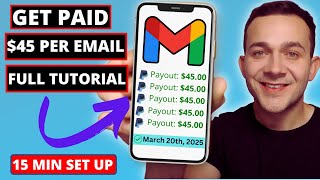

Make $45 Every Time Someone Buys This Dog Course
60sA specific $45 commission example and the huge dog-owner market make this an instantly tangible money-making opportunity.
▶ Play Clip"Genuine step-by-step email marketing tutorial, slightly padded with promotions but delivers exactly what the title promises."
This tutorial demonstrates a complete affiliate marketing system using email marketing. The presenter shows how to choose a ClickBank product, create a WordPress article, capture visitor emails with an Omnisend popup form, and automate follow-up emails that promote the affiliate link. The video includes practical steps, example earnings, and strategies for long-term subscriber monetization.
The video introduces a strategy for making money online by combining affiliate products with email marketing, claiming $45+ per sale.
Use ClickBank (free to join) to find products like a dog training course that pays about $45 per sale; any niche can be selected.
Dog ownership is huge: almost 50% of US households own a dog, creating a large market for dog-related affiliate offers.
In ClickBank, click 'Promote', enter your username, choose 'Direct URL link', and copy the generated affiliate URL.
Write a WordPress article, e.g., 'proven tricks to stop your dog's excessive barking', and place the affiliate link inside.
Drive visitors to the article with Pinterest pins or paid ads placed on websites frequented by interested buyers.
Most readers won't click right away; an email popup form captures their address so you can send the affiliate link directly to their inbox and increase conversions.
Email follow-up boosts the average value per click; the presenter shows a dashboard earning $353 per click on one promoted product.
Use Omnisend (free to start) as the email marketing platform to build the popup form and automate follow-up emails.
Change layout, width, image (e.g., from ClickBank banners), headline, subtext, and call-to-action to match the affiliate product.
Assign tags like 'form subscriber' and 'dog training' to each lead so you know exactly which form and product the subscriber came from.
Keep form always available, show it after 6 seconds on page or 20% scroll depth, target all visitors, and restrict to a specific article URL.
In Omnisend, create a workflow triggered by the form subscription, with filters to match the specific form (e.g., 'dog training course leads').
ClickBank affiliate pages often include pre-tested email swipes; copy and paste them into Omnisend to save time and ensure conversion.
After the first sale, keep promoting other relevant affiliate products (e.g., pet nutrient, grooming kits) through Amazon Associates or Impact.com.
Insert delay activities (e.g., 4 days) between emails, and use a split activity to send quicker follow-ups to subscribers who did not open the previous email.
Free up to 250 contacts; paid plans start at $11.20/month for 500 subscribers. Omnisend claims average ROI of $68 for every $1 spent.
Install the Omnisend plugin in WordPress, enter the plugin settings, and paste the API key from Omnisend to connect your site.
The presenter links to a video showing AI-assisted WordPress article creation and a playlist with 3 traffic methods to scale the strategy.
By combining affiliate marketing with automated email follow-ups, even beginners can build a passive income funnel that maximizes per-click earnings and generates repeat sales from the same subscriber list.
What is the average commission per sale for the featured dog training course?
$45 per sale.
00:43
What percentage of US households own a dog?
Almost 50%.
01:11
What is 'earnings per click' in this strategy?
The average amount earned for each click on your affiliate link; example shows $353 per click.
03:09
What are the default display triggers for the popup form?
Time on page (6 seconds) and scroll depth (20%).
06:05
How do you restrict the popup form to a specific blog article?
Use page targeting options, select 'appears on URL', and paste the article URL.
07:25
What trigger filter is used so the automation only fires for the specific form?
Trigger: 'Subscribed to marketing', add filter 'Form is' and select 'dog training course leads'.
09:51
How can you get pre-written email copy for ClickBank products?
Go to the affiliate page, scroll to 'Email Swipes', and copy the provided emails.
10:33
What is the free contact limit in Omnisend?
Up to 250 contacts.
18:31
What is the claimed average ROI of Omnisend email marketing?
$68 returned for every $1 spent.
19:15
How does the split activity work in the workflow?
It checks message engagement (whether the subscriber opened the last email) and sends a follow-up after 1 day to non-openers.
16:43
Email follow-up multiplies per-click earnings
Demonstrates the core financial incentive for collecting emails: the same affiliate link earns far more per click when delivered via email.
02:56Never write email copy from scratch
Shows a practical shortcut: affiliate networks provide pre-tested, professional email swipes, saving time and improving results.
10:33Email marketing ROI: $68 per $1 spent
Provides a concrete, striking statistic that justifies investing in email automation.
18:31Automation logic creates a set-and-forget funnel
Delays and split activities turn one popup form into a long-term, hands-off income stream.
14:32Monetize the list repeatedly with related offers
The same subscribers can be sold multiple complementary products, increasing lifetime value.
13:25[00:01] I cover a wide range of methods that I use to make money online and with every single one of those methods I use email marketing to help me make even more show you how to earn over $45 every single time somebody purchases
[00:16] this product and by collecting emails from the exact type of people likely to purchase that product using a form like this we're able to make money on average for every single email sent let's get straight into the video step one for
[00:30] get a product or service that you can sell and it doesn't need to be your own product or service for example here is an affiliate product it is a dog training course that I showed you earlier that will pay us on average $45
[00:43] every single time that we share a link for this product with this strategy and somebody purchases the product via this link now I got this by going over to clickbank.com which you can sign up to absolutely for free and you don't need
[00:57] to select this exact product you can simply click onto all over here and select from a wide range of these different categories over on ClickBank different products that you can start promoting with this exact strategy now
[01:11] lot of money that we can make that's simply due to the huge Market the dog ownership Market in fact in the US almost 50% of households own a dog now
[01:23] to start making money with this product with email marketing you simply want to click onto where it says promote right here entering your ClickBank username over to where it says continue click onto where it says direct URL link and
[01:36] there is your affiliate link which you can simply click onto copy right here so method that you can use to start promoting your links is by creating a simple WordPress blog article such as this one uh proven tricks to stop your
[01:48] dogs excessive barking and you'll strategically place that affiliate link within the article as I've Done Right Here For example now anytime anybody clicks onto that link lands onto the product page and places of purchase
[02:01] that $45 and there are ways that you can $45 and there are ways that you can drive a ton of traffic to these articles dog training you can do that by creating Pinterest pins just like these
[02:15] alternatively you can use paid ads where you can place Those ads onto well-known websites in front of people specifically interested in dog training so before we talk about how to create an article just like this and how to drive traffic to
[02:29] clicks and sales that we can generate via our affiliate link it's important to note not everybody will even click onto the link in the first place despite being interested in purchasing a dog trading course which is why you want to
[02:43] trading course which is why you want to place an email popup form onto your page just like this thereby allowing us to collect emails and sending them an automated email directly to their inbox containing that affiliate link which
[02:56] those affiliate commissions that you can earn but increase the amount of earnings that you can earn for every single click onto your link and that's something called earnings per click here you can see one of my affiliate dashboards for a
[03:09] product that I promoting where I'm earning on average over $353 for everybody who clicks onto my link whether that's placed within your article or sent to them directly via email so for the next step to create
[03:23] that I use called omnisend which is one of the best most powerful email marketing platforms and to get signed up to on send completely for free you want description of this video and then click onto where it says start free right here
[03:37] your free ONN send account and once you're logged into ONN send make sure top and then click onto where it says create form you'll then see all of these different email form templates that you can choose from let's say that we want
[03:50] to click onto this one right here or go over to use template so the first thing we'll do is change the form layout by clicking onto theme settings form layout here now I'm going to make the form width a little bit wider so it looks
[04:04] something like this and obviously we want to replace this image with product that we're promoting now what I love about ClickBank and with this affiliate product that we are promoting is you can simply click onto where it
[04:17] says affiliate page right here to get access to a ton of different resources that we can use to start promoting our affiliate product including images as well so I'll scroll down I'll click onto where it says go go to banners and here
[04:31] we should see a wide range of the different type of images that we can use such as this one which is an animated gif brain training for dogs turn your dog into a genius and it also has an image of a rather clever looking dog so
[04:44] I'll simply right click it click onto save image as and download and back in image then click onto where it says replace to replace it with that gift headline text I'll replace it with something such as unlock your dogs
[04:59] hidden intelligence which is more on brand with the affiliate product that we are promoting and I'll also change up this subtext and call to action which says join now as well so before we launch our form so we can start
[05:11] need to know where the emails that we're collecting are coming from and to ensure that you want to click onto audience Management on the right here now these are tags that you can store along with your email subscriber so for example
[05:25] form subscriber tells us that that email was collected via a form just like this one but we also want to know which form so I'm simply going to say something such as dog training over here and then going to hit enter to create new now
[05:39] for this form I'm simply going to click back you then want to click onto where it says scheduling now this is where you can choose when you want to schedule the form to appear onto your WordPress blog
[05:53] for example which we're going to talk about more in the next few steps I want it to always be available so I'm going to leave these both unchecked you then want to go over to where it says display and this is where you can specify when
[06:05] you want the form to appear so for example time on page is the amount of time after they visited the page which could be our WordPress blog for example until the form pops up I'm actually going to leave it at 6 seconds if
[06:19] for 6 seconds that definitely demonstrates that they are showing interest in that dog training course or dog training tips in general we then have scroll depth so we can set the percentage of the scrolling down the
[06:33] percentage of the scrolling down the article that they are doing So 20% or 1 of the article being read already that definitely indicates a level of Interest so I'm also going to keep that selected now exit intent this is when they move
[06:46] their mouse cursor towards the Red X on the top right or top left if you're using a Macbook of the window which shows they're just about to close the page your form can pop up before they close the page right now for this
[06:59] strategy we're not going to be using exit intent I'm going to keep time on page and scroll depth which are the default settings selected I'm then going to go back and click onto where it says targeting click onto where it says
[07:11] visitor targeting options and make sure that all visitors is selected so that all visitors or everybody who visits your blog page article for those dog training tips on barking for example do see that popup form and very importantly
[07:25] you want to click onto page targeting options make sure that you've got got appears on URL selected go back over to your blog page article which I'm going to be covering how to set up in the next few steps copy over the URL for that
[07:39] article and then go back over to ONN send and then where it does say appears on URL make sure that you paste that in cuz that lets on send no to display this popup form on that page which is where we're going to be collecting and sending
[07:53] those emails containing our affiliate link so I'm simply going to go back right here now for visibility frequency and ab test we're going to be leaving those in the default mode for this strategy but what you definitely want to
[08:06] make sure is whenever anybody enters in their email that they know to check their inbox right so at the bottom here where it says success where it says Simply edit that so that it makes something more sense so that it's more
[08:19] we're promoting I'm going to say you're in training starts soon and I've also said check your email for expert tips and exclusive access now if I go to the subscribe tab at the bottom here you'll see it will display as you're already
[08:32] subscribed in case they do enter in their email more than once now where it says teaser this is not relevant for this particular strategy guys I'm simply click onto where it says delete we'll then edit the name of the form we'll
[08:46] call it something such as dog training course leads click onto where it says update and with one click we'll go over to where it says enable form if you're guys please smash that like button in appreciation and subscribe to the
[08:58] before I show you one more step that we need to complete to get that form popping up on our WordPress blog such as this one over here for example which I'm going to be talking about exactly how to create in the next few steps I first
[09:11] want to show you how you can set up that automated email to ensure that they actually receive that link to that affiliate product that they've shown interest in so going back over to omnisend where it says forms at the top
[09:23] it says automation right here and you simply want to click onto where it says create workflow and then go over to where it says create from scratch you'll which is where we're going to set up that automated email now to ensure that
[09:37] we send that email to people who entered in their email address to this specific the right hand side over here click onto this drop down under trigger and go over to where it says subscribed to marketing and then where it says trigger filters
[09:51] click on ADD trigger filter drop down click onto where it says form is and you form which is dog trading course leads click on to save and then go over to they'll be expecting that email immediately so the first thing you want
[10:07] messages you want to click on to where it says email drag it all the way across so that it sort of connects to those trigger filters and here is where you want to enter in the details for your email now good news guys with these
[10:20] ClickBank affiliate products a lot of them you don't even need to write these emails yourself that's because if you go back over to the affiliate product again if you click on to affiliate page the emails have already been provided to us
[10:33] as part of the affiliate resources if you scroll down it should say email swipes somewhere directly under banners free giveaways if you go to go to email pre-written emails that you can literally copy and paste and as you can
[10:47] see guys these emails are written by professional copywriters they're been tested you don't need to reinvent the wheel we can literally copy and paste these emails directly in to omnisense so the first thing that we're
[11:01] going to do is copy over this bit of text right here for the subject line the secret to making your dogs problem behaviors disappear go back over to omnisend and simply paste it in now the preheader text is what will appear
[11:14] beneath the subject line it's that smaller bit of text which is optional sake of this video you then want to add in your sender's name I've said Justin at dog training strategies you then want to go to where it says edit content
[11:27] click onto where it says yes Save change before leaving and here is where you're going to go back over to ClickBank to those email swipes and you're literally going to copy over the entire High converting email which has been
[11:40] professionally written now wherever you see it sort of hyperlink or underlined affiliate link very important that you don't forget that guys that's how you're commission so I'm going to go back over to on send and the first thing I'm going
[11:55] to do on the left hand side here where it says email body I'm going to click click onto it and I'm just going to click onto where it says Title One and this video we're not going to be including a logo so I'm simply going to
[12:08] hover over it click onto this icon right here to delete that module same with this one as well now where it says every phone every shape every color we simply want to replace that with exactly what we copied over from omnisend now a bit
[12:21] of tidying up that we need to do guys I'm going to add a line space between every single one of these I'm going to go back over to my email swipe and where the same where it's underlined I'm going to do exactly the same as well and very
[12:34] importantly I'm going to replace that underlined text I'm going to hyperlink it rather with my affiliate link now it is flagging that the preheader text is that in guys I'm simply going to say something like end your dogs behavior
[12:47] says update and from here we can literally just click onto where it says start workflow and the entire process will be automated it's set and forget literally anybody who enters in their email address into to that pop-up form
[13:00] will receive that email containing that affiliate link thereby amplifying the amount of earnings that we can make because we know that everybody who lands on to this page although perhaps having a strong interest in dog training won't
[13:13] actually go ahead and click the link within the blog article itself but when we send that email to them directly to their inbox the amount of those clicks and the amount of those commissions that we can earn can be substantially higher
[13:25] so you can see just how powerful that email marketing with send can be but it's actually a lot more powerful than that and the reason for that guys is because once you collect these email subscribers who we know are dog owners
[13:39] we're able to engage them longterm by promoting further affiliate products of value to them as dog owners such as maybe this affiliate product right here which is a pets nutrient product you've got a dog grooming kit that you can
[13:53] promote by signing up to the Amazon Associates program you can get a link to this product which you can send them in future email and if you go to app. impact.com if you go to Brands then go to uh find Brands click on to All Brands
[14:06] right here you can click on to pet services and pet supplies and you'll services and pet supplies and you'll have 162 rows of all of these different pets affiliate programs that you can sign up to containing different products
[14:19] that would be of value to a dog owner specifically so you want to engage your subscribers long term to maximize the amount of money that you can make by providing value to your subscribers so to do that guys I'm going to go back
[14:32] over to our workflow in only send and what I'll do I'll simply drag in this delay activity right here and you don't want to stop bombarding your uh leads different products you want to have a delay right so I'm going to click onto
[14:48] it where it says wait for 1 minute I'm going to say wait for 4 I'm going to change it to days over here click onto where it says update so 4 days after receiving that initial email maybe I want to send them another email
[15:01] promoting this dog grooming kit that I can get from Amazon for example so again I'll simply drag in that email activity right here and follow those exact same steps with the subject line preheader and content which I've added in with the
[15:13] subject line preheader sender's name and the content as well now unfortunately there is no pre-made email swipe available like we had with that ClickBank affiliate product for this Amazon product so a quick tip what I
[15:26] like to do guys is to Simply go over to chat GPT and simply say write an engaging email swipe that I can send to dog owners promoting I'll then go back over to the product page on Amazon for example and I'll literally just copy
[15:39] over the title and the entire description as well it looks pretty pretty clean email so I'll simply paste everything that we can literally copy and paste into that email of course guys
[15:52] I do recommend reviewing that email just making sure that everything does stack promoting by double-checking it against that product description just remember to add your affiliate links into that email as well now let's say that we want
[16:05] to promote another product that would be a value to dog owners perhaps from app. impact.com or another Amazon or ClickBank product rather than just saying wait for 4 days again this time what you want to do is to look at
[16:17] whether they opened the last email or not if they didn't open the last email that means this subject line say goodbye to messy dog haare was not something that really resonated with them perhaps that that's not really a challenge that
[16:30] they're having with their dog so if they didn't open it's okay to actually send them another email without waiting that initial sort of four days now to determine those who did and didn't open what you can do guys is add in something
[16:43] called a split activity so I'm going to drag in this split activity right here right hand side here click onto where it says message engagement to see how they engaged with the message did they open the message or did they not so I'm going
[16:57] to click onto open message right here where it says select email we want to emails that we sent them right and you can actually select the email as well which is say goodbye to messy dog hair then click onto where it says save now
[17:11] if they did open the email which is a yes we want to leave them alone for at least 4 days right so that's where you can drag in that delay activity right here and again guys we're going to say wait 4 days in this example but if they
[17:26] didn't open the email let's send them another email within only one day right so again guys we're going to go over to delay simply drag that in cuz it can take around one or two days max for somebody to actually go ahead and open
[17:38] the email in most cases right so we want to give them at least one day and that's where you can send them another email promoting another affiliate product with we do that by dragging in this email activity right here below the delay
[17:52] activity and following the exact same steps that we just went through to craft those emails so once you're happy with the sequence of emails that your email subscriber will receive automatically after entering in their email address
[18:04] over a period of time you can literally click onto where it says start workflow fully automated and because we are sending those emails to dog owners specifically and because those emails are promoting specific products tailored
[18:18] towards dog owners the conversion rate can be extremely high and so can the amount of those affiliate commissions that we can earn and those affiliate earnings can only increase with the amount of those subscribers or contacts
[18:31] that we collect with email popup form and what I love about omnisend in particular is we can collect up to 250 contacts and still use the platform completely for free now as your affiliate commissions start growing
[18:45] along with your subscriber base you can either upgrade to the standard or Pro Plan with omnisense so for example if you collect up to 500 subscribers it's literally $11.20 per month with the stand plan and
[18:59] if you go to up to 1,000 subscribers it's literally around $2 per month more make back with this number of contacts or subscribers can be absolutely insane especially with an affiliate marketing strategy just like this I think on send
[19:15] themselves have even said that on average for every $1 that you spend with email marketing with omnisend you can make an average back of $68 so I it's one of my favorite email marketing platforms it's it's super intuitive to
[19:29] use and also super powerful and they also offer 24/7 priority support if you ever have any questions or get stuck so going back over to how we're going to launch our email popup form on our WordPress article such as the one that
[19:44] I've been showing you in this video what you first want to do guys is go back over to only send and you want to make sure that you connect WordPress with on exactly how you can create an article just like this using Wordpress in
[19:58] literally a couple of minutes using AI in the next few steps once you have about to get onto you want to make sure that you connect WordPress with Omen simply by going over to dashboard when you first sign up to Omen before
[20:13] creating your form before creating your email marketing automation sequence and says connect your store right here and as you can see omnis connects with a wide range of different platforms such as these e-commerce platforms like
[20:25] Shopify Wix and so on on send an email marketing also works really well in products having an e-commerce store and so on but for affiliate marketing and for this strategy guys you want to scroll down to the bottom and you want
[20:39] and you can either click onto where it says install on theend plugin here or within your WordPress account you can simply click onto where it says plugins on the left hand navigation and then go over to where it says add new plugin and
[20:52] enter you then want to click on to install now for this plugin which says newsletters email marketing SMS and popups by omnisense I'll hit install now I will then click on to activate on the left hand side navigation bar again make
[21:05] sure that you've clicked onto omnisend email marketing then click on to connect omnisend and since we've already created an omnisend account you can skip this but you just want to click onto where it says go to API keys and you'll then find
[21:17] this API key at the bottom where it will say paste this API key in on send plugin simply hit copy API key go back over to your WordPress account simply paste it in and then connect on the send it will then say you are connected to only send
[21:31] which means after you create your form and your automated email sequence when you head over to that Blog Page over here for example and somebody Scrolls down by 20% that is when your highly engaging email popup form will appear on
[21:44] top of your affiliate article now in order to create an article just like this utilizing WordPress with a i which literally only takes a couple of minutes rather than detailing exactly how to do that in this video it's already long
[21:59] enough guys I'm going to link to a video right here outlining the exact steps that you can do that it literally only takes a few minutes and in order to drive a ton of traffic to your article I've also linked to a playlist right
[22:12] here consisting of three different traffic methods that you can use to drive traffic to your article and in turn collect a ton of those email amount of those affiliate marketing commissions that you can earn with this
[22:26] automated email affiliate marketing strategy and if you got value from this that like button subscribe to the channel and hit that Bell notification so that you get notified every single time that I release a new online money
[22:40] time that I release a new online money making video take care
⚡ Saved you 0h 22m reading this? Transcribe any YouTube video for free — no signup needed.