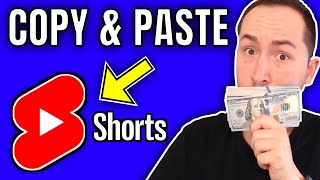

Copy & Paste Shorts to Make Money
40sPromises effortless income by repurposing viral content, appealing to viewers seeking quick money.
▶ Play Clip"The title promises 'copy and paste' simplicity, but the method requires several tools and steps; still delivers a viable monetization strategy."
This video presents a step-by-step method to monetize YouTube Shorts by repurposing viral clips, creating print-on-demand merchandise, and leveraging platforms like Canva, Redbubble, and Placeit. The process requires no original video creation or face reveal, targeting beginners seeking passive income from YouTube.
Shorts can generate hundreds to thousands of views and monthly earnings, with examples of channels making significant money.
Choose a low-competition niche like baby content; the example channel 'mischievous baby' has high views with few competing channels.
YouTube Shorts can earn ad revenue from desktop viewers, plus the $100 million YouTube Shorts Fund. The primary method shown is print-on-demand via Redbubble.
Use yt1s.com to download YouTube Shorts URLs, but avoid copying entire videos; combine clips from multiple sources to avoid copyright.
Create a mobile video in Canva, drop downloaded clips, trim to engaging segments (e.g., 10 seconds each), and keep total under 60 seconds.
In Canva, search for t-shirt templates in your niche (e.g., 'baby'), customize, and download as PNG (transparent for colored shirts via paid Canva trial).
Create a Redbubble account, upload design, add tags/description, enable kid's clothing products (e.g., baby t-shirt, onesie), and save.
Get the product page URL from Redbubble, shorten with Bitly, and use this link in video description and pinned comment.
Placeit allows uploading the design onto a baby model in a realistic mockup, adding text like 'link in pinned comment'; avoid watermarked versions.
In Canva, combine the Shorts clips and the mockup image (with animated effects like 'breathe'), add optional music, and download as MP4.
Upload the video to YouTube with a title like 'Funny Baby Compilation #shorts', add hashtag, include product links, and pin a comment with the link.
By repurposing viral shorts, creating simple merchandise designs, and using product links in pinned comments, you can monetize YouTube Shorts without making original videos. Consistency and following the steps as shown can lead to passive income.
What tool is recommended for downloading YouTube Shorts videos?
yt1s.com
02:41
What platform is used for print-on-demand in this video?
Redbubble
02:03
What is the maximum length of a YouTube Short?
60 seconds
04:19
Why should you avoid using a Placeit mockup with a watermark?
It is copyright infringement and can lead to legal issues.
09:54
What additional monetization method is suggested besides print-on-demand?
Affiliate marketing via ClickBank, promoting baby sleep products.
14:39
How can you ensure mobile viewers see your product link in a YouTube Short?
Post the link in a comment and pin it to the top of the comments.
15:09
What is the purpose of using Bitly in this process?
To shorten the long Redbubble product URL for easier sharing.
06:54
What niche example was used in the video and why?
The baby niche because it has high views with low competition.
01:08
Multiple revenue streams for Shorts
Clarifies that you can earn from ad revenue and the YouTube Shorts Fund, countering common misconceptions.
01:36Mockup enhancement with Placeit
Using a realistic mockup significantly increases product appeal and conversion likelihood.
07:49Pinned comment strategy for mobile users
Since mobile users can't easily see the description, a pinned comment ensures the product link is visible.
15:09Avoiding copyright by combining clips
Using clips from multiple sources reduces risk of content strikes and makes the video more original.
04:19[00:01] here and in this video i'm gonna show you how you can literally copy and paste these silly little youtube shorts videos and put them on the brand new shorts platform here that's absolutely going crazy where people are getting hundreds
[00:14] and thousands and even millions of views not to mention right here these people are making hundreds or thousands or even hundreds of thousands of dollars a month with these silly little videos and then
[00:28] i'm going to show you how we can take a design over here and put it on clothing right here and upload it and start making money from those viewers from our youtube shorts videos but the best part is i'm going to show you exactly how to
[00:41] do all of this step by step and you can do it without even showing your face or want to learn how to make money with youtube shorts make sure you keep intro i'm going to be showing you how to make money with youtube shorts and the
[00:55] first step is just going over to youtube typing in hashtag shorts but also putting a plus button here all right then you want to pick your niche and we're going to do the baby niche i feel like it's not that popular you know what
[01:08] i mean like it's getting a lot of views but there's not a ton of channels doing this so it's definitely a great niche with low competition right now so this mischievous baby is the channel i found that is a great channel to use as
[01:23] just want to say because on these youtube shorts videos i do i always get people in the comments saying oh you can't monetize youtube shorts but that's just not true like not only can you make some ad revenue from it from the people
[01:36] watching it on their computer and not their cell phone but youtube actually has a youtube shorts fund and this is from their official blog and they have a 100 million dollar fund that they're distributing over the next year or two
[01:49] but also like i said in the intro we're going to be doing an additional method to make even more money so that's not an issue at all and the monetization method we're using is print on demand and we're doing it on redbubble.com
[02:03] and all we have to do is create a simple design which i'll show you how to do upload it and we can put it on whatever pieces of clothing masks whatever we want and then all we do is link it on our video and people can buy it and the
[02:16] company ships it out and we keep the profit so you literally don't need to invest any money at all which is super dope but before we actually create the designs i think i just want to show you how to like download a video and the
[02:28] go over back to this video right here with 3 million views so it's a popular video and you don't want to just take their entire video you can just take a couple videos from different channels or go to like instagram tiktok and then
[02:41] just download them there i'm just going to use this as an example so let's download this video right here so let's take this url and then we'll go to yt1s.com paste it in there and convert it
[02:54] and then just get the link and download it now the website we're going to be using is canva and this is how we're going to create the video and we'll start with doing the video real quick and i'll show you what we got to
[03:08] do okay so just go to canva and then go to mobile videos right here and create a blank mobile video now you take the video we downloaded drop it right there and then add you see it's right here and
[03:21] then you add it pause it and then you just make it bigger like that okay now it's the full size right now really quick i want to show you a couple things okay so this right here is the whole video you would
[03:33] obviously like i said not want to take the whole thing so just cut out a clip the whole thing so just cut out a clip you like so let's just go to this one all right so that's like 10 seconds you can hit play
[03:52] start with that let's go right there that's always like a good attention grabber something really cute or funny now this isn't going to be the whole video but what you would do is you would want to add a page and then again you
[04:05] would go to uploads you would take the next video and you would drag it to that page and do the same thing right so then you would you would go let's go right though and then you'd go to the end right here and drag it right there so
[04:19] there you go that's just an example you wouldn't want to use someone's entire video but that's 14 seconds the maximum is 60 seconds the next part is very important we're gonna come back to this but what you wanna do is you wanna go
[04:32] back to canva and you wanna type in t-shirts okay now the most common person watching these funny baby videos are are probably going to be parents so you either want to make a shirt for the parent or a shirt for the baby and let's
[04:47] do just for the baby just for example so let's just type in baby and the templates and mama's sunshine perfect so that's good i'm just using that for example if you want to find popular shirts you can go
[05:01] and see ones with high reviews because that's going to be popular shirts and you can do the same with red bubble now what you want to do is you want to go to download right here and hit png if you have a free account you can't do
[05:17] transparent but if you have the paid plan or a free trial for the paid plan this is only going to matter if you're doing it on a colored shirt because you wouldn't want a white background on a black shirt you know what i mean
[05:30] so if you do want to do this i would suggest getting a free trial to canva i'll link it down below you don't have to though just i wanted to explain that real quick so i'll download that and now you would want to go to redbubble and
[05:43] what you want to do is after you've created your account you want to go to sell your art add new work right here and then upload new work and there's what we just added so we'll call it uh mama's
[05:57] sunshine t-shirt and you could add some tags like baby shirt separate tags with commas baby shirt mama's girl daughter something like that it said adds 15 but whatever and then description you could say this is the perfect shirt for your
[06:13] daughter or son all right so right when you get here a lot of stuff is gonna be enabled like you know phone cases all that i disabled all of that because it wouldn't make sense for this design and then you go to standard print clothing
[06:26] to the availability right here or whatever it's called i think it's availability go to kids clothes all right let's just save it i have the right to sell no it's not mature save work all right so yeah
[06:41] so they did add the baby t-shirt kids t-shirt and the long sleeve and short sleeve baby one piece so now what you want to do is you hit these little three dots and you can go to view product page and this is like where people would buy
[06:54] it so you would just take the link to this and that link is what you're gonna use to add in later the first thing i would do is i would go over to bitly.com and i would shorten this link so you just paste in the link right there
[07:07] because look at how long that is that's a little silly okay now you shorten it and you have this nice little short link now if we open up a new tab and we enter in this short link right here it takes us to the mama sunshine t-shirt baby one
[07:21] piece and then if someone orders this we make a profit but we're not done yet this next part is the most important part so i'm just gonna leave this link that when we upload the video but now this website absolutely is going to make
[07:35] so much more money by doing this one simple thing and it's called place it by envato okay so i'll leave a link to this down below as well but there's some cool stuff you can do here not only do they have videos where if you upload your
[07:49] image it puts it right on their shirt like literally so it looks like you recorded these people now it wouldn't make sense for like an adult to wear a baby onesie but we can go right here and type in baby even baby onesie right and
[08:03] look at that so you see what happens you see you mouse over it and you can put your shirt on them and they even have free ones they're not gonna be as good as the paid ones but they got some cute ones here too see that's like a
[08:17] perfect one right there if you had a matching one for the mom um just for example purposes let's find one that's like more vertical cute all right let's do that one now what you want to do is you want to upload the
[08:31] image that we created the design so we'll go to insert image upload from your device and here it is the untitled design i should have made the design a little bigger but uh let's just let's keep it like that hit crop and there you
[08:44] go so it's right on there and you can also add text up here if you wanted to you could say like buy my new mama's sunshine shirt but you can also do that in canva which i'll show you but we'll just do it right here for example just
[08:58] because it's one less step let's say mama's sunshine onesie now available link in hind comment oh that's all we can add so there is a limit but you can add another text so
[09:13] let's do this like that you probably want it to be another color like let's do it like that and then the text color to be black mama's sunshine now to be black mama's sunshine now available and then add another text link
[09:26] and pinned comment below and then we'll do that right there make it a little smaller there you go oh you can also change the color of the onesie that's cool so it's a super dope website and i highly suggest getting an account to
[09:40] place it this will change the game for you it's so much better than just uploading a picture of the onesie itself because it's actually on the baby people actually want to buy it all right so i'm just going to save the image it's going
[09:54] to have the place it watermark on it that is copyright infringement do not do that okay make sure you use a free one i didn't realize it wasn't free as you can see if i open this up right here it has place it watermark over there okay but i
[10:11] just wanted to show you this as example so now what you do is you go back over another page and then you're gonna go to upload and then upload media and add that image and it might not be the exact size we want
[10:25] it to be and make this a little smaller honestly what i would suggest doing is probably just like cutting off the text and doing it in canva so you could literally take like some elements here i'm just gonna cover it up right there
[10:40] but then you just add some text and then go like this mama's now available link and pinned comment so we just gotta make it a little smaller something like
[10:56] that you can then use your arrows to get it in the exact spot but that's that's perfect all right so it's a little easier to just do it in canva as you can see because the size of the mock-up on place it is not going to be the exact
[11:10] size you want it to be but again do not use the watermarked piece you can get in infringement i'm just not actually uploading this video so if we go back here the last thing you could do is you can click on the image and you can
[11:25] actually animate it so it does look like a video a little bit so you can do like something like this or photo zoom i don't know let's do like uh yeah that one breathe is good i like that one all right and you could add some audio right
[11:39] here you would just drag it on there and then do it like that but there's already audio on one of the clips so we'll just leave it off for now and then you just hit download right here mp4 video make sure it's all pages and then hit
[11:52] download all right so this is what it looks like when it's finished and then i'll show you the end there you go that looks so cool it looks a little
[12:05] silly at the end because it showed the text on like right at the start you can see it's kind of cut off so again just make sure you're not adding the text in place it it's cool that you can do it if you do do it make sure it's small enough
[12:19] where if you have to make the image bigger in canva it won't get cut off or just add it like i did in canva like that because it's super easy as well and it looks like it's a legit model so it really makes your brand and your channel
[12:35] look so much better than the others that are kind of just half-assing it if you know what i mean now what you want to do is you want to go over to your channel i just created a test one this one's called baby world if you're struggling
[12:48] to come up with video ideas just know that you can do this for any niche by the way you don't have to do the baby niche there's tons of mock-ups on place it many more that aren't for just babies but when it comes to coming up with a
[13:00] name for your channel i used businessnamegenerator.com and i literally typed in baby all right and you see right there baby world and you can go right here to names you can have it go after so it would be like a word
[13:13] and then baby you can have it rhyme and yeah now what you want to do is you want to go right here and upload video and then we drag our video right here and let's go back to mischievous baby and see what they're kind of titling their
[13:27] babies so funny confused baby cute video tic tac number 64. okay interesting so they're getting their videos from tick tock one tip if you're downloading videos from tick tock make sure you go to google download tick tock video
[13:41] without watermark okay very important so let's just do a funny baby compilation this is hilarious or something like that and then hashtag shorts very important i also add that to the description you
[13:57] really don't have to with these but i do and then you also want to add in again we'll go back to bitly right here and take our link to the product page and then go back here and we could do like baby world
[14:11] merchandise okay and then paste that in there and you could also add in like a arrow on keyboard right there and then go right there and you can add in like any arrow you
[14:25] want okay so right here i use this one a lot of people use this one it's totally up to you you just click it and then hit copy and then you go right there and there you go another way to monetize this
[14:39] which i would suggest is getting an affiliate product from clickbank okay they have tons of like baby sleep products and stuff like that so i'm not video i showed it before but you would go like baby sleep product whatever it's
[14:54] called and you'd paste it and then you put your bitly.com link right there so methods right there now the most important thing is i'm not gonna actually upload this video but you wanna go into your comment
[15:09] once you've posted it and you want to paste this into your comment okay so basically let me show you how this works like on one of my videos all right so you see in the comments right here you
[15:21] would post it right so you would paste that stuff and then after you've pasted it you go right here to these three little dots and then you can hit pin it obviously it says unpinned because it's already pinned but what that will do is
[15:34] people watching youtube shorts on the actual shorts platform they can't really go to your description if they're on the phone like that just doesn't work you have to like do a bunch of clicks that's not going to work okay so you want to
[15:46] post this in your pinned comment so that way a lot of people the first thing they thing they're going to see is your monetization methods so that's what you want to do and you want to rinse and repeat this process i guess the last
[16:00] step really is if you want to go further with this strategy and see how to like start your own channel like this and how to actually like set everything up account but if you want to learn how to create thumbnails and do more than just
[16:16] this strategy where you can start making longer form video and really multiplying your results i highly suggest going to no facey.com to check out my beta course because that shows you how to do everything and you get access to me in
[16:31] our private community and you can ask questions honestly the price right now is laughable once the last couple modules are finished it's going way up so i highly suggest doing that go to no facey.com if you want to get access
[16:43] that's all i got see on the next video
⚡ Saved you 0h 16m reading this? Transcribe any YouTube video for free — no signup needed.