
AI Channel Gained 3.8M Subs with 32 Videos
31sShocking success metrics with minimal effort sparks curiosity and desire for the tool.
▶ Play Clip"The title accurately promises easy AI channel creation; the video delivers a step-by-step demo."
This video demonstrates how to use the Skywork AI platform to automatically generate complete YouTube channels and videos without manual filming or editing. The presenter shows how to clone existing successful channels, create story-driven content with AI-generated characters, and publish directly to platforms like YouTube, TikTok, and Facebook.
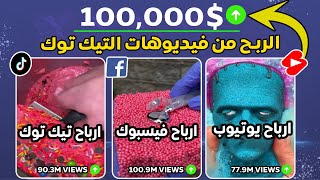
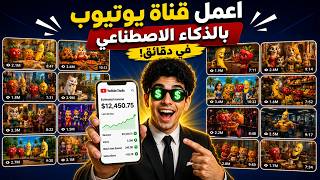
A YouTube channel gained 3.8 million subscribers from only 32 videos using AI, with no manual intervention.
A TikTok account gained 298,000 subscribers from a few videos using the fruit trend, achieving millions of views.
Open Google, type 'Skywork', and go to skywork.ae. The site works on mobile and desktop.
Upload a screenshot of a successful channel and instruct Skywork to create a one-minute video in the same style, with characters speaking distinct voices, in Arabic, without music.
Skywork acts as an AI agent that thinks and creates a plan for your channel, offering options for story generation.
Choose 'fully generated, ready-to-publish video' and Skywork creates the storyboard, images, and final video automatically.
You can run multiple projects at once, creating videos for different channels or platforms simultaneously.
The AI generated a story about cat characters finding treasure, with voiceovers and animations, ready for download.
Another channel was cloned using Vue3Fast in 720p quality, producing a video about a deceptive character named Strawberry.
Skywork offers skills for images, videos, sheets, website design, podcasts, and a new feature called Skywork Design.
Skywork has a basic free plan and paid plans with access to powerful AI models like Cloud Ops, GPT Chat, and Gemini Pro.
Skywork enables anyone to create professional AI-generated videos and channels with minimal effort, offering a cost-effective solution for content creators.
How many subscribers did the featured YouTube channel gain from only 32 videos?
3.8 million subscribers.
00:02
What is the URL for the Skywork platform?
skywork.ae
01:01
What are the three options for story generation in Skywork?
AI writes the story, you write the story, or you choose one of the channel titles as your primary choice.
02:11
What production method should you select for a fully automated video?
Fully generated, ready-to-publish video.
02:55
Can you run multiple projects simultaneously on Skywork?
Yes, you can open multiple projects and create videos for different channels at the same time.
03:10
What additional feature did Skywork recently launch?
Skywork Design, which allows you to design anything.
07:46
Name three AI models available on Skywork.
Cloud Ops, GPT Chat, and Gemini Pro.
08:28
AI Channel Growth Example
Demonstrates the potential of AI-generated content to achieve massive subscriber growth with minimal videos.
00:02Cloning a Channel
Shows a practical method to replicate successful content styles using AI.
01:16AI Agent Planning
Highlights the advanced capability of Skywork to act as an autonomous agent that plans and executes content creation.
02:11Multiple Projects Simultaneously
Emphasizes efficiency by allowing users to manage multiple content projects at once.
03:10Skywork's Versatile Skills
Reveals the platform's broad range of capabilities beyond video, including design and research.
07:46[00:02] through the tool I'm explaining in this video if you use it correctly. This tool saves time and effort in an extraordinary way and can help you achieve extraordinary success. Look at this YouTube channel in front of you. This channel gained 3 million 800,000 subscribers from publishing
[00:17] only 32 videos and through artificial intelligence. And of course, as you can see, it achieves very respectable numbers in terms of the number of followers, as well as views and estimated profits. All of this is done through artificial intelligence without the channel owner having to intervene in any video, without filming, without anything.
[00:33] This TikTok account also gained 298,000 subscribers from posting a very small number of videos, using the fruit trend, and of course, it gets 11 million views and 10 million views. Imagine that you could create channels exactly like these without interfering in any way! But before we
[00:49] begin, don't forget to like and subscribe, and activate the bell icon to receive all my new videos. This video will be for educational purposes, and if you don't share our videos with your friends, it limits their reach. All the videos are educational and aim to benefit you and teach you about
[01:01] artificial intelligence. So let's get started. First, open Google like this, and then type "Skywork" here. As you can see, the word "Skywork" is there, as you can see: skywork.ae. You can then select this result, or you can type " Skywork.ae" into your browser or mobile device.
[01:16] By the way, the site works on mobile without any problems. I uploaded a screenshot of the channel—the one I like. For example, let's start by creating a channel exactly like this one. I uploaded a screenshot and wrote this promo: I
[01:29] asked him to copy this YouTube channel. I want to make a one-minute video like these, in full-size format for YouTube, and ask subscribers to subscribe and like. I want it in the same style, in Arabic, without music, with the characters speaking, each with a distinct voice. Look at the number of
[01:44] requests I'm making for the performance, depending on their character in the story. It should be in the same style as the channel, without a watermark, as you can see. I asked him for a full promo to make videos exactly like this channel. All I do is click this arrow to see if he
[01:58] you can see, he started making the videos for me. By the way, you can use the most powerful AI models like Cloud Ops and all AI models. The artificial intelligence system, like Chat GPT 5.5, and all the new AI tools, initially uses it as an
[02:11] agent, not for creating videos. It acts as an AI agent that thinks and creates a plan for your channel. This was the first performance question: "What's the story or scenario for the one-minute video that needs a specific plot with cat characters?" It gives you three
[02:26] options: it writes the story itself (meaning the AI will write the story for you), you write the story for it, or you choose [laughs] one of the channel titles shown in the image as your primary choice. Choose what you want, but I'll ask it to write the story so the story is original to us.
[02:39] want here and click this arrow to see the result. Then it asks you for the language: Modern Standard Arabic, Egyptian Arabic, Gulf Arabic ( let's say Egyptian Arabic). Click this arrow and it asks your preference for the production method: AI-generated. As you can see, you want a
[02:55] fully generated, real video with sound like The process is ready to publish, and you don't need to review the storyboard first. I'll choose "I want a fully generated, ready-to-publish video" and click the submit button. That's when it starts working. This was my first YouTube channel, or rather, the
[03:10] first style we're using. You can open a completely different project and upload another YouTube channel, telling it to create something similar at the same time it's working on the first one. This is a huge advantage—you can open multiple YouTube channels in the same way. And it's not just
[03:24] YouTube; you can do it on Facebook, TikTok, or any other platform. These videos achieve tremendous success and get huge views. It starts working now, creating a storyboard and showing you what the task is going to do. You can
[03:37] close the site and reopen it. Whether you're on your phone or computer, you can close the site completely and return when it's finished. It actually starts creating the storyboard. We'll wait a bit and see. The result, as you can see, is that he's telling you this is a
[03:50] do. As you can see now, he's telling you about videos in the style of the channel name, and then a design summary that tells you the goal, visual style, and rhythm. As you can see now, there's a surprise and a satirical ending, like a direct invitation to the viewers. As you can see now,
[04:05] he's starting to write the characters for you, and after some details or a summary of what he's going to do, he's proceeding in a very organized way. We'll wait a bit and see the result. As you can see, he's also telling you that the storyboard is ready. He'll start creating the images, then generate the
[04:19] four videos. After that, he'll compile everything into the final editing project. Of course, I didn't interfere with any of this; he didn't ask me for anything or inquire about anything. He's working automatically. As you can see, the result is excellent. He's given you each character and created... It has more
[04:34] than one scene and more than one position you can use, and as you can see, each character is being fixed throughout the story. This is roughly where the events will take place, or this treasure is another element of the story. As you can see, each character is fixed throughout
[04:49] the story, showing you all their dimensions and all the angles from which they could be. final result is excellent. He created all the scenes and started combining them with the editing software, as you can see.
[05:01] Let's see the final result together today. It's so nice, Mama! I'm going to play in the garden for a bit. Take care of yourself, Lulu, my darling, and don't get your dress dirty. Mama, look, there's something shiny under the dirt.
[05:14] What's that? Wait, my dear, don't dig so fast. Let's see slowly. Look, Kabo, I found real gold! I told you there's treasure! This is just a piece of rusty metal. Lulu, you're dreaming like always! I'm
[05:27] not dreaming, Kabu! There's a big box buried underneath. Come see for yourself! I'm not going to waste my time on your fantasies, little one. There's no treasure or anything. Here's the box! [Laughs] Here it is, and it's even shining! I'm about to open it!
[05:43] excited! Oh God, please open it! Open, box! Wait, wait! Where's this light coming from? This is unbelievable! What is this? This is real treasure!
[05:55] n't be! I believe in Lulu! And if you liked the story, don't forget to like it. And as You can easily download it to your device with just one click. And as you can see, the result is excellent. You can
[06:11] download it and use it directly on your YouTube channel or upload it to Facebook or TikTok, for example. I'll start taking screenshots of these videos too. And I put it on the same website again and started asking it for the same thing. I asked it to
[06:24] copy this YouTube channel, but this time I'll ask it to use Vue3Fast in 720p quality. Then you click on this arrow to see the final result. And here it started working, working to copy this channel or the content I sent it. These were the
[06:39] characters in the second channel, and the website did a great job producing them. It's also working on making videos for you without you having to do anything, as you can see. This is the final result. Now let's see it together. My love, this covers all the household expenses.
[06:54] Thank you, my love. May God keep you for me, you're the best man in the world. Hello, cucumber. The plan is working perfectly. Potatoes gave me all the money and he doesn't feel a thing. Tomorrow I'll carry out the plan, and this house will be mine.
[07:06] You're not providing for us well. Get out of the house now. What did I do, Strawberry? I'm working for you. I do n't want you. Here, God will compensate me. I work day and night, and this is what I get back. I've never done anything wrong. What happened?
[07:19] Oh God, be with me. I couldn't find anyone but you. The plan worked, Strawberry. The house is yours now. I told you I'm clever. The poor potato is fine. If you want to know what happened next, subscribe to the channel. As you can see, the final result is excellent. He
[07:33] actually copied the content for me and made an excellent video that I can publish directly on YouTube, Facebook, or TikTok. You can also create any content you want through this website. It's not limited to YouTube, Facebook, or TikTok.
[07:46] You can do many jobs through the website, such as the skills available there. It has many skills, including images, videos, sheets, website design, and podcasts. They also launched a very powerful feature called Skywork Design, which allows
[08:01] you to design anything you want, or you can create a website and copy it, or you can Whether you're developing a new design system or doing anything else through the AI agent Sky Claw, you can do virtually anything you want on the
[08:14] site. The site offers an incredible number of skills, including deep research and general tools, and further health, finance, and much more. The site
[08:28] provides all AI tools in one place, but as I mentioned, it offers a basic free plan. The rest of the site is paid, but it's excellent value for money. You don't have to create content yourself or put in the effort of editing. It
[08:43] handles everything, and if there are any errors in your videos, it corrects them directly. It also provides powerful models like Cloud Ops, the latest GPT Chat, and Gemini Pro—all
[08:55] available on one site. I wanted to try it out and share it with you on the channel. If you like the site, you can subscribe to it or any other similar platform. The site's plan is very good and affordable, and it offers a I hope I've been helpful and presented information in a new, easy, and effective way. Please like and
[09:11] subscribe, and activate the bell icon to receive all my new content. This site was a free trial for you to try before you subscribe or pay anything. The site is excellent and offers pay anything. The site is excellent and offers great value for its price. It saves you a lot of
[09:24] trouble; you can create multiple channels using TikTok, or any other platform. If you've made it this far in the video, leave a comment and tell me where the video, leave a comment and tell me where you're watching from. Let's go!
⚡ Saved you 0h 09m reading this? Transcribe any YouTube video for free — no signup needed.