
Why Can't I Send My USDT?
60sThe relatable pain point of being unable to send funds due to missing BNB creates immediate engagement and curiosity.
▶ Play Clip"Delivers a solid beginner's guide to crypto networks, though the sponsor segment adds some fluff."
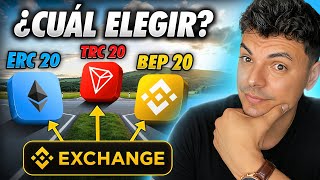
This video explains cryptocurrency networks (ERC20, TRC20, BEP20) from scratch, covering how they work, how to choose the right one, and how to handle destination tags. It addresses common problems like selecting a network on exchanges, paying fees in network tokens, and using destination labels for deposits.
Users face issues when sending crypto: choosing a network on exchanges, needing BNB to pay fees for USDT transfers, and providing destination labels for certain coins like XRP.
An exchange is a platform to buy/sell/trade crypto with fiat or other cryptos. A wallet stores your cryptocurrencies and allows sending, receiving, and secure storage.
Networks are systems for sending/receiving crypto between exchanges and wallets. Each network has different characteristics: ERC20 (Ethereum) is secure, Tron is cheap and fast, BEP20 (Binance SmartChain) is cheapest.
The sending network must be exactly the same as the receiving network. Crossing networks can result in loss of funds.
When sending between exchanges, usually the cheapest network is best. Example: Bybit to OKX, selecting the network supported by both and with lowest fees.
When sending from exchange to wallet, fee is paid in the same token being sent. When sending from wallet back to exchange, fee is paid in the network's token (e.g., ETH for ERC20, BNB for BEP20).
If holding long-term, use a secure network like Ethereum (ERC20). If moving frequently, use a cheap network like BEP20.
Destination tags are codes that direct crypto to the correct account within an exchange. Required when sending to exchanges for coins like XRP. Always copy and paste the tag when prompted.
Understanding crypto networks and destination tags is essential for safe and efficient transfers. Always match sending and receiving networks, consider fees and security, and use destination tags when required.
What is the golden rule when sending cryptocurrencies between networks?
The sending network must be exactly the same as the receiving network.
02:49
What is a wallet in cryptocurrency?
A place where your cryptocurrencies are stored, allowing you to send, receive, and securely store them.
01:40
What are the characteristics of the ERC20, TRC20, and BEP20 networks?
ERC20 (Ethereum) is secure, TRC20 (Tron) is cheap and fast, BEP20 (Binance SmartChain) is the cheapest.
02:35
When sending from a wallet to an exchange, what token do you pay the fee in?
You pay the fee in the token of the network where the transfer was made (e.g., ETH for ERC20, BNB for BEP20).
06:21
What is a destination tag (memo) and when is it required?
A code that directs cryptocurrency to the correct account within an exchange. It is required when sending to exchanges for certain coins like XRP.
09:32
Why might you need BNB to send USDT on the BEP20 network?
Because the fee for the transfer is paid in the network's token, which is BNB for BEP20.
07:02
Golden Rule of Networks
This is the most critical rule to avoid losing funds; crossing networks can result in permanent loss.
02:49Fee Structure Insight
Understanding that wallet withdrawal fees are paid in the network token helps users avoid being stuck without funds.
05:55Security vs. Cost Trade-off
Choosing a network based on holding period is a practical strategy for balancing security and fees.
08:40Destination Tags Explained
Many users lose funds by omitting destination tags; this explanation clarifies the requirement.
09:32[00:02] cryptocurrencies have to do with networks. First, if you enter an exchange and want to send any cryptocurrency you have, it will ask you to select a transfer network, but which one to choose among so
[00:16] many options available. Another problem is that when you have your funds in a wallet, like I have this balance and I decide to send it, for example, these $10, we enter the amount and as you can see it doesn't allow me to make the
[00:31] transfer because it says I don't have any BNB. But why are you asking me for BNB if I want to send USDT? Finally, if I want to receive a cryptocurrency, let's say, on this platform and that cryptocurrency I
[00:44] want to receive is XRP, apart from the deposit address, it also gives me a destination label, which are these numbers. He even warns me that transfers without a destination label will not be deposited. These
[00:58] three problems we just looked at are solved by understanding cryptocurrency networks and how they work. Let's begin. To understand how networks work, we first need to know some
[01:10] basic concepts. An exchange is a platform where you can buy, sell, and trade cryptocurrencies. An exchange allows you to buy and sell cryptocurrencies with fiat money. For example, with my Mexican peso I can
[01:25] buy and sell any cryptocurrency. That's what an exchange does. The second function of an exchange or a currency exchange is to exchange cryptocurrencies, that is, to move from one crypto to another. I have UST and I
[01:40] can exchange that UST for Bitcoin. The next thing we need to understand is a wallet, which is a place where your cryptocurrencies are stored . Wallets allow you to send, receive, and above all,
[01:53] securely store your cryptocurrencies . For example, this wallet called Exodus. These types of wallets are used to store and hold your cryptocurrencies. In theory, once you buy cryptocurrencies on an
[02:07] exchange, you should send them to a wallet. And in the process of sending, this is where networks come in. A network is the system by which cryptocurrencies are sent and received between exchanges and wallets. Networks are
[02:21] like those highways that you're going to use, for example, to send funds from an exchange to a wallet. Not all networks are the same; each one has its own characteristics. For example, the ERC20 network, which is
[02:35] Ethereum, is a fairly secure network. A network like Tron is cheap and fast. A B network like B20 is the cheapest of all. Depending on what you want to do here, you will choose which network you want to use for these
[02:49] transfers. But there's a golden rule here that you need to be very clear about. The sending network must be exactly the same as the receiving network. For example, if I want to receive USDT in my wallet and
[03:02] decide to receive that USDT on the Ethereum network, I will simply copy the address. And if I want to send the funds from Bybit, when I press withdraw that USDT and it asks me to select the network I want to
[03:14] send it to, I have to select the same network. In this case it was the Ethereum network. Make sure that the same network you are receiving from is the same network you are sending from, because if you cross networks you could lose your funds.
[03:27] Once you understand these concepts, let's look at which network to choose. But before opportunity to thank our sponsor for this video, Hler. This is a crypto platform with a global presence and regulation in Switzerland, Argentina,
[03:42] and the European Union. One of their most popular products is the "bandos," which function as a cryptocurrency investment basket . Instead of buying each crypto separately, with one bank, you automatically invest in several at
[03:55] once. There are conservative options with solid Bitcoin and altcoins, and other more speculative options focused on meme cryptocurrencies. Another quite interesting product is the Cloud Miner, which requires no investment and allows you to mine Bitcoin
[04:07] directly from the platform. Using it will give you sparks, which you can use to activate mining blocks. After a few minutes, you press them and receive small fractions of Bitcoin known as Satoshis.
[04:20] level up and increase your earnings. I'll leave the official Youol link in the description. And if you use the code INGR50 before creating your account, you will receive 50 additional sparks in your account. With them
[04:35] Bitcoin from day one. Let's continue. What you choose to re-elect depends on send cryptocurrencies from one exchange to another, for example, if I want to send from
[04:47] Bybit to OKX, usually the best option is the cheapest one. If I log into BB and want to withdraw the USDT I have here, it shows me all the networks where I can make that transfer. As you can see in the Smartchain
[05:01] B20 vape we already looked at, they charge me 20 cents. At Tron and Aptus they're not charging me anything at all. So I'm going to log into OKX, which is where I want to send the cryptocurrencies, and see if they support that network. I press
[05:14] deposit crypto USDT and here are all the networks that support it. And indeed they do support the apt network, so I should select this network. Here I'm just going to copy the address,
[05:27] go back to Bybit and select the same network because remember, I can't cross networks here. I would simply paste the address we copied into OKX, enter the amount I want to send, and that's basically it. I would press
[05:41] cryptocurrencies, for example, from an exchange like Vbit to a wallet like Exodus, there are other things you also need to consider. Besides looking at which one is the cheapest, I also have to consider
[05:55] how much I'm going to pay when I want to withdraw the money from the wallet, say, return it to a currency exchange. Because there's something quite interesting here. On the exchange, I will
[06:07] pay the fee in the same token that I am sending. Once the money is in my wallet, when I want to return it to an exchange or another wallet, I have to pay that fee in the same token of
[06:21] the network where I sent it. For example, if when I sent the USDT, okay, from the exchange to the wallet, I did it on the RC20 network, when I want to return the token from the wallet to the exchange, then I have to pay the fee in the
[06:36] token of this network. In this example, it's the Ethereum token. If I had made the transfer on this other network, then the token to pay the commission would be this one, and so on. But when you want to return the money from your
[06:48] wallet to an exchange, you will pay that fee in the token of the network where you made the transfer. That's why , for example, the USDT that I have here, and I have it here on this network in B20, which is the Binance SmartChain, and I
[07:02] press send, I enter the amount, it doesn't allow me to send it because I need to have BNB to pay the commission. And if I backtrack, and as you can see here in the wallet, I don't have BNB to pay that commission. So, what I have to
[07:16] do in order to send those funds is send BNB to this wallet, which I'm going to send a little bit of by the way. Here in this other Trust Wallet I have BNB as $, which I am going to send to the other wallet. This is the amount I'm going to
[07:30] send, and here I'm just confirming the shipment. And at this moment the BNB has already arrived here in my wallet. So now I can finally withdraw the USDT I have in this network because I already have money. Now, after entering the amount, it
[07:44] allows me to continue because I now have the BNB to pay the 4 cent commission. Also, when you send just the network and how much they will charge you. For example,
[07:58] here to send USDT on the Tron network they charge me $ have the money in the wallet, following the example with the Exodus wallet, if I decide to withdraw that UST that I have here and on the Tron network I have
[08:12] around $1,000, if I want to withdraw it all, as you can see on the Tron network, they are going to charge me $8 for this transfer, which is quite expensive. Continuing with this example, to withdraw from the exchange to the wallet on the
[08:27] Tron network it costs me d. But to withdraw it from the wallet on the same network, which is what I would have to do, well, it already costs me $, which is quite a lot of money. That's why you should also consider how much money you'll pay when you
[08:40] want to send money from your wallet to another location. And the last point you should consider when sending from an exchange to a wallet is security. If you're going to keep that money in your wallet for a
[08:52] long time and it's money you're not going to touch, I recommend that you send that money through a network, such as the Ethereum network, which is the most secure. And of course, then you need to have Ethereum to pay the fees. As
[09:05] Ethereum network, I use the Tron network and I also use the BNB network, I have these three tokens here to pay the fees. But if you're going to be moving that money around , I recommend you use a cheap one, for example,
[09:19] like the SmartChain pod network, which is quite inexpensive. Now let's get into destination tags, sometimes also known as memos. A destination tag is a code that helps direct cryptocurrency to the
[09:32] correct account within the exchange. For example, if I log into Holder, let's say I want to receive a cryptocurrency like XRP. We selected it, we chose the network, which is the XRP network. Here it gives me the deposit address, which
[09:46] transfer. But it also gives me the destination label, which are these numbers. And here the platform label, those funds won't be
[09:58] credited. In other words, I could lose it or I would be losing it. this case is copy the address, go to where I have the money, for example, here in Exodus, and here I select XRP, press send, and
[10:12] here let's say I want to send five coins, and we continue. Here it gives me the space to put the address. And it also gives me a space to place the destination label. What I have to do is go back to Hol and
[10:24] copy this label and we're going to stick it here on the wallet. So, with this label, that money will be credited to the platform. Make sure you always stick it on whenever it asks you to. And here you just press send
[10:37] and the money will go. Labels are usually only used when you send money from one exchange or wallet to another exchange. When you send money from an exchange to a wallet, it usually doesn't ask for those
[10:50] Exodus wallet I want to receive XRP and I press receive, it only gives me the address. And here it tells me that it is not necessary to place a destination label. Besides, it's not showing me any labels. If it doesn't
[11:05] show up, it means it's not necessary. Once you understand the concept of networks and labels, you can send and receive cryptocurrencies with complete confidence. Just remember the golden rule. The sending network must be
[11:17] exactly the same as the receiving network. From there it's just a matter of seeing which network charges you the least , making the transfers, and also if you're going to keep the money in that wallet for a long time, then
[11:29] look at the security issue and use a network like ERC20. If you have any comments. I always do my best to answer. I would also like to invite you to become part of the Seven Incomes community. You
[11:41] short educational content, join our Telegram channel, or become part of our new WhatsApp group where you can interact with other investors. I'll leave those links along with the sponsor links for this video
[11:54] top you will see a video where you can also learn more about our can also learn more about our sponsor of the day.

⚡ Saved you 0h 12m reading this? Transcribe any YouTube video for free — no signup needed.