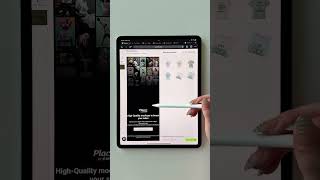

Start an Etsy Business with ZERO Inventory
45sThe promise of starting a business without inventory is highly appealing to those seeking side hustles, and the step-by-step setup process is easy to follow.
▶ Play Clip"Delivers a practical step-by-step guide, though the title oversells the 'best' aspect with minimal depth on profitability."
This video demonstrates how to start a print-on-demand business on Etsy using Printify, without holding inventory. The creator walks through setting up an account, creating designs, listing products, and publishing to Etsy, emphasizing the ease and profitability of this side hustle.
Sign up for a free Printify account using just an email address.
Select Etsy as your sales channel, log into Etsy, and start a shop. Sync Printify with Etsy to enable product publishing.
Printify offers thousands of products; the creator selects a t-shirt as an example.
Use the product's artboard dimensions to create designs in tools like Canva or KD, ensuring high-quality prints.
Download the design as a transparent PNG and upload it to Printify for the product.
Select colors and sizes (variants) to offer, and preview the product.
Select photos for the Etsy listing; use Printify's mockups or Placeit for more intricate ones.
Use Printify's AI tool to generate product title, description, and tags. Also recommend Everbe Chrome extension for SEO research.
Set the price, calculate profit using Printify's profit calculators, then publish the product to Etsy.
Once published, the listing is live on Etsy. Printify handles printing, packing, and shipping when orders come in.
This side hustle is accessible to beginners with no experience, leveraging Printify's automation to handle fulfillment, allowing you to scale by listing many products.
What is the first step to start a print-on-demand business on Etsy?
Create a free Printify account with your email.
00:01
What tool is recommended for creating designs with exact artboard dimensions?
Canva or KD (or any art app).
00:39
What file format should the design be downloaded as for upload to Printify?
Transparent PNG.
01:07
What does Printify's AI tool generate for your Etsy listing?
Product description, title, and tags.
01:45
What is the role of Printify after a customer purchases from your Etsy shop?
Printify prints, packs, and ships the item for you.
02:24
No Inventory Side Hustle
Highlights the core value proposition of print-on-demand: selling without holding stock.
00:01SEO Importance on Etsy
Emphasizes using AI and tools for SEO, which is critical for visibility on Etsy.
01:45Automated Fulfillment
Explains how Printify handles printing and shipping, making the business scalable.
02:24[00:01] on Etsy without inventory, this is exactly how I do it. First, you're going to create your Printify account, which is free to sign up, and all you need is an email. Once you're logged in, it will prompt you to connect your store. And in
[00:13] here, you will select Etsy, and then you will log into an Etsy account and start your shop. Setting up your Etsy shop takes a few minutes, and you will have sync it with Printify, it should show connected. Once it shows connected, you
[00:26] sell on your store. Printify has thousands of different products with fun to just scroll through here and see all the things that you can list on your Etsy store. I'm going to just pick this t-shirt though cuz it's one of the best
[00:39] colors. And then I'm going to choose my print provider. Now that we picked our grab these dimensions here. That's going to be the dimensions for our artboard. So for this process, we are going to have to create designs. And if we design
[00:53] in the exact artboard dimensions, [music] then the product will be printed really well. So here I am just creating a design in those exact sign dimensions so that when I upload this design onto my shirt, it will be high quality. I
[01:07] used KD to create this design. You can use Canva or any art app that you like. And then once you're done, you're going to download that as a transparent PNG and then bring it over to Printify and upload it to your product. Next, you'll
[01:19] select any type of variants, which are colors and sizes that you want to offer to see what the product will look like. Now that our product is created, we're going to select the photos that we want to bring over to our Etsy shop. These
[01:32] you a few, or you can also use the website called Placeit to make even more intricate mock-ups, which I do recommend. Then, you're going to go to create your title and description. You want to use SEO here. So, I recommend
[01:45] using Printify's AI tool. It will write a product description, title, and tags for you, which is really helpful. And SEO is very important on Etsy. So, I also recommend using a Chrome extension like Everbe to do more research. Now,
[01:58] you will need to set the price for your product, meaning what your customer on then what your profit will be after your this, but Printify has a lot of helpful tools like these profit calculators.
[02:11] go down and publish your product to your Etsy shop. And as you can see here, everything from Printify just synced directly over to my Etsy store and made a gorgeous listing for me. And once you hit publish, this listing is live on
[02:24] Etsy to be purchased. And you can do this over and over again and list a ton store. Once somebody purchases from your Etsy shop, your account is synced with to Printify where they will print, pack, and ship your item for you. As a
[02:38] make money online. and I've been doing it for 5 years and I have a YouTube channel that will show you step by step if you want to follow along.

⚡ Saved you 0h 02m reading this? Transcribe any YouTube video for free — no signup needed.