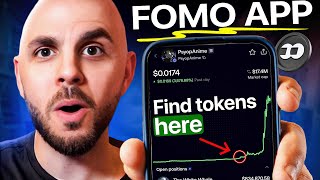

From $370 to $1M: Memecoin Trader Secrets
44sExtreme wealth transformation story captures viewer curiosity and FOMO.
▶ Play Clip"Title accurately describes the tutorial; the video delivers exactly what it promises."
This video is a tutorial on the FOMO app, a platform for trading memecoins and tracking top traders. The host demonstrates how to deposit funds, navigate the app's features, and copy trades from successful traders like Remis and World Soul, who turned small investments into massive profits.
The app allows users to trade memecoins and follow top traders. Referral link gives 10% fee discount with code cryptogrilla.
Deposit via crypto option, select chain (e.g., Solana), send USDC. Funds appear instantly in cash balance.
Tabs: Homepage (top traders, verified coins), Trending, Search (tokens/people), Feed (see trades of everyone or friends), Leaderboard (filter by P&L).
Remis turned $370 into over $1 million profit on White Whale token. Profile shows holdings, transactions, and P&L.
World Soul turned $2,300 into $200,000 on SCOP anime token by buying early and holding.
Shows holders, top traders, P&Ls. Buy/sell by entering amount and swiping. Can leave comments on trades.
Click three dots next to cash position, select withdraw, choose chain and wallet address.
Access via gift icon on top right. Earn 25% of trading fees from referrals.
The FOMO app provides a user-friendly interface for trading memecoins and copying successful traders. It offers features like leaderboards, feeds, and token pages to help users identify potential opportunities.
What is the FOMO app used for?
Trading memecoins and tracking top traders.
00:01
What discount code is provided for fees?
cryptogrilla for 10% discount.
00:28
Which cryptocurrency is required for trading on FOMO?
USDC.
01:06
How much did Remis turn into profit on White Whale?
$370 into over $1 million.
04:08
How much did World Soul invest in SCOP anime and what is it worth?
Invested $2,300, worth over $200,000.
05:04
How can you see trades of people you follow?
Filter feed by friends only.
02:22
What is the referral commission percentage?
25% of trading fees from referrals.
07:20
How do you withdraw funds from FOMO?
Click three dots next to cash position, select withdraw, choose chain, paste wallet address, confirm.
06:52
Remis's $370 to $1M Profit
Demonstrates the potential for massive gains in memecoin trading.
04:08World Soul's $2,300 to $200K
Shows the impact of early entry and holding in memecoins.
05:04Feed Filter by Friends
Key feature for copying trades of successful traders.
02:22Leaderboard by P&L
Enables users to identify top performers and analyze their strategies.
03:05[00:01] and track traders like Remis who turned 370 bucks into over a million in profits or World Soul who just turned two grand into over $200,000.
[00:14] Ladies and gentlemen, welcome back to another CryptoGorilla video. As usual, I am not a financial adviser. Memecoins are incredibly risky, so only ever trade you appreciate this content, hit subscribe and let's jump right into it.
[00:28] So, the app in question is called FOMO. I will put a referral link in the description down below. You'll get a 10% discount on fees when you use it. You can also use code cryptogrilla. So, once you use that link, you'll be able to
[00:41] download it from the app store. And then it's easy to sign up either with your Apple or Google account, claim a username, and you're ready to start using the app. So, here we are on the homepage of FOMO. The first thing we're
[00:54] going to have to do is deposit funds. So, I'm just going to click on deposit. Now, you have three options. Personally, I opt for the crypto option. So, I click on crypto. I select a chain. I'm going to do Salana. You pick the chain where
[01:06] your money is coming from. It'll give you a address for that chain. However, they say here deposit USDC. Now, you could deposit Salana, Pangu, whatever trade on the tool, you are going to need to use USDC. So, if you send soul and
[01:23] you want to place a trade, they're going to force you to swap it inside of the app. So, once you send the money, if we head over to profile, you can see my cash balance, which is in USDC, is right there. Your money should appear
[01:37] instantly. And now we are ready to place a trade. But before that, let's just run through the tabs at the bottom here. So, the first one is going to be the homepage. We have the top traders of the day, the top traders of all time. We
[01:51] the verified coins, big things like Salana, BNB and so on. If we click on trending, we can see the current trending tokens. We also have most held, we have graduated and so on. Next, we have a search function. So I'm able to
[02:07] search for either tokens or people because you can follow people in this app. After that, we have our feed. So, I can get a feed from everyone and see the coins that just about anybody who's signed up to this app is trading. Or if
[02:22] we scroll to the top, I can filter by friends only. And here I'm only going to see the trades of people that I follow or groups of people that are giving a lot of attention to a token. For example, here you can see 22 traders
[02:36] bought and sold the New York City token. So, it's going to alert me, which personally I like because it's showing me where the attention is at. It doesn't mean the New York City token is going to do well. This thing was an absolute pump
[02:50] and dump, a disaster, but at least I know, hey, there's a token called NYC that a lot of people are trading. Next, we have either our friends page, as well as a global leaderboard, which we can filter by 24 hours, by all time. And
[03:05] this is where you're able to find really good traders or find popular people because here you can see it's filtered by their P&L. So right now all time the top trader on this app is Remis and he's up over a million dollars. So let's go
[03:21] ahead and click on his profile and filter by all time or 30 days. And we can see he's up 1.2 million. Now if we scroll down we can see exactly what tokens he's holding. So, he has $237,000 in USDC and then he has a bunch in
[03:38] different meme coins. The main one being White Whale. Now, he really built a name for himself in this token. If we click on it, since we're on his profile, we are going to see his holdings in this token. So, right now, we obviously get a
[03:52] picture of the token. On the chart, we can see where he has sold. We see his P&L. And if we click at the bottom here, eight transactions, view all, we're going to see how much he bought and sold. So he only bought $370
[04:08] of this coin and his position, counting what he's already sold, is worth over a Absolutely insane. This is what the Memecoin Dreams are made of. So if you
[04:20] like this profile, which a lot of people are paying attention to it, at the top you would have a follow button. Let me just go to somebody else that I don't there's a follow button. So, I'm able to follow this person. And then in my feed
[04:34] when I filter by friends, I'm going to get whenever he buys. You can see right here he bought the SCUP anime, which is a token that's been doing really well today. So, let's go back to the leaderboard and filter by 24 hours. You
[04:47] could see most people here have made their profits on SCOP anime which is indicated by the logo of the coin. So let's analyze another profile. We'll click on world soul. If we look at the bottom here, he is up $200,000 on SCOP
[05:04] anime. If we click on it, we see all of his two transactions. He bought uh $2,300 worth of this coin. Absolutely insane. He has not sold a dollar. I guess he's diamond handing it. Maybe he wants a
[05:17] million-doll position. If I click all, we can see he bought it very early on. So, kudos to him for buying and holding. He also left a comment. He left a link, so we can't really uh get a good idea. But let's just go to the token itself
[05:31] and look at the token page. So, this is a token page. You can see the token's doing incredibly well. I can see uh all the holders here. So, the top holders, see what they feel about a coin or how they're shilling it or whatever. This is
[05:45] also where you can find uh really popular traders on a specific coin. I can also filter by only my friends, so only the people that I'm following. I for this video. So, it didn't really change there. But, uh, okay, it did
[05:59] because I don't follow them all. But, here I can see all their P&Ls, a bunch of information about them. If I want to buy this coin, I would do that at the bottom here with the buy button. I would simply enter an amount. I would swipe to
[06:13] the right and it's going to instantly buy in from USDC into the coin. If I go back to my profile, we should see now I have the SCOP anime coin. If I want to
[06:25] sell it, same thing. I would click on sell here. I'm just going to do max. Same thing. I swipe to the side. Immediately sold. I can leave a comment to say why I'm selling. Like this coin sucks or I'm taking profit or I'm taking
[06:38] the L, whatever I want. And then if I go back to my profile, I only have a cash position. I am no longer holding that token. So very simple to use this app. Really smooth, easy to understand interface. If you want to withdraw,
[06:52] that's going to be by clicking the three dots next to your cash position. And we want to click withdraw at the bottom, not send. Send is sending money to other people. Here we want to do withdraw. We're going to select how much? 10%
[07:06] whatever. Confirm. pick the chain I want to send it to Salana. I would paste a Salana wallet address and then I can send my money out. The final thing I want to show you guys is where to get your referral link. That would be on the
[07:20] present on the top right. So, we would click that. You get your referral link and you're going to earn 25% of whoever uses your links trading fees. So, if you help me out. But that's it for today's tutorial. If you appreciate it, leave it
[07:35] reach a wider audience. If you haven't already done so, would you kindly hit notification? Thank you for watching another Cryptogorilla video.
[07:47] another Cryptogorilla video. Peace.


⚡ Saved you 0h 08m reading this? Transcribe any YouTube video for free — no signup needed.