How I Made $500 in 5 Days with AI
45sThe shocking income claims and quick monetization hook viewers with the promise of easy money.
▶ Play Clip
"Delivers a real system, but the '7 days' promise is optimistic and the video is padded with self-promotion."
The video presents a comprehensive system for creating and monetizing a YouTube channel using AI tools like Claude and ChatGPT. The creator claims to have monetized a new channel within days by leveraging aged accounts, optimized keywords, and AI-generated content, and shares the exact prompts and workflow used.
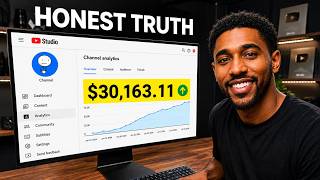
The creator's video gained 2.8 million views in two weeks, and a new channel hit 500K views, earning $365. The channel was monetized in 5 days, with recent videos earning over $500.
New YouTube accounts lack data, causing the algorithm to show videos to the wrong audience, leading to low CTR and watch time. Using an aged account performs better.
Instead of warming up, optimize the channel by telling YouTube what it's about. Steps include enabling two-step verification, verifying the account, and branding the channel.
A prompt is provided to ChatGPT to generate channel names, descriptions, logos, and banners. The creator recommends editing the prompt for uniqueness.
Set upload default to unlisted, enable auto-dubbing, and use keywords from tools like VidIQ. Keywords can drive search views, as shown by a video with 50K views from search.
To hit monetization requirements (4,000 watch hours, 1,000 subscribers), use a prompt for Claude AI to generate 10 video ideas. Scripts are also AI-generated, with a prompt for episode series.
Free method: generate images and use Flow to animate, but it's time-consuming. Paid method: use Vsub, which handles voiceover, visuals, and editing from a script, allowing faster episode production.
Use ChatGPT to modify thumbnails with the main character. For uploads, use searchable keywords in the description, create a playlist for episodes, and wait for processing before publishing.
The video provides a step-by-step AI-driven system for YouTube channel monetization, emphasizing the importance of aged accounts, keyword optimization, and consistent content creation. It offers both free and paid methods, with a focus on speed and efficiency.
Monetization in 5 Days
Demonstrates the potential of the system with real results, making the claim credible.
Aged Account Advantage
Provides a non-obvious insight that challenges common advice about starting fresh.
01:17Keywords Drive Search Views
Shows that overlooked settings like tags can significantly impact visibility.
06:19Monetization Requirements
Clarifies the exact thresholds needed, setting a clear goal for creators.
08:11AI-Powered Video Creation
Highlights the efficiency of using AI tools to produce content quickly, a key to momentum.
11:38[00:00] This video got 2.8 million views in two weeks, and I want that. So I decided to use Claude AI to start a brand new channel to see if I can monetize it within three to 7 days. And trust me, the results are shocking. This video has hit more than 500 K views. You can see it's already
[00:17] made me 365 bucks. Well, I should be making more from this video, but the channel got monetized just 5 days ago. So most of the views weren't monetized, but I think this channel will bring me a decent amount because if we check my recent video, you can see that's made me over 500 bucks
[00:32] already. And I will show you why I got that higher RPM later. But right now, I want to show you the mistakes I avoided and the actual system that gets my channel monetized faster so you won't also repeat same mistakes. See, let me tell you the truth. The first mistake lots
[00:47] of beginner creators make is when creating and setting up their channels. And believe it or not, this is what most of the successful channels are hiding from you. I'm going to tell you something, but first let me show something here. This channel started just 2 weeks ago and it already has close
[01:01] to 8 million views with just 24 uploads. If I give them an average RPM of let's say 5 bucks, which is fair cuz mine is around 8 bucks, that's over 40 grand in just 2 weeks. But there's one secret that will never catch your attention even if I ask you to show me. And that's when this account
[01:17] was created. You see, you might think YouTube doesn't care if your account is new or not. And I understand because YouTube hasn't officially said that, but I'm talking from experience. Using an aged account performs better. I've tested this, so I know what I'm talking about. I think since
[01:31] the channel is new, it has no data or history. So when you post a video on that newly created Gmail account, it takes time to enter into the algorithm because the algorithm is confused and doesn't know who to push the content to. And one thing I've noticed is that because the algorithm is confused,
[01:47] when it starts showing your video to people, it shows right beside other people's videos, which means it's testing the video to see who might be interested. So instead of pushing the video to the homepage, it rather shows it to people watching other video, and that's
[02:01] dangerous because the video might not be pushed to the right audience, meaning your click-through rate and average view duration would be low since those viewers aren't your targeted audience. But there's a fix, and that's not about warming up your account, it's about optimizing it instead.
[02:16] Just tell YouTube what your channel is about and your videos will be shown to the right audience. Simple. I'm going to show you how I create my channels that go viral. But before that, you need to do this after creating your Gmail account. Just go to myaccount.google.com, click
[02:32] on security and sign in, and make sure two-step verification is turned on. It's going to ask you to sign in again by entering your password, then you pick any of the options there. You can
[02:44] use your phone number. It's simple. Once you're done, go to YouTube. Here, click on your profile. then click on view all channels. Click on create a channel, then click on verify.
[03:03] Now you can record a 6-second video of yourself and upload it here or go ahead and upload your government-issued ID. For me, I use the last option. All right, click next,
[03:15] then click done. If you don't receive any verification request, that's fine. All right, we need to brand the channel to tell viewers that we're not joking. So first, we need a name for the channel. And since I want everything to be smooth for you, I prepared this prompt. The link
[03:30] will be in the video description. Just make sure it's this exact prompt. Once you get it, copy the channel branding prompt by clicking here, then give it to ChatGPT. We'll use Claude AI too, but the reason we're using ChatGPT is because we're not asking it to generate only the
[03:47] channel name and description. We want the logo and banner as well. And for image generation, I think ChatGPT is better than Claude AI. All right? Once you give the prompt to ChatGPT, it's going to give you 10 channel names and ask you to choose the name you like. If don' like any
[04:03] of it, you can simply ask it to give you more. Once you get the one you like, just select that, hit continue, and it'll go ahead and give you 10 channel descriptions. One thing I didn't say is that since you're not the only one going to use this prompt, I recommend you edit the
[04:17] prompt a little, especially the logo and the banner part. Now I asked it to give me the channel logo and the banner, and here's the result. So you just have to download yours,
[04:30] then upload them here. Next, grab the name you picked from here, then paste it into the box. Do the same for
[04:43] the handle and description. Simple. You can enter your business email here in case someone wants to reach you for collaboration, but make sure it's not the same as your channel email. I'll tell you the reason later. But for the video watermark, I go to Google, search for a subscribe button,
[05:01] then find the one with a transparent background. Make sure it's square in shape, something like this. Save it, then upload it here. Choose entire video, then hit publish. All right, let's check it. That's simply amazing,
[05:19] but we're not done yet. We need to do some settings. So first you need to check if your account is verified. So enter youtube.com/verify. You can see this account isn't verified. So I just have to enter my phone number here, then hit the next button. Once you get a confirmation
[05:34] that your account is verified, go back to your YouTube Studio and refresh the page, click on settings, go to upload default, then click on visibility. Choose unlisted. Now go to channel,
[05:50] then go to advanced settings. Under the made for kids, select the middle option. Now scroll down and enable the auto dubbing feature. Let's go to basic info. For the country,
[06:05] you can choose your country or leave it as it is. But for the keywords, most beginner creators think it doesn't matter. If it doesn't matter, then why is it there? You see, these little stuff you ignore are the best ways your channel communicates with the algorithm, especially tags. Initially,
[06:19] I thought tags are nothing, but why is it there if it's not important? Do you know tags can get you views? Let me show you something you've never seen before. You see, this video has over 50k views, but because of good keywords, just check the views I got from search. Now check here. It
[06:35] says hash what? So you see, the things some of you overlook can get you views if you do it the right way. So how do you get those keywords? It's simple. But one thing, don't ask AI for that. I recommend a better keyword researching tool like VidIQ, TubeBuddy, One of 10, or any other tool you
[06:52] know. For me, I use VidIQ. You can also try it for free or just pay $1 to access all the pro features for the first month. Once you're here, just click on research, then give it your niche. What we're
[07:06] doing is about survival or horror stories. So I'll just say horror stories and hit search. Although the competition is high, but the search volume is very high, so there's no problem with that. You can see it's getting more than 1 million views every hour. It's even at 2.2 million views
[07:23] per hour as I'm recording this video. But even if we make an average of 1.5 views, that's around 36 million views every day. That's crazy. So here's what I do. I pick some of the highly searched keywords, copy it, then paste it here. You have about 500 characters,
[07:40] so you can add more. All right, I can hit save and the channel will be ready for upload. But let me tell you something. You see, I always try my best for you guys, and I can confidently say that I've helped lots of people monetize their channels on YouTube. You see, I'm not asking you for money,
[07:56] but at least giving the video a like tells me you enjoy what I'm doing. And if YouTube automation is your thing, then just join the family by hitting subscribe. All right, so to be able to be eligible for monetization, we need 4,000 watch hours and 1,000 subscribers. So,
[08:11] we need a strategy that could get us to hit these requirements faster. But you see, for a video to go viral, I'd say about 65% depend on the idea because that's what but if no one is clicking to watch, who will know it's the best video? Because of that, I reversed
[08:28] engineer everything that I did to achieve this result, and I came up with this prompt. Just click here to copy, then give it to Claude AI. You can use the free version. Now, hit send.
[08:43] And Claude AI is going to give you 10 interesting results like these. Just scroll through and pick the one you like. I think idea number six is interesting. So, I'll go with that, uh but you can also get ideas on Reddit and Quora. Now, you can get people to click on your video, but you need
[08:59] to do one thing if you want to achieve results like these. You see, the audience are there. So, if you can make them click and stay to watch, your chance of going viral would be very high because that's what the algorithm wants. Make them click and watch. See, YouTube is simple. You just need
[09:13] to follow three simple rules. Make your video reach people, make those people click on the video, and make them watch the video. Then you'll have a viral video. You can get the impressions, get the clicks, but the question is, how do you make them watch your videos? See, it's
[09:27] simple. It's all about a good script. Just write a good script. If you're good at writing stories, no problem. You can do that. But if you're someone like me who doesn't have time to sit and spend hours writing, don't worry. Let me show you what I do. Go back to the prompts, then scroll down a
[09:40] little. You'll see this prompt. Just grab that, then go back to Claude AI. Paste it in the chat, scroll up, then enter your idea number here. You see, the good thing about this niche is that you
[09:54] can create more than 10 videos for one topic like the topic I selected. You can see it's 60 days, meaning I'm going to create more than 20 episodes. All right, let's generate the first episode. Good. Episode one is ready. And you can create a video right away, which I'll show you in a moment. But
[10:10] I recommend you read through and correct every error. It's simple. Just copy it from here, paste it into Google Doc, then change a few things. It won't cost you a dime. And one thing you need to know is that you're going to continue this chat to make sure you've covered
[10:25] every episode. So I recommend you pin the chat so you don't have to be searching for it every time. When you're ready for the next episode, you just have to give it this prompt. Enter the episode number you want. So I'll say two, leave everything as it is, then hit send.
[10:42] When episode two is done, you just give it the same prompt for the rest of the episode. Don't just ask it to give you the next episode, give it the prompt instead. Now the interesting part, creating the video. And for this, we have the free method and the paid method. For the free method,
[10:56] you'll have to generate images and give those images to Flow to convert them into videos because you can't just paste the prompt to Flow, the character won't stay consistent. But here's the reality. Flow is limited, meaning you'd have to wait to get free credits before you
[11:10] can continue the project or just go ahead and pay for a subscription. And think about this. After spending days gathering all the videos from Flow, you'll still need to spend time joining them and throwing in some effects in CapCut. Well, that's not a waste of time, but imagine your audience
[11:24] loved the first episode and they're waiting for the next one. You need to give them that as soon as possible. Yeah, that's how you hit the monetization faster. So I don't know your budget, but I think you should use AI to get the job done because with it you can even get the first five
[11:38] episodes ready and give it to them every one to two days to boost your channel's momentum and build channel history faster. The tool I'll recommend is Vsub. And it's not because I'm an affiliate, it's a tool I personally use. You can see it has a feature specifically made for such
[11:54] content, meaning you don't have to worry about voiceover, visuals, editing, like just give it the script. That's all. So click the link in the video description, sign up for an account, and you'll get a dashboard like this. There are lots of features here, but we're only focusing on
[12:08] this feature right here. So click on use template, make sure the video format is set to long form, then leave everything here and scroll down to characters. Here you can choose not to use any
[12:20] character, meaning your video will have random characters every time, but I don't recommend that because you need to treat YouTube as a business, not just creating content. You need to have your main character appearing in all of your videos, so we need to draw our character. Let me show you
[12:35] how. Go back to where you generated the channel icon and the banner and ask it to give you the actual character. It's simple. Just say that give me the actual character and ChatGPT will give you
[12:48] just that. Now click on it and download it to your device. Let's go back to V Sub. Make sure use character selected, then click on character library. If you click here, you'll have the option to pick any of these characters, but since we have our own character, we need to ask V Sub to
[13:04] draw for us. So let's close this window, then click on new character. Click on upload image, then click here to upload the character. Give it a name, then click on create. This is not going
[13:20] to use the exact image you uploaded, so it's going to trace it, then make sure you have the highest quality for the content. You'll get the same character, so don't worry. You can see it gave us the same character, but the side image has double faces. So I'll just regenerate it. Simple. This
[13:35] is AI. And that's why I always recommend checking everything you create. We're good now and we can move on. For the animation, you can animate the first 30 seconds to catch the viewer's attention, but I recommend you animate the entire video. That's depending on your budget. It's not
[13:51] compulsory. Leave this as standard and check the sound effects. Now pick a voice. I'm not going to suggest any voice, else most of you would end up with the same voice. Now go grab your script
[14:05] and paste it into this box. Next, click on this button, then click continue. Now if you check here, you'll realize it picks a different character for us, but we need our main character. So, let's click here, then select our own character. Now,
[14:23] for the side characters, we can choose any, then click on create video. All right, the video's ready, but before we can make any adjustments, you need to watch the entire video to see what should be improved. I checked mine and everything is okay. For this type of content,
[14:38] you can choose not to add background music. So, let's click on thumbnail. Now, this is not our video title. So, let's go back to where we generated the ideas, then grab the title here.
[14:53] Let's paste it here. Next, click on create template. Now, this is what I do to get a proven thumbnail. First, I find a channel with similar content style, get some of their thumbnails, then upload it here, or just paste the link here.
[15:06] I don't steal their thumbnails, I just model them. Once done, I click on load, select three of them, then hit on add template, then save template. Now, I can click on this button. Now,
[15:23] you can click here to download. This is simple, but I think the only downside is the avatar. So, this is what I do. I'll show you in a moment, but let's download the video by clicking here. Leave the format to standard and select 60 FPS frame rate. But for the resolution, use 2K,
[15:40] but you can still manage the 1080p if you have a low budget. All right, hit download, and it's going to prepare the video for you to download. But while waiting, let me show you how I
[15:52] changed the character on the thumbnail. First, go to ChatGPT and give it the thumbnail you got from Vsub and your character. Now, give it the simple prompt and hit send. Simple. But you know, I see lots of beginner creators making lots of mistakes when uploading the video. So, before I show you
[16:08] the result, let me show you how I upload my video that goes viral. First, a lot of beginner creators confuse whether to put their video in public or unlisted. Well, we'll get to that. So, let's start by uploading the video. All right, click create and then upload video. Next, click on select file,
[16:26] then go ahead and upload your video. Now follow this carefully. First is the video title. We have it already, so let's go to Claude AI then grab it from here. Let's replace it with this one here.
[16:41] Next, the video description, and this is where it matters the most, especially if it's a new channel. Per my experience, if you can manage to get views from search in the early stage, it's more likely to get views from the browse feature, which is better than the suggested
[16:54] videos. So this is what I do when I upload a video on a new channel. First, you need searchable keywords. So let's go back to VidIQ again, then click on research. Now if you check
[17:06] the topic of this video, you'll realize it's about survival. So let's search for it here. You can see this keyword has a crazy search volume. Although it's a high competition keyword, but the demand
[17:18] for this keyword is very huge. So if this keyword sits in the topic, that's fine, but we need to use the same keyword for the video description as well. So here's what I do. I select this keyword,
[17:30] then pick other related keywords, like six or seven of them, then copy them from here. Now go to the prompts then copy the last prompt. Open Claude AI then give it the prompt you just copied.
[17:46] Next, paste the keywords here. Now copy the title then paste it here. Lastly, grab your script here and replace it with these texts. Now
[18:01] hit enter and you'll get this simple but well optimized video description. Copy it from here then paste it into this box. All right, let's upload the thumbnail. Now scroll
[18:14] down to playlist, click on this tab, then click on create playlist. Click on new playlist then paste the same title here, and the description also. Click on create. Now,
[18:26] make sure the playlist is selected, then click on done. One thing to note is that the playlist we just created is for this video. So, all the next episodes under this topic will use this same playlist. Now, scroll down and click on show more.
[18:41] Click yes here. This won't affect your channel, so don't worry. For tags, simply add more keywords in vidIQ and copy it, then paste it into the tag section. Now, this is entertainment content, so I'll change it from people and blogs to entertainment.
[18:56] Click next. Next again, then next. Now, this is where most beginner creators confuse themselves. Release the video to the public right away or unlisted. Remember, when creating the channel,
[19:08] we select unlisted. That's why unlisted is already selected. You know what? Let's save the video, so I'll show you why. All right, let's close this window. Now, let's click on content,
[19:21] then click on the edit icon here. Click on language, and you can see that we need to do but it can help you reach more people. And if your video's good, you'll get views. All right,
[19:35] click here and choose the language of your video. Click confirm. Now, you can see the video wasn't ready to be released, meaning if you rush to release the video, you'd lose those viewers. So,
[19:49] wait for it to be processed before you go ahead and publish the video. All right, this is the result. Nobody checked level B3. You are on B3, the lowest level of the North Gate Mall parking garage. The structure has three underground levels, 1,100 spaces, one vehicle ramp,
[20:06] and one pedestrian stairwell. You are the night security guard. Your patrol ended in a radio dead zone. The evacuation order came through while you stood in it. You walked the vehicle ramp. At the B1 landing, your radio catches the tail of a city bulletin. Now, let me tell you something. YouTube
[20:20] is one of the simplest ways to make money online right now. They're especially YouTube Shorts. You know, YouTube is trying to compete with TikTok, so they're pushing Shorts like never before. So, if you're interested in making money with YouTube Shorts, then this video is for you.
[20:34] I shared how I made about $400,000 in only 3 months or so. See you in the next one.
The creator immediately presents a shocking result (2.8M views, $365) and a bold promise (monetize in 7 days), creating a curiosity gap that makes viewers want to learn the 'secret' system.
This [PROBLEM] got [RESULT] in [TIME]. I used [TOOL] to [ACTION] and the results are shocking. Here's the system that [OUTCOME].
AI-generated clip ideas for Shorts based on the transcript
The shocking income claims and quick monetization hook viewers with the promise of easy money.
▶ Play ClipExposes a hidden tactic that challenges common advice, sparking curiosity and debate.
▶ Play ClipProvides a specific, actionable tip that viewers may have overlooked, positioning it as a game-changer.
▶ Play ClipDemonstrates real data and a tool recommendation, giving viewers a concrete method to boost their own reach.
▶ Play ClipDistills success into three simple, memorable rules, making it easy to understand and apply.
▶ Play ClipSnapshot 2026-11-18
Every observation TubeSum recorded, plotted as measured.
The vertical axis starts at 107K, not zero, so later observations stay readable.
Based on 4 observations · last observed Nov 18, 2026 · solid lines connect consecutive measurements (≤2 days apart); dashed lines span days TubeSum did not measure. · vertical axis focused on the observed range (starts at 107K)
Based on 4 observations · last observed Nov 18, 2026 · solid lines connect consecutive measurements (≤2 days apart); dashed lines span days TubeSum did not measure. · vertical axis from zero
Exact daily observations; gaps mean no observation was taken that day.
| Date | Views | Avg views / hour | Channel median |
|---|---|---|---|
| 2026-11-18 | 193,582 | 1,402.8 | — |
| 2026-11-17 | 156,280 | 1,395.4 | — |
| 2026-11-16 | 146,863 | 1,425.9 | — |
| 2026-11-15 | 111,468 | 1,527.0 | — |
Audience reaction — separate from the performance metrics above.