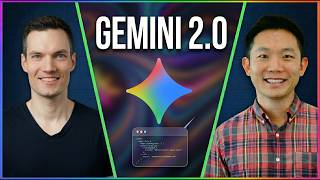

Google's New UI: Liquid Glass & Clean Design
60sAudiences love behind-the-scenes looks at major app redesigns, and the visual transformation is immediately striking.
▶ Play Clip"Delivers exactly what the title promises—a detailed look at the new AI agents, Omni model, and smart glasses vision."
Google has released a major update to the Gemini app, introducing a new design, autonomous agents, and advanced multimodal capabilities. The update includes Spark, a feature that can execute multi-step tasks, and the Omni model, which processes text, images, and video together. The video also explores the future of AI with wearables like smart glasses.
The Gemini app has a complete UI overhaul with a new design language called 'neural expressive', featuring a modern look, new icons, and fonts.
Spark is a new feature that brings autonomous agents to the consumer app, allowing it to spin off sub-agents to accomplish larger goals.
Spark can handle open-ended tasks and supports scheduled actions called 'heartbeats' for recurring tasks like daily briefings.
The Omni model combines text, image, and video inputs, enabling 'anything to anything' generation, such as merging a video with a photo style.
The desktop app uses voice with real-time filtering to remove filler words like 'um' and 'uh', and can access context from files and screen.
The future vision includes wearables like smart glasses with bone-conducting audio, allowing hands-free, context-aware assistance.
What is the name of the new autonomous agent feature in Gemini?
Spark
01:38
What is the name of the new design language for the Gemini app?
Neural expressive
00:28
How does Spark handle large, open-ended tasks?
It can spin off sub-agents to accomplish a bigger goal.
02:10
What are the scheduled actions in Spark called?
Heartbeats
03:26
What is the core capability of the Omni model?
Anything to anything
04:26
How does the desktop voice feature clean up speech?
It filters out filler words like 'um' and 'uh' in real time.
05:49
What does Jeff Huang see as the future primary interface for Gemini?
Wearables like smart glasses
06:37
Spark brings agents to consumer AI
This marks a shift from simple chatbots to autonomous assistants that can execute multi-step workflows.
01:38Omni model enables 'anything to anything'
Combining text, image, and video inputs into a single output is a significant leap in multimodal AI.
04:26Real-time speech filtering
The desktop app can clean up natural speech, making voice commands more practical and efficient.
05:49Wearables as the future interface
Smart glasses with bone-conducting audio could make AI assistance hands-free and context-aware.
06:37[00:00] Google just dropped a massive wave of AI updates for the Gemini app, completely overhauling the interface and introducing actual autonomous agents that can run tasks in the background. I sat down for an exclusive interview with Jeff Huang, the head of engineering for the Gemini app,
[00:16] to find out exactly how these new features work, from anything to anything multimodal models, to desktop voice hacks that clean up your speech in real time. Let's go inside the engineering team
[00:28] to see what's new. I started by asking Jeff about the massive visual change you see the second you launch the Gemini app, which is powered by a new design language Google calls neural expressive.
[00:41] Here's what he had to say about why they completely rebuilt the UI from the ground up. First, there's a huge redesign of that. As soon as you launch the app, you'll see it. It's more modern. We have a sort of a new design language that came out with it. On iOS, it's liquid glass.
[00:56] And it's just, I think, a lot cleaner. We were really aiming to sort of modernize and clean up a lot of the UI. So, we redesigned what we call the zero state, like the first screen that you see, the side nav that kind of comes out when you tap the three lines, that's all redone,
[01:11] brand new set of icons, new fonts across the board. And then as you get a response back, you type in something to Gemini and it gets you, it gives you a response. The response fades all redesigned. So that was just kind of top to bottom. The UI is very different. The reception's
[01:26] been pretty good. But the absolute biggest announcement from the engineering team is a brand-new feature called Spark. This fundamentally shifts Gemini from a simple chat bot into a true
[01:38] autonomous assistant that can execute multi-step workflows for you. Here's how Jeff explained it to me. The big one that you know is leading in in Sundar's announcement is called Spark. And so, this is really bringing agents into our consumer AI app. Yeah, it's super exciting. So, I've been
[01:54] playing with it. If you think about how, you know, eventually you will want something that like kind of can act and be like a true assistant. It's something that should be able to like do work and like kind of spin off multiple tasks to accomplish like a bigger goal versus right now, you know,
[02:10] most of these chat apps, you kind of give it one thing and it gives you like a response. So, you can kind of give it some like pretty big open-ended hard tasks and it'll know to spin off little sub agents to go accomplish that and then kind of come back. If you were to talk to someone
[02:26] who has no experience with agents and because I feel like you know you hear of agents and I think some people are a little apprehensive to test it out. What would you say is that first scenario that someone could try where they see value from using an agent? Just tell me what I need to know
[02:41] to prepare for the day. And actually, we built this as a product that I can talk about too called Daily Brief but Spark can do that as well. And so basically if you kind of think about what you need to do, you know, let's say tomorrow you might wake up and kind of look at your calendar, see what you
[02:57] have going on, kind of think about what you need to prepare for, like do I need to go, look up Kevin's YouTube channel, same for your email, like what is it that's sort of lingering on your to-do list, do I have bills I have to pay and things like that where it can go and do all that, it can
[03:11] kind of spin up these like agents or I don't know, you can call them like little minions to like kind of go in like do work for you. And then once it does that, you can ask it to do that repeatedly. So that's the other part of Spark is you can have, well we call them heartbeats internally,
[03:26] but they can they can repeat so they can be sort of these scheduled actions. When I hear of repeating things or setting up automations, that sounds complicated. Yeah. But I take it it's not morning and that's as far as it goes. Yeah. Okay, as soon as you've done something, or even before
[03:43] you've done it, it's exactly that it's every day do this, you know, at 8am. So, it almost feels like with Spark, it's almost bringing kind of these agent capabilities to the masses. Exactly. Next, we shifted gears to the brand-new underlying engine driving the app's advanced multimodal
[03:59] capabilities, the Omni model. I asked Jeff how this completely changes the way Gemini processes different types of media at the same time. So, we call that the Omni model and that one super cool.
[04:11] It's kind of combining a few of the different capabilities that we had in the app. So, we had Nano Banana, which was image generation, we had Veo, which was video generation. And for those, it was always text to images or text to video. And you could feed it like an image; you could
[04:26] do image to image. And now we're basically going from Omni, you know, anything to anything. So, it's actually very cool. I've been playing with it a bunch, but you can feed it like a video and like a couple images and then also give it a prompt at the same time. And then it'll output and combine
[04:42] like all of those things together into a really cool output. So yeah, it's very powerful. It kind of combines a few different tools that we had. So, like as an example, you could take say a video of yourself and then maybe have a photo with a certain style, and then it'll merge the
[04:55] two of those. Exactly. Okay. From there, Jeff surprised me with one more major announcement, this time specifically built for the desktop experience. It's a feature designed to completely
[05:07] change how you talk to your computer by using background context and real time speech filtering. It's using the desktop app and using speech to basically do some pretty complex things. So,
[05:20] one of the benefits of having the desktop app is it has context from your files on your hard drive, what's on your screen, and then voice is really cool because more and more that's a like very
[05:33] understandable and the models are like it's a very understandable communication method. And the models are getting so good where you can kind of hold down this thing and just speak naturally. And it knows what to filter out in terms of like, you know, I say "um"s and "uh"s a lot,
[05:49] or you might make a mistake and be like, "Oh, I actually scratch that." And it's good about kind of knowing and understanding how to filter that and output like a clean sort of stream of text. Once you have that coupled with you kind of using the voice now to orchestrate or kind of command
[06:04] and do things on the on the Mac, which is very cool. To wrap up our conversation, I wanted to look further down the road. I asked Jeff about the ultimate North Star for the Gemini app and how tomorrow's hardware will completely change the way assistants interact
[06:19] with the physical world around us. As you see the Gemini app continue to evolve and develop, what is your North Star for the experience in the app? Yeah, kind of depends like how far into the future. Eventually, we will have wearables, which can be the kind of the primary interface.
[06:37] You saw some demos actually with the glasses, which I find actually that's a very natural like interface where it has the audio, you know, sort of bone conducting audio. So, you don't have
[06:49] to pull out your phone. You don't have to type to it. Like you said, like speech is just so natural. And then also like you can take photos and videos of the context. So, it's actually like super cool.
[07:02] and I'll turn it on and be like, "Hey, do I need to like fertilize this? Like what plant is this and what kind of fertilizer do I need?" Versus like going and like Googling, you know,
[07:14] searching and trying to like figure out exactly what fertilizer. So it's kind of nice to have that like kind of in context. That actually I think resolves one of my big pain points because I feel
[07:26] oftentimes like if I'm gardening or something, I take out my phone, you take the screenshot, and then you add it to the chat. Then you ask your question. It's like all these, you know, steps that it's a lot of work. Yeah. And so just having glasses that are seeing what you're seeing and can
[07:39] answer your question. And it's hands-free. You can like be actually gardening. So, it's almost like that assistant that's seeing what you're seeing and can answer questions that you have. Yeah, exactly. And then Josh mentioned something in one of his demos where you're sort of like throwing
[07:55] context to the assistant and it's catching it and sort of like saving it for later. I think that's also really important where the more context it has, the better it gets at, you know, helping you with whatever. These new features are rolling out right now. And if you have access to
[08:09] Google AI Ultra, keep an eye out for the new Spark beta tab hitting your account to set up your very first autonomous agent. Please consider subscribing and I'll see you in the next video.



⚡ Saved you 0h 08m reading this? Transcribe any YouTube video for free — no signup needed.