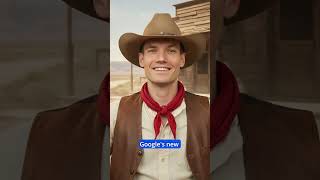
I Gave Myself 80s Hair with AI
45sThe rapid transformations and relatable desire for a cool profile pic hook viewers immediately.
▶ Play Clip"Delivers exactly what the title promises — a quick, clear demo of a cool new feature."
This video is a quick demonstration of Google's new 'Nano Banana' AI feature, which is part of Gemini. The presenter shows how to use it to transform a photo into different styles, such as a cartoon or a mini figurine, and even animate it into a video using the VEO tool. The entire process is presented as free and user-friendly.
The presenter introduces Google's new 'Nano Banana' AI, highlighting its ability to transform photos into various styles like 80s profile pics, 90s sitcom looks, or mini figurines.
The feature is free and accessible via gemini.google.com or through the mobile app. The user must select the 'Tools' option and then click on the banana icon.
The presenter demonstrates uploading a photo and using a text prompt to place themselves in front of a cookie store. Additionally, the VEO tool can animate the photo into a video.
The video is a concise, practical guide to using Google's new Nano Banana AI, showing its potential for quick and fun photo and video creation.
What is the name of Google's new AI feature demonstrated in the video?
Nano Banana
00:12
What is the URL to access the Nano Banana AI?
gemini.google.com
00:12
What are the two main functions of the Nano Banana AI shown?
Transforming photos into different styles and animating them into videos.
00:25
Free and Accessible AI Tool
Highlights that advanced AI features are becoming freely available to the public, lowering the barrier to entry.
00:12Seamless Photo-to-Video Generation
Demonstrates a significant leap in AI's ability to create dynamic content from static images with minimal effort.
00:25[00:00] Here's a picture of me. Let me give me some long bleached hair. Actually, let's make it an 80s profile pic. Nah, let's go with 90s sitcom, or better, a mini figurine. That's cool.
[00:12] You can do all this with Google's new Nano Banana AI, and it's totally free. Just head to gemini.google.com. You can also install it on your phone. Click Tools, then select the little banana icon. I'll upload my photo and type,
[00:25] put me in front of the cookie store. Boom, instant result. And here's a bonus. Select VEO under Tools, upload your photo, and watch it come to life as a video.



⚡ Saved you time reading this? Transcribe any YouTube video for free — no signup needed.