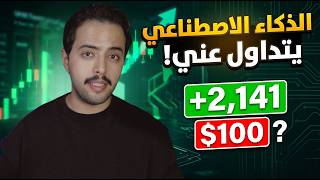

AI Trading Bot Shocks Me with 86 Wins
48sHigh engagement from surprising statistic of 86 winning trades out of 111, challenging common skepticism about AI bots.
▶ Play Clip"Title promises shocking AI bot results, and the video delivers a detailed walkthrough with impressive claimed stats."
This video provides a comprehensive guide to using the Forex Pro AI-powered trading bot, which generates trading recommendations based on objective analysis. The creator shares his personal experience with the bot, claiming an 86 out of 111 recommendation success rate, and walks through the entire process from registration to applying trades.
The video introduces an Australian AI-powered trading bot that provides objective, analytical trading recommendations.
Unlike previous bots that only predicted markets, this bot uses strategies, analytical schools, and mathematical calculations for deep market analysis.
The creator tested the bot for a month, receiving 111 recommendations: 86 profitable and 25 losing, resulting in an overall profit.
The website is currently in English but Arabic language support is being added. Users can use Google Translate temporarily.
Five packages: Forex (EUR/USD), Gold & Metal, Indices (SPAX, NASDAQ), Elite (all three combined), and Expert Option (for platforms without TP/SL).
Steps: Click 'Start Now', enter name, email, password, verify via email code, then access dashboard.
Add the website as a web app on your phone for easy access and enable notifications for new recommendations.
Link your Telegram account to receive recommendations via the bot. Click 'Start' in Telegram to connect.
Shows active recommendations, winning trade rate, statistics (e.g., 67% success rate, 56 wins, 27 losses).
In 'Signals' section, copy entry, stop loss, take profit levels and apply to any trading platform (e.g., CapTrade).
Upload a chart screenshot; the AI analyzes and provides entry, TP, SL with confidence score. Uses tokens (10 for $9, 30 for $20, 75 for $40).
Recommendations include market name, buy/sell, entry zone, multiple take profits, stop loss, and trade duration. Profit insurance alerts protect against reversals.
The Forex Pro bot offers a systematic approach to trading with AI-driven recommendations, but users must accept that losses are part of the process. The creator emphasizes that the bot's winning rate covers losses, leading to overall profitability.
How many recommendations did the creator receive in one month of testing the bot?
111 recommendations.
01:04
What was the success rate of the bot's recommendations during the test?
86 profitable and 25 losing, resulting in an overall profit.
01:04
Name the five subscription packages offered by Forex Pro.
Forex, Gold & Metal, Indices, Elite, and Expert Option.
03:28
What is the Elite package?
It combines all three main packages (Forex, Gold & Metal, Indices) into one subscription.
04:11
How do you register on the Forex Pro website?
Click 'Start Now', enter first name, second name, email, password, confirm password, select how you found us, then verify via email code.
04:55
What should you do if you don't receive the verification email?
Check your spam folder.
05:21
How do you install the Forex Pro web app on your phone?
Click the three lines in the browser, select 'Share', then 'Add to Screen', enable 'Open as Web App', and click 'Add'.
05:47
What payment methods are accepted for subscription?
Visa, Apple Pay, and USDT cryptocurrency.
07:16
How do you link your Telegram account to the bot?
Go to the 'Telegram' section in the sidebar, click the link, press 'Start' in the Telegram bot, and your account is linked.
07:46
What is the AI Trade Screenshot feature?
It allows you to upload a chart screenshot, and the AI analyzes it to provide entry, take profit, and stop loss recommendations with a confidence score.
10:46
How many tokens do you get for $9?
10 tokens.
11:29
What is a 'profit insurance alert'?
A notification that tells you to close a profitable trade before it reverses if it hasn't reached the first take profit target yet.
14:02
Bot Test Results
Provides concrete performance data: 86 wins out of 111 recommendations, demonstrating the bot's effectiveness.
01:04AI Screenshot Analysis
Innovative feature that uses AI to analyze chart screenshots and generate trading recommendations with confidence scores.
10:46Profit Insurance Alert
A unique risk management feature that protects profits by alerting users to close trades before potential reversals.
14:02[00:01] explain the Australian trading bot powered by artificial intelligence. Yes, today you can trade using AI. Before we begin, my friend, please, please, please watch the entire video. If you miss any information, you won't be able to use the
[00:18] good. I know this course might be a bit long, but it's important for you. Before we start explaining, you might ask me, "Nawaf, you used to say there was no AI-powered trading and you were wary of bots. What happened?" I'll say it again and emphasize what I said: throughout the past period, there wasn't a single good AI-powered
[00:34] trading bot. They were all bad bots whose only function was to predict the market. They couldn't analyze the market using strategies and analytical schools, they couldn't see the market in depth, and they couldn't base their decisions on logic and mathematical calculations. They just
[00:49] made predictions, and that's why they were bad. I told you back then that a bot that was truly suitable for trading might come along in a month, two months, or a year, and that's exactly what happened after I released the videos. The programmer, who's originally from Australia, approached me and said, "Try this bot and see if it might be useful.
[01:04] Maybe we can change your mind about bots." So I used it for a whole month, generating 111 recommendations. Of those, 86 were profitable and successful, and about 25 were
[01:16] losing—a negligible number compared to the winning ones. Based on that, I knew the bot would be beneficial, so I'm sharing this course with you. The explanation will be divided into several sections, each requiring more focus than the next. Let's begin with the first section:
[01:35] bot that provides you with recommendations to trade based on. For notification pops up with a recommendation for a specific market: buy or sell, take profit, stop loss. this bot provides? It delivers recommendations that are
[01:51] objective, based on sound principles. It's a strong analytical, rigorous, and mathematical tool, and all you have to do is receive the message, start implementing the recommendation within a minute or two, and then go to sleep. Now, pay close attention to what I'm about to minute or two, and then go to sleep. Now, pay close attention to what I'm about to
[02:19] 111 recommendations through this bot. I won 86 and lost 25. That's the difference we're talking about: the 86 winning recommendations covered the 25 losing ones, so I ended up making a profit. So, if you're planning to use a bot to trade without losing, I advise you
[02:33] not to continue trading at all because you'll keep losing every second with that mindset. They're saying losing every second with that mindset. They're saying you never want to lose, so trading isn't for you. in the name of God, we begin. Below this video, in the message, you'll find a link to the Forex Pro website or a
[02:49] Forex Pro bot link. All you have to do is click the link below, and it will take you to a page like this. Now, if we look at this page, this is the Forex Pro website. If we notice that the website is in English, it says above next to the language that Arabic is close. What happened? I spoke to the programmer
[03:02] and told him that my followers are Arabs, so he needs to add the Arabic language. He's currently working on weeks, the Arabic language will be available on the site. The entire site will be in Arabic, but the recommendations you receive will be in both Arabic and English. Don't worry about that. However, as a website and
[03:15] control panel, it will be in English for this short period. So, what can you do in this short time if you don't know English? Google Translate wo n't confuse you. Anything in English you don't understand, just copy and paste it into Google Translate, and it will translate it into Arabic. If we go back to the
[03:28] Forex Pro website, if we scroll down a bit, we'll find the packages. Pay close attention to this point: Forex Pro has five packages. The first package is the Forex package. If you subscribe to it, you'll receive Forex recommendations for the Euro/Dollar pair and all
[03:44] Another important point is the subscription price. If you look closely at the bot... Good, and you traded well and became active in applying the bot's recommendations. The subscription price that you will put in, you will be able to get it here is not paying from your pocket, you
[03:57] are investing in something that will bring you money. The second package they have is Gold and Metal Plan. This package provides you with recommendations for gold, metals, and silver, and you do not receive any other recommendations. The next package contains index recommendations. In this package, you will receive recommendations for SPAX,
[04:11] NASDAQ, and US indices, and you will not receive any recommendations for other markets. The next package is the smartest package available, which is the Elite package. What's the idea behind this package, my dear? The idea, in very brief terms. If you subscribe, you'll get this package, this package, and this package—meaning all three
[04:26] in this one. It's like subscribing to all three; all the recommendations from those three packages are included in this subscription. In addition, this subscription includes or IO Broker package. This package is specifically for Expert Option applications or applications
[04:42] that don't have Take Profit, Stop Loss, or Time-based trading. I won't explain the subscription now because we'll get to the subscription stage later.
[04:55] nutshell. To register on the Forex Pro website, you'll find "Start Now" and "Log In" at the top. Click on "Start Now," and this menu will appear. Enter your first name (for example, I'll this menu will appear. Enter your first name (for example, I'll write Nawaf here), your second name (Mohammed), your
[05:07] email address, your password, and confirm your password below. Then, it will ask how you found us. Answer anything, choose anything from this list, then click on the "Create Account" button in gold. If you click on this button, it will tell you to enter the six-digit
[05:21] verification code you received in your email. Go to the email address you provided; you will find an email from Forex Pro containing the six-digit verification code. Enter it here. If you don't find the email in your inbox, check your spam folder; you will find it there. After
[05:34] entering it, your account will be activated immediately, and you will be taken to the dashboard. When you first access the dashboard, it will look like this. But there's something important you need to do before we begin explaining. Click on the three lines in the top left corner, scroll down, and you will find the last option called "
[05:47] Install App." Clicking on it will explain how to add the Forex Pro website as an app on your phone time. I will explain it to you briefly now. Click on the three lines in the browser below. Then click on the word "Share." Scroll down a little and you'll find something called "Add to Screen." Activate the "
[06:03] Open as Web App" option and click "Add." After that, you'll see the application added to your screen like a mobile app, making it easy to return to the website. Then, go back to the website through this application and log in again. Now you have the website like an app on your phone. You'll get this notification
[06:17] saying, "Turn on notifications." Click on " Disable Notifications" or click on the three lines at the top. Scroll down to Settings and click on "Disable Notifications." Now, any recommendation that's posted will get you a notification that there's a new recommendation.
[06:34] Overview" section. In this section, you'll find your name at the top. If you subscribe to a package, the locked because you haven't subscribed to any package yet. They will unlock for you when we subscribe in a little while, and I'll show you what each section is. Click on the three lines on the side and go In the
[06:47] subscription section, click on "Subscribe Now," which is the subscriptions section. In this section, you choose a package from the ones I explained earlier: the Forex package, the Gold package, the Index package, the Elite package, or the Expert Option package. If you need
[07:00] any help, you can click on the chat icon at the bottom and start a new conversation with technical support. They will assist you immediately. For example, if I want to subscribe to the down to select the payment method. We can pay by Visa, Apple Pay, or
[07:16] click on the first option. This will take me directly to the payment page. I can either pay by Apple Pay or scroll down, enter my email address, fill in my card details, and pay to USDT (cryptocurrencies), I would click on USDT. This will then take me to this
[07:32] page. The wallet you transfer your subscription fee to is located there. Once you transfer the subscription fee as cryptocurrency, wait about 15 minutes for the process to complete. Your account will then be activated and you'll be redirected to the website. So, after paying and activating my subscription, I'm back on the
[07:46] second important step: click on the three lines in the top left corner. Go to the word "Telegram" at the bottom. You'll see a page like this. What's required of you? You need to link your Telegram account to the bot to receive recommendations.
[08:00] I'll link my Telegram account directly. This will take me to the bot. Click on the blue "Start" button at the bottom. Since my account is already linked, it's telling me it's already connected. But if you click on the blue button, you'll receive a message that your
[08:12] account has been linked with your package name. That's it! You've linked your account. After linking your account, the Telegram page will look like this. At the bottom, you'll find a gold button. Click on it, and it will give you a link. Accessing the recommendations channel for the package you
[08:27] subscribed to: Once you access the recommendations channel, you've linked your account. Recommendations will be sent to you there and also to your control panel. Now, let's return to the homepage after linking and completing all the steps. On the homepage, you'll find several
[08:40] sections. The first section shows you how many active recommendations are currently available, and the second section shows your winning trades rate. In the Elite package, I have a total of 83 trades with a 67% success rate. Scrolling down a bit, you'll find something called "Lite Signal," which displays the
[08:55] latest recommendations. Scrolling further, you'll find statistics showing 67%. A find statistics showing 67%. A 67% success rate means 56 winning trades and 27 losing trades. This means that even with the losing trades, I'm still making a profit. Now, going to the
[09:07] sidebar and then to the "Signals" section, you'll find all the active recommendations, including the market name and recommendation number. The time it was released, the type of recommendation (buy or sell), the entry points, the stop loss, take profit 1, take profit 3, and take profit 2. As soon as
[09:22] I click on any part of these, I can copy it and go directly to the trading application and apply it here. For example, this gold recommendation we have now, for example, I will enter it. I will copy the stop loss and come here to the stop loss, for example, in the CapTrade application, and put the stop loss
[09:35] here. For your information, the bot works on any platform, not necessarily CapTrade. Any platform will work, just apply the numbers. Then I take the first profit channel, for example, and put it in the profit channel, and I see the type of deal. It tells me to buy, for example. I go here and put, for example, the lot size. I want to enter at 0. 50 and that's it, I
[09:52] buy. That's how I applied the recommendation. The recommendation closed, the recommendation was profitable. I receive notifications on Telegram and in the control panel. If I go here to the history, it tells me the number of trades I won and whether each trade won or lost. If it won, the data will be in green; if it lost,
[10:05] the data will be in red. This is regarding active signals, active recommendations, and history. By the way, you'll also find the active recommendations and their history on Telegram. So you have two channels where you receive recommendations and recommendations updates: the
[10:17] control panel here and Telegram. You have two places to ensure that the recommendation reaches you. If we go to the next option, which is performance, we'll find the performance of the recommendations. We'll see our success rate, how many winning trades, how many losing trades, and we'll
[10:31] see which currency pairs or markets are the most profitable. The next section, which is trading tools, is where you'll find There are many tools to help you with trading. For example, you have a lot size calculator, a pip-follower calculator, and risk rewards. And here's the most important one: the
[10:46] news calendar. Here you'll find a calendar of upcoming news so you can stay informed. As we said, all news affects the market, whether it's economic or global. The next crazy section is AI Trade Screenshot. I won't explain how it works, but just watch.
[11:01] Now, I go to CapTrade and select any market. I do this: I zoom out on the chart any market. I do this: I zoom out on the chart a bit and take a screenshot. I go back to the app, upload the image, and tell it I want a short-term or medium-term recommendation. I click on the
[11:15] yellow button, and it starts analyzing the market based on the image I sent it and gives me a recommendation to enter the market I chose. See how crazy it is? Of course, it's not free. You have tokens; every request for a recommendation and market analysis deducts a token from your balance. It's
[11:29] located above, and of course, you can top up your tokens by clicking here. You'll get 10 tokens by clicking here. You'll get 10 tokens for approximately $9, or 30 tokens, which means 30 analyses for $20. You'll have approximately 75 analyses for around $40. Now, analyze the market and finish. Scroll down to read it; it will
[11:44] tell you how it analyzed the market, its strengths and weaknesses. If you notice, above it says "Confidence." This indicates its confidence in the recommendation; it's 6.5 out of 10. If you want to enter a longer trade, it will tell you "Long Setup" here, giving you the entry, take
[11:59] profit, and stop loss. If you want a quick recommendation, it will give you the entry, take profit, and stop loss. Just take a screenshot of the chart and upload it; it will give you everything, analyzing for you, telling you where to place your stop loss and where to place your profit. As you can see, one token was deducted from my account. Below, you'll
[12:13] find all your analyses in the section that... Next, there's the subscription section. Here you can see your package, its start and end dates. You can upgrade your package here; the first option is upgrade. You can renew it early or cancel your subscription. The
[12:26] next option is Telegram, which we've already explained. The next option is My Report, which gives you daily, weekly, and monthly reports on all trades, including profit and loss, and how much you earned, how much you lost, and so on. Next is Security. Here you can activate Two Factor to further secure your account. And now for support.
[12:40] Here's something important you need to understand: you have two options for contacting customer service. Either use the side chat here, or, if your issue is serious, go to Support, open a new ticket, choose the type of problem, write a title (
[12:54] anything), describe the problem, and attach a screenshot if you want. Then click Next. Once you open the ticket, you'll have a chat with technical support, and they'll respond. You can talk to them and they'll talk to you and help you. This covers the control panel, how to subscribe, and how to receive
[13:09] control panel, how to subscribe, and how to receive recommendations. Now let's move on to Telegram. Elite channel; if you're subscribed to the Gold package, you join the Gold channel, and so on. Generally, the recommendation arrives like this: the
[13:22] first part is in English for foreigners, and the second part is in Arabic for you. This is what I asked the developer to add. You'll find the trade, the market name, the trade type (buy or sell), the entry zone, the Take Profit 1, Take Profit 3, and Take Profit 4.
[13:35] You'll also find the Stop Loss and the recommendation type (short- term, medium-term, or long-term). As I and in the Telegram channel. All you have to do is take the numbers and apply them to your trading platform. If the recommendation is successful, you'll receive a message like this telling you that the recommendation was profitable.
[13:48] If the recommendation is unsuccessful, you'll receive a message like this telling you that the stop loss was triggered. The loss was detected, and the trade lost. Because the bot cares about you and wants to protect your money, pay attention to what they've done. There's something called a "profit insurance alert." If a trade is profitable but hasn't yet
[14:02] reached the first target or take profit, and the bot notices that this trade might reverse and turn into a loss, it tells you, "My friend, look, the trade is currently profitable, but it hasn't reached the first target or take profit yet. It's still profitable, so close it and take the profit you made before it reverses." See how
[14:17] powerful that is? That's the explanation from beginning to end. I know the video is long, but you need to focus on everything I said and understand it so you know how to deal with the bot and actually make money from it. I hope you benefited. The Forex Pro link is below in the
[14:31] video description and with the message below. May God grant us all success. Choose the packages you want, trade with the bot, and work hard. Once you start with the bot, you'll know that Nawaf Mohammed doesn't you start with the bot, you'll know that Nawaf Mohammed doesn't bring you anything. The heaviest and safest, Yeah.
⚡ Saved you 0h 14m reading this? Transcribe any YouTube video for free — no signup needed.