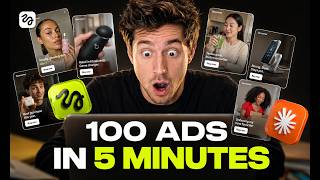

100 Video Ads in 5 Minutes from One Link
45sShockingly fast ad creation from a single link grabs attention for its unprecedented efficiency and cost savings.
▶ Play Clip"Title accurately reflects the transformative potential of the workflow, though 'changed marketing forever' is slightly hyperbolic."
This video demonstrates a workflow combining Higsfield AI's MCP (Model Context Protocol) with Claude to automatically generate up to 100 video ads from a single store link in about 5 minutes. The process requires no agency, editor, or creative team—just a link and a prompt. The presenter shows a live step-by-step walkthrough from connecting the tools to receiving a folder of ready-to-run video ads.
With a store link and one prompt, you can generate up to 100 video ads in 5 minutes. No agency, editor, or creative team needed.
Examples include selfie testimonial, clean product showcase, and before-and-after styles—all from one product page.
Claude reads customer reviews to identify pain points and angles; Higsfield generates the videos automatically.
Higsfield is an all-in-one AI creative studio for images, videos, ads, and marketing creatives, requiring no design experience.
Connect Higsfield to Claude via MCP: copy the link from Higsfield, paste into Claude's custom connector, name it 'Higsfield', and allow access.
Open a fresh chat in Claude, paste a store link (e.g., beauty niche), and prompt Claude to generate eight video ads mixing UGC, product showcase, and testimonial styles.
Prompt: 'Go through this product page. Understand what this product does. Read through the customer reviews and generate eight different video ads. Mix the styles UGC product showcase and testimonial. Pull the biggest pain points from the reviews. Use Higsfield to generate the video creatives and drop everything into my folder.'
Claude briefs and generates all eight ads simultaneously, each with a different hook, visual style, and narrative angle.
First ad uses a POV hook about lip product longevity, derived from customer complaints. Looks organic and native.
Second ad is a clean, cinematic product showcase with a premium feel, suitable for Instagram feed or YouTube pre-roll.
Third ad shows transformation, directly presenting problem and result. Identified by Claude from reviews.
One Shopify link and one prompt produced three different ad styles targeting different audiences. No brief writing, editing, or hiring required.
This AI workflow enables anyone to create professional video ads from a single store link in minutes, eliminating the need for agencies or creative teams. It represents a significant shift in how marketing creatives can be produced at scale.
What is the maximum number of video ads that can be generated from one store link using this workflow?
Up to 100 video ads in 5 minutes.
00:02
What are the three ad styles demonstrated in the video?
Selfie testimonial (UGC), clean product showcase, and before-and-after transformation.
00:32
How does Claude determine the angles for the ads?
Claude reads customer reviews on the product page to identify pain points and angles.
01:01
What is the MCP in Higsfield AI?
The MCP (Model Context Protocol) connects Higsfield directly into Claude, turning it into a full creative machine.
01:55
What steps are required to connect Higsfield to Claude?
Copy the MCP link from Higsfield, paste it into Claude's custom connector in Settings > Connectors, name it 'Higsfield', add, and allow access.
02:09
What is the exact prompt used in the video?
'Go through this product page. Understand what this product does. Read through the customer reviews and generate eight different video ads. Mix the styles UGC product showcase and testimonial. Pull the biggest pain points from the reviews. Use Higsfield to generate the video creatives and drop everything into my folder.'
03:14
How many ads does Claude generate at once?
Eight ads simultaneously, each with a different hook, visual style, and narrative angle.
04:17
What hook does the selfie testimonial ad use?
'POV, you finally found a lip product that doesn't disappear the second you take a sip of coffee.'
04:58
100 Ads in 5 Minutes
Demonstrates a dramatic reduction in ad creation time from days to minutes.
00:02AI Reads Reviews for Angles
Claude autonomously extracts customer pain points from reviews to craft ad hooks, replacing manual copywriting.
01:01Parallel Ad Generation
Claude generates multiple ads simultaneously, each with unique hooks and styles, showcasing efficient AI orchestration.
04:17No Agency Required
The workflow eliminates the need for creative teams, making professional ad creation accessible to anyone.
07:18[00:02] for Claude, and honestly, it has changed marketing forever because now with just a link from your store, you can generate up to 100 video ads in just 5 minutes. No agency, no editor, no creative team, just a link and one prompt. And these
[00:18] are some of the ads I made right here. >> The lip liner plus gloss bomb sticks combo that makes your lips look done all day. Nude liner first by feathering shen me. Lush bunny on top. Vitamin E Shia squeline.
[00:32] squeline. Juicy, precise, comfy. Where's ours? >> Look at these different styles, different hooks, different angles, all generated from one product page. This first one is a selfie testimonial style.
[00:47] Super native looking. This one is a clean product showcase, and this one is a before and after. Probably the strongest one out of all of them. All of these are ready to run right now. And the crazy part, I didn't make a
[01:01] Claude figured out the angles from the reviews. Higsfield generated the videos and everything landed in my folder automatically. So, in this video, I'm going to show you exactly how I did this. The full workflow live step by
[01:16] step from pasting a store link to having a full set of video ads ready to launch. And if you want to follow along, I'll leave the Higsfield MCP link in the description below. All right. So, once you click the link in the description,
[01:29] this is what you'll land on. This is Higsfield AI. And if you're seeing this for the first time, think of it as your all-in-one AI creative studio. Images, videos, ads, marketing creatives, everything under one roof. No design
[01:43] everything under one roof. No design experience, no editing skills required. Now, there are a lot of things you can do inside Higsfield. But what we care about today is the MCP. This is the piece that connects Higsfield directly
[01:55] into Claude and turns it into a full creative machine. Setting it up is super straightforward. Head over to Higsfield. Find the MCP section and make sure Claude is selected as your agent. You'll see a link there.
[02:09] Copy that. Now jump over to Claude. Click on your profile icon in the top right. Go to settings and then hit connectors. Click the plus icon. Select add custom connector and paste that link in. For the name, just put Higsfield.
[02:22] Keep it simple. Hit add, then click connect and allow Claude to access connect and allow Claude to access Higsfield when it asks. That's literally it. Higsfield is now connected to Claude and your setup is done. 30 seconds, one
[02:35] time, and you never have to do it again. Now, this is where it gets fun. Open a fresh chat in Claude. You'll see Higsfield sitting there as a connected tool right inside your chat window, which means Claude can now generate and
[02:47] ship media without you ever leaving this screen. link, and we're going to let Claude do its thing. So, here's the store I'm using for this demo. Beauty niche, clean product page, solid
[03:01] review section. Exactly the kind of store that needs good ad creatives to scale. And this is the beauty of this workflow. It works for any store, any niche, any product. All you need is the link. I'm going to copy this, paste it
[03:14] into Claude, and write my prompt. And I want you to pay attention to how simple this prompt actually is because this is all it takes. Go through this product page. Understand what this product does. Read through the
[03:26] customer reviews and generate eight different video ads. Mix the styles UGC product showcase and testimonial. Pull the biggest pain points from the reviews Higsfield to generate the video creatives and drop everything into my
[03:40] folder. That's the whole prompt. All right, sending it now. and watch what happens. Claude is already on it. It's going through the product page, reading the description,
[03:52] out the pain points, figuring out what angles are going to hit. All of this is happening automatically right in front of you. Now, it's asking for permission to access Higsfield. I'll
[04:04] hit allow. And now look as it's pulling the product up inside Higsfield, selecting it, getting everything ready on the creative side. I'll hit use to confirm the product. One more allow and we're off. And this
[04:17] is the part that gets me every time. It's not generating one ad and then moving to the next. It's briefing and generating all eight at the same time. Simultaneously, each one with a completely different hook, a different
[04:30] visual style, a different narrative angle. Claude read the reviews, decided single ad, briefed Higsfield on each one, and it's all running in parallel right now. You didn't make a single creative decision. You gave it a link.
[04:45] creative decision. You gave it a link. That's it. And just like that, done. All the ads are sitting right here. Let me show you what we actually got. >> POV, you finally found a lip product that doesn't disappear the second you
[04:58] take a sip of coffee. Gloss Bombs Lust Bunny lasted my whole brunch. Non-sticky, super nourishing, and the perfect rose nude shine. >> So, let's break these down. This first one, selfie testimonial UGC style. And
[05:15] that hook hits immediately. POV. You finally found a lip product that doesn't disappear the second you take a sip of coffee. Now, think about where that came reviews, found that this was a real
[05:28] frustration real customers had, and flipped it into an opening line. That's not a copywriter sitting down and brainstorming hooks. That's AI reading their complaint into your ad. And visually that this looks completely
[05:42] organic. Looks like a real person filming in their room. filming in their room. That's exactly why UGC converts.
[05:54] Gloss plus lipstick finally in one stick. Lush Bunny is that rose nude juicy glass lip vibe. Non-sticky and it's an 8-hour moisture lock. Scacklane, Shia butter, vitamin E, kiwi oil.
[06:08] >> Second one, totally different direction. Clean, cinematic product showcase style. Hook is gloss plus lipstick. Finally, in one stick, where the first ad feels personal and relatable, this one feels premium and polished. Different vibe,
[06:22] Instagram feed ad, your YouTube pre-roll. Same product, but now you're mindset. My lips before verse after gloss bomb stick. I had dry flakes and sticky gloss that feathers.
[06:38] This lush bunny stick is juicy shine with medium pigment. Vitamin E sheibba lasts. >> And this third one is probably my favorite. Before and after transformation style.
[06:51] transformation style. Opens with my lips before versus after. Simple, direct, no fluff. Shows the problem. Shows the result. done. This format works because it doesn't ask the viewer to imagine anything. It just
[07:04] shows them. And again, Claude identified this angle on its own by reading what in the reviews. All three of these are 15-second MP4s ready to upload and run right now. Three completely different styles, three
[07:18] audiences. You test all of them, find your winner, and scale it. So, let's just think about what happened here for a second. One Shopify link, one prompt.
[07:30] angles, and Higsfield generated the videos. No brief writing, no editing software, no hiring anyone. Just a link and a prompt. This is what running ads looks like in 2026. You don't need an agency. You don't need
[07:45] a creative team. The right tools connected together do the heavy lifting for you. The Higsfield MCP link is in the description. Connect it to Claude, paste your store link, run the same prompt, and you're good to go. If this
[07:59] was useful, drop a like and subscribe. I cover AI workflows like this every week. cover AI workflows like this every week. I'll see you in the next


⚡ Saved you 0h 08m reading this? Transcribe any YouTube video for free — no signup needed.